






10Gtek specializes in developing high-performance SAS (Serial Attached SCSI) cable solutions for enterprise storage, server, and data center applications and is committed to delivering reliable, high-quality, and cost-effective SAS connectivity products to global customers. Customized production options are available to meet specific requirements.
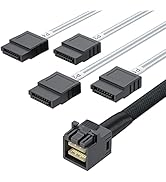
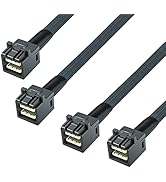
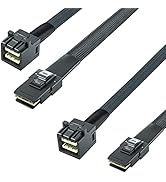
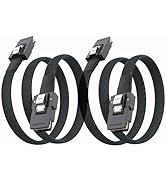
Internal Mini SAS Cable
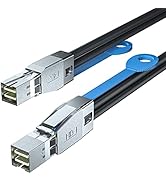
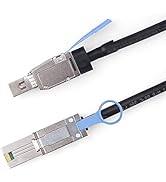
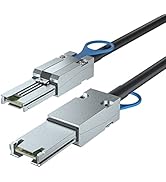

External Mini SAS HD Cable
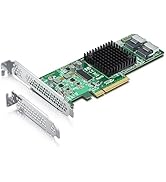
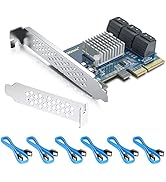
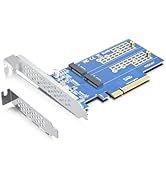
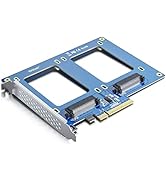
Expansion Card
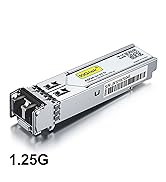
Transceiver
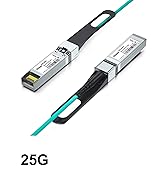
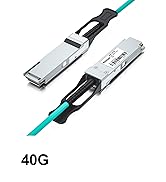
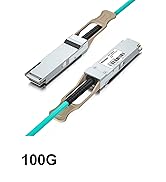
AOC
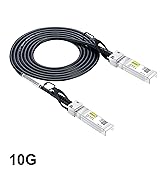
DAC
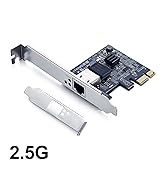
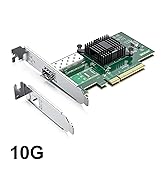
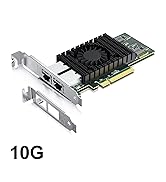
NIC
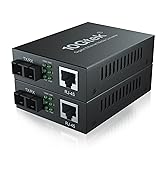
Converter & Switch

Fiber Optical Cable
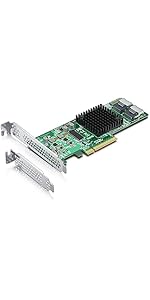 SAS 9211-8I | 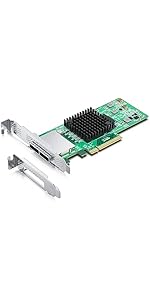 SAS 9200-8E | 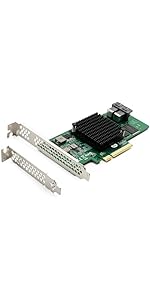 SAS 9300-8I(IR) | 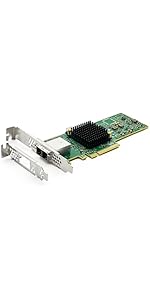 SAS 9300-8E | 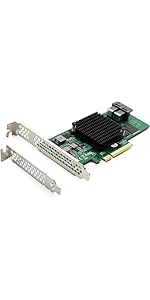 SAS 9300-8I(IT) | |
|---|---|---|---|---|---|
| Customer Reviews | — | — | — | — | — |
| Price | — | — | — | — | — no data |
| Interface | 2-port SFF-8087 | 2-port SFF-8088 | 2-port SFF-8643 | 2-port SFF-8644 | 2-port SFF-8643 |
| PCIe | Gen2.0 | Gen2.0 | Gen3.0 | Gen3.0 | Gen3.0 |
| PCIe Lane | X8 | X8 | X8 | X8 | X8 |
| Controller | LSI SAS 2008 | LSI SAS 2008 | LSI SAS 3008 | LSI SAS 3008 | LSI SAS 3008 |
| Port Data Rate | 6 Gb/s | 6 Gb/s | 12 Gb/s | 12 Gb/s | 12 Gb/s |
| Raid Support | Support Raid 0/1/1E/10 | NO | Support Raid 0/1/1E/10 | NO | NO |
| Operating Systems | Windows XP/7/8/10, Windows Server 2008/2012/2016/2019, Centos/RHEL 6/7, Ubuntu 16/18/19/20, Debian 9/10, FreeBSD 9/10/11/12, VMware Esxi 5/6, SLES 11/12, Solaris | Windows XP/7/8/10, Windows Server 2008/2012/2016/2019, Centos/RHEL 6/7, Ubuntu 16/18/19/20, Debian 9/10, FreeBSD 9/10/11/12, VMware Esxi 5/6, SLES 11/12, Solaris | Windows XP/7/8/10, Windows Server 2008/2012/2016/2019, Centos/RHEL 6/7/8, Ubuntu 16/18/19/20, Debian 9/10, FreeBSD 9/10/11/12, VMware Esxi 5/6/7, SLES 11/12, Solaris | Windows XP/7/8/10, Windows Server 2008/2012/2016/2019, Centos/RHEL 6/7/8, Ubuntu 16/18/19/20, Debian 9/10, FreeBSD 9/10/11/12, VMware Esxi 5/6/7, SLES 11/12, Solaris | Windows XP/7/8/10, Windows Server 2008/2012/2016/2019, Centos/RHEL 6/7/8, Ubuntu 16/18/19/20, Debian 9/10, FreeBSD 9/10/11/12, VMware Esxi 5/6/7, SLES 11/12, Solaris |
1 Overview
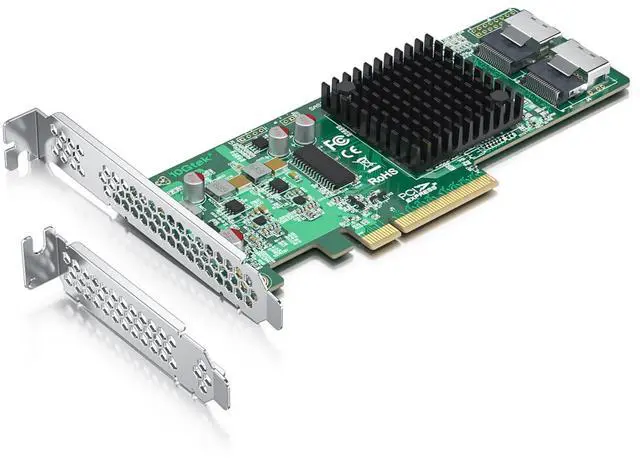
The 10Gtek SAS 9211-8i PCI Express(PCIe)-to-Serial Attached SCSI (SAS) host bus adapter (HBA), hereinafter referred to as the 10Gtek SAS 9211-8i HBA, provides high-performance internal storage connectivity for servers and workstations. The 10Gtek SAS 9211-8i HBA provides eight lanes of 6Gb/s SAS connectivity and is matched with eight lanes of PCIe 2.0 5Gb/s performance. The low-profile design of the SAS HBA includes a full-height bracket and low-profile mounting bracket that creates a universal fit for any server. The 10Gtek SAS 9211-8i HBA is based on 10Gtek SAS 2008 controller that integrates the latest enhancements in PCIe 2.0 technology and 6Gb/s SAS technology.
The 10Gtek SAS 9211-8i HBA can support RAID 0, RAID 1, RAID 10, and RAID 1E.
2 Functional Descriptions
2.1 PCIe
PCIe is a high-speed standard local bus for point-to-point interfacing of I/O components to the processor and the memory subsystems in a high-end personal computer (PC). The 10Gtek SAS 9211 HBA connects directly to the PCIe bus and generates timing and protocol in compliance with the PCIe specifications.
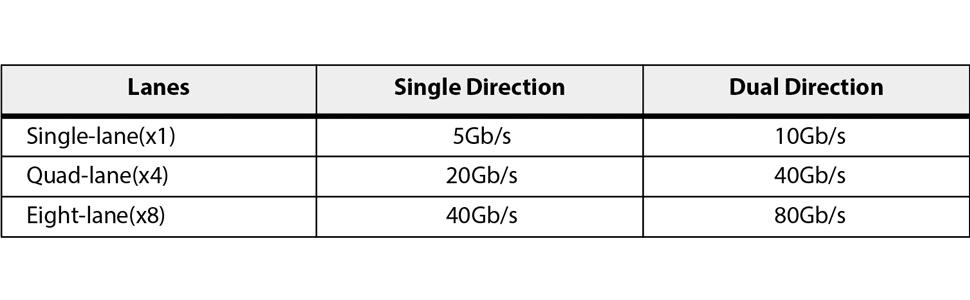
The following table shows 5Gb/s PCIe performance.
Table 1 PCIe Aggregate Bandwidth
2.2 SATA and SAS
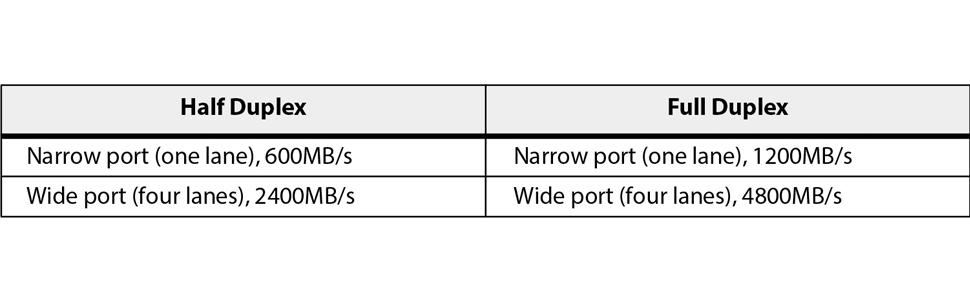
The 10Gtek HBA contains the SATA+SAS functionality. The following table shows 6Gb/s SAS performance.
Table 2 6Gb/s SAS Bandwidths
3 Operating System Support
The 10Gtek SAS 9211-8i HBA supports all major operating systems: Windows, Linux Red Hat, Linux SUSE Enterprise Server (SLES), Solaris, and VMware.
4 Electrical and Environmental Specifications
4.1 Electrical Characteristics
The maximum power requirements for the 10Gtek SAS 9211-8i HBA under normal operation are as follows:
- PCIe 12.0 V = 1.21 A
- Power
- — Nominal = 8.04 W
- — Worst case = 14.63 W
- Operation range = 0 °C to 55 °C (32 °F to 131 °F)
4.2 Thermal and Atmospheric Characteristics
The atmospheric characteristics for the 10Gtek SAS 9211-8i HBA are as follows:
- Temperature range: 0 °C to 55 °C (32 °F to 131 °F) (dry bulb)
- Relative humidity range: 5 percent to 90 percent noncondensing
- Maximum dew point temperature: 32 °C (89.6 ° F)
The following parameters define the storage and transit environment for the 10Gtek SAS 9211-8i HBA:
- Temperature range: -45 °C to +105 °C ( -49 °F to +221 °F) (dry bulb)
- Relative humidity range: 5 percent to 90 percent noncondensing
5 Hardware Installation
This section provides detailed instructions on how to install your 10Gtek SAS 9211-8i HBA.
1. Unpack the HBA, and inspect it for damage. Unpack the HBA in a static-free environment. Remove the HBA from the antistatic bag and carefully inspect it for damage. If you notice any damage, or if any component is missing, contact 10Gtek or your reseller support representative.
ATTENTION: Make a backup of your data before changing your system configuration, or you might risk data loss.
2. Prepare the system. Turn off the computer, and disconnect the power cord from the rear of the power supply.
3. Remove the cover from the chassis.
CAUTION: Disconnect the computer from the power supply and from any networks before you install the HBA, or you risk damaging the system.
4. Replace the mounting bracket (system dependent). If required for your system, replace the full-length mounting bracket that ships on the 10Gtek SAS 9211-8i HBA with the shorter bracket supplied. Save and reuse the two screws that attach the long bracket to attach the short bracket.
5. Insert the HBA in an available PCIe slot. Locate an empty PCIe slot. Remove the blank bracket panel on the back of the computer that aligns with the empty PCIe slot. Save the bracket screw, if applicable.
6. Align the HBA to the PCIe slot. Press down gently but firmly to correctly seat the HBA in the slot. The following figure shows how to insert the HBA in a PCIe slot.
Figure: Installing an 10Gtek SAS 9211-8i HBA in a PCI Express Slot
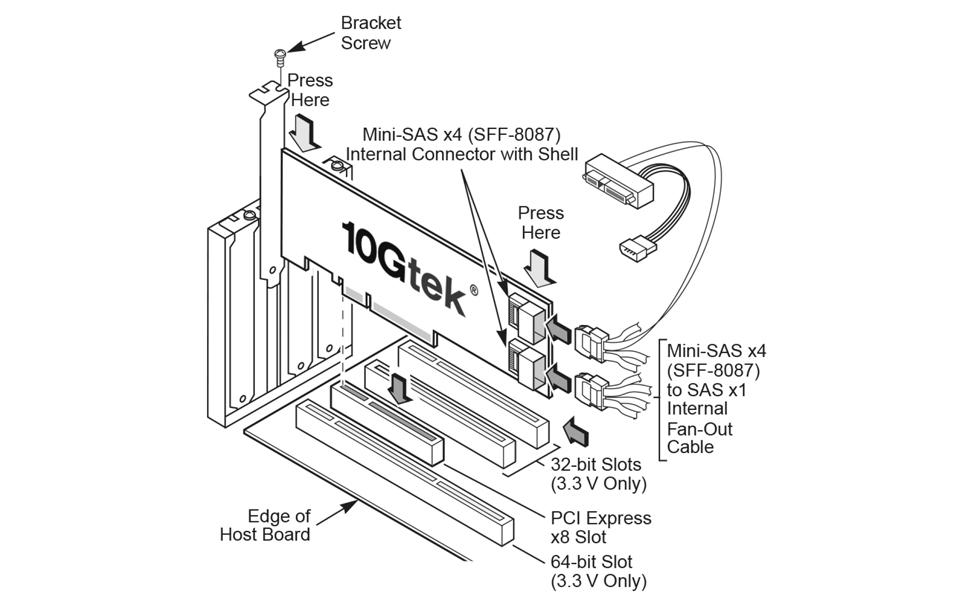
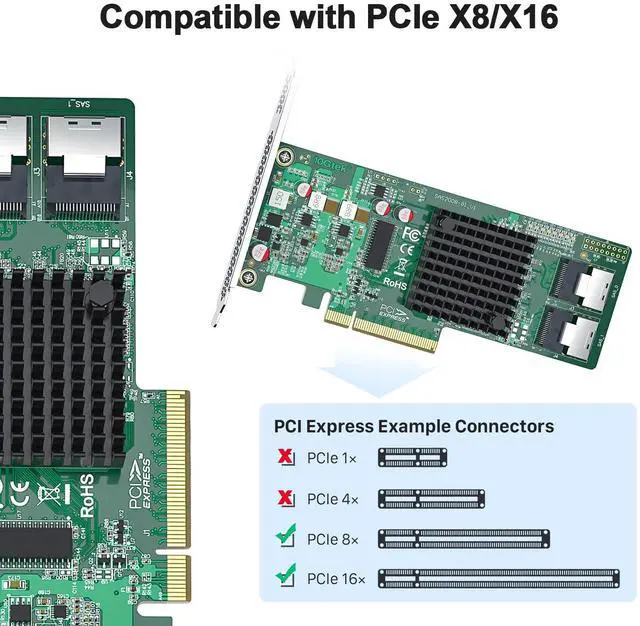
NOTE: The shape, size, and locations of components on your HBA and its bracket might vary from this illustration. The 10Gtek SAS 9211-8i HBA requires a x8 PCIe slot.
7. Secure the bracket to the system’s chassis. Install the bracket screw, if applicable, or engage the system retention mechanism to secure the HBA to the system’s chassis.
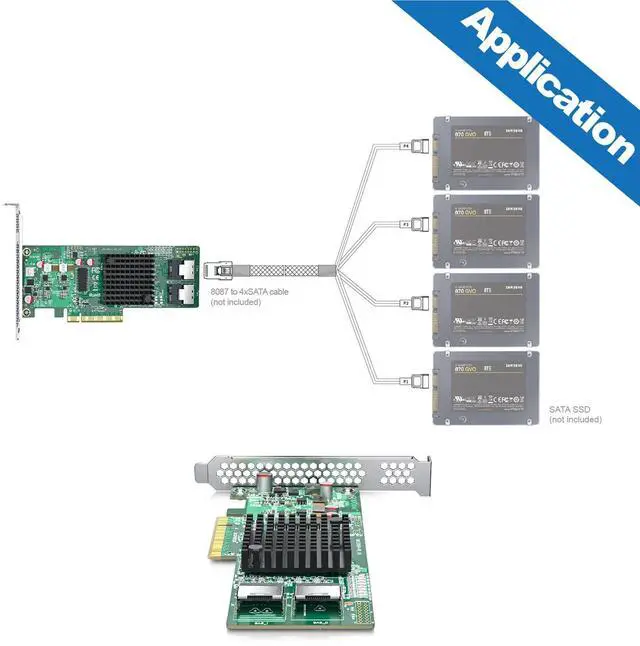
8. Connect serial cables between the HBA and any serial HDDs. Connect serial cables between the HBA and any HDDs. Figure shows the locations of the HBA connectors.
9. Replace the cover and any power cords and power up the system. Replace the chassis’s cover, reconnect any power cords, and reconnect any network cables. Turn on the power.
SAS 9211-8I | SAS 9200-8E | SAS 9300-8I(IR) | SAS 9300-8E | SAS 9300-8I(IT) | |
|---|---|---|---|---|---|
| Customer Reviews | — | — | — | — | — |
| Price | — | — | — | — | — no data |
| Interface | 2-port SFF-8087 | 2-port SFF-8088 | 2-port SFF-8643 | 2-port SFF-8644 | 2-port SFF-8643 |
| PCIe | Gen2.0 | Gen2.0 | Gen3.0 | Gen3.0 | Gen3.0 |
| PCIe Lane | X8 | X8 | X8 | X8 | X8 |
| Controller | LSI SAS 2008 | LSI SAS 2008 | LSI SAS 3008 | LSI SAS 3008 | LSI SAS 3008 |
| Port Data Rate | 6 Gb/s | 6 Gb/s | 12 Gb/s | 12 Gb/s | 12 Gb/s |
| Raid Support | Support Raid 0/1/1E/10 | NO | Support Raid 0/1/1E/10 | NO | NO |
| Operating Systems | Windows XP/7/8/10, Windows Server 2008/2012/2016/2019, Centos/RHEL 6/7, Ubuntu 16/18/19/20, Debian 9/10, FreeBSD 9/10/11/12, VMware Esxi 5/6, SLES 11/12, Solaris | Windows XP/7/8/10, Windows Server 2008/2012/2016/2019, Centos/RHEL 6/7, Ubuntu 16/18/19/20, Debian 9/10, FreeBSD 9/10/11/12, VMware Esxi 5/6, SLES 11/12, Solaris | Windows XP/7/8/10, Windows Server 2008/2012/2016/2019, Centos/RHEL 6/7/8, Ubuntu 16/18/19/20, Debian 9/10, FreeBSD 9/10/11/12, VMware Esxi 5/6/7, SLES 11/12, Solaris | Windows XP/7/8/10, Windows Server 2008/2012/2016/2019, Centos/RHEL 6/7/8, Ubuntu 16/18/19/20, Debian 9/10, FreeBSD 9/10/11/12, VMware Esxi 5/6/7, SLES 11/12, Solaris | Windows XP/7/8/10, Windows Server 2008/2012/2016/2019, Centos/RHEL 6/7/8, Ubuntu 16/18/19/20, Debian 9/10, FreeBSD 9/10/11/12, VMware Esxi 5/6/7, SLES 11/12, Solaris |
1 Overview
The 10Gtek SAS 9211-8i PCI Express(PCIe)-to-Serial Attached SCSI (SAS) host bus adapter (HBA), hereinafter referred to as the 10Gtek SAS 9211-8i HBA, provides high-performance internal storage connectivity for servers and workstations. The 10Gtek SAS 9211-8i HBA provides eight lanes of 6Gb/s SAS connectivity and is matched with eight lanes of PCIe 2.0 5Gb/s performance. The low-profile design of the SAS HBA includes a full-height bracket and low-profile mounting bracket that creates a universal fit for any server. The 10Gtek SAS 9211-8i HBA is based on 10Gtek SAS 2008 controller that integrates the latest enhancements in PCIe 2.0 technology and 6Gb/s SAS technology.
The 10Gtek SAS 9211-8i HBA can support RAID 0, RAID 1, RAID 10, and RAID 1E.
2 Functional Descriptions
2.1 PCIe
PCIe is a high-speed standard local bus for point-to-point interfacing of I/O components to the processor and the memory subsystems in a high-end personal computer (PC). The 10Gtek SAS 9211 HBA connects directly to the PCIe bus and generates timing and protocol in compliance with the PCIe specifications.
The following table shows 5Gb/s PCIe performance.
Table 1 PCIe Aggregate Bandwidth
2.2 SATA and SAS
The 10Gtek HBA contains the SATA+SAS functionality. The following table shows 6Gb/s SAS performance.
Table 2 6Gb/s SAS Bandwidths
3 Operating System Support
The 10Gtek SAS 9211-8i HBA supports all major operating systems: Windows, Linux Red Hat, Linux SUSE Enterprise Server (SLES), Solaris, and VMware.
4 Electrical and Environmental Specifications
4.1 Electrical Characteristics
The maximum power requirements for the 10Gtek SAS 9211-8i HBA under normal operation are as follows:
- PCIe 12.0 V = 1.21 A
- Power
- — Nominal = 8.04 W
- — Worst case = 14.63 W
- Operation range = 0 °C to 55 °C (32 °F to 131 °F)
4.2 Thermal and Atmospheric Characteristics
The atmospheric characteristics for the 10Gtek SAS 9211-8i HBA are as follows:
- Temperature range: 0 °C to 55 °C (32 °F to 131 °F) (dry bulb)
- Relative humidity range: 5 percent to 90 percent noncondensing
- Maximum dew point temperature: 32 °C (89.6 ° F)
The following parameters define the storage and transit environment for the 10Gtek SAS 9211-8i HBA:
- Temperature range: -45 °C to +105 °C ( -49 °F to +221 °F) (dry bulb)
- Relative humidity range: 5 percent to 90 percent noncondensing
5 Hardware Installation
This section provides detailed instructions on how to install your 10Gtek SAS 9211-8i HBA.
1. Unpack the HBA, and inspect it for damage. Unpack the HBA in a static-free environment. Remove the HBA from the antistatic bag and carefully inspect it for damage. If you notice any damage, or if any component is missing, contact 10Gtek or your reseller support representative.
ATTENTION: Make a backup of your data before changing your system configuration, or you might risk data loss.
2. Prepare the system. Turn off the computer, and disconnect the power cord from the rear of the power supply.
3. Remove the cover from the chassis.
CAUTION: Disconnect the computer from the power supply and from any networks before you install the HBA, or you risk damaging the system.
4. Replace the mounting bracket (system dependent). If required for your system, replace the full-length mounting bracket that ships on the 10Gtek SAS 9211-8i HBA with the shorter bracket supplied. Save and reuse the two screws that attach the long bracket to attach the short bracket.
5. Insert the HBA in an available PCIe slot. Locate an empty PCIe slot. Remove the blank bracket panel on the back of the computer that aligns with the empty PCIe slot. Save the bracket screw, if applicable.
6. Align the HBA to the PCIe slot. Press down gently but firmly to correctly seat the HBA in the slot. The following figure shows how to insert the HBA in a PCIe slot.
Figure: Installing an 10Gtek SAS 9211-8i HBA in a PCI Express Slot
NOTE: The shape, size, and locations of components on your HBA and its bracket might vary from this illustration. The 10Gtek SAS 9211-8i HBA requires a x8 PCIe slot.
7. Secure the bracket to the system’s chassis. Install the bracket screw, if applicable, or engage the system retention mechanism to secure the HBA to the system’s chassis.
8. Connect serial cables between the HBA and any serial HDDs. Connect serial cables between the HBA and any HDDs. Figure shows the locations of the HBA connectors.
9. Replace the cover and any power cords and power up the system. Replace the chassis’s cover, reconnect any power cords, and reconnect any network cables. Turn on the power.
10Gtek specializes in developing high-performance SAS (Serial Attached SCSI) cable solutions for enterprise storage, server, and data center applications and is committed to delivering reliable, high-quality, and cost-effective SAS connectivity products to global customers. Customized production options are available to meet specific requirements.
Internal Mini SAS Cable
External Mini SAS HD Cable
Expansion Card
Transceiver
AOC
DAC
NIC
Converter & Switch
Fiber Optical Cable