

Your Browsing History

Quick View
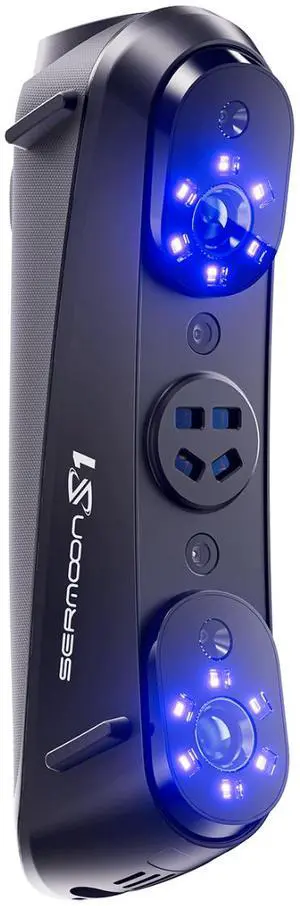
Creality Sermoon S1 3D Scanner, Multi-Light Versatility, 0.02mm Accuracy, up to 90 FPS
- Supported OS: System Support Windows/macOS Android/iOS (Requires Wireless Scanning Accessories) Computer Configuration Requirements Windows: The following or higher configurations are recommended: i7-Gen10 CPU, Nvidia GPU (8GB VRAM), 32GB RAM, Windows 10/11 (64-bit). Minimum configuraiton: i7-Gen7 CPU, Nvidia GPU (6GB VRAM), 16GB RAM, Windows 10/11 (64-bit) macOS:M1/M2/M3/M4 series, 16GB RAM
- Product Size/Dimensions: 225mmx53mmx76mm
- Features: Laser Safety Single Blue Laser Line - Class II (eye safe) 7 Parallel Blue Laser Lines - Class I (eye safe) 34 Cross Blue Laser Lines - Class II (eye safe) Infrared Structured Light - Class I (eye safe)
- Brand: Creality
- Model #: 4008050063
- $2,299.99 –
- Free Shipping
Quick View
Creality Sermoon S1 3D Scanner, Multi-Light Versatility, 0.02mm Accuracy, up to 90 FPS
- Supported OS: System Support Windows/macOS Android/iOS (Requires Wireless Scanning Accessories) Computer Configuration Requirements Windows: The following or higher configurations are recommended: i7-Gen10 CPU, Nvidia GPU (8GB VRAM), 32GB RAM, Windows 10/11 (64-bit). Minimum configuraiton: i7-Gen7 CPU, Nvidia GPU (6GB VRAM), 16GB RAM, Windows 10/11 (64-bit) macOS:M1/M2/M3/M4 series, 16GB RAM
- Product Size/Dimensions: 225mmx53mmx76mm
- Features: Laser Safety Single Blue Laser Line - Class II (eye safe) 7 Parallel Blue Laser Lines - Class I (eye safe) 34 Cross Blue Laser Lines - Class II (eye safe) Infrared Structured Light - Class I (eye safe)
- Brand: Creality
- Model #: 4008050063
- $2,299.99 –
- Free Shipping
Quick View
Creality Pika 3D Scanner, Portable Handheld Scanner for 3D Printing, AI-Powered, Blue Laser & Infrared
- Product Size/Dimensions: 100mmx60mmx35mm
- Brand: Creality
- Scan Object Sizes: Min. Scan Volume: 5mm x 5mm x 5mm (7 Parallel Blue Laser) / 50mm x 50mm x 50mm (NIR Structured Light) Single Capture Range: 101mmx107mm at 160mm 344mmx268mm at 400mm (7 Parallel Blue Laser) / 144mmx134mm at 200mm 764mmx670mm at 1000mm (NIR Structured Light)
- Distance: Working Distance: 160mm-400mm (7 Parallel Blue Laser) / 200mm-1,000mm (NIR Structured Light)
- Model #: 4008050066
- $699.00 –
- Free Shipping
Quick View
3D Scanner for 3D Printing, Handheld 3D Model Scanner with 0.05mm High Detailed Precision, 10FPS Scanning Speed, Anti-Shake Lenses, Compatible with Windows/MacOS, Moose Lite (Premium)
- Scan Object Sizes: Medium
- Model #: BEMoose Lite
- $659.00 –
- Free Shipping
Quick View
3D Scanner for 3D Printing, Handheld 3D Model Scanner with 0.03mm High Detailed Precision, 24-bit Color Camera, Anti-Shake Lenses, Compatible with Windows/MacOS, Moose (Premium)
- Scan Object Sizes: Medium
- Model #: BEMoose Premium
- $999.00 –
- Free Shipping
Quick View
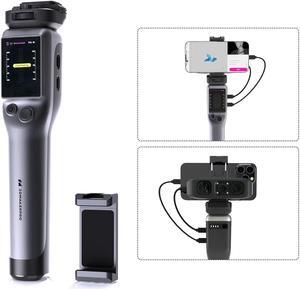
Portable Smart Grip for Moose Series 3D Scanner
- Type: Accessories
- Model #: BE3DM Smart Grip
- $459.00 –
- Free Shipping
Quick View
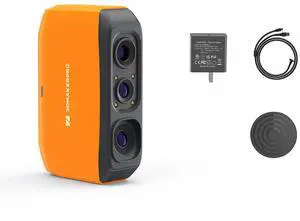
#1 Best Seller
- Supported OS: Windows/Mac/Android/IOS
- Product Size/Dimensions: 115x70x35mm
- Software Compatibility: JMStudio
- Scan Object Sizes: 40-1200mm
- Model #: Fox
- $249.00
- $212.00 –
- Save: 14%
- Free Shipping
Quick View
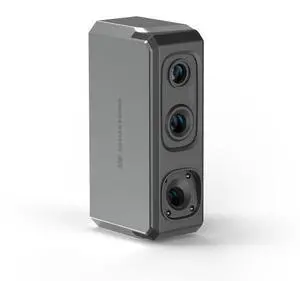
3DMakerpro Seal 3D Scanner, Blue Structured-light 3D Scanners for 3D Printing, Small-Format, Full Color Scanning
- Supported OS: Windows/Mac/Android/iOS
- Product Size/Dimensions: 110×60×35mm
- Software Compatibility: JMStuio
- Brand: 3DMakerpro
- Model #: Seal
- $699.00
- $489.00 –
- Save: 30%
- Free Shipping
Quick View
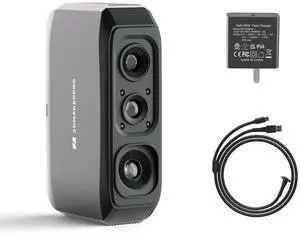
3DMakerpro 3D Scanner Moose Lite, Medium-Format 3D Scanners for Printing, NIR Light Source, Up to 0.05mm Accuracy, Mono Texture Scanning
- Supported OS: Windows/Mac/Android/iOS
- Product Size/Dimensions: 115×70×35mm
- Software Compatibility: JMStuio
- Brand: 3DMakerpro
- Model #: Moose Lite Standard
- $399.00
- $299.25 –
- Save: 25%
- Free Shipping
Quick View
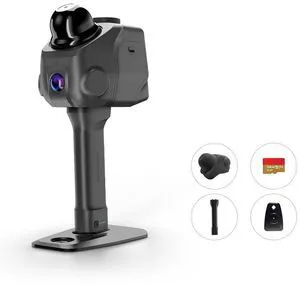
3DMakerpro LiDAR Spatial Scanner Raven, Handheld Personal 3D LiDAR Scanner with 12MP Camera, Up to 100m Scan Range & 4K Imaging, 150,000 points/sec
- Supported OS: Windows 11+ (Incompatible with macOS)
- Product Size/Dimensions: 148*288*98mm
- Software Compatibility: RayStudio/Raycraft
- Features: 3DGS/SLAM/Point cloud/360 Camera Mount
- Model #: Raven
- $1,699.00 –
- Free Shipping
Quick View
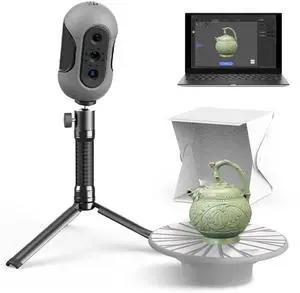
Mole 3D Scanner,0.1MM Resolution,No Marker Scan with 0.05 MM Accuracy, Professional 3D Scanners with Multispectral Technology,Turntable Handheld Scan Mode and Black Objects Scanning Luxury
Limited time offer, ends 09/30
- Scan Object Sizes: Medium
- Model #: Mole Luxury
- $508.80
- $424.00 –
- Save: 16%
- Free Shipping
Quick View
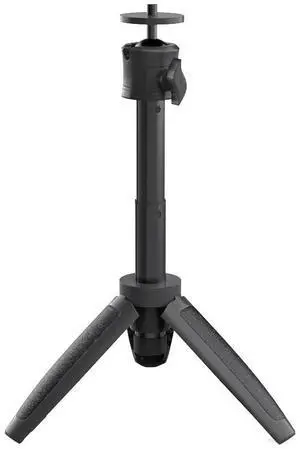
3DMakerpro 3D Scanner Tripod Holder for Moose/Moose Lite Seal/Seal Lite 3D Scanner
Limited time offer, ends 09/30
- Model #: Tripod
- $39.00
- $31.00 –
- Save: 20%
- Free Shipping
Quick View
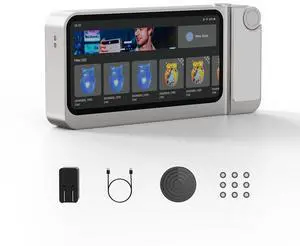
3DMakerpro 3D Scanner Toucan, All-in-One Handheld 3D Scanners for 3D Printing, Easy Scanning for Small to Large Objects, No PC Required, 32GB+256GB
Limited time offer, ends 09/30
- Product Size/Dimensions: 200×93×37.5mm
- Software Compatibility: JMStudio
- Features: Continuous Handheld Scan/ Photo Scan / Table Scan
- Brand: 3DMakerpro
- Model #: Toucan
- $2,049.00
- $1,499.00 –
- Save: 26%
- Free Shipping
Quick View
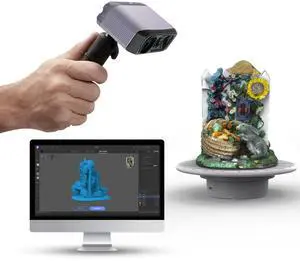
3DMakerpro 3D Scanner, NIR Light Technology, Ideal for Medium-size Object Scanning, Include Tripod and Tunrntable, Moose Lite Premuim Version
- Supported OS: Windows/Mac/Android/iOS
- Product Size/Dimensions: 115×70×35mm
- Software Compatibility: JMStuio
- Brand: 3DMakerpro
- Model #: Moose Lite Premuim
- $459.00 –
- Free Shipping
Quick View
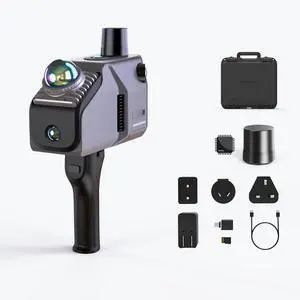
3DMakerpro Eagle LiDAR 3D Scanner, Professional SLAM Spatial Scanner for Film Production, 3DGS, Virtual Reality, 3D Modeling, All-in-one Workflow, 140m Range Max (4 Cameras)
- Supported OS: Windows 11+
- Product Size/Dimensions: 115 × 181 × 106 mm
- Software Compatibility: Raystudio
- Features: 3DGS/SLAM/Point cloud
- Model #: Eagle Max
- $4,898.00 –
- Free Shipping
Quick View
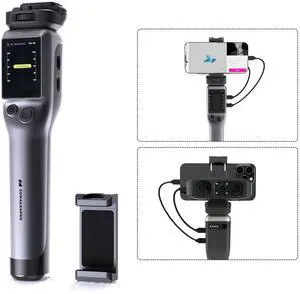
Smart Grip for 3DMakerpro Moose/Seal 3D Scanners, On-The-go Scanning
Limited time offer, ends 09/30
- Model #: Smart Grip
- $286.00
- $239.00 –
- Save: 16%
- Free Shipping
Quick View
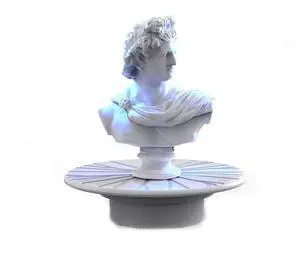
Turntable for 3DMakerpro Moose/Moose Lite Seal/Seal Lite 3D Scanners
Limited time offer, ends 09/30
- Model #: Turntable
- $27.60
- $23.00 –
- Save: 16%
- Free Shipping
Quick View
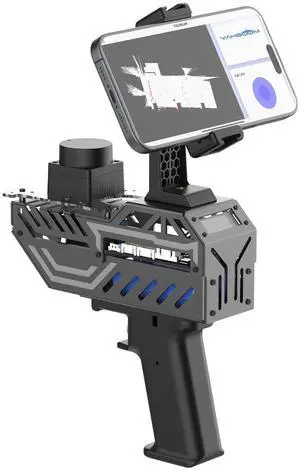
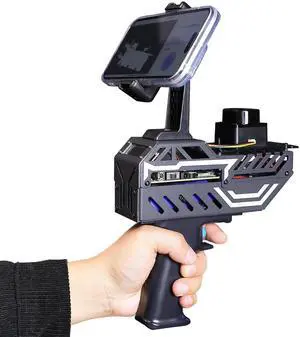
Yahboom Handheld Mapping Navigation Scanning Lidar TOF Ranging Measurement Radius 0.05-12m Supports APP,ROS2,Linux,with Bracket,OLED Screen (with T-mini Plus)
- Scan Object Sizes: Large
- Model #: 919941213908
- $179.99 –
- Free Shipping
Precision 3D Scanners for Advanced Modeling and Design
Designed for engineers, designers, and makers, this page features handheld and desktop 3D scanners from brands like Shining 3D and Revopoint, perfect for CAD, reverse engineering, and 3D printing workflows. Explore tools that help capture detailed, accurate 3D models for your projects.
How to Choose 3D Scanners
Key Features and Technologies to Consider When Choosing a 3D Scanner
Selecting the right 3D scanner hinges on several critical features and technologies that impact accuracy, usability, and fit for your project needs. Keep these factors in mind:
- Scanning Technology: Laser scanning, structured light, and photogrammetry each have unique strengths—laser shines in fine detail, structured light balances speed and precision, photogrammetry uses photos from multiple angles for versatile 3D capture.
- Resolution and Accuracy: Higher resolution scanners capture more detail with less noise, essential for CAD and reverse engineering tasks that require exact models.
- Scan Range and Field of View: Consider the size of objects you’ll scan—handheld models excel at medium objects, while desktop or flatbed scanners handle smaller prototypes well.
- Portability and Ease of Use: For fieldwork or rapid scanning, lightweight handheld scanners with intuitive software are optimal.
- Software Compatibility: Integration with CAD programs or 3D printing workflows ensures your scans are easily editable and usable downstream.
The Importance of Scan Accuracy: Precision as the Deciding Factor
Among all specs, scan accuracy stands out as the pivotal metric for 3D scanners, especially for professionals working in engineering or manufacturing. Accuracy defines how closely the digital model replicates the physical object, influencing the reliability of reverse engineering and quality control processes. Vendors often specify accuracy in microns—lower numbers mean finer detail capture. When precision is paramount, look for scanners offering sub-millimeter accuracy combined with high resolution. Note that environmental factors like lighting and surface reflectivity also impact output quality, making the scanner’s sensor quality and software correction algorithms equally important components of precise scanning.
Advanced Uses for Developers and Pros: Customizing Scanning Workflows
Advanced users such as developers, engineers, and digital artists leverage 3D scanners beyond simple object digitization. Programmable scanners and those with open APIs allow integration into automated workflows or custom software solutions, boosting efficiency in complex projects. For instance, incorporating specially calibrated specialized scanner models enables capturing fine textures or large-scale objects tailored to specific industrial or archeological applications. For optimizing hardware and software combinations, explore curated setups featured in our Build Showcases, where expert recommendations highlight compatibility and performance tips.
Performance and Setup Tips
- Calibrate your scanner regularly following the manufacturer's instructions to maintain accuracy over time.
- Ensure the scanning environment has consistent, diffuse lighting to minimize shadows and reflections.
- Use a stable scanning platform or stand for desktop models to reduce motion blur and misalignment.
- Clean the object's surface or apply matte spray for highly reflective or transparent materials to improve scan quality.
- Take multiple scans from different angles to create a complete 3D model with fewer gaps or distortions.
- Leverage bundled or third-party software for post-processing, mesh alignment, and noise reduction to enhance scanned data.
- Regularly update firmware and software to access new features and bug fixes that optimize performance.
- Explore Newegg Insider for professional tips and deeper technical resources to refine your scanning workflow.
Newegg shopping tip: When choosing a 3D scanner, focus on the resolution and accuracy to ensure detailed captures, especially if you need precise measurements for modeling. It's also important to compare scanning volume and compatibility with your software to find a scanner that fits your project's scale and workflow.
Explore 3D Scanners & Related Categories
Explore curated builds that highlight top 3D scanner setups, showcasing real-world applications and optimized hardware combos for precise digitization.
Focused on niche needs, these specialized 3D scanners excel in capturing intricate details or large objects that generic models often miss.
Flatbed scanners provide high-res, scan-from-above 3D profiles ideal for small objects or prototype analysis with stable, consistent lighting.
Getting Started with 3D Scanners
If you're new to 3D scanning, the variety of options can feel overwhelming. Most beginners find handheld or desktop 3D scanners the easiest to use, as they require minimal setup and can capture objects with good detail. These devices often come with user-friendly software to guide you through scanning and exporting your models. Whether you're experimenting with CAD projects or just exploring the possibilities, starting here offers a gentle learning curve and immediate results. For a quick hands-on sense of the technology, explore our Build Showcases that highlight setups tailored for beginners.
3D Scanners for Product Design & Reverse Engineering
Professionals in product design and reverse engineering rely heavily on 3D scanners to create precise digital replicas of physical objects. These scanners capture detailed surface geometry that can be integrated into CAD software, enabling modifications or reproduction of parts without starting from scratch. Precision and resolution are key in this arena, so technology like structured light or laser scanners are popular choices. Many also turn to specialized scanner options that offer enhanced accuracy for industrial-grade projects.
3D Scanners for 3D Printing Enthusiasts
Hobbyists and makers who love 3D printing use scanners to digitize objects for seamless replicas, repairs, or custom modifications. By turning physical items into editable digital models, 3D scanners unlock new creative possibilities. Many scanners designed for this use include native STL export, compatible directly with popular 3D printers. Pairing a scanner with your printer and design software simplifies your build process, especially when explored through our 3D Printing & Maker category for optimized bundles.
Before You Buy
- Confirm the scanning technology type—laser, structured light, or photogrammetry—matches your precision needs.
- Check the maximum scanning volume and resolution to ensure your objects or projects fit within the scanner’s capabilities.
- Verify compatibility with your operating system and preferred 3D modeling or CAD software workflow.
- Consider portability versus stability—handheld scanners offer mobility but may trade off some accuracy compared to desktop units.
- Look for included software features such as mesh editing, STL export, and post-processing tools.
- Explore user reviews and tutorials for insights on scanner ease-of-use and reliability.
- Don’t miss out on current deals or Rebates that can make high-end models more affordable.
Research more: When choosing a 3D scanner, consider the resolution and scanning volume to match your project needs, whether it's small intricate parts or larger objects. For a deeper dive into features and comparisons, check out the Newegg Insider buying guides to help you make a more informed decision.
Last Updated: September 2026 | Newegg 3D Scanners Buying Guide
3D Scanners FAQs:
How do handheld 3D scanners compare to desktop 3D scanners for detailed modeling?
Handheld 3D scanners are more portable and flexible for scanning larger or oddly shaped objects, but desktop scanners typically offer higher precision and better resolution for small, detailed models.
Is it worth investing in a branded 3D scanner like Artec over lesser-known manufacturers?
Branded scanners like Artec often provide more reliable hardware, advanced software, and better customer support, which can make a big difference if you need accurate results and ongoing assistance. However, budget-friendly brands can still be good if you’re just starting out or scanning casually.
How accurate are 3D scanners typically, and does accuracy vary by model?
Most 3D scanners offer accuracy within a fraction of a millimeter, but higher-end models can achieve even finer precision. The accuracy depends on the scanner’s technology and price point, so it’s important to match the device to your project's needs.
Can I use a 3D scanner for scanning both small objects and large spaces?
Some 3D scanners are designed for scanning small items with fine detail, while others are better suited for capturing large environments. Make sure to check the scanner’s scanning range and capabilities before buying if you need to handle different sizes.
What should I look for when buying a 3D scanner for home use versus professional projects?
For home use, prioritize ease of use and affordability, as well as compatibility with your existing hardware. Professional projects often require higher accuracy, better resolution, and advanced software features, which usually come at a higher price.
Is it better to invest in a handheld 3D scanner or a fixed one if I’m just starting out?
Handheld scanners offer flexibility and are great for scanning objects of various sizes, making them ideal for beginners. Fixed scanners typically provide higher precision but might be more complex and costly, so they’re better if you have a specific, consistent scanning need.
How often do 3D scanners need calibration, and is this something I should watch for in reviews?
Many 3D scanners require regular calibration to maintain accuracy, so check reviews for comments about ease of calibration and how often real users had to do it. A scanner that frequently loses accuracy could slow down your workflow.
What are common reliability issues with 3D scanners that buyers mention in their reviews?
Users often point out problems like inconsistent scan quality, software glitches, or hardware durability in reviews. Make sure to watch for repeated notes about crashes or scan errors to avoid buying a scanner that might cause frustration.
How do I set up a 3D scanner for the first time?
Start by installing the software that comes with the scanner, then connect your device to your computer via USB or Wi-Fi. Follow the on-screen prompts for calibration and test scan a simple object to get familiar with the scanning process.
What’s the best way to get accurate scans on my 3D scanner?
Make sure your object is well-lit but avoid harsh reflections or shadows, and keep the scanner steady while capturing. Also, scan from multiple angles to capture fine details and create a more complete 3D model.