here!
here!
I’m your shopping assistant for PC builds, upgrades, and everything tech.
Got questions? Ask away!
Start a conversation
here!
I’m your shopping assistant for PC builds, upgrades, and everything tech.
Got questions? Ask away!
Start a conversation
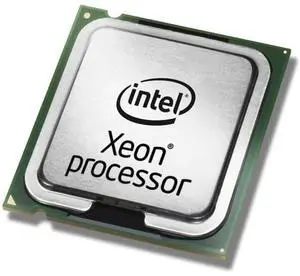

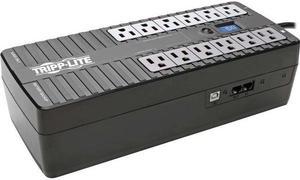
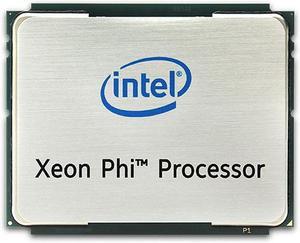
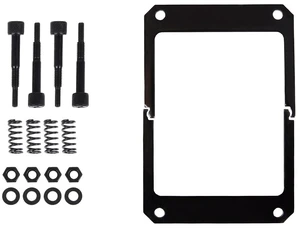

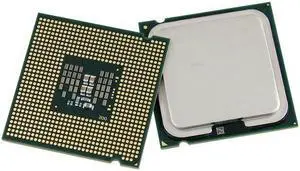

CPU accessories are products that you purchase to build and help computers and laptops to perform at optimal levels. The computer chassis houses several critical internal components and provides access points for connecting to external peripherals. Accessories can help increase system performance, introduce new components, keep the system cool and ensure easy installation.
The motherboard occupies most of the visible space in a computer chassis. Power for the processor, RAM, hard drive and other hardware components comes from the motherboard. The board features different functionalities and it is critical to ensure that it is compatible with your processor.
Upgrading the processor provides you with faster processing, which helps get work done faster without worrying about lags. A power supply unit keeps your computer energized while built-in short-circuit and voltage protections safeguard sensitive PC components. Before installing a power supply, you need to consider the power requirements of other accessories like the CPU, motherboard, graphics processing unit and similar componenets.
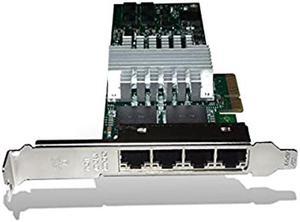
Your desktop computer’s motherboard has one or more expansion card slots for adding new functions. The expansion cards increase the capabilities of your current system. For instance, adding a video graphics card helps you run sophisticated image-editing software, high-definition movies, or advanced PC games. Adding a graphics card holder reduces stress on your motherboard due to the weight of your GPU. A SCSI controller expansion card allows you to add a port for computer accessories such as hard drives and high-speed scanners.
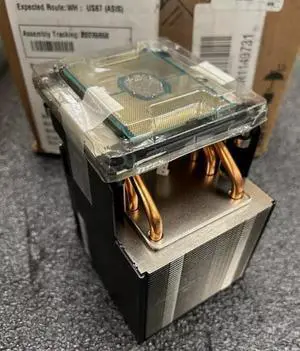
A tower CPU cooler helps keep components from getting too hot when you are running heavy workloads. Achieve optimal heat dissipation by integrating with CPU fans heatsinks with long, thin fins. Multiple heat pipes across the flat surface of a heatsink provide faster and even cooling for the processor and prevent CPU hot spots.
Using high-airflow fans as intake to allow them to draw air into the case while mounting a high-static pressure fan to a CPU cooler or radiator helps move air at a greater force in a small space. DIY cooling solutions like GPU coolers are critical for drawing heat away from the GPU using fins and heat pipes. This heat is then dispelled through rear vents, directing it away from other CPU accessories.
Materials used for securing a CPU fan against the motherboard are critical. The better it is, the better the contact will be. All-in-one CPU fan mounting kits have spaces, threaded mounts, screws, brackets, and backplates to balance the heatsink properly. The backplate should have some form of protection like spacing or foam to ensure points do not touch the metal backplate. Maintenance of CPU coolers is crucial, which includes cleaning and changing the thermal paste periodically to prevent the accumulation of dust.
Investing in a CPU cooling fan is like any other upgrade; you want a quality product that is future-ready and complete with accessories. These accessories include cables like a Y adapter for four-pin fan extension cables. Some fans come with extra mounting clips in case you decide to purchase a second in the future.
“ This bracket kind of covers you if you apply too much, easier to remove the thermal paste, if you are testing on the bench mark case. ”
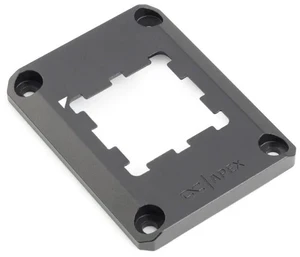
CPU Contact Frame Anti-Bending Buckle for AMD AM5 Aluminum Corrector Bracket Holder,AM5 Full-fit Fixed Non-Marking Mounter Fixing Frame, CPU Cooler Standard for X670 B650,Black“ I received the newest v4 bracket and the shipping was fast only took a week and a half to get to my house from Hong Kong. ”
Lian Li 4 Slots Vertical GPU Kit (VG4v4) - Premium Gen 5 Riser Cable PCI-E 5.0, PCIe 3.0/4.0 Compatible, Adjustable Position - (VG4v4 Black)“ A very simple and easy to install CPU bracket and was cheap. ”
CPU COOLER Bracket Motherboard Back Plate Heatsink Fan Stand Base Mount Bracket Holder For AMD FM1 FM2 AM2+ AM3+