here!
here!
I’m your shopping assistant for PC builds, upgrades, and everything tech.
Got questions? Ask away!
Start a conversation
here!
I’m your shopping assistant for PC builds, upgrades, and everything tech.
Got questions? Ask away!
Start a conversation




+ $20 off w/ promo code SSF74326, limited offer
Free MSI MAG Core Liquid 240mm AIO Cooler, limited offer
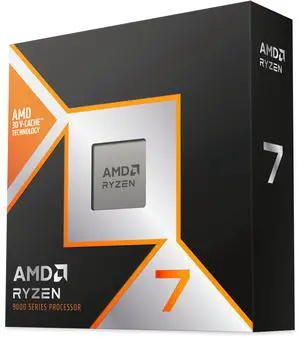
Free MSI MAG Core Liquid 240mm AIO Cooler, limited offer
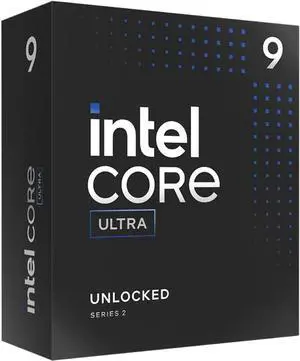
Free MSI MAG Core Liquid 240mm AIO Cooler and Intel AI Software Bundle, limited offer
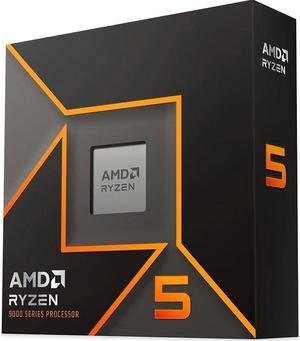
+ $15 off w/ promo code SSF74325, limited offer
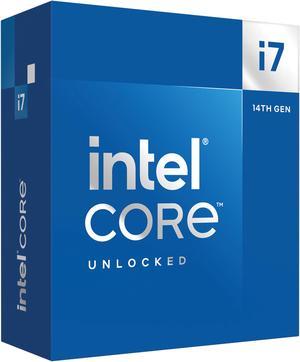
Free ASRock Pro 850B Power Supply, limited offer

Free MSI MAG Core Liquid 240mm AIO Cooler, limited offer
Free ASRock Pro 850B Power Supply, limited offer
Free ASRock Pro 850B Power Supply, limited offer
Free Gamdias Boreas CPU Air Cooler and Intel AI Software Bundle, limited offer
Explore a wide selection of desktop CPU processors from Intel® and AMD designed to optimize multitasking and boost your PC’s performance. Whether you're gaming, working, or creating, find the right CPU to match your computing needs and budget.
At the center of CPU choice lies core architecture, shaping how your processor handles tasks. Intel's latest designs feature hybrid cores, blending high-performance cores with efficiency cores to optimize power usage and multitasking fluidity. This makes chips like the Intel CPUs / Processors excel in fast single-thread execution while smoothly handling background tasks. Meanwhile, AMD's Zen 4 cores focus on raw multithreaded power with efficient 5nm technology, delivering excellent performance in multi-core workloads such as content creation and gaming. Balancing these architectures against your usage scenario will guide you to the best CPU for your build.
Professionals seeking increased computational muscle or developers optimizing workflows will appreciate workstation-grade processors. Industries like 3D rendering, CAD modeling, and data analysis benefit enormously from CPUs with high core counts, massive cache, and support for ECC memory to prevent data corruption. Newegg’s Workstation CPU Processor selection includes chips designed to scale performance in demanding environments. Pairing your CPU with complementary components and proper cooling solutions is essential for maintaining reliability and maximizing throughput in professional scenarios.
Newegg shopping tip: When choosing a CPU, focus on the number of cores and threads to match your workload—more cores help with multitasking and content creation, while higher clock speeds benefit gaming. Also, check compatibility with your motherboard’s socket type to avoid any installation issues.
Dive into Intel CPUs featuring the latest hybrid architectures and Turbo Boost for top-tier single-threaded performance and gaming prowess.
Explore AMD processors with Zen 4 cores, great multithreaded power, and efficient 5nm tech perfect for creators and gamers alike.
Find desktop CPUs engineered for everything from everyday tasks to hardcore gaming, offering unlocked multipliers and high clock speeds.
Starting out with building or upgrading a PC can feel overwhelming, especially when picking a CPU, the brain of your computer. For beginners, focus on key features like socket compatibility with your motherboard, core count, and clock speed. Consumer-friendly desktop options deliver solid performance for daily tasks and casual gaming without hassle. To make your choice easier, you can explore options between industry leaders, like Intel CPUs / Processors or AMD CPUs / Processors. These vendors offer options that blend straightforward usability with solid power for everyday computing needs.
If you want smooth gameplay and responsive performance, the CPU is key. Gamers benefit from faster single-thread performance and high clock speeds, which drive better frame rates and quicker load times in popular titles. The latest Intel Core Ultra 9 / Core i9 processors boost gaming prowess with hybrid cores and Turbo Boost technologies. AMD’s Zen 4 architecture also offers powerful multithreaded setups that handle gaming alongside streaming or content creation effortlessly. Make sure you pick a desktop CPU processor designed for strong gaming performance to keep your rig competitive in demanding titles.
For creative professionals working with video editing, 3D rendering, or software development, a CPU with multiple cores and high thread counts can significantly shorten render times and streamline multitasking. Check out Workstation CPU Processor options that deliver the scalability and reliability needed for these intensive tasks. AMD’s Zen 4 processors with efficient 5nm processes and Intel’s Core Ultra 7 series provide excellent blends of performance and power efficiency ideal for demanding, creative workloads running multiple applications at once.
Research more: Choosing the right CPU depends on what you plan to do, whether it’s gaming, content creation, or everyday tasks. For a deeper dive into specifications, benchmarks, and compatibility, check out the Newegg Insider buying guides to make a well-informed decision.
Last Updated: October 2026 | Newegg CPU / Processor Buying Guide
Both Intel i7 and AMD Ryzen 7 offer strong gaming performance, but Ryzen 7 often provides better multi-threading, while Intel chips sometimes edge out slightly in single-core speed, which can help in certain games.
For video editing, having more cores generally matters more because the software can use multiple cores to speed up rendering, though a decent clock speed also helps keep things running smoothly during editing.
Intel processors often excel in single-threaded tasks and gaming, while AMD CPUs typically offer better multi-core performance and value for multitasking and productivity. Your choice hinges on what kind of work or play you prioritize.
More cores let a processor handle multiple tasks at once, improving performance in demanding applications like video editing or gaming. For everyday use, four to six cores usually deliver smooth performance, but heavy workloads benefit from eight or more.
Focus on a processor with higher clock speeds and at least four cores, like an Intel i5 or AMD Ryzen 5. It’s not always about the most expensive model, but balance it with your graphics card and budget.
If you need a CPU right away, pick a current mid-to-high tier model that fits your needs since new releases can take months to arrive and stabilize prices. Waiting might get you slightly better tech, but today’s CPUs are pretty powerful already.
Most modern gaming CPUs are built to last and handle heavy loads without issues for years. However, quality can vary by brand and model, so reading long-term user reviews helps spot any overheating or performance drop concerns.
Watch out for complaints about overheating, compatibility with your motherboard, and throttling under load. Checking detailed reviews often reveals if a CPU runs hot or has driver issues that could affect stability.
Check the socket type on your motherboard and make sure it matches the CPU’s socket specification. Also, verify that your BIOS is updated to support the specific processor model.
Use a small pea-sized amount of thermal paste in the center of the CPU, then spread it evenly when you attach the cooler. Too much or too little paste can affect heat transfer efficiency.
“ buy this cpu if you like AMD!! ”
AMD Ryzen 7 7800X3D - Ryzen 7 7000 Series Zen 4 8-Core 4.2 GHz - Socket AM5 120W - AMD Radeon Graphics Desktop Processor - 100-100000910WOF“ Good on AMD for putting this thing back in the loop. ”
AMD Ryzen 7 5800X3D 10th Anniversary Edition - Ryzen 7 5000 Series Vermeer (Zen 3) 8-Core 3.4 GHz Socket AM4 105W Desktop CPU Processor - 100-100000651POF“ Good cpu, but Id say amd is usually better for gaming but this is an exception ”
Intel Core i5-12400F - Core i5 12th Gen Alder Lake 6-Core 2.5 GHz LGA 1700 65W Desktop Processor - BX8071512400F“ Amd is the shiznitobam zip zap snap. ”
AMD Ryzen 5 9600X - Ryzen 5 9000 Series Granite Ridge (Zen 5) 6-Core 3.9 GHz - Socket AM5 65W - Radeon Graphics Processor - 100-100001405WOF“ Have had wonderful use of AMD CPU's the years have built a few most have been AMD 4 this is my first 5 series and I do believe this is a outstanding CPU. ”
AMD Ryzen 9 9900X - Ryzen 9 9000 Series Granite Ridge (Zen 5) 12-Core 4.4 GHz - Socket AM5 120W - Radeon Graphics Processor - 100-100000662WOF“ Upgraded this over my AM3 AMD and let me tell you this thing is awesome. ”
Intel Core i7-12700KF - Core i7 12th Gen Alder Lake 12-Core (8P+4E) 3.6 GHz LGA 1700 125W Desktop Processor - BX8071512700KF“ Strong improvements over a 5600x on 1080p, and 10-20% gains on some select titles at 1440p, if you are running the latest generation AMD or NVIDIA cards (mid to high tier) then this will help out greatly to push your GPU further then other non x3d AM4 CPUs are able to. ”
AMD Ryzen 7 5800X3D 10th Anniversary Edition - Ryzen 7 5000 Series Vermeer (Zen 3) 8-Core 3.4 GHz Socket AM4 105W Desktop CPU Processor - 100-100000651POF“ You may find a better deal for price/performance in a 12th gen Intel or an AMD, but for my needs this CPU was a great option. ”
Intel Core i5-14400F - Core i5 14th Gen Raptor Lake 10-Core (6P+4E) LGA 1700 65W None Integrated Graphics Processor - BX8071514400F