




 here!
here!
I’m your shopping assistant for PC builds, upgrades, and everything tech.
Got questions? Ask away!
Start a conversation
here!
I’m your shopping assistant for PC builds, upgrades, and everything tech.
Got questions? Ask away!
Start a conversation









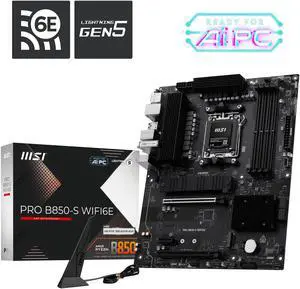
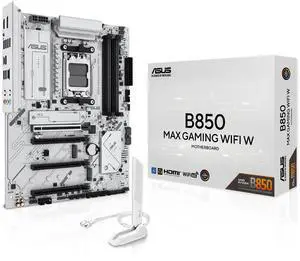
Free Corsair iCUE LINK Fan with purchase, LIMITED TIIME ONLY
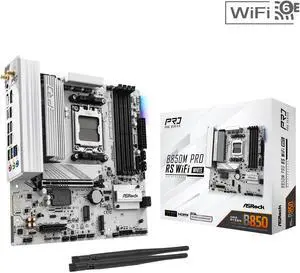
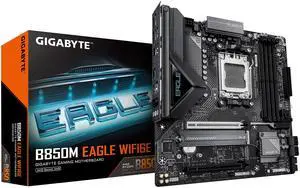
+ $25 off w/ promo code GTWF564, limited offer
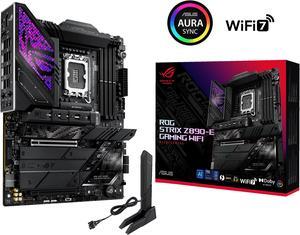
Unlock one game with purchase of Motherboard, limited to 1 per purchase
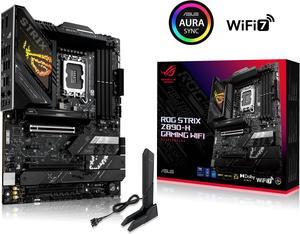
Unlock one game with purchase of Motherboard, limited to 1 per purchase
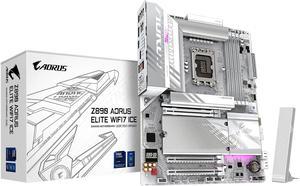
Unlock one game with purchase of Motherboard, limited to 1 per purchase
This page features a wide selection of PC motherboards compatible with the latest AMD and Intel CPUs from top brands like ASUS, GIGABYTE, MSI, and ASRock. Whether you're building a new system or upgrading your current setup, find the right motherboard to support your components and performance needs.
Your motherboard’s CPU socket and chipset form the foundation of your entire PC build. The socket must match your processor’s physical interface—Intel boards for 12th/13th/14th gen CPUs use LGA 1700, while AMD platforms typically feature AM4 or AM5 sockets depending on the Ryzen generation. Beyond merely fitting your CPU, the chipset dictates which features your motherboard supports, like PCIe lanes, memory speeds, and I/O options. For instance, a motherboard designed Intel 12th/13th/14th gen Motherboards unlock new PCIe 5.0 and DDR5 memory support, crucial for gamers and creators seeking top-tier performance. Choosing the correct socket and chipset ensures full compatibility now and maximizes your upgrade options down the line.
For professionals building workstations or specialized setups, selecting the right motherboard can impact more than just speed—it affects reliability, expandability, and specialized needs. Consider Server Motherboards if you require multi-CPU support, ECC memory, and high reliability for mission-critical tasks like virtualization or software development environments. Additionally, professionals often choose motherboards with rich I/O options including multiple Thunderbolt 4 ports, 10 GbE networking, or advanced audio capabilities. For tweaking firmware or implementing custom BIOS settings, boards with BIOS flashback and debug LEDs (part of available Motherboard Accessories) streamline maintenance and troubleshooting under demanding workloads.
Newegg shopping tip: Before choosing a motherboard, make sure it supports your CPU’s socket type and has the right chipset for your build. Also, check the number and type of slots for RAM, storage, and expansion cards to match your future upgrade plans.
Intel 12th/13th/14th gen Motherboards
Built to harness Intel’s latest 12th to 14th gen CPUs, these boards support PCIe 5.0 and DDR5 memory for cutting-edge gaming and productivity builds.
Designed for AMD Ryzen processors, these motherboards deliver PCIe 4.0 support and robust VRMs for reliable overclocking performance.
Explore Intel motherboards spanning multiple chipsets, optimized for everything from budget builds to high-end gaming rigs with Thunderbolt 4 and Wi-Fi 6E.
Venturing into building or upgrading your PC? The motherboard is your system’s backbone—connecting the CPU, memory, storage, and all other components. For beginners, picking the right board involves understanding compatibility with your processor type, RAM, and desired features like USB ports or Wi-Fi. If you’re unsure which platform suits your needs, start by exploring the major options for AMD and Intel CPUs. For example, AMD Motherboards offer great balance between power and price, while Intel 12th/13th/14th gen Motherboards lead in high-end features and future-proofing. When starting out, keep form factor and socket compatibility in mind to ensure your parts fit and work together smoothly.
For gamers aiming to squeeze every bit of power out of their rig, motherboard choice is critical. These boards often feature high-performance VRMs for stable overclocking, multiple PCIe slots for graphics cards, and cutting-edge connectivity standards like PCIe 5.0 and DDR5 memory support. Check out Intel Motherboards for versatile layouts and native support for the latest CPUs, or consider DDR5 Motherboard options that help reduce bottlenecks in demanding titles. Prioritize boards with robust cooling solutions and expansion capabilities to keep your system both fast and future-ready.
If your PC is a productivity powerhouse tasked with video editing, 3D rendering, or software development, you’ll want a motherboard that balances performance, stability, and expandability. Look for models with advanced power delivery for long-term reliability, multiple M.2 slots for fast NVMe SSDs, and support for high memory capacities. Professionals may also explore Server Motherboards for multi-CPU setups and ECC RAM compatibility, especially when data integrity and uptime are critical. Tailored accessories like Motherboard Accessories can enhance durability and expand functionality depending on your workflow.
Research more: When choosing a motherboard, consider your CPU socket type, expansion needs, and form factor to ensure compatibility with your build. For a deeper dive into specs and features, check out the Newegg Insider buying guides—they break down everything you need to know before making a decision.
Last Updated: October 2026 | Newegg Motherboard Buying Guide
AMD and Intel motherboards are designed for their respective processors, so you can’t swap CPUs between them. AMD boards often support more PCIe lanes and offer better multitasking at similar price points, while Intel boards are known for strong single-core performance and wider compatibility with newer tech.
For most gamers, a solid mid-range motherboard from Asus or MSI will provide everything needed for stable performance and good features. High-end models add extras like enhanced power delivery, better cooling, and more connectivity, but those benefits mainly matter if you’re overclocking or running multiple GPUs.
The size of the motherboard must match the case's form factor, such as ATX, Micro-ATX, or Mini-ITX. Check your case specifications to make sure the motherboard will fit properly.
You need to look at the motherboard’s CPU socket type and chipset compatibility, which must match your processor model to work together without issues.
First, check the socket type of your CPU and make sure the motherboard supports it. Also, verify the chipset to ensure it matches your processor's generation and features.
If you’re building a simple PC mainly for everyday tasks, a budget motherboard with standard features is usually fine. Only invest in higher-end boards if you want advanced connectivity, better cooling, or plan to overclock.
Motherboards usually last several years, but common warning signs include random shutdowns, failure to boot, or hardware not being recognized. If you notice any of these early on, it might mean the board is starting to fail.
People often report problems with BIOS bugs, poor power delivery causing instability, or faulty USB/audio ports. Keep an eye on these specific complaints in reviews since they directly impact long-term usability.
Start by grounding yourself to avoid static damage, then align the motherboard with the case standoffs and screw it in gently using the correct screws. Avoid overtightening, and double-check all ports line up with the I/O shield.
Check the manufacturer’s website for the latest BIOS version and follow their specific update instructions, usually done via USB or through the BIOS menu itself. Updating BIOS before installing your OS can improve stability and hardware compatibility.
“ I've used this for over a year now, and the motherboard to my gorgeous computer works perfectly. ”
ASRock B760M-HDV/M.2 LGA 1700 DDR4 Micro ATX Motherboard“ It was very fast at updating the BIOS compared to my old AM4 computer. ”
MSI MAG X870 TOMAHAWK WIFI Motherboard, ATX - Supports AMD Ryzen 9000 / 8000 / 7000 Processors, AM5 - 80A SPS VRM, DDR5 Memory Boost 8400+MT/s (OC), PCIe 5.0 x16 & 4.0 x16, M.2 Gen5, Wi-Fi 7, 5G LAN“ I went to turn on my computer one day and it would not turn on. ”
GIGABYTE B760M GAMING PLUS WIFI DDR4 LGA 1700 Intel B760 M-ATX Motherboard with DDR4, 2* M.2, PCIe 4.0, Front USB 3.2 Gen 1 Type-C, WiFi 6 GbE LAN, Q-Flash Plus, PCIe EZ-Latch“ I'm super happy with this motherboard. ”
GIGABYTE B760M GAMING PLUS WIFI DDR4 LGA 1700 Intel B760 M-ATX Motherboard with DDR4, 2* M.2, PCIe 4.0, Front USB 3.2 Gen 1 Type-C, WiFi 6 GbE LAN, Q-Flash Plus, PCIe EZ-Latch“ pretty high tech for a modern office computer, runs fast and cool in a half height case ”
ASRock PRO B550M PRO4 AM4 AMD B550 USB 3.1 USB 3.0 HDMI Micro ATX AMD Motherboard“ Very happy with this cooler, it's running on a GIGABYTE Z790 GAMING PLUS AX LGA 1700 Intel Z790 ATX Motherboard ”
GIGABYTE Z790 GAMING PLUS AX LGA 1700 Intel Z790 ATX Motherboard with DDR5, Triple M.2, PCIe 4.0, USB 3.2 Gen2 Type-C, Realtek Wi-Fi 6, Realtek LAN, Q-Flash Plus, EZ-Latch“ I'd buy it again, and may even build another computer with it. ”
ASUS ROG MAXIMUS Z890 APEX Intel® Z890 LGA 1851 ATX motherboard, Advanced AI PC-ready, 22+2+1+2 stages, DDR5, WiFi 7, 5G LAN, 3x PCIe® 5.0 M.2, Thunderbolt™ 4, USB Type-C®, AI OC, Cooling & Networking“ This mother board served me well as a server/ gaming computer. ”
GIGABYTE B550I AORUS PRO AX AM4 AMD B550 Mini-ITX Motherboard with Dual M.2, SATA 6Gb/s, USB 3.2 Gen 1, WIFI 6, 2.5 GbE LAN, PCIe 4.0


