here!
I’m your shopping assistant for PC builds, upgrades, and everything tech.
Got questions? Ask away!
Start a conversation
here!
I’m your shopping assistant for PC builds, upgrades, and everything tech.
Got questions? Ask away!
Start a conversation







Limited time offer, ends 11/07


Limited time offer, ends 11/09

Limited time offer, ends 11/25

Limited time offer, ends 11/09

Limited time offer, ends 11/09


Limited time offer, ends 11/20


Limited time offer, ends 11/29


Limited time offer, ends 11/25

Limited time offer, ends 11/04


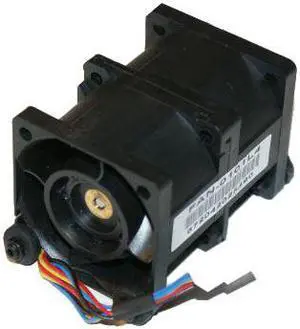


Explore Case Fans at Newegg.
When choosing PC case fans, several critical factors help determine the best fit for your system's cooling needs. Consider these key features:
The single most influential choice in case fans is fan size, which shapes both airflow capability and noise profile. For mainstream PC builds, the 120mm fan size combines efficient cooling with quieter operation due to larger blades spinning at lower RPMs. Larger fans like 135mm or 140mm push even more air at quieter speeds, ideal for high-demand gaming rigs or silent workstations. Conversely, smaller 80mm, 90mm, or 92mm fans fit older or compact cases but tend to run faster and louder to move adequate air. If your case supports multiple fan sizes, choosing the appropriate diameter is foundational before fine-tuning with RPM or bearing technology. Ultimately, the physical dimensions constrain maximum airflow and influence noise directly, making size a practical guidepost when navigating Black November deals or Black Friday deals on case fans this season.
Professionals and enthusiasts working in high-performance or custom PC environments often leverage specific fan technologies and configurations to meet demanding thermal requirements. For example, incorporating 360mm fans within liquid cooling radiator setups can drastically improve heat dissipation without cranking fan speeds to noisy levels. Additionally, professionals may prioritize fan redundancy and zoning, installing multiple fans at intake and exhaust points with independent PWM controls for optimal airflow balance tailored to component heat zones. Advanced builds often incorporate fans with advanced fluid dynamic or magnetic levitation bearings for longevity and minimal noise. Tuning fan curves in the BIOS or through software utilities further refines cooling performance by preventing excess noise during lighter workloads common in professional use cases. Black November deals on high-spec fan models can be an excellent opportunity for developers and system builders to enhance efficient cooling tailored precisely to their workflow demands.
Newegg shopping tip: When choosing case fans, compare airflow (CFM) and noise levels (dBA) to find a balance that fits your build’s cooling needs and quietness preference. Also, consider fan speed and compatibility with your case size and RGB controller if lighting is important. Black November deals often offer a wide selection to match these features.
Ultra-compact 45mm fans excel in tight spaces like SFF builds, pushing airflow efficiently despite their small diameter and higher RPM noise levels.
50mm case fans strike a balance between mini size and modest airflow, ideal for specialized cooling in compact enclosures or VR setups.
A 90mm fan offers a middle ground for older or budget cases, giving decent airflow with moderate noise, perfect when 80mm just isn’t enough.
If you’re new to PC building or upgrading, selecting the right case fan can feel overwhelming. Most builds benefit from starting with the 120mm size, which balances noise and cooling performance well for most users. Many fans come with features like RGB lighting for extra flair, while others focus purely on airflow and silence. Keep airflow direction in mind—intake fans draw cool air in, while exhaust fans push hot air out, helping your components stay stable during work or play. Black November deals and Black Friday deals make this a great season to explore fan options that suit your build style and thermal needs.
For gamers pushing their systems hard, case fans aren’t just about cooling—they’re also a chance to customize your rig’s look. Larger sizes like 135mm and 360mm variants can provide both powerful airflow and whisper-quiet operation, essential for marathon gaming sessions. RGB fans add dazzling lighting synced to your gameplay or music, amplifying the atmosphere in your gaming area. Take advantage of Black November deals to grab advanced fans that optimize heat dissipation and add a personalized touch to your gaming rig’s aesthetic this holiday season.
If space is at a premium, such as in compact or mini-ITX cases, standard fans often won’t fit. Instead, specialized sizes like 45mm and 50mm fans make cooling possible in tight enclosures where larger fans just won’t fit. These smaller fans tend to run at higher RPMs to move enough air, which can increase noise, so consider your priorities between quiet operation and airflow when choosing. For SFF enthusiasts looking to harness Black Friday deals on quietly powerful fans, this is an ideal time to shop for the perfect fit without compromising airflow.
Research more: Looking to optimize your PC’s airflow and noise levels? Check out Newegg Insider buying guides for detailed insights on case fan sizes, airflow direction, and RGB options to make the best choice. This Black November, make your research count before browsing Black Friday deals on case fans.
Last Updated: November 2026 | Newegg Case Fans Buying Guide
A 140mm fan usually moves more air at lower RPMs, so it tends to be quieter while providing strong airflow. However, 120mm fans are more common and fit more cases, making them a versatile choice.
RGB fans add lighting effects that can customize your build’s look, but they generally cost more and don’t improve cooling performance. If aesthetics matter to you, they’re worth it; if not, plain fans will do the job just fine.
Check your case’s manual or look at the existing fan mounts; common sizes are 120mm and 140mm. Measuring the mounting holes or the current fan will give you the right size to replace or add.
PWM fans let your motherboard control their speed more precisely using a 4-pin connector, while voltage-controlled fans use a 3-pin connector and adjust speed by changing the voltage. PWM fans usually offer better cooling with less noise.
Check your case’s manual or look at the existing fan mounts to see what sizes fit; common sizes are 120mm and 140mm. Matching the right size ensures good airflow without compatibility issues.
If you care about aesthetics and want customizable lighting, RGB fans can boost your build’s look. But for pure cooling performance, plain fans usually do the job just fine at a lower price.
Look for reviewers commenting on noise levels during normal operation and under load. Fans that ramp up loudly or have rattling bearings usually get flagged quickly in feedback.
Many users report issues like shaky mounting, fan blade warping, or PWM control failures. Scan reviews for mentions of build quality and how consistently the fan maintains RPM without stuttering.
First, find the proper mounting spots in your case, usually indicated by fan-size holes. Secure the fan with screws or clips, then connect the cable to the motherboard’s fan header or a power supply adapter.
Generally, set front and bottom fans to pull cool air in, while rear and top fans push warm air out. This creates a smooth airflow path that helps keep your components cooler.
“ No complaints fans are working well. ”
Phanteks M25-120 Gen2 Reversed Blade, 120mm ARGB High Performance Cooling Fans, Daisy-chain Unified Fan Frame, Infinity Mirror hub, single cable connection, Black (PH-F120M25R_G2_DBK01)“ The fans LED lights are powerful and come with a great amount of different light settings, easy to hook up with the fan control having a magnet on the back and you can put next to the motherboard and the remote has a magnet to which I use to keep it on the side of my case, the fans are silent I hear no noise from them ”
RGB Fans:6 pack 120mm PWM ARGB Case Fan with Fan Hub and Remote,Speed Control,PWM Control Fan for Computer Case and Liquid Cooling System“ They are a good all-purpose fan with good airflow and are quiet. ”
Fractal Design Dynamic X2 GP-14 140mm Black Edition FD-FAN-DYN-X2-GP14-BK 140mm Case Fan“ Overall a great option for budget RGB fans. ”
Phanteks M25-140 Gen2, 140mm ARGB High Performance Cooling Fans, Daisy-chain Unified Fan Frame, Infinity Mirror hub, single cable connection, White (PH-F140M25_G2_DWT01)“ I'm very happy with my Phanteks M25-140 Gen2 reversed fans. ”
Phanteks M25-140 Gen2 Reversed 140mm DRGB LED Case Fan“ Ive used mute brands of fans in the past and these bad boys are the best so far. ”
Phanteks M25-120 Gen2 Reversed Blade Triple Pack, 3x 120mm ARGB High Performance Cooling Fans, Daisy-chain Unified Fan Frame, Infinity Mirror hub, single cable connection, White“ These fans somehow maintain freakishly low sound while moving a lot of air. ”
be quiet! SILENT WINGS 4 120mm PWM“ Awesome-looking fans for the price; you can't go wrong. ”
Phanteks M25-120 Gen2 Triple Pack, 3x 120mm ARGB High Performance Cooling Fans, Daisy-chain Unified Fan Frame, Infinity Mirror hub, single cable connection, White