• In Stock
  • Sold by Newegg
  • Make an Offer
  • New
  • Combo Deals Only
Brands
Show More
Price
Show More
Fan Size
Show More
Fan Thickness
Show More
Fan Counts
Show More
Type
Bearing Type
Show More
RPM
Show More
Air Flow
Show More
Noise Level
Show More
Sold by
Power Connector
Color
LED
All Top Brands
Availability
Condition
Current Promotion
Discount
Useful Links
Customer Ratings
  • Featured Brands

    See Deals from CorsairSee Deals from Cooler MasterSee Deals from COUGARSee Deals from Fractal DesignSee Deals from ThermaltakeSee Deals from Rosewill
Sort By:
View:
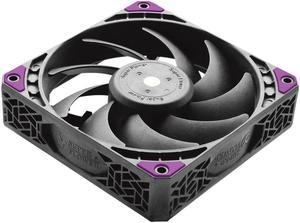
Super Flower MEGACOOL 140mm fan, 12-pole motor, PWM, Black/Grey, Computer Case Fan, Anti-Vibration Mounting Pads, SF-PF141-BK, 30mm depth
Quick View
  • $36.99
  •  
  • $24.99 –
  • Save: 32%
  • Free Shipping
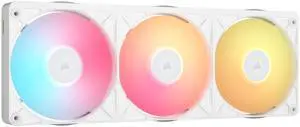
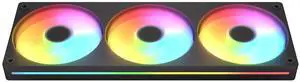
CORSAIR iCUE LINK RX360 II RGB Case Fans, 3 x 120mm, White, PWM, Up to 2,100 RPM, Requires iCUE LINK System Hub
Quick View
Corsair
CORSAIR iCUE LINK RX360 II RGB Case Fans, 3 x 120mm, White, PWM, Up to 2,100 RPM, Requires iCUE LINK System Hub
  • Brand: Corsair
  • Series: iCUE LINK
  • Fan Size: 120mm
  • LED: RGB
  • Model #: CO-9051062-WW
  •  
  • $69.99 –
  • Free Shipping
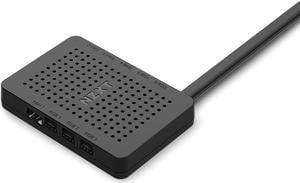
NZXT RGB & Fan Controller AC-CRFR0-B1 - 6(Six) RGB Lighting Channels - 3(Three) Digital Fan Channels
Quick View
NZXT RGB & Fan Controller AC-CRFR0-B1 - 6(Six) RGB Lighting Channels - 3(Three) Digital Fan Channels
  • Type: Case Fan Accessory
  • Compatibility: Case
  • Part Number: AC-CRFR0-B1
  • Fan Controller: Controller
  • Model #: AC-CRFR0-B1
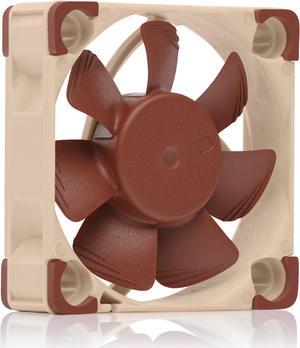
Noctua NF-A4x10 PWM, Premium Quiet Fan, 4-Pin (40x10mm, Brown)
Quick View
Noctua NF-A4x10 PWM, Premium Quiet Fan, 4-Pin (40x10mm, Brown)
  • Type: Case Fan
  • Bearing Type: SSO2
  • RPM: Rotational Speed (+/- 10%) 5000 RPM, Rotational Speed with L.N.A. (+/- 10%) 3700 RPM
  • Air Flow: Airflow 8,9 m³/h, Airflow with L.N.A. 6,6 m³/h
  • Model #: NF-A4x10 PWM
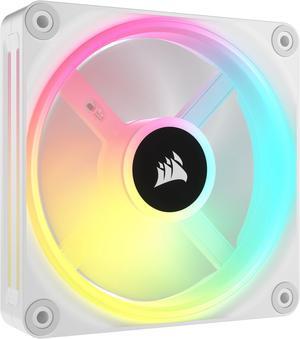
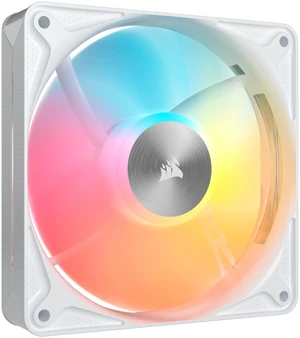
CORSAIR QX RGB Series, iCUE LINK QX120 RGB WHITE, 120mm Magnetic Dome RGB Fan,  Expansion Kit
Quick View
CORSAIR QX RGB Series, iCUE LINK QX120 RGB WHITE, 120mm Magnetic Dome RGB Fan, Expansion Kit
  • Brand: Corsair
  • Series: QX RGB Series
  • Fan Size: 120mm
  • LED: RGB
  • Model #: CO-9051005-WW
  •  
  • $36.99 –
  • Free Shipping
GAMDIAS NOTUS M1 ARGB 3-fan pack - black, Intake/Exhaust Swappable Blades.
Quick View
GAMDIAS NOTUS M1 ARGB 3-fan pack - black, Intake/Exhaust Swappable Blades.
  • Fan Size: 120mm
  • Color: Black
  • Model #: GD-NOTUS M1-1203ARGB
  •  
  • $24.90 –
  • Free Shipping
MSI MAG F120 ARGB Case Fan Black, PWM intelligent speed regulation/ Streamlined Fan Blade/ 600±200 ~ 1300 ± 10%RPM, MSI Case Fan
Quick View
MSI MAG F120 ARGB Case Fan Black, PWM intelligent speed regulation/ Streamlined Fan Blade/ 600±200 ~ 1300 ± 10%RPM, MSI Case Fan
  • Type: Case Fan
  • Bearing Type: Hydraulic
  • RPM: 1300
  • Noise Level: 23.4
  • Model #: B-MSI MAG F120 ARGB
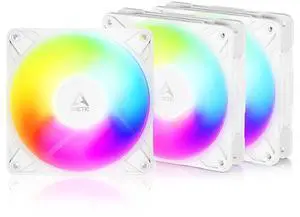
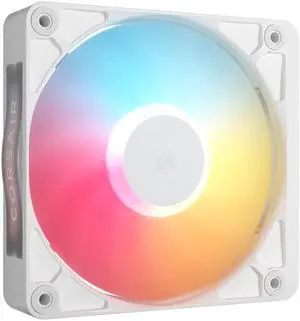
CORSAIR iCUE LINK RX120 II RGB 120mm PWM Case Fan, White, Up to 2100 RPM, 8 RGB LEDs, Magnetic Dome Bearing, Requires iCUE LINK System Hub
Quick View
  •  
  • $34.99 –
  • Free Shipping
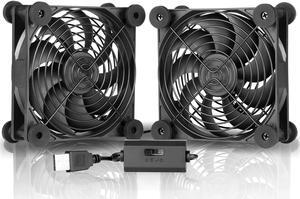
SXOOL Quiet Dual 120mm USB Fan with Speed Controller,for Receiver DVR Playstation Xbox Computer Cabinet Cooling With suction cup Fixed non-slip cooler
Quick View
  •  
  • $15.99 –
  • Free Shipping
NZXT F240 RGB CORE RF-U24HF-B1 240mm RGB LED Single-Frame RGB Fan Unit
Quick View
NZXT F240 RGB CORE RF-U24HF-B1 240mm RGB LED Single-Frame RGB Fan Unit
  • Brand: NZXT
  • Series: F240 RGB CORE
  • Model: RF-U24HF-B1
  • Fan Size: 240mm
  • Model #: RF-U24HF-B1
CORSAIR RS120 II ARGB 120mm PWM Fan - White - Daisy-Chain Connectivity - Magnetic Dome Bearing - AirGuide Technology - 8x RGB LEDs - Zero RPM Mode
Quick View
  •  
  • $19.99 –
  • Free Shipping
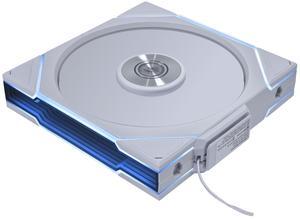
COUGAR Unity 360 - PC CASE FAN - Single-Frame - PWM Control - ARGB Side Strips - Streamlined Cable Design, 360/Forward/Black
Quick View
COUGAR
COUGAR Unity 360 - PC CASE FAN - Single-Frame - PWM Control - ARGB Side Strips - Streamlined Cable Design, 360/Forward/Black
  • Brand: COUGAR
  • Series: Unity
  • Model: Unity360-FB ARGB
  • Fan Size: 120mm
  • Model #: Unity360-FB ARGB
  •  
  • $39.99 –
  • Free Shipping
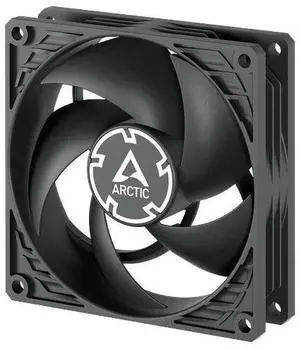
Arctic ACFAN00298A P9 PWM PST 92 mm PWM Fan with Cable Splitter, 200-3000 RPM Fluid Dynamic Bearing, 4-Pin - Black
Quick View
Arctic ACFAN00298A P9 PWM PST 92 mm PWM Fan with Cable Splitter, 200-3000 RPM Fluid Dynamic Bearing, 4-Pin - Black
  • Brand: ARCTIC COOLING
  • Fan Size: 92mm
  • Bearing Type: Fluid Dynamic Bearing
  • RPM: 200-3000 RPM
  • Model #: ACFAN00298A
  •  
  • $9.99 –
  • Free Shipping
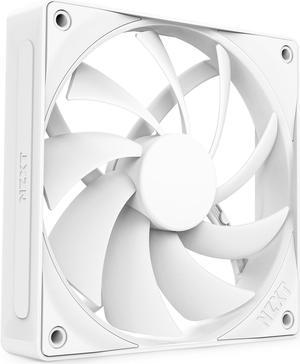
NZXT F140RGB Duo - 140mm Dual-sided RGB Fan - Twin Pack (White) w/RGB Controller
Quick View
NZXT F140RGB Duo - 140mm Dual-sided RGB Fan - Twin Pack (White) w/RGB Controller
  • Type: Case Fan
  • Color: White
  • Part Number: RF-D14DF-W1
  • Model #: RF-D14DF-W1
Cooler Master MasterFan M Series 120mm PC Case Fan, LCP Blades, Aluminum Frame, Magnetic Dynamic Bearing, High Static Pressure, Quiet Cooling
Quick View
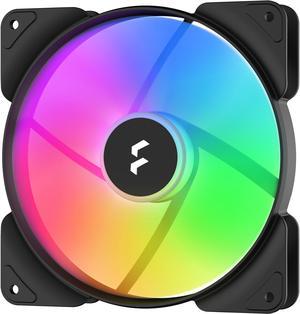
Fractal Design Aspect 14 RGB 140 mm PWM Wide 500-1700 RPM Range Black Frame 3-pack Computer Case Fan
Quick View
Fractal Design Aspect 14 RGB 140 mm PWM Wide 500-1700 RPM Range Black Frame 3-pack Computer Case Fan
  • Type: Case Fan
  • Bearing Type: Rifle
  • RPM: 500 - 1700 RPM
  • Air Flow: 20 - 78 CFM
  • Model #: FD-F-AS1-1407
  • $52.97 - $66.63
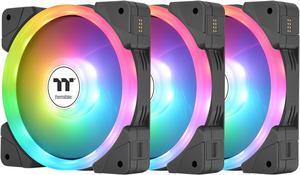
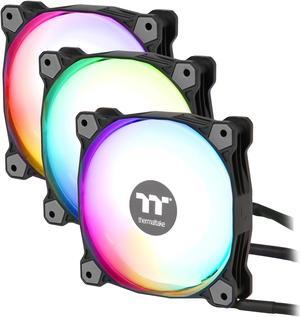
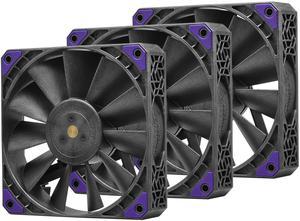
Thermaltake Pure Plus 12 RGB TT Premium Edition 120mm Case/Radiator Fan, 3-Pack, 500-1500 RPM, PWM
Quick View
Thermaltake Pure Plus 12 RGB TT Premium Edition 120mm Case/Radiator Fan, 3-Pack, 500-1500 RPM, PWM
  • Brand: Thermaltake
  • Series: Pure Plus 12 LED RGB Radiator Fan TT Premium Edition
  • LED: RGB
  • Type: Case Fan
  • Model #: CL-F063-PL12SW-A
  • $79.99
  •  
  • $44.99 –
  • Save: 43%
  • Free Shipping
Silverstone Air Slimmer 90 ARGB Enhanced performance 92mm slim fan with PWM and ARGB lighting effect
Quick View
Silverstone Air Slimmer 90 ARGB Enhanced performance 92mm slim fan with PWM and ARGB lighting effect
  • Type: Case Fan
  • Bearing Type: Hydraulic
  • RPM: 500 ~ 2,500 RPM
  • Air Flow: 5.38 ~ 45.73 CFM
  • Model #: AS90B-ARGB
  • $30.49
  •  
  • $27.99 –
  • Save: 8%
  • Free Shipping
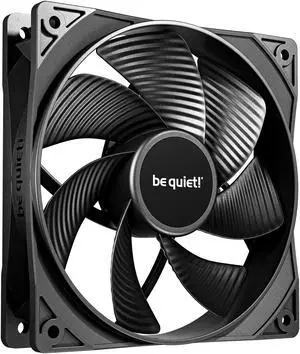
be quiet! Pure Wings 3 120mm PWM Reverse Black Triple-Pack
Quick View
  •  
  • $32.99 –
  • Free Shipping
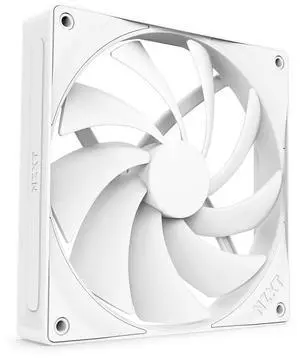
NZXT F140 Q 140mm Non-LED LED 120mm Quiet Airflow PWM Case Fan
Quick View
NZXT F140 Q 140mm Non-LED LED 120mm Quiet Airflow PWM Case Fan
  • Brand: NZXT
  • Fan Size: 140mm
  • LED: Non-LED
  • Type: Case Fan
  • Model #: RF-Q14SF-W2
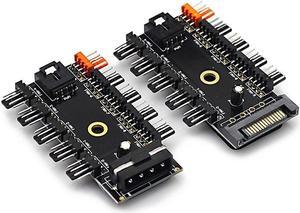
(2 Pack) Chassis Fan Hub CPU Cooling HUB 10 Port 12V 4 Pin Fan PWM Fan Hub SATA Controller,Computer/pc Case Fan controller Power Cable 1 Female to 10 Male 4Pin Fan Hub Splitter Cable for 3Pin&4Pin PWM
Quick View
(2 Pack) Chassis Fan Hub CPU Cooling HUB 10 Port 12V 4 Pin Fan PWM Fan Hub SATA Controller,Computer/pc Case Fan controller Power Cable 1 Female to 10 Male 4Pin Fan Hub Splitter Cable for 3Pin&4Pin PWM
  • Type: Computer/pc Case Fan controller Power Cable 1 Female to 10 Male 4Pin Fan Hub Splitter Cable for 3Pin&4Pin PWM Cooling Fan
  • Color: Black
  • Package Contents: 2pack
  • Model #: NTRAPCCF110C
  •  
  • $14.99 –
  • Free Shipping
  • $7.99 - $14.99
darkFlash INF34 120mm PWM ARGB Case Fans 3-Pack - Infinity Mirror Dual-Sided Lighting - Hydro Bearing - Daisy Chain Connection - Motherboard Sync (black)
Quick View
  •  
  • $34.99 –
  • Free Shipping
ARCTIC S8038-10K Fan 80x80x38 mm 500-10000 RPM PWM Regulated 4-pin Connector 12 V DC Black
Quick View
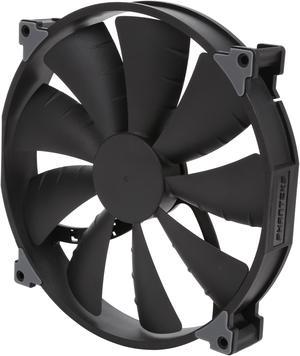
Phanteks PH-F200SP 200mm Premier Case Fan Black color edition
Quick View
Phanteks PH-F200SP 200mm Premier Case Fan Black color edition
  • Brand: Phanteks
  • Fan Size: 200mm
  • Type: Case Fan
  • Bearing Type: UFB (Updraft Floating Balance)
  • Model #: PH-F200SP_BBK
NZXT F120 Q 120mm Non-LED LED 120mm Quiet Airflow PWM Case Fan
Quick View
NZXT F120 Q 120mm Non-LED LED 120mm Quiet Airflow PWM Case Fan
  • Brand: NZXT
  • Fan Size: 120mm
  • LED: Non-LED
  • Type: Case Fan
  • Model #: RF-Q12SF-W2
ASUS Prime MR120 ARGB Case Fan 3-Pack, 120mm, 28mm Frame, 1600-1760 RPM, 55-60 CFM, Aura Sync, Model 90DA00I0-B08020
Quick View
ASUS
ASUS Prime MR120 ARGB Case Fan 3-Pack, 120mm, 28mm Frame, 1600-1760 RPM, 55-60 CFM, Aura Sync, Model 90DA00I0-B08020
  • Brand: ASUS
  • Series: Prime
  • Fan Size: 120mm
  • LED: ARGB
  • Model #: PRIME MR120 FAN ARGB BLACK 3IN1

PC Case Fans for Efficient Cooling and Customizable Performance

From silent 120mm fans ideal for standard PC cooling to advanced RGB models for customizable setups, find computer case fans suited for any build and workload at Newegg. Whether upgrading airflow or adding visual flair, this page offers options to keep your system running smoothly.

How to Choose Case Fans

Key Features and Technologies to Consider When Choosing PC Case Fans

  • Size and Compatibility: The most common sizes range from 45mm for ultra-compact builds to 200mm and beyond for high-airflow needs. Choosing the right size ensures your fan fits your case and meets your airflow demands.
  • Airflow vs. Static Pressure: Airflow (measured in CFM) is critical for general cooling, while static pressure shines when pushing air through radiators or dense fins.
  • Noise Levels: Measured in decibels (dBA), quieter fans often spin slower or use larger blades to reduce whine without sacrificing cooling efficiency.
  • Speed Control: PWM (Pulse Width Modulation) fans offer dynamic speed adjustments based on temperature, balancing cooling performance and silence perfectly.
  • Installation and Mounting: Magnetic, rubberized mounts or traditional screws help reduce vibration noise and ensure secure installation.
  • Customization & RGB Lighting: For gamers and enthusiasts, customizable RGB LEDs provide visual flair while blending with your PC’s aesthetics.

Why Fan Size Is the Most Critical Aspect for Case Fans

Fan size directly affects airflow volume, noise, and compatibility with your case. The industry standard is the 120mm fan, which balances powerful airflow with low noise and widespread compatibility. Smaller sizes like 50mm or 45mm are typically reserved for very compact setups where space is at a premium but cooling remains essential. Larger fans like 360mm provide massive airflow at low RPM, suitable for giant custom rigs requiring silent but powerful cooling. Because a fan's diameter directly influences blade length and speed required for adequate airflow, it's essential to pick the appropriate size to optimize both performance and noise.

Advanced Insights for Professionals: Optimizing with Specialized Fan Sizes

For advanced PC builders, choosing the correct fan size involves nuanced consideration of case architecture and airflow design. For small-form-factor or ultra-compact builds where every millimeter counts, 45mm fans provide a vital solution, offering precise airflow in extremely constrained environments. Mid-range setups may thrive with the slightly larger 50mm or 90mm sizes, maximizing convection within a tight chassis. Larger fans like 200mm and 230mm should be leveraged for gargantuan rigs where whisper-quiet operation meets extreme thermal management. Professionals often integrate these alongside fine-tuned fan curves and chassis airflow modeling to push system stability and component longevity to new heights.

Performance and Setup Tips

  • Position intake fans at the front and exhaust fans at the rear or top to create optimal airflow through your case.
  • Use PWM fans to allow your motherboard or fan controller to adjust speeds dynamically based on temperature readings.
  • Balance airflow by matching fan CFM and static pressure ratings to your case and cooling components for maximum efficiency.
  • Secure fans with vibration dampening mounts or silicone pads to reduce noise caused by resonance with the case frame.
  • Clean fans regularly to prevent dust buildup, which can significantly reduce cooling performance over time.
  • Consider adding dust filters on intake fans to maintain cleanliness inside your PC chassis.
  • Use the right fan size for your case; incorporate 120mm fans unless your build requires otherwise, for balanced airflow and quiet operation.
  • Test different fan configurations and speeds to find the sweet spot between cooling efficiency and noise tolerance for your environment.

Newegg shopping tip: When choosing case fans, compare airflow (measured in CFM) and noise levels (dBA) to balance cooling power and quiet operation. Also, check fan size and connector type to ensure compatibility with your case and motherboard.

Explore Case Fans & Related Categories

45mm

Ultra-compact 45mm fans excel in tight spaces, perfect for mini-ITX cases or dense heatsinks where airflow is limited but precision cooling is critical.

50mm

The 50mm fan strikes a balance between size and airflow, ideal for small form-factor builds demanding slightly more cooling without extra noise.

90mm

90mm fans deliver solid airflow with moderate RPM, fitting legacy cases and providing a good mix of cooling power and silence for older setups.

Case Fans 101: What Newcomers Should Know

Choosing the right PC case fan can seem overwhelming at first, but starting with basics helps. Case fans circulate air through your computer chassis to cool critical components like the CPU, GPU, and motherboard. For most everyday users, a standard 120mm fan size is a reliable choice, balancing noise, airflow, and fit in almost any desktop case. Beginners should also consider fans with basic connectors—3-pin or 4-pin PWM—to ensure compatibility with most motherboards. Expanding your setup later with colorful RGB lighting and advanced control can come after you master simple airflow needs.

Gaming Enthusiasts: High Performance Meets Low Noise

For serious gamers and PC builders who push hardware hard, efficient cooling is non-negotiable. Fans like the 360mm models, often custom-fitted to larger cases with advanced cooling loops, excel in delivering massive airflow while keeping noise levels in check. More commonly, many gamers rely on the sweet spot that 140mm fans provide. These fans balance airflow volume and quiet operation, helping maintain optimal temperatures during long sessions under load without distracting fan noise.

Compact Build Designers: Cooling in Tight Spaces

Mini-ITX and other small form-factor PCs demand fans that punch above their weight in confined environments where airflow channels are minimal. For these setups, ultra-compact fans such as 45mm or 50mm fans are smart choices. They offer adequate airflow without compromising limited space or causing excess noise. Some mid-sized cases may also benefit from 92mm fans, which deliver stronger performance in slightly larger, but still space-conscious builds.

Before You Buy

  • Confirm your case’s fan mounting sizes and compatibility—common sizes range from 45mm up to 360mm, with 120mm being most popular.
  • Check your motherboard or fan controller for available fan headers and connector types (3-pin, 4-pin PWM, or proprietary connections).
  • Decide between airflow-optimized fans or static pressure fans based on your cooling goals; static pressure models excel on radiators and dense fins.
  • Consider whether you want basic silent fans or advanced RGB lighting and customizable speed control features.
  • Measure clearance space around your intended fan installation spot, especially in compact or crowded builds.
  • Look into noise ratings (dBA) if quiet operation is a high priority for your environment.

Need Expert Guidance Choosing Your Perfect Case Fans? We're Here to Help

  • While the video "Finally GAMDIAS Made a PC Case Built to Show Off Your Stuff" from Newegg Studios covers this topic, you can watch it below:

Research more: Choosing the right case fans depends on your PC’s size, airflow needs, and noise preferences. For a deeper dive into fan specs, installation tips, and optimizing your system’s cooling, check out the Newegg Insider buying guides.

Last Updated: October 2026 | Newegg Case Fans Buying Guide


Case Fans FAQs:

How do Noctua fans compare to Corsair fans for quiet operation and airflow?

Noctua fans are often praised for their ultra-quiet performance with steady airflow, making them perfect for silent builds. Corsair fans typically offer stronger lighting options and slightly higher airflow, but they can be a bit louder at maximum speeds.

Is it better to run several smaller case fans or a few larger ones for optimal cooling?

Larger fans can move more air at lower speeds, which usually means quieter operation and consistent cooling. Smaller fans may run faster to move the same amount of air, potentially increasing noise, but they’re easier to fit into tight spots inside your case.

What size case fan do I need for my PC build?

Most PC cases support 120mm or 140mm fans, but check your case specs to be sure. The fan size affects airflow and noise, so matching the case mounts is important.

Do PWM case fans offer better control compared to standard fans?

Yes, PWM (Pulse Width Modulation) fans let your motherboard adjust the fan speed automatically based on temperature, helping balance cooling and noise levels more efficiently than fixed-speed fans.

How do I decide what size case fan to buy for my PC?

Check your case’s fan mounting points before buying—common sizes are 120mm and 140mm. Picking the right size ensures proper airflow and helps avoid install headaches.

Is it worth spending more on RGB case fans, or should I just get basic ones?

If you want your build to look flashy and don’t mind paying extra, RGB fans add style. But for pure cooling performance, simple fans usually do the job just fine and cost less.

How can I tell if a case fan is reliable based on user reviews?

Look for comments about long-term use without failures and consistent RPM performance. Frequent mentions of noisy operation or bearing issues can be red flags.

What are some common problems people report with case fans, and how do I spot them in reviews?

Users often mention rattling noises, inconsistent speeds, or poor airflow. If multiple reviewers complain about these issues, it’s a sign the fan might have quality control problems.

How do I know which size case fan will fit in my PC case?

Check your PC case’s specifications for supported fan sizes, usually 120mm or 140mm, and measure the mounting points to be sure. Matching the size ensures proper fit and airflow.

What's the best way to connect multiple case fans for optimal cooling?

Connect fans to your motherboard’s fan headers when possible, or use a powered fan hub for many fans; arrange them so cool air enters the front or bottom and hot air exhausts through the top or rear.

Bestselling Case Fans Reviews:

Anonymous
9/27/2026 1:40:52 PM
Excellent fans

“ The fans LED lights are powerful and come with a great amount of different light settings, easy to hook up with the fan control having a magnet on the back and you can put next to the motherboard and the remote has a magnet to which I use to keep it on the side of my case, the fans are silent I hear no noise from them. ”

RGB Fans:6 pack 120mm PWM ARGB Case Fan with Fan Hub and Remote,Speed Control,PWM Control Fan for Computer Case and Liquid Cooling System
Stephen L.
9/22/2026 10:46:10 AM
No kidding, it's very quiet for the amount of air moved.

“ Includes the 4 fan mounting screws; 4 wire connector; ~18" wire length reaches everywhere around cards in the case, etc.; ”

Pure Wings 3 | 120mm PWM Case Fan | High Performance Cooling Fan | Compatible with Desktop | Low minimum rpm | Low Noise | Black | BL105
Anonymous
9/17/2026 3:49:00 PM
Great quality fans for the price.

“ Overall a great option for budget RGB fans. ”

Phanteks M25-140 Gen2, 140mm ARGB High Performance Cooling Fans, Daisy-chain Unified Fan Frame, Infinity Mirror hub, single cable connection, White (PH-F140M25_G2_DWT01)
Anonymous
9/3/2026 2:19:45 PM
Very pleased with these Phanteks fans

“ I'm very happy with my Phanteks M25-140 Gen2 reversed fans. ”

Phanteks M25-140 Gen2 Reversed 140mm DRGB LED Case Fan
Anonymous
8/31/2026 2:45:12 PM
Great product - but instructions are hard to follow

“ I'd recommend this product, especially to those already familiar with installing these fans. ”

Phanteks D30-120 DRGB PWM FAN, Premium D-RGB Performance Fan, ARGB/DRGB lighting, Daisy-chain Fan Linking system, Black
Jon L.
7/26/2026 1:57:15 PM
Top tier fans

“ These fans somehow maintain freakishly low sound while moving a lot of air. ”

be quiet! SILENT WINGS 4 120mm PWM
Jie M.
7/25/2026 11:25:51 PM
Reliable chasis fans

“ The fan runs quiet and provide great cooling/airflow in the chassis with front and top panels covered by air filters Run the chassis for a while and cooling is totally in control. ”

Phanteks T30-120 Triple-Pack 120mm Case Fans, 30mm Thick, 1200-3000 RPM, 39.1-101.0 CFM, 4-Pin PWM, Black/Grey, PH-F120T30_BG_3P