

Your Browsing History

Quick View
- $25.19
- $21.00 –
- Save: 16%
- Free Shipping
Quick View
- $15.00 –
- Free Shipping
Quick View
- $24.99
- $21.00 –
- Save: 15%
- Free Shipping
Quick View
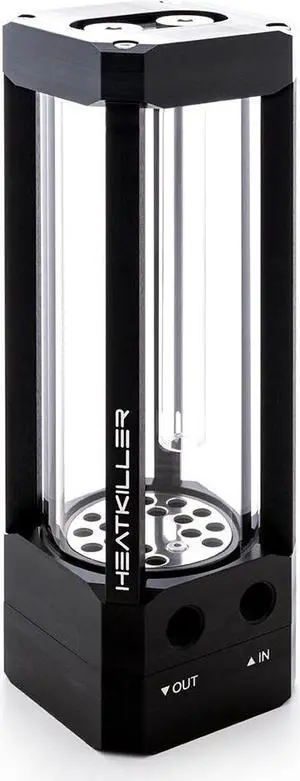
Watercool HEATKILLER Tube 150 D5 MP Reservoir, G1/4, 150mm, Borosilicate Glass, Clear (30214)
- Type: Pump
- Model #: WAT-0412
- $163.99 –
- More options from $146.76 - $163.99
- Free Shipping
Quick View
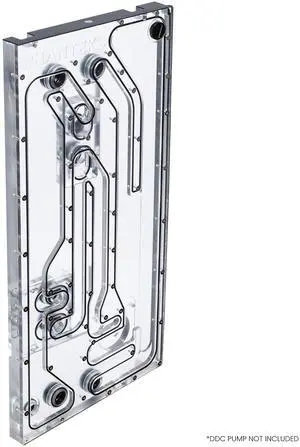
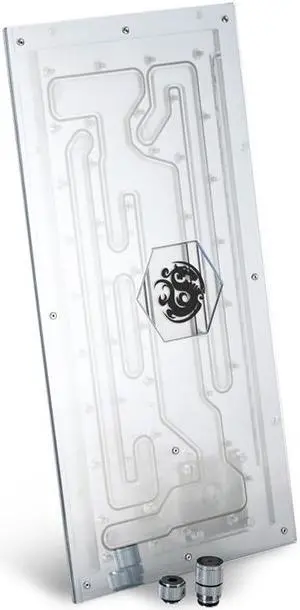
Glacier EZ-Fit NV5-DISTRO, Distribution Plate for NV5, Integrated 16mm EZ-Fit fitting, Black
Ten Dollars off w/ promo code PHAN232, limited offer
- Brand: Phanteks
- Type: Distribution Plate
- Color: White
- Model #: PH-GEF_DIS-NV5
- $264.99 –
- Free Shipping
Quick View
- $18.00 –
- Free Shipping
Quick View
- $13.00 –
- Free Shipping
Quick View
- $21.00 –
- Free Shipping
Quick View
- $13.20
- $11.60 –
- Save: 12%
- Free Shipping
Quick View
- $13.00 –
- Free Shipping
Quick View
- $13.20
- $11.60 –
- Save: 12%
- Free Shipping
Quick View
- $20.00 –
- Free Shipping
Quick View

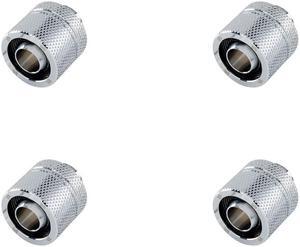
- Model #: BP-CPF-CC3U-4P
- $41.00
- $36.00 –
- Save: 12%
- Free Shipping
Quick View
- $26.45
- $23.00 –
- Save: 13%
- Free Shipping
Quick View
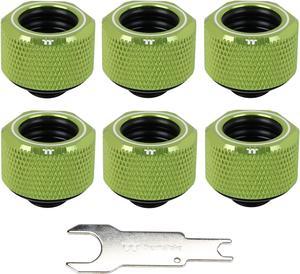
Thermaltake Pacific Green 4 Build-in O-Rings C-Pro G1/4 PETG 16mm OD Compression Fitting 6 Pack CL-W212-CU00GR-B

- Type: Fittings
- Color: Green
- Tube Dim.: Dimension: 26 (D) x 21 (H) (mm) Applicable: OD : 16 mm Screw Thread: G 1/4 Note: PETG Tube to G1/4
- Tube Material: CU + AL
- Model #: CL-W212-CU00GR-B
- $59.99 –
- Free Shipping
Quick View
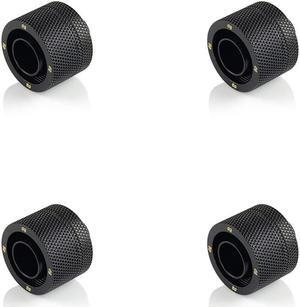
- Model #: BP-MBCPF-CC5U-4P
- $43.00 –
- Free Shipping
Quick View
- Model #: BP-DWCPF-CC3V3-4P
- $43.70
- $38.00 –
- Save: 13%
- Free Shipping
Quick View
- $30.00 –
- Free Shipping
Quick View
- $25.30
- $22.00 –
- Save: 13%
- Free Shipping
Quick View
- $40.25
- $35.00 –
- Save: 13%
- Free Shipping
Quick View
- $299.99
- $225.00 –
- Save: 24%
- Free Shipping
Quick View
- $32.20
- $28.00 –
- Save: 13%
- More options from $27.80
- Free Shipping
Quick View
- $46.00
- $40.00 –
- Save: 13%
- Free Shipping
Quick View
- $59.99
- $50.00 –
- Save: 16%
- Free Shipping
Quick View
- $280.00
- $265.00 –
- Save: 5%
- Free Shipping
Quick View
- Model #: BP-MBE90DML16-2P
- $40.00
- $36.00 –
- Save: 10%
- Free Shipping

Quick View
- $97.90
- $89.30 –
- Save: 8%
- Free Shipping
Quick View
- $9.90 –
- $8.00 Shipping
Quick View
- $121.00
- $110.00 –
- Save: 9%
- Free Shipping
Quick View
- Type: Reservoir
- Model #: BP-120WTMP-BK
- $13.20
- $11.60 –
- Save: 12%
- More options from $11.60 - $19.40
- $8.00 Shipping

Quick View
- $21.50
- $18.90 –
- Save: 12%
- $8.00 Shipping
Quick View
- $225.00
- $200.00 –
- Save: 11%
- Free Shipping

Quick View
Thermal Grizzly Intel 1851 Delid-Die-Mate V1, Aluminum (TG-DDM-i1851-V1)
- Brand: Thermal Grizzly
- Model: TG-DDM-i1851-V1
- Part Number: TG-DDM-i1851-V1
- Color: Black
- Model #:
- $87.99
- $64.99 –
- Save: 26%
- More options from $64.99 - $68.62
- Free Shipping
DIY cooling is one of the most cost-effective ways of boosting the performance of a computing system. Speed is usually the first casualty of an overheating rig. When a system becomes too hot, temperature sensors on the motherboard send a signal to the processor requesting it to slow down. Excessive heat also has the potential to cause irreversible damage to system components. For example, if hard drive cooling fails to maintain the temperature below 86 degrees, you run the risk of data loss or corruption. Newegg has all the accessories you need to set-up the cooling system of your choice.
Air Cooling for Fast and Affordable Cooling
Air DIY cooling uses fans to keep the internal environment of your system cool. They are easy to set up and are very durable. As this cooling option does not have an abundance of components, there is very little that can go wrong. CPU fans and heatsinks work together to dissipate excess heat, and can be set up in one of two methods:
- Positive pressure configuration
- Negative pressure configuration
Positive Pressure Configuration for Quick Setup
Under this setup, the Cubic Feet Per Minute (CFM) of the intake fans exceeds that of the relevant exhaust fans. The effect is that the pressure within the system exceeds the pressure without. This pushes air and dust out of the rig, using every opening as an exhaust avenue. One drawback of this setup is that it can only manage average cooling. This configuration cannot sufficiently cool GPUs that utilize Direct Heat Exhaust (DHE). To enhance the cooling capacity of this type of cooling, place your DIY heatsink strategically. That means putting these metal sheets at the rear, sides, and front of your CPU.
Negative Pressure Configuration for Better Cooling
In a negative pressure configuration, the exhaust fans have a higher CFM than their equivalent intake fans. This creates a pseudo-vacuum within the system, which proves very useful for keeping the rig cool. It cools the system better than the positive pressure setting, and can even work well with DHE GPUs.
Liquid Cooling for the Most Efficient Cooling
Liquid cooling is the preferred cooling system for gamers and other performance-reliant users. To max out the cooling effects of this setup, use a DIY radiator to dissipate excessive heat from the liquid coolant. The faster the DIY radiator loses the heat via the fins, the cooler the system and the faster it operates. There are two ways you can go about this DIY cooling strategy:
- Closed-loop
- Open-loop
Closed-Loop for Easy Installation
These rigs are ready for fitting right out of the box. They're cheaper than open-loops, easier to maintain and require minimal maintenance. They'll integrate with your current cooling mechanisms without forcing you to do an overhaul of your system. You'll not need any extra CPU accessoriesto get this configuration up and running.
Open-Loop With GPU Mounting Kit for Aesthetics
Open-loop cooling is very appealing to the eye, but that is at the cost of ease-of-use. It is very maintenance-reliant and equally hard to set up. A GPU mounting kit should help, however.
Bestselling DIY Cooling Reviews:
MnM1298
5/13/2025 6:20:23 AM
Better than Expected
“ EKWB open cooling loop ”
Alphacool HDX Pro Water - M.2 NVMe 2280 SSD - MCX Version (11769)