• In Stock
  • Sold by Newegg
  • Make an Offer
  • New
  • Combo Deals Only
Brands
Show More
Price
Show More
Speed
Capacity
Show More
BIOS/Performance Profile
Show More
CAS Latency
Multi-channel Kit
Recommend Use
Show More
Voltage
Show More
ECC
Sold by
Type
Color
LED Color
All Top Brands
Availability
Condition
Total Capacity
Current Promotion
Discount
Useful Links
Customer Ratings
  • Extreme Overclocked DDR5
  • Bloom into Speed
  • Team Group Green Pioneer
  • Featured Brands

    See Deals from G.SKILLSee Deals from CorsairSee Deals from CrucialSee Deals from Team Group
Sort By:
View:
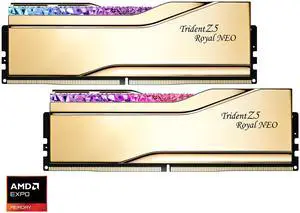
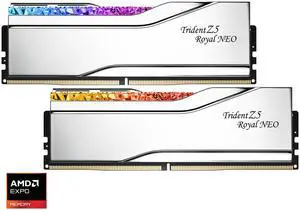
G.SKILL Trident Z5 Royal Neo Series 96GB (2 x 48GB) 288-Pin PC RAM DDR5 6000 (PC5 48000) CL28 Desktop Memory AMD EXPO Gold Model F5-6000J2836F48GX2-TR5NG
Quick View
G.SKILL Trident Z5 Royal Neo Series 96GB (2 x 48GB) 288-Pin PC RAM DDR5 6000 (PC5 48000) CL28 Desktop Memory AMD EXPO Gold Model F5-6000J2836F48GX2-TR5NG
  • CAS Latency: CL28
  • Voltage: 1.35V
  • Multi-channel Kit: Dual Channel Kit
  • Timing: 28-36-36-96
  • Model #: F5-6000J2836F48GX2-TR5NG
  •  
  • $2,499.99 –
  • Free Shipping
CORSAIR Vengeance RGB Pro 16GB (2 x 8GB) 288-Pin PC RAM DDR4 3200 (PC4 25600) CL16 Desktop Memory Intel XMP 2.0 Black Model CMW16GX4M2C3200C16
Quick View
Used - Like New CORSAIR Vengeance RGB Pro 16GB (2 x 8GB) 288-Pin PC RAM DDR4 3200 (PC4 25600) CL16 Desktop Memory Intel XMP 2.0 Black Model CMW16GX4M2C3200C16
  • CAS Latency: CL16
  • Voltage: 1.35V
  • Timing: 16-18-18-36
  • Recommend Use: AMD 300 Series / AMD 400 Series / Intel 300 Series / Intel 400 Series / AMD 500 Series / AMD TRX40 / AMD X570 / Intel 100 Series / Intel 200 Series / Intel 500 Series / Intel X299
  • Model #: CMW16GX4M2C3200C16
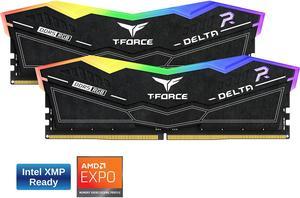
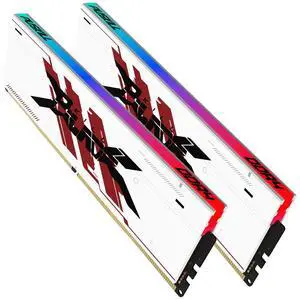
Team T-Force Delta RGB 32GB (2 x 16GB) 288-Pin PC RAM DDR5 6400 (PC5 51200) CL32 Desktop Memory Intel XMP 3.0 Black Model FF3D532G6400HC32ADC01
Quick View
Team T-Force Delta RGB 32GB (2 x 16GB) 288-Pin PC RAM DDR5 6400 (PC5 51200) CL32 Desktop Memory Intel XMP 3.0 Black Model FF3D532G6400HC32ADC01
  • CAS Latency: CL32
  • Voltage: 1.35V
  • Timing: 32-39-39-84
  • Recommend Use: Intel 600 Series / Intel 700 Series
  • Model #: FF3D532G6400HC32ADC01
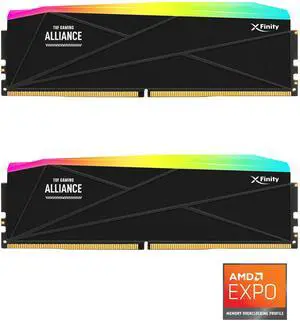
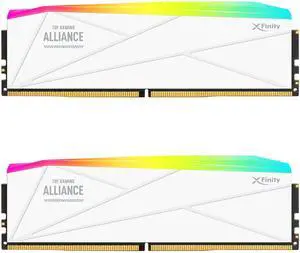
V-COLOR DDR5 TUF GAMING ALLIANCE Manta XFinity 64GB (32GBx2) 6400MHz CL32 1.4V AMD EXPO SK Hynix Original IC RGB Gaming Desktop Upgrade RAM Memory Module Black (GTMXFAL3264832KWK)
Quick View
  •  
  • $1,199.99 –
  • Free Shipping
SK hynix 8GB x1 DDR3L-1600 PC3L-12800 1.35V HMT41GU6BFR8A-PB Desktop Ram Memory
Quick View
SK hynix 8GB x1 DDR3L-1600 PC3L-12800 1.35V HMT41GU6BFR8A-PB Desktop Ram Memory
  • CAS Latency: CL11
  • Voltage: 1.35V
  • Buffered/Registered: Unbuffered
  • Model #: HMT41GU6BFR8A- PB
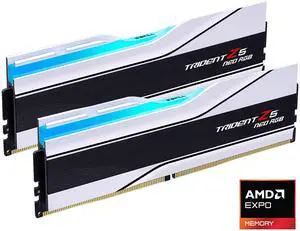
G.SKILL Trident Z5 Neo RGB Series 96GB (2 x 48GB) DDR5 6000 (PC5 48000) CL26 288-Pin PC RAM Desktop Memory AMD EXPO White Model F5-6000J2636H48GX2-TZ5NRW
Quick View
G.SKILL
G.SKILL Trident Z5 Neo RGB Series 96GB (2 x 48GB) DDR5 6000 (PC5 48000) CL26 288-Pin PC RAM Desktop Memory AMD EXPO White Model F5-6000J2636H48GX2-TZ5NRW
  • CAS Latency: CL26
  • Voltage: 1.45V
  • Multi-channel Kit: Dual Channel Kit
  • Timing: 26-36-36-96
  • Model #: F5-6000J2636H48GX2-TZ5NRW
  •  
  • $2,449.99 –
  • Free Shipping
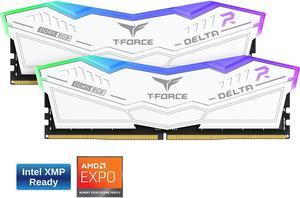
Team T-Force Delta RGB 32GB (2 x 16GB) 288-Pin PC RAM DDR5 6400 (PC5 51200) CL32 Desktop Memory Intel XMP 3.0 support White Model FF4D532G6400HC32ADC01
Quick View
Team T-Force Delta RGB 32GB (2 x 16GB) 288-Pin PC RAM DDR5 6400 (PC5 51200) CL32 Desktop Memory Intel XMP 3.0 support White Model FF4D532G6400HC32ADC01
  • CAS Latency: CL32
  • Voltage: 1.35V
  • Timing: 32-39-39-84
  • Recommend Use: Intel 600 Series / Intel 700 Series
  • Model #: FF4D532G6400HC32ADC01
  •  
  • $659.99 –
  • Free Shipping
CORSAIR Vengeance LPX (AMD Ryzen Ready) 16GB (2 x 8GB) 288-Pin DDR4 3600 (PC4 28800) AMD Optimized Desktop Memory Model CMK16GX4M2Z3600C18
Quick View
CORSAIR Vengeance LPX (AMD Ryzen Ready) 16GB (2 x 8GB) 288-Pin DDR4 3600 (PC4 28800) AMD Optimized Desktop Memory Model CMK16GX4M2Z3600C18
  • CAS Latency: CL18
  • Voltage: 1.35V
  • Timing: 18-22-22-42
  • Recommend Use: AMD 300 Series / AMD 400 Series / AMD Ryzen Compatible / AMD TRX40 / AMD X470 / AMD X570
  • Model #: CMK16GX4M2Z3600C18
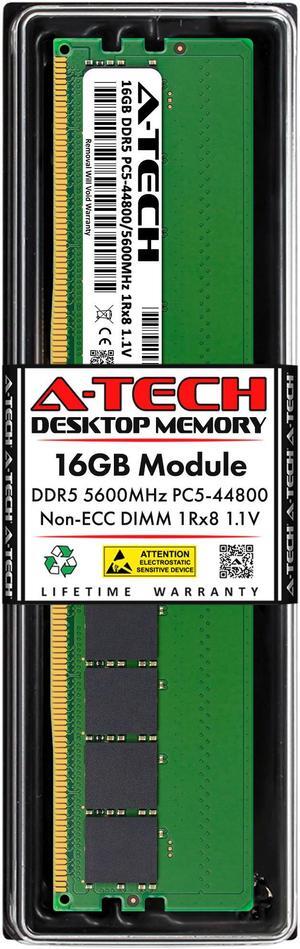
16GB RAM Replacement for Hynix HMCG78AGBUA | DDR5 5600MHz PC5-44800 DIMM 1Rx8 Desktop Memory
Quick View
16GB RAM Replacement for Hynix HMCG78AGBUA | DDR5 5600MHz PC5-44800 DIMM 1Rx8 Desktop Memory
  • CAS Latency: CL40
  • Voltage: 1.10V
  • Chipset: Major Brand Chipset
  • Recommend Use: Compatible Replacement for Hynix HMCG78AGBUA
  • Model #: NE-PNR-1869
  •  
  • $265.94 –
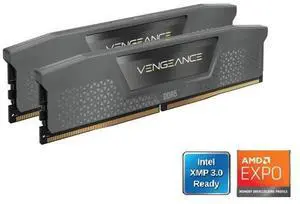
CORSAIR Vengeance 32GB (2 x 16GB) 288-Pin PC RAM DDR5 5200 (PC5 41600) CL40 XMP 3.0 AMD EXPO Desktop Memory Model CMK32GX5M2B5200Z40
Quick View
CORSAIR Vengeance 32GB (2 x 16GB) 288-Pin PC RAM DDR5 5200 (PC5 41600) CL40 XMP 3.0 AMD EXPO Desktop Memory Model CMK32GX5M2B5200Z40
  • CAS Latency: CL40
  • Voltage: 1.25V
  • Multi-channel Kit: Dual Channel Kit
  • Timing: 40-40-40-77
  • Model #: CMK32GX5M2B5200Z40
  •  
  • $526.99 –
  • Free Shipping
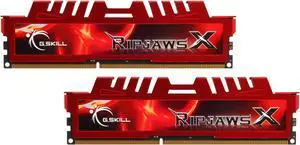
G.SKILL Ripjaws X Series 16GB (2 x 8GB) DDR3 2133 (PC3 17000) CL11 Desktop Memory Intel XMP Red Model F3-2133C11D-16GXL
Quick View
G.SKILL Ripjaws X Series 16GB (2 x 8GB) DDR3 2133 (PC3 17000) CL11 Desktop Memory Intel XMP Red Model F3-2133C11D-16GXL
  • CAS Latency: CL11
  • Voltage: 1.50V
  • Multi-channel Kit: Dual Channel Kit
  • Timing: 11-13-13-31
  • Model #: F3-2133C11D-16GXL
  •  
  • $109.99 –
  • Free Shipping
PUSKILL 32GB Kit (2x16GB) DDR4 RGB RAM 3200MHz PC4-25600 Desktop Memory with Aluminum Heatsink, Non-ECC Unbuffered UDIMM 1.35V CL16 288-Pin
Quick View
PUSKILL 32GB Kit (2x16GB) DDR4 RGB RAM 3200MHz PC4-25600 Desktop Memory with Aluminum Heatsink, Non-ECC Unbuffered UDIMM 1.35V CL16 288-Pin
  • CAS Latency: 16
  • Multi-channel Kit: Dual Channel Kit
  • Timing: 16-18-18-36
  • Brand: PUSKILL
  • Model #: PSK-D4D16M3200BR-16G
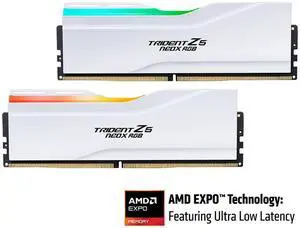
G.SKILL Trident Z5 NeoX RGB Series 32GB (2 x 16GB) DDR5 6000 (PC5 48000) CL30 288-Pin PC RAM Desktop Memory AMD EXPO ULL / AMD EXPO White Model F5-6000A3038F16GX2-TZ5NXRW
Quick View
G.SKILL Trident Z5 NeoX RGB Series 32GB (2 x 16GB) DDR5 6000 (PC5 48000) CL30 288-Pin PC RAM Desktop Memory AMD EXPO ULL / AMD EXPO White Model F5-6000A3038F16GX2-TZ5NXRW
  • CAS Latency: CL30
  • Voltage: 1.35V
  • Multi-channel Kit: Dual Channel Kit
  • Timing: 30-38-38-32
  • Model #: F5-6000A3038F16GX2-TZ5NXRW
  •  
  • $709.99 –
  • Free Shipping
G.SKILL Trident Z5 Royal Neo Series 32GB (2 x 16GB) DDR5 6000 (PC5 48000) CL28 288-Pin PC RAM Desktop Memory AMD EXPO Silver Model F5-6000J2836G16GX2-TR5NS
Quick View
G.SKILL Trident Z5 Royal Neo Series 32GB (2 x 16GB) DDR5 6000 (PC5 48000) CL28 288-Pin PC RAM Desktop Memory AMD EXPO Silver Model F5-6000J2836G16GX2-TR5NS
  • CAS Latency: CL28
  • Voltage: 1.40V
  • Multi-channel Kit: Dual Channel Kit
  • Timing: 28-36-36-96
  • Model #: F5-6000J2836G16GX2-TR5NS
Crucial 16GB Single DDR4 2133 MT/s (PC4-17000) DIMM 288-Pin Memory - CT16G4DFD8213
Quick View
Crucial 16GB Single DDR4 2133 MT/s (PC4-17000) DIMM 288-Pin Memory - CT16G4DFD8213
  • CAS Latency: CL15
  • Voltage: 1.20V
  • Multi-channel Kit: Quad Channel Kit
  • Chipset: Micron Chipset
  • Model #: CT16G4DFD8213
  •  
  • $119.00 –
  • Free Shipping
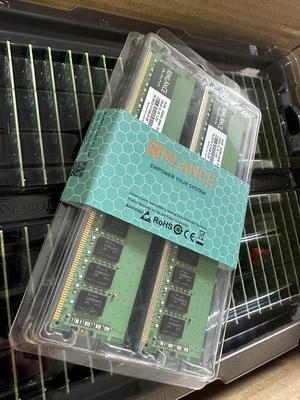
RIMLANCE 16GB(2x8GB) DDR4-2666(PC4-21300) non-ECC Unbuffered Desktop Memory Kit
Quick View
RIMLANCE 16GB(2x8GB) DDR4-2666(PC4-21300) non-ECC Unbuffered Desktop Memory Kit
  • CAS Latency: CL19
  • Multi-channel Kit: Dual Channel Kit
  • Buffered/Registered: Unbuffered
  • Model #: RLMUD-21300-2/16-28
  • $85.99
  •  
  • $85.00 –
  • Free Shipping
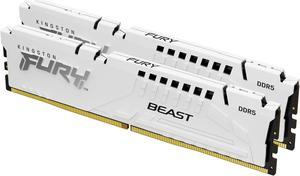
Kingston FURY Beast 32GB (2 x 16GB) DDR5 6000 (PC5 48000) Memory (Desktop Memory) Model KF560C36BWE2K2-32
Quick View
Kingston FURY Beast 32GB (2 x 16GB) DDR5 6000 (PC5 48000) Memory (Desktop Memory) Model KF560C36BWE2K2-32
  • CAS Latency: CL36
  • Voltage: 1.35V
  • Multi-channel Kit: Dual Channel Kit
  • Timing: 36-44-44
  • Model #: KF560C36BWE2K2-32
G.SKILL Ripjaws V Series 128GB (4 x 32GB) 288-Pin PC RAM DDR4 3600 (PC4 28800) Desktop Memory Model F4-3600C18Q-128GVK
Quick View
G.SKILL Ripjaws V Series 128GB (4 x 32GB) 288-Pin PC RAM DDR4 3600 (PC4 28800) Desktop Memory Model F4-3600C18Q-128GVK
  • CAS Latency: CL18
  • Voltage: 1.35V
  • Timing: 18-22-22-42
  • Recommend Use: AMD TRX40 / X570 Intel X299 / Z590 / Z490 / Z390
  • Model #: F4-3600C18Q-128GVK
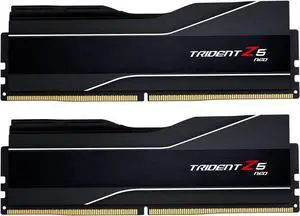
G.SKILL Trident Z5 Series 32GB (2 x 16GB) DDR5 6400 CL32 Desktop Memory Intel XMP 3.0 Black Model F5-6400J3239G16GX2-TZ5K
Quick View
G.SKILL Trident Z5 Series 32GB (2 x 16GB) DDR5 6400 CL32 Desktop Memory Intel XMP 3.0 Black Model F5-6400J3239G16GX2-TZ5K
  • CAS Latency: CL32
  • Voltage: 1.40V
  • Multi-channel Kit: Dual Channel Kit
  • Timing: 32-39-39-102
  • Model #: F5-6400J3239G16GX2-TZ5K
G.SKILL Ripjaws S5 Series 48GB (2 x 24GB) DDR5 6000 (PC5 48000) CL40 288-Pin PC RAM Desktop Memory Intel XMP 3.0 Black Model F5-6000J4048F24GX2-RS5K
Quick View
G.SKILL Ripjaws S5 Series 48GB (2 x 24GB) DDR5 6000 (PC5 48000) CL40 288-Pin PC RAM Desktop Memory Intel XMP 3.0 Black Model F5-6000J4048F24GX2-RS5K
  • CAS Latency: CL40
  • Voltage: 1.35V
  • Multi-channel Kit: Dual Channel Kit
  • Timing: 40-48-48-96
  • Model #: F5-6000J4048F24GX2-RS5K
  •  
  • $739.99 –
  • Free Shipping
Kingston 8GB DDR3 1600 Desktop Memory STD Height 30mm Model KVR16N11H/8
Quick View
Kingston 8GB DDR3 1600 Desktop Memory STD Height 30mm Model KVR16N11H/8
  • CAS Latency: CL11
  • Voltage: 1.50V
  • Buffered/Registered: Unbuffered
  • Model #: KVR16N11H/8
8GB RAM Replacement for Samsung M378A1G44BB0-CWE, M378A1G44CB0-CWE | DDR4 3200MHz PC4-25600 DIMM 1Rx16 Desktop Memory
Quick View
8GB RAM Replacement for Samsung M378A1G44BB0-CWE, M378A1G44CB0-CWE | DDR4 3200MHz PC4-25600 DIMM 1Rx16 Desktop Memory
  • CAS Latency: CL22
  • Voltage: 1.20V
  • Chipset: Samsung Chipset
  • Recommend Use: Compatible Replacement for Samsung M378A1G44BB0-CWE, M378A1G44CB0-CWE
  • Model #: NE-PNR-2238
  •  
  • $89.19 –
Crucial Ballistix Elite 3600 MHz DDR4 DRAM Desktop Gaming Memory Kit 16GB (8GBx2) CL16 BLE2K8G4D36BEEAK
Quick View
Crucial Ballistix Elite 3600 MHz DDR4 DRAM Desktop Gaming Memory Kit 16GB (8GBx2) CL16 BLE2K8G4D36BEEAK
  • CAS Latency: CL16
  • Voltage: 1.35V
  • Timing: 16-18-18
  • Buffered/Registered: Unbuffered
  • Model #: BLE2K8G4D36BEEAK
Kingston ValueRAM 16GB (1 x 16GB) DDR4 2400 RAM (Desktop Memory) DIMM (288-Pin) KVR24N17D8/16
Quick View
Kingston ValueRAM 16GB (1 x 16GB) DDR4 2400 RAM (Desktop Memory) DIMM (288-Pin) KVR24N17D8/16
  • CAS Latency: CL17
  • Voltage: 1.20V
  • Timing: 17-17-17
  • Buffered/Registered: Unbuffered
  • Model #: KVR24N17D8/16
OWC 16GB Replacement for Synology D4EU02-16G - DDR4 2666 PC4-21300 CL19 2Rx8 288-pin 1.2V ECC Unbuffered DIMM Memory RAM Module Upgrade
Quick View
  •  
  • $149.99 –
G.SKILL Trident Z5 Neo Series 48GB (2 x 24GB) 288-Pin PC RAM DDR5 8000 (PC5 64000) CL40 Desktop Memory AMD EXPO Intel XMP 3.0 Black Model F5-8000J4048G24GX2-TZ5N
Quick View
G.SKILL Trident Z5 Neo Series 48GB (2 x 24GB) 288-Pin PC RAM DDR5 8000 (PC5 64000) CL40 Desktop Memory AMD EXPO Intel XMP 3.0 Black Model F5-8000J4048G24GX2-TZ5N
  • CAS Latency: CL40
  • Voltage: 1.40V
  • Multi-channel Kit: Dual Channel Kit
  • Timing: 40-48-48-128
  • Model #: F5-8000J4048G24GX2-TZ5N
Timetec 16GB DDR5 5600MHz PC5-44800 Unbuffered Non-ECC 1.1V CL46 1Rx8 Sinlge Rank 288 Pin UDIMM Desktop Memory RAM Module Upgrade
Quick View
  •  
  • $259.99 –
  • Free Shipping
CORSAIR Vengeance RGB 32GB (2 x 16GB) DDR5 7000 (PC5 56000) CL36 288-Pin PC RAM Desktop Memory Intel XMP 3.0 Black Model CMH32GX5M2X7000C36
Quick View
CORSAIR Vengeance RGB 32GB (2 x 16GB) DDR5 7000 (PC5 56000) CL36 288-Pin PC RAM Desktop Memory Intel XMP 3.0 Black Model CMH32GX5M2X7000C36
  • CAS Latency: CL36
  • Voltage: 1.45V
  • Multi-channel Kit: Dual Channel Kit
  • Timing: 36-46-46-82
  • Model #: CMH32GX5M2X7000C36
Crucial 8GB DDR4 2133 (PC4 17000) Desktop Memory Model CT8G4DFS8213
Quick View
Crucial 8GB DDR4 2133 (PC4 17000) Desktop Memory Model CT8G4DFS8213
  • CAS Latency: CL15
  • Voltage: 1.20V
  • Chipset: Micron Chipset
  • Recommend Use: Intel Compatible
  • Model #: CT8G4DFS8213
  •  
  • $49.99 –
DDR5 RAM GIGASTONE Black Gaming RAM 32GB (2x16GB) DDR5 RAM 32GB DDR5-5200MHz PC4-41600 CL40 1.25V 288 Pin Unbuffered Non ECC Dual Channel DIMM for Intel/AMD Ryzen PC Desktop Memory (Desktop Only)
Quick View
Gigastone Corporation
DDR5 RAM GIGASTONE Black Gaming RAM 32GB (2x16GB) DDR5 RAM 32GB DDR5-5200MHz PC4-41600 CL40 1.25V 288 Pin Unbuffered Non ECC Dual Channel DIMM for Intel/AMD Ryzen PC Desktop Memory (Desktop Only)
  • CAS Latency: CL40
  • Multi-channel Kit: Dual Channel Kit
  • Timing: 40-40-40-77
  • Chipset: Major Brand Chipset
  • Model #: GS-D5-U5200-16GBX2-GST-HB-B
  • $515.99
  •  
  • $458.99 –
  • Save: 11%
  • Free Shipping
16GB RAM Replacement for Hynix HMCG78AGBUA081N | DDR5 5600MHz PC5-44800 DIMM 1Rx8 Desktop Memory
Quick View
16GB RAM Replacement for Hynix HMCG78AGBUA081N | DDR5 5600MHz PC5-44800 DIMM 1Rx8 Desktop Memory
  • CAS Latency: 40
  • Voltage: 1.10V
  • Brand: A-Tech
  • Chipset: Major Brand DRAM IC Chips
  • Model #: NE-PNR-2335
  •  
  • $279.20 –

Desktop Memory RAM - DDR4 & DDR5 PC Modules on Newegg

Find a wide selection of DDR4 and DDR5 desktop memory from top brands like Corsair, G.Skill, and Crucial. Compare options by capacity, speed, and latency to suit any PC build, with Black November deals and Black Friday deals available for your upgrade needs.

How to Choose Desktop Memory

Key Features and Technologies to Compare in Desktop Memory

  • Memory Type: Choose between modern DDR5 modules, or the widely compatible DDR4. DDR5 provides greater bandwidth and efficiency, while DDR4 delivers stable value across numerous systems.
  • Capacity: Decide how much RAM you need—common desktop sizes range from 8GB to 64GB or more, depending on multitasking demands, gaming, or professional workloads.
  • Speed (Frequency): Higher MHz rates improve data transfer speeds. DDR5 options span from DDR5 6000 (PC5 48000) upwards through DDR5 8000 (PC5 64000).
  • CAS Latency (CL): Lower latency means faster response times; a key factor especially for gamers and creators focused on real-time responsiveness.
  • Compatibility: Ensure the RAM matches your motherboard's supported type and speed, along with the CPU architecture for optimal operation.
  • Form Factor and Pins: Desktop DIMMs must fit standard slots; confirm physical module specs and pin counts before purchasing.
  • Brand and Warranty: Trusted brands like Corsair, G.Skill, and Crucial often back their memory with solid warranties, a consideration when investing in system stability.

The Importance of Memory Speed in Desktop RAM

When selecting desktop memory, speed is often the pivotal spec driving performance gains. Memory speed, measured in megahertz (MHz), indicates how fast data moves between the RAM and CPU. Higher speed modules accelerate load times, improve frame rates, and smooth multitasking. For cutting-edge builds, options starting at DDR5 6000 (PC5 48000) scale up through various increments like DDR5 7600 (PC5 60800) and on to DDR5 8000 (PC5 64000), catering to different levels of gaming or professional workloads.

Notably, pairing ultra-fast RAM with a compatible CPU and motherboard maximizes the performance uplift. However, speed gains must be balanced against latency and system compatibility to fully leverage faster modules. For many users, mid-tier speeds offer excellent real-world benefits while maintaining a reasonable build cost.

Advanced and Professional Considerations for Desktop RAM

For developers, content creators, and power users, memory capacity and speed can directly impact productivity and system responsiveness, especially under heavy workloads such as high-resolution video editing, 3D rendering, and software development environments. Professionals often target high-capacity kits exceeding 32GB and prioritize stable, low-latency modules that can sustain fast data throughput.
Many advanced users consider overclocking capabilities and profiles like XMP (Extreme Memory Profile) for customizable performance tuning. Exploring DDR5 memory with speeds at or above DDR5 6400 (PC5 51200) is particularly popular among enthusiasts seeking a balance of speed and reliability on new Intel and AMD platforms.

During the busy Black November deals season, professionals should evaluate their upgrade paths, factoring in motherboard and CPU compatibility to ensure system harmony without bottlenecks.

Performance and Setup Tips

  • Check your motherboard manual to confirm supported DDR generation, maximum RAM capacity, and speed limits to avoid compatibility issues.
  • Install RAM modules in matched pairs or kits to enable dual-channel or quad-channel memory modes for greater bandwidth.
  • Enable XMP profiles in BIOS/UEFI to automatically tune RAM to advertised speeds and timings.
  • During Black Friday deals and Black November deals, compare RAM options by capacity, speed, and latency to find the best fit for your workload and budget.
  • Keep your system BIOS/UEFI updated to ensure reliable memory compatibility and performance with newer DDR5 modules.
  • For overclockers, gradually increase memory speed while testing system stability with tools like MemTest86 or Prime95.
  • Handle memory modules carefully, grounding yourself to prevent static damage, and insert DIMMs firmly and evenly into slots.
  • Monitor your system’s temperatures, especially if overclocking RAM, as excessive heat can degrade performance and longevity.

Newegg shopping tip: When choosing desktop memory, compare the capacity, speed (measured in MHz), and CAS latency to match your system’s needs and ensure compatibility. During Black November deals and Black Friday deals, these specs help you spot the best fit among many options without overspending on features you might not use.

Explore Desktop Memory & Related Categories

DDR5

Unlock next-level speed and efficiency with DDR5, engineered for higher bandwidth and power management aimed at cutting-edge desktops and gaming rigs.

DDR4

DDR4 remains a solid workhorse, offering wide compatibility and stable performance for mainstream PCs and cost-conscious builders.

DDR5 8000 (PC5 64000)

Push your system to the max with DDR5 8000, delivering blistering speeds perfect for extreme overclockers and high-frequency memory enthusiasts.

Desktop Memory Basics: What You Need to Know

If you're building or upgrading a PC, selecting the right desktop memory is key to smooth, speedy performance. Desktop RAM, or Random Access Memory, temporarily stores data your CPU uses for running programs and multitasking. For beginners, learning the difference between DDR4 and DDR5 memory formats is a great start. DDR4 still dominates many desktops due to its broad compatibility and reliability, while DDR5 is rapidly gaining traction for delivering higher bandwidth and better power efficiency. With Black November deals on Desktop Memory available, it’s a smart time to explore your options and decide based on your system’s motherboard support and future upgrade plans.

For Gamers: Picking Memory That Keeps You in the Action

Gamers often demand faster load times, flawless frame rates, and quick response from their systems. High-performance RAM modules like DDR5 8000 (PC5 64000) or DDR5 7600 (PC5 60800) offer ultra-fast data rates that can shave precious milliseconds off load times while providing headroom for overclocking. Mid-tier DDR5 speeds like DDR5 6400 (PC5 51200) provide excellent balance for gamers seeking high frame rates without overextending their budget. Check out the latest Black Friday deals on Desktop Memory to maximize your gaming rig’s potential.

For Creators and Professionals: Memory That Powers Productivity

Content creators, video editors, and professionals handling complex workflows benefit from large-capacity, high-speed memory to manage demanding software seamlessly. For these users, DDR5 modules with higher capacity and faster clock speeds such as DDR5 7200 (PC5 57600) or DDR5 7000 (PC5 56000) provide the performance boost necessary to speed up render times and improve multitasking efficiency. Don’t overlook robust DDR4 kits if you’re on a tighter budget but need dependable performance. Discover Black November deals on Desktop Memory to invest wisely in your professional setup.

Before You Buy

  • Confirm your motherboard supports DDR4 or DDR5 memory before selecting modules.
  • Check the maximum RAM capacity and number of available slots on your desktop.
  • Match your desired speed and CAS latency to your system’s compatibility and workload needs.
  • Consider whether dual-channel or quad-channel memory kits will boost your performance.
  • Look for trusted brands known for reliability and warranty coverage.
  • Verify the physical size (height) of the RAM modules to ensure they fit alongside CPU coolers or other components.
  • Take advantage of Black Friday deals and Black November deals to find quality memory at the best value.

Need Expert Guidance Choosing Your Perfect Desktop Memory? We're Here to Help

  • While the video "Gaming on One Stick of RAM?!" from Newegg Studios covers this topic, you can watch it below:

Research more: If you’re comparing DDR4 and DDR5 memory or deciding on the right capacity and speed for your setup, checking out the Newegg Insider buying guides can help clarify key specs and performance factors. Keep an eye on this page during Black November deals and Black Friday deals for competitive options worth considering.

Last Updated: November 2026 | Newegg Desktop Memory Buying Guide


Desktop Memory FAQs:

How does DDR4 memory compare to DDR5 for desktop use in terms of performance and price?

DDR5 offers faster speeds and better efficiency than DDR4, but it’s also pricier and may not boost performance in all tasks yet. DDR4 is still a solid choice if you want good value and compatibility with most current systems.

Is it better to buy a single 16GB stick of RAM or two 8GB sticks for a desktop build?

Two 8GB sticks run in dual-channel mode, which can improve performance over a single 16GB stick by allowing faster data transfer. Opt for two sticks if your motherboard supports it and you want to squeeze out more speed.

What sizes of desktop memory are available, and how do I know what my computer supports?

Desktop memory typically comes in sizes ranging from 4GB to 64GB per module. To find out what your PC supports, check your motherboard’s specifications or use a system information tool to see the compatible type and maximum capacity.

Does the speed of desktop memory really matter for gaming or everyday use?

Yes, faster memory speeds can improve overall system performance and game loading times, but the difference varies depending on your CPU and tasks. For most everyday applications, standard speeds are fine, but gamers and content creators often benefit from higher-speed RAM.

How do I know what type of desktop memory is compatible with my computer?

Check your motherboard’s specifications for supported RAM type, speed, and maximum capacity before buying. DDR4 and DDR5 are common now, but your system might only work with one or the other.

Is it better to buy more memory at a higher speed or just stick with a standard kit?

More memory generally improves multitasking and overall performance more than faster speeds, especially if you run many apps or games. High speed matters mostly for gaming or specific software that uses fast memory.

How can I tell if a particular desktop memory brand is reliable from user reviews?

Look for patterns in user feedback, especially mentions of long-term stability and compatibility with different motherboards. Consistently positive experiences across various system builds usually indicate solid reliability.

Are there common issues I should watch out for when buying desktop memory?

Watch for reports of crashes, failure to post, or errors like blue screens, as these often point to defective RAM or compatibility problems. Checking if others with similar setups had smooth installs can save you trouble.

How do I install new desktop memory without damaging my computer?

First, power off your PC and unplug it. Open the case, locate the RAM slots, and gently press the memory sticks into place until they click. Avoid touching the gold contacts to prevent static damage.

After upgrading my RAM, how can I check if my system is recognizing the new memory?

You can open your system’s settings or BIOS to see the total installed memory. On Windows, right-click the Start menu, choose “System,” and check the “Installed RAM” section.

Bestselling Desktop Memory Reviews:

Elizabeth
8/27/2026 10:13:42 AM
Exactly as expected

“ Just excited to finally play more games with her without her game constantly crashing or freezing up from max memory usage :) ! ”

G.SKILL Ripjaws V Series 16GB (2 x 8GB) 288-Pin PC RAM DDR4 3200 (PC4 25600) Desktop Memory Model F4-3200C16D-16GVKB