• In Stock
  • Sold by Newegg
  • Make an Offer
  • New
Brands
Show More
Price
Show More
Type
Ports
Show More
VPN
WAN Ports
LAN Ports
Maximum Users
Form Factor
Simultaneous Sessions
Show More
Sold by
All Top Brands
Availability
Condition
Current Promotion
Discount
Useful Links
Customer Ratings
  • Sonicwall
  • Get the right protection to secure your network
  • Likewize Home Tech Protect
  • Featured Brands

    See Deals from SonicWallSee Deals from ASUSSee Deals from TP-LinkSee Deals from Netgear Inc.
Sort By:
View:
Ubiquiti UDM-Pro-Max
Quick View
Ubiquiti UDM-Pro-Max
  • Model #: TONYB0D2RBS1FD
  •  
  • $1,163.99 –
  • Free Shipping
Zyxel USGFLEX50H ZyWALL High Speed Cyber Security Firewall
Quick View
  •  
  • $949.99 –
  • Free Shipping
Omada Fusion 2.5G PoE Gateway
Quick View
Omada Fusion 2.5G PoE Gateway
  • Model #: ENGXB0HKQ8ZPML
  •  
  • $630.99 –
  • Free Shipping
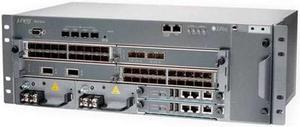
Juniper SRX240H2 Series Services Gateway
Quick View
  •  
  • $666.99 –
  • Free Shipping
Sophos XGS 87w Next-Gen Firewall with Xstream Protection, 1-Year (US Power Cord) (IY8B1CSUS)
Quick View
  •  
  • $1,947.00 –
  • Free Shipping
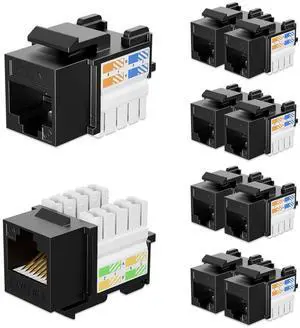
iwillink 10Gbps Cat6 Ethernet Coupler - 90-Degree Keystone Jack Adapter (Black) 10-Pack
Quick View
  •  
  • $22.94 –
  • Free Shipping
10/100/1000 Gigabit Ethernet/USB Bypass Network Tap
Quick View
  •  
  • $394.49 –
  • Free Shipping
WatchGuard Firebox T185 with 1-yr Total Security Suite  WGT185641
Quick View
  •  
  • $2,525.60 –
  • Free Shipping
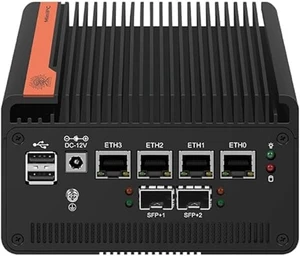
DDR5 N150 CPU 4 LAN X710*4 x10GbE SFP+ Support NO RAM NO Storage/9.5 inch
Quick View
  •  
  • $1,206.99 –
  • Free Shipping
HID 5395C2100 Prox Thinline II Wall Switch Reader - with Gray Designer Cover
Quick View
  •  
  • $443.99 –
  • $5.99 Shipping
WatchGuard 4 Port 10Gb SFP+ Fiber Module for Firebox M Series
Quick View
  •  
  • $1,523.99 –
  • $5.99 Shipping

Firewall & Network Security Devices – Gateways, UTM, VPN

Protect and Segment Your Network

Build a secure edge that blocks threats, enforces policy, and supports remote work. Start by shop firewalls & security, then add the right access and switching layers for your layout—whether that’s wireless routers, LAN switches, or WAN termination via modems & gateways.

For uplinks and backbones, many deployments rely on fiber. If that’s you, check compatible SFP/SFP+ transceivers and ensure cabling quality with Ethernet cables. On the access layer, plan reliable Wi-Fi using ceiling-mounted access points or a whole-home topology using Mesh Wi-Fi. For neat installs and proper airflow, mount gear in server racks & cabinets.

Budgeting a rollout? Watch for seasonal promos and bundles under networking deals to stretch spend while maintaining security baselines.

When to Choose Each Type

  • SOHO / Home Lab: Basic IPS/web filtering, simple VPN, and VLANs for user/IoT separation.
  • SMB: UTM/NGFW for app control, URL filtering, IPS/IDS; PoE switching for cameras and APs.
  • Enterprise / Multi-Site: High-throughput NGFW with HA, SSO/MFA, centralized management, and 10GbE aggregation.

UTM / Next-Gen Firewalls

  • All-in-one controls: IPS/IDS, antivirus, web filtering, application visibility
  • Size for real-world firewall/IPS/VPN throughput, not just theoretical rates
  • Plan license tiers (AV/IPS/WebFilter) and renewal timelines

VPN & WAN Gateways

  • Remote-user and site-to-site VPN (SSL/IPsec), with dual-WAN and failover
  • Support identity controls (SSO/MFA) and per-app policies
  • Use VLANs and ACLs to segment users, servers, and IoT
Deployment tip: If you enable IPS or content filtering, validate under-load throughput and keep headroom for peak hours and future features.

How to Choose the Right Firewall

    When choosing the right firewall, compare its firewall, IPS, and VPN performance under realistic network loads to ensure it meets your needs. Check the maximum number of concurrent VPN users supported and the types of tunnels available, such as SSL or IPsec. Look for 10GbE ports and fiber uplinks, as well as dual-WAN capabilities for redundancy and failover. Review the UTM (Unified Threat Management) bundles and renewal terms to make sure the included security features align with your requirements. Use VLANs to segment traffic between users, servers, security cameras, and IoT devices for better control and security. Finally, consider rack depth, airflow, cable management, and redundant power supplies to ensure reliable, long-term operation.

Benefits of a Dedicated Hardware Firewall

  • Stronger perimeter protection than software-only solutions
  • Built-in VPN for secure remote work and partner access
  • Layered defenses: IPS/IDS, malware filtering, application control
  • Simple network segmentation with VLANs and ACLs
  • Centralized logging, alerting, and compliance reporting
  • Scales from SOHO to enterprise with HA and high-speed uplinks

FAQs: Firewall & Network Security Devices

Do I need a firewall if my router has NAT?

Yes. NAT is address translation, not security. A firewall adds policy, threat prevention, VPN, and audit logging.

What’s the difference between UTM and NGFW?

UTM highlights “all-in-one” security for SMBs, while NGFW emphasizes app awareness and advanced threat prevention. Many devices blend both.

How do I size a firewall for my office?

Match firewall/IPS/VPN throughput to peak traffic, confirm user/VPN counts, and plan dual-WAN plus growth headroom.

What else should I prepare before installation?

Confirm rack space, power and cooling, cable runs, addressing/VLAN plan, identity integration (SSO/MFA), and logging destinations.

Bestselling Firewall & Network Security Devices Reviews:

Dylan G.
7/2/2024 2:34:39 PM
Great platform to build a 10Gb network on

“ I wanted a wired router that would support my 10Gb internet connection, and this is doing the trick. ”

TP-Link ER8411 | Enterprise Wired 10G VPN Router | Up to 10 WAN Ports | High Network Capacity | SPI Firewall | Omada SDN Integrated | Load Balance | Lightning Protection |