• In Stock
  • Sold by Newegg
  • AI Ready
  • Make an Offer
  • New
Brands
Show More
Price
Show More
GPU/VPU
Show More
CPU Type
Show More
Screen Size
Show More
Memory
SSD
Show More
HDD
Virtual Reality Ready
Operating System
Sold by
Touchscreen
Processor Name
Number of Cores
Optical Drive Type
Series
Backlit Keyboard
HDMI
Video Port
Thunderbolt
Ethernet
Resolution
Panel
WiFi Generation
Webcam
Wide Screen Support
Bluetooth
Usage
WLAN
Type
Battery
Style
Weight
Video Memory
Refresh Rate
Memory Slot (Available)
USB
All Top Brands
Availability
Condition
Current Promotion
Discount
Useful Links
Customer Ratings
  • AMD with Windows 11
  • MSI Play Hard Win Hard
  • Mega Massive Sale
  • LEVEL UP YOUR GAME LIBRARY
  • ASUS Trending Now
  • Featured Brands

    See Deals from Acer AmericaSee Deals from ASUSSee Deals from GIGABYTESee Deals from MSISee Deals from XIDAXSee Deals from Lenovo
Sort By:
View:
Dell G15 5530 Gaming Laptop - 15.6-inch FHD 165Hz 3ms (1920x1080) Display, Intel Core i7-13650HX, 16GB DDR5 RAM, 1TB SSD, NVIDIA GeForce RTX 4060 8GB GDDR6, Windows 11 Home - Dark Shadow Gray
Quick View
[2025] HIDevolution EVOC High Performance Systems V3702B (V370WNPQ) 17.3" FHD 144Hz, 2.1 GHz Ultra 9-275HX, RTX 5070, 32 GB DDR5 RAM, 1 TB PCIe SSD, Windows 11 Pro
Quick View
[2025] HIDevolution EVOC High Performance Systems V3702B (V370WNPQ) 17.3" FHD 144Hz, 2.1 GHz Ultra 9-275HX, RTX 5070, 32 GB DDR5 RAM, 1 TB PCIe SSD, Windows 11 Pro
  • GPU/VPU: GeForce RTX 5070 Laptop GPU
  • Processor Name: Intel Core Ultra 9 275HX
  • Memory: 32GB
  • SSD: 1TB
  • Model #: EV-V3702B-HID7
  •  
  • $2,359.00 
[2025] HIDevolution ASUS ROG Zephyrus G16 GU605CX [White] 16" WQXGA 240Hz OLED, 2.7 GHz Ultra 9-285H, RTX 5090, 64 GB LPDDR5X RAM, 2 x 4 TB PCIe SSD, Windows 11 Pro
Quick View
ASUS
[2025] HIDevolution ASUS ROG Zephyrus G16 GU605CX [White] 16" WQXGA 240Hz OLED, 2.7 GHz Ultra 9-285H, RTX 5090, 64 GB LPDDR5X RAM, 2 x 4 TB PCIe SSD, Windows 11 Pro
  • GPU/VPU: GeForce RTX 5090 Laptop GPU
  • Processor Name: Intel Core Ultra 9 285H
  • Memory: 64GB
  • SSD: 8TB
  • Model #: GU605CX-XS98-HID5
  •  
  • $5,749.00 
MSI - 14" FHD+ 165 Hz - Intel Core i7-13620H - GeForce RTX 4060 Laptop GPU - 16 GB (2 x 8 GB) Memory DDR5 5200 - 1TB NVMe SSD - Windows 11 Pro 64-bit  (STEALTH1413250 )
Quick View
MSI - 14" FHD+ 165 Hz - Intel Core i7-13620H - GeForce RTX 4060 Laptop GPU - 16 GB (2 x 8 GB) Memory DDR5 5200 - 1TB NVMe SSD - Windows 11 Pro 64-bit (STEALTH1413250 )
  • GPU/VPU: GeForce RTX 4060 Laptop GPU
  • Processor Name: Intel Core i7-13620H
  • Memory: 16 GB (2 x 8 GB)
  • SSD: 1TB NVMe
  • Model #: Stealth 14Studio A13VF-250US
[2025] HIDevolution MSI Stealth 18 HX AI A2XWJG 18" UHD+ 120Hz Mini LED, 2.1 GHz Ultra 9-275HX, RTX 5090, 96 GB DDR5 RAM, 2 TB PCIe SSD, Windows 11 Pro
Quick View
MSI
[2025] HIDevolution MSI Stealth 18 HX AI A2XWJG 18" UHD+ 120Hz Mini LED, 2.1 GHz Ultra 9-275HX, RTX 5090, 96 GB DDR5 RAM, 2 TB PCIe SSD, Windows 11 Pro
  • GPU/VPU: NVIDIA GeForce RTX 5090 Laptop GPU
  • Processor Name: Intel Core Ultra 9 275HX
  • Memory: 96GB
  • SSD: 2TB
  • Model #: MS-STEALTH18A2035-HID4
  •  
  • $5,399.00 
MSI - 16" 120 Hz - AMD Ryzen AI 9 365 - GeForce RTX 4070 Laptop GPU - 32GB Memory LPDDR5x 7500 - 1TB PCIe SSD - Windows 11 Home  ()
Quick View
MSI
MSI - 16" 120 Hz - AMD Ryzen AI 9 365 - GeForce RTX 4070 Laptop GPU - 32GB Memory LPDDR5x 7500 - 1TB PCIe SSD - Windows 11 Home ()
  • GPU/VPU: GeForce RTX 4070 Laptop GPU
  • Processor Name: AMD Ryzen AI 9 365
  • Memory: 32GB
  • SSD: 1TB PCIe
  • Model #: Creator A16 AI+ A3HVGG-094US
ASUS TUF Gaming F15 - 15.6" FHD 144 Hz - Intel Core i5-12500H - GeForce RTX 3050 Laptop GPU - 16GB Memory DDR4 3200 - 512GB PCIe SSD - Windows 11 Home 64-bit  (90NR0GW1-M007J0 )
Quick View
ASUS TUF Gaming F15 - 15.6" FHD 144 Hz - Intel Core i5-12500H - GeForce RTX 3050 Laptop GPU - 16GB Memory DDR4 3200 - 512GB PCIe SSD - Windows 11 Home 64-bit (90NR0GW1-M007J0 )
  • GPU/VPU: GeForce RTX 3050 Laptop GPU
  • Processor Name: Intel Core i5-12500H
  • Memory: 16GB
  • SSD: 512GB PCIe
  • Model #: FX507ZC-ES53
[2025] HIDevolution ASUS ROG Zephyrus G16 GU605CX [Grey] 16" WQXGA 240Hz OLED, 2.7 GHz Ultra 9-285H, RTX 5090, 32 GB LPDDR5X RAM, 2 x 4 TB PCIe SSD, Windows 11 Pro
Quick View
ASUS
[2025] HIDevolution ASUS ROG Zephyrus G16 GU605CX [Grey] 16" WQXGA 240Hz OLED, 2.7 GHz Ultra 9-285H, RTX 5090, 32 GB LPDDR5X RAM, 2 x 4 TB PCIe SSD, Windows 11 Pro
  • GPU/VPU: GeForce RTX 5090 Laptop GPU
  • Processor Name: Intel Core Ultra 9 285H
  • Memory: 32GB
  • SSD: 8TB
  • Model #: GU605CX-G16.U9X5090-HID5P
  •  
  • $6,279.00 
[2025] HIDevolution ASUS ROG Zephyrus G16 GU605CX [Grey] 16" WQXGA 240Hz OLED, 2.7 GHz Ultra 9-285H, RTX 5090, 32 GB LPDDR5X RAM, 2 x 4 TB PCIe SSD, Windows 11 Home
Quick View
ASUS
[2025] HIDevolution ASUS ROG Zephyrus G16 GU605CX [Grey] 16" WQXGA 240Hz OLED, 2.7 GHz Ultra 9-285H, RTX 5090, 32 GB LPDDR5X RAM, 2 x 4 TB PCIe SSD, Windows 11 Home
  • GPU/VPU: GeForce RTX 5090 Laptop GPU
  • Processor Name: Intel Core Ultra 9 285H
  • Memory: 32GB
  • SSD: 8TB
  • Model #: GU605CX-G16.U9X5090-HID5
  •  
  • $6,149.00 
Alienware m15 R4 RTX 3070 Gaming Laptop Full HD (FHD), 15.6 inch - Intel Core i7-10870H, 16GB DDR4 RAM, 1TB SSD, NVIDIA GeForce RTX 3070 8GB GDDR6, Windows 10 Home - Lunar Light (Latest Model)
Quick View
DELL
Used - Good Alienware m15 R4 RTX 3070 Gaming Laptop Full HD (FHD), 15.6 inch - Intel Core i7-10870H, 16GB DDR4 RAM, 1TB SSD, NVIDIA GeForce RTX 3070 8GB GDDR6, Windows 10 Home - Lunar Light (Latest Model)
  • GPU/VPU: GeForce RTX 3070 Laptop GPU
  • Processor Name: Intel Core i7-10870H
  • CPU Type: Intel Core i7 10th Gen
  • Screen Size: 15.6"
  • Model #: ?AWM15R4-7689WHT-PUS
  •  
  • $2,193.45 
  • Free Shipping
ASUS ROG Strix SCAR 15 G532LWS-DS76 15.6" 240 Hz IPS Intel Core i7 10th Gen 10875H (2.30 GHz) NVIDIA GeForce RTX 2070 SUPER 16 GB Memory 1 TB SSD Windows 10 Home 64-bit Gaming Laptop
Quick View
  •  
  • $1,179.22 
Lenovo LOQ Laptop, 15.6" FHD IPS  144Hz, i7-13650HX, NVIDIA® GeForce RTX 4060 Laptop GPU 8GB GDDR6, 16GB, 512GB SSD, For Gaming
Quick View
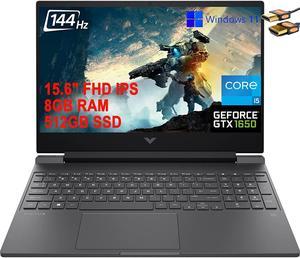
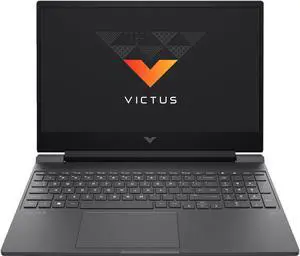
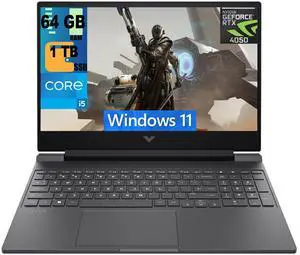
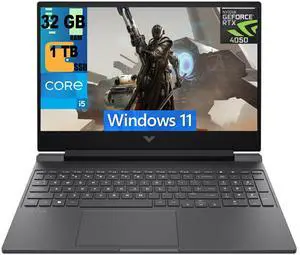
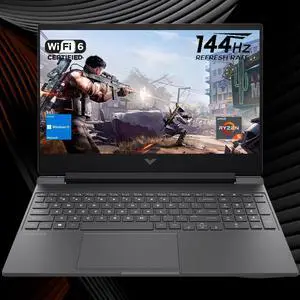
HP Victus 15.6" FHD IPS 144Hz Premium Gaming Laptop, 13th Gen Intel 8-Core i5-13420H upto 4.6GHz, 16GB RAM, 512GB PCIe SSD, NVIDIA GeForce RTX 4050 6GB GDDR6, Windows 11 Home, Silver
Quick View
Dell Alienware X14 Gaming Laptop - Intel Core i7-12700H Processor - 32GB Memory - 1TB SSD - 14-inch Display - Windows 11 Home 64-bit - Lunar Light
Quick View
  •  
  • $1,989.00 
  • Free Shipping
Lenovo IdeaPad S540-13IML 13.3" Laptop i5-10210U 8GB 256GB SSD W10 Home Ice Blue
Quick View
  •  
  • $549.99 
  • Free Shipping
MSI Prestige 14 AI Studio C1U Laptop Intel Core Ultra 5-125H 16GB Memory 512GB NVMe SSD NVIDIA GeForce RTX3050 Laptop GPU 14" 16:10 FHD IPS Display Windows 11 Home
Quick View
MSI
MSI Prestige 14 AI Studio C1U Laptop Intel Core Ultra 5-125H 16GB Memory 512GB NVMe SSD NVIDIA GeForce RTX3050 Laptop GPU 14" 16:10 FHD IPS Display Windows 11 Home
  • Brand: MSI
  • Series: Prestige 14
  • Color: Stellar Gray
  • Operating System: Windows 11 Home
  • Model #: Prestige 14 AI Studio C1UDXG-031CA
Dell Alienware M16 R2 16" 240Hz QHD+ Intel Core Ultra 7 155H 1.4 GHz up to 4.80 GHz 16GB DDR5 1TB SSD GeForce RTX 4060 Windows 11 Home Gaming Laptop - INS0182837-R0025132-SA
Quick View
XPG Xenia 15G Gaming Notebook Intel i7 13700H, GeForce RTX, 1TB PCIe Gen4 SSD, 16GB DDR5, 15.6" FHD 144Hz IPS Display Single Zone RGB Keyboard, Wi-Fi 6E, Windows 11 (RTX 4070 8GB | 16GB RAM)
Quick View
Dell XPS 7590 15.6" 4K UHD (3840x2160) Intel Core i7-9750H 16GB RAM 512GB SSD NVIDIA GeForce GTX 1650 Windows 11
Quick View
DELL
Refurbished Dell XPS 7590 15.6" 4K UHD (3840x2160) Intel Core i7-9750H 16GB RAM 512GB SSD NVIDIA GeForce GTX 1650 Windows 11
  • Resolution: 3840 x 2160
  • GPU/VPU: GeForce GTX 1650
  • Graphic Type: Dedicated Card
  • Processor Name: Intel Core i7-9750H
  • Model #: XPS15-4K-9750-HID2
  •  
  • $675.00 
  • Free Shipping
Dell 17.3" Inspiron Touchscreen FHD 5759 Gaming Laptop Intel Core i7-6500U, 16GB Memory, AMD Radeon R5 M335, 512GB SSD, Backlit keyboard and Windows 11
Quick View
DELL
Refurbished Dell 17.3" Inspiron Touchscreen FHD 5759 Gaming Laptop Intel Core i7-6500U, 16GB Memory, AMD Radeon R5 M335, 512GB SSD, Backlit keyboard and Windows 11
  • Resolution: 1920 x 1080
  • GPU/VPU: AMD Radeon R5 M335
  • Graphic Type: Dedicated Card
  • Processor Name: Intel Core i7-6500U
  • Model #: 5473863657456
  •  
  • $529.00 
  • Free Shipping
F158G 15.6 inch Intel Celeron J4125 16GB RAM 256GB SSD 1920×1080 IPS Narrow Bezel Backlit Keyboard Fingerprint Notebook
Quick View
  •  
  • $624.91 
  • Free Shipping
MSI GP Series - 17.3" FHD 360 Hz - Intel Core i7-12700H - GeForce RTX 3060 Laptop GPU - 16GB Memory DDR4 3200 - 1TB NVMe SSD - Windows 11 Home 64-bit  ()
Quick View
MSI GP Series - 17.3" FHD 360 Hz - Intel Core i7-12700H - GeForce RTX 3060 Laptop GPU - 16GB Memory DDR4 3200 - 1TB NVMe SSD - Windows 11 Home 64-bit ()
  • GPU/VPU: GeForce RTX 3060 Laptop GPU
  • Processor Name: Intel Core i7-12700H
  • Memory: 16GB
  • SSD: 1TB NVMe
  • Model #: Vector GP76 12UE-270
MSI TITAN 18 HX AI Norse Myth 18" UHD+ 120Hz Mini LED - Intel Core Ultra 9-285HX - RTX 5090 - 96GB DDR5/2TB Gen5+ 2x2TB Gen4 NVMe SSD - Wi-Fi 7 Win 11 Pro (TITAN18HXA2440)
Quick View
MSI
Used - Like New MSI TITAN 18 HX AI Norse Myth 18" UHD+ 120Hz Mini LED - Intel Core Ultra 9-285HX - RTX 5090 - 96GB DDR5/2TB Gen5+ 2x2TB Gen4 NVMe SSD - Wi-Fi 7 Win 11 Pro (TITAN18HXA2440)
  • GPU/VPU: GeForce RTX 5090 Laptop GPU
  • Processor Name: Intel Core Ultra 9 285HX
  • Memory: 96GB (2 x 48GB)
  • SSD: 2TB NVMe SSD Gen5x4 4TB (2TBx2) NVMe SSD Gen4x4
  • Model #: TITAN18HXA2440
ASUS ROG Zephyrus G16 (2025) Gaming Laptop, 16" ROG Nebula OLED 2.5K, RTX 5090, Ultra 9 285H, 64GB, 2TB SSD, Win 11 Pro, Platinum White, GU605CX-XS98
Quick View
Acer Predator Helios 300 - 17.3" FHD - Intel Core i7-9750H - GeForce GTX 1660 Ti - 8GB Memory DDR4 2666 - 512GB SSD - Windows 10 Home 64-bit  (NH.Q5PAA.003 )
Quick View
MSI Raider GE68HX 16.0' WUXGA 144Hz Gaming Laptop (Intel i9-13950HX, GeForce RTX 4060 8GB with Dynamic Boost, 32GB DDR5, 1TB SSD, Thunderbolt 4, Win 11 Home)
Quick View
MSI
MSI Raider GE68HX 16.0' WUXGA 144Hz Gaming Laptop (Intel i9-13950HX, GeForce RTX 4060 8GB with Dynamic Boost, 32GB DDR5, 1TB SSD, Thunderbolt 4, Win 11 Home)
  • GPU/VPU: GeForce RTX 4060 Laptop GPU
  • Processor Name: 2.20GHz
  • Memory: 32GB
  • SSD: 1TB
  • Model #: 13VF-062US-ME1664311
  •  
  • $1,949.97 
  • Free Shipping

Buying a Gaming Laptop

How to Choose the Right Gaming Laptop

Picking the right gaming laptop doesn’t have to feel like solving a puzzle. Whether you're chasing 240 FPS in competitive shooters or want smooth 4K visuals in single-player epics, here’s what actually matters when choosing your next portable powerhouse. Learn more in our full Insider guide: How to Choose the Best Gaming Laptop .

Gaming Laptop vs. DIY Desktop: What You Gain (and Give Up)

The Plug-and-Play Option (Gaming Laptop) The DIY Route (Customer - Built Desktop )

  • Total control — Handpick everything from the case to cooling and RGB.
  • Cost efficiency — Can save 15–30% when parts are on sale.
  • Learning experience — Building your first PC is rewarding.
  • Risk factor — Mistakes can lead to troubleshooting and extra time.

The Plug-and-Play Option (Gaming Laptop)

  • Zero assembly — Unbox, sign in, and start gaming immediately.
  • Portable performance — Compete, create, and play anywhere.
  • No-compromise visuals — Many premium laptops now feature RTX 50 series GPUs and high-refresh-rate displays.
  • Upgrade limits — Some models have limited RAM/SSD upgrade options.

What Really Matters in a Gaming Laptop

  1. GPU — Your Gaming Lifeline

    Your GPU drives frame rates and visual quality. Match the GPU tier to your target resolution:
    1080p @ 144Hz: RTX 4060 Laptop / RX 7600S
    1440p + Ray Tracing: RTX 5080 / RTX 4080 Laptop
    4K Ultra: RTX 5090 / RTX 4090 Laptop or higher

  2. CPU — The Game’s Conductor

    Current favorites include Intel Core Ultra 9 and AMD Ryzen AI 300 Series. If you stream or multitask heavily, Intel Core i9 or AMD Ryzen 9 offers extra headroom for smooth gaming plus background workloads. Explore CPU options .

  3. RAM — Your Multitasking Muscle

    16GB is the baseline. 32GB DDR5 (5600MHz+) is ideal for newer AAA titles and creative multitasking. Heavy creators or power users can consider 64GB. Filter by Laptop Memory .

  4. Storage — Speed Meets Capacity

    Aim for at least a 1TB Gen4 NVMe SSD for faster game loads and smoother updates. Some GPU bundles may include bonus storage.

Gaming’s Best Supporting Actors

Must-Have Peripherals

Newegg’s Game-Changing Tools

Laptop Finder: Use the Laptop Finder tool to filter by screen size, GPU, CPU, RAM, storage, and budget—so you can quickly identify the best gaming laptop for your needs.

Deal Alerts: Track the latest savings on gaming laptops on sale and catch limited-time price drops.

Get ready for major seasonal savings—featuring deep discounts on top-rated RTX and AI-powered gaming laptops . Upgrade to premium notebooks like ASUS ROG, MSI Stealth, and Lenovo Legion with RTX 5090 / 5080 / 5070 Ti GPUs and Intel Core Ultra or Ryzen AI processors for next-gen performance. These early offers are limited-time and may include some of the lowest prices of the season.

  • Watch the "Laptop Performance Essentials" video from Newegg Studio to learn how GPU power, cooling, and system efficiency impact laptop performance, stability, and long-term reliability.

    Last Updated: April 2026 | Newegg Content Team: Newegg Laptops Buying Guide


    Laptop Frequently Asked Questions:

    What is the difference between a laptop and a notebook?

    In most shopping contexts, laptop and notebook are used almost interchangeably. On Newegg, the category covers a wide range of portable computers from everyday notebooks to gaming, business, and creator-focused systems.

    What processor should I look for in a laptop?

    The right processor depends on your workload, budget, and portability needs. For many shoppers, comparing AMD Ryzen AI, Intel Core Ultra, and Intel Core generations is a practical starting point when narrowing down performance options.

    How much RAM do I need in a laptop?

    The right amount of RAM depends on whether you mainly browse, work, study, create, or game. More memory can improve multitasking and help laptops handle heavier software more smoothly over time.

    What storage type should I choose in a laptop?

    Many shoppers prefer SSD-based storage because it improves boot speed, app loading, and overall responsiveness. Storage capacity should match how many files, apps, and games you plan to keep locally.

    What does Copilot PC mean on a laptop listing?

    Copilot PC generally refers to newer laptops designed around AI-focused features and modern processor platforms. On Newegg, this category helps shoppers quickly identify newer notebook options positioned around AI-ready experiences.

    What is the difference between a gaming laptop and a business laptop?

    Gaming laptops usually prioritize graphics performance, faster displays, and stronger cooling, while business laptops often focus more on portability, battery life, security, and professional use. The better choice depends on how you plan to use the system every day.

    How do 2-in-1 laptops compare to traditional clamshell laptops?

    A 2-in-1 laptop adds more flexibility for touch, tablet-style use, and mobile workflows, while a traditional clamshell design is often simpler and more familiar for standard typing and productivity. The best fit depends on whether versatility matters more than a conventional laptop layout.

    What is the difference between a Chromebook and a Windows laptop?

    Chromebooks are often chosen for lighter web-based tasks and simpler workflows, while Windows laptops usually offer broader software compatibility and more hardware variety. The right option depends on your apps, budget, and everyday workload.

    How do touchscreen laptops compare to non-touch laptops?

    Touchscreen laptops can be more convenient for tapping, scrolling, note-taking, and hybrid workflows, while non-touch laptops may appeal to users who want a more traditional experience. The better choice depends on how much you actually use touch features in daily tasks.

    How do creator laptops compare to standard consumer laptops?

    Creator laptops are usually aimed at heavier visual, editing, or production workloads and may emphasize stronger graphics, display quality, and performance headroom. Standard consumer laptops are often tuned more for everyday use and value.

    How do I choose the right laptop for work, school, or gaming?

    Start with your main use case, then compare processor, memory, storage, screen size, and laptop type. On Newegg, the visible shop categories and Laptop Finder tool make it easier to narrow down systems by intended use.

    What screen size laptop should I buy?

    The best screen size depends on how much portability you need versus how much workspace you want on the display. Smaller systems can be easier to carry, while larger screens may feel more comfortable for multitasking and longer sessions.

    Is it better to buy a gaming laptop or a desktop for gaming?

    A gaming laptop offers portability and an all-in-one setup, while a desktop often provides more upgrade flexibility and better value for raw performance. The right choice depends on whether mobility or long-term upgrade potential matters more to you.

    Should I buy a refurbished laptop or a new one?

    A refurbished laptop can offer strong value if the condition, warranty, and seller details are clear, while a new laptop may provide more peace of mind and longer expected support. The best choice depends on budget and how much condition certainty matters to you.

    How important is battery life when choosing a laptop?

    Battery life matters much more if you work, study, or travel away from a desk frequently. For more stationary use, display, performance, and connectivity may matter just as much or more than battery duration alone.

    What are common issues to watch out for when buying a laptop?

    Common concerns include limited upgradeability, weak battery life, insufficient ports, display compromises, and buying more or less performance than you actually need. Reading the full product details helps avoid mismatched expectations.

    How important are customer reviews when choosing a laptop?

    Customer reviews can reveal useful details about build quality, thermals, display experience, noise, and everyday reliability. Verified buyer feedback is especially useful when comparing similar laptops in the same price range.

    Are budget laptops reliable for long-term use?

    Budget laptops can be reliable when matched with realistic workloads, but long-term satisfaction often depends on whether the performance, memory, and storage remain sufficient for your needs over time.

    What compatibility issues should I check before buying a laptop?

    Check operating system, port selection, software needs, charger type, display outputs, and whether the laptop fits your accessories and workflow. Compatibility matters just as much as core specs for many buyers.

    Do users commonly report overheating or fan noise issues with laptops?

    Some users do report thermal or fan noise concerns depending on the model, workload, and chassis design. Recent buyer feedback is often the fastest way to spot whether a specific laptop has a pattern of these issues.

    How do I set up a new laptop after unboxing it?

    Complete the operating system setup, connect to Wi-Fi, install updates, and review your storage and security settings before regular use. It is also a good time to confirm the device matches the configuration you expected.

    What should I do after buying a new laptop?

    Update the system, install the apps you use most, check available storage, and create a backup plan early. Doing this right away can make long-term use much smoother.

    How do I transfer files from my old laptop to a new one?

    Common options include cloud storage, external drives, transfer software, or direct network methods depending on the systems involved. The best method depends on how much data you need to move and how quickly you want to get started.

    How do I update drivers and software on a new laptop?

    Start with operating system updates, then check device manufacturer utilities or support tools for drivers, firmware, and platform-specific updates. Keeping everything current helps with stability, battery behavior, and compatibility.

    What should I check before upgrading or expanding a laptop later?

    Check whether the laptop supports memory upgrades, storage expansion, docking needs, and external monitor connectivity before you buy. Many laptops vary widely in how upgradeable or expandable they are.

    Bestselling Gaming Laptops Reviews:

    Antoni T.
    2/25/2026 11:38:36 AM
    Gamer's Dream Gear!

    “ I replaced an 18" MCI gaming laptop with this; the MCI was no slouch, but the OMEN 16 MAX with the NVIDIA 5080 Video card is a difference maker. ”

    OMEN MAX Gaming Laptop 16" WQXGA Intel Core Ultra 9 32 GB memory;1 TB SSD
    M.K.
    1/5/2026 2:37:05 PM
    Excellent and reliable gaming laptop

    “ I dual-boot with Windows in order to play Final Fantasy XIV which looks (and runs) incredible on this laptop with all the settings maxed. ”

    ASUS ROG Strix Scar 15 Gaming Laptop, 15.6” 300Hz IPS Type FHD Display, NVIDIA GeForce RTX 3080, AMD Ryzen 9 5900HX, 16GB DDR4, 1TB SSD, Opti-Mechanical Per-Key RGB Keyboard, Windows 11, G533QS-DS94