• In Stock
  • Sold by Newegg
  • Make an Offer
  • New
  • Combo Deals Only
Brands
Show More
Price
Show More
Screen Size
Resolution
Refresh Rate
Panel
Show More
Adaptive Sync Technology
Curved Surface Screen
Sold by
VESA Compatibility - Mountable
Stand Adjustments
Response Time
Video Ports
DisplayPort
HDMI
Display Colors
Aspect Ratio
Built-in Webcam
Built-in Speakers
USB Ports
Monitor Pixel Density
VESA Certified DisplayHDR
All Top Brands
Availability
Condition
Current Promotion
Discount
Useful Links
Customer Ratings
  • Samsung x Resident Evil
  • Samsung Monitor Early Order
  • Beyond borders
  • See Through the Game
  • GIGABYTE OLED x PC GAME PASS Bundle
  • Featured Brands

    See Deals from GIGABYTESee Deals from ASUSSee Deals from MSISee Deals from LG ElectronicsSee Deals from Acer AmericaSee Deals from SAMSUNG
Sort By:
View:
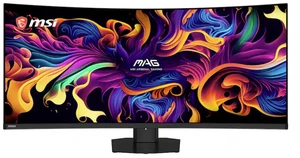
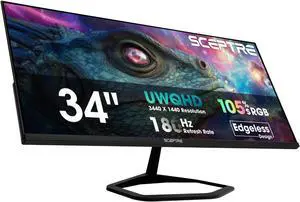
MSI 34" 200Hz VA UWQHD Gaming Monitor Adaptive Sync MAG 346CQDF E20
Quick View
MSI
MSI 34" 200Hz VA UWQHD Gaming Monitor Adaptive Sync MAG 346CQDF E20
  • Screen Size: 34"
  • Refresh Rate: 200Hz
  • Resolution: 3440 x 1440
  • Response Time: 0.5ms (GTG)
  • Model #: MAG 346CQDF E20
  •  
  • $289.99 
  • Free Shipping
ASUS TUF Gaming 27 inch UHD 4K 80Hz Full HD 310Hz IPS AMD FreeSync & G-Sync Compatible Built-in Speakers Gaming Computer Monitor VG27UQEL5A
Quick View
ASUS
ASUS TUF Gaming 27 inch UHD 4K 80Hz Full HD 310Hz IPS AMD FreeSync & G-Sync Compatible Built-in Speakers Gaming Computer Monitor VG27UQEL5A
  • Screen Size: 27"
  • Refresh Rate: 80Hz
  • Resolution: 3840 x 2160 (4K)
  • Response Time: 1ms(GTG), 0.3ms(min.)
  • Model #: VG27UQEL5A
  •  
  • $299.99 
  • Free Shipping
GIGABYTE 27 inch QHD 2K 1440P 360Hz  AMD FreeSync Premium Pro & G-SYNC Compatible HDR400 KVM USB-C Built-in Speakers OLED Gaming Computer Monitor with Height Adjustable, Swivel, Pivot & Tilt Stand
Quick View
GIGABYTE
GIGABYTE 27 inch QHD 2K 1440P 360Hz AMD FreeSync Premium Pro & G-SYNC Compatible HDR400 KVM USB-C Built-in Speakers OLED Gaming Computer Monitor with Height Adjustable, Swivel, Pivot & Tilt Stand

Get 3-month subscription of Xbox PC Game Pass Ultimate with purchase, limited offer

  • Screen Size: 27"
  • Refresh Rate: 360Hz
  • Resolution: 2560 x 1440 (2K)
  • Response Time: 0.03 ms
  • Model #: MO27Q3
ASUS TUF Gaming 27" QHD 2K 1440P 180Hz with AMD FreeSync, 0.5ms, 1500R, Extreme Low Motion Blur Curved Gaming Computer Monitor VG27WQ3B
Quick View
ASUS
Used - Good ASUS TUF Gaming 27" QHD 2K 1440P 180Hz with AMD FreeSync, 0.5ms, 1500R, Extreme Low Motion Blur Curved Gaming Computer Monitor VG27WQ3B
  • Screen Size: 27"
  • Refresh Rate: 180Hz
  • Resolution: 2560 x 1440 (2K)
  • Response Time: 1ms(GTG), 0.5ms(min.)
  • Model #: 90LM0AQ1-B011B0
  •  
  • $175.59 
  • $12.11 Shipping
HKC 27" QHD 2K 1440P 275Hz Fast IPS 1ms DIC HDR400 95% DCI-P3 Low Blue Light, Compact Stand Gaming Computer Monitor G27H4D
Quick View
HKC
Open Box HKC 27" QHD 2K 1440P 275Hz Fast IPS 1ms DIC HDR400 95% DCI-P3 Low Blue Light, Compact Stand Gaming Computer Monitor G27H4D
  • Screen Size: 27"
  • Refresh Rate: 275Hz
  • Resolution: 2560 x 1440 (2K)
  • Response Time: 1 ms
  • Model #: G27H4D
  • $183.99
  •  
  • $127.99 
  • Save: 30%
  • Free Shipping
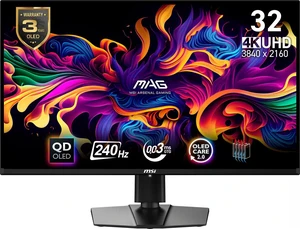
MSI 32" (31.5" Viewable) UHD 4K 240Hz Nvidia G-Sync Compatible 0.03ms HDR400 USB-C KVM DP 2.1a OLED Gaming Computer Monitor with Height Adjustable, Swivel, Pivot & Tilt stand MPG 322URX QD-OLED
Quick View
  •  
  • $856.79 
  • $15.07 Shipping
ASUS ROG SWIFT 34 inch QHD 2K 1440P 360Hz AMD FreeSync Premium Pro & G-SYNC Compatible HDR500 AUTO KVM USB-C Curved OLED Gaming Computer Monitor with  Height Adjustable, Swivel & Tilt Stand PG34WCDN
Quick View
  • $1,299.99
  •  
  • $1,169.99 
  • Save: 10%
  • $16.05 Shipping
MSI 24" (23.8" viewable) Full HD 200Hz IPS with AMD FreeSync Premium 0.5ms HDR Ready Low Blue Light Anti Flicker Gaming Computer Monitor for both Work and Gaming MAG 242F
Quick View
  •  
  • $89.99 
  • $11.72 Shipping
MSI 27" QHD 2K 1440P 200Hz IPS AMD FreeSync Premium 0.5ms HDR Ready Ai Navigator Gaming Computer Monitor MAG 275QF E20
Quick View
MSI
Open Box MSI 27" QHD 2K 1440P 200Hz IPS AMD FreeSync Premium 0.5ms HDR Ready Ai Navigator Gaming Computer Monitor MAG 275QF E20
  • Screen Size: 27"
  • Refresh Rate: 200Hz
  • Resolution: 2560 x 1440 (2K)
  • Response Time: 0.50 ms
  • Model #: MAG 275QF E20
  • $179.99
  •  
  • $161.99 
  • Save: 10%
  • $11.90 Shipping
ASRock Phantom Gaming 27" QHD 2K 1440p 360Hz 0.03ms AMD FreeSync Premium Pro HDR400 OLED Gaming Computer Monitor with Height Adjustable, Swivel & Tilt stand PGO27QFV
Quick View
  •  
  • $461.40 
  • $13.96 Shipping
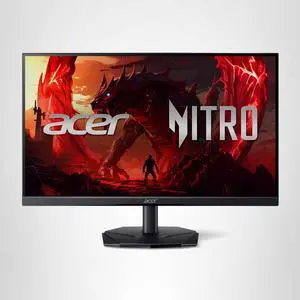
Acer Nitro 27" WQHD 2K 1440P 240HZ IPS with AMD FreeSync Premium 0.5ms HDR400 Built-in Speakers Gaming Computer Monitor with Height Adjustable, Swivel, Pivot & Tilt Stand  XV272U W2bmiiprx
Quick View
  • $299.99
  •  
  • $161.99 
  • Save: 46%
  • $13.51 Shipping
MSI 27" QHD 2K 1440P 240Hz with Adaptive Sync 0.03ms HDR400 OLED Gaming Computer Monitor with Height Adjustable, Swivel, Pivot & Tilt stand MAG271QP QD-OLED X24
Quick View
  •  
  • $500.59 
  • $14.49 Shipping
Acer Predator 27" WQHD 2K 1440P 280hz with AMD FreeSync Premium Pro, 0.03ms OLED Gaming Computer Monitor X27U Z1bmiiprx
Quick View
Acer America
Used - Very Good Acer Predator 27" WQHD 2K 1440P 280hz with AMD FreeSync Premium Pro, 0.03ms OLED Gaming Computer Monitor X27U Z1bmiiprx
  • Screen Size: 27"
  • Refresh Rate: 280Hz
  • Resolution: 2560 x 1440 (2K)
  • Response Time: 0.03 ms
  • Model #: UM.GXXAA.103
  •  
  • $414.99 
  • $13.55 Shipping
GIGABYTE - MO27Q2 - 27" QD-OLED Gaming Monitor - QHD 2560x1440 - 240Hz - 0.03ms GTG - AMD FreeSync Premium Pro - Type C KVM - HDMI, DP - Height Adjustable - Black
Quick View
  •  
  • $469.99 
  • $13.55 Shipping
GIGABYTE - MO27Q2 - 27" QD-OLED Gaming Monitor - QHD 2560x1440 - 240Hz - 0.03ms GTG - AMD FreeSync Premium Pro - Type C KVM - HDMI, DP - Height Adjustable - Black
Quick View
  •  
  • $561.99 
  • $13.55 Shipping
GIGABYTE 27" UHD 4K 240Hz with AMD FreeSync Premium Pro &, G-SYNC Compatible HDR400 USB-C KVM OLED Gaming Computer Monitor with Height adjustable, pivot, tilt and swivel stand MO27U2
Quick View
  •  
  • $729.99 
  • $13.55 Shipping
ABS 24"(23.8" viewable) Full HD 1080P 260Hz Fast IPS with AMD FreeSync 1ms HDR400 Anti-Glare Low Blue Light HDMI DisplayPort VESA Mount Gaming Computer Monitor GF241NE
Quick View
  •  
  • $79.99 
  • $11.72 Shipping
HKC G27M5 27 Inch QD-Mini LED Gaming Computer Monitor 1440p 320Hz IPS HDR1400 1152-Zone Backlight 1ms DCI-P3 98% Height Adjustable DisplayPort 1.4 HDMI 2.1 Adaptive Sync Next-Gen Esports Monitor
Quick View
  • $329.99
  •  
  • $233.99 
  • Save: 29%
  • $13.55 Shipping
BenQ XL2540X+ 24.1" 280Hz Gaming Monitor - Fast TN Panel, 1ms Response Time, HDMI/DP, PS5/Xbox Compatible
Quick View
BenQ XL2540X+ 24.1" 280Hz Gaming Monitor - Fast TN Panel, 1ms Response Time, HDMI/DP, PS5/Xbox Compatible
  • Brand: BenQ
  • Part Number: XL2540X+
  • Type: Project Lamp
  • Weight: 12.7900
  • Model #: XL2540X+
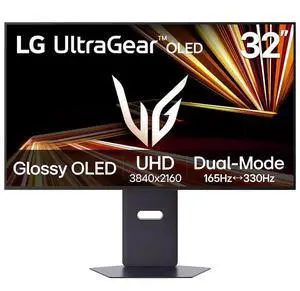
LG UltraGear 32" Dual Mode UHD 4K 165Hz Full HD 330Hz AMD FreeSync Premium Pro & G-Sync compatible HDR400 OLED Gaming Computer Monitor with Height Adjustable, Swivel, Pivot & Tilt stand 32GX850A-B
Quick View
  • $1,299.99
  •  
  • $719.99 
  • Save: 44%
  • $15.07 Shipping
HKC 27 inch QHD 2K 1440P 320Hz Fast IPS 1ms DIC HDR400 95% DCI-P3 130% sRGB Hardware Low Blue Light Compact Stand Gaming Computer Monitor with Height Adjustable, Pivot & Tilt Stand G27H4P
Quick View
  • $229.99
  •  
  • $179.99 
  • Save: 21%
  • $13.51 Shipping
HKC 27" Dual Mode UHD 4K 160Hz Full HD 320Hz Fast IPS 1ms HDR400 95% DCI-P3 DIC Hardware Low Blue Light Gaming Computer Monitor with Height Adjustable, Pivot & Tilt Stand G27H7P
Quick View
  • $259.99
  •  
  • $205.99 
  • Save: 20%
  • $13.51 Shipping
SAMSUNG Odyssey G70F 27" DUAL MODE UHD 4K 180Hz Full HD 360Hz IPS  AMD FreeSync Premium & G-Sync Compatible 1ms Gaming Computer Monitor w/ Height Adjustable, Swivel, Pivot & Tilt Stand LS27FG706ENXZA
Quick View
  •  
  • $445.19 
  • $13.55 Shipping
HP OMEN 32x 31.5" 4K UHD 144Hz Smart Gaming Monitor 1ms, AMD FreeSync, 4 x 3 W Speaker DisplayPort, HDMI & USB Type-C, Height and Tilt Adjustable - 99Z68AA
Quick View
BenQ Zowie XL2566X+ | 24.1 | Fast TN 400Hz Gaming Monitor for Esports | Motion Clarity DyAc2 | 1080p | XL Setting to Share | Shielding Hood | New Industrial Grade Ball Bearing Height Adjustment
Quick View
  • $649.99
  •  
  • $584.99 
  • Save: 10%
  • $13.30 Shipping
LG UltraGear 32" Dual Mode UHD 4K 165Hz Full HD 330Hz AMD FreeSync Premium Pro & G-Sync compatible HDR400 OLED Gaming Computer Monitor with Height Adjustable, Swivel, Pivot & Tilt stand 32GX850A-B
Quick View
  •  
  • $1,091.19 
  • $15.07 Shipping
BenQ Zowie 24inch FHD New Fast TN 600Hz Gaming Monitor, DyAc 2, Auto Game Mode by XL Setting to Share, Height Adjustment Powered by Industrial-Grade Bearing Design, S Switch, Shielding Hood XL2586X+
Quick View
  • $999.99
  •  
  • $899.99 
  • Save: 10%
  • $14.49 Shipping
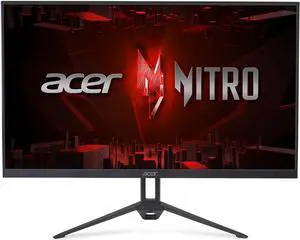
Acer Nitro 27 Inch Full HD 1920 x 1080 ZeroFrame Design Gaming IPS Monitor | AMD FreeSync Premium | 200Hz Refresh | Up to 0.5ms | 1 x Display Port 1.2 and 2 x HDMI 2.0 Ports | KG271 X1biip
Quick View
  •  
  • $298.00 
  • Free Shipping
LG UltraGear 24GS50F-B 23.7" 16:9 Full HD 180Hz VA HDR Gaming Monitor
Quick View
  •  
  • $147.50 
  • Free Shipping

Find Your Perfect Gaming Monitor

Elevate Your Gaming Experience: The Monitor Matters

Your gaming monitor isn't just a screen—it's your window into virtual worlds. Whether you're dodging bullets in competitive shooters or getting lost in cinematic RPGs, the right display can make all the difference. Let's break down what really matters when choosing your gaming monitor.

Read our complete step-by-step walkthrough here: How to choose the right gaming monitor.

Size: Find Your Sweet Spot

Bigger isn't always better when it comes to gaming monitors. Here's what works best:

  • 24-27 inches: The esports sweet spot. Smaller screens keep everything in your field of view for faster reactions.
  • 32+ inches: Perfect for immersive single-player games where you want to soak in every detail.
  • Ultrawide (34+ inches): Curved screens that wrap around your vision for next-level immersion.

Pro tip: Measure your desk space first—you don't want a monitor that overwhelms your setup!

Resolution & Refresh Rate: The Speed vs. Clarity Balance

These two specs work together to create buttery-smooth gameplay:

  1. Resolution:
    • 1080p(Full HD): 1920 X 1080 pixel, still great for competitive gaming and budget builds, offering a good between quality and performance.
    • 1440p(QHD): 2560 x 1440 pixels, The sweet spot for most gamers—sharp visuals without crushing your GPUs
    • 4K(UHD): 840 x 2880 pixels,Stunning detail and clarity, but only if your graphics card can handle it,suitable for gaming, video editing, and multitasking
    • 5K(WUHD): 512 x 2880 pixels, a premium resolution for large, high-end monitors, offering even great detail and clarity
  2. Refresh Rate:
    • 60Hz or 75Hz: It might be sufficient for casual gamers and can offer a more comfortable experience for tasks like scrolling and working with spreadsheets
    • 144Hz: The baseline for serious gaming—everything feels smoother
    • 240Hz+: For esports pros who need every competitive edge

Remember: A high refresh rate means nothing if your GPU can't keep up!

Response Time: Speed in Every Frame

Monitor response time refers to how quickly a monitor can change the color of a pixel, measured in milliseconds (ms).

  • Lower is Better: A lower response time means the monitor can switch colors faster, resulting in smoother visuals—especially during fast-paced action and gaming.
  • Gaming: In competitive gaming, a lower response time reduces motion blur and ghosting (where motion trails follow fast-moving objects), creating a more responsive and immersive experience.
  • General Use: For tasks like browsing or streaming, a response time below 5ms is usually sufficient, as most users won’t notice the difference between 1ms and 5ms.
  • 1ms Response Time: Ideal for high-speed gaming, a 1ms response time ensures pixel transitions are nearly instantaneous.
  • Real-World Performance: Manufacturer specs may exaggerate performance—refer to third-party reviews for accurate results.
  • 0.03ms Response Time: Seen in premium OLED and QD-OLED monitors, this ultra-fast response delivers near-instant pixel changes for the smoothest motion clarity.

Panel Technology: Choose Your Strength

Different panel types excel at different things:

  • IPS (In-Plane Switching): Gorgeous colors and wide viewing angles—perfect for visually stunning games.
  • TN (Twisted Nematic): Lightning-fast response times (1ms), ideal for competitive gaming.
  • VA (Vertical Alignment): Deep blacks and high contrast—offering a balanced experience for gaming and media.
  • OLED (Organic Light Emitting Diode): Delivers true blacks by turning off individual pixels. Known for high contrast, wide viewing angles, and ultra-fast response times.
  • QD-OLED (Quantum Dot OLED): Combines OLED with a quantum dot layer to enhance brightness and color vibrancy—great for immersive visuals.
  • W-OLED (White OLED): Uses a white light-emitting layer and an extra white subpixel for improved brightness efficiency and accurate color reproduction.

Game-Changing Features

These technologies can take your gaming to the next level:

Adaptive Sync (G-Sync/FreeSync)

No more screen tearing or stuttering! These technologies sync your monitor's refresh rate with your GPU's output for perfectly smooth gameplay.

HDR & Advanced Display Tech

For visuals that pop:

  • HDR: Makes colors more vibrant and lifelike
  • OLED/QLED: Incredible contrast with perfect blacks
  • Curved Screens: Wrap around your vision for deeper immersion
  • Gaming Monitor Deals
  • Get ready for the biggest display savings of the year! Newegg’s Gaming Monitor Deals are here — featuring deep discounts on top-rated 4K, 240Hz, and OLED gaming monitors. Upgrade to the latest ASUS ROG Swift, MSI G Series, and Samsung Odyssey displays with HDR, G-SYNC, and FreeSync Premium support for the smoothest gameplay experience. Don’t wait until Dealcember & Christmas — these limited-time early deals bring exclusive upgrade offers and the lowest prices of the season on the most advanced gaming displays.

    Built-in Crosshair Features

    Many modern gaming monitors now include built-in crosshair overlays—ideal for first-person shooters like Counter-Strike 2, Valorant, Apex Legends, or Overwatch 2. These features can enhance accuracy by helping you line up shots more effectively, giving you a competitive edge without relying on in-game settings.

    To truly maximize this advantage, modern setups now prioritize the smoothness of high refresh rates and sync technology which has become a daily standard for fluid motion. For those seeking a balance between speed and visual fidelity, understanding 4K gaming and GPU balance is essential to maintain high frame rates at crisp resolutions.

    Beyond performance, the visual experience is further refined by HDR and panel evolution offering lifelike contrast, while higher pixel density ensures clarity that matches professional workloads. Finally, choosing the right monitor size and curved trends can provide the ergonomic comfort needed for long gaming sessions.

    Last Updated: May 2026 | Newegg Computer Monitors Buying Guide


    Gaming Monitor FAQs:

    What is a gaming monitor and how is it different from a regular monitor?

    A gaming monitor is designed for smoother motion, lower input lag, and better responsiveness than a standard display. Many models on Newegg also include higher refresh rates, adaptive sync support, and gaming-focused panel options.

    What does refresh rate mean on a gaming monitor?

    Refresh rate is how many times the screen updates per second. A higher refresh rate can make gameplay look smoother and feel more responsive, especially in fast-paced titles.

    What does response time mean and why is it important?

    Response time measures how quickly pixels change from one state to another. Lower response times can help reduce motion blur and ghosting in fast-moving scenes.

    What gaming monitor resolutions are available (1080p, 1440p, 4K)?

    Common gaming monitor resolutions include 1080p, 1440p, ultrawide 1440p, and 4K. On Newegg, the best choice usually comes down to your GPU power, preferred screen size, and target frame rate.

    What panel types are used in gaming monitors (IPS, VA, TN, OLED)?

    Gaming monitors commonly use IPS, VA, TN, OLED, and related panel technologies. Each one offers a different mix of speed, contrast, color performance, and viewing angles.

    What is the difference between a 60Hz and a 144Hz (or higher) gaming monitor, and how does it affect gameplay?

    A higher refresh rate can make gameplay look smoother and feel more responsive, especially in fast-paced titles. On Newegg, many competitive players filter by refresh rate first because it has a direct impact on motion clarity.

    For gaming, how does a 1080p high-refresh-rate monitor compare to a 1440p or 4K lower-refresh-rate monitor?

    1080p high refresh rate monitors are usually chosen for speed and higher frame rates, while 1440p and 4K models focus more on image sharpness and detail. The better choice depends on your GPU, the games you play, and whether you prioritize responsiveness or visual fidelity.

    What is the difference between IPS, VA, TN, and OLED panels?

    IPS panels are popular for strong color and viewing angles, VA panels emphasize contrast, TN panels focus on speed, and OLED panels deliver deep blacks and premium image quality. The right choice depends on how you prioritize motion, color, and immersion.

    How do G-Sync and FreeSync compare?

    Both technologies help reduce tearing and improve smoothness by matching monitor refresh with GPU output. On Newegg, checking whether a monitor supports the sync standard that matches your graphics card is an easy way to narrow down the right options.

    What is the difference between curved and flat gaming monitors?

    Curved monitors can feel more immersive, especially in ultrawide formats, while flat monitors are often preferred for traditional layouts and multi-monitor setups. The best fit depends on screen size, desk depth, and personal preference.

    How do I choose the right gaming monitor for my setup?

    Start with your GPU, then compare resolution, refresh rate, screen size, panel type, and sync support. On Newegg, filters for refresh rate, resolution, and panel type make it much easier to narrow down the right fit.

    What size gaming monitor should I get (24, 27, or 32 inches)?

    Smaller screens are often preferred for close-up competitive play, while larger sizes improve immersion and workspace. The right size depends on desk distance, resolution, and how you use your monitor every day.

    Is 1440p the best resolution for gaming?

    For many PC gamers, 1440p is a strong balance between sharp image quality and smooth frame rates. It is especially popular on 27-inch gaming monitors paired with capable mid-range to high-end GPUs.

    Do I need a high refresh rate monitor for competitive gaming?

    A high refresh rate monitor can make fast gameplay feel smoother and more responsive, which is why many competitive players prioritize 144Hz or higher. Your GPU still needs enough performance to take advantage of it.

    Should I prioritize an IPS panel for color and image quality or a TN/fast IPS panel for speed when choosing a gaming monitor?

    That depends on your gaming priorities. Fast IPS is a popular middle ground for strong color and good speed, while TN still appeals to players focused on pure responsiveness. On Newegg, comparing panel type alongside refresh rate helps keep the choice balanced.

    What are common issues to watch out for when buying a gaming monitor?

    Common concerns include limited refresh rate support over certain ports, motion blur, uneven brightness, and panel-specific tradeoffs. Reading specs carefully helps avoid buying a monitor that does not match your setup.

    Are budget gaming monitors reliable?

    Some budget gaming monitors offer strong value, but features, color performance, and build quality can vary more at lower price points. On Newegg, reviews and spec comparisons are useful for spotting the safest budget picks.

    What compatibility issues should I check before buying a gaming monitor?

    Check your GPU outputs, cable type, supported refresh rate at your target resolution, adaptive sync compatibility, and available desk space. These details matter just as much as screen size and panel type.

    Do gaming monitors have motion blur or ghosting issues?

    Some gaming monitors can show motion blur or ghosting depending on panel type, response tuning, and game settings. Buyer feedback on Newegg can help you compare real-world motion performance between models.

    Should I worry about dead or stuck pixels when buying a gaming monitor, and what kind of pixel policies are typical?

    It is uncommon, but possible. Pixel policies vary by brand, so it is smart to review the listing warranty and return details before you buy. On Newegg, checking return coverage first can make the purchase feel much safer.

    How do I set up a gaming monitor for the best performance?

    Use the right cable, set the monitor to its highest supported refresh rate, enable adaptive sync if available, and confirm display settings in Windows or your GPU software. Those steps help you get the most from your monitor right away.

    What cables should I use for high refresh rate gaming monitors?

    The best cable depends on your monitor resolution, refresh rate, and port version. Before ordering on Newegg, check the monitor’s input specs to confirm whether DisplayPort or HDMI is the better fit for your target performance.

    How do I enable G-Sync or FreeSync on my monitor?

    First enable the feature in the monitor’s on-screen display if needed, then turn it on in your GPU control software. Compatibility can also depend on your graphics card, driver version, and connection type.

    How do I adjust refresh rate settings in Windows or GPU control panels?

    You can usually change refresh rate in Windows display settings or in your GPU control panel. After connecting the monitor, make sure the selected refresh rate matches the monitor’s supported specification.

    What should I do after setting up a new gaming monitor?

    Check the resolution and refresh rate, update GPU drivers if needed, confirm sync settings, and test a few games to make sure the monitor is performing as expected. It is also a good time to adjust brightness and picture mode.

    Bestselling Gaming Monitor Reviews:

    Jeanlucw
    3/5/2026 8:33:46 PM
    Great value OLED monitor

    “ I recommend this gaming monitor to anyone who wants vibrant OLED colors, and 240Hz refresh rate ”

    MSI 27 inch QHD 2K 1440P 240Hz AMD FreeSync Premium Pro & G-Sync Compatible 0.03ms OLED Gaming Computer Monitor with Height Adjustable, Pivot, Swivel & Tilt stand MAG 272QP QD-OLED X24
    egotistical
    2/27/2026 5:37:11 PM
    First Ever OLED Monitor. Very hapyy

    “ The MSI MAG 271QP QD-OLED X24 is an impressive 27" QHD gaming monitor that really shines where it matters mostspeed and image quality. ”

    MSI 27 inch QHD 2K 1440P 240Hz AMD FreeSync Premium Pro & G-Sync Compatible 0.03ms OLED Gaming Computer Monitor with Height Adjustable, Pivot, Swivel & Tilt stand MAG 272QP QD-OLED X24
    Kyle Winters
    2/25/2026 10:49:36 AM
    First gaming monitor

    “ This is my first gaming monitor and im absolutely blown away by the responsiveness and the visuals. ”

    MSI 27 inch QHD 2K 1440P 240Hz AMD FreeSync Premium Pro & G-Sync Compatible 0.03ms OLED Gaming Computer Monitor with Height Adjustable, Pivot, Swivel & Tilt stand MAG 272QP QD-OLED X24
    Daniel C.
    2/18/2026 8:15:02 PM
    Next-Level Clarity and Speed: A True Upgrade to QD-OLED Gaming

    “ Overall, the MSI MAG 272QP QD-OLED 27 Gaming Monitor is an exceptionally strong choice if you want next-level visuals and performance without spending flagship-tier money. ”

    MSI 27 inch QHD 2K 1440P 240Hz AMD FreeSync Premium Pro & G-Sync Compatible 0.03ms OLED Gaming Computer Monitor with Height Adjustable, Pivot, Swivel & Tilt stand MAG 272QP QD-OLED X24
    Chris Q.
    2/4/2026 3:56:53 PM
    Amazing Monitor! Looks beautiful and easy to set up.

    “ I was looking around for some time for a gaming monitor that was an OLED, high refresh rate, 1440p resolution, and HDR functionality. ”

    MSI 27 inch QHD 2K 1440P 240Hz AMD FreeSync Premium Pro & G-Sync Compatible 0.03ms OLED Gaming Computer Monitor with Height Adjustable, Pivot, Swivel & Tilt stand MAG 272QP QD-OLED X24