




 here!
here!
I’m your shopping assistant for PC builds, upgrades, and everything tech.
Got questions? Ask away!
Start a conversation
here!
I’m your shopping assistant for PC builds, upgrades, and everything tech.
Got questions? Ask away!
Start a conversation
![WD Purple 4TB Surveillance Hard Disk Drive - 5400 RPM Class SATA 6 Gb/s 64MB Cache 3.5 Inch - WD40PURX [Old Version]](https://c1.neweggimages.com/productimage/nb300/A17P_1_20170826454061287.jpg "WD Purple 4TB Surveillance Hard Disk Drive - 5400 RPM Class SATA 6 Gb/s 64MB Cache 3.5 Inch - WD40PURX [Old Version]")

![NVMe PCIe Adapter, M.2 NVMe to PCI-e x4/x8/x16 Card with Heat Sink for M.2 (M Key) SSD 2280/2260/2242/2230 [Upgraded]](https://c1.neweggimages.com/productimage/nb300/B4D1S2504090W0SKF0D.jpg "NVMe PCIe Adapter, M.2 NVMe to PCI-e x4/x8/x16 Card with Heat Sink for M.2 (M Key) SSD 2280/2260/2242/2230 [Upgraded]")
Limited time offer, ends 10/17
Limited time offer, ends 10/10
Limited time offer, ends 10/30
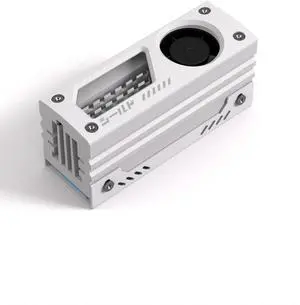
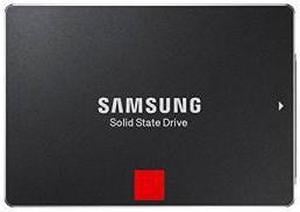

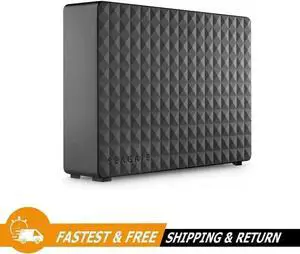


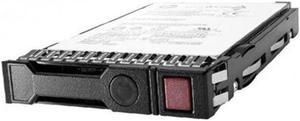

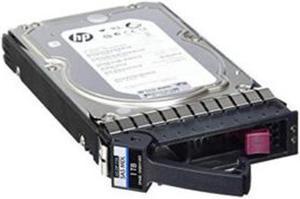
Limited time offer, ends 10/17
Limited time offer, ends 10/17
Limited time offer, ends 10/17
Limited time offer, ends 10/17
Limited time offer, ends 10/17
Overheated hard drives are prone to mechanical failure and, when running hot, they have to work harder and are noisier. Hard drive coolers reduce the operating temperature of the hard drive, and improve airflow within the case. This means quieter operation and fewer boot errors. It also reduces the likelihood of a total drive failure. Prolong the life of your hard disc drive (HDD) with an upgraded hard drive cooling system, especially if you have added additional components. Although fan systems are the most common, a liquid cooling system can provide you with an ice-cool PC.
The most common cooling systems consist of CPU fans and a heatsink. The hard drive incorporates a thermal metal heatsink, which absorbs heat and moves it away from the HDD. The fans draw cool air in at the front of the computer and dissipate it around the case. This type of hard drive cooling system is simple, making it inexpensive and easy to install. In most PCs, this type of cooling system should prove more than adequate. You may need additional cooling if you have multiple, upgraded components, and your bays are full.
In most layouts, a heatsink and hard disk cooling fan are sufficient. A busy and fully loaded case might require additional cooling, which you can achieve with additional fans. Alternatively, a liquid HDD cooler uses radiators, pumps and pipes that push cool liquid around the components. Liquid cooling allows for precision temperature control. If you know that your primary drive runs hot and ambient cooling isn't doing the job, you can run cold pipes around it. Liquid hard drive coolers operate silently. They enable you to achieve consistently lower temperatures than fans, and manufacturers tend to use bright coolants and LED lights to offer greater aesthetic appeal. Liquid systems are popular with home builders looking for effective DIY cooling measures. Your case will be cool, silent and look ultra-modern.
When buying an HDD cooler, there are a number of factors you should consider. Most cooling systems offer a noise rating, measured in decibels (dBA) and ranging from 10 to 30 dBA. If you use your computer at night, or you enjoy an immersive gaming experience uninterrupted by fan noises, buy from the lower end of the scale, or opt for CPU liquid cooling. Measured in Revolutions Per Minute (RPM), fan speed determines how much air a particular model can move. Bigger fans with operating speeds of up to 5,000 RPM can cool multiple hard drives, CPUs, and graphics cards. More important is the airflow rating, measured in Cubic Feet per Minute (CFM). A high CFM indicates that a hard disk cooling fan is capable of moving more air in a shorter period of time, so it is capable of cooling a system quicker and more efficiently.
“ In addition to the M.2 cooler that is working as expected, I appreciate the additional seating piece. ”
M.2 2280 SSD Heatsink Cooler, RIITOP M.2 SSD Heat Sink with Thermal Silicone pad, Support Single and Double Sided M.2 SSD, for Desktop PC Computer / PS5 M.2 PCIE NVMe SSD or M.2 SATA SSD“ Good SSD cooler with one caveat. ”
M.2 2280 SSD Heatsink Cooler, RIITOP M.2 SSD Heat Sink with Thermal Silicone pad, Support Single and Double Sided M.2 SSD, for Desktop PC Computer / PS5 M.2 PCIE NVMe SSD or M.2 SATA SSD


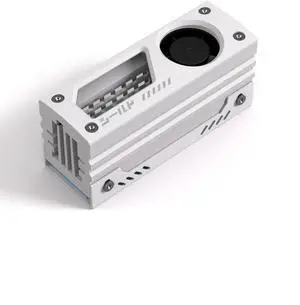
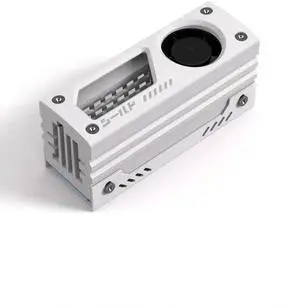
![GRAUGEAR M.2 2280 SSD Heatsink, Direct-Touch Heat of Dual Copper Heat Pipes, 25mm Cooling Fan Built-in PWM Control, Aluminum Plate-Fin Design, Thermal Pads incl., 1.34 in Height [G-M2HS03-F]](https://c1.neweggimages.com/productimage/nb300/AU2ED2407080X643JE1.jpg "GRAUGEAR M.2 2280 SSD Heatsink, Direct-Touch Heat of Dual Copper Heat Pipes, 25mm Cooling Fan Built-in PWM Control, Aluminum Plate-Fin Design, Thermal Pads incl., 1.34 in Height [G-M2HS03-F]")
![GRAUGEAR PS5 SSD Heatsink Cover, M.2 NVMe PS5 Heatsink, Shuttle Shaped Design, Heat Dissipation with Heat Pipe Cooler and Aluminum Fin for NVMe M2 PCIe 4.0 [G-PS5HS04] (PS5)](https://c1.neweggimages.com/productimage/nb300/BKUMD2507290GAOFU02.jpg "GRAUGEAR PS5 SSD Heatsink Cover, M.2 NVMe PS5 Heatsink, Shuttle Shaped Design, Heat Dissipation with Heat Pipe Cooler and Aluminum Fin for NVMe M2 PCIe 4.0 [G-PS5HS04] (PS5)")
