- Home
- Electronics
- Home Video Accessories
Home Video Accessories
- Shop Category
- Type
- Show More
- Sold by
- All Top Brands
- Availability
- Condition
- Price
- Show More
- Current Promotion
- Discount
- Useful Links
- Show More
- Customer Ratings

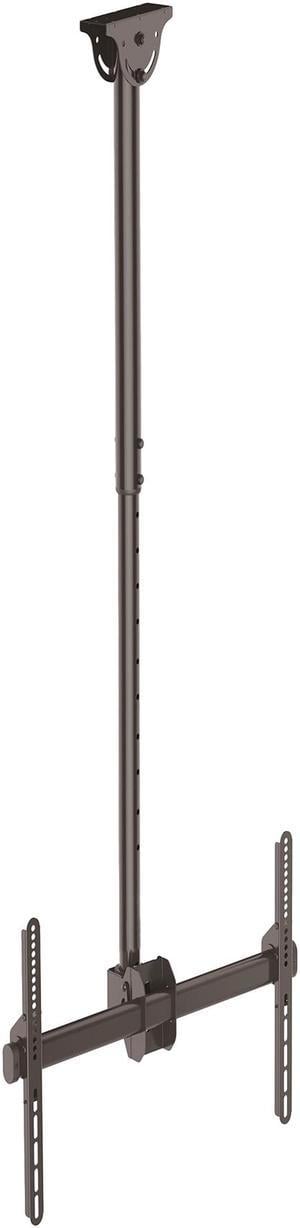
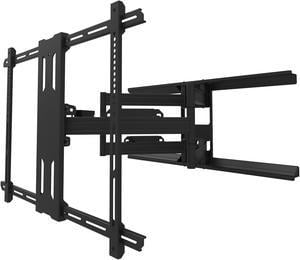
- TV Weight Capacity: Max. load 110 lbs.
- VESA Compatible: VESA Hole Pattern(s) 200x200 mm 300x300 mm 400x200 mm 400x400 mm 600x400 mm
- Rotation Range: 360 degree
- Swivel Range: +180 degree to -180 degree
- Model #: FLATPNLCEIL
- Item #: N82E16886949041
- Return Policy: 30-Day Return Policy
- $178.99 –
- More options from $165.03 - $211.23
- Free Shipping

- Brand: MITEL NETWORKS CORPORATION
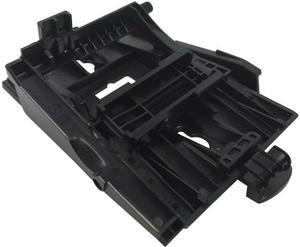
- Part Number: 50008299
- Type: Wall Bracket / Wall Mount
- Specifications: Compatibility Mitel 6863i, 6865i, 6867i, 6869i, and 6873i IP phones Mitel 6920, 6920W, 6930, 6930W, 6940, and 6940W IP phones Package Contents 1x Mitel 6800/6900 Wall Mount 1x Network cable 4x Wall anchors 4x Wall screws 1x Installation Guide
- Model #: 50008299
- Item #: 1B4-010S-00064
- Return Policy: 30-Day Return Policy
- $51.99 –
- More options from $37.14 - $59.37
- Free Shipping

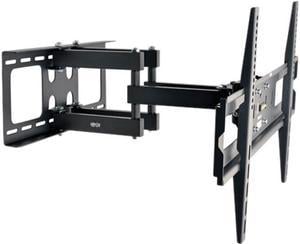
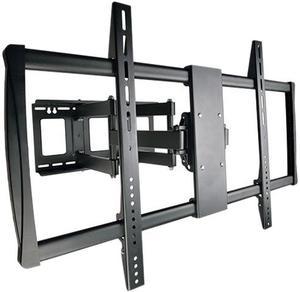
- Mount Style: Wall Mount
- Movable: -15/+15 Tilt, 120 Swivel, -3/+3 Level Adjustment
- TV Weight Capacity: Max. load 165 lbs.
- VESA Compatible: VESA 200x200; 400x200; 300x300; 400x400; 600x400
- Model #: DWM3770X
- Item #: N82E16886944065
- Return Policy: 30-Day Return Policy
- $199.99 –
- More options from $169.04 - $358.00
- Free Shipping

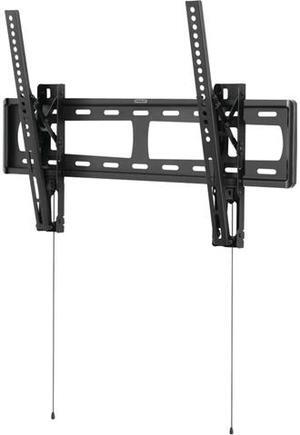
- Mount Style: Tilting Low-Profile
- TV Weight Capacity: Max. load 100 lbs.
- VESA Compatible: Mounting Pattern: 100 x 100 up to 600 x 400
- Tilt Range: 0 degree to -12 degree
- Model #: TLS-120T
- Item #: N82E16886963008
- Return Policy: 30-Day Return Policy
- $158.99
- $78.99 –
- Save: 50%
- Free Shipping

- Install Location: Wall
- Mount Style: Full Motion
- Material: Solid steel construction with durable powder coated finish
- Fixed: Yes
- Model #: PDX700
- Item #: 169-00EN-00058
- Return Policy: 30-Day Return Policy
- $279.99 –
- More options from $279.99 - $376.00
- Free Shipping

- Type: TV Accessories
- Model #: GC575
- Item #: 0V5-009S-00062
- Return Policy: 30-Day Return Policy
- $269.99 –
- Free Shipping

- Movable: Degrees of Motion: -15/+15 Tilt, 90 Swivel, -3/+3 Level Adjustment Min/Max Arm Extension (in.): 2.76 min to 24.61 max Min/Max Arm Extension (cm): 7.01 min to 62.51 max
- TV Weight Capacity: Max. load 300 lbs.
- VESA Compatible: VESA 200x200; 400x200; 300x300; 400x400; 600x400; 800x400; 800x600; 600x900
- Feature: Fits most flat-panel displays from 60" to 100: Articulated arm with 6 pivots offer a full range of motion Convenient one-touch display adjustment for easy view optimization Wide range of motion with -15° to +15° tilt and 45° swivel capability Supports up to 300 lbs.
- Model #: DWM60100XX
- Item #: N82E16886944058
- Return Policy: 30-Day Return Policy
- $252.99 –
- More options from $252.69 - $463.00
- Free Shipping

- Model #: DVD313-BNDLPC17
- Item #: N82E16886239065
- Return Policy: 30-Day Return Policy
- $32.99 –
- Free Shipping

- TV Weight Capacity: Max. load 100 lbs.
- Swivel Range: Swivel: 180 degree
- Tilt Range: Tilt: +0 to -12 degree
- Feature: This full motion wall mount is made with durable material and is secure Mount fits most 26" - 55" TV's Can hold up to 100 LB. SAVES space and conceals cords/cables, includes mounting hardware Display size, 26 "- 55 " max weight capacity- 100 LB. Swivel: 180 degree Tilt: +0 to -12 degree
- Model #: GML643
- Item #: N82E16886239010
- Return Policy: 30-Day Return Policy
- $35.99
- $32.99 –
- Save: 8%
- Free Shipping

- Mount Style: Mounting Arm
- Fixed: Yes
- TV Weight Capacity: Max. load 20 lbs.
- VESA Compatible: 75 x 75mm / 100 x 100mm
- Model #: ARMPIVWALL
- Item #: 1B4-0087-00114
- Return Policy: 30-Day Return Policy
- $162.99 –
- More options from $155.85 - $183.33
- Free Shipping

- Type: TV Accessories
- Model #: GC575
- Item #: 9SIA2W0K4N6463
- Return Policy: View Return Policy
- $269.99 –
- Free Shipping

- Mount Style: Articulating/Full Motion
- Movable: Tilt 15° forward or 5° backward, Swivel 180°, Rotate 10°, Extend up to 16"
- TV Weight Capacity: Max. load 135 lbs
- VESA Compatible: 600x400/ 500x300/ 400x400/ 400x300/ 300x300/ 300x200/ 200x200/ 200x100mm or any hole pattern within 200 - 600mm wide and 100 - 400mm high
- Model #: MW365B2H-A2
- Item #: 9SIBT40K489575
- Return Policy: View Return Policy
- $84.90 –
- Free Shipping
Related searches
Home Video Accessories for Enhanced TV Setup and Control
Find a wide selection of home video accessories including antennas, TV mounts, stands, and universal remote controllers designed to improve your viewing experience. Whether setting up a new entertainment system or upgrading your current one, this collection meets diverse home video needs.
How to Choose Home Video Accessories
Key Features and Technologies to Consider
- Compatibility: Ensure accessories like universal remote controllers and TV mounts match your specific TV model and setup requirements.
- Signal Quality and Range: When selecting TV antennas, evaluate multi-band reception and signal amplification for reliable HD broadcast capture.
- Connectivity Options: Look for accessories that support updated standards such as HDMI 2.1 for 4K HDR video and digital audio fidelity.
- Build and Adjustability: TV stands and mounts should offer secure, vibration-free stability with adjustable features for optimal viewing angles.
- Ease of Use: Remotes with smart features and intuitive layouts often improve control over multiple devices seamlessly.
Why Signal Amplification Matters in TV Antennas
For over-the-air TV reception, the strength and clarity of your signal are critical. Antennas with built-in signal amplifiers help boost weaker broadcasts, minimizing pixelation and dropouts. Multi-band capability is equally vital, allowing the antenna to capture various frequency ranges used by local stations. This ensures a wider channel selection and more consistent picture quality, especially in areas far from broadcast towers. Investing in an antenna with technology tuned for your geographic signal environment makes a tangible difference compared to basic, non-amplified models.
Advanced Setup Insights and Professional Tips
For enthusiasts looking to build a high-performance home video system, integration of premium Audio / Video Cables is essential. Using top-tier cables reduces signal loss and latency, crucial for HDR content and immersive sound formats. Additionally, pairing these with high-grade mounts from Stands & Mounts guarantees stable support that protects your investment and optimizes viewing ergonomics. For media enthusiasts running custom streaming setups or media servers, incorporating professional-grade accessories can enable seamless switching, enhanced upscaling, and expanded connectivity options to fully leverage modern 4K UHD ecosystem capabilities.
Performance and Setup Tips
- Place TV antennas near windows or at a higher vantage point to maximize signal reception and reduce obstructions.
- Use adjustable mounts to fine-tune TV positioning; even slight angle changes can improve viewing comfort and reduce glare.
- Opt for universal remotes programmed to consolidate control, simplifying navigation between devices.
- Regularly check and replace worn or low-quality cables to avoid interruptions and maintain optimal video and audio integrity.
- Consult manufacturer instructions for mounting and calibration to prevent damage to your TV and accessories.
- Consider integrating smart TV Accessories to enhance convenience and protect your equipment.
Newegg shopping tip: When choosing home video accessories, consider compatibility with your existing devices and the ease of installation. It's also helpful to compare features like range and responsiveness for remotes, or adjustability and weight capacity for mounts before you buy.
Explore Home Video Accessories & Related Categories
Connect HDMI 2.1, DisplayPort, and optical cables designed for crisp 4K HDR and surround sound setups, ensuring clean signal transfer with minimal latency.
Explore handpicked HDMI switches, wireless transmitters, and rare connectors curated for hassle-free A/V setups and pro-grade home theaters.
Stream in 4K HDR or 1080p smoothness with versatile Android TV boxes featuring the latest Google TV OS and app compatibility for endless entertainment.
Getting Started with Home Video Accessories
Stepping into the world of home video accessories can feel overwhelming, but the key is understanding how these components enhance your viewing experience. Whether you're outfitting a new entertainment center or upgrading an existing setup, start with essentials like reliable Audio / Video Cables to guarantee pristine picture and sound quality. From there, consider the layout of your entertainment space and explore mounts and stands to create a comfortable and clutter-free environment.
For Cord-Cutters and Over-the-Air TV Enthusiasts
If you're ditching cable and embracing free broadcasts, home video accessories can make all the difference. A quality TV Antenna with strong multi-band reception and a built-in amplifier lets you pick up local channels with crystal-clear HD quality, without monthly fees. Pair it with a streamlined TV Accessories kit like smart remotes to control multiple devices seamlessly and enhance your viewing comfort.
For Home Theater Buffs and Media Streamers
Creating a cinema-like atmosphere at home calls for accessories that maximize performance and convenience. Consider adding Stands & Mounts designed to fit your TV or soundbar perfectly, optimizing sight lines and eliminating vibrations. For streaming enthusiasts, devices like an android tv box or Set-Top Boxes can transform your TV into a powerhouse of streaming apps, live TV, and recording capabilities.
Before You Buy
- Confirm your TV and soundbar’s compatibility for mounts or stands, checking VESA patterns and size limits.
- Verify the type and length of cables you need to accommodate your setup and avoid signal loss.
- Check the reception range and features of TV antennas to ensure they work well in your area.
- Look for universal remote compatibility with all your home video devices to simplify control.
- Consider your streaming needs and app preferences before selecting devices like android tv box or Set-Top Boxes.
Research more: When setting up your home video system, consider how each accessory fits your space and usage habits for the best performance. For deeper insights and comparisons, check out Newegg Insider’s detailed buying guides—they break down what matters most in this category.
Last Updated: October 2026 | Newegg Home Video Accessories Buying Guide
Home Video Accessories FAQs:
How do HDMI cables compare to component cables for home video setups?
HDMI cables carry both video and audio in a single digital signal, offering better quality and simplicity, while component cables transmit only video and require separate audio connections. For most modern devices, HDMI is the way to go.
Are universal remote controls as reliable as brand-specific remotes for home video devices?
Universal remotes can control multiple devices and simplify your setup, but they might lack some advanced features or perfect compatibility found in brand-specific remotes. If you want one remote for everything, they work fine, but specialists might prefer brand models.
What types of cables are commonly included in home video accessory kits?
Most kits include HDMI cables for high-definition video, as well as composite or component cables for older devices. Some also come with audio cables to connect your sound system.
Can these accessories work with both newer smart TVs and older video players?
Yes, many home video accessories are designed to be compatible with a range of devices, from the latest 4K smart TVs to vintage DVD and Blu-ray players, often by providing multiple connection options.
How do I know which home video accessory fits my TV or media player?
Check the compatibility listed on the product page and match the connection types (like HDMI, RCA, or USB) to what your devices support. If your gear is older, look for adapters or converters to bridge any gaps.
Is it worth spending more on high-end home video accessories, or are budget options fine?
For basic setups, budget accessories usually work just fine and get the job done. But if you're serious about picture quality or need advanced features, investing a bit more can make a noticeable difference.
How reliable are home video accessories like HDMI cables and remote controls?
Most home video accessories are pretty reliable if you buy from reputable brands and check user feedback. Low-cost cables might fail sooner or cause signal issues, so look for reviews mentioning durability and consistent performance.
What common problems should I watch out for when reading reviews on home video accessories?
Pay attention to complaints about compatibility with your devices, button responsiveness on remotes, or issues like flickering video from cables. Consistent reports of these issues can be red flags even if the price is tempting.
How do I connect my new HDMI splitter to multiple TVs without losing picture quality?
Plug your HDMI source into the splitter’s input, then connect each TV to the outputs using high-speed HDMI cables. Make sure the splitter supports your resolution to maintain the best quality on all screens.
What’s the best way to set up a wireless home video transmitter to avoid signal dropouts?
Place the transmitter and receiver within line of sight and avoid thick walls or large metal objects between them. Also, use the recommended frequency settings and channels to minimize interference from other wireless devices.
Bestselling Home Video Accessories Reviews:
“ Happy to have this piece added to my growing media desk. ”
Monoprice Large Multimedia Desktop Stand - Black Glass (30.8 x 11in) Stand & Riser, Desktop TV Stand, Dual Monitors w/ Height Adjustable Legs