- Home
- Computer Peripherals
- Keyboard & Mouse
Keyboard & Mouse
- Shop Category
- Accessories
- Type
- Show More
- Keyboard Interface
- Show More
- Mouse Included
- Design Style
- Show More
- Mechanical Keyboard
- Key Switch
- Show More
- Backlit
- Mouse Interface
- Sold by
- Tracking Method
- Show More
- Brands
- Show More
- All Top Brands
- Availability
- Condition
- Price
- Show More
- Current Promotion
- Discount
- Useful Links
- Show More
- Customer Ratings
Shop Keyboards & Mice
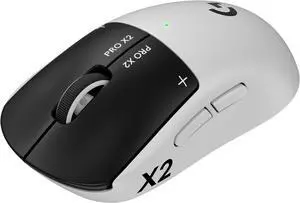
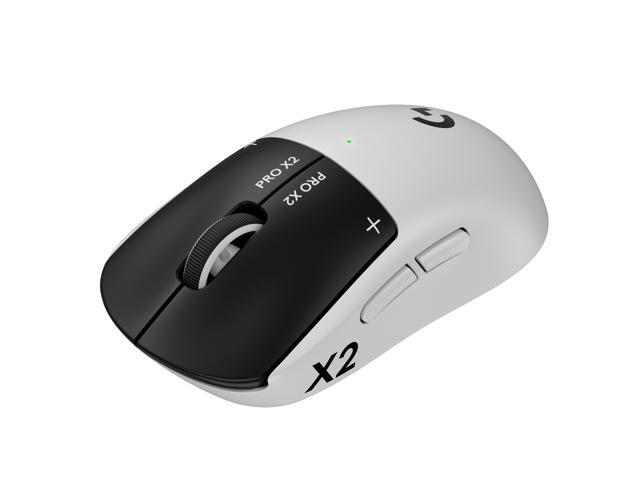
PRO X2 SUPERSTRIKE is a breakthrough in ultra-low click-latency technology. The revolutionary Haptic Inductive Trigger System (HITS) accelerates click speed with tunable actuation and rapid trigger reset points for both main mouse keys.
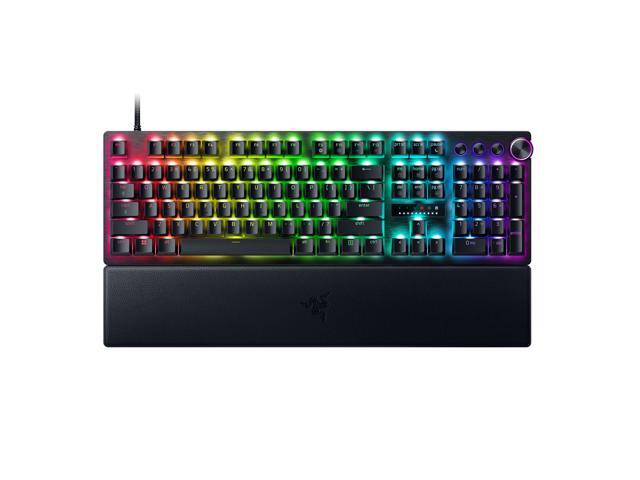
Razer Huntsman V3 Pro
Made for the best. Made for who you can be. Reach your full esports potential with the new Razer Huntsman V3 Pro line. Seize every edge with our latest Razer Analog Optical Switches Gen-2, featuring Rapid Trigger Mode and fully adjustable actuation from 0.1 to 4.0 mm, complete with quick onboard adjustments to adapt to any situation.

- Brand: ASUS
- Series: ROG 20th Edition Azoth Extreme
- Part Number: 90MP04VF-BKAA20
- Material: Top case: Aluminum Alloy Bottom case: Aluminum Alloy Wrist rest: Aluminum + Silicone
- Model #: 90MP04VF-BKAA20
- Item #: N82E16823193175
- Return Policy: 30-Day Return Policy
- $599.99 –
- More options from $599.99 - $699.99
- Free Shipping

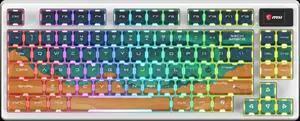
- Brand: MSI Computer
- Model #: S11-43CEU01-HH9
- Item #: N82E16823167074
- Return Policy: 30-Day Return Policy
- $99.99
- $74.99 –
- Save: 25%
- More options from $70.69 - $119.89
- Free Shipping

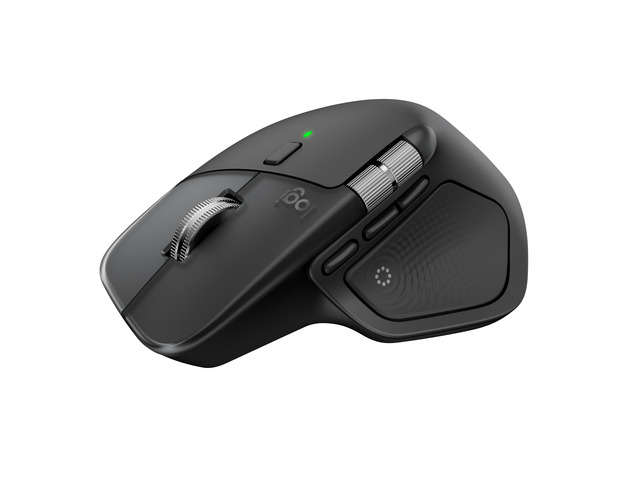
- Brand: Logitech
- Mouse Grip Style: Claw
- Resolution (DPI): 32000 dpi
- Buttons: 5
- Model #: 910-007700
- Item #: N82E16826197674
- Return Policy: 30-Day Return Policy
- $179.99 –
- More options from $179.99 - $289.99
- Free Shipping

- Brand: RAZER
- Name: Huntsman Mini
- Keyboard Interface: USB 2.0
- Layout: 60%
- Model #: RZ03-03390500-R3U1
- Item #: 32N-0017-00119
- Return Policy: 30-Day Return Policy
- $119.99
- $99.99 –
- Save: 16%
- Free Shipping

+ $15 off w/ promo code SSF72468, limited offer
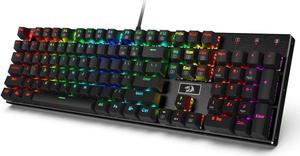
- Brand: Redragon
- Name: K556
- Keyboard Interface: USB 2.0
- Design Style: Standard
- Model #: K556 RD
- Item #: 32N-0003-001A8
- Return Policy: 30-Day Return Policy
- $59.99 –
- Free Shipping

+ $10 off w/ promo code FPSF982, limited offer
- Brand: ASUS
- Keyboard Interface: USB 2.0
- Design Style: Standard
- Layout: 96%
- Model #: 90MP0460-BKAA30
- Item #: N82E16823193159
- Return Policy: 30-Day Return Policy
- $99.99 –
- More options from $86.99 - $139.00
- Free Shipping

- Brand: MCHOSE
- Name: Hall Effect Magnetic Keyboard
- Part Number: MC-Ace68-15
- Keyboard Interface: USB Type-C
- Model #: MC-Ace68-15
- Item #: N82E16823942014
- Return Policy: 30-Day Return Policy
- $49.99 –
- Free Shipping

- Resolution (DPI): 26000 dpi
- Hand Orientation: Right Hand
- Model #: RZ01-04000100-R3U1
- Item #: 0GA-002P-002U7
- Return Policy: 30-Day Return Policy
- $69.99
- $34.98 –
- Save: 50%
- Free Shipping

- Brand: Logitech
- Name: G203 LIGHTSYNC
- Type: Wired
- Interface: USB
- Model #: 910-005790
- Item #: N82E16826197390
- Return Policy: 30-Day Return Policy
- $34.99 –
- More options from $26.71 - $58.24
- Free Shipping

- Model #: 952-8Z0Z-001
- Item #: N82E16823167075
- Return Policy: 30-Day Return Policy
- $179.99 –
- More options from $179.99 - $459.78
- Free Shipping

+ $13 off w/ promo code FPSF992, limited offer
- Brand: Redragon
- Keyboard Interface: USB + 2.4GHz + Bluetooth
- Design Style: Standard
- Layout: Full-size
- Model #: RED-KB-K689
- Item #: 32N-0003-001P6
- Return Policy: 30-Day Return Policy
- $49.99 –
- Free Shipping

- Brand: Logitech
- Type: Bluetooth Wireless
- Parts: 1 Year
- Model #: 910-007508
- Item #: 0TP-000C-01N75
- Return Policy: 30-Day Return Policy
- $49.99 –
- More options from $49.99 - $73.91
- $2.99 Shipping
Related searches
| Learn About Computer Keyboards & Mice | |||||||||||||||||||||||||||||||
|---|---|---|---|---|---|---|---|---|---|---|---|---|---|---|---|---|---|---|---|---|---|---|---|---|---|---|---|---|---|---|---|
Choosing the Right Computer KeyboardA computer keyboard affects how quickly and comfortably you type, play games, enter data, and control everyday applications. Newegg carries keyboards for gaming, office productivity, home use, content creation, programming, and mobile workstations. Start by choosing between mechanical keyboards, membrane keyboards, low-profile models, and ergonomic designs. Then compare size, switch feel, wired or wireless connectivity, operating-system support, backlighting, and programmable features. Mechanical vs. Membrane KeyboardsMechanical keyboards use an individual switch beneath each key. They are popular with gamers, programmers, enthusiasts, and frequent typists because they offer clear feedback, consistent actuation, and a wide range of switch choices. Membrane keyboards use a pressure-based key layer. They are often quieter, lighter, and more affordable, making them a practical option for shared offices, classrooms, reception desks, and general home computing. Common Mechanical Keyboard Switch Types
Switch names can vary by manufacturer, so compare the listed feel—linear, tactile, clicky, optical, or magnetic—rather than relying only on color. On Newegg, use the switch filters and recent customer reviews to narrow down the feel and sound profile you prefer. Hall Effect and Magnetic Gaming KeyboardsHall Effect keyboards use magnetic sensing rather than a traditional metal contact point. Many models support adjustable actuation, rapid trigger, and per-key sensitivity settings. These features can help competitive players reset movement keys more quickly in fast-paced games. Shop Hall Effect keyboards by comparing software support, actuation range, polling rate, keycap quality, and whether the layout includes arrow keys, function keys, or a number pad. Hot-Swappable Mechanical KeyboardsA hot-swappable keyboard lets you replace supported switches without soldering. This makes it easier to test new switch types, replace a damaged switch, or customize different areas of the keyboard for gaming and typing. Before purchasing replacement switches, confirm whether the keyboard supports 3-pin, 5-pin, optical, magnetic, or a proprietary switch design. Keyboard Sizes and Layouts
Browse TKL keyboards, 75% keyboards, and compact layouts based on the keys you use every day—not only the amount of desk space they save. Wired, Bluetooth, and 2.4 GHz KeyboardsWired USB keyboards provide a stable connection and never require charging. They remain a dependable choice for gaming PCs, permanent workstations, and shared computers. Bluetooth keyboards are convenient for laptops, tablets, phones, Macs, and multi-device setups. Some can switch between several paired devices using dedicated buttons. A 2.4 GHz wireless keyboard uses a USB receiver and may offer lower latency than standard Bluetooth. Many premium keyboards combine wired USB-C, 2.4 GHz, and Bluetooth so users can choose the best mode for each device. Compare wireless keyboards by battery type, charging port, rated battery life, backlight behavior, receiver storage, and multi-device support. Gaming KeyboardsA gaming keyboard often adds anti-ghosting, N-key rollover, high polling rates, onboard profiles, programmable keys, media controls, RGB lighting, and software customization. Competitive players should focus on latency, switch consistency, polling rate, rapid-trigger support, and layout. Casual players may place more value on wrist rests, media controls, quieter switches, and synchronized lighting. Ergonomic and Office KeyboardsErgonomic keyboards use split, curved, tented, or angled layouts to reduce wrist rotation and encourage a more neutral typing position. They can be useful for long writing sessions, coding, customer service, and office work. Shop ergonomic keyboards by layout, wrist-rest design, key spacing, adjustment options, operating-system compatibility, and whether the learning curve fits your workflow. |
Choosing the Right Computer MouseA computer mouse should match your hand size, grip style, dominant hand, workload, and preferred connection. Newegg offers standard mice, gaming mice, vertical mice, trackballs, Bluetooth mice, rechargeable wireless models, and keyboard-and-mouse combinations. Gaming Mouse vs. Office MouseA gaming mouse usually includes a higher-performance optical sensor, adjustable DPI, faster polling, programmable buttons, onboard memory, and software profiles. Office and productivity mice typically emphasize comfort, quiet clicks, multi-device control, longer battery life, horizontal scrolling, and reliable tracking across common work surfaces. Mouse DPI ExplainedDPI describes how far the pointer moves in relation to physical mouse movement. A higher maximum DPI does not automatically make a mouse more accurate. Sensor quality, tracking consistency, shape, weight, and in-game sensitivity are often more important.
Treat these figures as starting points. Adjust Windows pointer speed and application sensitivity until movement feels predictable and comfortable. Mouse Polling RatePolling rate measures how often the mouse reports its position to the computer. Common settings include 125 Hz, 500 Hz, 1000 Hz, 2000 Hz, 4000 Hz, and 8000 Hz. Higher polling rates can reduce input intervals, but they may also use more CPU resources and wireless power. Most users are well served by 1000 Hz, while competitive gamers with high-refresh monitors may benefit from 2000 Hz, 4000 Hz, or 8000 Hz when the system and game can take advantage of it. Optical, Laser, and Trackball Mice
Wired vs. Wireless MiceWired mice offer a direct connection and require no charging. They remain a good value for fixed workstations and gaming systems. Modern 2.4 GHz wireless mice can provide responsive performance suitable for gaming, while Bluetooth models are convenient for laptops and tablets because they do not require a receiver. Browse wireless mice by connection mode, battery life, weight, charging method, USB receiver storage, and whether wired operation remains available while charging. Ergonomic and Vertical MiceAn ergonomic mouse supports a more natural hand position through shape, thumb support, button placement, and grip angle. A vertical mouse rotates the forearm into a handshake-like position, which some users find more comfortable during long work sessions. Shop ergonomic mice by hand orientation, size, grip style, button accessibility, scrolling design, and whether the shape is intended for left-handed or right-handed use. Mouse Grip Styles
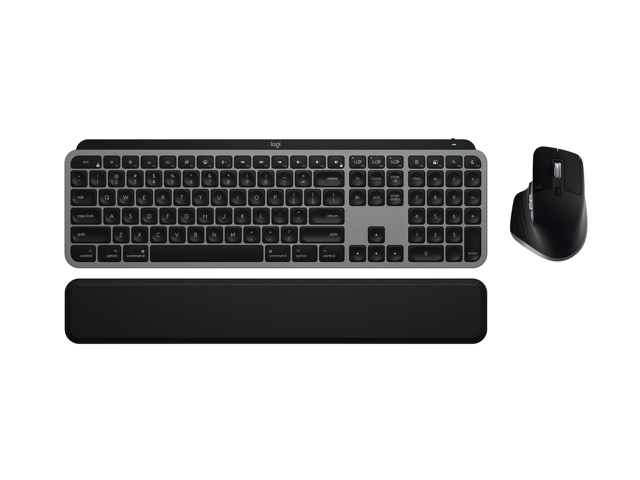
Product dimensions are usually more useful than marketing labels. Compare mouse length, width, height, weight, and side profile with a mouse you already find comfortable. Keyboard and Mouse CombosA keyboard and mouse combo can simplify office deployment, home setups, conference rooms, shared PCs, and school computer labs. Wireless combos often use one USB receiver for both devices, reducing the number of occupied ports. Before buying, check whether the keyboard layout, mouse size, operating-system shortcuts, battery type, and encryption features meet your needs. Popular Keyboard and Mouse BrandsNewegg carries input devices from brands such as Logitech, Razer, Corsair, ASUS, MSI, SteelSeries, HyperX, Cherry, Keychron, Ducky, Redragon, Glorious, Microsoft, Lenovo, HP, Kensington, and other specialty manufacturers. Brand reputation is useful, but the best choice still depends on the exact model. Compare switch type, sensor, shape, software, warranty, recent reviews, and included accessories rather than choosing by brand alone. How to Shop Keyboards and Mice on Newegg
Explore the full Keyboard & Mouse category to compare products by performance, comfort, features, customer feedback, and price. |
||||||||||||||||||||||||||||||
Last Updated: 2026 | Newegg Content Team: Keyboard & Mouse Buying Guide
Keyboard & Mouse Frequently Asked Questions:
Is a mechanical keyboard better than a membrane keyboard?
Mechanical keyboards usually offer more consistent key feel, stronger customization, and easier switch selection. Membrane keyboards are often quieter and more affordable. On Newegg, compare switch type, noise feedback, layout, and recent reviews before deciding.
What is the difference between red, brown, and blue keyboard switches?
Red switches are usually smooth and linear, brown switches add a tactile bump, and blue switches add a tactile bump plus an audible click. Newegg switch filters help narrow products by feel and brand.
Is a Hall Effect keyboard worth buying for gaming?
It can be worthwhile for competitive gaming because many Hall Effect keyboards support adjustable actuation and rapid trigger. Check Newegg product specifications for actuation range, polling rate, software support, and layout.
What does hot-swappable mean on a mechanical keyboard?
A hot-swappable keyboard lets you replace compatible switches without soldering. Before ordering switches on Newegg, confirm whether the board accepts 3-pin, 5-pin, optical, magnetic, or proprietary switches.
Should I buy a full-size, TKL, 75%, or 60% keyboard?
Choose full-size for number-pad work, TKL for more mouse space, 75% for compact function and arrow keys, or 60% for the smallest footprint. Newegg layout and design-style filters make these options easier to compare.
Is a wireless keyboard fast enough for gaming?
Many modern 2.4 GHz wireless keyboards offer gaming-ready latency. Bluetooth is usually better for convenience and multi-device use. Check the Newegg listing for connection modes, polling rate, and battery life.
What is the difference between Bluetooth and 2.4 GHz wireless keyboards?
Bluetooth connects without a USB receiver and works well with laptops and tablets. A 2.4 GHz connection uses a receiver and often provides lower latency. Some Newegg listings include both modes plus wired USB-C.
Do I need an ergonomic keyboard for long work sessions?
An ergonomic keyboard may help users who prefer split, curved, or tented layouts. Review dimensions, wrist-rest design, adjustment options, and customer feedback on Newegg before changing from a standard keyboard.
What keyboard is best for programming and writing?
Many programmers prefer tactile mechanical switches, a TKL or 75% layout, and reliable wired or multi-device connectivity. On Newegg, prioritize comfort, switch feel, keycap quality, and recent typing reviews.
Can I use a Windows keyboard with a Mac?
Usually yes, but modifier-key labels and shortcuts may differ. Check the product listing for macOS support, remapping software, and included Mac keycaps before buying from Newegg.
What DPI should I use for a gaming mouse?
Many players start between 400 and 1600 DPI, then adjust in-game sensitivity. Higher DPI is not automatically more accurate. Compare sensor quality, shape, weight, and software support when shopping gaming mice on Newegg.
Is 1000 Hz polling rate enough for gaming?
Yes, 1000 Hz is enough for most gamers. Higher rates such as 2000, 4000, or 8000 Hz may benefit competitive setups with high-refresh monitors, but can increase CPU use and wireless power consumption.
Is a wireless gaming mouse as responsive as a wired mouse?
Premium 2.4 GHz wireless gaming mice can feel as responsive as wired models in normal use. On Newegg, compare rated polling rate, receiver type, battery life, charging options, and customer feedback.
What is the best mouse shape for palm, claw, or fingertip grip?
Palm users often prefer larger supportive shapes, claw users prefer balanced medium-size designs, and fingertip users often choose shorter lightweight mice. Compare product dimensions on Newegg with a mouse you already find comfortable.
Is a lightweight mouse better for FPS gaming?
A lightweight mouse can make quick direction changes easier, but shape and balance still matter. Newegg reviews can help identify flex, button feel, cable drag, wireless balance, and build quality.
What is the difference between an optical and laser mouse?
Optical mice are the common choice for gaming and general use because they track consistently on standard surfaces. Laser mice may work on a wider range of surfaces, but sensor implementation matters more than the label alone.
Is a vertical mouse better for wrist comfort?
A vertical mouse places the hand in a handshake-like position that some users find more comfortable. Check size, angle, hand orientation, and button placement in Newegg specifications and reviews.
Should I buy a rechargeable or battery-powered wireless mouse?
Rechargeable mice reduce disposable battery use and may support wired operation while charging. Replaceable-battery models can offer longer runtime. Newegg listings typically show battery type and estimated life.
How many programmable mouse buttons do I need?
Two side buttons are enough for many users, while MMO, productivity, and editing workflows may benefit from additional controls. Confirm whether the Newegg listing includes onboard profiles and remapping software.
Is a trackball mouse good for limited desk space?
Yes. A trackball stays stationary while the user moves the cursor with a ball, making it useful for compact desks, control rooms, and some ergonomic workflows.
Is a keyboard and mouse combo a better value?
A combo can be cost-effective and may use one receiver for both devices. Confirm the keyboard layout, mouse size, wireless range, battery type, and operating-system support in the Newegg product details.
Why does my wireless keyboard or mouse lag?
Common causes include low battery, USB interference, receiver distance, crowded wireless channels, or outdated software. Move the receiver closer, try another USB port, and update the device software.
How do I reduce mechanical keyboard noise?
Choose silent linear or tactile switches, add dampening, use a desk mat, and avoid clicky switches. Newegg reviews often mention whether a keyboard is suitable for offices, shared rooms, or late-night use.
What should I check before buying a keyboard or mouse for multiple devices?
Look for Bluetooth pairing slots, 2.4 GHz support, device-switching buttons, compatible operating systems, and software limitations. Newegg specifications can help confirm how many devices are supported.
What is the best way to shop keyboards and mice on Newegg?
Start with use case, layout, connectivity, switch or sensor type, and budget. Then use Newegg filters, compare specifications, check Best Sellers, and read recent customer reviews before purchasing.
Bestselling Keyboard & Mouse Reviews:
“ Key touch better than roll out/fold out keyboards ”
Logitech K400 Plus Wireless Touch Keyboard with Built-In Touchpad, TV Keyboard for Smart TV, PC, HTPC“ The keyboard is heavy and feels high quality. ”
Redragon K556 RGB LED Backlit Wired Mechanical Gaming Keyboard, Aluminum Base, 104 Standard Keys Linear & Quiet Red Switches“ The keyboard and mouse overall were very solid and easy to use, its just the keys have no resistance. ”
RGB Gaming Keyboard and Mouse Combo, Wired 104-Key Full Size Keyboard with Mechanical Feel, Metal Panel, Phone Holder, Spill-Resistant Design, 4-Level DPI Gaming Mouse for Windows PC Laptop“ I like extensive cord in the mouse and keyboard. ”
RGB Gaming Keyboard and Mouse Combo, Wired 104-Key Full Size Keyboard with Mechanical Feel, Metal Panel, Phone Holder, Spill-Resistant Design, 4-Level DPI Gaming Mouse for Windows PC Laptop“ This is a great, straightforward mechanical keyboard with no superfluous features. ”
Logitech G413 SE Mechanical Gaming Keyboard, Tactile Switches, Full Size, Durable Aluminum Top Plate, PC Gaming“ Perfectly good non-gaming keyboard. ”
Logitech K400 Plus Wireless Touch Keyboard with Built-In Touchpad, TV Keyboard for Smart TV, PC, HTPC“ Keyboard still going strong ”
MSI Vigor GK30 Gaming Keyboard & GM11 Gaming Mouse Combo - Mechanical Membrane Switches, 6-Zone RGB, Water Repellent & Splash-Proof, 5000 DPI - Black“ I've had a few of their keyboards, and they're nearly always ljgreat. ”
Redragon K556 RGB LED Backlit Wired Mechanical Gaming Keyboard, Aluminum Base, 104 Standard Keys Linear & Quiet Red Switches