here!
here!
I’m your shopping assistant for PC builds, upgrades, and everything tech.
Got questions? Ask away!
Start a conversation
here!
I’m your shopping assistant for PC builds, upgrades, and everything tech.
Got questions? Ask away!
Start a conversation



| Learn About Maker Kits, DIY Electronics & Development Boards | |
|---|---|
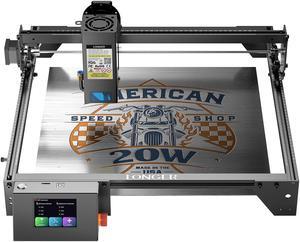
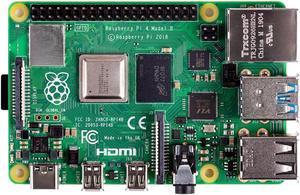
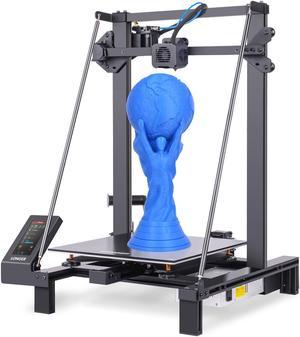
Maker Kits, DIY Electronics & Development BoardsNewegg’s Maker category brings together the hands-on tools that power modern DIY innovation, from Arduino starter kits and Raspberry Pi development boards to AI developer kits, robotics platforms, and 3D printing materials. Whether you are building your first blinking sensor project or designing an advanced IoT workflow, this category supports learning, prototyping, and real-world product creation. A modern maker workflow often starts with a board, expands with sensors and modules, and grows into a complete system involving software, connectivity, power delivery, and custom hardware. That is why Newegg’s Maker category works so well for students, hobbyists, educators, robotics builders, and engineers: it connects development boards, printers, engravers, accessories, and educational kits in one place. What Is a Maker Kit?A maker kit is a hands-on electronics bundle designed to help users learn programming, engineering, and hardware integration through real projects. These kits typically include a controller board, starter components, connectors, modules, and guided examples so you can move from simple test circuits to smarter builds without sourcing every part separately. Beginner kits usually focus on LEDs, buttons, basic sensors, and entry-level coding. Intermediate kits introduce displays, motors, automation, and connected devices. Advanced kits may add computer vision, AI acceleration, robotics, edge inference, or fabrication workflows tied to 3D printers and laser engraving systems. Core Maker Categories at Newegg
How to Choose the Right Maker PlatformThe right platform depends on how you want to build. If you want a simple entry into coding and electronics, start with Arduino-compatible boards and project kits. If you want a more complete mini-computing environment, a Raspberry Pi-style board is often the better fit. If your goal is edge AI, robotics vision, or advanced automation, a Jetson-class platform makes more sense.
Why Development Boards MatterDevelopment boards are the foundation of most maker builds because they reduce complexity. Instead of starting from a bare chip and designing everything from scratch, you get a ready-to-use platform with power regulation, I/O access, expansion support, and software ecosystems that help you iterate quickly. This matters for both learning and speed. A student can start with a simple sensor project and build confidence. A startup team can prototype a proof-of-concept without waiting on custom hardware. A robotics hobbyist can validate camera, motor, and control logic before investing in a final design. Popular Maker Use Cases
|
How Newegg Shoppers Build Smarter in the Maker CategoryMaker products are not just for hobbyists anymore. They now sit at the intersection of education, robotics, AI, prototyping, design, and light manufacturing. That means buyers need more than a generic product list—they need a path. Newegg helps by combining trusted brands, real specs, customer reviews, deal visibility, and adjacent-category shopping that supports full project builds. Best Starting Points by Project Type
What to Compare Before BuyingIn maker projects, the “best” item is usually the one that fits your ecosystem. Before checking out, compare:
GMV Drivers: What Actually Converts in MakerMaker shoppers often buy in clusters, not singles. Someone who lands on a development board may also need storage, a power adapter, a case, sensors, jumper wires, and a display. A 3D printer buyer may also need filament, spare nozzles, tools, and maintenance accessories. A laser engraver buyer may also want materials, safety accessories, and calibration extras. That is why Newegg’s Maker category performs best when content naturally guides buyers across adjacent needs. Good content does not just explain what a product is—it helps shoppers understand what else they need to complete the project successfully. Recommended Cross-Shop Paths
Brands Newegg Shoppers Already RecognizeTrusted ecosystem brands matter more in Maker than in many other categories because compatibility and documentation are part of the product value. Shoppers already familiar with brands like Arduino, Raspberry Pi, NVIDIA Jetson, Elegoo, eSUN, and workshop-oriented fabrication brands are often looking not just for price, but for project confidence. On Newegg, that confidence grows when product specs, reviews, featured items, and related accessories all support the same workflow. This is especially important for first-time buyers who want fewer setup surprises and for advanced users who care about repeatable builds. Why Buy Maker Products from Newegg
Helpful Guides & Shopping PathsIf you are building out a complete project, do not stop at the board or machine itself. Think in terms of workflow: power, connectivity, accessories, materials, safety, and upgrade path. That is where Newegg’s category structure becomes especially useful, because it lets shoppers move from exploration to project completion without rebuilding the cart from scratch. New at Newegg: From Prototype to Real BuildThe best maker projects usually start simple and expand fast. A starter board becomes an automation rig. A 3D printer becomes a prototype lab. A dev kit becomes a vision system. The smartest way to shop is to choose the platform first, then add the accessories and materials that keep the project moving. |
Last Updated: 2026 | Newegg Content Team: Maker Kits, DIY Electronics & Development Boards Buying Guide
A maker kit is a hands-on bundle built for learning, prototyping, and project building. It works for beginners, students, hobbyists, and engineers who want a faster path from idea to working hardware.
Start with Arduino if you want simple electronics and sensor control. Choose Raspberry Pi if you want a full mini-computer for coding, automation, media, or networked projects. On Newegg, many shoppers begin with the platform that matches their first project rather than chasing specs alone.
A microcontroller is better for direct hardware control and low-power tasks, while a single-board computer runs an operating system and supports broader software workflows. Newegg’s Maker selection includes both so you can shop by project complexity.
Choose Jetson when your build involves edge AI, computer vision, robotics, or local inference. It is a strong step up from basic boards when you need more compute and camera-ready AI performance.
Usually a power supply, storage if needed, a case, jumper wires, sensors, and any project-specific modules. On Newegg, that bundle approach saves time because most makers need accessories immediately after buying the board.
Yes. They are great for printing enclosures, mounts, brackets, sensor housings, and prototype parts. A 3D printer often becomes one of the most practical upgrades for serious maker workflows.
PLA is usually the easiest place to start because it is beginner-friendly and prints cleanly in most home setups. Newegg shoppers often start with PLA, then move to PETG or ABS when projects demand more durability or heat resistance.
Some are, but beginners should still pay close attention to work area, safety practices, software workflow, and material support. Entry-level units are usually best for lighter engraving and early workshop projects.
Look for guided kits with repeatable components, clear tutorials, and reliable platform support. Arduino-style starter kits and entry-level board bundles are often the easiest place for classrooms to begin.
Compare processing needs, I/O, wireless support, software ecosystem, and accessory availability. On Newegg, a good rule is to pick the board that matches your real project workflow, not the one with the longest spec list.
Yes. Many teams use maker hardware for proof-of-concept builds, early validation, and rapid prototyping before moving to custom boards or production-ready designs.
Yes. It remains one of the most flexible options for DIY home servers, automation dashboards, connected sensors, and controller hubs.
Usually a case, power adapter, microSD storage, cooling, and sometimes a display or GPIO accessories. On Newegg, these add-ons often matter almost as much as the board itself.
No. Many beginner kits are built specifically for first-time learners. The best entry kits lower the barrier by combining hardware with structured projects.
Start by project type: learning, AI, 3D printing, laser engraving, or robotics. Then compare featured items, specs, reviews, and adjacent accessories before finalizing your cart.
Yes, especially when paired with beginner-friendly kits and guided projects. STEM-focused kits are often one of the easiest ways to turn curiosity into real hands-on learning.
Look for simpler setup, common materials, stable owner feedback, and a manageable print workflow. Newegg reviews can quickly reveal whether a machine feels beginner-safe or requires more tuning experience.
Hobby robotics usually focuses on motion, sensors, and control logic. AI robotics adds vision, inference, and smarter automation layers that typically need more compute and a stronger development platform.
Ecosystem usually matters more. Documentation, tutorials, community support, and compatible accessories often save more time than a lower upfront price.
Because setup experience is part of the product. Reviews reveal whether instructions are clear, accessories are complete, and real-world use matches the listing.
Sensors, display modules, better power accessories, storage, or a case. The first smart upgrade usually depends on whether your project is more about learning, automation, or computing.
Yes, especially if you step into Jetson-class or edge-AI-ready hardware. These platforms are useful for learning inference, vision models, and device-side AI workflows.
Yes. They are often used for custom products, proof-of-concept parts, workshop signs, accessories, and short-run prototype work.
Buying the core item without the supporting accessories. On Newegg, the better move is to think in complete workflows: board + power + storage + sensors, or printer + filament + tools.
Build around the actual project goal, use specs to confirm fit, read buyer reviews for setup friction, and add the accessories you know you will need on day one.
“ It is always a good idea to have spare nozzles on hand, and this makes a great kit to keep on standby. ”
32PCS Nozzles 3D Printer nozzles Mk8 Nozzle, Stainless Steel, Brass,Compatible with Ender 3/Ender 3 Pro Nozzle/Ender 3 Neo/Ender 3 Max/Ender 5 Pro/,/Ender 3 Neo/CR 10..., Welcome to consult