here!
I’m your shopping assistant for PC builds, upgrades, and everything tech.
Got questions? Ask away!
Start a conversation
here!
I’m your shopping assistant for PC builds, upgrades, and everything tech.
Got questions? Ask away!
Start a conversation












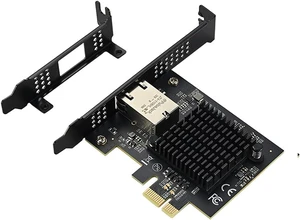


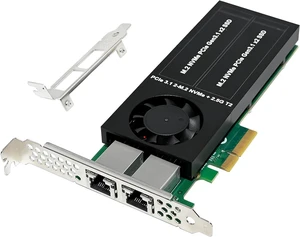

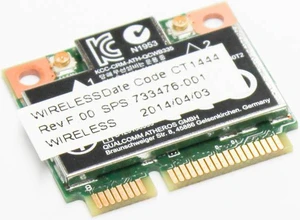
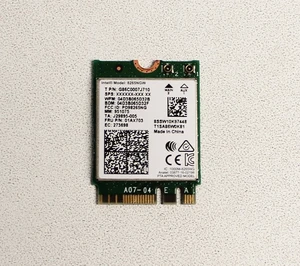
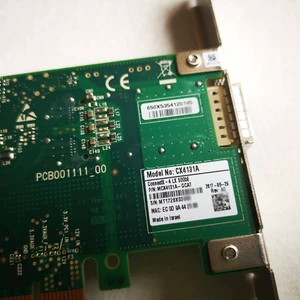
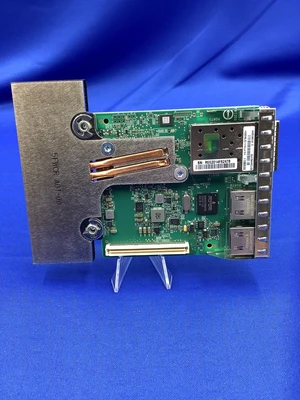



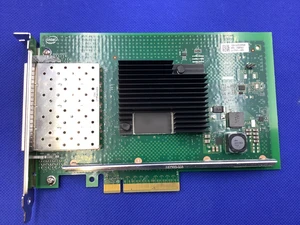

For IT professionals, gamers, and PC builders looking to upgrade their connectivity, this page offers a wide range of PCIe ethernet adapters and wireless NICs featuring Intel, Realtek, and Broadcom chipsets. Explore our selection to find reliable network cards for desktops, servers, and laptops, with Black November deals and Black Friday deals available to enhance your setup.
When selecting a Network Interface Card (NIC), there are several critical features that can influence your network performance and compatibility:
Speed remains the most decisive technical factor driving NIC selection. The throughput a NIC supports not only shapes your network’s bandwidth capacity but also impacts latency, file transfer times, and streaming quality. For everyday users, gigabit Ethernet (1Gbps) cards are a solid choice, as featured in the popular 10/100/1000Mbps models. Power users and creative professionals might opt for high-speed cards like 10Gbps or even faster to handle large-scale data transfers or demanding multimedia workflows. Matching your NIC speed to your network infrastructure and usage patterns ensures you aren’t bottlenecked by outdated hardware.
For system administrators, developers, and enterprise professionals, investing in NICs with higher throughput and specialized features is key to maintaining robust network performance. Many advanced users turn to NICs supporting speeds like 25Gbps, 50Gbps, and even 100Gbps for tasks like virtualization, big data analytics, and scientific research. These NICs often come equipped with advanced offloads, multi-queue support, and SR-IOV capabilities to optimize CPU usage while maximizing network throughput. For those managing servers or high-density compute clusters, selecting the right NIC technology can enhance reliability and reduce latency significantly.
Newegg shopping tip: Before picking a Network Interface Card, check the supported speeds (like 1GbE or 10GbE) and compatibility with your system’s PCIe slot. During Black November deals and Black Friday deals, comparing chipset brands like Intel or Realtek can help you find a card that fits both your performance needs and budget.
Boost your desktop’s connectivity with a solid 1000Mbps Gigabit Ethernet port, perfect for steady streaming and gaming without lag.
Switch seamlessly among 10, 100, and 1000Mbps speeds for versatile compatibility with older and newer network gear.
Upgrade your setup with dual-speed gigabit to 2Gbps support, ideal for bandwidth-hungry apps like 4K video editing or heavy file transfers.
If you’re new to network interface cards (NICs), think of them as the essential hardware that lets your computer connect to a network—whether wired or wireless. Most desktop users start with PCIe ethernet adapters, which plug into expansion slots to provide a stable, high-speed connection. Common chipsets from Intel, Realtek, and Broadcom power these cards, ensuring reliable performance for everyday needs. For typical home or office setups, a 1000Mbps card is more than enough to handle video streaming, web browsing, and even casual online gaming. Exploring wireless NICs? They’re ideal if you want to get online without dealing with cables, offering flexibility for laptops or where wired connections aren’t practical.
For gamers and multimedia enthusiasts, minimizing lag and ensuring smooth data flow is crucial. A robust NIC can make a big difference by providing consistent speeds and low latency. Many choose cards that support 10/100/1000Mbps to optimize network performance based on your router’s capabilities. With Black November deals and Black Friday deals coming up, there’s a great opportunity to find a NIC that can handle everything from multiplayer online games to live 4K video streams. Look for models with high-quality components and features like advanced traffic prioritization to keep your gameplay or streaming uninterrupted even when others are sharing your network.
Professionals relying on data-intensive tasks—like video editing, software development, or server management—need NICs that push beyond standard gigabit speeds. Options like 10/100/1000/2000Mbps cards are excellent for demanding workflows, while higher-tier cards including 10Gbps, 25Gbps, or even 40Gbps and beyond are tailored for servers, virtualization, and big data operations. Shopping during Black November deals and Black Friday deals maximizes your chances to secure a powerful NIC that matches your enterprise or creative needs, keeping data moving fast and smooth without bottlenecks.
Research more: When choosing a Network Interface Card, consider your system’s compatibility and whether you need wired or wireless connectivity to get the best performance. For deeper insights and comparisons, check out the Newegg Insider buying guides, especially useful during Black November deals and Black Friday deals to make a well-informed choice.
Last Updated: November 2026 | Newegg Network Interface Cards Buying Guide
PCIe NICs typically offer faster, more stable connections because they connect directly to your motherboard, while USB adapters are more convenient but often slower and subject to interference.
Intel NICs generally provide better driver support, durability, and consistent performance, whereas generic cards might save you money upfront but can have compatibility or reliability issues.
Most modern NICs support speeds ranging from 10/100 Mbps up to 10 Gbps, depending on whether they're designed for standard home use or high-performance servers. Make sure to pick one that matches your network infrastructure for the best results.
Generally, laptops don’t use traditional PCIe NICs since they have built-in Wi-Fi or Ethernet ports, but you can add a NIC via USB adapters or specific expansion slots if your laptop supports them.
You want a card that supports gigabit speeds or higher and has low latency to keep your connection smooth and responsive during online gameplay. Also, check if it’s compatible with your motherboard and operating system.
For everyday tasks, a basic network interface card that supports standard speeds should be enough. Investing in a premium card mainly benefits users with heavy data transfers or specialized networking needs.
NICs generally last a long time, but watch out for frequent connection drops, slow speeds, or your computer not detecting the card at all—those are red flags that it might be failing.
People often mention driver compatibility problems or slower-than-advertised speeds; checking if the card works well with your OS and has updated drivers can save headaches.
First, power down your computer and unplug it. Open the case, locate an empty PCI or PCIe slot, and firmly insert the card. Close the case, reboot, and install any necessary drivers for the card to function properly.
Check that your motherboard supports the NIC’s interface and that your cables are rated for the speed you want—Cat6 or better for gigabit or faster. Also, update your drivers and adjust your network settings to match the card’s maximum speed.
“ -Works without dropping connection (unlike like my onboard intel wired network adapter). ”
TP-Link TX201 Interface Cards 2.5Gbps PCI-Express 1 x RJ45