





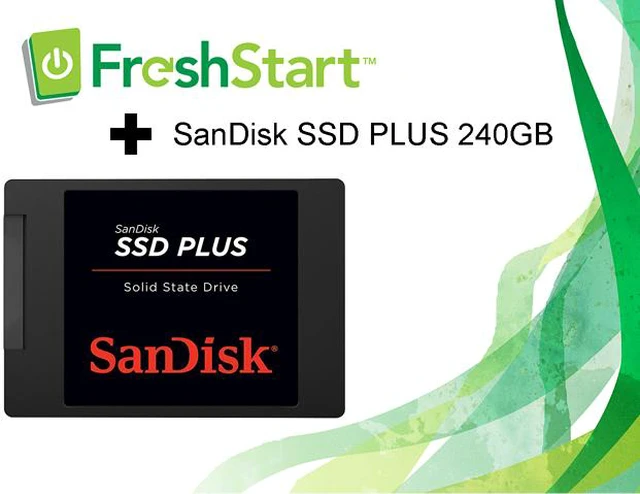


SanDisk SSD Plus + FreshStart
What You Will Get with Your Purchase:
- A new WD replacement drive – SanDisk SSD Plus
- A FreshStart License Key good for one* imaging use
- Links to download the FreshStart Imaging Tool
- Additional resources and instructions available on the CyberSpa website

SanDisk SSD Plus
SanDisk SSD Plus brings your old machine back to life with improved speed and durability. It flies through everything you do while being resistant to shock and vibration. The SanDisk SSD Dashboard utility1 makes it easy and intuitive to monitor your SSD.

EXTEND THE LIFE OF YOUR LAPTOP OR DESKTOP PC
Upgrade your laptop or desktop with a fast, reliable solid state drive from a globally trusted brand and suddenly, your old computer acts and feels like a new machine with faster boot-ups, shutdowns and app response times².

FASTER BOOT-UPS, SHUTDOWNS, AND APP RESPONSE
High sequential read speeds of up to 535MB/s and sequential write speeds of up to 450MB/s³ translate into better performance for everything you do, performing faster than a typical hard disk drive.

DURABLE SOLID STATE DESIGN
With no moving parts, the SanDisk SSD Plus is engineered to resist shock and vibration, helping to keep your data safe through life’s bumps and bruises.

IDEAL FOR TYPICAL PC WORKLOADS
The SanDisk SSD PLUS delivers SLC caching which boosts burst write performance, making it the ideal storage solution for typical PC workloads such as web browsing, email, casual gaming, office productivity and audio/video entertainment.

EASY SET-UP
The SanDisk SSD Plus comes with easy, step-by-step instructions and cloning software to help you set up your new drive.

A MORE EFFICIENT DRIVE
SanDisk SSDs are cooler, quieter and more efficient than a hard disk drive, so your laptop battery lasts a long time on a single charge.

SANDISK SSD DASHBOARD
The SanDisk SSD Dashboard helps users maintain peak performance of the SanDisk SSD in Windows operating systems with a user-friendly graphical interface. The SanDisk SSD Dashboard includes tools for analysis of the disk (including the disk model, capacity, firmware version, and S.M.A.R.T. attributes) and firmware updates.
Notes:
1. Download required from //www.sandisk.com/ssdswap/download. Limit one time use per system.2. As compared to 5400 RPM SATA 2.5” hard drive. Based on published specifications and internal benchmarking tests using PCMark Vantage scores.
3. Based on internal testing, performance may vary depending upon drive capacity, host device, OS and application. 1MB=1,000,000 bytes.

What is FreshStart?
FreshStart is a drive replacement software tool that automates all of the tedious aspects of drive replacement, such as imaging the new drive and setting up the Windows profile. A FreshStart service also includes a fully automated virus scan to check for and isolate any viruses, malware, or bloatware found on the old drive.
All of your clean files, favorites, and settings are copied from the old drive and mirrored in the same place on the replacement drive—even your desktop photo will be right where you left it. FreshStart also makes it easy to reinstall all of your third-party programs by collecting the keys and saving them to a text document, which is saved to your C drive.
How does it work?
You must have a working PC to image your replacement drive with a FreshStart WIM image. To do this, visit the CyberSpa website and download the imaging tool, then follow the instructions to choose and download the WIM image you will need for the new drive. Once you have imaged the drive with the imaging tool provided you can remove the old drive and replace it with the new drive.
The FreshStart program will automatically load upon PC restart and tell you to connect the old drive when prompted. The FreshStart program performs a forensic analysis of the old drive to ensure that the data can safely be copied, and, if no issues are found, will virus-scan and then copy-over those files. Disconnect the old drive when prompted, and allow the PC to reboot several times. If the drive is damaged or infected with ransomware, the Start Fresh option is available as a way to complete the service without data transfer.
The FreshStart program will remove itself from the drive and the process will be complete when you see the “After a FreshStart” PDF guide appear. Follow the steps in this guide to complete a few easy setup steps we are unable to automate, and then your PC is ready to go!
Additional Supplies You Will Need:
- A Windows 7 or Windows 10 PC with at least 20GB of free space and a working USB port to host the FreshStart Imaging Software and the FreshStart WIM image for your replacement drive
- SATA to USB cable (laptop), a drive dock (desktop), or a drive case (laptop) with USB cable (if you plan to use the old drive for backup or storage purposes)
- Tools for removing the old drive
Apps and Software Loaded
The FreshStart program provides automatic installation for the following programs:
- Internet Explorer
- VLC LAN Player
- Adobe Reader
- Adobe Player
- Eset Smart Security
- The selected Windows OS
It will install the following if they are found on the old drive:
- Firefox
- Google Chrome
- Skype
- iTunes
- Office 2010 (if it finds a valid install / license key)
All other software applications such as TurboTax, QuickBooks or other programs will need to be reloaded using the keys collected from the old drive. Office 2007 and earlier versions are no longer available or supported by Microsoft and must be upgraded, while Office 2013 and later versions can be easily downloaded directly after logging into your Microsoft account.
All these Office and 3rd party program’s data files, are transferred and kept in their appropriate folders. If the program had a license key stored in your computer, it has been placed in a folder for you. To see how to recover these license keys click on the “After your FreshStart” tab and open the “After Your FreshStart PDF.”
Terms of Use
The FreshStart License Key buyer agrees to the following terms:
- Buyer will not decrypt or attempt to decrypt, reverse engineer, tamper with, alter, supplement, revise, analyse, or recreate, FreshStart software.
- Buyer will download and use the most recent copy of the FreshStart Drive imaging tool and the FreshStart WIM image for the PC to be serviced. Both items are available and downloadable for free from the link on our corporate website.
- Buyer will update the AV definitions prior to imaging the hard drive.
- Buyer will review the instructional videos or other material prior to attempting to perform a FreshStart service for the first time, and will perform the service as specified in our training material.
- Buyer is responsible for determining if the target PC is a FreshStart candidate as spelled out in the training videos on our website.
- Buyer is liable for any damages to the computer during the performance of the service.
- CyberSpa warranties our FreshStart software to work as specified in our training material and the product documentation found on our corporate website.