




 here!
here!
I’m your shopping assistant for PC builds, upgrades, and everything tech.
Got questions? Ask away!
Start a conversation
here!
I’m your shopping assistant for PC builds, upgrades, and everything tech.
Got questions? Ask away!
Start a conversation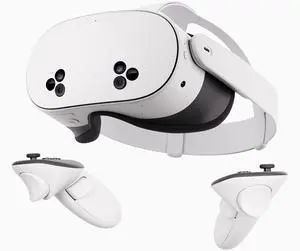
Free $30 Newegg gift card w/ purchase, limited offer
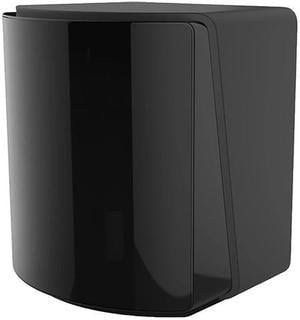
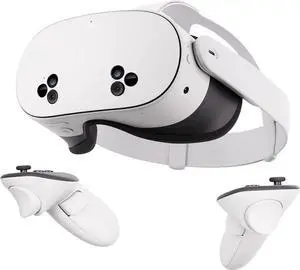

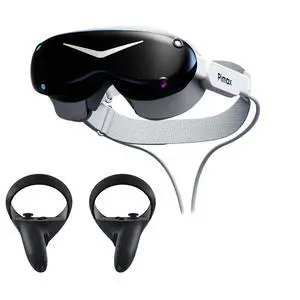
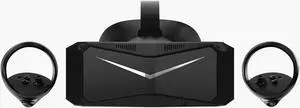
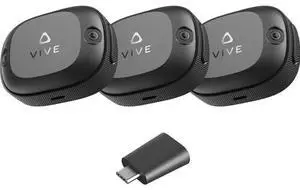
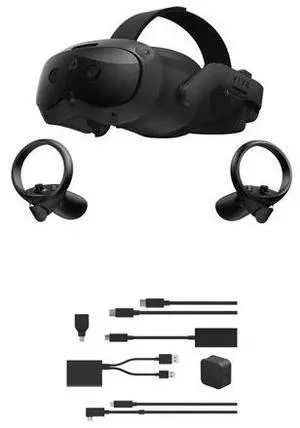
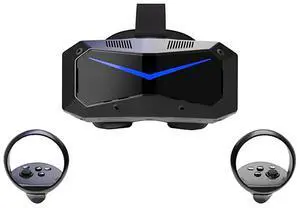
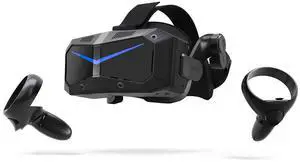
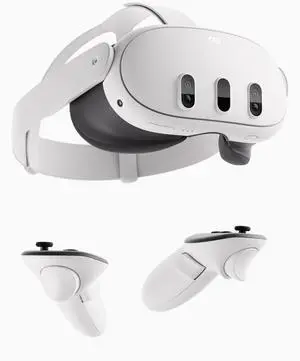
Explore a wide selection of VR headsets, controllers, and related accessories designed for immersive gaming and advanced tech experiences. Whether you’re upgrading your setup with the latest Meta Quest 3 controllers or searching for specialty gear like Logitech G29 steering wheels and recording glasses, find everything you need here.
Choosing the right virtual reality system involves weighing several critical features that shape your overall experience:
When immersing yourself in virtual reality, the display quality is paramount. The resolution directly impacts clarity, helping to reduce the "screen door" effect caused by visible pixel gaps. Most modern VR headsets strive to strike a balance between high pixel counts and performance, so alongside resolution, the refresh rate plays a crucial role. Refresh rates of 90Hz or above ensure fluid motion, minimizing motion sickness and enhancing realism. Choosing a headset with OLED or advanced high-refresh LCD panels can markedly elevate your experience by delivering vivid colors and deeper blacks, making virtual worlds more believable and comfortable for longer sessions.
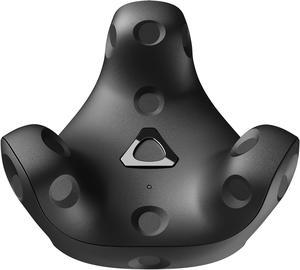
For developers and professionals diving deep into VR applications—be it simulation training, architectural visualization, or detailed design work—precision and modularity are key. Customized controllers, sensors, and feedback equipment can unlock higher fidelity interactions and data capture. To elevate your setup, explore VR Accessories designed specifically with power users in mind. Plus, augment your Meta Quest 3 experience with meta quest 3 accessories that extend functionality and comfort during intensive development cycles or prolonged testing.
Newegg shopping tip: When choosing a VR headset, make sure to compare display resolution, field of view, and tracking capabilities to match your comfort and immersion needs. Also, check which controllers are included and if they’re compatible with your preferred games or platforms.
Enhance your Meta Quest 3 with grips, battery packs, and custom faceplates designed for next-gen tracking and comfort during extended VR sessions. Dive deeper into immersion.
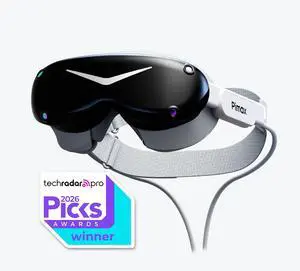
Experience AI-powered smart glasses that blend real-time data overlays with sleek optics, perfect for hands-free navigation and augmented reality apps on the go.
Explore top-tier VR headsets featuring high-res OLED displays and ultra-low latency for immersive gaming or dedicated simulations in room-scale setups.
If you’re new to virtual reality, the first step is understanding the basics of what you need to enjoy an immersive experience. At a minimum, you'll want a reliable VR Headset along with compatible controllers and sensors. Many beginner-friendly options come with integrated tracking and comfortable ergonomics, making it easier to jump right in without technical headaches. Don’t forget to check out accessories like facecovers, battery extenders, and protective cases to extend your setup’s life and comfort. Whether it’s your first headset or your upgrade path, Newegg’s vast selection keeps quality and value front and center.
For gamers, virtual reality opens a whole new dimension of play—literally. High refresh rates, ultra-wide fields of view, and precision controls transform your favorite titles into fully immersive worlds. Consider pairing your VR headset with a dedicated gaming setup, including steering wheel controllers like the Logitech G29, perfect for racing sims on PS5 and PC. You’ll also want to explore Gaming & VR bundles that combine headsets, powerful controllers, and other kits designed to make your session seamless and exhilarating. Dive into full-room tracking setups or wireless options to suit your style and maximize freedom of movement.
Not all VR gear is about gaming. If you’re interested in a blend of digital and real-world interaction, smart glasses with AI capabilities offer hands-free convenience and real-time information overlays. From ai glasses to discreet video-recording eyewear and high-tech wearable AR solutions like the TCL NXTWear G glasses, these devices are ideal for multitasking, outdoor adventures, or even work presentations. Their compact designs and smart features integrate effortlessly into your daily routine while expanding what you can see and do.
Research more: Exploring virtual reality gear can be overwhelming with all the options out there. Check out Newegg Insider’s buying guides to get detailed insights on headsets, controllers, and accessories before making your choice. It’s a good way to figure out what fits your VR setup and budget.
Last Updated: October 2026 | Newegg Virtual Reality Buying Guide
The Oculus Quest 2 is a standalone headset that’s easier to set up and use without a PC, while the Valve Index offers higher fidelity visuals and better tracking but requires a powerful PC and more complex setup.
Yes, the PS VR2 has significantly improved resolution, tracking, and new controllers, making it a much better match for PS5 games compared to the original PS VR, which is older and less immersive.
Most VR headsets require a compatible PC with a decent graphics card or a gaming console like the PlayStation. Some standalone headsets work without extra equipment but might have less power and fewer features.
Higher resolution means sharper images and less screen door effect, which makes the experience more immersive and easier on your eyes during long sessions. It’s a key factor if you want clear visuals in VR games and apps.
If you're gaming, look for a headset with a high refresh rate and low latency for smooth visuals, plus comfortable design for long sessions. For casual use, simpler devices with ease of setup and affordability might be your best bet.
Standalone headsets offer freedom from cables and are easier to use on the go, but a PC-tethered headset typically delivers better graphics and more powerful experiences if you have a good computer. Your choice depends on whether you prioritize convenience or performance.
Most VR headsets hold up well if you handle them carefully, but some users report issues like tracking glitches or screen flicker after months of heavy use. Checking recent reviews for user feedback on durability can help you avoid models with common problems.
Pay attention to comments about comfort, software updates, and hardware malfunctions like overheating or controller lag. Consistent mentions of connectivity hiccups or poor customer support are red flags you don’t want to ignore.
Start by charging the headset fully, then connect it to your PC or console as instructed. Follow the on-screen calibration steps to adjust the headset and controllers for comfort and optimal tracking.
Take breaks often and make sure your play area is well ventilated. Also, try moving slowly in VR and use experiences designed with smooth locomotion to help reduce discomfort.
“ Im really happy with the goggles. ”
Meta Quest 3 512GB | VR Headset — Thirty Percent Sharper Resolution — 2X Graphical Processing Power — Virtual Reality Without Wires — Access to 40+ Games with a 3-Month Trial of Meta Horizon+ Included“ Love the ability to see the room with the headset on. ”
Meta Quest 3 512GB | VR Headset — Thirty Percent Sharper Resolution — 2X Graphical Processing Power — Virtual Reality Without Wires — Access to 40+ Games with a 3-Month Trial of Meta Horizon+ Included“ We love it! ”
Meta Quest 3 512GB | VR Headset — Thirty Percent Sharper Resolution — 2X Graphical Processing Power — Virtual Reality Without Wires — Access to 40+ Games with a 3-Month Trial of Meta Horizon+ Included“ Customer service was great!!! ”
HTC VIVE Pro Eye Virtual Reality Headset Only with Eye Tracking


