- Home
- Networking
- Wireless Networking
- Wireless AP
Wireless AP
- In Stock
- Sold by Newegg
- New
- Brands
- Show More
- Price
- Show More
- WiFi Generation
- Wireless Data Rates
- Antenna
- Show More
- Interface
- Sold by
- All Top Brands
- Availability
- Condition
- Discount
- Useful Links
- Show More
- Customer Ratings
- & up

- Model #: CLOLB07V2Z19GT
- $846.99 –
- Free Shipping

- Model #: TONYB071Z43F45
- $738.99 –
- Free Shipping

- Model #: TONYB078CZ1SM7
- $279.99 –
- Free Shipping

- Model #: 9359014207082
- $162.99 –
- $5.99 Shipping

- Model #: CLOLB0D8459LRN
- $432.99 –
- Free Shipping

- Model #: TONYB0H4Q7TMNY
- $153.99 –
- Free Shipping

- Model #: RCCWB0CRYKNSHN
- $756.99 –
- Free Shipping

- Model #: TONYB08BTLKNBZ
- $288.99 –
- Free Shipping
![New - Ruckus 901-R550-US00 [R550] Wi-Fi 6 Dual-Band Indoor Wireless Access Point [Mounting Kit Included] New - Ruckus 901-R550-US00 [R550] Wi-Fi 6 Dual-Band Indoor Wireless Access Point [Mounting Kit Included]](https://c1.neweggimages.com/productimage/nb300/C9PBD260924047HKW09.jpg)
- Model #: TONYB0G6GNPY7R
- $828.99 –
- Free Shipping

- Model #: 694782963990
- $289.18 –
- More options from $275.99 - $289.18
- Free Shipping

- Model #: CLOLB0D7N8KXF1
- $180.99 –
- Free Shipping

- Model #: CLOLB0H2FNQM7V
- $854.99 –
- More options from $854.99 - $864.99
- Free Shipping

- Model #: 677658653379
- $133.18 –
- More options from $127.99 - $133.18
- Free Shipping

- Model #: 9158154891850
- $290.99 –
- More options from $290.99 - $300.18
- $5.99 Shipping

- Model #: CLOLB09T74PGHK
- $538.99 –
- Free Shipping

- Model #: 398968584242
- $29.45 –
- Free Shipping

Limited time offer, ends 10/19
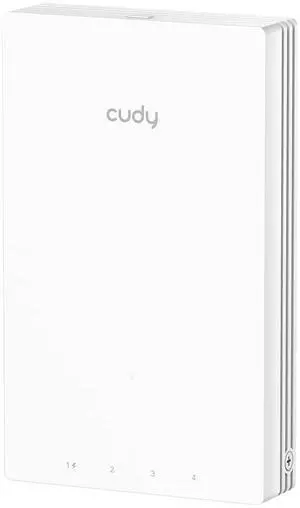
- WiFi Generation: 802_11_AC
- Wireless Data Rates: AC1200
- Frequency Band: dual_band
- WAN Ports: 1, 10/100 megabits per second
- Model #: 695926238040
- $67.99 –
- Free Shipping

- Model #: 355756708862
- $307.99 –
- More options from $307.99 - $313.18
- $5.99 Shipping
Learn about Wireless Access Points (APs)
Reliable Wi-Fi Coverage for Homes, Offices & Campuses
Wireless Access Points extend fast, secure Wi-Fi where routers can’t reach. Browse Newegg’s Wireless AP catalog for indoor ceiling-mount models, outdoor weatherproof units, mesh nodes, and controller-managed enterprise APs. Pair with PoE switches or PoE injectors for clean single-cable installs.
Popular Types of Access Points
Indoor APs: Low-profile, ceiling/wall mount units optimized for density and roaming in offices, classrooms and hospitality.
Outdoor APs: Rugged, weather-sealed models for campuses, warehouses and venues—see outdoor access points.
Mesh Systems: Easy, scalable whole-home/whole-office coverage with seamless roaming—explore mesh Wi-Fi.
Controller-Managed APs: Centralized configuration, RF tuning, guest portals, and monitoring—shop wireless LAN controllers.
Speed & Standards
Upgrade to modern standards for capacity and latency: Wi-Fi 6 (802.11ax) boosts efficiency with OFDMA and MU-MIMO, Wi-Fi 6E adds the clean 6 GHz band for lower interference, and emerging Wi-Fi 7 targets multi-gigabit throughput and ultra-low jitter.
Installation & Power
For tidy installs, ceiling-mount APs with mounting brackets and keystone jacks keep cabling discrete. Power APs via PoE from a PoE switch or adapter, and use quality Ethernet cables for best performance.
How to Choose the Right Access Point
Size your APs by client count and application mix. High-density offices benefit from Wi-Fi 6/6E with OFDMA, while outdoor venues need weatherproof enclosures and directional antennas. For multi-site IT, choose controller-managed APs with centralized updates, guest captive portal and role-based policies.
Quick Comparison
Best roaming, discreet look, PoE power.
Weatherproof, long-range, directional options.
Simple expansion, wireless backhaul.
Controller-managed, VLANs, WPA3, QoS.
Helpful Links
Shop Wireless Access Points – Explore APs for home, office, and outdoor coverage.
Wireless Routers – Choose routers for fast and secure Wi-Fi networks.
Mesh Wi-Fi Systems – Get whole-home coverage without dead zones.
LAN Switches – Expand your wired network connections.
Frequently Asked Questions
Do I need Wi-Fi 6E or is Wi-Fi 6 enough?
Wi-Fi 6 fits most offices and homes. Choose 6E if you want the 6 GHz band for lower interference and more channels for high-density or latency-sensitive work.
How many APs do I need for whole-home coverage?
Start with one per floor and add more for concrete walls or large areas. Mesh systems make expansion simple without running new cables.
Is PoE required for ceiling-mount APs?
Not required, but recommended—PoE powers the AP over Ethernet for cleaner installs and easier placement away from outlets.
Bestselling Wireless AP Reviews:
“ This works great. I now have wifi 6 for my newer devices and still run my older devices. ”
Ubiquiti U7 Pro, Ceiling-Mounted Wi-Fi 7 Access Point (U7-Pro)“ A very good Wifi 6 AP for the Omada ecosystem ”
TP-Link Omada EAP650-Desktop AX3000 Desktop Wi-Fi 6 Access Point“ Allowed wifi inside metal building. ”
TP-Link WiFi Access Point TL-WA801N, 2.4Ghz 300Mbps, Supports Multi-SSID/Client/Bridge/Range Extender, 2 Fixed Antennas, Passive PoE Injector Included“ I used this to extend my WiFi to my garage - didn't need high-speed connection. ”
TP-Link WiFi Access Point TL-WA801N, 2.4Ghz 300Mbps, Supports Multi-SSID/Client/Bridge/Range Extender, 2 Fixed Antennas, Passive PoE Injector Included“ Excellent wifi for home or office. ”
EnGenius Fit EWS356-FIT Dual Band WiFi6 1.73 Gbit/s Wireless Access Point Indoor


![Zyxel WiFi 7 BE5100 NebulaFlex Access Point | 4-Stream Dual-Radio | for Small Businesses | Smart Mesh MLO | 2.5GbE | Power Adapter Included | Nebula App/Cloud or Standalone [NWA50BE] Zyxel WiFi 7 BE5100 NebulaFlex Access Point | 4-Stream Dual-Radio | for Small Businesses | Smart Mesh MLO | 2.5GbE | Power Adapter Included | Nebula App/Cloud or Standalone [NWA50BE]](https://c1.neweggimages.com/productimage/nb300/C140D25102706GYYW9C.jpg)