• In Stock
  • Sold by Newegg
  • Combo Deals Only
Brands
Show More
Price
Show More
Type
Show More
Modular
Energy-Efficient
Maximum Power
Show More
Fans
Connectors
Show More
Max PSU Length
Sold by
PSU Noise Level
All Top Brands
Availability
Current Promotion
Discount
Useful Links
Customer Ratings
Page 1/1
Sort By:
View:
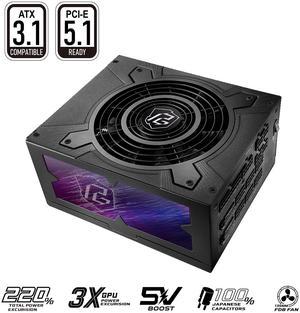
ASRock TC-1300T 1300 W ATX3.1 & PCIe5.1 Cybenetics Titanium Full Modular Power Supply
Quick View
ASRock TC-1300T 1300 W ATX3.1 & PCIe5.1 Cybenetics Titanium Full Modular Power Supply
  • Brand: ASRock
  • Type: ATX3.1 & PCIe5.1
  • Maximum Power: 1300 W
  • Modular: Full Modular
  • Model #: TC-1300T
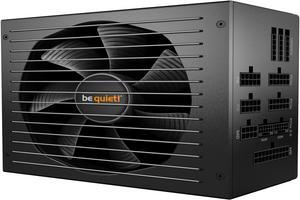
be quiet! Straight Power 12 1500W ATX 3.0 Power Supply | 80+ Platinum Efficiency | PCIe 5.0 | Fully Modular | Japanese 105°C Capacitors | 10 Years Warranty | BN518
Quick View
  •  
  • $289.90 –
  • Free Shipping
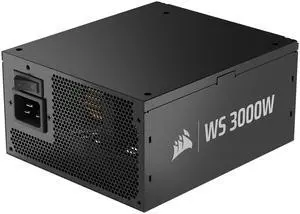
CORSAIR WS3000 ATX 3.1 Fully Modular Workstation Power Supply - 3000W of Total Power - Four 12V-2x6 Connectors for Next-Gen GPUs - 80 Plus Platinum-Certified Efficiency - ATX 3.1 compliant and PCIe5.1
Quick View
  •  
  • $629.99 –
  • Free Shipping
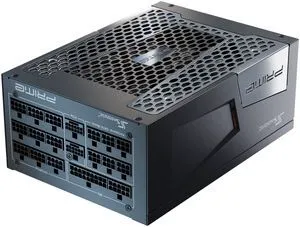
Seasonic PRIME TX-1300, 1300W 80+ Titanium, ATX 3.1 & PCIe 5.1 Ready, Full Modular, ATX Form Factor, Low Noise, Premium Japanese Capacitor, Nvidia RTX 40 Super/50, AMD GPU Compatible, Ref# SSR-1300TR2
Quick View
  •  
  • $505.99 –
  • Free Shipping
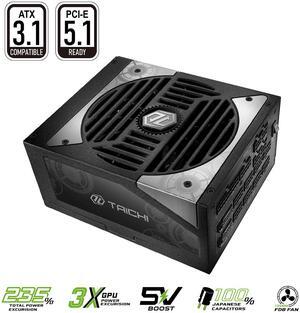
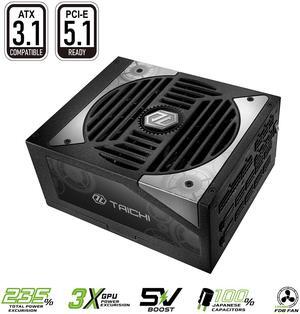
ASRock Taichi TC-1650T 1650 W Power Supply
Quick View
ASRock Taichi TC-1650T 1650 W Power Supply
  • Brand: ASRock
  • Series: Taichi
  • Part Number: TC-1650T
  • Color: Black
  • Model #: TC-1650T
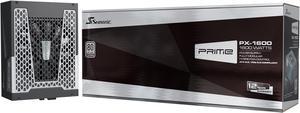
Seasonic PRIME PX-1600, 1600W 80+ Platinum, ATX 3.1 & PCIe 5.1 Ready, Full Modular, Low Noise, Premium Japanese Capacitor, Nvidia RTX 30/40 Super, AMD GPU Compatible, Ref# SSR-1600PD2
Quick View
  •  
  • $499.99 –
  • Free Shipping
Seasonic PRIME PX-2200, 2200W 80+ Platinum Full-Modular, 12 Year Warranty, Perfect Power Supply for Gaming and Various Application, SRP-PPX222-A5A22ST.
Quick View
Seasonic
Seasonic PRIME PX-2200, 2200W 80+ Platinum Full-Modular, 12 Year Warranty, Perfect Power Supply for Gaming and Various Application, SRP-PPX222-A5A22ST.

Get a free MagFlow 120mm Fan w/ purchase, limited offer
  • Brand: SeaSonic
  • Series: PRIME PX
  • Type: ATX/EPS
  • Maximum Power: 2200 W
  • Model #: SRP-PPX222-A5A22ST
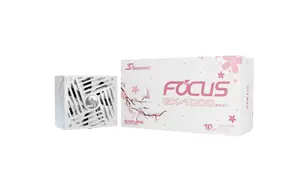
Seasonic FOCUS GX-1000 ATX 3.1 SAKURA Limited Edition, 1000W, 80+ Gold Fully Modular Power Supply | PCIe 5.1 & Native 12V-2x6 | White & Pink Cables | 135mm FDB Fan | 10-Year Warranty
Quick View
  •  
  • $229.99 –
  • Free Shipping
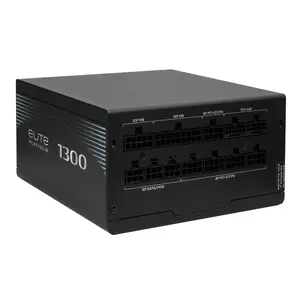
Cooler Master Elite Platinum 1300W Power Supply, PCIe 5.1 Ready 80 PLUS Platinum, 1300W, Gaming PCs & AI Workstation PCs, ATX 3.1, Native 12V-2x6 Cable, Low Noise. Fully Modular
Quick View
  •  
  • $199.99 –
  • $11.62 Shipping
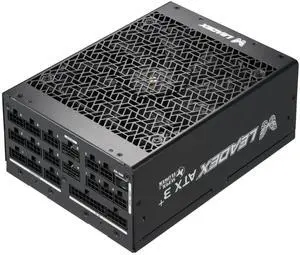
Super Flower Leadex Titanium 2200W Cybenetics Titanium, ATX 3.1 & PCIe 5.1, W/12V-2x6 (2x8pin-16pin native cables)*2, ECO Mode, Full Modular, Dual Ball Fan, 200-240Vac, SF-2200F14HP
Quick View
  • $749.99
  •  
  • $549.99 –
  • Save: 26%
  • Free Shipping
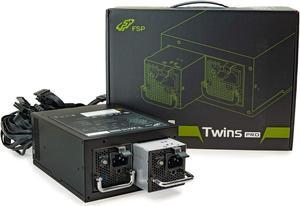
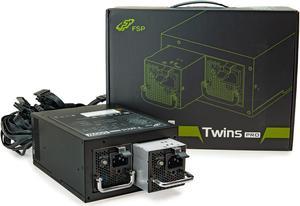
FSP Twins Pro PC PSU ATX PS2 1+1 Dual Module 700W Certified Efficiency 90% Hot-swappable Redundant Digital Computer Power Supply with Guardian Monitor Software (Twins Pro 700)
Quick View
FSP Twins Pro PC PSU ATX PS2 1+1 Dual Module 700W Certified Efficiency 90% Hot-swappable Redundant Digital Computer Power Supply with Guardian Monitor Software (Twins Pro 700)
  • Main Connector: 20+4Pin
  • SATA Power Connector: 6
  • Efficiency: > 80%
  • Input Voltage: 100 - 120 V / 200 - 240 V
  • Model #: PPA7004606
  •  
  • $569.99 –
  • Free Shipping
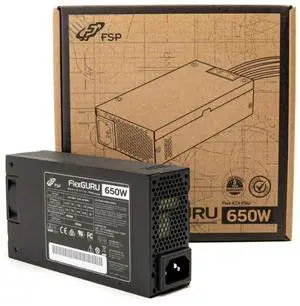
FSP FlexGURU Pro Power Supply, Flex ATX 650W, 80 Plus Platinum Certified PSU, Non-Modular, with Universal fix bracket, Perfect for SFF PC, 1U IPC, and NAS Systems, etc. 5 Year Warranty(FSP650-50FUB)
Quick View
  •  
  • $199.99 –
  • Free Shipping
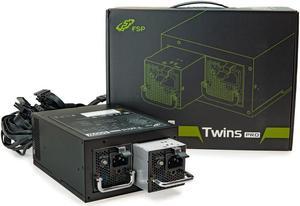
FSP Twins Pro ATX PS2 1+1 Dual Module 500W Efficiency Greater than 90% Hot-swappable Redundant Digital Power Supply with Guardian Monitor Software (Twins Pro 500)
Quick View
FSP Twins Pro ATX PS2 1+1 Dual Module 500W Efficiency Greater than 90% Hot-swappable Redundant Digital Power Supply with Guardian Monitor Software (Twins Pro 500)
  • Main Connector: 24Pin
  • +12V Rails: Single
  • PCI-Express Connector: 4 x 6+2-Pin
  • SATA Power Connector: 6
  • Model #: TwinsPro500
  •  
  • $459.99 –
  • Free Shipping
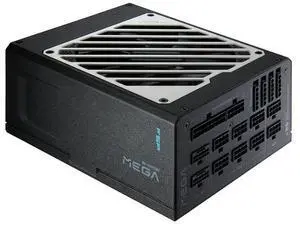
FSP MEGA TI 1650W Power Supply, 80 Plus & Cybenetics Titanium, Lambda A++, ATX3.1 & PCIe 5.1 (12V-2x6), Full Modular (MEGA-1650W)
Quick View
FSP MEGA TI 1650W Power Supply, 80 Plus & Cybenetics Titanium, Lambda A++, ATX3.1 & PCIe 5.1 (12V-2x6), Full Modular (MEGA-1650W)
  • Brand: FSP Group
  • Model: MEGA TI 1650W
  • Series: MEGA TI Series
  • Type: ATX 3.1 Compatible
  • Model #: PPA16F0207
  •  
  • $499.99 –
  • Free Shipping
FSP Twins Pro ATX PS2 1+1 Dual Module 500W Efficiency Greater than 90% Hot-swappable Redundant Digital Power Supply with Guardian Monitor Software (Twins Pro 500)
Quick View
  •  
  • $459.99 –
  • Free Shipping
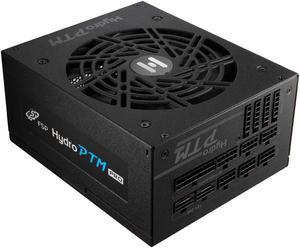
FSP Hydro PTM PRO 1350W | ATX 3.1 & PCIe 5.1 (12V-2X6) X2 | 80 Plus Platinum | Full Modular Power Supply | Full-Bridge Topology Module Design | 10 Years Warranty (HPT2-1350M-GEN5)
Quick View
  •  
  • $299.99 –
  • Free Shipping
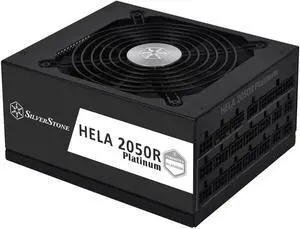
SilverStone HA2050R-PM 2050 W ATX 3.0 Compatible 80 PLUS PLATINUM Certified Full Modular Active PFC(PF>0.95 at full load) PFC Power Supply
Quick View
SilverStone HA2050R-PM 2050 W ATX 3.0 Compatible 80 PLUS PLATINUM Certified Full Modular Active PFC(PF>0.95 at full load) PFC Power Supply
  • Brand: SilverStone
  • Type: ATX 3.0 Compatible
  • Maximum Power: 2050 W
  • Modular: Full Modular
  • Model #: HA2050R-PM
Super Flower Leadex Titanium 1700W ATX 3.1, Cybenetics Titanium, Native 12V-2x6, ECO Fanless & Silent Mode, Full Modular, Dual Ball Bearing Fan, Black, SF-1700F14HT
Quick View
Super Flower Leadex Titanium 1700W ATX 3.1, Cybenetics Titanium, Native 12V-2x6, ECO Fanless & Silent Mode, Full Modular, Dual Ball Bearing Fan, Black, SF-1700F14HT
  • Brand: Super Flower
  • Series: Leadex Titanium
  • Type: ATX3.1/ ATX3.0 Compatible
  • Maximum Power: 1700W
  • Model #: SF-1700F14HT
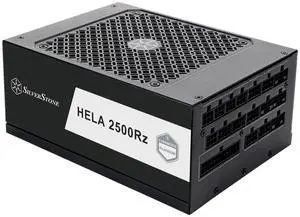
SilverStone Technology HELA 2500Rz Cybenetics Platinum 2500W ATX 3.1 & PCIe 5 Fully Modular ATX Power Supply  SST-HA2500R-PM
Quick View
  •  
  • $673.99 –
  • Free Shipping

Related searches

Page 1/1

Workstation Power Supply Units for Reliable High-Performance Computing

This page features power supplies designed to meet the demands of modern workstations, delivering stable, efficient power for complex rendering, simulation, and heavy multitasking environments. Ideal for professionals seeking robust PSU options with ample wattage and certification standards to ensure system stability.

How to Choose Workstation Power Supply

Key Features and Technology to Consider in Workstation Power Supplies

When selecting a power supply for a workstation, it's important to weigh these critical features and technologies:

  • Wattage Capacity: Ensure sufficient power output to support multi-GPU setups, high-core-count CPUs, and extensive peripherals without risk of underperformance or instability.
  • Efficiency Rating: Aim for units with 80 Plus Gold or higher certification to reduce heat, lower electricity bills, and provide more reliable power delivery during heavy workloads.
  • Modular vs. Non-Modular: Modular PSUs allow for cleaner cable management and better airflow, which is crucial in densely packed workstation builds.
  • Rail Stability: Stable and isolated +12V rails help maintain consistent power to sensitive components under fluctuating loads common in professional tasks.
  • Cooling System: Advanced thermal controls with quiet, high-quality fans prevent overheating during intense CPU and GPU compute sessions.
  • Protection Features: Look for over-voltage, over-current, short-circuit, and thermal shutdown protections to safeguard expensive workstation hardware.

Why Wattage and Load Stability Reign Supreme in Workstation Power Supplies

For workstation power supplies, the most critical specification is the wattage capacity combined with voltage rail stability. Unlike typical consumer PCs, workstations often run power-hungry GPUs, multiple processors, and high-speed memory simultaneously. This means the PSU must not only deliver sufficient wattage but also maintain steady voltages under variable and sustained loads.

Low ripple noise and tightly regulated voltage rails are essential to prevent crashes, data corruption, or hardware failure in professional environments. Investing in a PSU with robust components like Japanese capacitors and a strong +12V rail design ensures you have dependable, clean power essential for rendering, simulation, AI training, or CAD workloads.

Advanced Use Cases: Integrating Power Supplies with AI and Custom Workstation Builds

Professionals building AI-ready workstations must prioritize power supplies that support consistent VRM performance and peak efficiency, especially for GPUs running 24/7 training cycles. This is why exploring AI Workstation solutions is critical. These PSUs are tailored for the specialized power demands of neural network training and inference.

Furthermore, custom workstation builders can take advantage of Newegg’s Workstation Components to ensure seamless compatibility and optimal system stability. Leveraging the right power supply helps unlock maximum productivity and stability in rigorous development environments.

Performance and Setup Tips

  • Verify your total system power draw using online calculators before selecting your PSU wattage.
  • Prefer power supplies with an efficiency rating of at least 80 Plus Gold to reduce heat output during extended workloads.
  • Choose fully modular PSUs for easy cable management to improve case airflow and reduce thermal hotspots.
  • Ensure your PSU has specialized connectors for high-end GPUs and CPU power delivery to avoid bottlenecks.
  • Perform a test run under load immediately after installation to confirm system stability under stress conditions.
  • Keep your PSU firmware updated if supported to maintain compatibility with latest motherboard features.
  • Regularly clean PSU fans and vents to prevent dust buildup and maintain optimal cooling performance.
  • Use Newegg’s Power Search tool to precisely filter PSUs that meet your exact specification needs.
  • Consider an uninterruptible power supply (UPS) system in tandem with your workstation PSU for protection against power surges and outages.

Newegg shopping tip: When choosing a workstation power supply, prioritize wattage that comfortably exceeds your system’s total power draw to ensure stability under load. Also, check for efficiency ratings and modular cabling to balance performance with cable management and energy use.

Explore Workstation Power Supply & Related Categories

Workstation Components

Explore top-tier workstation components engineered for stable, high-efficiency power delivery in multi-GPU and heavy CPU builds.

AI Workstation

Built for AI pros, these PSUs handle VRMs and 80 Plus Titanium efficiency to support constant AI training workloads without hiccups.

FantasTech Deal

Unlock exclusive FantasTech Deals on modular PSUs with advanced capacitors and thermal control tailored for workstation demands.

Getting Started with Workstation Power Supplies

Choosing the right power supply for your workstation can feel overwhelming if it’s your first time. Workstation power supplies need to provide stable, reliable energy to demanding components like multi-core CPUs and professional-grade graphics cards, often running at peak loads for extended periods. To begin, consider the wattage your setup requires and look for units with 80 Plus efficiency certifications, which indicate less wasted power and lower heat output. For an easy exploration of compatible parts, check out our selection of Workstation Components designed to match the power needs of professional rigs.

Power Supplies for AI and Machine Learning Workstations

AI professionals and data scientists running intensive machine learning tasks demand power supplies that won’t falter under continuous high loads. These systems often feature multiple GPUs and CPUs with demanding VRM requirements, so a workstation power supply with 80 Plus Titanium efficiency and robust thermal management is a smart choice. Modern PSUs built for AI workstations are engineered to stay cool and deliver unwavering power to sustain long training cycles without interruption. Explore our curated collection for AI builders in the AI Workstation category to find models optimized for these demanding environments.

Reliable Power Supplies for Creative Professionals

Graphic designers, video editors, and 3D artists depend on stable, high-quality power supplies to keep their workstations running smoothly during intensive rendering and content creation sessions. These users benefit from modular PSUs with advanced capacitors and excellent thermal control, ensuring clean power delivery that minimizes risks of shutdowns or component damage. Investing in a power supply with strong surge protection and consistent rail voltage helps safeguard expensive components during peak workstation loads. Take advantage of our FantasTech Deal event to find high-quality modular units with premium features designed for creative pros.

Before You Buy

  • Confirm your workstation’s total power requirement by adding the wattage of all components to ensure the PSU can handle peak loads.
  • Check for compatibility with your system’s form factor and connectors, especially if using multiple GPUs or specialized hardware.
  • Look for a power supply with an 80 Plus Gold rating or higher for better efficiency, which reduces heat and power consumption.
  • Consider modular or semi-modular designs to improve cable management and airflow inside your case.
  • Use our Power Search tool to filter by features like wattage, efficiency certification, and rail stability for a more precise match.
  • Read reviews and verify the manufacturer’s warranty and customer support before making your final purchase decision.

Research more: Choosing the right power supply for your workstation means balancing wattage, efficiency, and reliability to support your components under heavy workloads. For a deeper dive into specs and compatibility, check out the detailed Newegg Insider buying guides.

Last Updated: October 2026 | Newegg Workstation Power Supply Buying Guide


Workstation Power Supply FAQs:

How does a workstation power supply differ from a regular desktop power supply?

Workstation power supplies are built to handle higher loads and provide more stable power, supporting multiple GPUs and CPUs common in professional machines, while regular desktop power supplies are usually designed for basic consumer use with lower wattage needs.

Is it better to go with a well-known brand or a cheaper no-name power supply for a workstation?

Choosing a reputable brand is generally safer for workstations because they offer better build quality, reliability, and protection features that prevent hardware damage, unlike cheaper no-name units that might cut corners and risk system stability.

What wattage should I look for in a workstation power supply to support high-end components?

You'll want a power supply with at least 650 to 850 watts for most workstation builds, especially if you're running multiple GPUs or heavy CPUs. Make sure it has enough headroom to handle peak loads without strain.

Do workstation power supplies offer better stability than regular desktop PSUs?

Yes, workstation power supplies typically provide cleaner and more consistent power delivery, which helps prevent system crashes and hardware damage during intensive tasks like 3D rendering or video editing.

How do I figure out what wattage I need for a workstation power supply?

Add up the power requirements of all your components, especially the CPU and GPU, then pick a power supply with about 20-30% extra headroom to ensure stable performance and future upgrades.

Is it worth spending more on a high-efficiency (80 Plus) workstation power supply?

If your workstation runs long hours under heavy load, an 80 Plus certified PSU can save you money on electricity and produce less heat, which helps keep your system stable.

How reliable are workstation power supplies over long periods of heavy use?

Most workstation power supplies are built to handle continuous, high-demand workloads and generally last several years if kept in a cool, dust-free environment. However, reliability drops if the unit is overloaded or lacks proper ventilation.

When reading reviews, what common issues should I watch out for with workstation power supplies?

Pay attention to reports of inconsistent power delivery, excessive noise, or overheating. These red flags can indicate poor build quality or design flaws that might lead to hardware instability or failure.

How do I know if my workstation power supply is compatible with my components?

Check the wattage and connector types to match your CPU, GPU, and motherboard requirements. Also, make sure the physical size of the PSU fits your case and has enough cable length for your build.

What’s the best way to install a new workstation power supply without damaging it?

Always unplug your system and ground yourself before handling the PSU. Secure it firmly in the case and connect all cables carefully, double-checking each connection to avoid shorts or loose contacts.

Bestselling Workstation Power Supply Reviews: