here!
here!
I’m your shopping assistant for PC builds, upgrades, and everything tech.
Got questions? Ask away!
Start a conversation
here!
I’m your shopping assistant for PC builds, upgrades, and everything tech.
Got questions? Ask away!
Start a conversation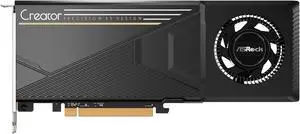
Get ASRock AIO Challenger 360 w/ select purchse, limited offer
Workstation components are designed to handle demanding tasks like 3D rendering, video editing, and data analysis with powerful CPUs, multiple GPU options, and extensive memory support. This page is for professionals and enthusiasts seeking reliable parts to build or upgrade custom workstations tailored to their specific workflows.
The CPU plays a pivotal role in workstation performance, especially when handling intensive professional applications. High-core-count processors like the AMD Threadripper lines offer impressive parallel processing power, making them ideal for tasks such as video editing, 3D rendering, and virtualization. Their large L3 caches and support for quad-channel DDR4 memory maximize throughput and responsiveness. For ultimate workstation efficiency and stability, check out Workstation CPU Processor options designed to meet demanding workloads.
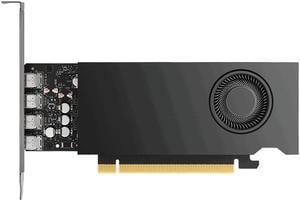
For developers and professionals engaged in complex simulations, software development, or scientific research, configuring a workstation involves balancing raw computational capacity with stability and expandability. High-end motherboard choices like the Workstation Motherboards offer robust power delivery and multiple expansion slots to accommodate GPUs and high-speed storage. Pair this hardware with professional-grade GPUs from the Workstation Graphics Cards category to achieve certified compatibility and accelerated compute performance tailored for professional applications.
Newegg shopping tip: When picking workstation components, focus on comparing CPU cores and thread counts alongside RAM capacity, since these directly impact multitasking and professional app performance. Also, check compatibility between your motherboard, processor, and memory to avoid bottlenecks before you commit.
Unlock multi-core performance with Intel Xeon or AMD Ryzen Threadripper CPUs tailored for heavy CAD, 3D rendering, and scientific simulations.
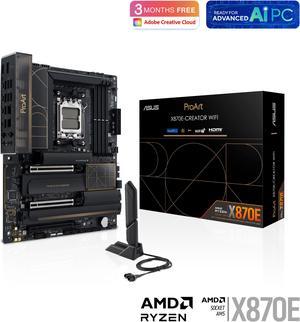
Workstation motherboards like the ASUS Pro WS support ECC memory and multiple PCIe lanes to optimize data throughput and stability.
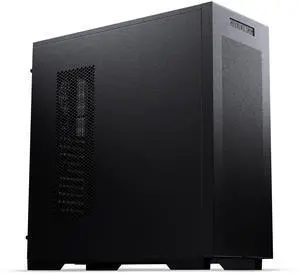
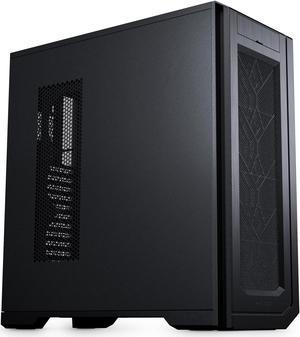
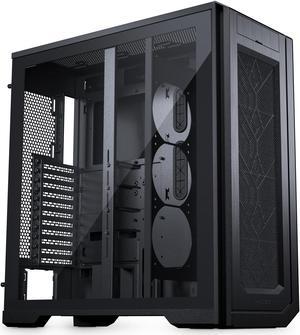
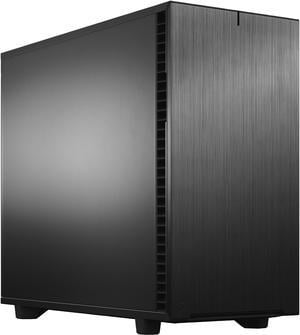
Choose durable, thermally optimized workstation cases that accommodate full-size GPUs and advanced cooling for 24/7 reliability under load.
If you're building or upgrading a workstation for the first time, it helps to focus on components designed to handle demanding professional tasks reliably. Unlike gaming PCs, workstations prioritize stability and performance in multithreaded applications such as CAD, 3D rendering, and scientific simulations. Start by exploring reliable Workstation CPU Processor options to ensure you have the compute power necessary for professional workloads. Pair that with a compatible motherboard and quality memory to create a robust foundation.
Content creators, video editors, and 3D artists need components that excel at multitasking and rendering complex scenes without breaking a sweat. Processors like the AMD Ryzen threadripper series provide massive core counts and high memory bandwidth, accelerating rendering times and managing simultaneous editing tasks smoothly. A workstation-grade Workstation Graphics Cards will also improve viewport performance and GPU-accelerated effects across popular creative software.
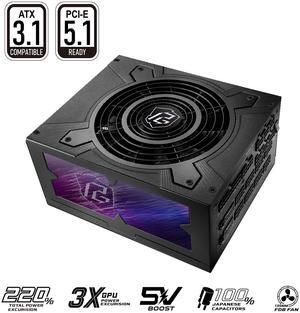
Engineers and researchers require precision and reliability, especially when running simulations, CAD programs, or data modeling applications. For these workloads, high-stability components like Workstation Motherboards supporting ECC memory ensure data integrity during long compute tasks. Pair your build with a power supply built for continuous operation, such as a Workstation Power Supply, to maintain steady and safe power delivery under sustained loads.
Research more: When building or upgrading a workstation, investing time in selecting the right CPU, GPU, and RAM tailored to your specific tasks can boost productivity significantly. For a deeper dive into picking components that match your workflow, check out the Newegg Insider buying guides.
Last Updated: October 2026 | Newegg Workstation Components Buying Guide
Intel Xeon CPUs are typically optimized for reliability and compatibility in professional environments, while AMD Ryzen Threadripper offers more cores and better multitasking performance at a similar price point, which can be great for rendering and heavy parallel workloads.
ECC RAM detects and corrects memory errors, making it more stable for critical tasks, whereas regular RAM is cheaper and faster but prone to occasional data corruption; if your work demands utmost reliability, ECC is worth the investment.
Workstation components are built for reliability, precision, and heavy-duty tasks like CAD, 3D rendering, and scientific simulations. They often support ECC memory and have certified drivers, which help ensure stability under demanding workloads.
You can, but workstation CPUs usually offer better multi-core performance, higher memory capacity, and features like ECC support that gaming CPUs lack. If your work involves professional-grade software, a workstation CPU is often a better choice.
It depends on the tasks you'll be doing—go for high core counts and clock speeds if you need heavy multitasking or 3D rendering, but if your work is more single-threaded, a faster clock speed might serve you better.
It really comes down to your workload; if you’re doing simulations or video editing, more RAM helps with large files, but for 3D modeling or CAD, a strong GPU will have a bigger impact on performance.
Look for components with high durability ratings or those designed for professional workloads. Checking user reviews for mentions of long-term stability and performance under stress can give you a clearer picture.
Yes, pay attention to complaints about overheating, driver support, and compatibility glitches, as these tend to affect reliability. If multiple reviewers mention the same problem, it’s a red flag worth considering.
Check the specifications carefully, especially the motherboard socket type, RAM compatibility, and power supply wattage. Using manufacturer compatibility lists or PC builder tools can help avoid mismatched parts.
Update all drivers and BIOS before starting, then prioritize installing software with high CPU or GPU demands. Adjust power settings to high performance to make sure your system runs at full capacity during heavy tasks.
“ You can also get some great 4K gaming on Windows with a single card. ”
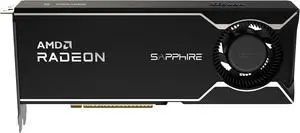
Sapphire AI PRO Radeon AI Pro R9700 32358-01-20G 32GB 256-bit GDDR6 PCI Express 5.0 x16 Graphics Card“ Ive been running local AI, creative workloads, and gaming, and Im extremely pleased. ”
ASUS Pro WS TRX50-SAGE WIFI A AMD TRX50 TR5 CEB workstation motherboard, CPU & memory overclocking ready, robust 20 power-stage design, PCIe 5.0 x 16, M.2, USB4, 10 Gb & 2.5 Gb LAN, multi-GPU support“ Noise is similar to a gaming laptop fan noise but not quite as loud, and the pitch is more pleasant on the ears. ”
Abovetop RTX 4060 8GB Graphic Card low-profile and single slot. suit for some mini PCs and ITX PCs support dlss3.0 and frame generation“ I have two XFX 7900 XTX in my desktop and have had great experience with those. ”
XFX AMD Radeon AI Pro R9700 32GB GDDR6 4xDP, AMD RDNA 4 RX-97XPROAIY PCI Express 5.0 x16 Graphics Card“ After a few months, now in the gamer drivers in windows we get fan control and overclocking, gaming performance really is about on target with a rx 6800 xt or 9060 xt, DCS world runs great, COD Warzone with FG on 1080p XESS Native = 250+ fps. ”
ASRock B70 Intel Arc Pro B70 B70 CT 32GB 256-bit GDDR6 PCI Express 5.0 x16 Graphics Card“ With a little bit of work it is a very solid card for AI inference, it's a decent card for gaming but I wouldn't buy it solely for that reason. ”
Intel Arc Pro B70 32GB 256-bit GDDR6 PCI Express 5.0 x16, 32 Ray Tracing Units, 32 Xe Cores, AI and Workstation Graphics Card“ I have a pair of these now, and I'm very much enjoying having multiple parallel conversations with 70B models on my desktop. ”
Intel Arc Pro B70 32GB 256-bit GDDR6 PCI Express 5.0 x16, 32 Ray Tracing Units, 32 Xe Cores, AI and Workstation Graphics Card