• In Stock
  • Sold by Newegg
  • AI Ready
  • New
Brands
Show More
Price
Show More
CPU Type
Show More
GPU Type
Show More
Series
Type
Rack Height
# of Processors Installed
MAX Processors
Installed Memory Size
Show More
Sold by
Max Memory Capacity
Number of Memory Slots
Hard Drive (Installed)
SSD (Installed)
Raid Level
Max HDD Capacity
Operating System
All Top Brands
Availability
Condition
Discount
Useful Links
Customer Ratings
  • NVIDIA AI SUPERCOMPUTE
  • Stay ahead & transform your business today
  • Server System Configurator Tool
  • Architects of Continuity
  • Your Best Defense
  • APC Stay Connected
  • Featured Brands

    See Deals from HPSee Deals from DELLSee Deals from ASUSSee Deals from Lenovo
Sort By:
View:
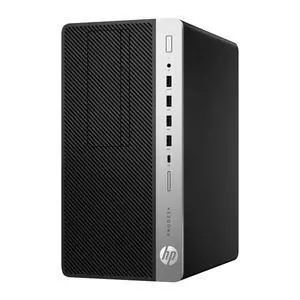
HP ProDesk 600 G5 CAD Workstation PC Intel Core i7-9700 32GB DDR4 RAM New 1TB New SSD Windows 11 Pro
Quick View
HP
Refurbished HP ProDesk 600 G5 CAD Workstation PC Intel Core i7-9700 32GB DDR4 RAM New 1TB New SSD Windows 11 Pro
  • Brand: HP
  • Part Number: 600 G5
  • Workload: Workstation
  • Type: Tower
  • Model #: HSB 892376
  •  
  • $630.14 –
  • Free Shipping
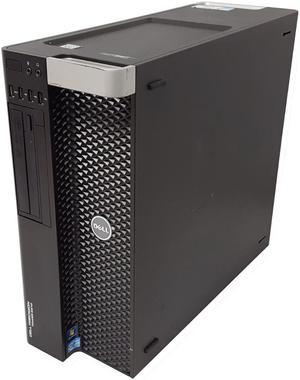
Dell T5820 Xeon W-2235 3.8GHz 16GB DDR4 Quadro K620 512GB NVMe SSD Win11 Pro for CAD, Engineering & Design
Quick View
DELL
Refurbished Dell T5820 Xeon W-2235 3.8GHz 16GB DDR4 Quadro K620 512GB NVMe SSD Win11 Pro for CAD, Engineering & Design
  • Type: Business Desktops & Workstations
  • Form Factor: Tower
  • CPU Name: 1x Intel Xeon W-2235
  • Memory Capacity: 16GB
  • Model #: DSBT 103228
  •  
  • $568.31 –
  • Free Shipping
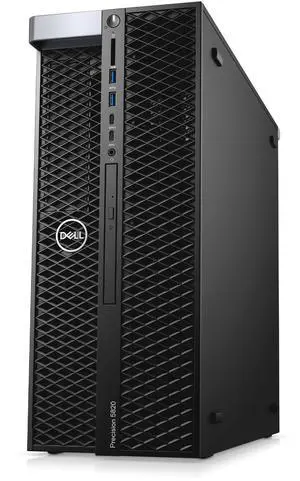
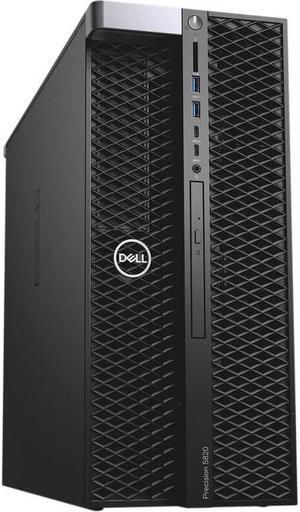
Dell Precision Tower 5820 CAD Workstation PC Intel Xeon W-2133 6-Core 3.6GHz 32GB RAM 500GB NVMe HDMI Windows 11
Quick View
DELL
Refurbished Dell Precision Tower 5820 CAD Workstation PC Intel Xeon W-2133 6-Core 3.6GHz 32GB RAM 500GB NVMe HDMI Windows 11
  • CPU Type: Intel Xeon
  • GPU Type: NVIDIA GeForce 210
  • Video Memory: 1GB
  • Installed Memory Size: 32GB
  • Model #: 638775870599
  •  
  • $551.89 –
  • Free Shipping
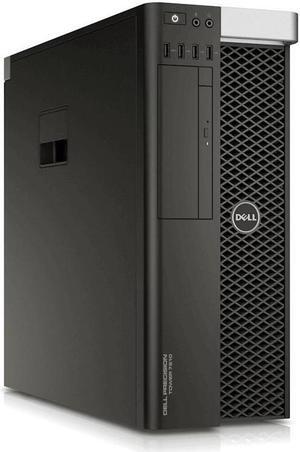
Dell Precision Tower 7810 CAD Workstation PC 2x Intel Xeon E5-2630 v3 Eight Core 2.4GHz 16GB RAM 2TB K4200 Windows 10
Quick View
  •  
  • $431.50 –
  • Free Shipping
Dell Precision T7810 CAD Workstation PC 2x Intel Xeon E5-2678 v3 64GB DDR4 RAM Quadro M2000 4x Display Port 512GB SSD 1TB HDD Windows 10 Pro
Quick View
  •  
  • $890.25 –
  • Free Shipping
Dell Precision T7810 CAD Workstation PC 2x Intel Xeon E5-2643 v3 128GB DDR4 Memory Quadro M2000 4x Display Port 512GB SSD 1TB HDD Windows 10 Pro
Quick View
  •  
  • $1,258.33 –
  • Free Shipping
Dell Precision T7810 CAD Workstation PC 2x Intel Xeon E5-2678 v3 128GB DDR4 Memory Quadro M5000 512GB SSD 1TB HDD Windows 10 Pro
Quick View
  •  
  • $1,310.33 –
  • Free Shipping
Dell Precision T7810 CAD Workstation PC 2x Intel Xeon E5-2690 v4 128GB DDR4 Memory Quadro P2000 4x Display Port 512GB SSD 1TB HDD Windows 10 Pro
Quick View
  •  
  • $1,397.24 –
  • Free Shipping
Dell Precision T7810 CAD Workstation PC 2x Intel Xeon E5-2630 v3 128GB DDR4 Memory Quadro K2200 512GB SSD 1TB HDD Windows 10 Pro
Quick View
  •  
  • $1,242.33 –
  • Free Shipping
Dell Precision T7810 CAD Workstation PC 2x Intel Xeon E5-2678 v3 32GB DDR4 Memory Quadro P4000 512GB SSD 1TB HDD Windows 10 Pro
Quick View
  •  
  • $816.29 –
  • Free Shipping
Dell Precision T7810 CAD Workstation PC 2x Intel Xeon E5-2678 v3 32GB DDR4 Memory Quadro M2000 4x Display Port 512GB SSD 1TB HDD Windows 10 Pro
Quick View
  •  
  • $706.29 –
  • Free Shipping
Dell Precision T5810 CAD Workstation PC Intel Xeon E5-1650 v3 3.5GHz 6-Core 16GB DDR4 RAM New 256GB SSD 1TB HDD Quadro K600 Windows 10 Pro
Quick View
  •  
  • $372.90 –
  • Free Shipping
Dell Precision T7810 CAD Workstation PC 2x Intel Xeon E5-2678 v3 128GB DDR4 Memory Quadro M2000 4x Display Port 512GB SSD 1TB HDD Windows 10 Pro
Quick View
  •  
  • $1,258.33 –
  • Free Shipping
Dell Precision T7810 CAD Workstation PC 2x Intel Xeon E5-2678 v3 128GB DDR4 Memory Quadro M4000 4x Display Port 512GB SSD 1TB HDD Windows 10 Pro
Quick View
  •  
  • $1,316.33 –
  • Free Shipping
Dell Precision T7810 CAD Workstation PC 2x Intel Xeon E5-2620 v3 64GB DDR4 Memory Quadro K620 512GB SSD 1TB HDD Windows 10 Pro
Quick View
  •  
  • $876.25 –
  • Free Shipping
Dell Precision T7810 CAD Workstation PC 2x Intel Xeon E5-2678 v3 32GB DDR4 Memory Quadro M5000 512GB SSD 1TB HDD Windows 10 Pro
Quick View
  •  
  • $758.29 –
  • Free Shipping
Dell Precision T7810 CAD Workstation PC 2x Intel Xeon E5-2630 v3 64GB DDR4 Memory Quadro K2200 512GB SSD 1TB HDD Windows 10 Pro
Quick View
  •  
  • $874.25 –
  • Free Shipping
Dell Precision T7810 CAD Workstation PC 2x Intel Xeon E5-2630 v3 32GB DDR4 Memory Quadro K620 512GB SSD 1TB HDD Windows 10 Pro
Quick View
  •  
  • $686.29 –
  • Free Shipping
Dell Precision T7810 CAD Workstation PC 2x Intel Xeon E5-2678 v3 64GB DDR4 Memory Quadro P400 512GB SSD 1TB HDD Windows 10 Pro
Quick View
  •  
  • $875.25 –
  • Free Shipping
Dell Precision T7810 CAD Workstation PC 2x Intel Xeon E5-2643 v3 64GB DDR4 Memory Quadro M2000 4x Display Port 512GB SSD 1TB HDD Windows 10 Pro
Quick View
  •  
  • $890.25 –
  • Free Shipping
Dell Precision T7810 CAD Workstation PC 2x Intel Xeon E5-2690 v4 64GB DDR4 Memory Quadro P2000 4x Display Port 512GB SSD 1TB HDD Windows 10 Pro
Quick View
  •  
  • $1,029.16 –
  • Free Shipping
Dell Precision T7810 CAD Workstation PC 2x Intel Xeon E5-2630 v3 32GB DDR4 Memory Quadro K2200 512GB SSD 1TB HDD Windows 10 Pro
Quick View
  •  
  • $690.29 –
  • Free Shipping
Dell Precision T7810 CAD Workstation PC 2x Intel Xeon E5-2620 v3 32GB DDR4 Memory Quadro K620 512GB SSD 1TB HDD Windows 10 Pro
Quick View
  •  
  • $692.29 –
  • Free Shipping
Dell Precision T7810 CAD Workstation PC 2x Intel Xeon E5-2630 v3 64GB DDR4 Memory Quadro K620 512GB SSD 1TB HDD Windows 10 Pro
Quick View
  •  
  • $870.25 –
  • Free Shipping
Dell Precision T7810 CAD Workstation PC 2x Intel Xeon E5-2630 v3 128GB DDR4 Memory Quadro K620 512GB SSD 1TB HDD Windows 10 Pro
Quick View
  •  
  • $1,238.33 –
  • Free Shipping
Dell Precision T7810 CAD Workstation PC 2x Intel Xeon E5-2620 v3 128GB DDR4 Memory Quadro K620 512GB SSD 1TB HDD Windows 10 Pro
Quick View
  •  
  • $1,244.33 –
  • Free Shipping
Dell Precision T7810 CAD Workstation PC 2x Intel Xeon E5-2678 v3 128GB DDR4 Memory Quadro P2000 4x Display Port 512GB SSD 1TB HDD Windows 10 Pro
Quick View
  •  
  • $1,343.24 –
  • Free Shipping
Dell Precision T7810 CAD Workstation PC 2x Intel Xeon E5-2678 v3 128GB DDR4 Memory Quadro P4000 512GB SSD 1TB HDD Windows 10 Pro
Quick View
  •  
  • $1,368.33 –
  • Free Shipping
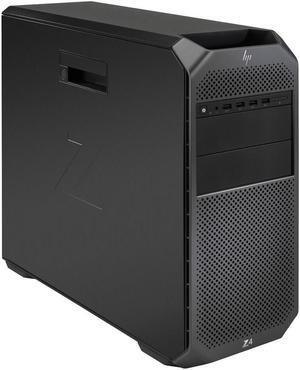
HP Z4 G4 CAD Workstation PC Intel Xeon W-2135 6-Core 3.7GHz 16GB RAM 500GB NVMe Quadro P1000 Windows 11
Quick View
HP
Refurbished HP Z4 G4 CAD Workstation PC Intel Xeon W-2135 6-Core 3.7GHz 16GB RAM 500GB NVMe Quadro P1000 Windows 11
  • Brand: HP
  • Series: Z Series
  • Type: Tower
  • CPU Type: Intel Xeon
  • Model #: 638775887832
  •  
  • $560.93 –
  • Free Shipping
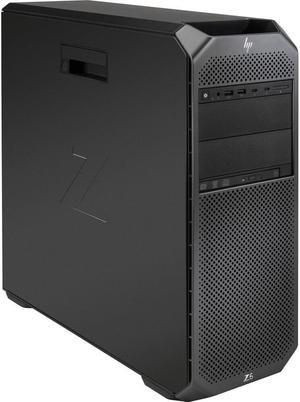
HP Z6 G4 CAD Workstation PC 2x Intel Xeon Gold 6148 Windows 10 CTO NewEgg
Quick View
Refurbished HP Z6 G4 CAD Workstation PC 2x Intel Xeon Gold 6148 Windows 10 CTO NewEgg
  • Brand: HP
  • Series: Z Series
  • Type: Tower
  • CPU Type: Intel Xeon Gold
  • Model #: 638775591166
  •  
  • $701.81 –
  • Free Shipping
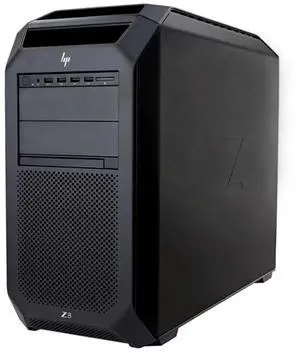
HP Z8 G4 CAD Workstation PC 44-Core 2x Intel Xeon Gold 6152 128GB RAM 1x 1TB SSD 16GB NVIDIA Quadro Rtx 5000 Windows 10
Quick View
HP
Refurbished HP Z8 G4 CAD Workstation PC 44-Core 2x Intel Xeon Gold 6152 128GB RAM 1x 1TB SSD 16GB NVIDIA Quadro Rtx 5000 Windows 10
  • Brand: HP
  • Type: Workstation
  • LEDs: Power, Ethernet, USB
  • CPU Type: Gold 6152
  • Model #: HSB 853764
  •  
  • $2,263.44 –
  • Free Shipping
HP Z8 G4 CAD Workstation PC 2x 3.00GHz 18-Core Intel Xeon Gold 6154 768GB DDR4 RAM 512GB SSD 5GB NVIDIA Quadro P2000 Windows 11
Quick View
  •  
  • $5,596.01 –
  • Free Shipping

AI Workstations for Deep Learning and Large Language Models

This page is for AI developers and researchers seeking powerful workstations equipped with NVIDIA RTX Blackwell and Ada GPUs. Explore prebuilt, refurbished, and custom AI workstations designed to run LLaMA 3, fine-tune models, and handle inference locally.

How to Choose Workstations

Key Features and Technology to Consider When Choosing an AI Workstation

  • GPU Power: Look for NVIDIA RTX Blackwell or Ada GPUs with Tensor cores, crucial for training large language models (LLMs) and accelerating deep learning tasks.
  • CPU Performance: Multi-core Intel Xeon or AMD Ryzen Threadripper processors provide the horsepower needed for data preprocessing and parallel workloads.
  • Memory Capacity: ECC memory options safeguard your workloads while large DDR5 RAM pools enhance multitasking and model fine-tuning efficiency.
  • Storage Speed and Size: PCIe Gen4 SSDs offer rapid data access and model loading essential for AI workflows that juggle massive datasets.
  • Thermal Design and Cooling: Maintaining optimal temperatures ensures your workstation can sustain peak performance over extended deep learning sessions without throttling.
  • Expandability: Future-proof your setup with available NVLink GPU support, RAID configurations, and multiple PCIe slots for adding extra accelerators or storage.

Why GPU Technology Dominates AI Workstation Choice

In the realm of AI and deep learning, the GPU is your system’s beating heart. NVIDIA’s RTX Blackwell and Ada architectures lead the charge by delivering a remarkable blend of CUDA cores and specialized Tensor cores. These Tensor cores specifically accelerate matrix operations at the foundation of neural network training, significantly reducing iteration time. Beyond raw core counts, features like NVLink enable multiple GPUs to communicate directly and combine power for demanding inference workloads or fine-tuning large models like LLaMA 3. Investing in a workstation built around these powerhouse GPUs means you’re equipping your machine for heavy parallel processing, which is the defining factor in cutting-edge AI development. For deep learning practitioners, the GPU’s efficiency often overshadows raw CPU speed or storage alone.

Advanced AI Development with Professional Workstations

Professional AI researchers and developers demand more than just hardware strength—they need reliability, error correction, and scalability. AI Workstation systems equipped with NVLink-enabled GPUs and optimized cooling make it possible to sustain hours of high-intensity training and rapid inference cycles without hardware failure or bottlenecks. For those seeking workstations tailored explicitly for AI model development, AI Workstation offerings stand out, layered with professional-grade components, including ECC memory to prevent silent data corruption and RAID storage setups for redundancy. If you’re a developer who pushes boundaries, this category minimizes downtime and maximizes model iteration speed in real-world professional environments.

Performance and Setup Tips

  • Keep your GPU drivers and deep learning frameworks like TensorFlow or PyTorch up to date to leverage the latest performance optimizations.
  • Configure your workstation’s cooling profiles to ramp up fan speeds during intensive training to avoid thermal throttling.
  • Utilize RAID configurations where possible to improve data throughput or redundancy, ensuring training data is safe and speedy to access.
  • Consider tuning your system BIOS settings for optimal memory timings and PCIe bandwidth, especially if your GPU setup involves NVLink.
  • Expand RAM and storage as your dataset and model complexity grow—don’t restrict future scalability of your workstation.
  • Regularly monitor hardware health using system tools and benchmarks to catch performance degradation before it impacts your projects.

Newegg shopping tip: When choosing an AI workstation, focus on GPU performance and memory capacity, as these directly impact model training speed and size. Also, check for compatibility with software frameworks and consider the balance between CPU power and cooling solutions for sustained workloads.

Explore Workstations & Related Categories

Shop ABS

Explore ABS workstations optimized with Intel Xeon or AMD Ryzen Threadripper CPUs for heavy multitasking and reliable 24/7 uptime.

AI Ready

Get AI Ready with systems packing NVIDIA RTX 40-series GPUs and Tensor cores, engineered to accelerate deep learning and neural net training.

Servers & Workstations

Browse Servers & Workstations featuring ECC memory and RAID options, designed to balance raw compute power with enterprise-grade stability.

New to AI Workstations? Here’s What You Need to Know

Getting started in the world of AI workstations can feel overwhelming, but it all boils down to choosing a system built to handle intensive AI tasks like training large language models (LLMs) or running deep learning frameworks. These workstations come equipped with powerful GPUs such as the NVIDIA RTX Blackwell or Ada series, designed to accelerate neural network workflows and deliver smooth, efficient performance. Whether you’re experimenting with LLaMA 3 or seeking to run inference locally, it’s essential to focus on GPU capability, sufficient RAM, and fast storage options. For those seeking reliable, pre-configured systems, AI Workstation models simplify your choice without compromising power.

Data Scientists and AI Researchers: Power Through LLM Training

If your primary goal is training and fine-tuning large AI models, a workstation tailored for intense compute loads is essential. LLM training demands GPUs with advanced tensor cores and large VRAM capacities, alongside multi-core CPUs optimized for parallel computing. Systems packing NVIDIA RTX 40-series GPUs provide the ideal setup to speed up model iteration and reduce turnaround time. High-bandwidth memory and NVLink support can further enhance data throughput between GPUs, helping you push the boundaries of your AI experiments. For these needs, you might want to Shop ABS workstations known for robust CPU and GPU configurations ideal for professional AI workloads.

Media Professionals and GPU-Intensive Creators

Beyond AI researchers, many digital artists, video editors, and 3D animators rely on workstations with high-performance GPUs to accelerate GPU-accelerated effects, rendering, and AI-assisted editing tools. A workstation designed for these creatives combines the computational muscle of NVIDIA RTX Blackwell or Ada GPUs with ample DDR5 memory and speedy PCIe 4.0 storage to minimize delays and maximize productivity. These systems allow seamless multitasking between editing software, rendering engines, and even running AI-powered upscaling or denoising tools locally. For users seeking a balance of graphics power and responsiveness, our Servers & Workstations section offers versatile options to match creative pipeline demands.

Before You Buy

  • Confirm your primary workload—AI training, inference, or GPU-heavy creative tasks—to choose the right CPU and GPU balance.
  • Verify the GPU generation—look for NVIDIA RTX Blackwell or Ada GPUs for cutting-edge AI acceleration and compatibility.
  • Check memory capacity and type: DDR5 RAM with at least 64GB is ideal for large datasets and multitasking.
  • Consider storage needs: NVMe PCIe 4.0 SSDs offer the speed necessary for rapid data access and model loading.
  • Look for workstations with optimized cooling solutions to maintain performance during extended training or rendering sessions.
  • Check for ECC memory if you need enterprise-grade stability and error correction during mission-critical workloads.
  • Explore refurbished or used AI workstation options if budget constraints exist but performance is still a priority.
  • Use Power Search to refine your options based on your exact hardware requirements.

Research more: Choosing the right AI workstation means balancing GPU power, memory, and expandability to match your project’s demands. For a deeper dive into specs and configurations, check out the detailed Newegg Insider buying guides to help you make a more informed choice.

Last Updated: October 2026 | Newegg Workstations Buying Guide


Workstations FAQs:

How do Dell Precision workstations compare with HP Z series in terms of performance and reliability?

Dell Precision models typically offer strong performance and robust build quality, making them popular for demanding workloads. HP Z series workstations also deliver reliable performance but often focus more on expandability and customization options for specialized tasks.

Is it better to go with a single powerful CPU or dual CPUs in a workstation for 3D rendering?

For 3D rendering, a single high-frequency CPU with multiple cores usually outperforms dual CPU setups because most rendering software prefers strong single-thread performance. Dual CPUs can help if you’re running heavily parallel tasks or multitasking extensively, but they’re not necessary for all workflows.

What makes a workstation different from a regular desktop PC?

Workstations are built for heavy-duty tasks like 3D rendering, scientific simulations, and video editing. They usually have more powerful processors, ECC memory, and professional-grade graphics cards tailored for stability and accuracy.

Can I use a workstation for gaming or everyday tasks?

While you can, workstations aren’t optimized for gaming or typical office work. Their components focus on reliability and performance for specialized software, so they might be more expensive and less suited for casual use.

What should I look for in a workstation if I’m running 3D modeling software regularly?

Focus on getting a powerful multi-core processor, plenty of RAM (at least 32GB), and a professional-grade graphics card like an NVIDIA Quadro or AMD Radeon Pro to handle complex rendering smoothly.

Is it worth spending more on a workstation with ECC memory, or can I stick with regular RAM?

If your work involves heavy data processing or mission-critical tasks, ECC memory helps prevent errors and crashes, making it a smart investment; for typical creative work, regular RAM usually does the job fine.

How reliable are workstations for running heavy software without crashing?

Workstations are built to handle demanding tasks and usually offer better stability than regular PCs, but check reviews for any recurring issues with overheating or driver problems that could cause crashes.

When reading reviews, what should I watch out for to avoid common workstation issues?

Pay attention if multiple users mention hardware failures or poor customer support, and see if the model has consistent problems with components like the GPU or power supply.

How do I set up my new workstation to ensure maximum performance right out of the box?

Start by connecting all the essential peripherals like your monitor, keyboard, and mouse, then install the latest drivers from the manufacturer’s website to keep everything running smoothly. Make sure your operating system is updated, and consider adjusting your power settings to high performance for better speed during heavy tasks.

What’s the best way to organize software and files for using a workstation efficiently?

Keep your software updated and install any specialized tools needed for your projects, then create dedicated folders for different tasks or clients to keep files neat and easy to find. Using a cloud backup service can also help protect your work and prevent data loss.