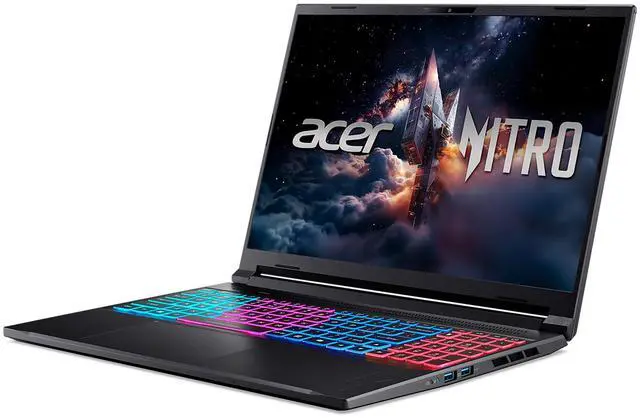
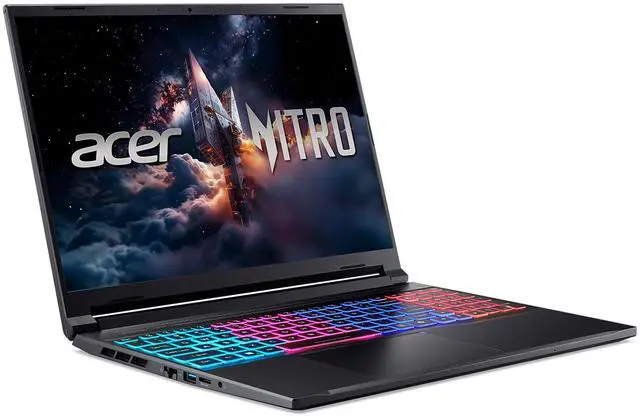
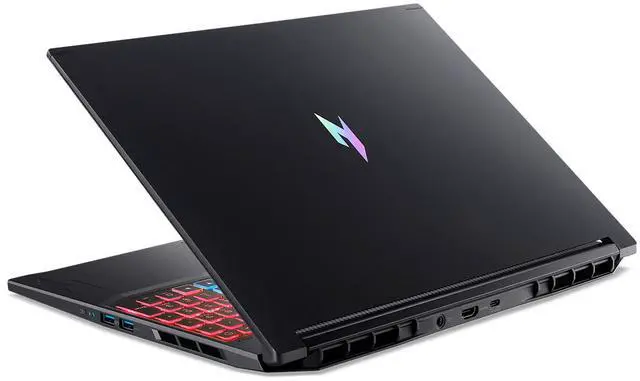
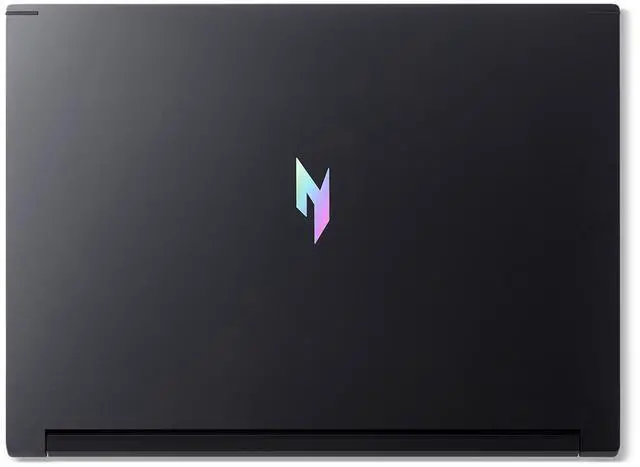
here!
here!
I’m your shopping assistant for PC builds, upgrades, and everything tech.
Got questions? Ask away!
Start a conversation
here!
I’m your shopping assistant for PC builds, upgrades, and everything tech.
Got questions? Ask away!
Start a conversation Top Rated


Combo Up Savings Up To $250+
The more you add, the more you'll save!
Any questions? Ask CelesteSM will help you find out quickly.


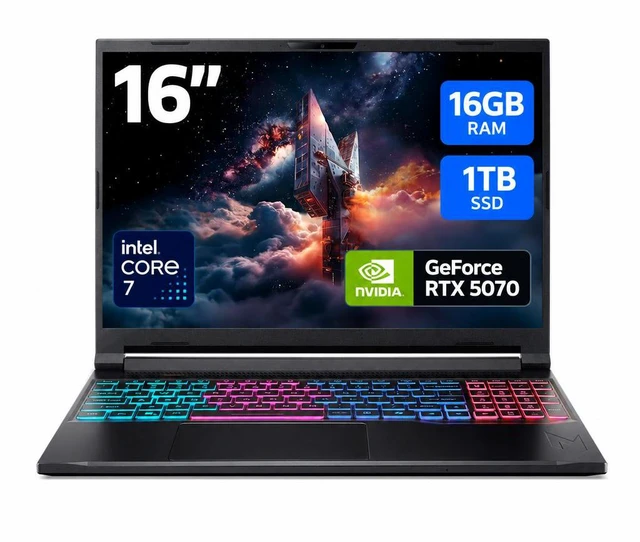
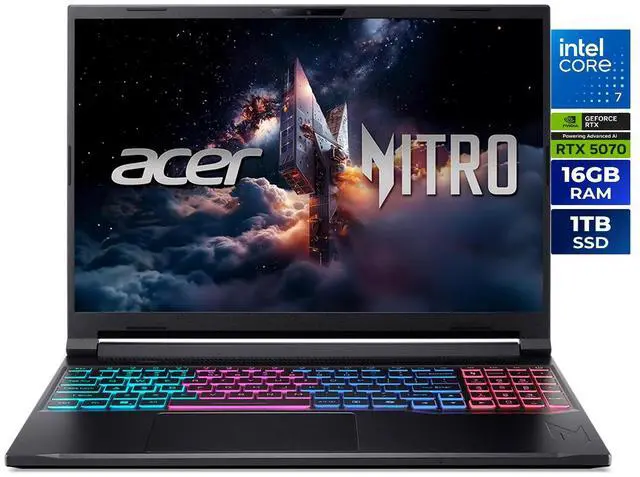
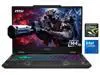
Acer Nitro V 16S redefines gaming on the go. With a perfect balance of performance and portability, it offers solid, reliable power for seamless gameplaye. Its sleek, slim design makes it easy to carry and game anywhere, ensuring you never miss a beat, no matter where you are. Powered by the Intel® Core™ 7 processor 240H and NVIDIA® GeForce™ RTX 5070 Laptop GPU, the Acer Nitro V 16S unleashes exceptional speed and cinematic visuals for smooth, immersive gameplay and streaming.

The advanced performance hybrid architecture of the Intel® Core™ 7 processor 240H enables you to game, stream, and create simultaneously with ease. Intel Application Optimization boosts performance further by intelligently allocating application resources in real time.

Powered by NVIDIA Blackwell architecture, GeForce RTX™ 5070 Laptop GPU unlocks the game changing realism of full ray tracing. Equipped with a massive level of 798 AI TOPS horsepower, the RTX 50 Series enables new experiences and next-level graphics fidelity. Experience cinematic quality visuals at unprecedented speed with fourth-gen RT Cores and breakthrough neural rendering technologies accelerated with fifth-gen Tensor Cores.

DLSS is a revolutionary suite of neural rendering technologies that uses AI to boost FPS, reduce latency, and improve image quality. ?DLSS 4 brings new Multi Frame Generation and enhanced Ray Reconstruction and Super Resolution, powered by GeForce RTX™ 50 Series GPUs and fifth-generation Tensor Cores.

Experience exceptional clarity and vibrant detail with the WQXGA 2560 x 1600 display, featuring 100% sRGB color coverage for true-to-life, accurate colors. With a 180Hz refresh rate, enjoy ultra-smooth, fluid motion, even during fast-paced action.

The dual-fan, quad-intake and quad-exhaust cooling system, engineered to deliver optimal airflow, efficiently channels fresh air in while expelling heat, ensuring your device stays cool during intense tasks. Whether gaming, streaming, or multitasking, this innovative cooling solution keeps your system running smoothly.

With the Intel® Killer™ E2600 Ethernet Controller and Intel® Killer™ Wi-Fi 6 AX1650, you have all the tools you need to clear out the online competition. Plug all your peripherals into the full range of USB 3.2 Gen2, including an incredibly fast Thunderbolt™ 4 USB-C port and HDMI 2.1. There’s even a Micro SD™ Card Reader if so needed!
The Acer Nitro V 16S ANV16S-71-72KE is a 16-inch gaming laptop with an Intel Core 7 240H, GeForce RTX 5070 Laptop GPU, 16GB DDR5, and a 2560x1600 180Hz IPS display, making it a strong fit for gamers and creators who want fast 1440p-class visuals, modern graphics performance, and room for storage and memory upgrades.
| Attribute | Value |
|---|---|
| Best For | High-refresh competitive and immersive gaming plus VR-ready creative work on a 16:10 16.0" WQXGA (2560×1600) IPS display with an NVIDIA GeForce RTX 5070 laptop GPU and 180 Hz refresh rate |
| Processor And Core Count | Intel Core 7 240H 10-core (Raptor Lake) processor with 24 MB L3 cache and Intel Turbo Boost/Hybrid core support |
| GPU And VRAM | NVIDIA GeForce RTX 5070 Laptop GPU (dedicated graphics) with 8 GB video memory |
| Display Spec | 16.0" WQXGA (2560 x 1600) IPS 16:10 panel, 180 Hz refresh, 400 nits brightness, 100% sRGB, 3 ms overdrive response (non-touch, glossy finish noted externally) |
| Memory Configuration | 16 GB DDR5 (2 × 8 GB) DDR5-5200 in 2 SO‑DIMM slots, upgradable to 32 GB |
| Storage And Expansion | 1 TB M.2 PCIe Gen4 SSD installed (NVMe); system supports two M.2 PCIe Gen4 slots with one slot available |
| High Speed I O | Ports include 1 × Thunderbolt 4, 1 × USB 3.2 Gen2 Type-C, 2 × USB 3.2 Gen2 Type-A, 1 × USB 3.2 Gen1 Type-A (total 4 USB ports), HDMI 2.1, RJ‑45 Gigabit Ethernet, DC-in for AC adapter, 3.5 mm headphone/speaker line-out jack, microSD card reader |
| Battery And Power | 76 Watt‑hour lithium‑ion battery with 135‑watt AC adapter |
| Wired And Wireless Networking | Wi‑Fi 6E (802.11ax) wireless LAN and Bluetooth 5.2, plus Gigabit LAN (10/100/1000 Mbps) |
| Webcam And Privacy | Built‑in 720p HD webcam (non‑touch model) |
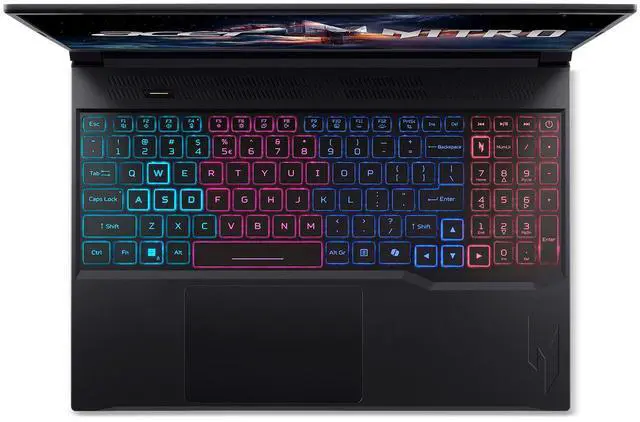
| Keyboard And Control | Backlit keyboard with dedicated numeric keypad, NitroSense key, media control keys, and a precision moisture‑resistant touchpad |
| Audio Setup | Integrated HD audio with DTS:X Ultra and Hi‑Res Audio certification, two built‑in stereo speakers and a 3.5 mm headphone/speaker/line‑out jack |
| Portability | 14.08" × 10.39" × 0.55/0.79" (W × D × H), weight 4.63 lbs, Obsidian Black finish |
| External Display And Docking Fit | Supports external displays via HDMI 2.1 and Thunderbolt 4 |
| Model Identifiers | Acer Nitro series model ANV16S-71-72KE (Part Number NH.U23AA.002 / external model ANV16S7172KE), 2025 release, manufacturer: Acer |
| Other Features | AI Ready system, VR ready, microSD card slot, clamshell form factor, no optical drive |
Q: Should I choose the Acer Nitro V 16S RTX 5070 or a similar RTX 5060 gaming laptop?
A: Choose the Acer Nitro V 16S RTX 5070 if you want more headroom for its 2560 x 1600 display, especially in newer AAA games or if you plan to keep the laptop for several years. Across review and benchmark sources, the laptop RTX 5070 is usually only modestly ahead of the RTX 5060 at equal power, often around 5% to 15%, so the upgrade makes the most sense when the price gap is reasonable or when you specifically want better QHD-class gaming. If your focus is 1080p gaming or value, an RTX 5060 configuration is often the more efficient buy.
Q: Is the Acer Nitro V 16S RTX 5070 worth buying over an RTX 5070 Ti laptop?
A: Buy the Acer Nitro V 16S RTX 5070 if you want a thinner, lighter 16-inch gaming laptop and the price difference to a 5070 Ti system is meaningful. Step up to an RTX 5070 Ti laptop if your priority is higher sustained gaming performance at 1440p-class settings or more graphics memory headroom, since review data commonly shows the 5070 Ti laptop about 15% faster on average and many 5070 Ti models also pair that gain with 12GB VRAM and higher GPU power limits. In short: Nitro V 16S fits balanced gaming and portability, while 5070 Ti laptops fit performance-first buyers.
Q: Is the Acer Nitro V 16S a better choice than a thicker performance-focused 16-inch gaming laptop?
A: The Acer Nitro V 16S is the better choice if you want a gaming laptop that is easier to carry daily without giving up a 16-inch 180Hz 1600p display. Acer positions the model as a slim design, and official specs list it at about 4.63 pounds with a sub-0.8-inch profile. A thicker gaming laptop is the better fit if you care more about higher sustained GPU power, louder but stronger cooling, and maximizing frame rates under long gaming loads. This makes the Nitro V 16S the more practical option for mixed school, work, and gaming use, while thicker models are more performance-first.
Q: Should I buy the Acer Nitro V 16S or an older Nitro V 16 generation?
A: Choose the Acer Nitro V 16S if you want the newer 2025 platform, a slimmer chassis, and access to newer RTX 50-series graphics. Official Acer materials position the V 16S as the thinner member of the family, and the current configuration adds a 1600p 180Hz display with RTX 5070 graphics, which is a meaningful step up from older Nitro V 16 models commonly sold with lower-tier GPUs. An older Nitro V 16 still makes sense if you are targeting a lower price and do not need the newer GPU tier or slimmer design.
Q: Is this a good buy for someone who wants one laptop for gaming, school, and office work?
A: Yes, if you want a single laptop that can handle gaming and everyday productivity. The Acer Nitro V 16S pairs a Core 7 240H, RTX 5070 Laptop GPU, 16GB DDR5, and a 16-inch 2560x1600 180Hz display, so it is much more powerful than a typical school or office laptop. The trade-off is that it is still a gaming model: expect more fan noise under load, shorter battery life than an ultrabook, and a less travel-friendly setup than lighter productivity laptops. It fits buyers who game regularly and also need solid multitasking and workspace for documents, meetings, and study.
Q: Is it suitable as a travel work device?
A: It is suitable for travel work if performance matters more than portability. The 16-inch 16:10 display, 1TB SSD, RJ-45, HDMI 2.1, Thunderbolt 4, and Wi-Fi 6E make it practical for remote work, presentations, and multitasking. The downside is that this is a 4.63 lb gaming laptop with a 135W charger, so it is less convenient for frequent flights or all-day carry than thinner business laptops. It is better for buyers who travel sometimes and want gaming-class power, not for buyers prioritizing minimum weight and maximum unplugged endurance.
Q: Can you use it for note-taking, meetings, and office work without it feeling overkill?
A: Yes. For note-taking, web apps, video calls, spreadsheets, and general office work, this laptop is more than capable. The high-resolution 16-inch display gives more workspace than a standard 1080p panel, and 16GB RAM plus a 1TB SSD is a sensible baseline for multitasking. The trade-off is efficiency: for simple office use, a gaming laptop like this is more power-hungry and bulkier than necessary, so it makes the most sense if those work tasks are combined with gaming, creative apps, or heavier workloads.
Q: Is 16GB RAM and 1TB storage enough, or should you plan to upgrade?
A: For most buyers, 16GB RAM and 1TB SSD storage is a good starting point. It is enough for current gaming, schoolwork, office apps, and normal multitasking. If you expect heavier use such as large game libraries, content creation, virtual machines, or long-term ownership, this model is easier to recommend because it supports up to 32GB memory and has two M.2 PCIe Gen 4 SSD slots with one slot available. That makes it a better fit than similarly priced laptops with less upgrade flexibility.
Q: Who is this laptop best for, and who should skip it?
A: This laptop is best for buyers who want strong gaming performance and also need a capable machine for school, work, or creator-style multitasking. Its best fit is someone who values GPU performance, a sharp 16-inch display, and upgrade headroom more than low weight or long battery life. Buyers who should skip it are those who mainly want a quiet, light, all-day productivity laptop for meetings and travel, because a gaming notebook design usually brings more heat, noise, and charger dependence than a true ultraportable.
Q: Is the Acer Nitro V 16S worth buying if I want an RTX 5070 laptop without paying premium prices?
A: Yes, if your priority is getting RTX 5070-class graphics, a 2560x1600 180Hz display, and 1TB storage at a lower price tier. Community discussion around Nitro V 16S and similar Nitro 16S/5070 models repeatedly frames it as a value-focused buy. The trade-off is that this is still a budget-leaning gaming laptop, so buyers often question GPU power limits, charger headroom, and overall refinement compared with higher-end models.
Q: Who is this laptop best suited for?
A: It is best suited for buyers who want one laptop for gaming, everyday work, and general productivity, but who still care about screen quality. The 16-inch 2560x1600 IPS panel, 180Hz refresh rate, 400-nit brightness, and 100% sRGB coverage make it a better fit than many budget gaming laptops for mixed use. It is less ideal for buyers who want a very light travel laptop, long unplugged gaming sessions, or creator-grade webcam quality.
Q: What are the main trade-offs of choosing this Nitro V 16S instead of a higher-end gaming laptop?
A: The main trade-offs are power headroom, battery behavior under load, and upgrade pressure. Repeated community discussion around Nitro V 16S and adjacent Nitro 16S models focuses on lower GPU power limits than thicker performance laptops and concern about battery drain or charger limits in performance modes. This model also starts with 16GB RAM, which is usable now but may feel limiting sooner for newer games or heavier multitasking than a 32GB configuration.
Q: Is this a good choice for work, school, or as one laptop for both gaming and productivity?
A: Yes, with some limits. It has the ports, screen resolution, numeric keypad, Wi-Fi 6E, Thunderbolt 4, and 1TB SSD capacity that make it practical for school or office use as well as gaming. The main compromises for all-day productivity use are its 4.63 lb weight, gaming-laptop battery expectations, and a basic 720p webcam. It works best as a mixed-use desktop replacement rather than a highly portable note-taking machine.