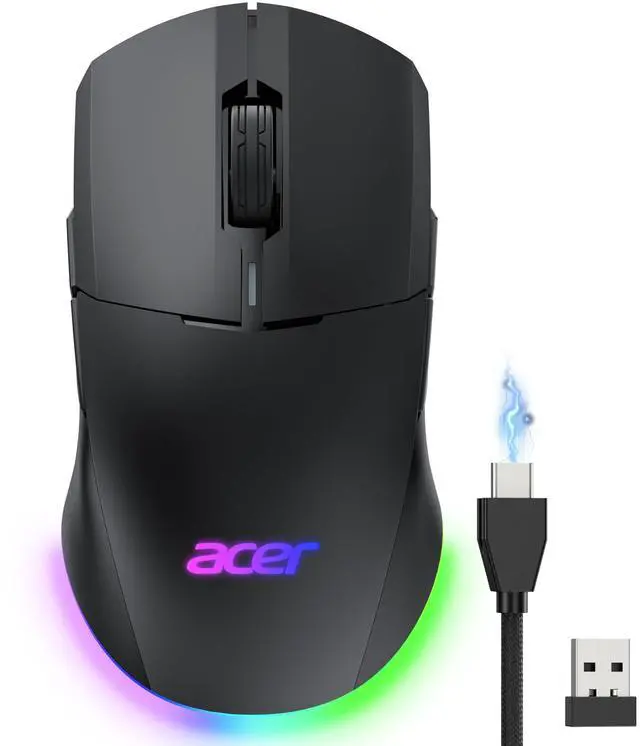
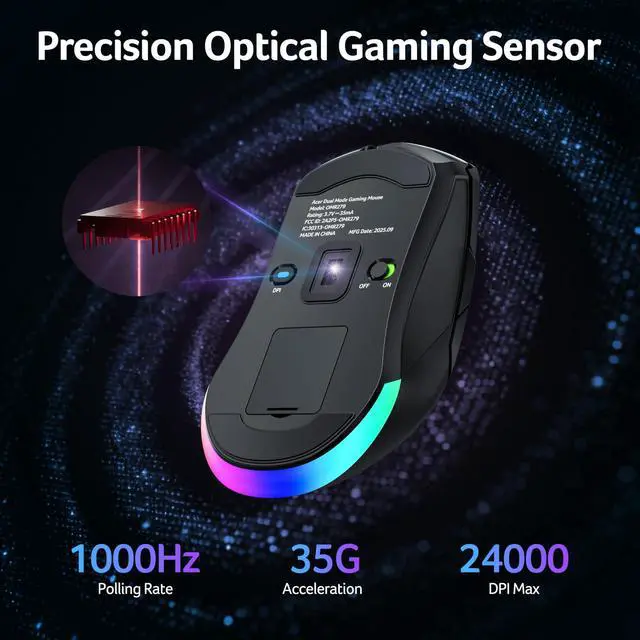
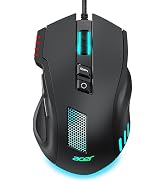
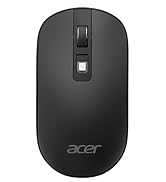
24K High-Precision Gaming SensorEquipped with a high-performance optical sensor with 24,000 DPI, 1000Hz polling rate, and 35G acceleration, this wireless gaming mouse delivers fast, consistent tracking for accurate aim and smooth control. Switch between 6 DPI levels for quick flicks, micro-adjustments, and precise targeting in FPS or everyday tasks. Note: Default DPI and each levels value can be customized in the driver (max 24000, min 1200, default 2400).
Advanced Programmable ButtonsTake control with 8 programmable buttons and full macro editing via the driver. Remap commands, assign complex macros, and fine-tune DPI settings on this computer gaming mouse. Dedicated Forward and Back side buttons help execute faster in-game actions in FPS battles, MOBA team fights, or everyday navigation. Note: Click Apply to save changes. For driver download and installation, refer to the Installation Manual (PDF).
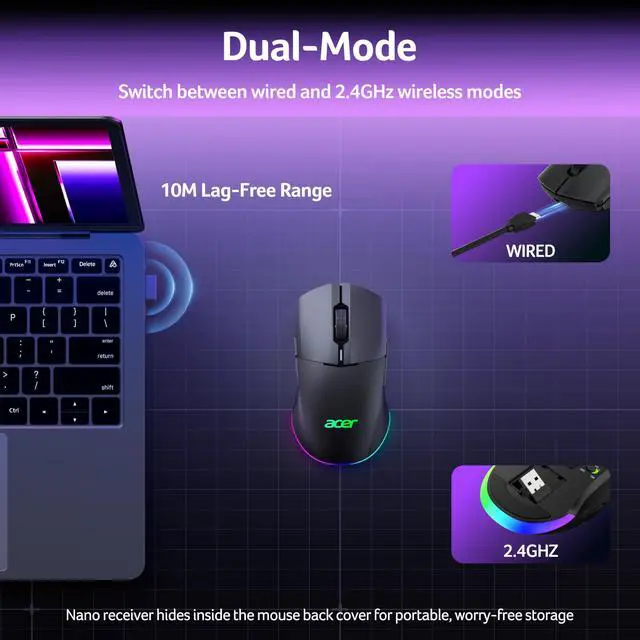
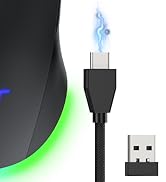
Pro-Grade Player-Ready MouseComfort Switch between high-speed USB-A wired mode and stable 2.4GHz wireless for flexible gameplay. The symmetrical ergonomic shape supports both left- and right-handed users, making it a great left handed gaming mouse option while maintaining a natural, comfortable grip for extended gaming or work sessions. Note: USB-A receiver is stored under the back cover. This mouse supports 2.4GHz wireless + wired connection and does not support Bluetooth.
+
+
Overview
Specs
Reviews
Any questions? Our AI mode will help you find out quickly.
To save battery, the mouse’s RGB lights are off during use and only turn on when idle. You can disable this feature through the driver software.
How do I change / close RGB?
Hold the front side button and press the scroll wheel to cycles 9 modes ? RGB off ? repeat. The default mode is Wave (mode 6). You can also adjust colors, brightness, and effects in the driver.
How do I reset the mouse?
Press and hold Left Button + Right Button + Front Side Button + Back Button for 3 seconds. The lights will flash three times to confirm.
Can I charge while using it?
Yes, just switch to wired mode to charge and continue using the mouse. No need to wait for a full charge to resume play.
How to toggle side buttons?
Press and hold Front Side Button + Back Button for 3 seconds to toggle the side buttons on or off, preventing accidental clicks.
Sleep time too short?
The mouse features dual sleep modes to balance power saving and responsiveness—light sleep after 30 seconds and deep sleep after 180 seconds. Wake by move or click. Timer adjustable 1–9 min via driver.
How to download driver?
Download instructions are provided in the Installation Manual PDF on this product page. Scroll down and open the Installation Manual (PDF) for driver installation instructions.
Acer Dual Mode Gaming Mouse
Acer Mouse
Acer Wireless Mice
Why is the RGB off by default?
To save battery, the mouse’s RGB lights are off during use and only turn on when idle. You can disable this feature through the driver software.
How do I change / close RGB?
Hold the front side button and press the scroll wheel to cycles 9 modes ? RGB off ? repeat. The default mode is Wave (mode 6). You can also adjust colors, brightness, and effects in the driver.
How do I reset the mouse?
Press and hold Left Button + Right Button + Front Side Button + Back Button for 3 seconds. The lights will flash three times to confirm.
Can I charge while using it?
Yes, just switch to wired mode to charge and continue using the mouse. No need to wait for a full charge to resume play.
How to toggle side buttons?
Press and hold Front Side Button + Back Button for 3 seconds to toggle the side buttons on or off, preventing accidental clicks.
Sleep time too short?
The mouse features dual sleep modes to balance power saving and responsiveness—light sleep after 30 seconds and deep sleep after 180 seconds. Wake by move or click. Timer adjustable 1–9 min via driver.
How to download driver?
Download instructions are provided in the Installation Manual PDF on this product page. Scroll down and open the Installation Manual (PDF) for driver installation instructions.
Acer Dual Mode Gaming Mouse
Acer Mouse
Acer Wireless Mice
Dual-Mode 2.4GH z Wireless & Wired Computer Gaming Mouse for PC, Laptop | Left & Right Handed Mouse with 24, 000 DPI, 8 Programmable Buttons, Rechargable Gaming Mice, Long Battery Life, RGB Gamer
Learn more about the Acer
Model
Brand
Acer
Name
Acer
Model
OMR279
Type
OMR279, USB
Details
Interface
USB
Color
Black
Hand Orientation
Right Hand
Tracking Method
Optical
Sensor
Optical
Buttons
8
Scrolling Capability
Rechargeable
Resolution (DPI)
24000 dots_per_inch
Wireless
Power Supply
Wired
Operating Time
40 hours
OS / System Requirement
System Requirement
USB port
Details
Sports Team
Indiana Pacers
Additional Information
First Listed on Newegg
September 03, 2026
Customer Reviews of Acer
There are no reviews yet.
Do you own this product?
Warranty & Returns
Warranty, Returns, And Additional Information
Warranty
Please contact the Seller directly for warranty information. Warranty information may also be found on the Manufacturer's website.