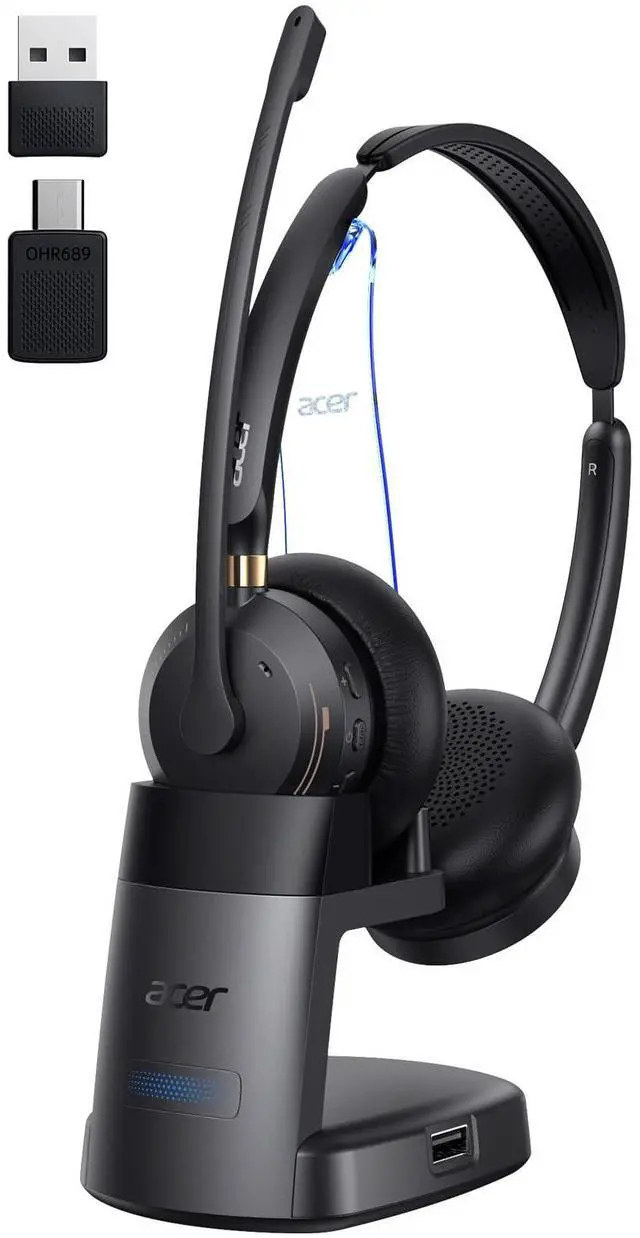
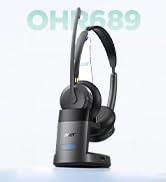
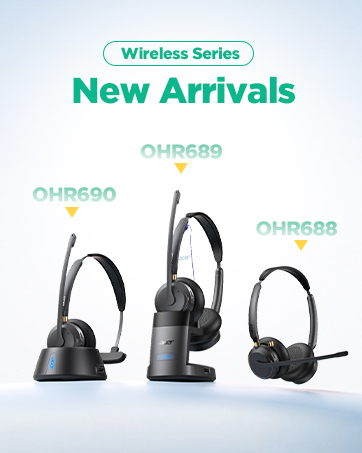
Wireless Headset with Mic for Work,Bluetooth Headset for Clear Call Meeting, Work Headset with Charge Stand for Remote & Office, Bluetooth 5.3 & 2.4G Headset for PC, Phone, Teams, Zoom - OHR689
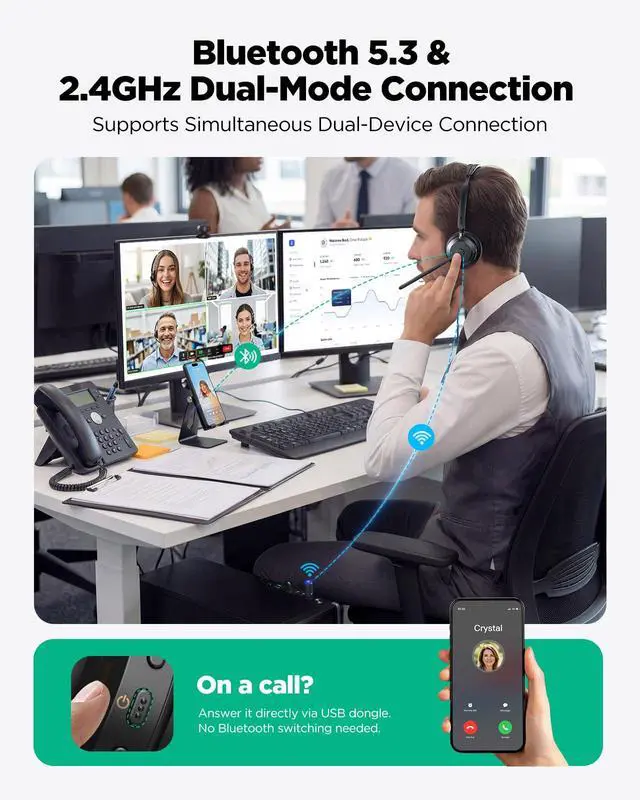
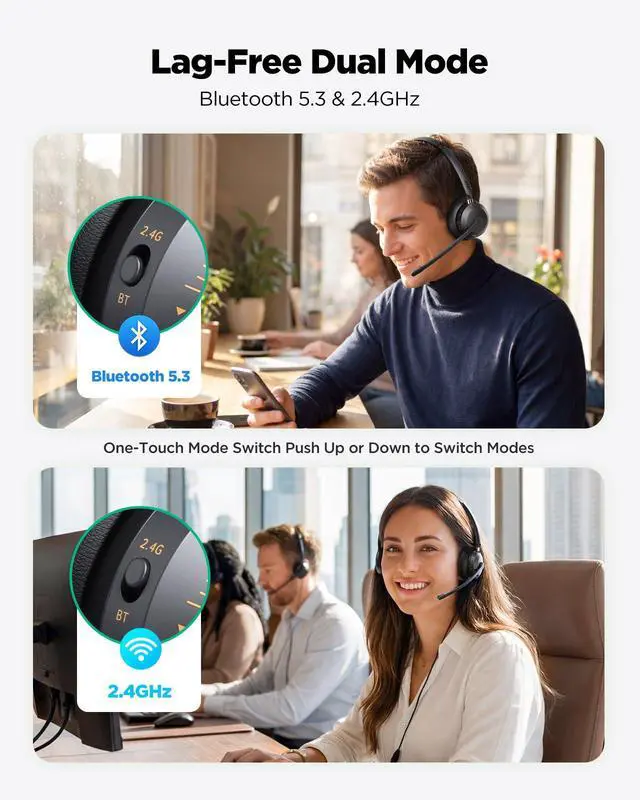
More Stable Dual Connectivity Bluetooth 5.3 & 2.4G acer OHR689 wireless headset with mic for work, supports Bluetooth 5.3 and 2.4G dongle wireless connection.This bluetooth headset with microphone lets you seamlessly switch between PC and phone. Connect to PC via USB dongle (plug-and-play) and to mobile via Bluetooth simultaneously. Never miss a call while in a video meetingpress the power button to answer instantly.
Crystal Clear Voice with Advanced Mic acer OHR689 wireless headset with charging stand, equipped with built-in 40mm large drivers, and its advanced mic ensures your voice comes through crystal clear on Zoom, Teams, or phone callseven in noisy environments.
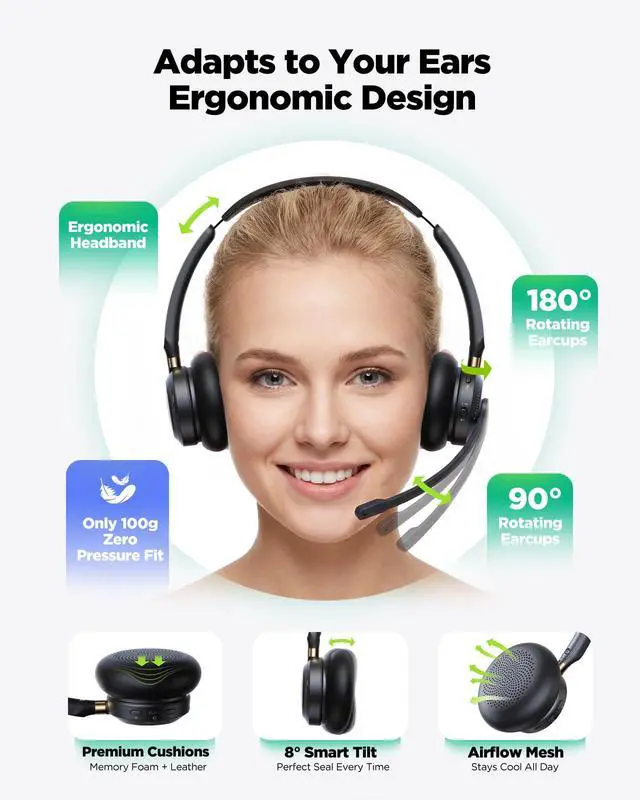
All Day Comfort-Fit Headset 3.53oz (100g) ergonomic design, ±8° tiltable ear cups 50% lighter than market average (150-250g).Ideal for customer service reps, remote workers, and call centers. the wireless headset with mic for work comes with a one-click mute button that lets you instantly silence the microphone during private conversations.
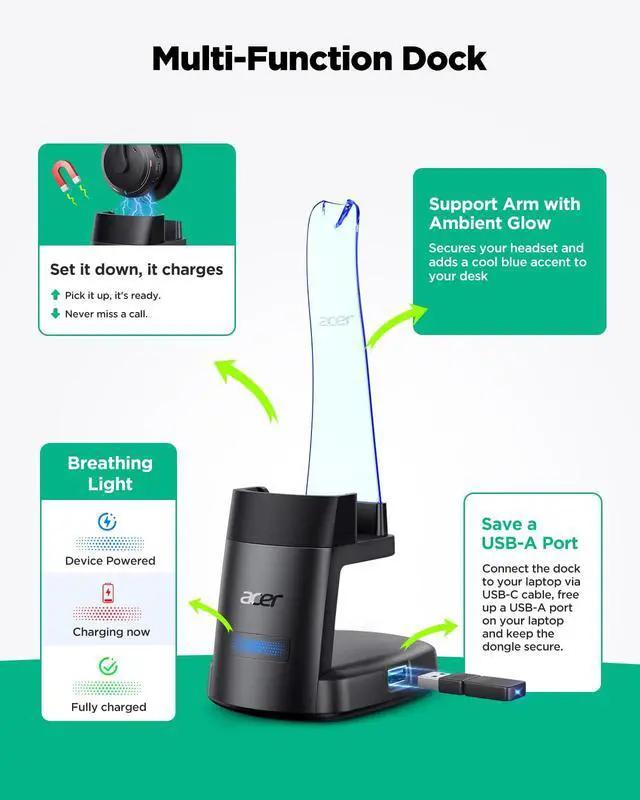
Upgraded Multi-Function Dock Charge, store, and streamline your workspace. Unlike competitors, the OHR689 wireless work headset features an upgraded arm stand for enhanced stabilitysecurely holding your headset while adding a cool blue ambient glow to your desk. The smart 3-color breathing light keeps device status clear at a glance. Simply set it down to charge and pick it up to talk.
+
+
Overview
Specs
Reviews
Any questions? Our AI mode will help you find out quickly.
This video shows how to fix the issue when your headset is connected via Bluetooth but there is no sound, including checking audio output settings and basic troubleshooting steps.
Connected via Bluetooth but No Sound
How to Use Your Headset for Meetings
This video shows how to set up and use your headset for online meetings, including connecting to your device, selecting the correct audio settings, and ensuring clear sound for calls.
How to Use Your Headset for Meetings
About Shutdown Caused by Sleep Mode
This video explains how sleep mode may cause your device to shut down and shows basic steps to prevent or recover from it for stable headset performance.
About Shutdown Caused by Sleep Mode
Resolve Mic Issues on Windows 10 & 11
This video shows how to fix common microphone issues on Windows 10 and 11, including input settings, device selection, and basic troubleshooting steps to restore clear voice during calls and meetings.
Resolve Mic Issues on Windows 10 & 11
How to Connect via Bluetooth and USB Dongle Modes
This video shows how to connect your headset via Bluetooth and USB dongle, switch between modes, and complete basic setup steps after connection for stable audio during calls and meetings.
How to Connect via Bluetooth and USB Dongle Modes
Resolve Mic Issues on macOS
This video shows how to fix common microphone issues on macOS, including checking input settings, selecting the correct device, and basic troubleshooting steps to restore clear audio for calls and meetings.
Resolve Mic Issues on macOS
Wireless Series
acer OHR689 Wireless Headset for Work
Connected via Bluetooth but No Sound
How to Use Your Headset for Meetings
About Shutdown Caused by Sleep Mode
Resolve Mic Issues on Windows 10 & 11
How to Connect via Bluetooth and USB Dongle Modes
Resolve Mic Issues on macOS
Connected via Bluetooth but No Sound
This video shows how to fix the issue when your headset is connected via Bluetooth but there is no sound, including checking audio output settings and basic troubleshooting steps.
How to Use Your Headset for Meetings
This video shows how to set up and use your headset for online meetings, including connecting to your device, selecting the correct audio settings, and ensuring clear sound for calls.
About Shutdown Caused by Sleep Mode
This video explains how sleep mode may cause your device to shut down and shows basic steps to prevent or recover from it for stable headset performance.
Resolve Mic Issues on Windows 10 & 11
This video shows how to fix common microphone issues on Windows 10 and 11, including input settings, device selection, and basic troubleshooting steps to restore clear voice during calls and meetings.
How to Connect via Bluetooth and USB Dongle Modes
This video shows how to connect your headset via Bluetooth and USB dongle, switch between modes, and complete basic setup steps after connection for stable audio during calls and meetings.
Resolve Mic Issues on macOS
This video shows how to fix common microphone issues on macOS, including checking input settings, selecting the correct device, and basic troubleshooting steps to restore clear audio for calls and meetings.
Wireless Series
Wireless Headset with Mic for Work, Bluetooth Headset for Clear Call Meeting, Work Headset with Charge Stand for Remote & Office, Bluetooth 5.3 & 2.4G Headset for PC, Phone, Teams, Zoom - OHR689
Learn more about the Generic Brand OHR689
Model
Brand
Acesori
Model
OHR689
Details
Type
On-Ear
Color
Black
THD
On Ear
Input Impedance
32 ohms
Power Supply
battery, true
Connector
No Jack
Ear Coupling
On ear
Cord Length
1* Charging Base
Weight
3.53 ounces
Noise Cancelling
environmental_noise_cancellation
Wireless Type
Bluetooth
Battery
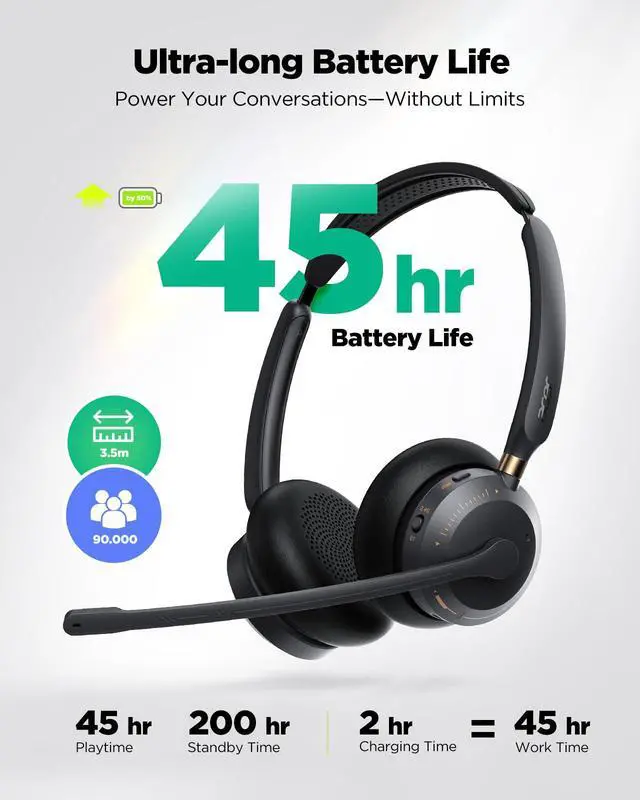
45 hours
Operating Time
45 hours
Charge Time
2 hours
Distance
15 feet
Microphone
Microphone Impedance
~3K ohm
Features
Compatibility
pc_usb
Features
environmental_noise_cancellation, 5.3, 45 hours, Button Control, Wireless, On Ear, 32 ohm, 15 feet, 1* Wireless Headset with Mic for Work
Windows Vista
pc_usb
Package Contents
Package Contents
1* Wireless Headset with Mic for Work, 1* USB A/C Dongle and USB-C Cable, 1* Charging Base, User Manual
Details
Contains Embedded Battery
battery
Additional Information
First Listed on Newegg
August 05, 2026
Customer Reviews of the Generic Brand OHR689
There are no reviews yet.
Do you own this product?
Warranty & Returns
Warranty, Returns, And Additional Information
Warranty
Please contact the Seller directly for warranty information. Warranty information may also be found on the Manufacturer's website.