Any questions? Ask CelesteSM will help you find out quickly.
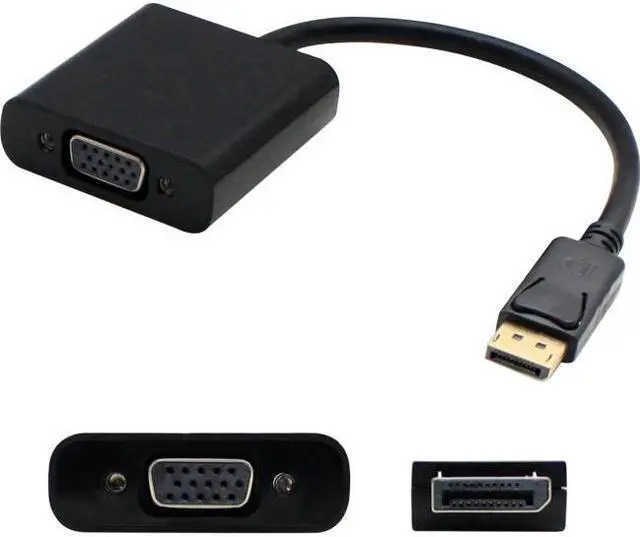
5-Pack of Lenovo compatible 20.00cm (8.00in) DisplayPort Male to VGA Female Converter Adapter long - is a cost-saving way to connect your VGA monitor to a DisplayPort video card/output without the expense of upgrading your monitor. This cable support full high resolution up to 1920x1200 or 1080p. 080p.
Warranty & Returns
Warranty, Returns, And Additional Information
Warranty
- Limited Warranty period (parts): Lifetime
- Limited Warranty period (labor): Lifetime
- Read full details
Return Policies
- Return for refund until: January 31, 2027
- Return for replacement until: January 31, 2027
- This item is covered by Newegg.com's Extended Holiday Return Policy.
- Read full return policy for details.
We want to ensure your holiday shopping this year is hassle-free. That’s why we’re automatically extending our return policies on almost every product! For purchases placed between November 1st, 2026 and December 31, 2026 you will have until January 31, 2027 to return your product.
Manufacturer Contact Info
- Manufacturer Website
- Support Phone: 1-877-292-1701
- Support Email: tech_support@addoncomputer.com
- Support Website
- View other products from AddOn
The AddOn 57Y4393-AO-5PK is a five-pack of 8-inch DisplayPort-male to VGA-female adapter cables for users connecting VGA monitors to DisplayPort video outputs, supporting resolutions up to 1920×1200 or 1080p.
Recommended For
- Office teams keeping VGA monitors in service with DisplayPort-equipped desktops: the adapter connects a DisplayPort output to a VGA display and supports resolutions up to 1920 × 1200.
- IT staff equipping several workstations that still use VGA displays: this listing is for a five-pack of short DisplayPort-to-VGA adapters.
- Presenters connecting a DisplayPort-equipped computer to a VGA projector, provided the projector has a VGA input and the presentation resolution is within the adapter’s 1920 × 1200 maximum.
- Users who need a short adapter between a DisplayPort computer and an existing VGA screen, rather than replacing the screen or using a longer integrated cable.
Real-World Use Scenarios
- Connect a DisplayPort-equipped desktop or laptop to an older VGA monitor using a separate VGA cable, so the existing display can remain in service for everyday work.
- Connect a DisplayPort computer to a VGA-equipped classroom or meeting-room projector, letting the presenter use existing projection equipment; a separate VGA cable is needed.
- Add a VGA monitor as a secondary screen on a DisplayPort workstation, giving the user more room for documents, email, or reference material when the computer supports an additional display.
- Equip several desks or PCs with a way to connect DisplayPort outputs to existing VGA displays; the five-pack is useful when multiple users need the same type of hookup.
- Keep a compatible VGA display usable with a newer DisplayPort computer for basic office tasks or presentations, while accepting the limits of the VGA display and the adapter’s supported resolution.
Spec Summary
| Attribute | Value |
|---|---|
| Best For | Connecting a VGA monitor to a DisplayPort video output; the five-pack suits setups needing multiple adapters |
| Video Compatibility | DisplayPort-to-VGA conversion supports resolutions up to 1920 × 1200 or 1080p |
| Cable And Connectors | 8-inch adapter cable with DisplayPort male and VGA female connectors; 2 connectors |
| Pack And Appearance | Five adapters with a black finish |
| Item Weight | 217.72 g |
| Model Identifiers | AddOn model 57Y4393-AO-5PK |