






In the age of digital innovation, Aibilangose stands as a beacon of simplicity and efficiency. Our mission is to provide innovative solutions that simplify digital lives.
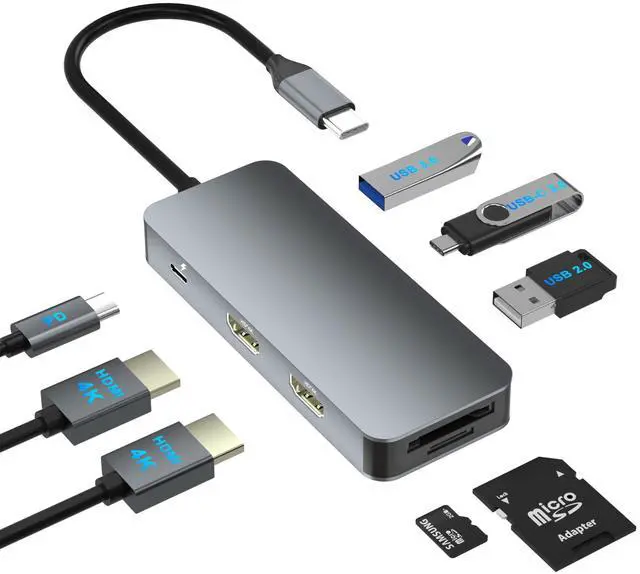
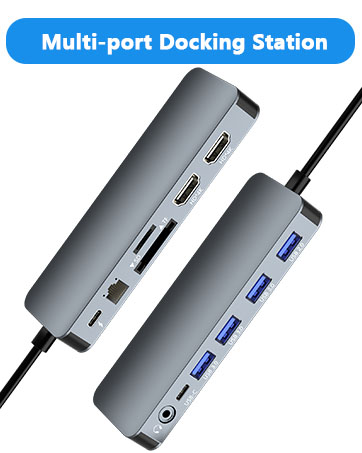
Our flagship product the docking station offers numerous ports and connectivity options, allowing seamless connection of laptops, monitors, and peripherals, and storage devices.
We believe a well-organized workspace significantly boosts efficiency and creativity.
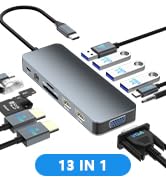
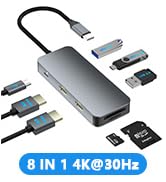
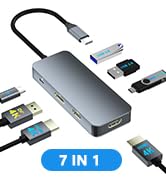
USB C Docking Station
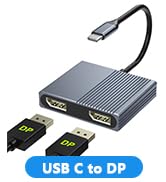
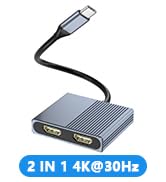
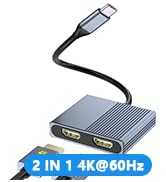
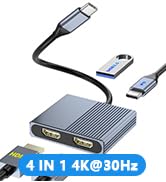
USB C to Dual DP/Dual HDMI
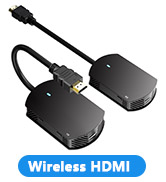
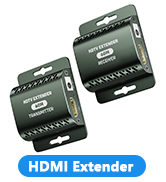
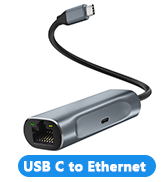
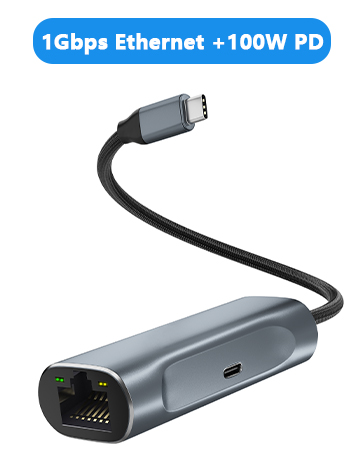
HDMI Extender/USB to Ethernet
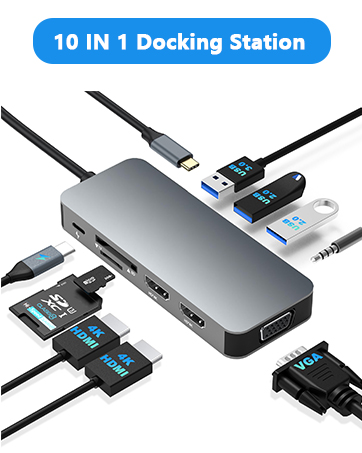
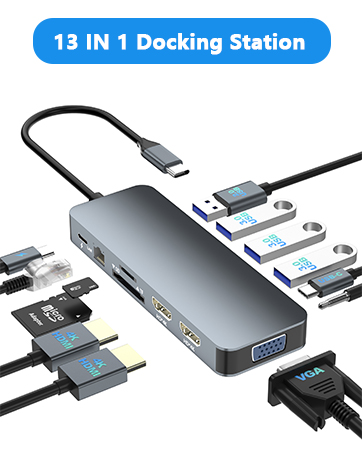
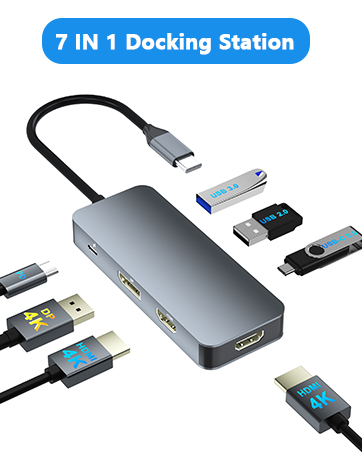
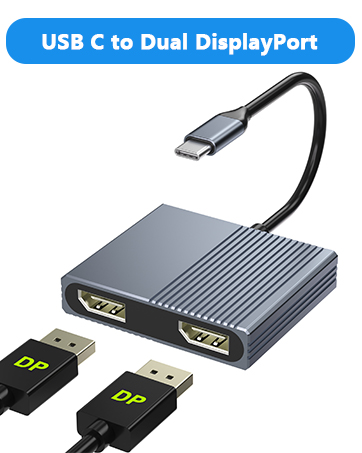
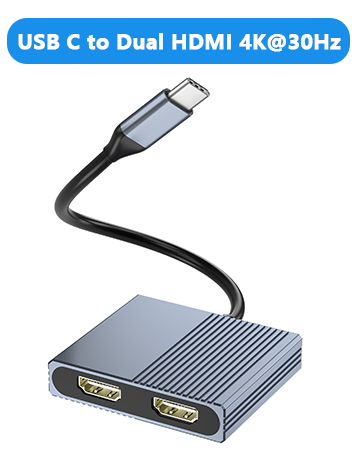
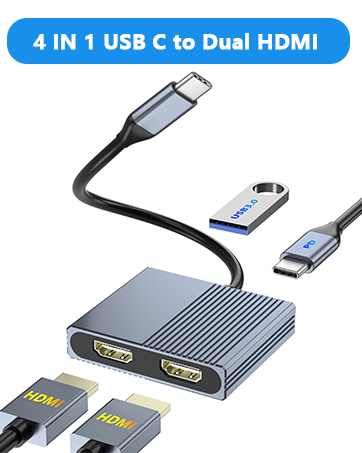
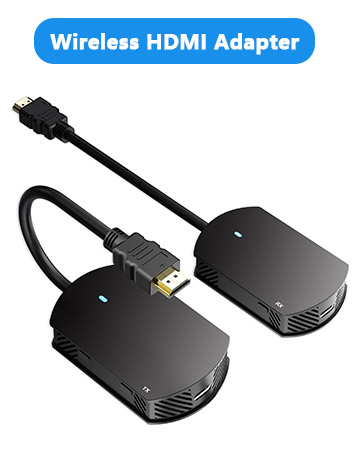
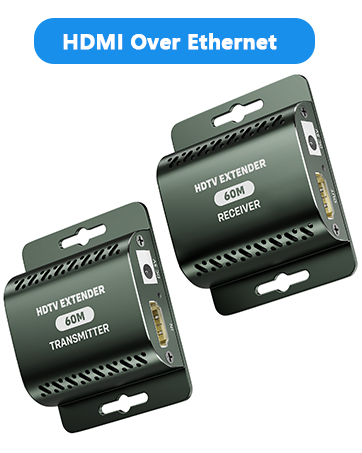
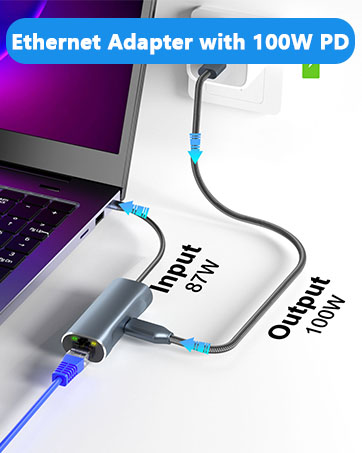
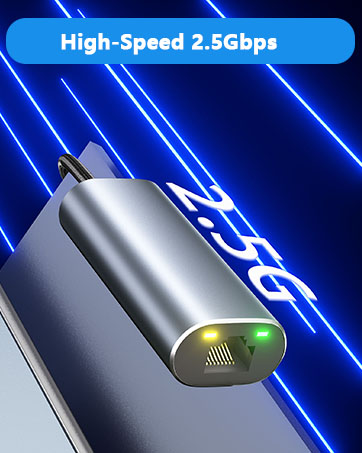

Note: NOT for all USB-C port laptops, Make sure your laptop or PC supports ” Thunderbolt 3” ” Thunderbolt 4”or “displayport output mode(DP ALT mode.
How do I know if my device supports video output over USB-C?
1.Check Your Computer’s Specifications:
Refer to your computer’s user manual or the manufacturer’s website for detailed information about your USB-C ports. Look for mentions of "DisplayPort Alt Mode" or "USB-C with video output.
2.View the port symbol:
Some laptops and devices have symbols next to the USB-C port. A symbol that looks like a small monitor or a "DP" (for DisplayPort) indicates that the port supports video transmission.
3.Use a USB-C Adapter:
If you have a USB-C to HDMI, you can test it by connecting it to your computer and an external display. If the display works, your USB-C port supports video transmission.
4.Contact the Manufacturer:
If you are still unsure, contact the manufacturer for confirmation. They can provide specific information about your device’s capabilities. Basically, Thunderbolt 3, Thunderbolt 4, and USB C 3.1 Gen 2 (or above) support video output. If you are not sure, you are welcome to ask us for a device compatibility check before purchase.

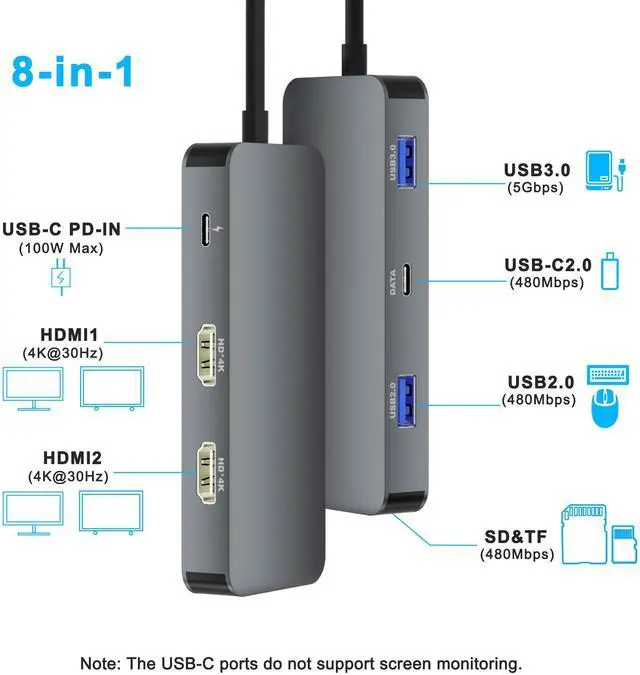
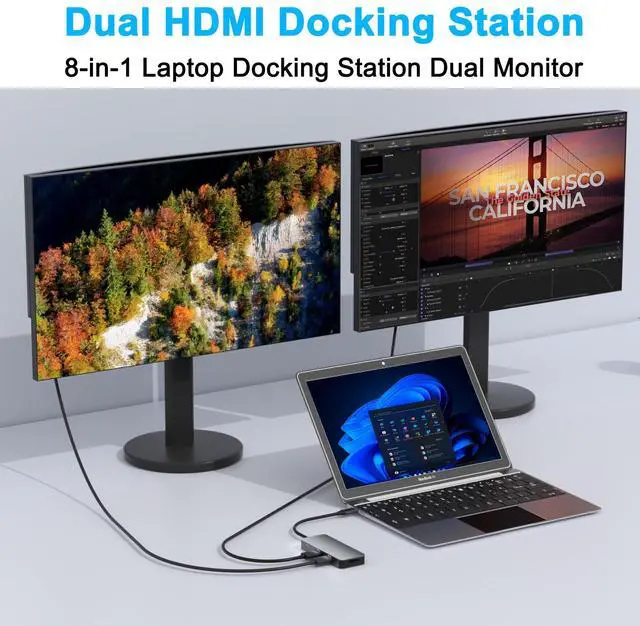
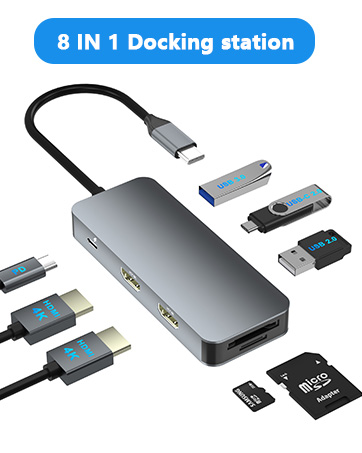
8 in 1 USB C Dual HDMI Adapter USB C Docking Station Dual HDMI Monitors for Window/iOS/Linux/Android System
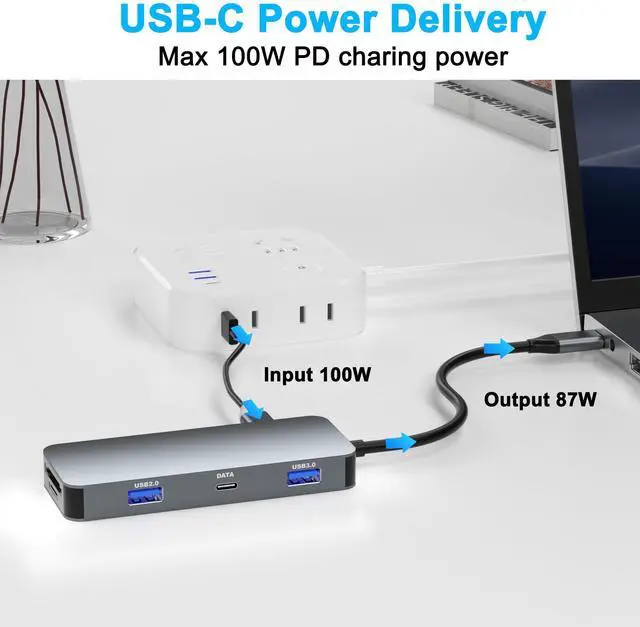
1*PD3.0 Charging Port: Up to 100W input and 85W output (Please make sure your laptop supports USB-C charging)
HDMI 1 Max resolution: 4K@30Hz
HDMI 2 Max resolution: 4K@30Hz
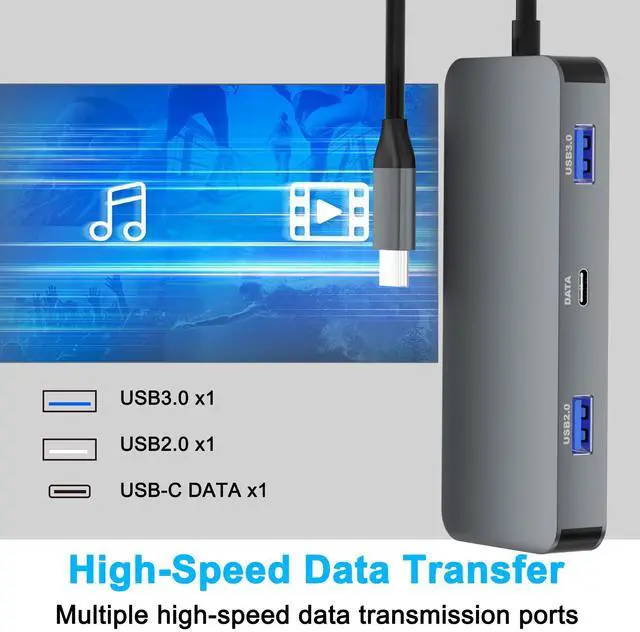
1* USB A 3.0 port: Data transfer up to 5Gbps
1*USB A 2.0 port: Data transfer up to 480M/S
1*USB C 2.0 port: Data transfer up to 480M/S
1*SD/TF Card reader: Up to 104MB/S
Please note:
1.Insufficient power supply may cause unstable video output. This adapter does not provide additional power to your computer. To ensure normal and stable image output, you should use a separate power adapter to charge your computer.
2.If your computer does not support charging via USB Type-C, this product's USB-C port will not charge your device. Please ensure your computer supports USB-C for charging before use. It is recommended to use an original charger of 65W or above.
3.Modern TVs typically have multiple HDMI input ports. Please ensure that the TV is switched to the correct HDMI input that is connected to the docking station. This can usually be done by pressing the “Input” or “Source” button on the remote control.

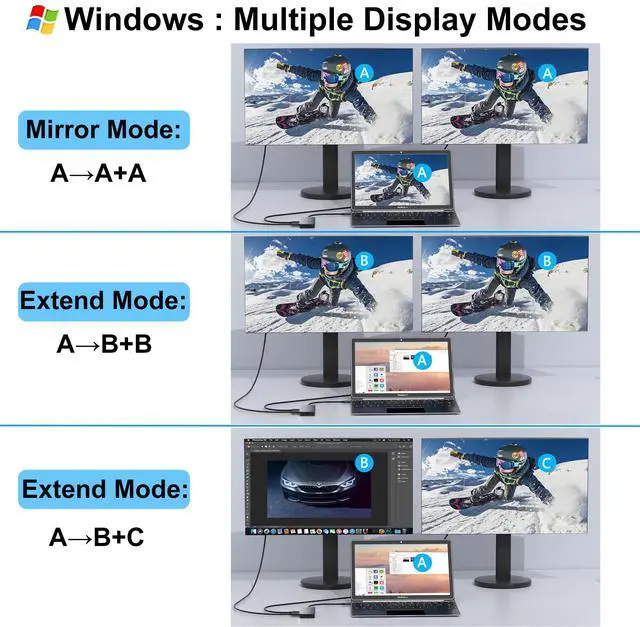
Windows System-Multiple Display Mode-Mirror Mode & Extend Mode:
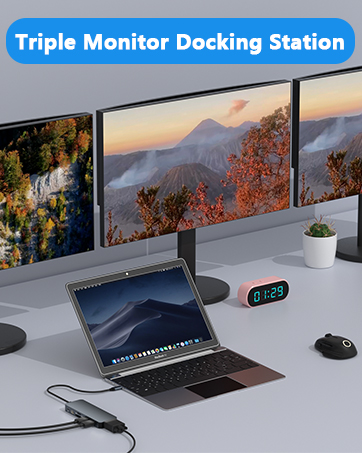
Mirror Mode (AAA Mode):Laptop shows same images with external dual displays.
Extend Mode (ABB and ABC Mode):Laptop shows different images with external dual displays.
How to extend monitor on Windows: When the HUB is connected to the laptop and connected to the display with an HDMI cable, you can use the shortcut key combination Win+P to select other modes such as expansion and copy, and support multiple expansion combinations such as ABC. In Windows Settings-System-Screen Settings, you can select the display order and resolution of the secondary screen through the settings, and you can change the refresh rate of the secondary screen in advanced display settings.
If one of the display does not display, How to do:1.Right-click desktop > Graphics Settings > Select One or More Active Displays.
2.The docking station can support a maximum resolution of 4K@30Hz. Please adjust your monitor resolution to 4K@30Hz or below to ensure that the monitor can be recognized.

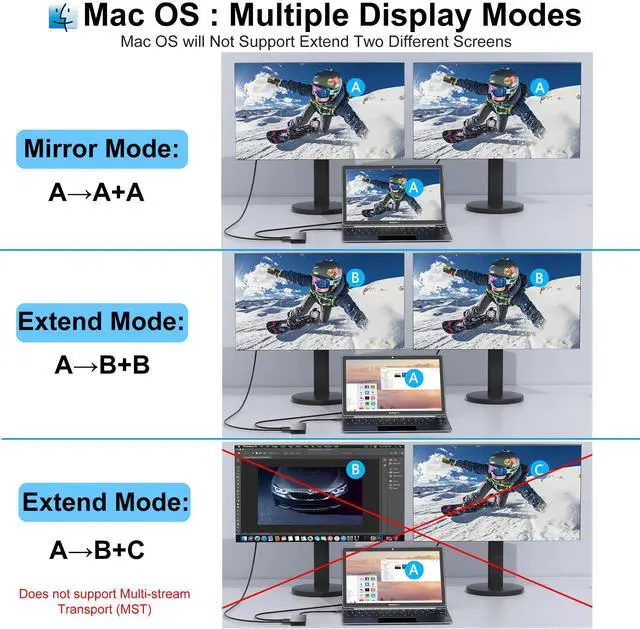
MacOS System -Mirror Mode & Extend Mode -Only SST Supported:
Mirror Mode (AAA Mode):Laptop shows same images with displays.
Extend Mode (ABB Mode):3 external screen display same images but different with laptop.
Note: ON MacOS only SST mode (AAA and ABB mode) supported due to MacOS limitation.
How to extend monitor on Mac: When the HUB is connected to the laptop and connected to the display with an HDMI cable, you can change the resolution, refresh rate, mirroring and extension mode of the secondary screen in System Preferences-Display Settings, and support ABB’s extension mode and AAA’s copy mode.

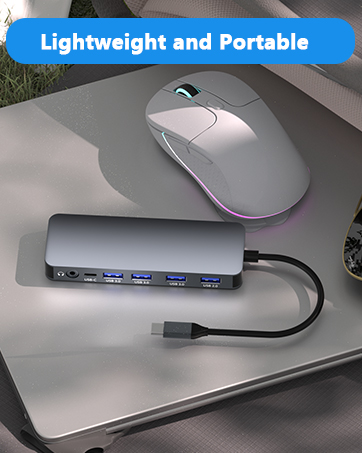
Lightweight and Portable
With a compact and portable design, all ports are in one hand. The USB C for laptop weighs about 3.3 oz and works well at the office, business trips and also for everyday use.

SD/TF Card Reader
SD/TF Card reader support writing /reading spped 20MB/S, which can access files for Type-C devices, quickly view your photos or videos, good for Photographer or Designer or Video editor,etc.
Note: SD/TF can not be read simutaneously.

Crystal Clear Dual 4K Video Output
USB C to HDMI adapter allows you to display the content of your laptop to 2 monitors at the same time at 3840*2160@30Hz.
Note: Please make sure that your laptop monitor, HDMI cable support 4K, otherwise, the output will not be 4K, the actual resolution depend on your device and video source.
Compatible Device's Models (not full list)

Please note:
If you experience flickering on dual monitors, please set both monitors to the same resolution in your display settings to ensure stable and proper display performance.
Note: NOT for all USB-C port laptops, Make sure your laptop or PC supports ” Thunderbolt 3” ” Thunderbolt 4”or “displayport output mode(DP ALT mode.
How do I know if my device supports video output over USB-C?
1.Check Your Computer’s Specifications:
Refer to your computer’s user manual or the manufacturer’s website for detailed information about your USB-C ports. Look for mentions of "DisplayPort Alt Mode" or "USB-C with video output.
2.View the port symbol:
Some laptops and devices have symbols next to the USB-C port. A symbol that looks like a small monitor or a "DP" (for DisplayPort) indicates that the port supports video transmission.
3.Use a USB-C Adapter:
If you have a USB-C to HDMI, you can test it by connecting it to your computer and an external display. If the display works, your USB-C port supports video transmission.
4.Contact the Manufacturer:
If you are still unsure, contact the manufacturer for confirmation. They can provide specific information about your device’s capabilities. Basically, Thunderbolt 3, Thunderbolt 4, and USB C 3.1 Gen 2 (or above) support video output. If you are not sure, you are welcome to ask us for a device compatibility check before purchase.
8 in 1 USB C Dual HDMI Adapter USB C Docking Station Dual HDMI Monitors for Window/iOS/Linux/Android System
1*PD3.0 Charging Port: Up to 100W input and 85W output (Please make sure your laptop supports USB-C charging)
HDMI 1 Max resolution: 4K@30Hz
HDMI 2 Max resolution: 4K@30Hz
1* USB A 3.0 port: Data transfer up to 5Gbps
1*USB A 2.0 port: Data transfer up to 480M/S
1*USB C 2.0 port: Data transfer up to 480M/S
1*SD/TF Card reader: Up to 104MB/S
Please note:
1.Insufficient power supply may cause unstable video output. This adapter does not provide additional power to your computer. To ensure normal and stable image output, you should use a separate power adapter to charge your computer.
2.If your computer does not support charging via USB Type-C, this product's USB-C port will not charge your device. Please ensure your computer supports USB-C for charging before use. It is recommended to use an original charger of 65W or above.
3.Modern TVs typically have multiple HDMI input ports. Please ensure that the TV is switched to the correct HDMI input that is connected to the docking station. This can usually be done by pressing the “Input” or “Source” button on the remote control.
Windows System-Multiple Display Mode-Mirror Mode & Extend Mode:
Mirror Mode (AAA Mode):Laptop shows same images with external dual displays.
Extend Mode (ABB and ABC Mode):Laptop shows different images with external dual displays.
How to extend monitor on Windows: When the HUB is connected to the laptop and connected to the display with an HDMI cable, you can use the shortcut key combination Win+P to select other modes such as expansion and copy, and support multiple expansion combinations such as ABC. In Windows Settings-System-Screen Settings, you can select the display order and resolution of the secondary screen through the settings, and you can change the refresh rate of the secondary screen in advanced display settings.
If one of the display does not display, How to do:1.Right-click desktop > Graphics Settings > Select One or More Active Displays.
2.The docking station can support a maximum resolution of 4K@30Hz. Please adjust your monitor resolution to 4K@30Hz or below to ensure that the monitor can be recognized.
MacOS System -Mirror Mode & Extend Mode -Only SST Supported:
Mirror Mode (AAA Mode):Laptop shows same images with displays.
Extend Mode (ABB Mode):3 external screen display same images but different with laptop.
Note: ON MacOS only SST mode (AAA and ABB mode) supported due to MacOS limitation.
How to extend monitor on Mac: When the HUB is connected to the laptop and connected to the display with an HDMI cable, you can change the resolution, refresh rate, mirroring and extension mode of the secondary screen in System Preferences-Display Settings, and support ABB’s extension mode and AAA’s copy mode.
Lightweight and Portable
With a compact and portable design, all ports are in one hand. The USB C for laptop weighs about 3.3 oz and works well at the office, business trips and also for everyday use.
SD/TF Card Reader
SD/TF Card reader support writing /reading spped 20MB/S, which can access files for Type-C devices, quickly view your photos or videos, good for Photographer or Designer or Video editor,etc.
Note: SD/TF can not be read simutaneously.
Crystal Clear Dual 4K Video Output
USB C to HDMI adapter allows you to display the content of your laptop to 2 monitors at the same time at 3840*2160@30Hz.
Note: Please make sure that your laptop monitor, HDMI cable support 4K, otherwise, the output will not be 4K, the actual resolution depend on your device and video source.
Compatible Device's Models (not full list)
| Apple Laptops | Support 12" MacBook 2015/2016/ 13"/15"/16" MacBook Pro intel m1 m2 m3 2016 2017 2018 2019 2020 2021 2022 2023 or Newer Version/13" MacBook Air intel m1 m2 m3 2018 2019 2022 2023 or Newer Version/Mac mini 2018/2019 2020 2021 2022 2023/iMac 2018 2019 2020 2021 2022 2023 or Newer Version. |
| Dell Laptops | Support Latitude 3540 Laptop Model/Latitude 3440 / 3340 or 2-in-1/ 3450 / 3550 / 3110/ 3140/ 3420/ 3445/ 3510/ 3500/ 3520/ 3540/ 3571/ 5550 Model5550/ 5540 Model5540/ 5440 Model5440/ 5340 or 2-in-1/ 5450 / 5350 or 2-in-1/ 5320/ 5530/ 5310/ 5411/ 5420/ 5421/ 5430/ 5400/ 5510/ 5520/ 5580/ 7440 / 7340 or 2-in-1/ 7640 / 7450 or 2-in-1 7450/ 7320 Detachable/ 7350 or 2-in-1/ 7650 / 7480/ 7230/Latitute 7280/ 7300/ 7330/ 7400/ 7410/ 7420/ 7430/ 7440/ 7480/ 7490/ 7530/ 9440 2-in-1, etc. |
| Dell Laptops | Support Alienwarex14/x15/x16/x17 R2 Gaming Laptop/Alienware x15 R7 Gaming LaptopAlienware m16/m18 Gaming Laptop/G16 Gaming Laptop Model7630/G15 Gaming Laptop Model5530/5535/Precision 5690 Workstation Model5690/Precision 3581 Workstation Model3581/Precision 5680 WorkstationModel5680/Precision 7780 WorkstationModel7780/Precision 7680 WorkstationModel7680/Precision 5480 WorkstationModel5480/Precision 3480 WorkstationModel3480/Precision 3580 WorkstationModel3580, etc |
| HP Laptops | Support Spectre Laptop 13-af001TU/Spectre x360 13t/Spectre folio (13t-ak000cto)/HP Spectre x2/HP Spectre x360/HP Elite×2 1012/HP Elitebook Folio G1/HP ZBook 15 G3/HP Laptop 13-af001TU/HP Laptop 13-af001TU/HP Envy Laptop 16-h1047nr/HP Envy x360 13-bd0080ng/HP Envy 360 convertible 15/HP Envy X360 2-IN-1 Laptop 15-EW0007TX/HP Envy 2-IN-1 X360 15.6 inch Laptop 15-FE0001TU - Silver/HP Envy 2-IN-1 X360 15.6 inch Laptop 15-FE0010TU - Silver/HP Envy 2-IN-1 X360 15.6 inch Laptop 15-FE0000TX - Silver,etc. |
| HP Laptops | Support HP Envy 16 inch Laptop 16-H1003TX - Silver/HP Pavilion x360 Convertible 14-dy2010nr/HP Pavilion 15-eh0009na/HP Pavilion 2-IN-1 X360 14 inch Laptop 14-EK1040TU - Silver/HP Pavilion 2-IN-1 X360 14 inch Laptop 14-EK1025TU - Silver/HP Pavilion 2-IN-1 X360 14 inch Laptop 14-EK1026TU - Pink/HP Pavilion 2-IN-1 X360 14 inch Laptop 14-EK1027TU - Silver/HP Pavilion 15.6 inch Laptop 15-EG3020TU - Gold/HP Pavilion 15.6 inch Laptop 15-EG3001TX -Blue/HP Pavilion 15.6 inch Laptop 15-EG3021TU - Blue,etc |
| HP Laptops | Support HP EliteBook 855 G8/HP EliteBook G7/HP EliteBook 860 G10 16 inch/HP EliteBook 860 G9 16inch/HP EliteBook 1040 G9 14inch/HP EliteBook 1040 G10 14 inch/HP Elite Dragonfly G2/HP Dragonfly G4 13.5 inch/HP Zbook FURY 16 inch G10/HP Zbook Fury 15.6 inch G10/HP Zbook STUDIO 16 inch G10/HP Zbook Firefly 14 inch G10/HP Zbook Firefly 14 g7/HP Zbook Firefly g8 Laptop/HP Zbook FIREFLY 16 inch G10/HP Zbook Power 15.6 inch G10/HP ZBook 17 G4/HP ProBook 450 G10 15.6 inch/HP ProBook 440 G10 14 inch,etc. |
| Lenovo Laptops | Lenovo ThinkPad t490;ThinkPad X1 Carbon Gen 7/Gen8/Gen 10 Gen 12 (14” Intel) Laptop/Gen 11 (14” Intel) Laptop;ThinkPad X1 Yoga Gen 5/Yoga Gen 7/8 (14” Intel) 2 in 1; ThinkPad T14/T14s Gen 4 /3 (14? Intel) ; ThinkPad t15/t16 Gen 1;T16 (16” Intel);T16 Gen 2 (16? Intel) ;ThinkPad L390/ L13 /X390/X380 Yoga(13") Laptop;ThinkPad P1 Gen 5/6 (16? Intel);ThinkBook 14 Gen 6/4 (14? Intel) Laptop;ThinkPad P16/s Gen 2 (16? Intel) ;ThinkPad P14s Gen 4 (14? Intel); Yoga 900/920/720/730 |
| Lenovo Laptops | Yoga C730 (13"/15") ;Yoga C740/C940 (14"/15");ThinkBook 14 Gen 4/6 (14? AMD) Laptop;Thinkbook 13x/13s Gen 4 (13? Intel) Laptop;ThinkBook 16 Gen 6 (16? Intel/AMD) Laptop;ThinkBook 14s Yoga Gen 3 (14” Intel) 2 in 1 Laptop;ThinkBook 14s Yoga (14”) 2-in-1 Laptop;ThinkBook 16p Gen 4 (16? Intel) Laptop;ThinkBook Plus Gen 4 (13” Intel); ThinkPad P50/P70;ThinkPad L13/L390/X380/X390 Yoga (13")Laptop;ThinkPad E14 Gen 5 (14? Intel) Laptop;E15 Gen 4 (15” Intel) Laptop;E16 Gen 1 (16? Intel) Laptop,etc |
| Incompatible Devices | USB-C port without video output function, such as HP EliteBook 745 G4 / HP Elitebook 820 G3 / HP EliteBook 828 G4 / HP 14s-be102TX / HP 14-ce1004TX 14 / HP Probook 650 G2 / HP Probook 455 G4 / HP Probook 430 G5 / HP Pavilion-14 bf116tx / HP Pavilion 15 ck009 / HP Pavilion Power Laptop 15-cb / Lenovo ideapad 340s, Tablets / Google Pixel phones / Nintendo Switch / Acer Aspire A5 / Oneplus 5T Phone/MSI GL65 / Lenovo ThinkCentre /Microsoft Surface Dock 2/vr /iPad before 2021 /desktop dell 3020 |
Please note:
If you experience flickering on dual monitors, please set both monitors to the same resolution in your display settings to ensure stable and proper display performance.
In the age of digital innovation, Aibilangose stands as a beacon of simplicity and efficiency. Our mission is to provide innovative solutions that simplify digital lives.
Our flagship product the docking station offers numerous ports and connectivity options, allowing seamless connection of laptops, monitors, and peripherals, and storage devices.
We believe a well-organized workspace significantly boosts efficiency and creativity.
USB C Docking Station
USB C to Dual DP/Dual HDMI
HDMI Extender/USB to Ethernet