
• $76.99
  • Free 30-day Returns
  • Price alert
    Shop it at NeweggBusiness.

    Meet Your Seller

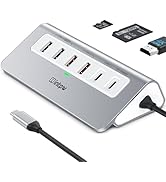
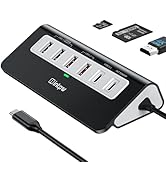
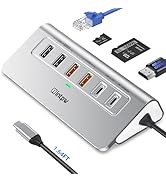
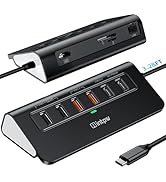
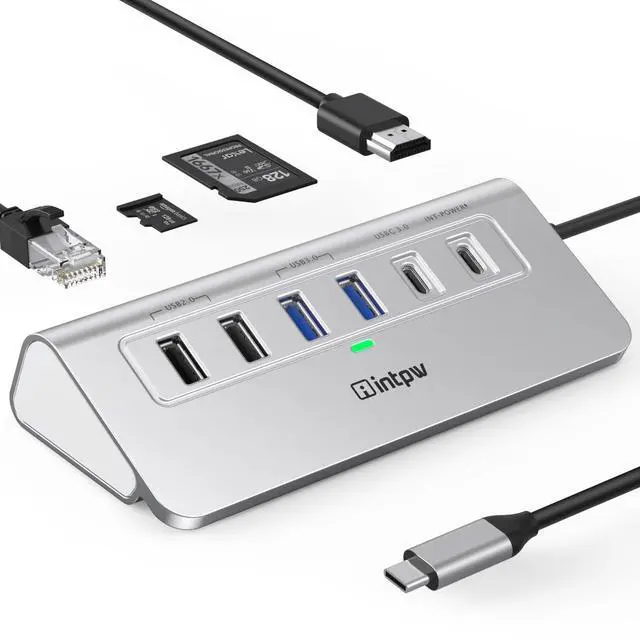
    intpw P9R USB C Hub Ethernet, 10-in-1 USB-C Docking Station, Aluminum USB to Ethernet Adapter with 4K HDMI, PD 100W, 1Gbps RJ45, Type-C & 2 A 3.0 5Gbps, 2 Type-A 2.0, SD/TF Slot for MacBook, iPad

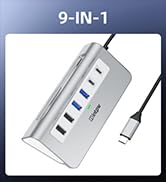
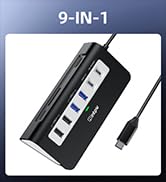
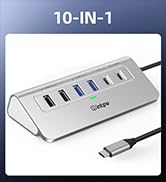
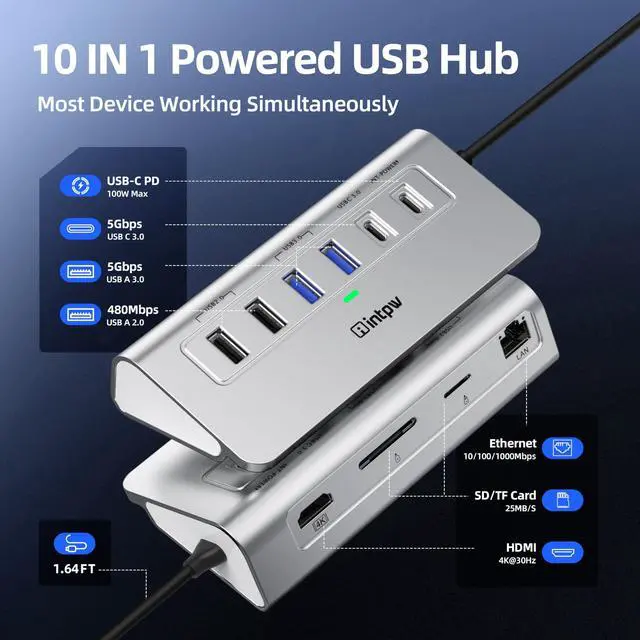
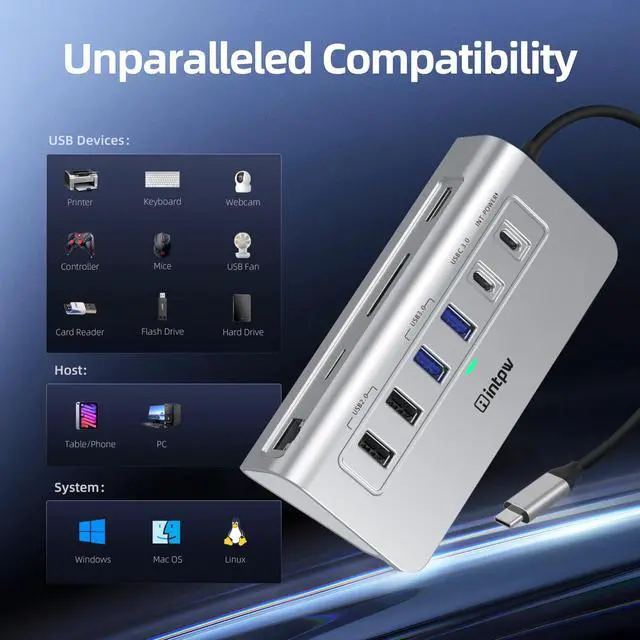
    • 10-IN-1 USB C Hub: USB C docking station has perfectly combined most functions you need, includes 1Gbps ethernet, 4K HDMI, PD 100W Charging, USB-C and 2 USB-A 3.0 5Gbps, 2 USB 2.0, SD/TF 2.0 Slots. Note: SD & TF Cards cannot be used simultaneously
    • Aluminum Ergonomic Design: 32-degree angle and rubber mats, saving more effort when you plug and unplug your USB devices and placing more stability on your desk. Aluminum unibody provides premium protection with a slick look and better heat dissipation
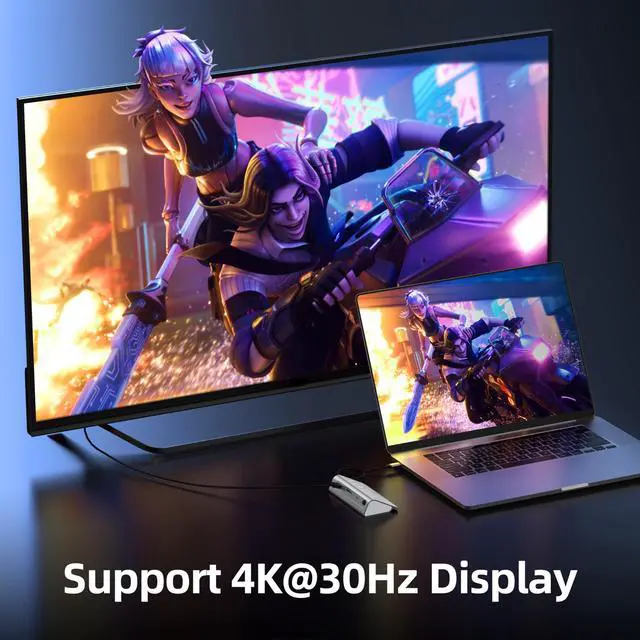
    • HDMI 4K@30Hz: intpw usb hub for laptop can stream 4K@30Hz video to HDTV, Monitors or projectors via HDMI port, ensuring an immersive 3D visual experience for you. (Note:The host USB-C port on your device must support Display Port Alt Mode)
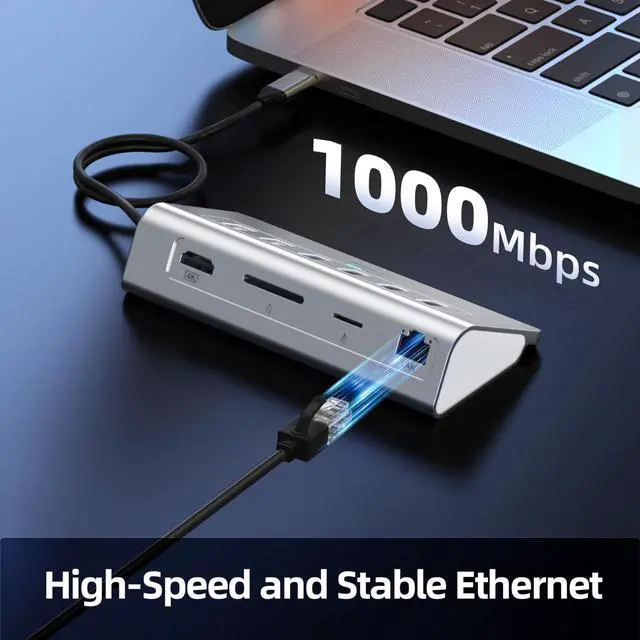
    • 1Gbps Ethernet: Plug and Play USB to ethernet adapter provides reliable and stable 10/100/1000Mbps network connection, you can seamlessly stream movies, download large files, and more. Perfect for your work, gaming and business meeting
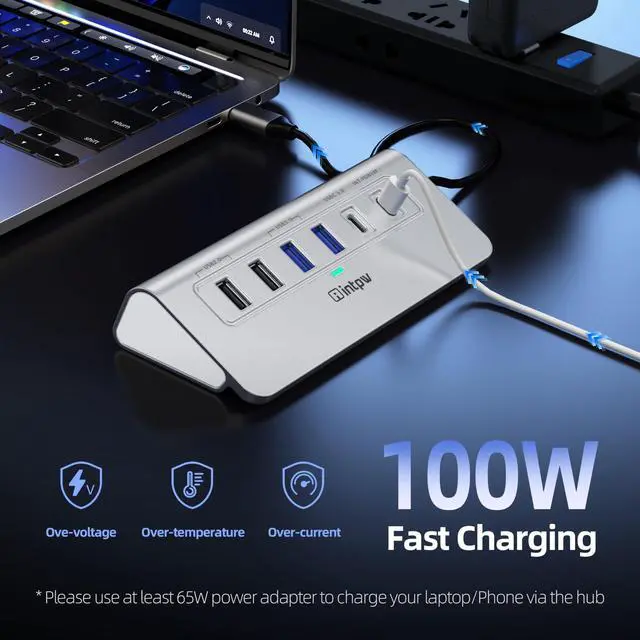
    • Fast Charging: Using the 100W USB-C PD charging port to charge your Type-C laptop and tablets. For a better experience, when you use the powered usb hub, please use at least 65W power supply to charge your laptop via hub. PD port not support data transfer
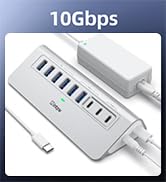
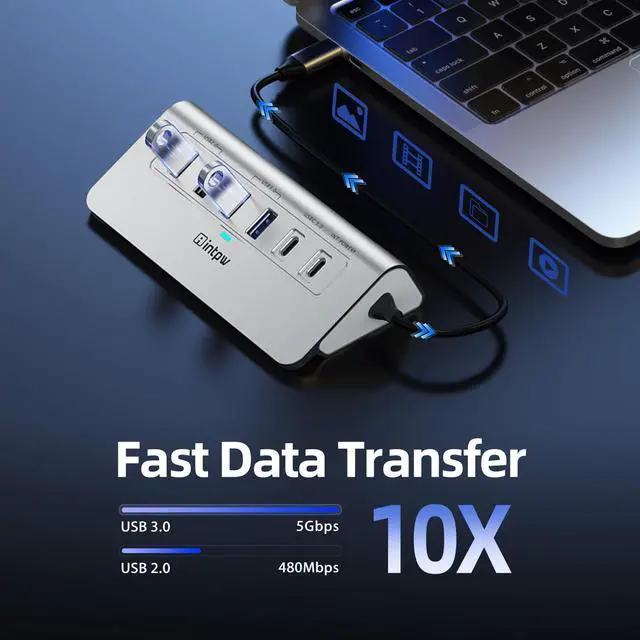
    • High-Speed Data Transfer: 3 USB 3.0 Ports transfer speed up to 5Gbps. USB C to hdmi takes only a few seconds to transfer photos or videos to your laptop. 2 USB 2.0 can connect to your keyboard and mouse. USB 3.0/2.0 data port not recommend for charging
    +
    +
    Overview
    Specs
    Reviews
    avatar

    Any questions? Our AI beta will help you find out quickly.

    P9R USB C HUB

    Merchant Video
    P9R usb c hub
    P9R usb c hub
    Systems Compatility Mac OS X; Windows 7/8/10; Linux; Chrome OS. Mac OS only supports Mirror mode
    Laptops Compatibility Compatible with most USB-C laptops (with Thunderbolt 3 port or USB 3.1 Type C Gen2 port)which support DisplayPort Alt mode and power delivery
    Monitors Compatibility Support single HDMI display up to 4K@30Hz (3840*2160@30Hz) for Macbook and windows laptops. The final resolution performance of HDMI output depends on the resolution supported of your host devices. (Only when your devices support 4K resolution, the video output will be 4K.
    Devices Compatibility MacBook Pro 2016-2021/MacBook 2015-2021/MacBook Air 2018-2021/iMac Pro 2018 2017 Dell XPS13/XPS15/Inspiron 15 7000/ Inspiron 13 7000 HP Spectre 13/Spectre X360/ENVY 13/ENVY X360/HP EliteBook Folio G1 Google ChromeBook/ ChromeBook Pixelbook/ASUS ZenBook3/ZenBook Pro/ZenBook Flip/ZenFone 3 Ultra/Liquid Jade Primo/Lenovo Yoga 920 / 910 / 720/Huawei Matebook
    Phones Compatibility iPhone 16/15 Series, Huawei Mate10 pro/ Mate20/ Mate20 pro / Mate30/ Mate30Pro/Mate40/Mate40Pro/Mate50/Samsung Galaxy S10+/S10/S9+ /S9 /S8+ /S8 Plus, Note 10 / 9 / 8
    Notes(1) PD Port is only fora charging, not support Data transfer. For a better experience, when you use the usb hub, please use at least 65W power supply to charge your laptop/phone via our usb c Hub, if you use a lower charger, there may be a low charge warning. USB-C Power delivery is Uni-direction, only upstream charging to laptop. Please plug in your laptop's power adapter before connecting multiple monitors. If your laptop's c-port does not support the PD protocol, charging will not be possible
    Notes(2) Please make sure that the USB-C(Type C) interface of your device supports the full function of charging, video and data transfer. The host USB-C port on your device must support Display Port Alt Mode. The signal interruption is due to issues with computer screen resolution and refresh rate settings, which require setting an appropriate refresh rate
    Notes(3) Mackbook (MacBook Air and MacBook Pro) in 2020 due to MacOS system bugs, most of the external devices cannot be used by connecting USB2.0 interface accessories to the computer through the usb c multiport adapter, other computer models will not have similar problems , Please pay attention to these computer models
    Notes(4) Please do not unplug or plug the PD charger when using the USB-C hub. This prevents the device from being disconnected, the HDMI connection screen is not displayed, and data transferred from external USB devices is lost
    Notes(5) If your device is not included in the list, please feel free to let us know. We are very happy to check if your device can work with the usb c hub
    Notes(6) Not suitable for pass-through charging tablets (such as iPad Pro) or phones when using the original wall charger. To support full-speed charging for iPad Pro, please check if the adapter supports 65W

    P9R USB C HUB

    Merchant Video
    P9R usb c hub
    P9R usb c hub
    Systems Compatility Mac OS X; Windows 7/8/10; Linux; Chrome OS. Mac OS only supports Mirror mode
    Laptops Compatibility Compatible with most USB-C laptops (with Thunderbolt 3 port or USB 3.1 Type C Gen2 port)which support DisplayPort Alt mode and power delivery
    Monitors Compatibility Support single HDMI display up to 4K@30Hz (3840*2160@30Hz) for Macbook and windows laptops. The final resolution performance of HDMI output depends on the resolution supported of your host devices. (Only when your devices support 4K resolution, the video output will be 4K.
    Devices Compatibility MacBook Pro 2016-2021/MacBook 2015-2021/MacBook Air 2018-2021/iMac Pro 2018 2017 Dell XPS13/XPS15/Inspiron 15 7000/ Inspiron 13 7000 HP Spectre 13/Spectre X360/ENVY 13/ENVY X360/HP EliteBook Folio G1 Google ChromeBook/ ChromeBook Pixelbook/ASUS ZenBook3/ZenBook Pro/ZenBook Flip/ZenFone 3 Ultra/Liquid Jade Primo/Lenovo Yoga 920 / 910 / 720/Huawei Matebook
    Phones Compatibility iPhone 16/15 Series, Huawei Mate10 pro/ Mate20/ Mate20 pro / Mate30/ Mate30Pro/Mate40/Mate40Pro/Mate50/Samsung Galaxy S10+/S10/S9+ /S9 /S8+ /S8 Plus, Note 10 / 9 / 8
    Notes(1) PD Port is only fora charging, not support Data transfer. For a better experience, when you use the usb hub, please use at least 65W power supply to charge your laptop/phone via our usb c Hub, if you use a lower charger, there may be a low charge warning. USB-C Power delivery is Uni-direction, only upstream charging to laptop. Please plug in your laptop's power adapter before connecting multiple monitors. If your laptop's c-port does not support the PD protocol, charging will not be possible
    Notes(2) Please make sure that the USB-C(Type C) interface of your device supports the full function of charging, video and data transfer. The host USB-C port on your device must support Display Port Alt Mode. The signal interruption is due to issues with computer screen resolution and refresh rate settings, which require setting an appropriate refresh rate
    Notes(3) Mackbook (MacBook Air and MacBook Pro) in 2020 due to MacOS system bugs, most of the external devices cannot be used by connecting USB2.0 interface accessories to the computer through the usb c multiport adapter, other computer models will not have similar problems , Please pay attention to these computer models
    Notes(4) Please do not unplug or plug the PD charger when using the USB-C hub. This prevents the device from being disconnected, the HDMI connection screen is not displayed, and data transferred from external USB devices is lost
    Notes(5) If your device is not included in the list, please feel free to let us know. We are very happy to check if your device can work with the usb c hub
    Notes(6) Not suitable for pass-through charging tablets (such as iPad Pro) or phones when using the original wall charger. To support full-speed charging for iPad Pro, please check if the adapter supports 65W

    Are you worried about your laptop interface is not enough Are you troubled by the inconvenience of carrying a lot of cables Are you bothered by a heavy hdmi hub that lacks full functionality? Well, this 10-in-1 USB c hub can solve your troubles.
    Intpw continues to working as the research Are you worried about your laptop interface is not enough Are you troubled by the inconvenience of carrying a lot of cables Are you bothered by a heavy hdmi hub that lacks full functionality? Well, this 10-in-1 USB C to HDMI multiport adapter can solve your troubles.
    Intpw continues to working as the research and development and production of USB hub products. We are committed to portable office while providing the best products.
    Here's why you choose this usb c hub
    1. Multi-function interface, 10-in-1 interface will meet 80% of your expansion needs.
    2. HDMI interface can satisfy 4K@30Hz screen display with mirror or extend modes.
    3. 2 USB3.0 and USB-C 3.0 ports, the transmission speed can reach 5Gbps, which greatly improves the transmission speed
    4. PD3.0 charging port, can meet the maximum output of 100W.
    5. Built-in overload protection to keep your type c docking station safe from overload, overheating and short circuit
    USB C to HDMI multiport adapter size weight
    Package Dimensions: 8.27 x 4.72 x 2.2 inches
    Docking station weight: 9.5oz
    What the product contains
    USB C to HDMI multiport adapter *1
    Product manual*1


    Product information

    Brand intpw
    Color Silver White
    Hardware Interface HDMI, MicroSD, USB 2.0, USB 3.0, USB Type C
    Special Feature Fast Charging, Fast Data Transfer, Heat Resistant, Lightweight, Plug and Play
    Compatible Devices Macbook M1, M2, M3, M4, M5, Type C Laptops, iPad Air/Pro, iMac, Steam Deck, MicroSD/SD Card Reader, Mouse, Keyboard, iPhone 17 Pro Max, iPhone 17 Pro, iPhone 17 Air, iPhone 17, iPhone 16 Pro Max, iPhone 16 Pro, iPhone 16, iPhone 16E, iPhone 16 Plus, iPhone 15 Pro Max, iPhone 15 Pro, iPhone 15, iPhone 15 Plus, Most type C Device, type-C Laptops
    Product Dimensions 8.27 x 4.72 x 2.2 inches
    Item Weight 8.1 ounces
    Item model number P9R
    Date First Available October 17, 2024
    Manufacturer Dong guan Hongxinda Technology Co., Ltd

    Warranty & Returns

    Warranty, Returns, And Additional Information

    Warranty

    • Please contact the Seller directly for warranty information. Warranty information may also be found on the Manufacturer's website.
    • CONTACT

    Return Policies

    • Return for refund within: 30 days
    • Return for replacement within: non-replaceable
    • This item is covered by shiyishan Return Policy

    Manufacturer Contact Info

    LOADING...