

• $91.99
  • Free 30-day Returns
  • Price alert
    Shop it at NeweggBusiness.

    Meet Your Seller

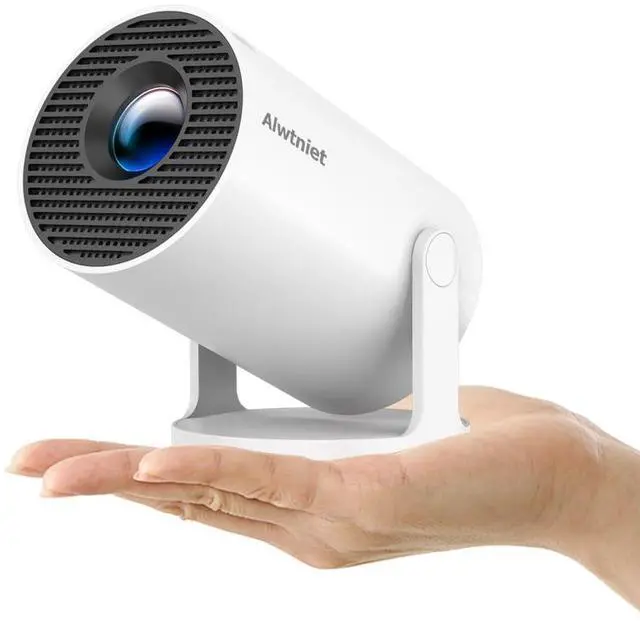
    Mini Projector with Wifi 6 and Bluetooth5.4, Portable Projector 4K Support, Android 14 Smart Proyector with 200ASIN & Auto Keystone, Alwtniet HY300Pro Small Proyector for Bedroom, Movie, Outdoor

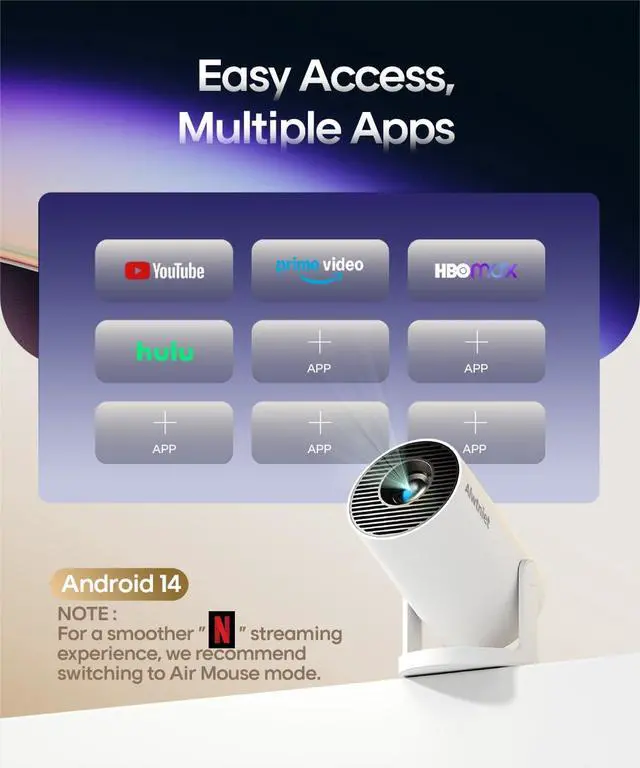
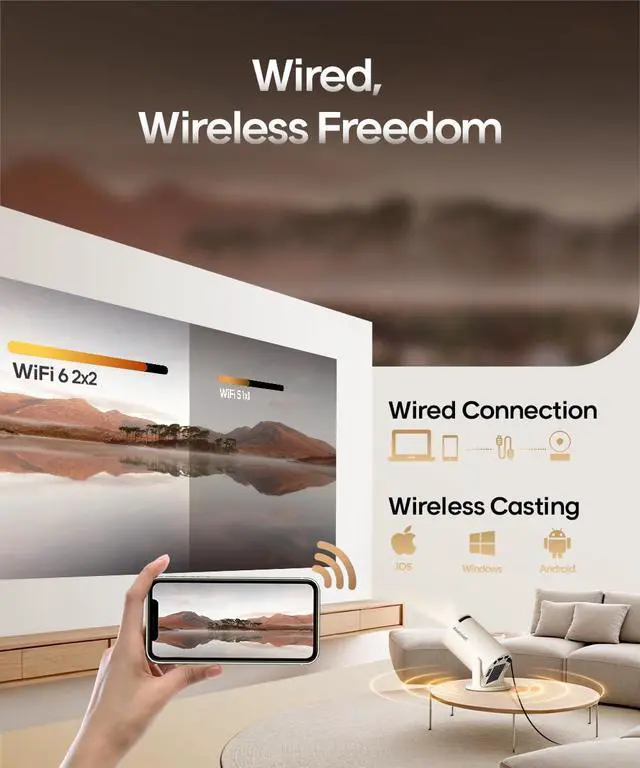
    • Your Plug-and-Play Smart CinemaIt starts with the powerful Allwinner H726 chip and pure Android 14 for wireless freedom and direct access to Netflix, YouTube, and more with no extra sticks. The 110'' giant screen that pulls you into the immersive viewing experience. This is the smart projector that does it all
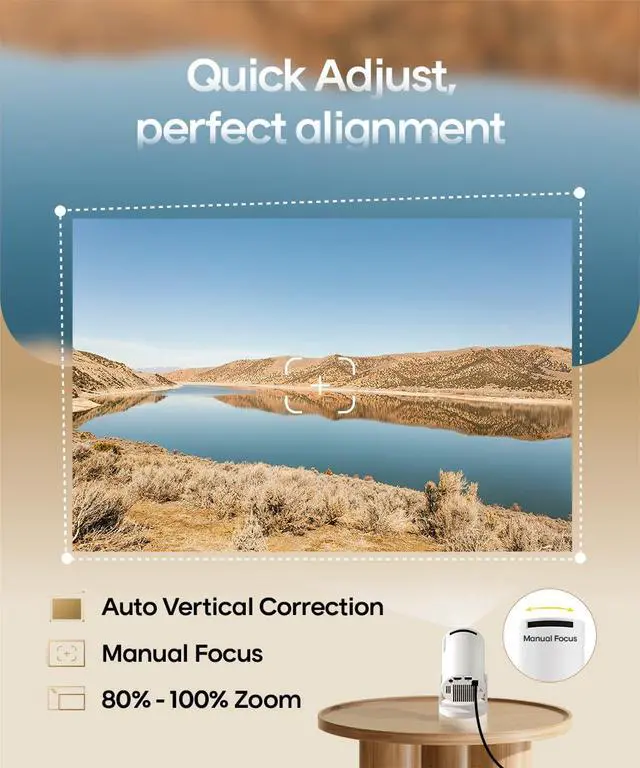
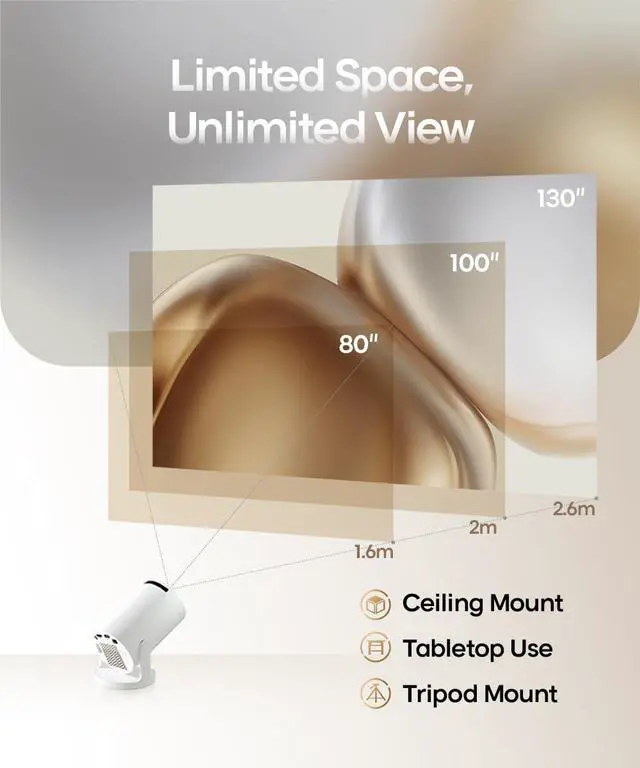
    • Big Screen & Tiny SpaceOur 0.8:1 ultra-short throw mini projector is made for bedrooms and small living rooms. Sits close to the wall (0.6m-2.6m), throws a huge 25-110 image. Effortlessly resize (80%-100%) without moving it. For the best 80+ view, we recommend 1.6m
    • 4K Supported & Native 720P for Casual UseSharp enough for streaming. Bright enough for a bedroom or a backyard hangout. Simple enough for anyone. This portable projector is an affordable option for creating a basic home cinema experience. HD 720P | 4K Support | Total Freedom
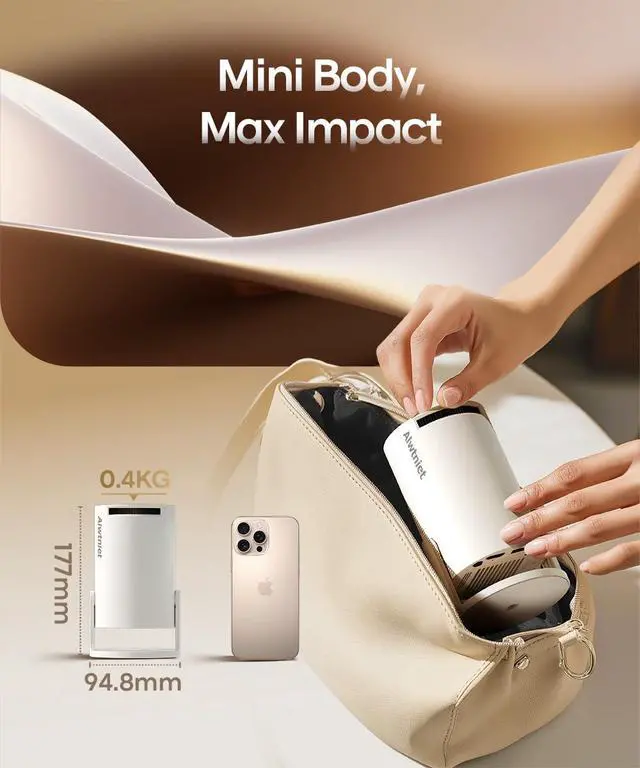
    • Portable Design & Universal MountingIn seconds, you can swivel its lens 180° to project onto any surface. This mini proyector offers flexibility with ceiling mounting, table placement, tripod installation. Weighing only 0.77lb, it easily adapts to any space or occasion
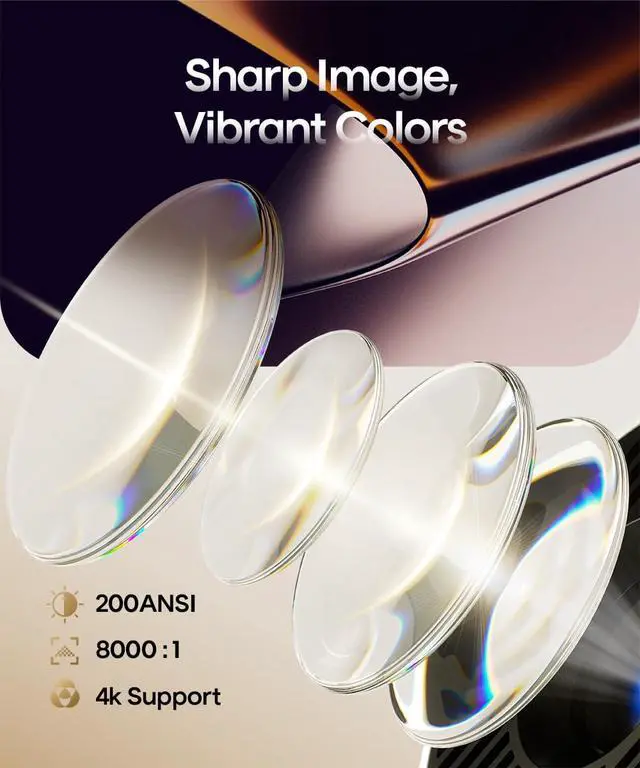
    • Vivid Detail & Built-In SoundWith 200 ANSI lumens brightness and an 8000:1 contrast ratio, this hy300 projector delivers clear, watchable images for movies, kids' shows, and gaming. The integrated 5W SoundBase Speaker provides rich audio, completing your experienceno external speakers needed
    +
    +
    Overview
    Specs
    Reviews
    avatar

    Any questions? Our AI beta will help you find out quickly.

    projector with wifi and bluetooth

    Merchant Video
    projector

    FAQ

    https://m.media-amazon.com/images/S/aplus-media-library-service-media/3f267a49-9149-4c07-8c7d-6c442f9d6476.__AC_SR200,225___.jpg

    HY300 Pro

    https://m.media-amazon.com/images/S/aplus-media-library-service-media/f0e0733b-dfd0-4a52-b15d-b0020cce537a.__AC_SR200,225___.jpg

    HY300Pro+

    https://m.media-amazon.com/images/S/aplus-media-library-service-media/65033a4a-9191-4298-bf53-9d14baf38b5d.__AC_SR200,225___.jpg

    HY300Ultra

    https://m.media-amazon.com/images/S/aplus-media-library-service-media/8b50fb46-5275-4913-8c42-db56283d089a.__AC_SR200,225___.jpg

    350MAX

    Customer Reviews
    Price
    Display Resolution
    Native 720P Native 720P Native 720P Native 1080P
    Ansi Lumens
    200ANSI 200ANSI 260ANSI 600ANSI
    Speaker
    5W Soundbase Speaker 5W Soundbase Speaker 5W Soundbase Speaker 15W Soundbase Speaker
    Focus Mode
    Manual Focus Manual Focus Electric Focus Auto Focus
    Auto Keystone Correction
    Vertical Vertical Vertical ?
    Net Weight
    350g/0.77BL 400g/0.88BL 560g/1.23BL 1.4kg/3.1BL

    FAQ

    Access YouTube? 1.Ensure your device is updated to the latest version. 2.Go to Appstore on the home page 3.Update the apps to the latest version to use them
    Screen-mirror iOS devices 1.Ensure your device is updated to the latest version. 2.Open the Airpin or ScreenCast app. 3.Use AirPlay on your iOS device, making sure both devices are connected to the same Wi-Fi network.
    Important Note – Must-Read Due to the HDCP (High-bandwidth Digital Content Protection) agreement, screen mirroring may not function properly (no image or sound) when attempting to mirror content from certain apps, such as Prime Video, Hulu, and others
    How to Get a Squared Image? 1. Ensure the projector is properly aligned with the lens facing the screen directly. 2.Go to Settings > Projection Settings>Keystone Correction > Initial Angle Correction. 3. If needed, manually adjust by turning off Auto Keystone
    Can't Connect to Wi-Fi? 1. Verify the time zone under Settings > Date and time Setting 2. Switch to another Wi-Fi network or use a mobile hotspot. 3. Test both 2.4GHz and 5GHz bands. 4. Reset via Settings>Other Settings>Factory Reset Settings
    Remote Control Doesn't Work? Many apps on the projector are mobile versions, which require switching to mouse mode for proper operation. Please press the mouse button on your remote control to switch to the air mouse mode and proceed

    projector with wifi and bluetooth

    Merchant Video
    projector

    FAQ

    https://m.media-amazon.com/images/S/aplus-media-library-service-media/3f267a49-9149-4c07-8c7d-6c442f9d6476.__AC_SR200,225___.jpg

    HY300 Pro

    https://m.media-amazon.com/images/S/aplus-media-library-service-media/f0e0733b-dfd0-4a52-b15d-b0020cce537a.__AC_SR200,225___.jpg

    HY300Pro+

    https://m.media-amazon.com/images/S/aplus-media-library-service-media/65033a4a-9191-4298-bf53-9d14baf38b5d.__AC_SR200,225___.jpg

    HY300Ultra

    https://m.media-amazon.com/images/S/aplus-media-library-service-media/8b50fb46-5275-4913-8c42-db56283d089a.__AC_SR200,225___.jpg

    350MAX

    Customer Reviews
    Price
    Display Resolution
    Native 720P Native 720P Native 720P Native 1080P
    Ansi Lumens
    200ANSI 200ANSI 260ANSI 600ANSI
    Speaker
    5W Soundbase Speaker 5W Soundbase Speaker 5W Soundbase Speaker 15W Soundbase Speaker
    Focus Mode
    Manual Focus Manual Focus Electric Focus Auto Focus
    Auto Keystone Correction
    Vertical Vertical Vertical ?
    Net Weight
    350g/0.77BL 400g/0.88BL 560g/1.23BL 1.4kg/3.1BL

    FAQ

    Access YouTube? 1.Ensure your device is updated to the latest version. 2.Go to Appstore on the home page 3.Update the apps to the latest version to use them
    Screen-mirror iOS devices 1.Ensure your device is updated to the latest version. 2.Open the Airpin or ScreenCast app. 3.Use AirPlay on your iOS device, making sure both devices are connected to the same Wi-Fi network.
    Important Note – Must-ReadDue to the HDCP (High-bandwidth Digital Content Protection) agreement, screen mirroring may not function properly (no image or sound) when attempting to mirror content from certain apps, such as Prime Video, Hulu, and others
    How to Get a Squared Image? 1. Ensure the projector is properly aligned with the lens facing the screen directly. 2.Go to Settings > Projection Settings>Keystone Correction > Initial Angle Correction. 3. If needed, manually adjust by turning off Auto Keystone
    Can't Connect to Wi-Fi? 1. Verify the time zone under Settings > Date and time Setting 2. Switch to another Wi-Fi network or use a mobile hotspot. 3. Test both 2.4GHz and 5GHz bands. 4. Reset via Settings>Other Settings>Factory Reset Settings
    Remote Control Doesn't Work? Many apps on the projector are mobile versions, which require switching to mouse mode for proper operation. Please press the mouse button on your remote control to switch to the air mouse mode and proceed
    Mini Projector with Wifi 6 and Bluetooth 5.4, Portable Projector 4K Support, Android 14 Smart Proyector with 200ASIN & Auto Keystone, Alwtniet HY300Pro Small Proyector for Bedroom, Movie, Outdoor

    Warranty & Returns

    Warranty, Returns, And Additional Information

    Warranty

    • Please contact the Seller directly for warranty information. Warranty information may also be found on the Manufacturer's website.
    • CONTACT

    Return Policies

    Manufacturer Contact Info

    LOADING...