here!
I’m your shopping assistant for PC builds, upgrades, and everything tech.
Got questions? Ask away!
Start a conversation
here!
I’m your shopping assistant for PC builds, upgrades, and everything tech.
Got questions? Ask away!
Start a conversation





Any questions? Ask CelesteSM will help you find out quickly.


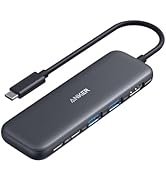
Will this hub work with my laptop? How do I check compatibility?
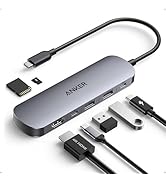
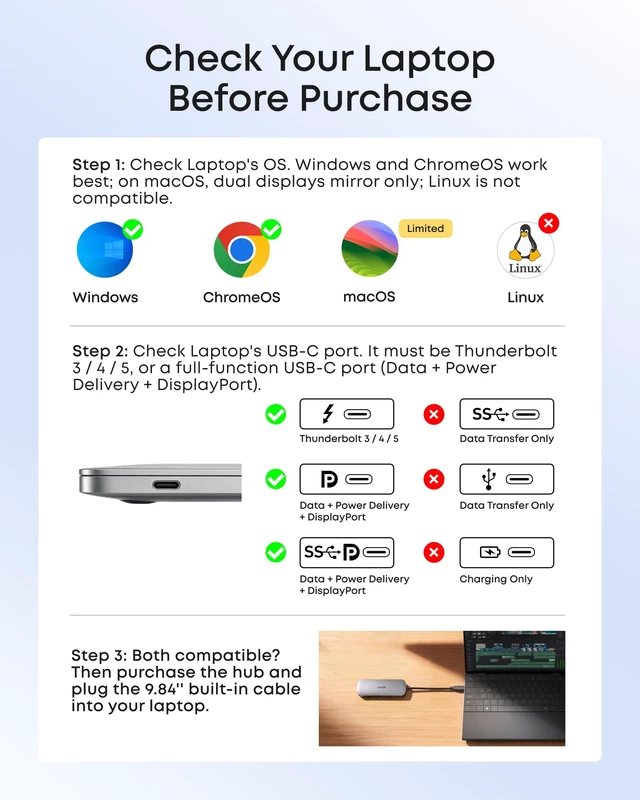
For full functionality, your laptop's USB-C port must support Thunderbolt 3, 4, or 5, USB4, or DP Alt Mode for HDMI / DP output, as well as Power Delivery for PD-IN charging.
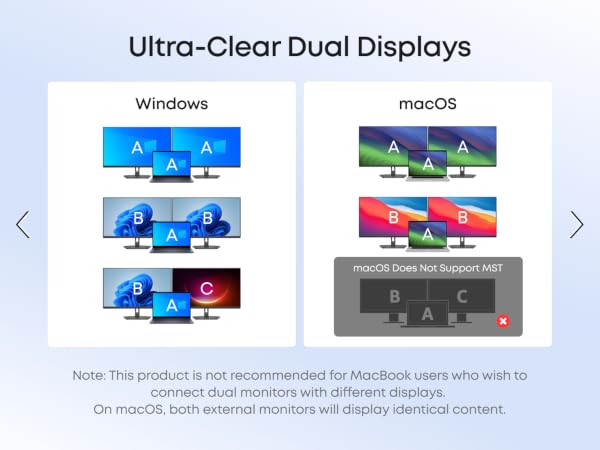
Can this hub show different content on two external monitors when connected to a Mac?
No. On a Mac, two external monitors connected to the hub will mirror the same content. Windows supports both SST and MST, while macOS does not support MST for dual extended displays.
How do I use this hub to fast-charge my laptop?
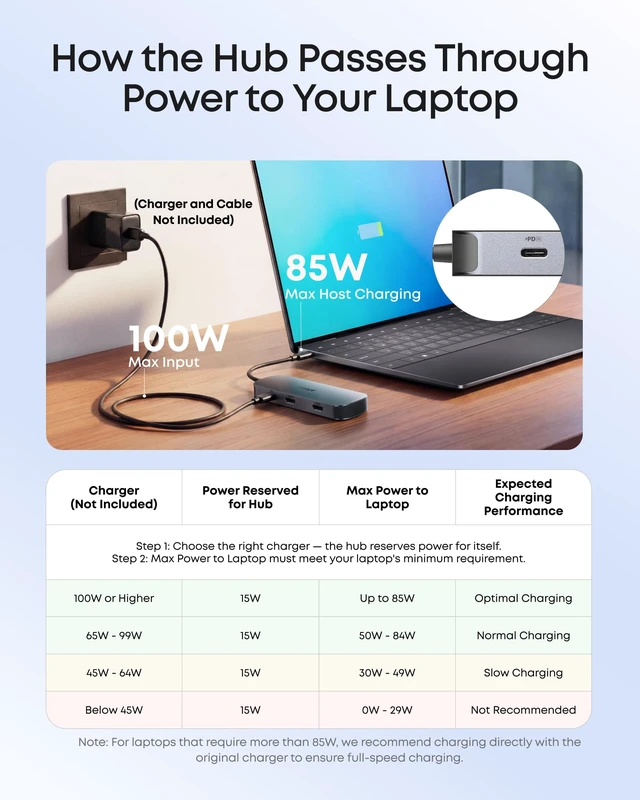
Charging performance depends on the charger, cable, and laptop. The hub reserves 15W from its 100W max input. Use a PD charger rated 15W above your laptop's original charger. Some laptops may still show a "slow charging" warning.
Can I connect two USB-C devices to this hub?
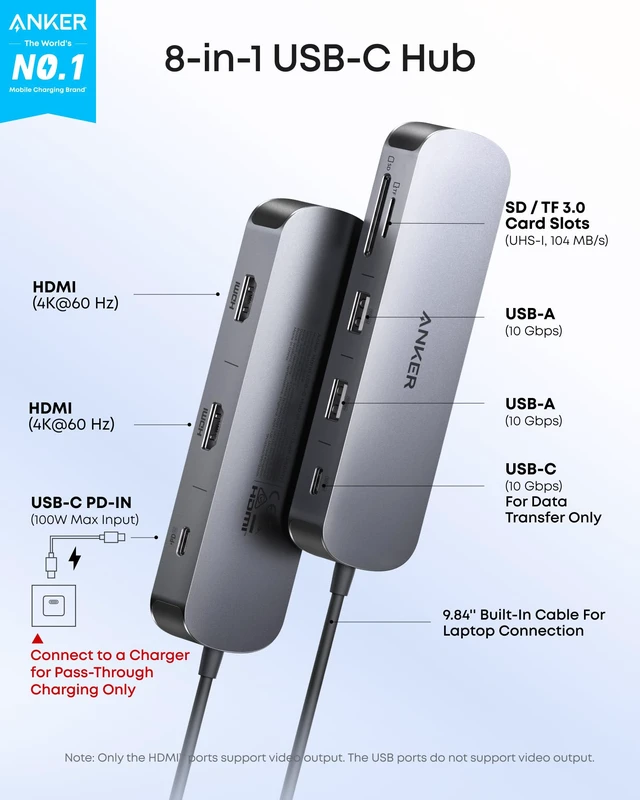
No. This hub supports one USB-C device, such as an HDD or SSD, via the 10 Gbps USB-C port. The other USB-C port is for PD-IN power input only and powers the hub and charges your laptop.
What should I do if this hub won't connect to monitors properly?
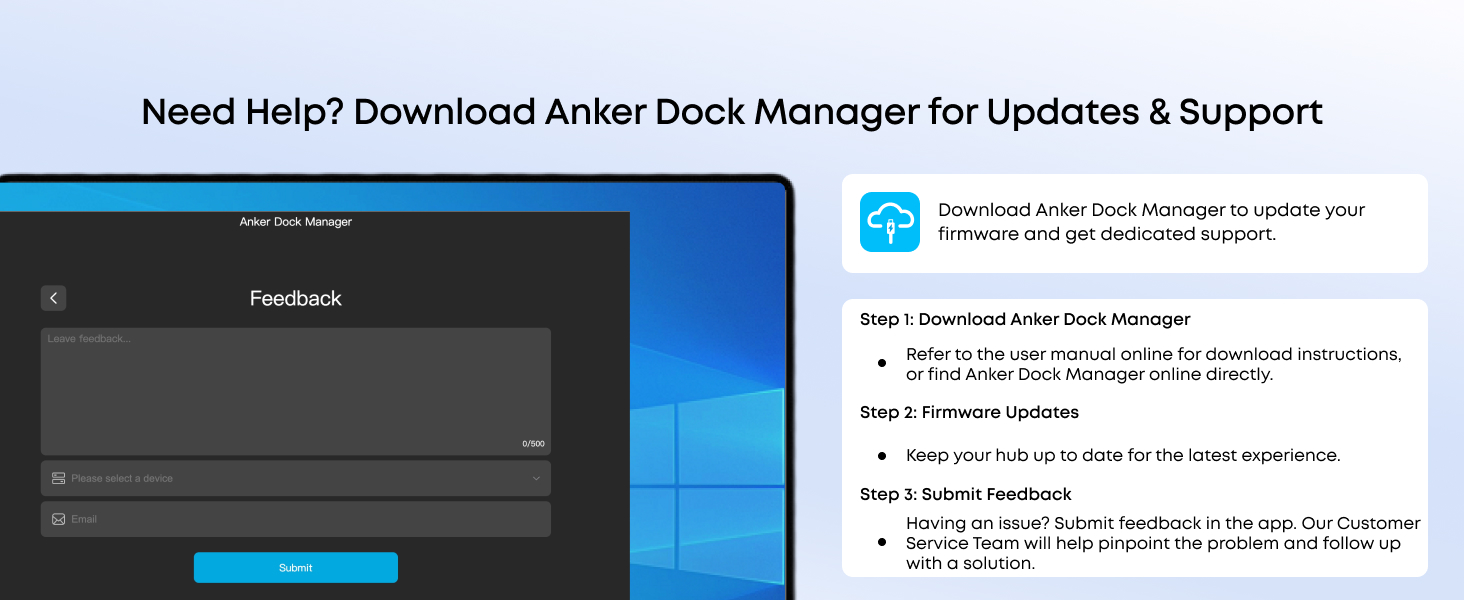
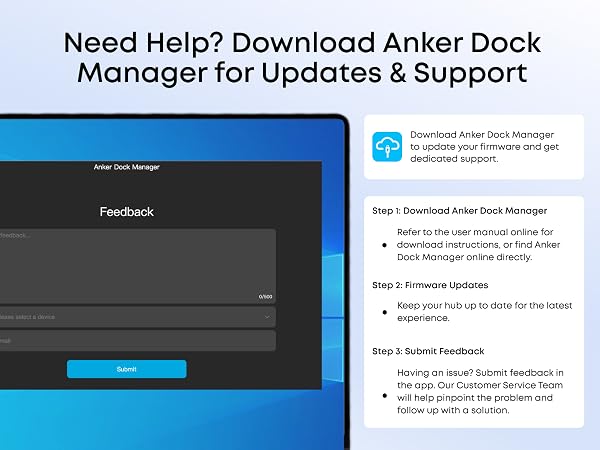
Please submit feedback through the Anker Dock Manager app. Our technical support team will help you resolve the issue.




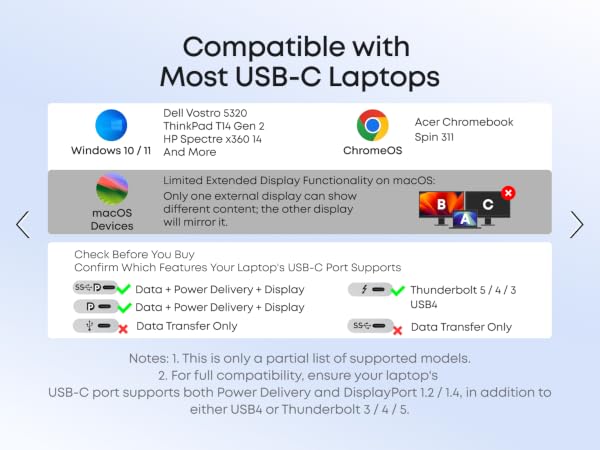



Will this hub work with my laptop? How do I check compatibility?
For full functionality, your laptop's USB-C port must support Thunderbolt 3, 4, or 5, USB4, or DP Alt Mode for HDMI / DP output, as well as Power Delivery for PD-IN charging.
Can this hub show different content on two external monitors when connected to a Mac?
No. On a Mac, two external monitors connected to the hub will mirror the same content. Windows supports both SST and MST, while macOS does not support MST for dual extended displays.
How do I use this hub to fast-charge my laptop?
Charging performance depends on the charger, cable, and laptop. The hub reserves 15W from its 100W max input. Use a PD charger rated 15W above your laptop's original charger. Some laptops may still show a "slow charging" warning.
Can I connect two USB-C devices to this hub?
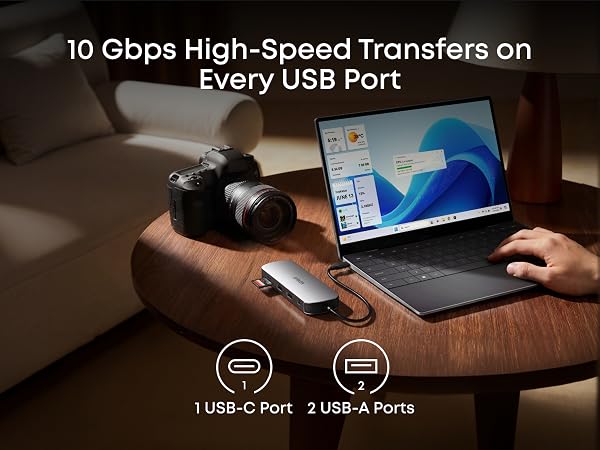
No. This hub supports one USB-C device, such as an HDD or SSD, via the 10 Gbps USB-C port. The other USB-C port is for PD-IN power input only and powers the hub and charges your laptop.
What should I do if this hub won't connect to monitors properly?
Please submit feedback through the Anker Dock Manager app. Our technical support team will help you resolve the issue.