




 here!
I’m your shopping assistant for PC builds, upgrades, and everything tech.
Got questions? Ask away!
Start a conversation
here!
I’m your shopping assistant for PC builds, upgrades, and everything tech.
Got questions? Ask away!
Start a conversation Top Rated
 Hot Seller Top Rated




Any questions? Ask CelesteSM will help you find out quickly.


Well-proven and award-winning thermal compound that helps optimize heat transfer from the CPU/GPU to cooler. It is specially formulated, and contains no metallic particle for safety. Plus, the MX-4 lasts longer than the service life of your gaming rig, so apply it once, and the MX-4 maintains its hallmark performance till retirement of your system.
The design of our thermal paste packaging has changed several times over the years.
The formula of the composition has remained unchanged, so our MX pastes have stood for high performance and quality for years.

The performance of our ARCTIC MX-4 Thermal Compound has been tested and honored by numerous independent magazines.

A sustainable use of resources is really important for us at ARCTIC. Thus we updated the packaging of the MX-4 to minimize its CO2 footprint.
The practical, recyclable packaging bag of our thermal paste helps us to reduce the environmental impact of packaging materials by about 40 % and thereby save resources

The ARCTIC MX-4 compound is composed of carbon micro-particles which lead to an extremely high thermal conductivity. It guarantees that heat generated from the CPU or GPU is dissipated quickly and efficiently. Superb in performance, MX-4 is the best companion for overclockers and enthusiasts.


With an ideal consistency, the MX-4 is very easy to use, even for beginners.

It does not contain any metallic particles so electrical conductivity would not be an issue. Unlike silver and copper compound, it ensures that contact with any electrical pins would not result in damage of any sort.

In contrast to metal and silicon thermal compound, the performance of MX-4 does not compromise over time. Once applied, you do not need to apply it a second time as it will last at least for 8 years.

A high performance thermal compound perfect for system builders, there's no surprise that the MX-4 exceeds your expectations for its low price tag.
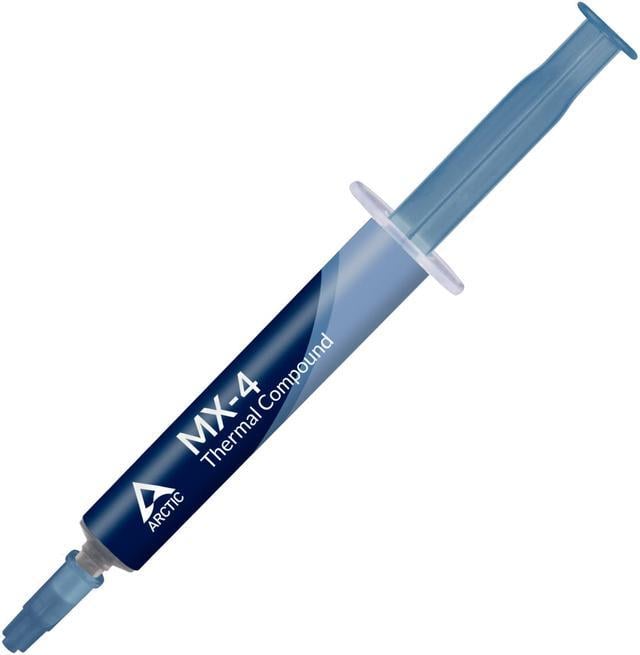
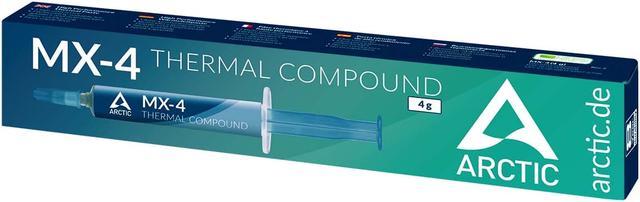
ARCTIC MX-4 is a 4 g, carbon-microparticle thermal paste for transferring heat from a CPU or GPU to its cooler. Its electrically non-conductive, metal-free formula and easy-to-apply consistency suit PC builders and anyone repasting compatible computer or console hardware.
| Attribute | Value |
|---|---|
| Best For | Transferring heat from CPUs, GPUs, and other electronics to a cooler |
| Thermal Performance | Thermal conductivity of 8.5 W/mK, viscosity of 870 poise, and density of 2.5 g/cm³ |
| Composition And Electrical Properties | Carbon-microparticle-based, metal-free compound that is non-electrically conductive and non-capacitive |
| Stability And Protection | Non-curing, non-corrosive, and non-bleeding; electrically non-conductive composition helps avoid short circuits |
| Application And Package | Easy-application syringe with 4 g of thermal paste |
| Model Identifiers | ARCTIC COOLING MX-4; catalog model AC-MX4 and manufacturer model ACTCP00002B |
Q: ARCTIC MX-4 or MX-6: which should I choose?
A: Choose MX-4 if you prefer a paste ARCTIC describes as easy to apply. Choose MX-6 if your priority is lower measured thermal resistance: ARCTIC reports that MX-6 has lower thermal resistance than MX-4, while a side-by-side CPU test found only a small average temperature difference overall, with a larger gap at higher power.
Q: Is MX-4 or MX-7 the better upgrade?
A: In an OCinside test using a 120-watt CPU, MX-4 and MX-7 produced very similar temperatures, with differences generally within about 1 °C. MX-4 is a practical choice if you prefer its easy-application consistency; MX-7 is worth considering if you want ARCTIC’s newer formula and its updated application design.
Q: Should I get MX-4 or the lower-tier MX-2?
A: Choose MX-4 if you want the slightly better CPU cooling result seen in Tom’s Hardware’s 2013 comparison. In that same test, MX-2 was easier to apply and delivered broadly similar results, so it remains a straightforward option when ease of application is the priority.
Q: Can I use ARCTIC MX-4 on a CPU or GPU?
A: Yes. MX-4 is intended as a thermal interface compound between a CPU or GPU and its cooler. For consoles or laptops, use it only if the device’s service instructions call for thermal paste at that contact point; some locations may require a different interface material.
Q: Is ARCTIC MX-4 electrically conductive?
A: No. The supplied product information describes MX-4 as metal-free and electrically non-conductive, which reduces the risk of a short if a small amount reaches nearby circuitry. Apply it only to the intended contact surfaces and avoid excess.
Q: Is MX-4 suitable for a first-time thermal paste application?
A: It can suit beginners: the product information describes its consistency as easy to apply and it comes in a syringe. Follow the cooler or device instructions for the amount and application method, and clean off old compound before applying new paste.
Q: Does MX-4 replace thermal pads or pre-applied cooler paste?
A: No. MX-4 is paste for surfaces specified to use thermal compound; it is not a substitute for thermal pads or other interface materials. Check the cooler or device instructions before replacing pre-applied paste or servicing a cooling assembly.
Q: Is MX-4 worth buying if my cooler already includes thermal paste?
A: Usually, not just for a new build: Reddit discussions describe the performance differences between reputable pastes as small and the paste included with a cooler as adequate. MX-4 is a reasonable option if you need paste for a reapplication or prefer to keep a separate tube on hand.
Q: Should I choose MX-4 or MX-6?
A: MX-4 remains a reasonable general-purpose choice, while MX-6 may offer a small temperature improvement in some setups. In one YouTube comparison, the measured difference was modest overall and MX-6 was harder to spread; the results are specific to that test, so they do not establish a universal advantage.
Q: Is MX-4 easy to apply?
A: It is described as relatively easy to spread. A YouTube comparison notes that MX-4 is less viscous and spreads more easily than MX-6. Application still depends on the component and cooler contact; follow the device or cooler maker’s guidance.
Q: Can I use MX-4 on a GPU?
A: The provided product information lists GPU use. A Reddit discussion notes that GPU dies are directly exposed and recommends spreading paste to cover the surface; use care to apply it evenly and avoid excess.


