





ASIYUN Soundbar attach great importance to your using feelings. Quality of our product have been improved on this new version, we are thrive to give you for best shopping experience. If you have any issues on the soundbar, please let us know the problem you meet. We will respond and resolve your problem within 24hours.
Specifications:
Output Power: 5W*2
Unit Sixe: 4 Ohm
Battery: 3.7V 2000mAh
Power Supply: DC 5V
Frequency Response: 100HZ-18khz
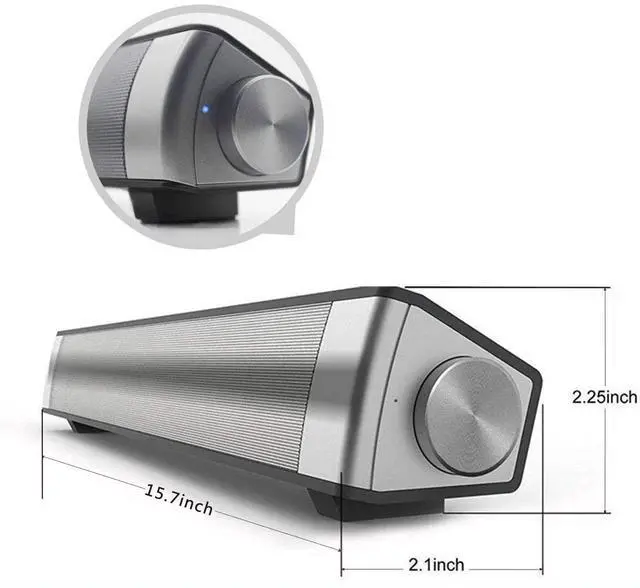
Product Size: 15.7*2.25*2.1inch
Weight: 1.3lb
Important reminders:
1. Make sure you charge the sound bar prior to using it.
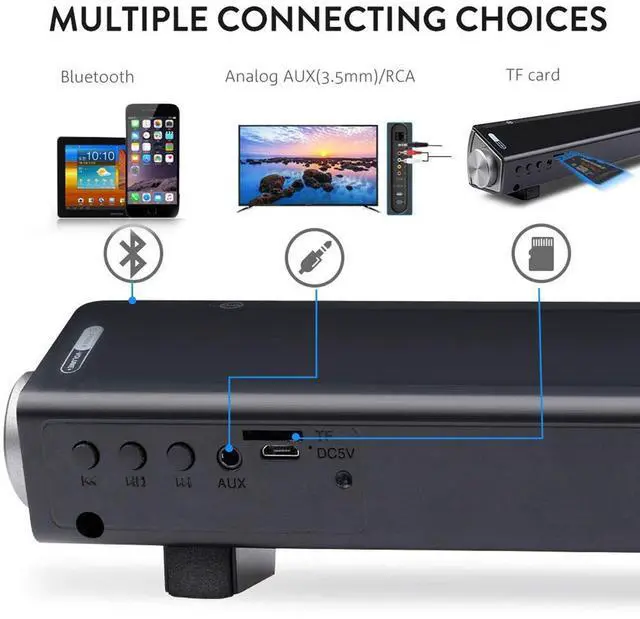
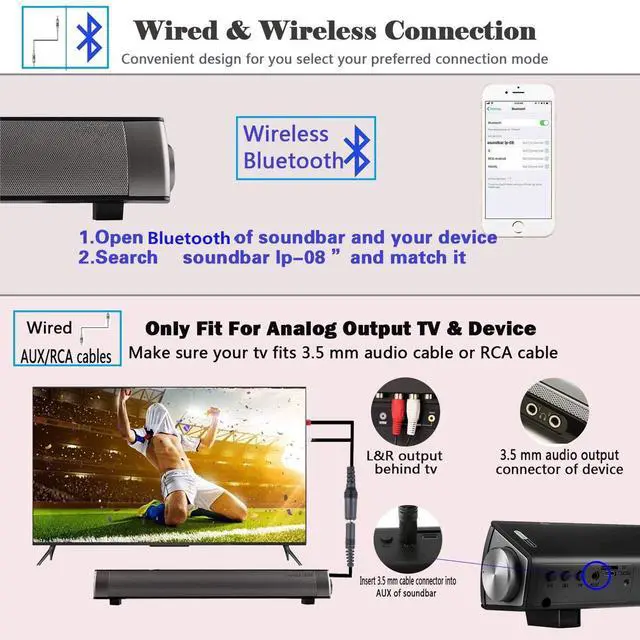
2. Prior to ordering the product, Check your TV or digital outputs compatibility. Your TV needs a 3.5mm AUX output, OR a USB output, OR a RCA output OR a Bluetooth system to connect to the sound bar.
3. Some brands of TV can only connect to speakers via Bluetooth.
4. In order for the soundbar to work properly, make sure that your TV surround sound function is off.
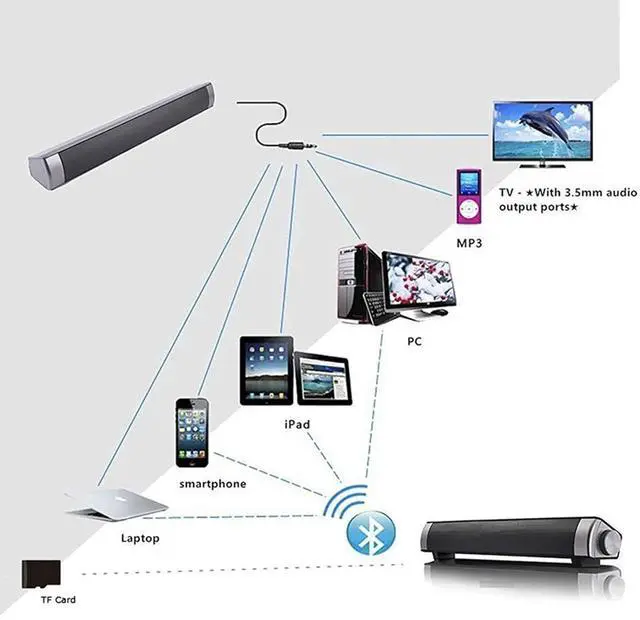
CONNECTING TO A MOBILE PHONE, COMPUTER OR A TV

COMMON ISSUES FOR SELF TROUBLESHOOTING:
Q1: Why there is a noise sound when I plug in the 3.5mm AUX cable?
A1: Check if your audio cable is fully inserted into the soundbar and TV. Unproper input and output connection can create unnecessary noise.
Q2: Why does the Bluetooth not connect to my TV?
A2: Check if you are outside oc the Bluetooth range OR check if the soundbar baterry is low. If the battery low, it needs to be charged.
Q3: I have problem with the microphone function.
A3: Check your phone signal; a poor phone signal or poor network connection could be the reason.
Q4: Why is the volume so low?
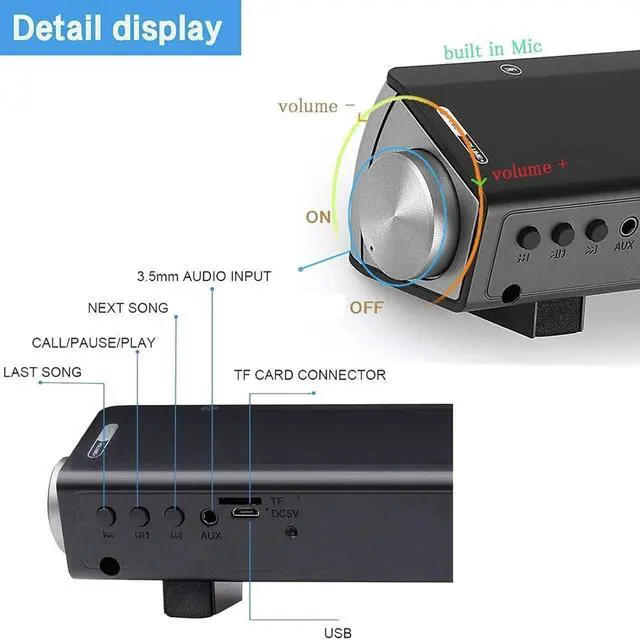
A4: First, increase volume on your TV. Second, use the speaker knob to adjust to your favorite volume.

CONNECTS WIRED OR WIRELESSLY
Three Modes to Choose
v Bluetooth Mode: Bluetooth Core Specification 5.0, supports HSP, HFP, A2DP, AVRCP format. English language instruction provided.
v Audio Link Mode: Connect the speaker with 3.5mm audio line. Speaker will connect automatically. Now you can enjoy music from connected devices such as mobile phone, TV, PC and more.
v TF Card Mode: Turn on the speaker, it will be on bluetooth mode automatically, insert TF Card, speaker will be on TF Card play mode.( Important note: insert TF card prior to turning on the speaker. Turn on speaker only if TF card is inserted. Speaker will be automically on TF Card Mode.)

ULTRA-COMPACT DESIGN WITH USB-DAC FUNCTION
The sleek sound bar is tailored to save precious space and avoid cluttering.
Most computers and laptops can work this USB-DAC function normally, other than few old personal computers and laptops. In that case, you need to install a driver, as follows(If necessary):
1.Connect the Sound bar to the computer via micro USB.
2.Click [Next >] when the installation screen is displayed.
3.Confirm [License Agreement]. Then, select [I accept the terms of use] and [Next >].If you select [I do not accept the terms of use], you will be unable to select [Next >].
4.Follow the instructions on the screen to complete the installation.
Now, with the USB DAC function mixed with its internal high-performance D/A conversion, high-resolution sound sources will sound their purest.
More Details

USING THE REMOTE
Please point your remote at the IR receiver of the sound bar when you press the button on the remote.
Repeat Keys: only for TF Card Mode
Previous/Next Keys: only work in Bluetooth, USB DAC and TF card Mode
0 and 9 Keys: Press to select tracks. only for TF Card Mode

HANDS-FREE CALL
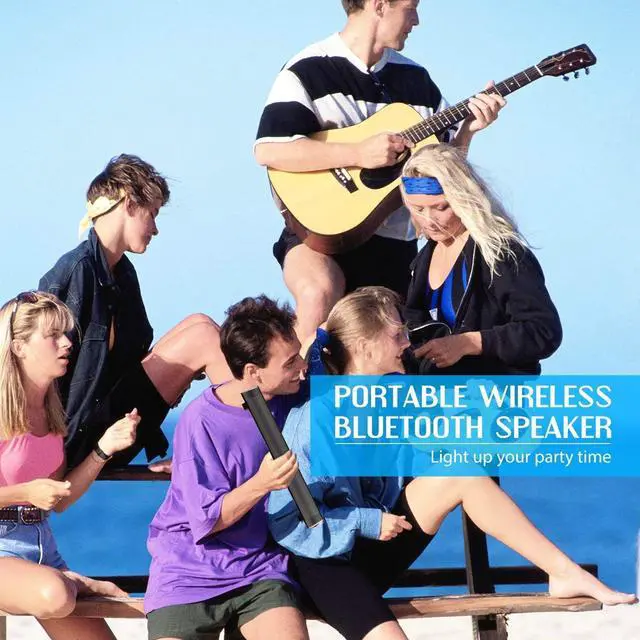
No matter enjoy Indoor or outdoors time, the double built-in MIC and hands-free function can let you enjoy wonderful music without the hassle of long cable, you can pick up a call conveniently with hands free when driving.

PACKAGE INCULDES
1 x Soundbar
1 x USB Charging Cable(Adapter is not included)
1 x 3.5mm Audio Cable
1 x RCA Cable
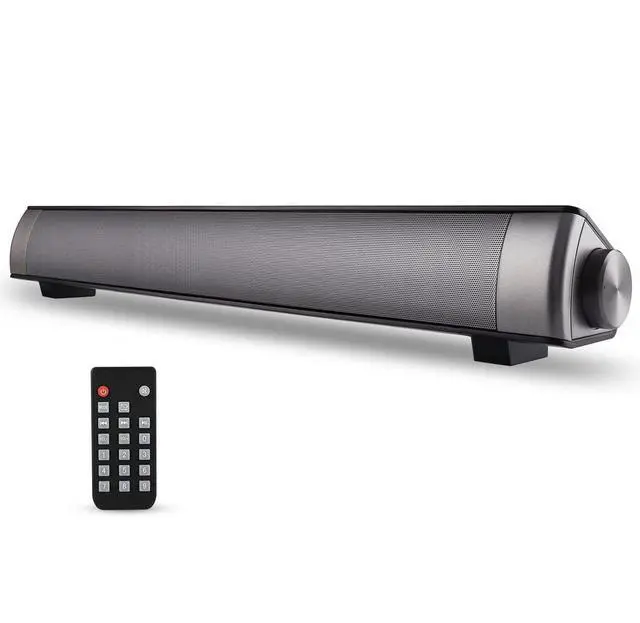
1 x Remote Control
1 x User Manual
ASIYUN Soundbar attach great importance to your using feelings. Quality of our product have been improved on this new version, we are thrive to give you for best shopping experience. If you have any issues on the soundbar, please let us know the problem you meet. We will respond and resolve your problem within 24hours.
Specifications:
Output Power: 5W*2
Unit Sixe: 4 Ohm
Battery: 3.7V 2000mAh
Power Supply: DC 5V
Frequency Response: 100HZ-18khz
Product Size: 15.7*2.25*2.1inch
Weight: 1.3lb
Important reminders:
1. Make sure you charge the sound bar prior to using it.
2. Prior to ordering the product, Check your TV or digital outputs compatibility. Your TV needs a 3.5mm AUX output, OR a USB output, OR a RCA output OR a Bluetooth system to connect to the sound bar.
3. Some brands of TV can only connect to speakers via Bluetooth.
4. In order for the soundbar to work properly, make sure that your TV surround sound function is off.
CONNECTING TO A MOBILE PHONE, COMPUTER OR A TV
COMMON ISSUES FOR SELF TROUBLESHOOTING:
Q1: Why there is a noise sound when I plug in the 3.5mm AUX cable?
A1: Check if your audio cable is fully inserted into the soundbar and TV. Unproper input and output connection can create unnecessary noise.
Q2: Why does the Bluetooth not connect to my TV?
A2: Check if you are outside oc the Bluetooth range OR check if the soundbar baterry is low. If the battery low, it needs to be charged.
Q3: I have problem with the microphone function.
A3: Check your phone signal; a poor phone signal or poor network connection could be the reason.
Q4: Why is the volume so low?
A4: First, increase volume on your TV. Second, use the speaker knob to adjust to your favorite volume.
CONNECTS WIRED OR WIRELESSLY
Three Modes to Choose
v Bluetooth Mode: Bluetooth Core Specification 5.0, supports HSP, HFP, A2DP, AVRCP format. English language instruction provided.
v Audio Link Mode: Connect the speaker with 3.5mm audio line. Speaker will connect automatically. Now you can enjoy music from connected devices such as mobile phone, TV, PC and more.
v TF Card Mode: Turn on the speaker, it will be on bluetooth mode automatically, insert TF Card, speaker will be on TF Card play mode.( Important note: insert TF card prior to turning on the speaker. Turn on speaker only if TF card is inserted. Speaker will be automically on TF Card Mode.)
ULTRA-COMPACT DESIGN WITH USB-DAC FUNCTION
The sleek sound bar is tailored to save precious space and avoid cluttering.
Most computers and laptops can work this USB-DAC function normally, other than few old personal computers and laptops. In that case, you need to install a driver, as follows(If necessary):
1.Connect the Sound bar to the computer via micro USB.
2.Click [Next >] when the installation screen is displayed.
3.Confirm [License Agreement]. Then, select [I accept the terms of use] and [Next >].If you select [I do not accept the terms of use], you will be unable to select [Next >].
4.Follow the instructions on the screen to complete the installation.
Now, with the USB DAC function mixed with its internal high-performance D/A conversion, high-resolution sound sources will sound their purest.
More Details
USING THE REMOTE
Please point your remote at the IR receiver of the sound bar when you press the button on the remote.
Repeat Keys: only for TF Card Mode
Previous/Next Keys: only work in Bluetooth, USB DAC and TF card Mode
0 and 9 Keys: Press to select tracks. only for TF Card Mode
HANDS-FREE CALL
No matter enjoy Indoor or outdoors time, the double built-in MIC and hands-free function can let you enjoy wonderful music without the hassle of long cable, you can pick up a call conveniently with hands free when driving.
PACKAGE INCULDES
1 x Soundbar
1 x USB Charging Cable(Adapter is not included)
1 x 3.5mm Audio Cable
1 x RCA Cable
1 x Remote Control
1 x User Manual