

Your Browsing History

Best Sellers

 Hot Seller
- $2,554.78
- + FREE SHIPPING
Newegg Trade-In loading


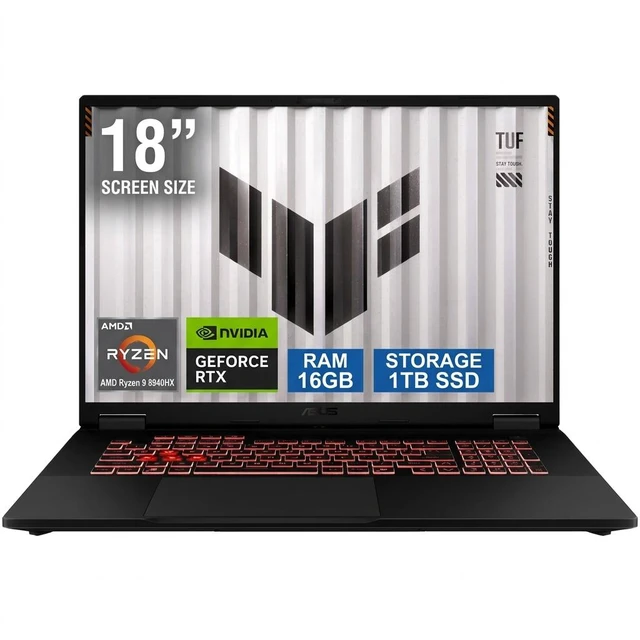
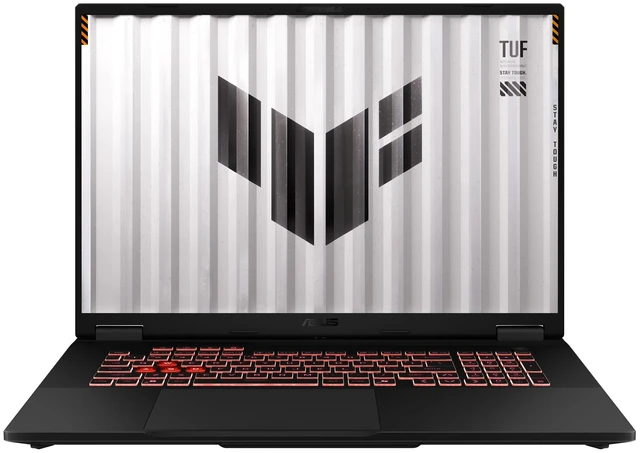
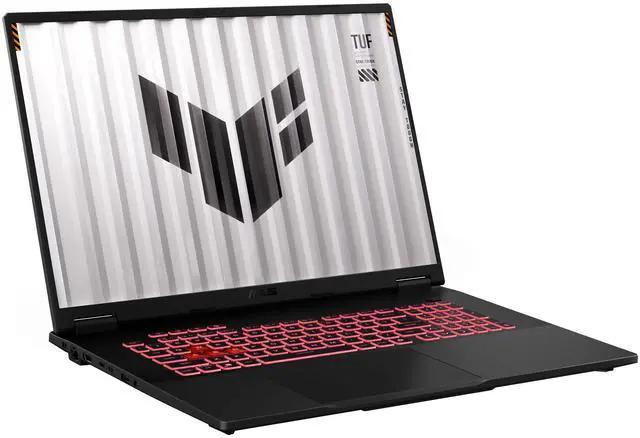
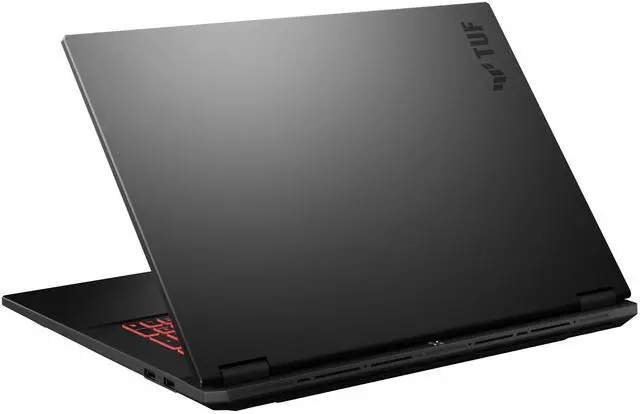




ASUS TUF Gaming - 18.0" WUXGA 144 Hz - AMD Ryzen 9 8940HX - GeForce RTX 5070 Laptop GPU - 16GB Memory DDR5 5600 - 1TB PCIe SSD - Windows 11 Home (FA808PP-NB94)
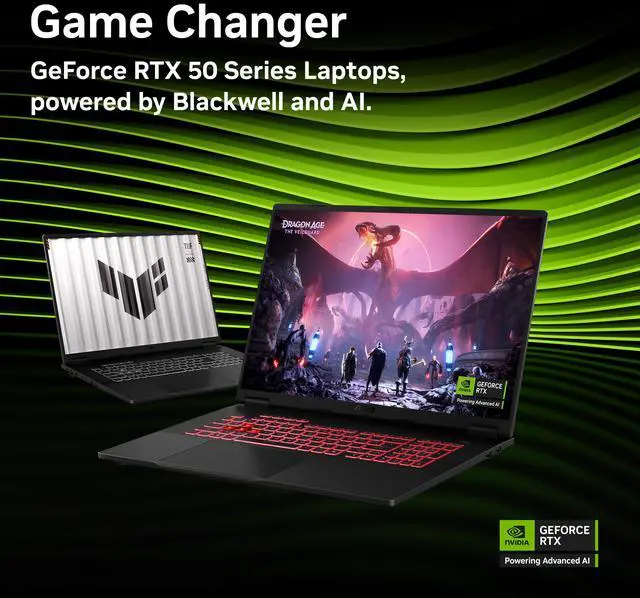
Free Nvidia game w/ purchase, limited offer
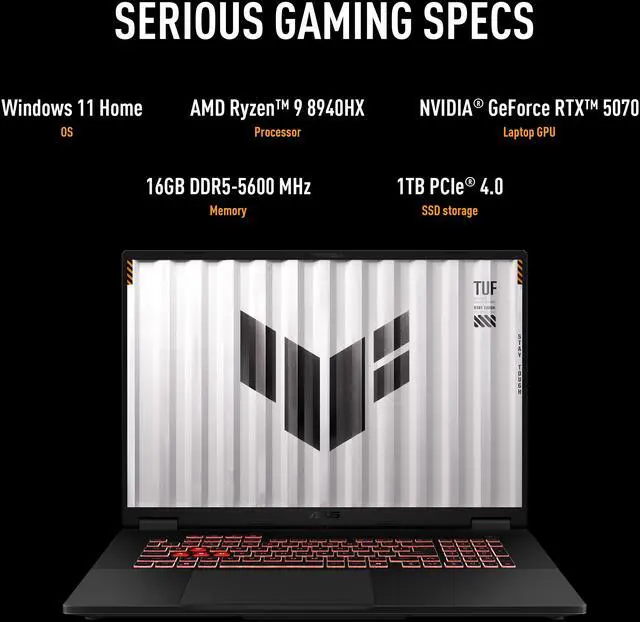
- GeForce RTX 5070 Laptop GPU
- AMD Ryzen 9 8940HX
- 16GB Memory / 1TB PCIe SSD
- 18.0" 1920 x 1200 Non-Touch Screen
- 15.71" x 11.14" x 0.74"-1.17"
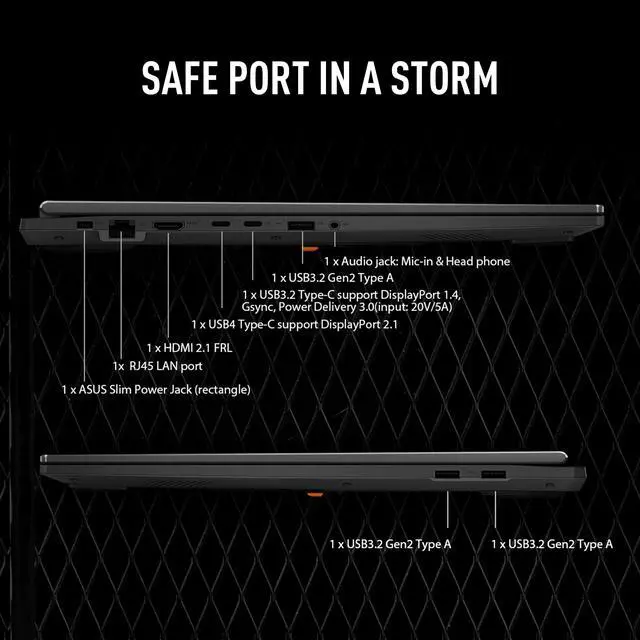
- 1 x HDMI 2.1
- 1 x USB 3.2 Gen 2 Type-C with support for DisplayPort / G-SYNC (data speed up to 10Gbps) 1 x USB 3.2 Gen 2 Type-C with support for DisplayPort / power delivery / G-SYNC (data speed up to 10Gbps) 3 x USB 3.2 Gen 2 Type-A (data speed up to 10Gbps)
- Consumer / Gaming / Home / Personal / Mainstream


+
+
Overview
Specs
Reviews
See all Q & A 
Any questions? Our AI mode will help you find out quickly.
Try me now
Warranty & Returns
Warranty, Returns, And Additional Information
Warranty
- Limited Warranty period (parts): 1 year
- Limited Warranty period (labor): 1 year
- Read full details
Return Policies
- Return for refund within: 15 days
- Return for replacement within: 15 days
- This item is covered by Newegg.com's 15-Day Return Policy.
- Read full return policy for details.
Manufacturer Contact Info
- Manufacturer Product Page
- Manufacturer Website
- Support Phone: 812-282-2787
- Support Website
- View other products from ASUS
LOADING...
LOADING...
Learn about this product
The ASUS TUF Gaming FA808PP-NB94 is an 18-inch gaming laptop with a Ryzen 9 8940HX, GeForce RTX 5070 Laptop GPU, 16GB DDR5 memory, and 1TB PCIe SSD, making it a strong fit for gamers and power users who want big-screen play, fast everyday performance, and modern connectivity in a portable desktop-style setup.
Recommended For
- Desk-based gamers who want a larger 18-inch screen for immersion, but still need a laptop they can move between rooms or take on occasional trips. ASUS positions the A18 as its first 18-inch TUF model for gaming and workflow, while reviews and community posts consistently frame it as a more portable, lower-cost alternative to bulkier premium 18-inch models.
- Students or hybrid workers who game after hours and want one machine for class/work apps, browser-heavy use, and modern games. ASUS explicitly markets the A18 for both gaming and keeping workflows on schedule, and Notebookcheck found unusually strong battery life for this class in lighter Wi‑Fi use.
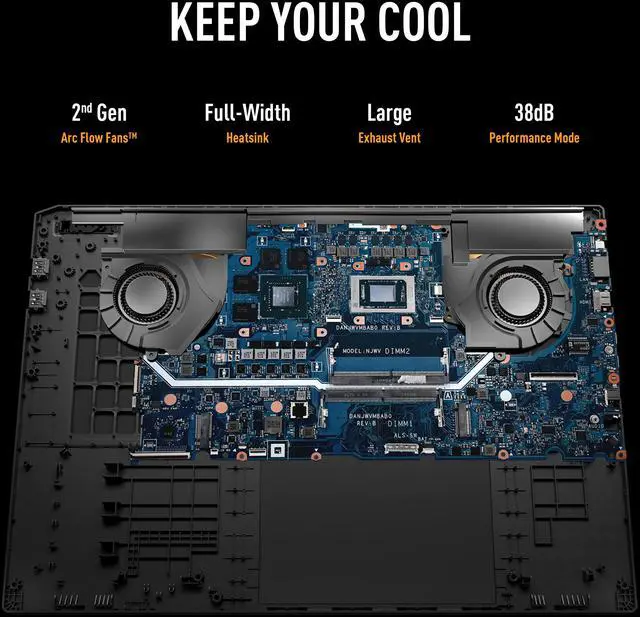
- Gamers who care about lower fan noise in everyday use and would rather run in a quieter performance mode than chase maximum turbo settings all the time. Review testing highlights very quiet behavior at idle and relatively restrained noise in Performance mode, which matches community interest in the A18 as a cooler-running 18-inch option.
- 1080p/1200p-focused players who want current AAA gaming on a large display without stepping into a more expensive flagship tier. ASUS lists up to an RTX 5070-class configuration with 115W graphics power, and review coverage describes the panel and tuning as a practical fit for native-resolution gaming rather than for chasing premium display specs.
Real-World Use Scenarios
- Desk-based gaming with modern AAA titles: buyers typically use this as a large-screen replacement for a smaller laptop or entry desktop, and the likely experience is smooth 1080p/1200p play with enough screen space to enjoy story-driven and open-world games without immediately needing an external monitor.
- Competitive multiplayer gaming at home: users trying to play shooters, racing games, or other fast-response titles can expect the 144Hz panel and laptop RTX 5070 class graphics to support high-refresh gameplay at the built-in 1920x1200 resolution, especially when settings are tuned for frame rate rather than maximum effects.
- Gaming plus everyday school or home use: people who want one machine for classes, browsing, office work, media, and evening gaming are likely to find the 18-inch screen comfortable for split-screen multitasking, while accepting that this is better suited to moving room to room than carrying all day.
- Light creator and streaming workloads: users editing clips, recording gameplay, or running voice chat and streaming apps alongside games should get a workable all-in-one setup, but 16GB RAM means heavier multitasking projects may benefit from a memory upgrade sooner than the CPU or GPU will.
- Home lab, coding, and VM-heavy study use: community use shows the A18 format also fits users running admin tools, development apps, or multiple windows at once, with the likely outcome being a comfortable workstation experience on the big display, though memory capacity matters more here than GPU speed.
Spec Summary
| Attribute | Value |
|---|---|
| Best For | Gaming and mainstream consumer/home use on an 18.0-inch WUXGA 144 Hz display; configured for gaming and general-purpose tasks with an AMD Ryzen 9 8940HX CPU, GeForce RTX 5070 GPU, 16 GB RAM and 1 TB PCIe SSD |
| Processor And Core Count | AMD Ryzen 9 8940HX (AMD Ryzen 9 8000 Series), 16-core processor with 16MB L2 and 64MB L3 cache |
| GPU And VRAM | NVIDIA GeForce RTX 5070 Laptop GPU with 8 GB dedicated video memory and dedicated graphics, listed as virtual reality ready |
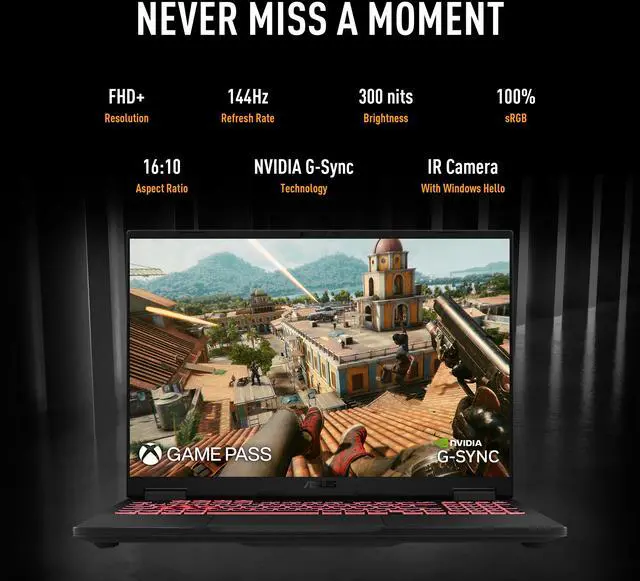
| Display Spec | 18.0-inch WUXGA (1920 x 1200) non-touch display, 144 Hz refresh, 100% sRGB color gamut, widescreen format |
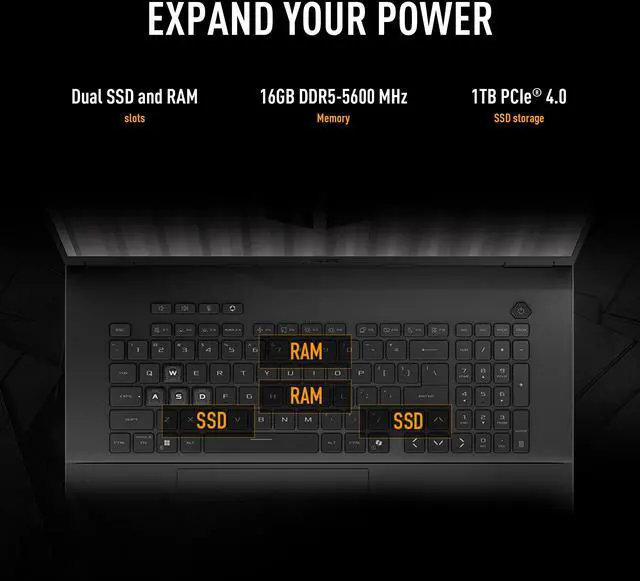
| Memory Configuration | 16 GB DDR5-5600 installed as 2 x SO-DIMM (2 total slots) |
| Storage And Expansion | 1 TB PCIe Gen4 SSD |
| High Speed I O | 2 x USB 3.2 Gen 2 Type-C (each up to 10 Gbps; both support DisplayPort and G-SYNC; one supports power delivery) and 3 x USB 3.2 Gen 2 Type-A (up to 10 Gbps) |
| External Display And Docking Fit | HDMI 2.1 plus USB-C ports with DisplayPort and G-SYNC support allow connection to external displays; one USB-C supports power delivery |
| Wired And Wireless Networking | Gigabit Ethernet (RJ-45, 10/100/1000 Mbps) and 802.11ax Wi‑Fi 6E wireless with Bluetooth 5.4 |
| Webcam And Privacy | 1080P FHD IR camera with Windows Hello support |
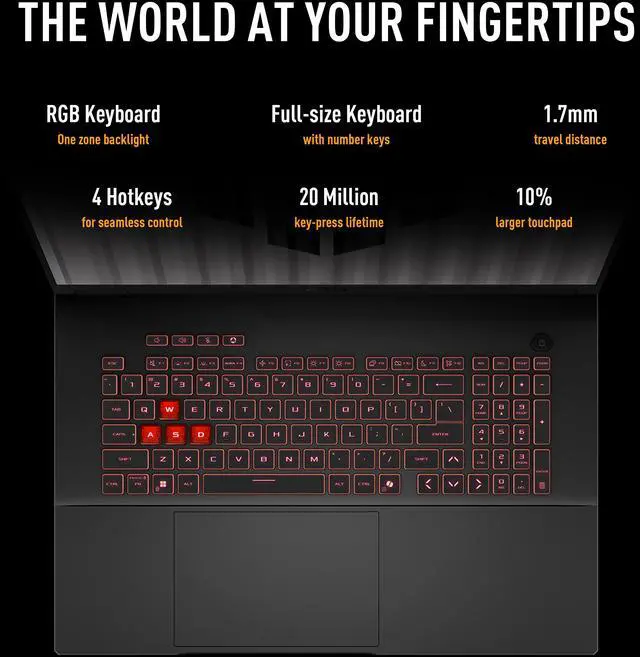
| Keyboard And Control | Backlit chiclet keyboard with 1-zone RGB lighting and Copilot key |
| Audio Setup | Headphone/microphone combo jack for audio input/output |
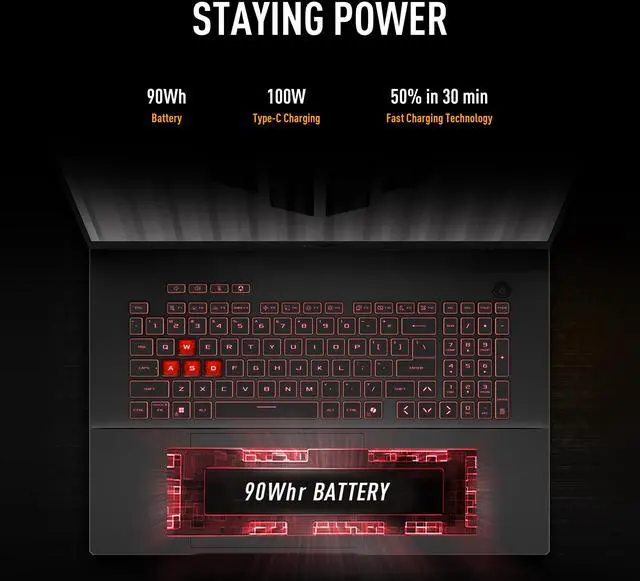
| Battery And Power | 90 WHr 4S1P 4-cell Li-ion battery with included 280W AC adapter (20V DC, 14A, 280W; input 100-240V AC, 50/60Hz) |
| Portability | Measures 15.71 x 11.14 x 0.74–1.17 inches, weighs 5.95 lbs, color Jaeger Gray, described as Thin and Light |
| Optical Drive | No optical drive |
| Model Identifiers | ASUS TUF Gaming FA808PP-NB94 (Part Number 90NR0MG1-M000S0), ships with Windows 11 Home |
Reference Q&A
Q: Should I buy this ASUS TUF Gaming A18 RTX 5070 or step down to the RTX 5060 version?
A: Choose this RTX 5070 configuration if you want a clearer performance buffer for newer AAA games and expect to keep the laptop for several years. Across broad gaming-laptop testing, the move from RTX 5060 Laptop to RTX 5070 Laptop is usually a modest but real uplift, roughly in the mid-teens in average gaming performance, while ASUS positions both GPUs at the same 115W power target in the A18 chassis. The RTX 5060 version is the better fit if your priority is lower upfront cost and you mainly play esports titles or less demanding games at 1200p.
Q: Is this ASUS TUF Gaming A18 RTX 5070 a better buy than a higher-tier RTX 5080 laptop?
A: Buy this A18 if you want strong mainstream gaming performance without moving into the much more expensive upper tier. External testing shows the jump from RTX 5070-class laptops to RTX 5080-class laptops is much larger than the 5060-to-5070 step, but that upgrade is usually paired with a meaningful price increase. An RTX 5080 laptop makes more sense if you want higher frame rates at 1600p or heavier ray tracing settings. This RTX 5070 A18 is the more balanced choice if your target is 1200p gaming on a large screen with a lower total spend.
Q: Should I choose this 18-inch ASUS TUF Gaming A18 or a smaller 16-inch gaming laptop?
A: Choose this A18 if you want a desktop-replacement style system with a larger viewing area, full-size gaming feel, and less dependence on an external monitor. Its 18-inch 16:10 display, 90Wh battery, and roughly 5.95 lb weight make it more transportable than portable-first. A 16-inch model is the better choice if you commute often, work in tighter spaces, or care more about bag fit and day-to-day mobility than screen size.
Q: Is this ASUS TUF Gaming A18 RTX 5070 a better choice than an older RTX 4060 or RTX 4070 gaming laptop?
A: This A18 is the better choice if you want a current-generation platform, a larger 18-inch display, newer RTX 50-series features, and a machine positioned for modern AAA gaming rather than value-only shopping. Older RTX 4060 and RTX 4070 laptops can still be sensible if you find them at a clear discount, especially for 1080p gaming. This ASUS model makes more sense when the price gap is not large and you want newer hardware plus the larger screen format.
Q: Should I buy this ASUS TUF Gaming A18 RTX 5070 or spend more on the ROG Strix G18?
A: Choose this TUF Gaming A18 if your main goal is getting an 18-inch gaming laptop with current RTX 5070-class graphics at a more accessible price point. ASUS positions TUF below ROG, and independent reviews describe the A18 as a value-led big-screen option rather than a premium flagship. The ROG Strix G18 is the better pick if you are specifically shopping for a more premium tier and are comfortable paying more for that positioning. The TUF A18 is the better fit when value and screen size matter more than moving up within ASUS's lineup.
Q: Is this ASUS TUF Gaming 18 a good choice for gaming first and everyday work second?
A: Yes, if gaming performance is the priority and office work is secondary. Its Ryzen 9 8940HX, RTX 5070 Laptop GPU, 144 Hz 18-inch display, and 90 Wh battery fit the pattern of a desktop-replacement gaming laptop. It can handle meetings, documents, web work, and multitasking, but the size, 5.95 lb weight, and likely shorter unplugged runtime under mixed use make it less convenient than a thinner productivity laptop for all-day mobile work.
Q: Is it practical as a travel work device?
A: Usually no for frequent travel, unless you specifically want a large-screen gaming laptop on the road. The 18-inch chassis, 5.95 lb weight, and 280 W charger make it much less travel-friendly than a 14- to 16-inch notebook. It is better suited to users who move between desks or rooms than to people who fly often or work comfortably in tight spaces.
Q: Is 16GB RAM enough, or should buyers plan to upgrade?
A: 16GB is enough for mainstream gaming, schoolwork, office apps, and general multitasking today, but it is the first likely upgrade point for heavier use. Buyers who keep many apps open, edit large media files, run virtual machines, or want longer headroom for new games should expect to move to 32GB. This model uses two SO-DIMM slots, which is better for upgrade flexibility than soldered memory designs.
Q: Is it good for note-taking, meetings, and office work?
A: Yes, it can do those tasks easily, but it is more laptop than most office users need. The 18-inch 1920 x 1200 display gives a roomy workspace, the 1080p IR camera is useful for video calls and Windows Hello sign-in, and the port selection is strong for docks and external displays. The trade-off is that this is a large gaming system with higher weight and power demands than a typical office laptop.
Q: What are the main trade-offs versus a slimmer 16-inch gaming or creator laptop?
A: The main advantage of this 18-inch ASUS TUF is a larger screen and a more desktop-like gaming setup. The main trade-offs are portability, charger size, and likely battery convenience away from the wall. Compared with many thinner 16-inch alternatives, it should feel better for immersive gaming and multi-window use, but worse for commuting, lap use, and minimalist travel.
Q: Who is this ASUS TUF Gaming 18 best for?
A: This model fits buyers who want a large-screen gaming laptop with strong CPU and GPU hardware, upgradeable DDR5 memory, and a full set of ports. It makes more sense as a desk-first gaming or mixed gaming/work machine than as a daily carry laptop, because the 18-inch chassis and 5.95 lb weight favor screen size and cooling over portability.
Q: Is it worth buying if I mainly care about gaming performance?
A: Yes, if gaming performance is the priority and the price is close to lower-GPU alternatives. Community discussion repeatedly treats the RTX 5070 version as the better gaming-oriented choice, while the product data also supports that use case with a dedicated GeForce RTX 5070 Laptop GPU, 144 Hz 18-inch display, and HDMI 2.1. The main caveat is that the base 16 GB RAM may feel limited sooner than the GPU for newer games and multitasking.
Q: Is this a good laptop for college, work, or travel as well as gaming?
A: It can work for college or general productivity, but it is not the most travel-friendly option. The 18-inch display is useful for multitasking, content viewing, and replacing a desktop at home, but the larger footprint and nearly 6 lb weight make it less convenient for frequent commuting or note-taking in tight spaces. It is a better fit if you want one machine for gaming plus desk-based school or work use.
Q: What are the main trade-offs of choosing this model?
A: The main trade-offs are portability and likely battery efficiency versus screen size and gaming-focused hardware. Reddit discussion around the Ryzen 9 8940HX TUF configurations repeatedly raises concerns about power efficiency and battery life compared with some alternatives, while the product itself is clearly tuned for plugged-in use with a 280 W charger and high-performance components. Buyers should also plan around a base 16 GB RAM configuration if they keep many apps or heavier games open.
Q: Should I buy it now, or wait if I want a more future-proof configuration?
A: Buy now if you want a large-screen gaming laptop and this exact configuration matches your budget. Wait if your priority is longer-term headroom, especially for memory or possible higher-tier refresh options. Community discussion shows some buyers weighing whether to wait for refreshed TUF variants, and that is reasonable here because this model starts at 16 GB RAM and 8 GB VRAM, which are acceptable today but may be the first limits you notice before storage or CPU performance.