




 here!
here!
I’m your shopping assistant for PC builds, upgrades, and everything tech.
Got questions? Ask away!
Start a conversation
here!
I’m your shopping assistant for PC builds, upgrades, and everything tech.
Got questions? Ask away!
Start a conversation Top Rated




Any questions? Ask CelesteSM will help you find out quickly.
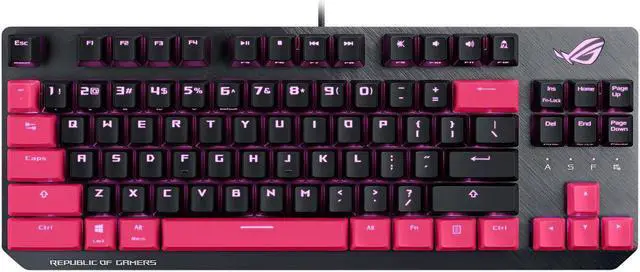
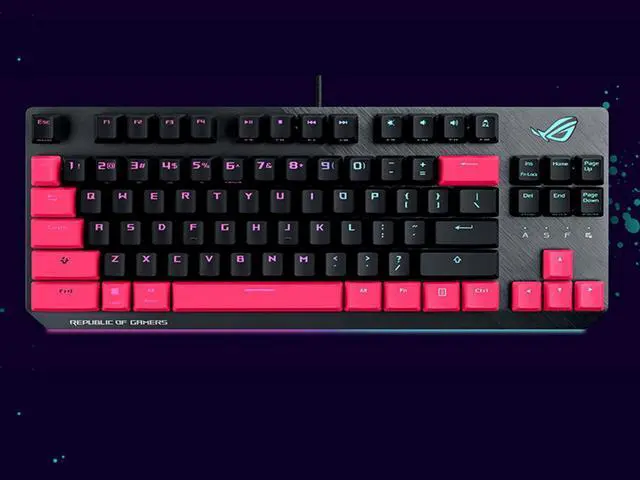
The ASUS ROG Strix Scope TKL Electro Punk is a wired tenkeyless mechanical gaming keyboard with Cherry MX Brown switches, RGB backlighting, an enlarged L-Ctrl key, and a stealth key. It is well suited to FPS gamers who want more mouse space, tactile input, and quick privacy controls.
| Attribute | Value |
|---|---|
| Best For | FPS gaming and compact desktop setups that benefit from a tenkeyless mechanical layout, tactile Brown Cherry MX switches, and extra mouse movement space |
| Switches And Construction | Wired mechanical keyboard with tactile Brown Cherry MX switches and an aluminum top plate |
| Layout And Design | Tenkeyless layout in black and pink, with compact dimensions of 1.57 x 14.02 x 5.35 inches |
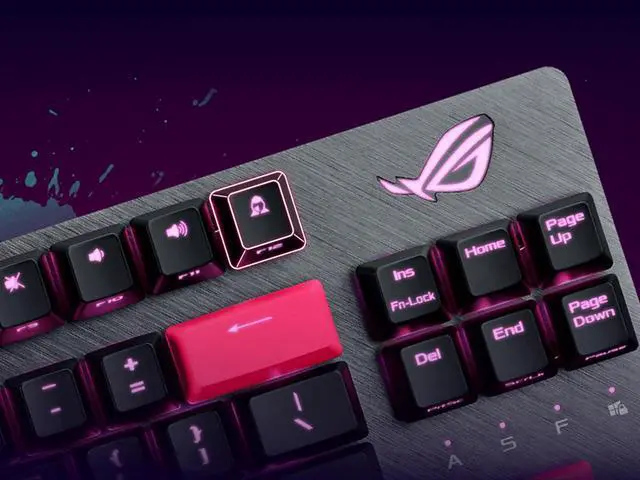
| Lighting And Controls | RGB backlighting, a quick-toggle switch for function and media inputs, and a stealth key that hides apps and mutes audio |
| Connectivity And Compatibility | Wired USB connection with a detachable braided USB Type-A to Type-C cable; supports Windows 10 and Windows 10 64-bit |
| Included Items | ROG Strix Scope TKL Electro Punk keyboard, detachable braided USB Type-A to Type-C cable, two ROG stickers, quick start guide, and warranty booklet |
| Model Identifiers | ASUS ROG Strix Scope TKL Electro Punk, model X803STRIXSCOPETKLEP/RD/US |
Q: Should I buy the ASUS ROG Strix Scope TKL Electro Punk or the ROG Strix Scope TKL Deluxe?
A: Choose the ROG Strix Scope TKL Electro Punk if you want the compact wired TKL layout, Cherry MX Brown switches, detachable cable, FPS-oriented enlarged Ctrl key, and Electro Punk styling. Choose the ROG Strix Scope TKL Deluxe if you want the same general feature set plus a magnetic padded wrist rest for longer typing or gaming sessions. The Deluxe version is the more comfort-focused configuration, while the Electro Punk model is easier to keep compact for travel.
Q: Is the ROG Strix Scope TKL Electro Punk better for FPS gaming than the HyperX Alloy Origins Core?
A: The Electro Punk is the more suitable choice if you prefer Cherry MX Brown tactile switches, the enlarged left Ctrl key, Stealth key, Quick-Toggle function, and ASUS Aura RGB integration. The HyperX Alloy Origins Core is a better fit if you prioritize a full aluminum body, three adjustable typing angles, and HyperX switch options such as linear Red or tactile Aqua. Both use a compact wired TKL design with detachable USB cables and RGB lighting, so the decision mainly depends on switch feel, chassis design, and software features.
Q: Should I get the wired ROG Strix Scope TKL Electro Punk or the ROG Strix Scope RX TKL Wireless Deluxe?
A: Choose the Electro Punk if you specifically want a wired keyboard with Cherry MX Brown tactile switches and a detachable cable. Choose the ROG Strix Scope RX TKL Wireless Deluxe if you want tri-mode connectivity, including USB, 2.4GHz wireless, and Bluetooth, plus ROG optical switches, PBT keycaps, a magnetic wrist rest, and a newer wireless-focused design. The RX TKL Wireless Deluxe provides greater connectivity flexibility, while the Electro Punk preserves the traditional Cherry MX Brown typing feel.
Q: Is the ROG Strix Scope TKL Electro Punk a good upgrade from a membrane TKL keyboard?
A: The Electro Punk is a meaningful upgrade if you want mechanical key switches, tactile feedback from the listed Cherry MX Brown configuration, per-key RGB lighting, onboard profiles, N-key rollover, and a detachable cable. A membrane TKL keyboard such as the HyperX Alloy Core RGB is more appropriate if spill resistance, quieter membrane operation, and a simpler design are higher priorities. The Electro Punk is the better match for users who want a more defined mechanical keypress and FPS-focused controls.
Q: Is this keyboard a good choice for FPS gaming and small desks?
A: Yes. The tenkeyless layout removes the number pad, creating more room for mouse movement. The enlarged Left Ctrl key is also designed to reduce accidental presses during FPS gameplay. The trade-off is that users who frequently enter numbers may miss having a dedicated numeric keypad. ([bestbuy.com](https://www.bestbuy.com/site/questions/asus-rog-tkl-wired-mechanical-cherry-mx-switch-gaming-keyboard-with-rgb-back-lighting-gray-black/6412923?utm_source=openai))
Q: Is it practical to travel with this keyboard?
A: It is reasonably travel-friendly for a mechanical keyboard because the tenkeyless body is compact, the cable detaches, and the keyboard measures approximately 14.02 by 5.35 inches. However, it is wired rather than wireless, so travel use requires carrying and connecting the USB cable.
Q: Is this keyboard suitable for office work, note-taking, and long typing sessions?
A: It can work well for office typing if you prefer tactile mechanical feedback and do not need a numeric keypad. Cherry MX Brown switches provide tactile feedback without the click mechanism associated with clicky switches, but mechanical key noise may still be noticeable in quiet offices or shared rooms. The wired USB connection is reliable but limits flexible desk placement. ([bestbuy.com](https://www.bestbuy.com/site/questions/logitech-g515-lightspeed-tkl-wireless-mechanical-tactile-brown-switch-gaming-keyboard-with-lightsync-rgb-black/10736185?utm_source=openai))
Q: Can the Cherry MX Brown switches be replaced with different switches?
A: Do not assume that they can. This model is specified with fixed Cherry MX Brown switches, and the related ROG Strix Scope TKL retail Q&A states that the switches are not hot-swappable. Keycaps may be replaceable, but replacement compatibility depends on the keycap set and the keyboard's nonstandard key sizes. ([bestbuy.com](https://www.bestbuy.com/site/questions/asus-rog-tkl-wired-mechanical-cherry-mx-switch-gaming-keyboard-with-rgb-back-lighting-gray-black/6412923?utm_source=openai))
Q: Will this keyboard work with a laptop or other USB-equipped computer?
A: It is designed for Windows 10 and connects through a wired USB interface using the included detachable USB Type-A to Type-C cable. It should be suitable for a laptop or desktop with a compatible USB port, but support for macOS, ChromeOS, tablets, or game consoles is not established by the provided specifications and should be verified before purchase. ([bestbuy.com](https://www.bestbuy.com/site/questions/corsair-k55-wired-gaming-membrane-keyboard-with-rgb-backlighting-black/5707081?page=2&utm_source=openai))
Q: Is the ASUS ROG Strix Scope TKL Electro Punk a good choice for FPS gaming?
A: Yes, it is best suited to FPS players who want a tenkeyless layout, more mouse space, and an enlarged left Ctrl key for crouch-heavy games. The main limitation is that it is wired and does not include a numpad.
Q: Is it suitable for office work and regular typing?
A: It can work well for office use if you prefer tactile feedback and do not need a numpad. The Cherry MX Brown switches are more typing-oriented than linear switches, but the mechanical key noise and gaming-focused RGB design may not suit every workplace.
Q: Is this keyboard a good option if I want to customize it later?
A: It is less suitable for extensive customization than a hot-swappable keyboard. Community discussions about the ROG Strix Scope TKL raise concerns about fixed switches, a non-standard bottom row, and difficult stabilizer replacement, so verify compatibility before buying replacement keycaps or switches.
Q: What are the main trade-offs of buying the Electro Punk version?
A: The keyboard combines a compact TKL layout, Cherry MX Brown switches, detachable USB-C cable, RGB lighting, and a distinctive black-and-pink design. The trade-offs are the lack of a numpad, wired-only operation, limited upgrade flexibility, and an aesthetic that may be too bold for users who prefer a neutral keyboard.


