• $41.99
  • Free 30-day Returns
  • Sold by ATTACK SHARK

    Shipped by ATTACK SHARK

    Price alert
    Shop it at NeweggBusiness.

    Meet Your Seller

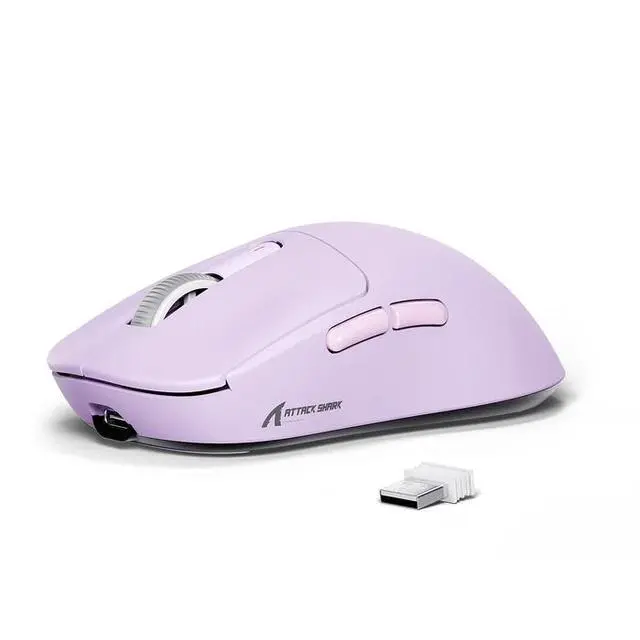
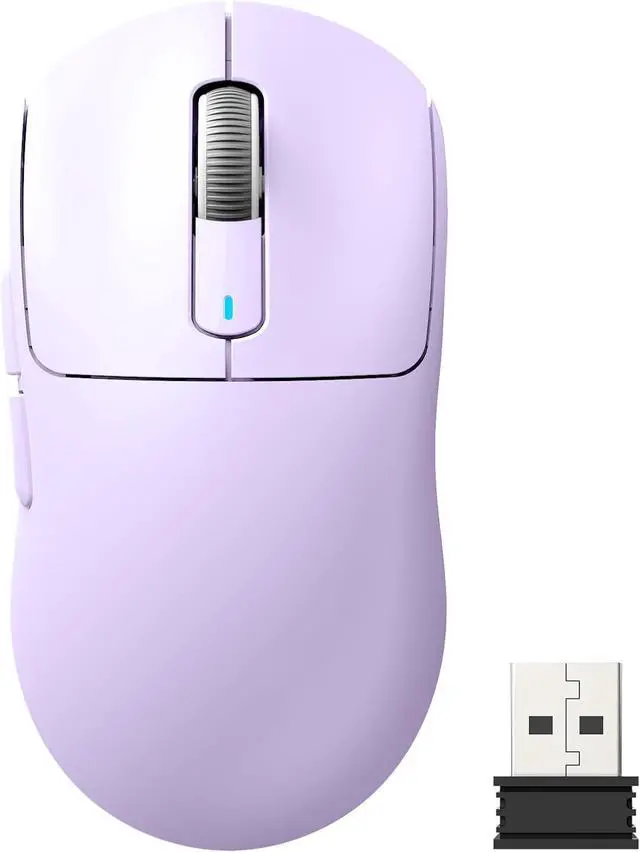
    ATTACK SHARK X3 Lightweight Tri-Mode Wireless Gaming Mouse, 2.4G Bluetooth USB-C Wired, PAW3395 Sensor, 26K DPI, Kailh GM8.0 Switch, 5 Programmable Buttons for PC & Mac White Purple

    • Black
    • White
    • Orange
    • Purple
    • Red
    • Berry Red
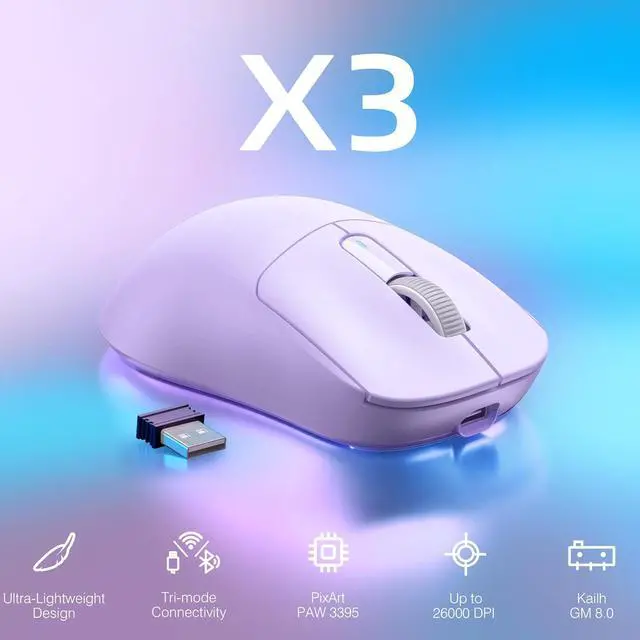
    • PixArt PAW3395 Flagship Sensor ATTACK SHARK X3 wireless gaming mouse adopts the PixArt PAW3395 flagship optical sensor. It features 6-speed adjustable DPI (800/1600/2400/3200/5000/26000), 650 IPS tracking speed, 1000Hz polling rate and 50G acceleration. Capture tiny motions with rapid response and precise positioning for hardcore gamers.
    • 49g Ultralight & Ergonomic ShapeBuilt with lightweight composite materials, the X3 weighs only 49g, lighter than an ordinary egg. The ergonomic contour suits various hand grips. It lessens hand burden, relieves palm sweating and wrist tiredness during long hours of use.
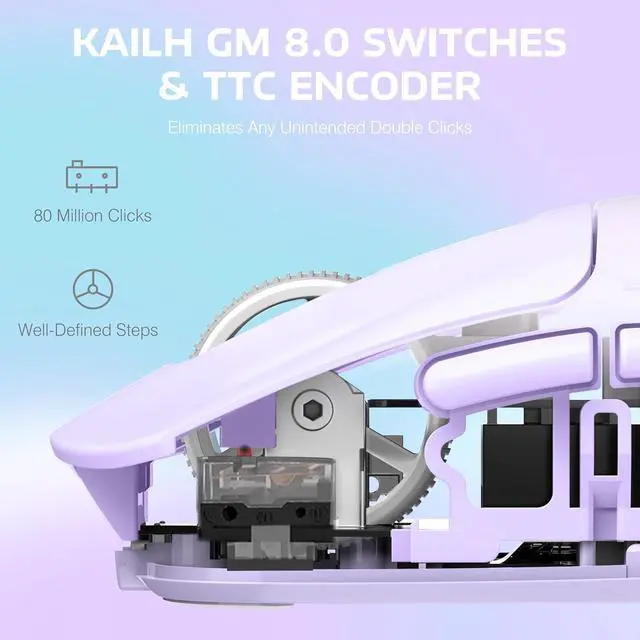
    • Kailh GM8.0 Switches + TTC EncoderHigh-performance Kailh Black Mamba GM8.0 micro switches provide crisp clicks, fast rebound and quick trigger, with an 80-million-click service life. Matched with a TTC scroll encoder for higher accuracy, bringing great tactile experience.
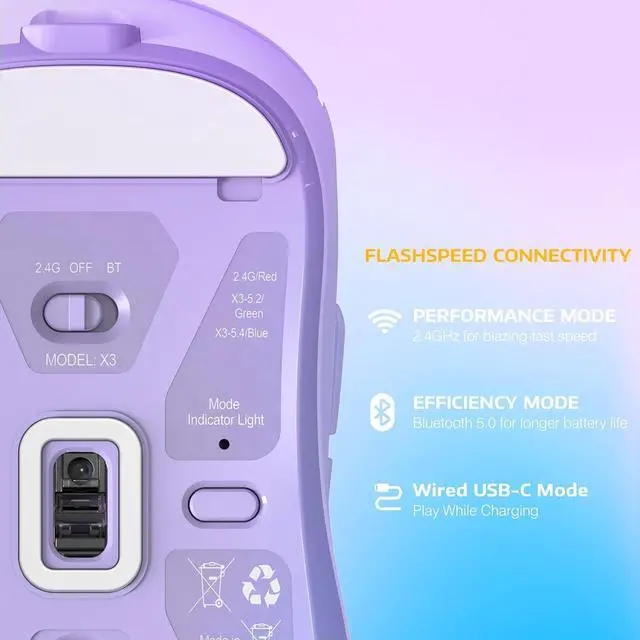
    • 3 Connection ModesSupports USB-C wired, 2.4G wireless and Bluetooth 5.2. Enjoy cable-free gaming on wireless modes; switch to wired mode for stable transmission. Connect up to 4 devices at once, perfect for multi-device office and gaming.
    • 5 Programmable Buttons5 programmable buttons enable customization of DPI, polling rate, LOD, shortcuts and macros through driver. Premium gaming peripherals help eliminate lag and improve your in-game performance.
    +
    +
    Overview
    Specs
    Reviews
    avatar

    Any questions? Our AI mode will help you find out quickly.

    Wireless Gaming Mouse Programmable Buttons, Gaming Accessories for PC/Laptop/Mac
    Wireless Gaming Mouse Programmable Buttons, Gaming Accessories for PC/Laptop/Mac

    49G ULTRA-LIGHTWEIGHT

    A lower weight allows you to move, accelerate, and stop the mouse with more precision, making it easier than ever to track targets and hit your flicks.

    SUPERLIGHT Wireless Gaming Mouse, 49g Ergonomic Computer Mouse
    SUPERLIGHT Wireless Gaming Mouse, 49g Ergonomic Computer Mouse
    Wireless Gaming Mouse Programmable Buttons, Gaming Accessories for PC/Laptop/Mac
    • 1) 2.4G connection:

      Turn the switch on the back of the mouse to 2.4G, and plug the USB receiver into the computer to use it.

      2) Wired connection:

      Adjust the switch to "OFF" - insert the USB cable, which can be used directly and charge the mouse.

    • a) Toggle the switch on the back to Bluetooth.

      b) Long press the Bluetooth button for 3 seconds

      b) Turn on the Bluetooth switch of the device, find the device named "X3-5.2 mouse/X3-5.4 mouse", click to connect.

    • You can enter the required value under the DPI setting of the software and click the save button to apply it. Supporting minimum 50 DPI step setting. If you do not see the input box, please download the latest driver software.

    Wireless Gaming Mouse Programmable Buttons, Gaming Accessories for PC/Laptop/Mac
    Wireless Gaming Mouse Programmable Buttons, Gaming Accessories for PC/Laptop/Mac
    49G ULTRA-LIGHTWEIGHT

    A lower weight allows you to move, accelerate, and stop the mouse with more precision, making it easier than ever to track targets and hit your flicks.

    SUPERLIGHT Wireless Gaming Mouse, 49g Ergonomic Computer Mouse
    SUPERLIGHT Wireless Gaming Mouse, 49g Ergonomic Computer Mouse
    Wireless Gaming Mouse Programmable Buttons, Gaming Accessories for PC/Laptop/Mac
    • 1) 2.4G connection:

      Turn the switch on the back of the mouse to 2.4G, and plug the USB receiver into the computer to use it.

      2) Wired connection:

      Adjust the switch to "OFF" - insert the USB cable, which can be used directly and charge the mouse.

    • a) Toggle the switch on the back to Bluetooth.

      b) Long press the Bluetooth button for 3 seconds

      b) Turn on the Bluetooth switch of the device, find the device named "X3-5.2 mouse/X3-5.4 mouse", click to connect.

    • You can enter the required value under the DPI setting of the software and click the save button to apply it. Supporting minimum 50 DPI step setting. If you do not see the input box, please download the latest driver software.





    Warranty & Returns

    Warranty, Returns, And Additional Information

    Warranty

    • Please contact the Seller directly for warranty information. Warranty information may also be found on the Manufacturer's website.
    • CONTACT

    Return Policies

    Manufacturer Contact Info

    LOADING...