



  • $48.99
  • $53.99
  • Save: $5.00 (9%)
  • Free 30-day Returns
  • Sold by Direct from manufacturerATTACK SHARK

    Shipped by Direct from manufacturerATTACK SHARK

    Price alert
    Shop it at NeweggBusiness.

    Meet Your Seller

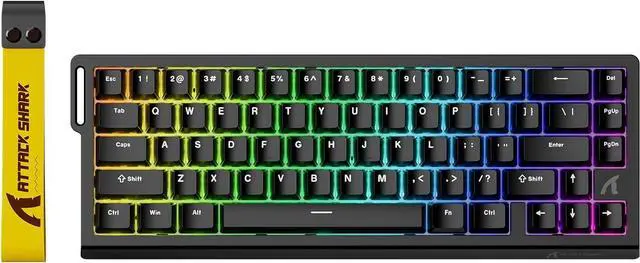
    ATTACK SHARK X68 HE RT 60% Wired Magnetic Gaming Keyboard Black, Hall Effect Switch, Adjustable Actuation, 8KHz Polling Rate, RGB Top Mount, Web Driver for PC Mac Esports Gamers

    Limited time offer, ends 08/30 By ATTACK SHARK

    • Black
    • Black Contour
    • Moonlight
    • Rose Contour
    • White Contour
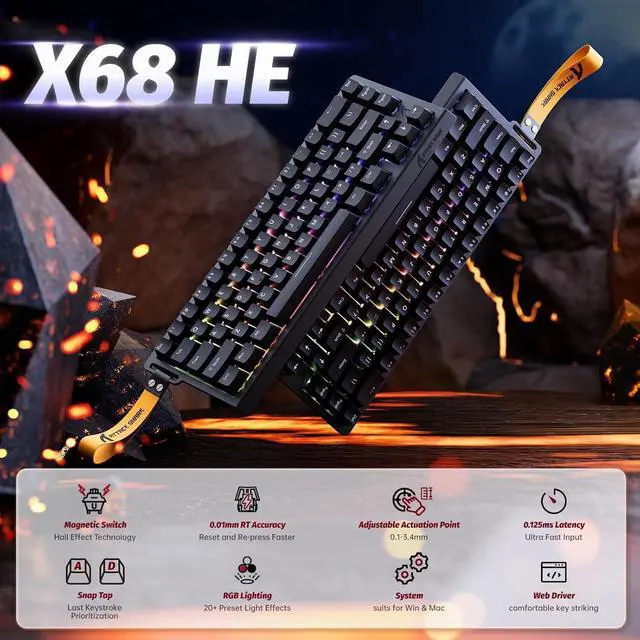
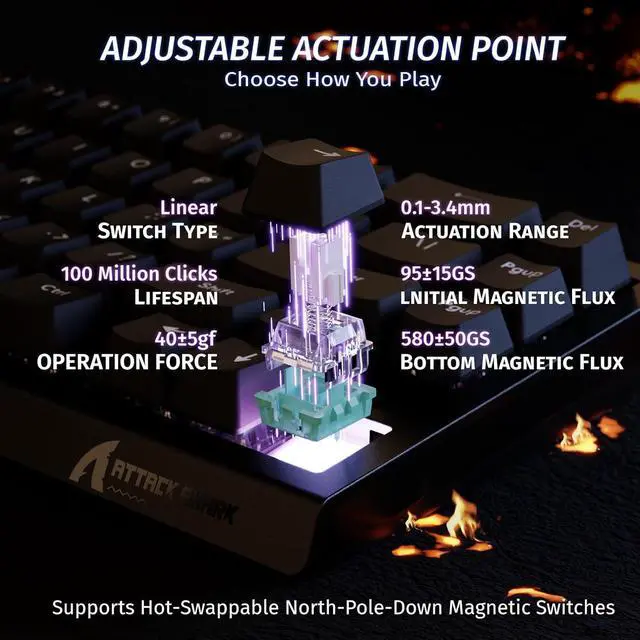
    • 60% Layout Magnetic Switch & RT Function,The ATTACK SHARK X68HE adopts adjustable Hall effect magnetic switches and Rapid Trigger tech. Each key supports 4 depth-based custom functions, with actuation points adjustable from 0.1mm to 3.4mm. With 8000Hz polling rate and 0.01mm RT accuracy, it achieves a minimal 0.125ms theoretical low latency, delivering ultra-responsive keystrokes for competitive games like Valorant and osu!.
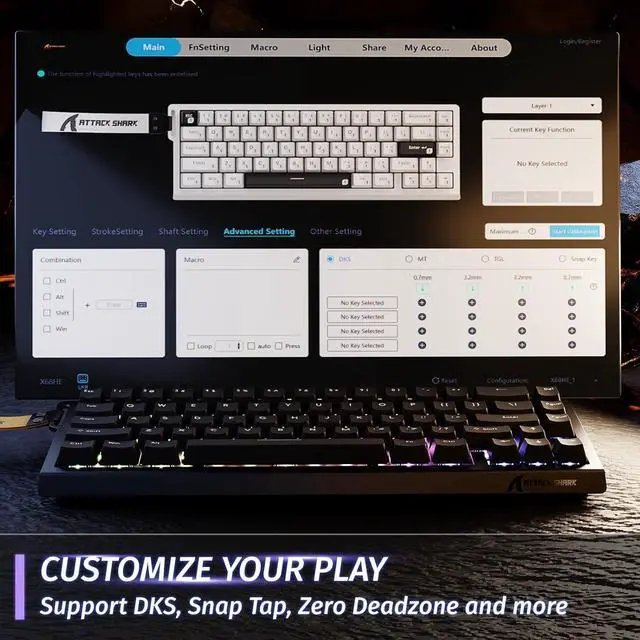
    • Full NKRO & Customizable Programming,Supporting full-key NKRO and one-click Win/Mac dual-system switching, the keyboard features a no-install web driver (qmk.top). Users can freely remap keys, set macros & hotkeys, customize lighting and tune actuation points, realizing low-latency, high-precision keystroke control for gaming and daily typing.
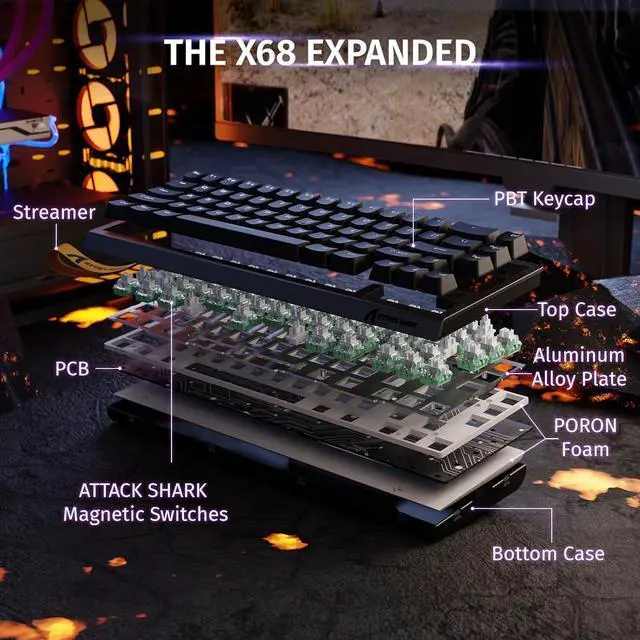
    • Top-Mount Structure & Premium Typing Sound,Equipped with a top-mount structure, anodized aluminum plate and double-layer PORON cushioning, this wired keyboard delivers stable, quiet and smooth typing. Pre-lubed fine-tuned stabilizers eliminate big-key wobble, providing crisp, satisfying keystroke feedback and improved gaming efficiency.
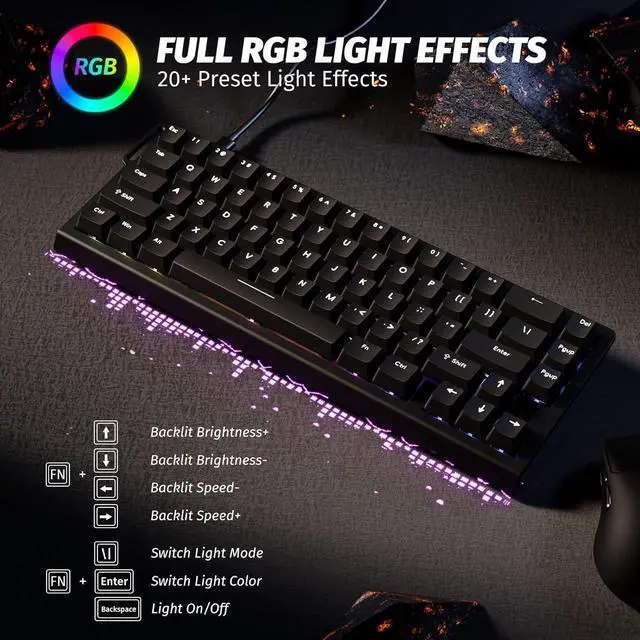
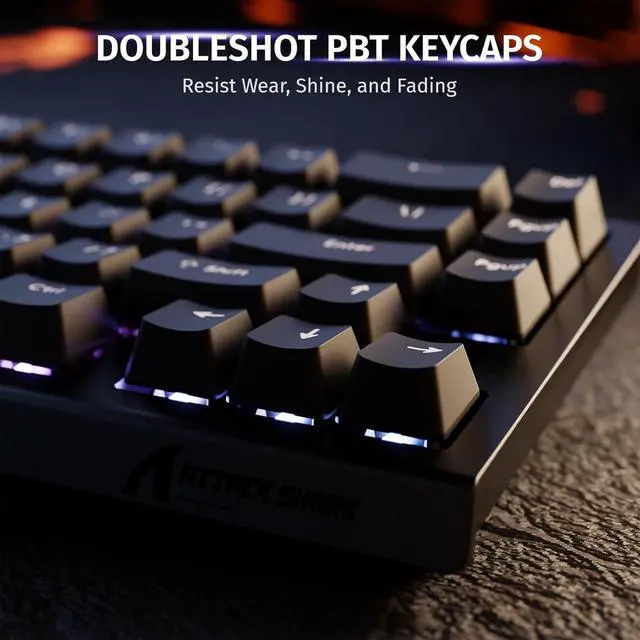
    • RGB Lighting & Durable PBT Keycaps,Built-in 16.8 million-color RGB LEDs with south-facing design offer diverse vivid backlight modes for immersive visuals. Paired with Cherry-profile double-shot PBT keycaps with fade-resistant clear legends, the keyboard is ultra-durable and boasts a premium texture.
    +
    +
    Overview
    Specs
    Reviews
    avatar

    Any questions? Our AI mode will help you find out quickly.

    aplus content video

    ATTACK SHARK X68 HE Mechanical Gaming Keyboard for ESPORT FPS VALORANT RHYTHM Gamers
    ATTACK SHARK X68HE 8K Polling Rate Magnetic Mechanical Gaming Keyboard

    PRODUCT SPECIFICATION

    Number of Keys 66 Keys(Arrow keys included)
    Supported Connections Type-C Wired
    Software Link www.qmk.top
    Switches Type Outemu Magnetic Amber Switch
    Backlit 16.8 Million Chroma RGB South Facing Light
    Keycap Materials Cherry Profile PBT Keycap
    Actuation Point from 0.1mm to 3.4mm
    RT Accuracy 0.01mm
    Polling Rate 8000HZ
    Scan Rate 128KHZ
    • Press and hold the key combination "FN+Caps Lock" for 3 seconds to restore the keyboard to factory settings

    • FN+\|: Switch Light Mode

      FN+Enter: Switch Light Color

      FN+Backspace: Light On/Off

      FN+Tab: All key lights turn white

    • The X68 HE is set to 8k polling rate by default, so you don’t need to make any adjustments

    • We recommend running a quick calibration before first use. This helps the keyboard detect keystrokes more accurately and ensures the best typing experience.

    • You can toggle between them by pressing FN + Right Shift. This allows you to choose whether the top row functions as number keys or as F-keys, depending on your needs.

    aplus content video

    ATTACK SHARK X68 HE Mechanical Gaming Keyboard for ESPORT FPS VALORANT RHYTHM Gamers
    ATTACK SHARK X68HE 8K Polling Rate Magnetic Mechanical Gaming Keyboard

    PRODUCT SPECIFICATION

    Number of Keys 66 Keys(Arrow keys included)
    Supported Connections Type-C Wired
    Software Link www.qmk.top
    Switches Type Outemu Magnetic Amber Switch
    Backlit 16.8 Million Chroma RGB South Facing Light
    Keycap Materials Cherry Profile PBT Keycap
    Actuation Point from 0.1mm to 3.4mm
    RT Accuracy 0.01mm
    Polling Rate 8000HZ
    Scan Rate 128KHZ
    • Press and hold the key combination "FN+Caps Lock" for 3 seconds to restore the keyboard to factory settings

    • FN+\|: Switch Light Mode

      FN+Enter: Switch Light Color

      FN+Backspace: Light On/Off

      FN+Tab: All key lights turn white

    • The X68 HE is set to 8k polling rate by default, so you don’t need to make any adjustments

    • We recommend running a quick calibration before first use. This helps the keyboard detect keystrokes more accurately and ensures the best typing experience.

    • You can toggle between them by pressing FN + Right Shift. This allows you to choose whether the top row functions as number keys or as F-keys, depending on your needs.


    Warranty & Returns

    Warranty, Returns, And Additional Information

    Warranty

    • Please contact the Seller directly for warranty information. Warranty information may also be found on the Manufacturer's website.
    • CONTACT

    Return Policies

    Manufacturer Contact Info

    LOADING...