




BNC to HDMI Video Converter

TVI/CVI/AHD to HDMI Converter Adapter
TVI/CVI/AHD to HDMI Converter Adapter, Full HD 4K 720P/1080P BNC to HDMI Video Converter for Monitor HDTV DVRs, Convert TVI CVI AHD CVBS BNC Video Signal to HDMI
TVI/CVI/AHD to HDMI /VGA/BNC Converter
- CVI/TVI/AHD+CVBS to HDMI. HDMI output 1080P/720P. Connected to HDMI output. Plug and play; automatic recognition of input signals.
- Support 1080P/960P/720P CVI/TVI/AHD/CVBS BNC Loop Output.
Specifications: Power: DC 5V-20V Working Current: 150mAh Consumption: =2Wat Signal input: AHD/TVI/CVI/CVBS(1080P/960P/720P) Signal output: HDMI / VGA / CVBS(1080P/720P) Dimension: 66*53*21mm Net Weight: 73g
BNC to HDMI Converter

BNC to HDMI Converter
BNC to HDMI Converter
Features:
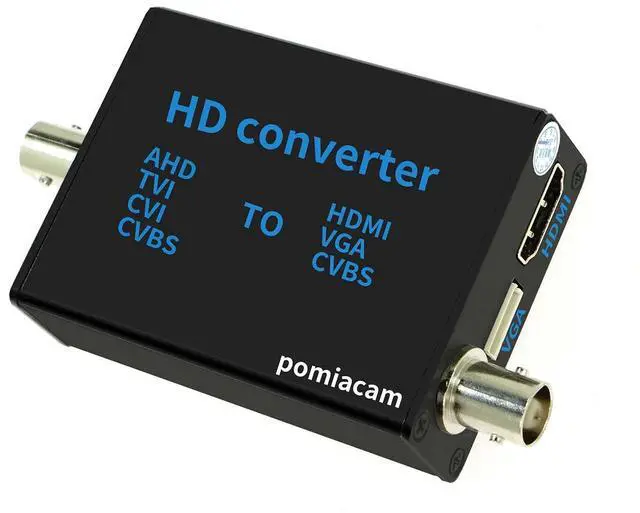
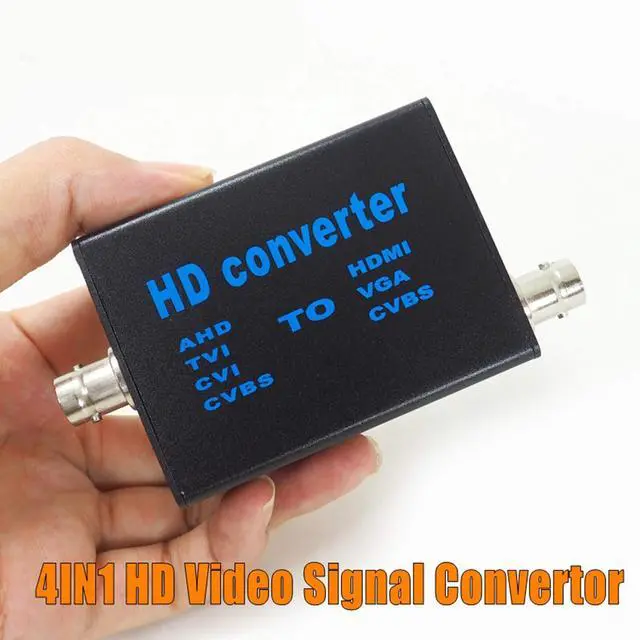
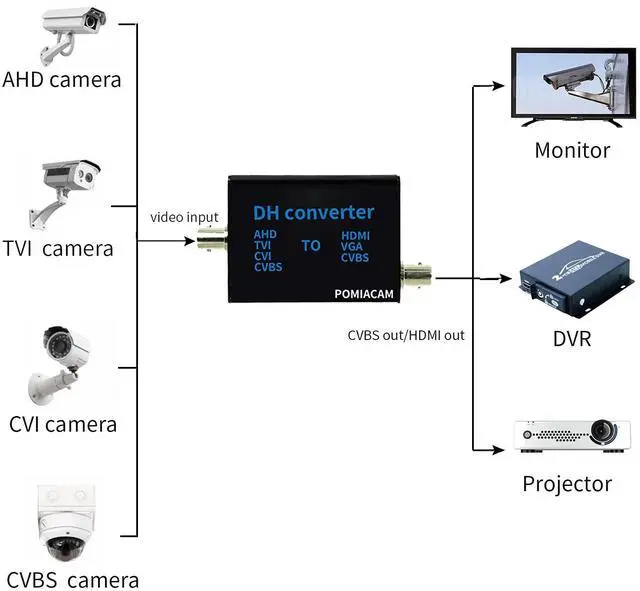
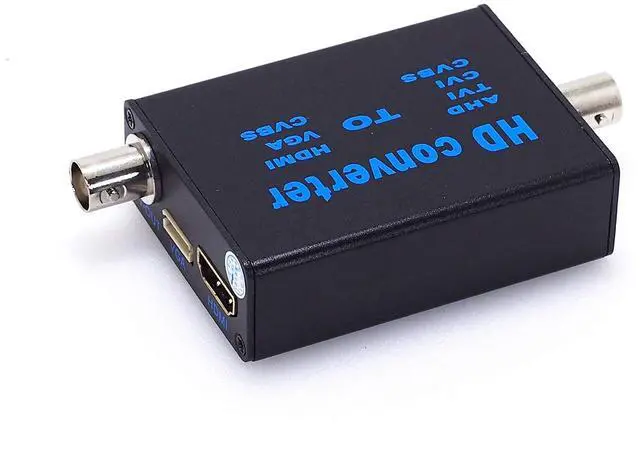
This is a 4 in 1 high definition video signal converter, it convert AHD/TVI/CVI/CVBS signal to HDMI/VGA/CVBS signal. The converter will recognize input video signal automatically. it compatible with 1080P,960P,720P,480P signal input. The output HDMI signal support 1080P and 720P. You can shift it by the button on convertor. MPS wide power 5V-20V design helps it widely used in different working conditions.
How to use:
1. Connect with original 12V power adapter to DC port, after power on, the RED light on;
2. V-IN connect with video signal input, the other side connect with the device which to receive converted video signal;
3. If you connect V-OUT/VGA/HDMI at the same time, press button A to shift different signal to display. The default output signal type is HDMI.
4. When using HDMI output, press button B to shift Video resolution between 1080P or 720P.
5. When using CVBS output, press Button B to shift PAL/NTSC mode.
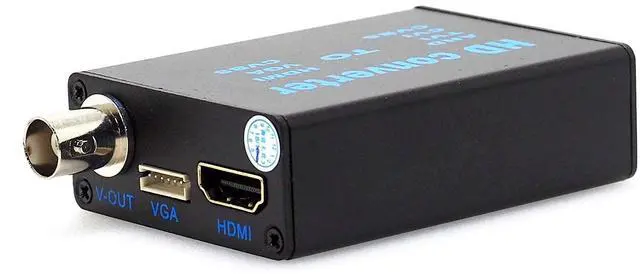
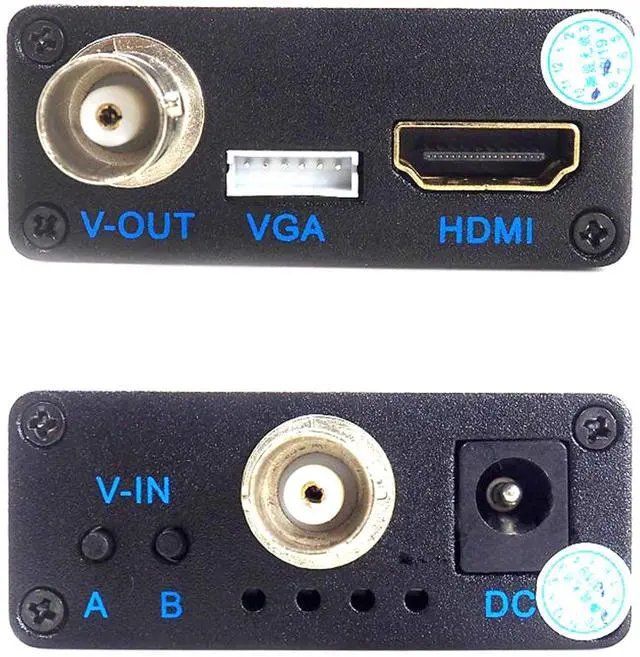
Front panel instruction: Port/Function: A: Output signal shift B: Signal output resolution or TV mode shift V-IN: Signal input (AHD/TVI/CVI/CVBS) DC: Power input(5V-20V) Indicator (From left to right) : VGA signal, CVBS signal, HDMI signal, Power (Red) Rear panel instruction: Port/Function V-OUT: CVBS signal output (NCTS/PAL optional) VGA: VGA signal output HDMI: HDMI signal output(720P/1080P optional)
FAQ: 1. Why there has no video after I connect V-IN and V-OUT? A. Please confirm if the monitor signal type is same as convertor output type. And please confirm if convertor signal shift to the correct mode. 2. Can I use my own power adapter with convertor? A. Convertor support 5V-20V power input, please use the adapter within this range and good quality.

CVBS out put
This BNC to HDMI Converter Support CVI/TVI /AHD video input , and CVBS out put .

HDMI out put
This BNC to HDMI Converter Support CVI/TVI /AHD video input , and HDMI out put .

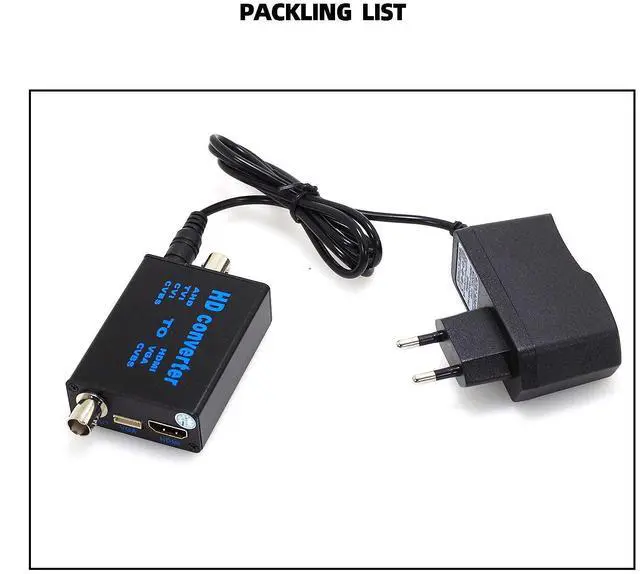
packing list of the this BNC to HDMI Converter
BNC to HDMI converter *1
12V Power adapter*1
Manual*1
VGA module*1
Specifications of BNC to HDMI converter
BNC to HDMI Video Converter
TVI/CVI/AHD to HDMI Converter Adapter
TVI/CVI/AHD to HDMI Converter Adapter, Full HD 4K 720P/1080P BNC to HDMI Video Converter for Monitor HDTV DVRs, Convert TVI CVI AHD CVBS BNC Video Signal to HDMI
TVI/CVI/AHD to HDMI /VGA/BNC Converter
- CVI/TVI/AHD+CVBS to HDMI. HDMI output 1080P/720P. Connected to HDMI output. Plug and play; automatic recognition of input signals.
- Support 1080P/960P/720P CVI/TVI/AHD/CVBS BNC Loop Output.
Specifications: Power: DC 5V-20V Working Current: 150mAh Consumption: =2Wat Signal input: AHD/TVI/CVI/CVBS(1080P/960P/720P) Signal output: HDMI / VGA / CVBS(1080P/720P) Dimension: 66*53*21mm Net Weight: 73g
BNC to HDMI Converter
BNC to HDMI Converter
BNC to HDMI Converter
Features:
This is a 4 in 1 high definition video signal converter, it convert AHD/TVI/CVI/CVBS signal to HDMI/VGA/CVBS signal. The converter will recognize input video signal automatically. it compatible with 1080P,960P,720P,480P signal input. The output HDMI signal support 1080P and 720P. You can shift it by the button on convertor. MPS wide power 5V-20V design helps it widely used in different working conditions.
How to use:
1. Connect with original 12V power adapter to DC port, after power on, the RED light on;
2. V-IN connect with video signal input, the other side connect with the device which to receive converted video signal;
3. If you connect V-OUT/VGA/HDMI at the same time, press button A to shift different signal to display. The default output signal type is HDMI.
4. When using HDMI output, press button B to shift Video resolution between 1080P or 720P.
5. When using CVBS output, press Button B to shift PAL/NTSC mode.
Front panel instruction: Port/Function: A: Output signal shift B: Signal output resolution or TV mode shift V-IN: Signal input (AHD/TVI/CVI/CVBS) DC: Power input(5V-20V) Indicator (From left to right) : VGA signal, CVBS signal, HDMI signal, Power (Red) Rear panel instruction: Port/Function V-OUT: CVBS signal output (NCTS/PAL optional) VGA: VGA signal output HDMI: HDMI signal output(720P/1080P optional)
FAQ: 1. Why there has no video after I connect V-IN and V-OUT? A. Please confirm if the monitor signal type is same as convertor output type. And please confirm if convertor signal shift to the correct mode. 2. Can I use my own power adapter with convertor? A. Convertor support 5V-20V power input, please use the adapter within this range and good quality.
CVBS out put
This BNC to HDMI Converter Support CVI/TVI /AHD video input , and CVBS out put .
HDMI out put
This BNC to HDMI Converter Support CVI/TVI /AHD video input , and HDMI out put .
packing list of the this BNC to HDMI Converter
BNC to HDMI converter *1
12V Power adapter*1
Manual*1
VGA module*1
Specifications of BNC to HDMI converter
| Power | DC 5V-20V |
| Working Current | 150mAh |
| Consumption | =2Wat |
| Signal input | AHD/TVI/CVI/CVBS(1080P/960P/720P) |
| Signal output | HDMI / VGA / CVBS(1080P/720P) |
| Dimension | 66*53*21mm |
| Net Weight | 73g |