


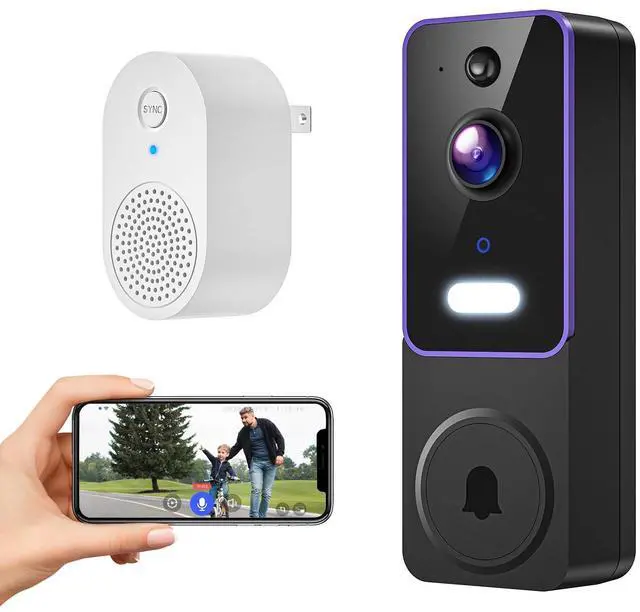

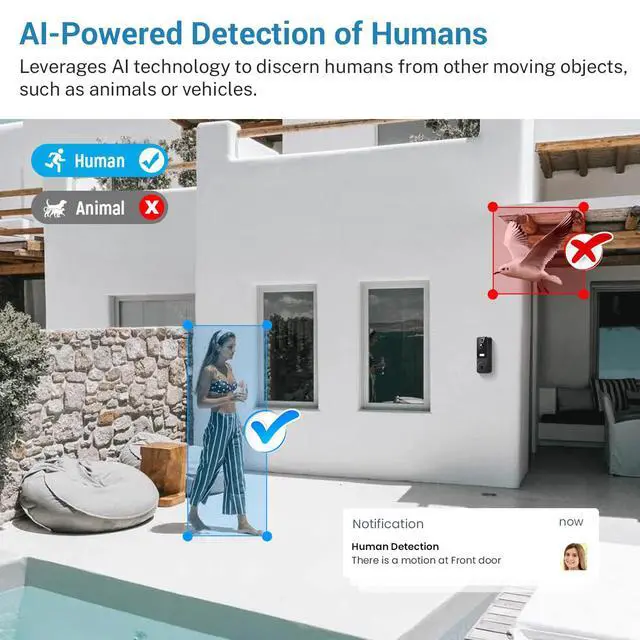



1080p Wireless Video Doorbell with Indoor Receiver, AI Human Detection, Night Vision, 2-Way Audio, Cloud Storage (Sold Separately), 2.4G Wi-Fi Only

- Indoor Doorbell Receiver Keeps You Alert: Install the doorbell camera wireless receiver where it’s most convenient, so you always hear the doorbell.
- See in Full Color, Even at Night: Enjoy sharp, clear video in the dark with advanced night vision.
- Secure Cloud Storage for Peace of Mind (Sold Separately): Lock away your videos with AES 128-bit encryption for safe access.
- Capture Everything with a Wide-Angle Lens: Get the full picture at your doorstep with expanded video coverage.?
- 2.4GHz Wi-Fi Compatibility Only: Smooth, reliable connection without the need for 5GHz networks.

See in Full Color, Even at Night
Enjoy sharp, clear video in the dark with advanced night vision.

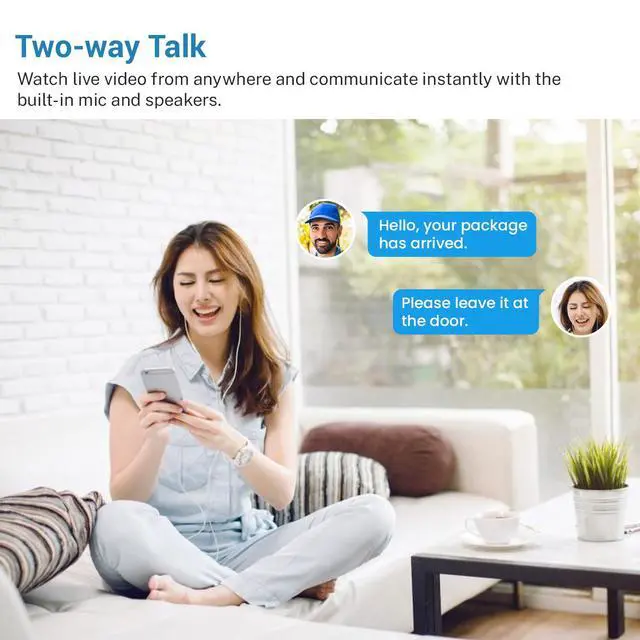
Speak to Visitors in Real-Time
Wireless doorbell two-way audio lets you answer the door from anywhere.

Secure Cloud Storage for Peace of Mind (Sold Separately)
Lock away your videos with AES 128-bit encryption for safe access.

Instant Alerts When You Need Them
Get notified as soon as someone rings or motion is detected.

Troubleshooting network connection issues:
- The doorbell camera only works with 2.4GHz Wi-Fi. Please connect it to a 2.4GHz network. If your network has both 5G or 2.4G please connect it to the 2.4G one.
- Double-check that you are entering the correct Wi-Fi name and password.
- Verify the distance between the doorbell and the Wi-Fi router; the doorbell should be within 33 feet (10 meters) of the router.
- Please enable Bluetooth on your phone, but you don't need to connect Bluetooth with the device, just ensure the Bluetooth is on.
- If you changed your Wi-Fi password, or your camera got disconnected, please reset the Wi-Fi connection with the camera: Press and hold the doorbell button until the camera was reset, and then add the camera again back to the same App account.
Q&A
1: Can I view the doorbell camera through a smartphone?
A: Absolutely, you can view the video via the application.
2: Does the doorbell camera support cloud storage? Does it support SD cards?
A: The doorbell camera stores videos in the cloud storage space, with a cloud storage subscription fee of $29.99 per device per year. It does not support SD cards.
3: Does the doorbell camera support 5GHz Wi-Fi?
A: The doorbell camera only supports 2.4GHz Wi - Fi. If your router provides both 2.4GHz and 5GHz bands, please name them differently and connect the camera to the 2.4GHz band.
4: Will the video be stored without a cloud storage subscription?
A: Without a cloud storage subscription, the device will not store any recorded videos. You won't be able to play back or view historical video records. However, other functions (such as real - time viewing, motion detection notifications, 2-way talk) will still work normally. After subscribing to the cloud storage service, the device will keep your videos for the last 30 days.
1080p Wireless Video Doorbell with Indoor Receiver, AI Human Detection, Night Vision, 2-Way Audio, Cloud Storage (Sold Separately), 2.4G Wi-Fi Only
- Indoor Doorbell Receiver Keeps You Alert: Install the doorbell camera wireless receiver where it’s most convenient, so you always hear the doorbell.
- See in Full Color, Even at Night: Enjoy sharp, clear video in the dark with advanced night vision.
- Secure Cloud Storage for Peace of Mind (Sold Separately): Lock away your videos with AES 128-bit encryption for safe access.
- Capture Everything with a Wide-Angle Lens: Get the full picture at your doorstep with expanded video coverage.?
- 2.4GHz Wi-Fi Compatibility Only: Smooth, reliable connection without the need for 5GHz networks.
See in Full Color, Even at Night
Enjoy sharp, clear video in the dark with advanced night vision.
Speak to Visitors in Real-Time
Wireless doorbell two-way audio lets you answer the door from anywhere.
Secure Cloud Storage for Peace of Mind (Sold Separately)
Lock away your videos with AES 128-bit encryption for safe access.
Instant Alerts When You Need Them
Get notified as soon as someone rings or motion is detected.
Troubleshooting network connection issues:
- The doorbell camera only works with 2.4GHz Wi-Fi. Please connect it to a 2.4GHz network. If your network has both 5G or 2.4G please connect it to the 2.4G one.
- Double-check that you are entering the correct Wi-Fi name and password.
- Verify the distance between the doorbell and the Wi-Fi router; the doorbell should be within 33 feet (10 meters) of the router.
- Please enable Bluetooth on your phone, but you don't need to connect Bluetooth with the device, just ensure the Bluetooth is on.
- If you changed your Wi-Fi password, or your camera got disconnected, please reset the Wi-Fi connection with the camera: Press and hold the doorbell button until the camera was reset, and then add the camera again back to the same App account.
Q&A
1: Can I view the doorbell camera through a smartphone?
A: Absolutely, you can view the video via the application.
2: Does the doorbell camera support cloud storage? Does it support SD cards?
A: The doorbell camera stores videos in the cloud storage space, with a cloud storage subscription fee of $29.99 per device per year. It does not support SD cards.
3: Does the doorbell camera support 5GHz Wi-Fi?
A: The doorbell camera only supports 2.4GHz Wi - Fi. If your router provides both 2.4GHz and 5GHz bands, please name them differently and connect the camera to the 2.4GHz band.
4: Will the video be stored without a cloud storage subscription?
A: Without a cloud storage subscription, the device will not store any recorded videos. You won't be able to play back or view historical video records. However, other functions (such as real - time viewing, motion detection notifications, 2-way talk) will still work normally. After subscribing to the cloud storage service, the device will keep your videos for the last 30 days.