

• $69.99
  • Free 30-day Returns
  • Price alert
    Sold by Zeren Company

    Shipped by Zeren Company

    Shop it at NeweggBusiness.

    Meet Your Seller

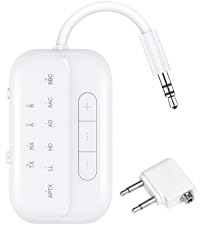
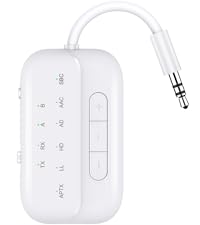
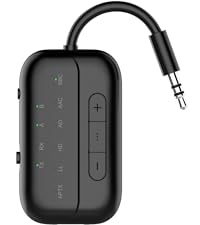
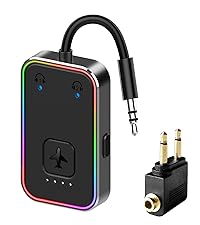
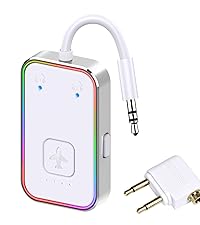
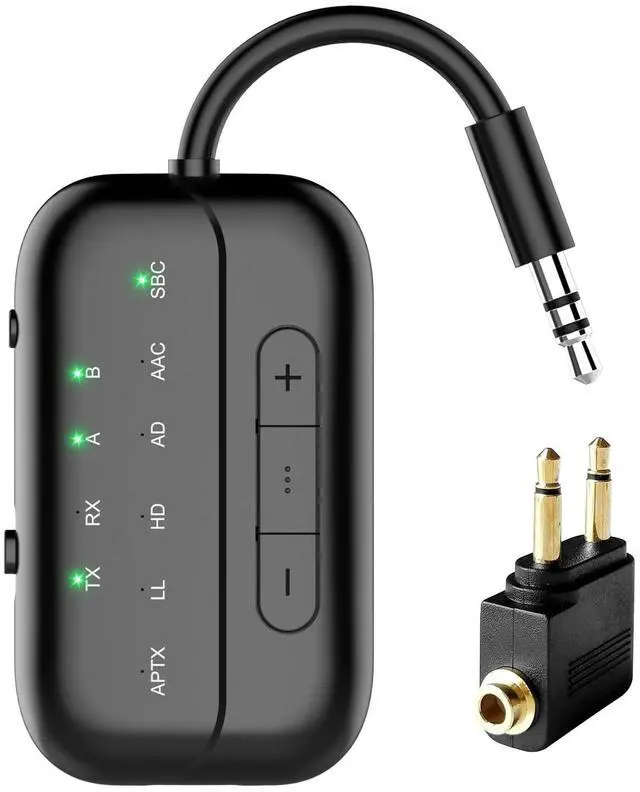
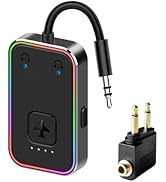
    2025 Upgraded Pro Bluetooth 5.4 Transmitter Receiver,2-in-1 Airplane Wireless Adapter for Flight,TV,PC,Gym,Switch,Compatible with 2 AirPods/Headphones;Audio AUX Receiver for Car/Home Stereo

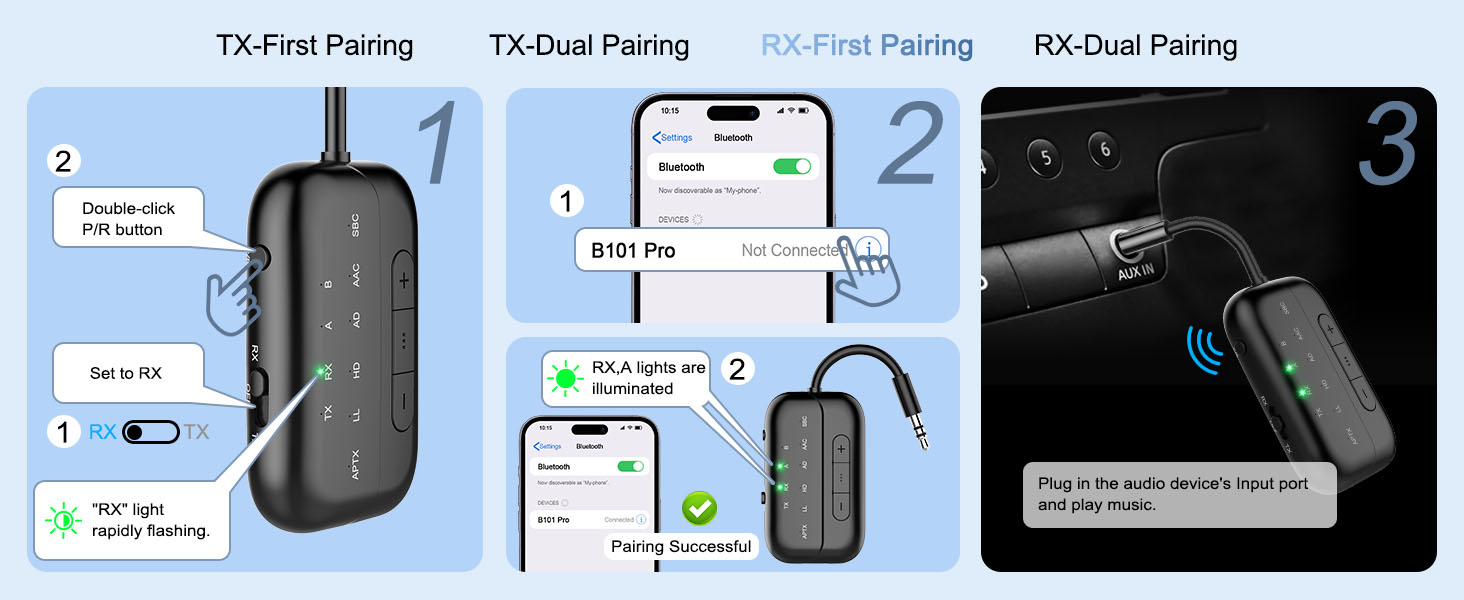
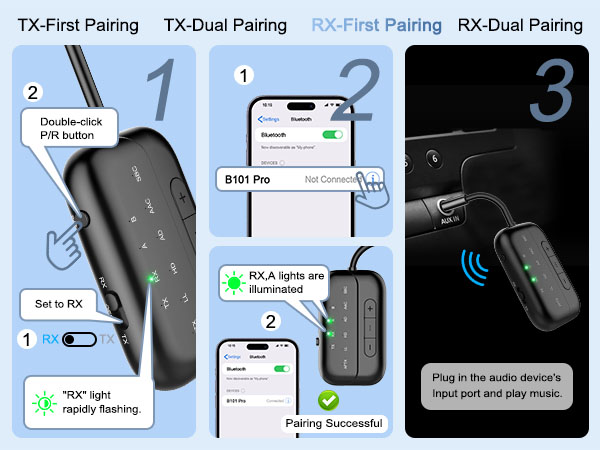
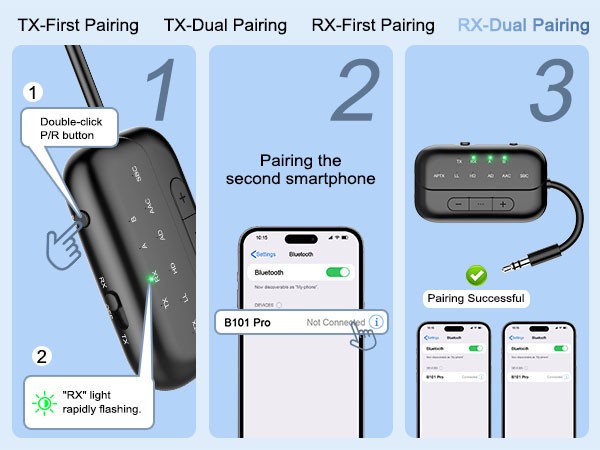
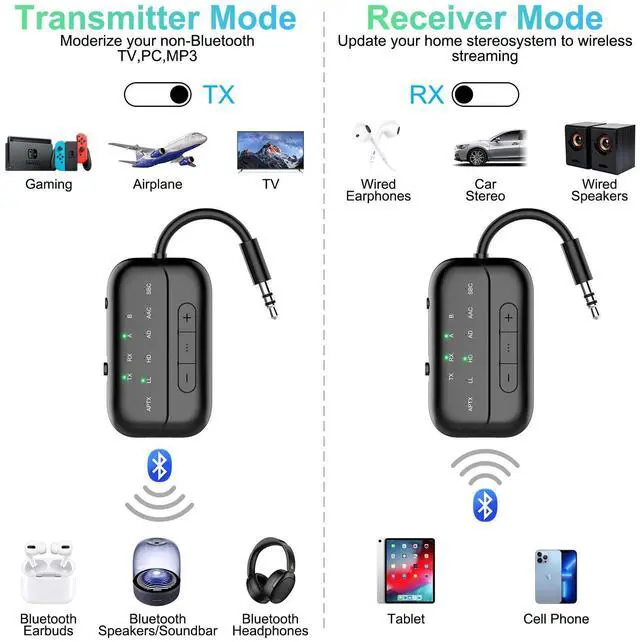
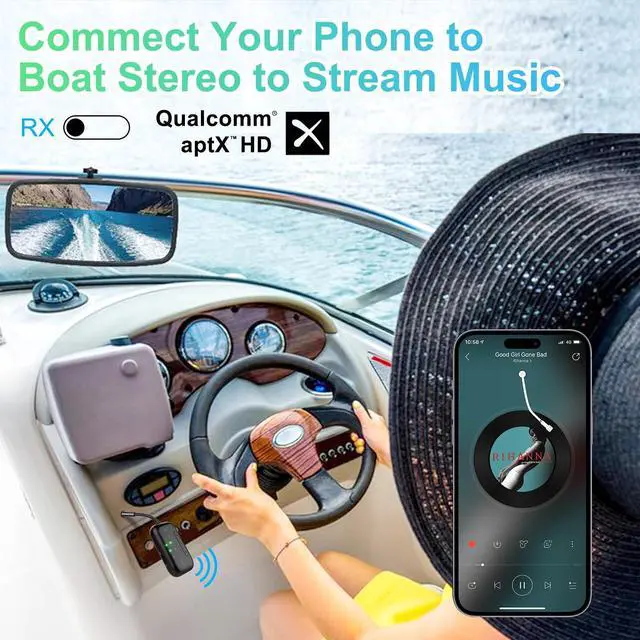
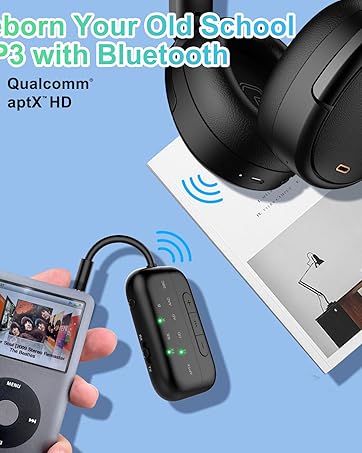
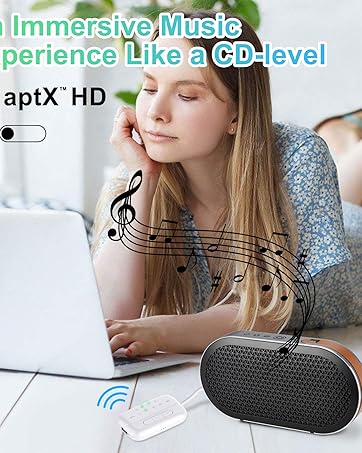
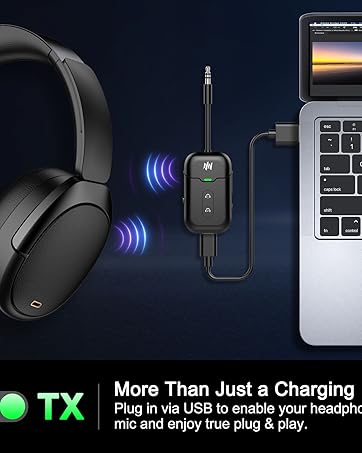
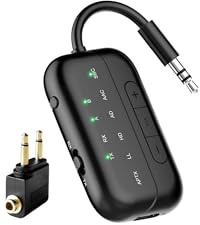
    • 2-in-1Bluetooth Transmitter Receiver: In TX mode, the Bluetooth transmitter enables you to transmit audio from TVs, PCs, airplane entertainment systems to Bluetooth headphones, earbuds, and Bluetooth speakers via a 3.5mm cable. An additional Dual 3.5mm AUX Adapter is included for improved compatibility with various airplane audio interfaces.In RX mode, the Bluetooth receiver allows you to connect your smartphone to wired speakers, earphones, car stereos, or home stereos wirelessly via Bluetooth.
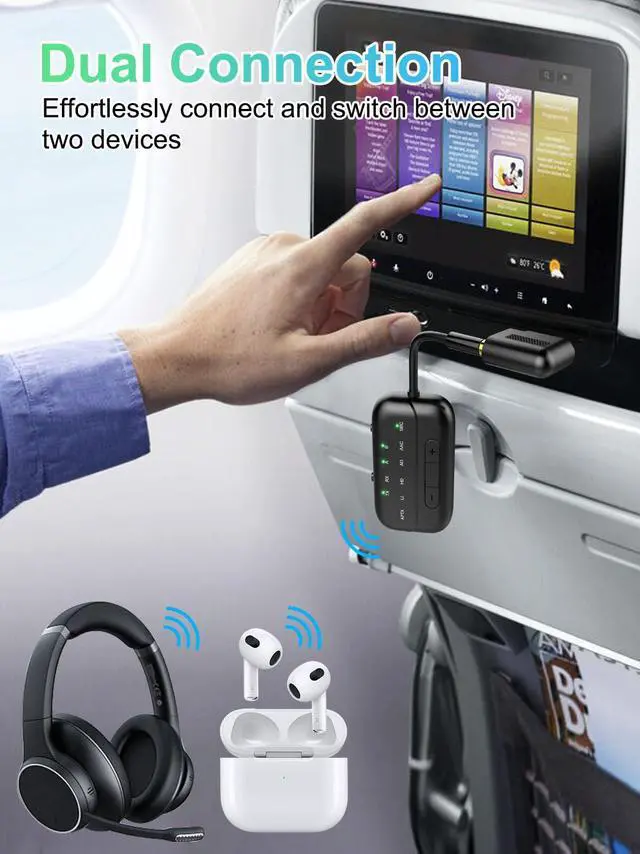
    • Wide Compatibility: With the dual 3.5mm Airplane Headphone Adapter included, the B101 Pro is compatible with any aircraft, regardless of the audio output jack type. It also works seamlessly with any device that outputs audio via AUX, such as tablets, PCs, gym equipment, and more. Moreover, it can connect to a wide range of Bluetooth headphones or earbuds, including AirPods Pro 2.
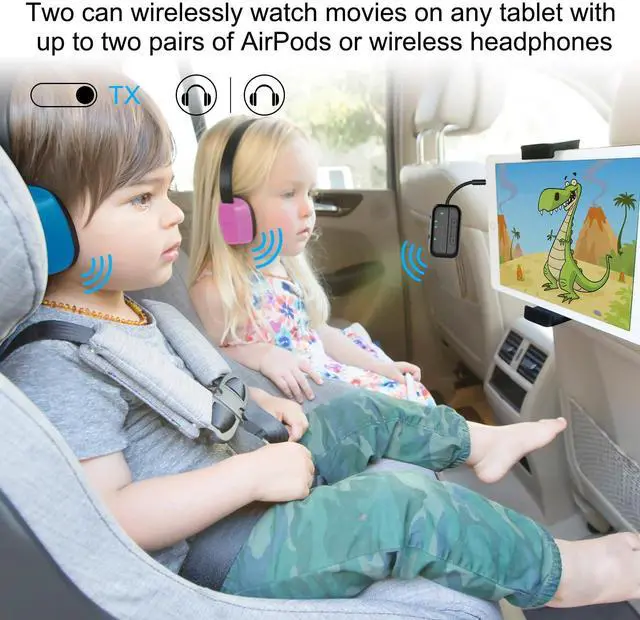
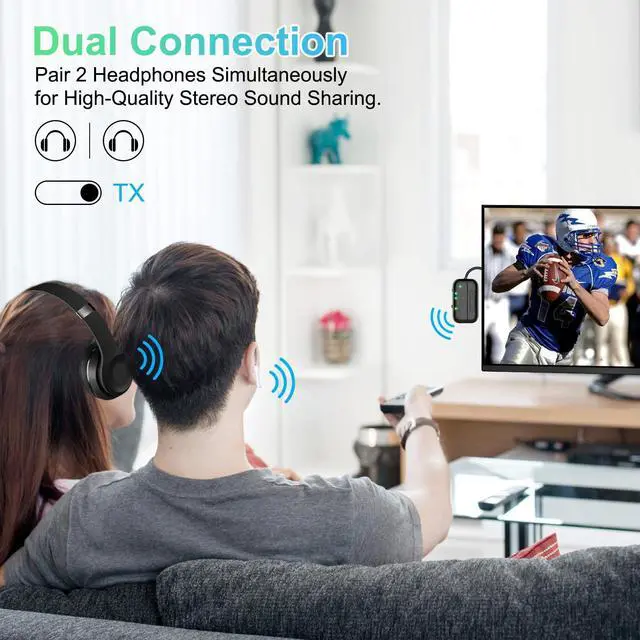
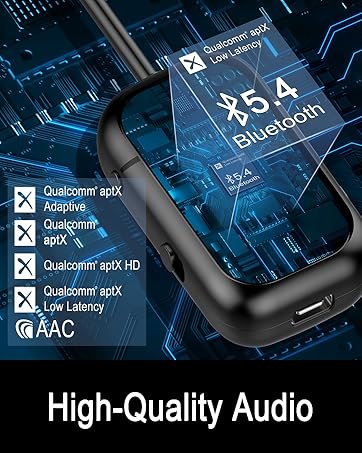
    • Bluetooth 5.4 & Qualcomm Chip: Utilizing Bluetooth 5.4 and a Qualcomm Chip, the B101 Pro ensures stable and reliable connections. It features aptX-Adaptive and aptX-Low Latency support, guaranteeing high-quality audio transmission with minimal delay when paired with compatible devices. Please verify that your device also supports aptX. Keep in mind that a slight delay of around 200ms may occur when using dual connections.
    +
    +
    Overview
    Specs
    Reviews
    avatar

    Any questions? Our AI beta will help you find out quickly.

    Before You Buy, Please Note:

    B101 Pro Bluetooth Transmitter is not suitable for live music, musical instruments, or karaoke. We do not recommend using it for electronic pianos or guitars that require 2.4G transmission for audio synchronization.

    air fly pro wireless transmitter for plane
    ifly bluetooth transmitter
    About sound delay. If your headphones do not support aptX-LL/Adaptive technology, audio latency may occur.
    Not suitable for live music. Do not recommand use the B101 on music instrument like electronic piano or guitars, audio latency may occur.
    AirPods Series Apple earbuds (such asAirPods) support the SBC encoding format when connecting to devices
    Dual Link Mode Audio Format In Dual Link mode (connecting with 2 headphones simultaneously), the audio format will be limited to SBC only, and you cannot change it to other formats.
    How to reset the B101? When the device is powered on, press and hold the "P/R" key for 8 seconds. All LED lights will illuminate simultaneously, indicating a successful reset.
    How to connet to you TV? 1.Open your Bluetooth headphones or speaker and set it to Bluetooth pairing mode 2.Set the B101 to "TX" mode, double-click the "P/R" button to enter pairing mode; the "TX" indicator light will flash rapidly. When the "TX" and "A" indicator lights are on simultaneously, pairing is successful. 3.Insert the 3.5mm audio cable from the device into the TV's audio output jack. If your TV lacks an audio output jack, use the RCA audio cable from the packaging, inserting it into the TV's audio output jack
    No sound from TV? Please ensure that the aux cable is securely plugged into the "AUDIO OUT" or headphone jack on your TV, and confirm that both devices are successfully paired. Then, adjust the TV's sound settings from "TV speaker" to "Audio out."
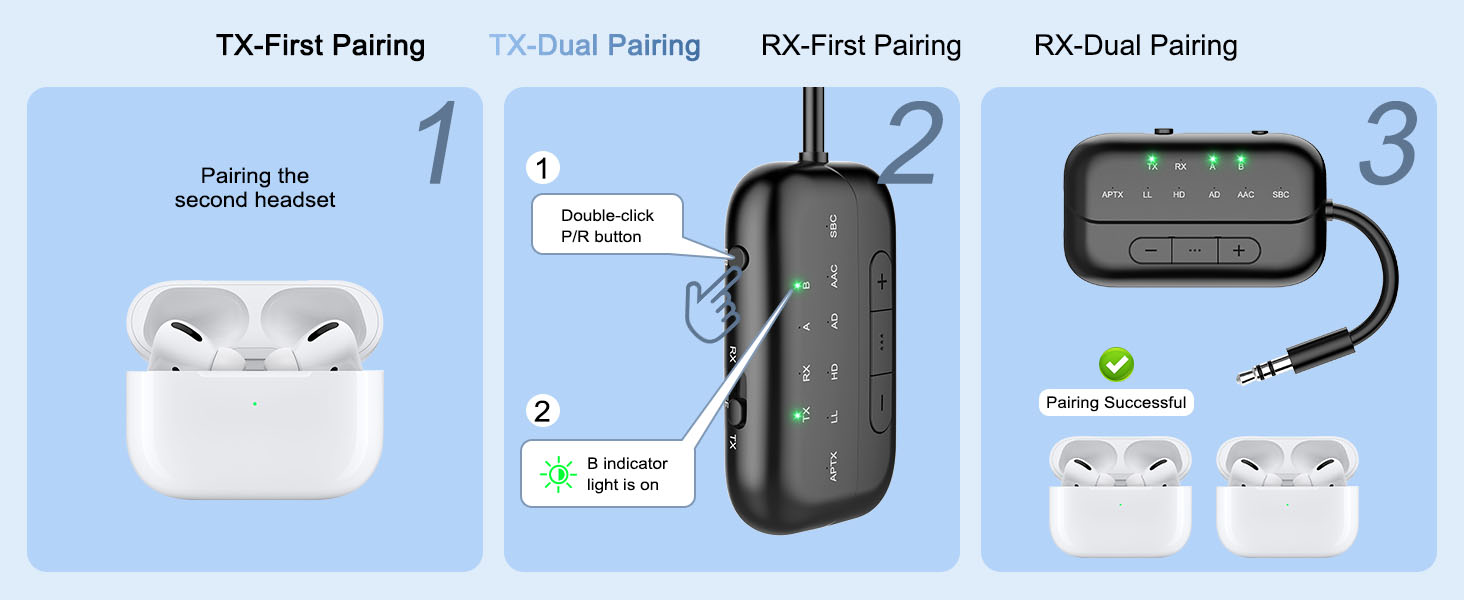
    Does it fit AirPods 3 &Pro 2? Certainly! You can use these, as well as all other versions of AirPods, with Bluetooth transmitters. Ensure your AirPods are updated to the latest firmware version. If you encounter difficulties connecting one or both earpieces, try resetting both the AirPods and the B101 transmitter, then pair them again. To reset the B101, power on and press the "P/R" button for 8 seconds until all lights illuminate, indicating a successful reset.
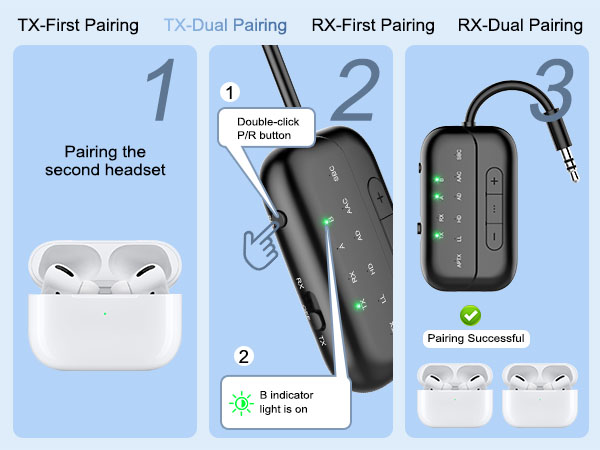
    How to pair AirPods with B101? 1, Place the AirPods in the charging case. Open the lid. Press and hold the button on the back of the charging case until the case's light flashes white. 2,Set the B101 to "TX" mode,Double-click the "P/R" button to enter pairing mode, the TX indicator light will flash rapidly. When both the "TX"and "A" indicator lights are on simultaneously, pairing is successful.
    aptX low latency in TX mode? The airplane Bluetooth adapter features support for aptX-LL low-latency decoding technology (<40ms) in TX mode,if you encounter significant delays, please first check the audio source and ensure that your device also supports aptX-LL.
    Haven't been able to connect? If there are a lot of Bluetooth signals around you, please clear the pairing and then reconnect your own device.
    Suddenly stopped working? Please check if there are any other Bluetooth devices nearby, such as your phone's Bluetooth? Sometimes, the headphones might be occupied by the phone's Bluetooth, causing it to turn off unexpectedly. Please try turning off the Bluetooth on your phone. We've encountered this issue ourselves while using Bluetooth devices; it's a common occurrence with Bluetooth devices.
    Only one ear works? Please turn off the transmitter and then turn it back on. This may be because the earbuds are not paired correctly. I suggest placing both earbuds back into the charging case to ensure they are fully charged. Then, wait for them to pair with each other. You should see a confirmation light or hear a sound indicating successful pairing. Once the left and right earbuds are successfully paired, you can proceed to pair them with the wireless audio receiver/transmitter.
    What's in the box? 1 x Bluetooth Transmitter Receiver; 1 x Audio connector for aircraft;1 x USB charging cable (21.5 inches); 1 x 3.5mm Audio Female Plug; 1 x RCA Audio Cable (9 inches); 1 x User Manual; 1 x Lanyard.

    Beeitzie Bluetooth Adapter

    https://m.media-amazon.com/images/S/aplus-media-library-service-media/89335922-d6ff-4fc5-834b-e52abb27a923.__CR0,0,800,900_PT0_SX200_V1___.png

    Transmitter/Receiver

    https://m.media-amazon.com/images/S/aplus-media-library-service-media/f7fa61f9-6cb2-4c4f-86e9-f3df82b03421.__CR0,0,800,900_PT0_SX200_V1___.png

    Transmitter/Receiver

    https://m.media-amazon.com/images/S/aplus-media-library-service-media/93a56d72-dddc-43a4-89b1-27bad2b00d2b.__CR0,0,800,900_PT0_SX200_V1___.png

    Transmitter/Receiver

    https://m.media-amazon.com/images/S/aplus-media-library-service-media/a5222d2b-1fc5-44d6-a59b-dc78711e7ab6.__CR0,0,800,900_PT0_SX200_V1___.png

    Transmitter/Receiver

    https://m.media-amazon.com/images/S/aplus-media-library-service-media/12c4957f-6f84-499c-97f6-fa67cfcde6ee.__CR89,0,1422,1600_PT0_SX200_V1___.jpg

    Transmitter

    https://m.media-amazon.com/images/S/aplus-media-library-service-media/aef7b0f7-a771-47cf-8a93-38ba578f9d09.__CR89,0,1422,1600_PT0_SX200_V1___.jpg

    Transmitter

    https://m.media-amazon.com/images/S/aplus-media-library-service-media/69caa558-b85f-406e-845b-dbd22a9a3a50.__CR89,0,1422,1600_PT0_SX200_V1___.jpg

    Receiver

    Customer Reviews
    Price
    Playtime
    24 Hours(RX), 20 hours(TX) 24 Hours(RX), 20 hours(TX) 24 Hours(RX), 20 hours(TX) 24 Hours(RX), 20 hours(TX) 26 Hours(TX) 26 Hours(TX) 20 hours(RX)
    Dual Pairing
    YES YES YES YES YES YES YES
    Transmission Range
    10M 10M 10M 10M 10M 10M 10M
    Decoding Mode
    AAC, SBC, APTX LL, APTX HD AAC, SBC, APTX LL, APTX HD AAC, SBC, APTX LL, APTX HD AAC, SBC, APTX LL, APTX HD SBC, APTX LL SBC, APTX LL
    Recommended For
    Airplane, TV, Car/Home Stereo Airplane, TV, Car/Home Stereo Airplane, Car, TV, Home Stereo Airplane, Car, TV, Home Stereo Airplane, TV, Gaming Airplane, TV, Gaming Car/Home Stereo
    Button
    MFB, Volume Up/Down,P/R MFB, Volume Up/Down,P/R MFB, Volume Up/Down,P/R MFB, Volume Up/Down,P/R MFB MFB MFB, Volume Up/Down

    Before You Buy, Please Note:

    B101 Pro Bluetooth Transmitter is not suitable for live music, musical instruments, or karaoke. We do not recommend using it for electronic pianos or guitars that require 2.4G transmission for audio synchronization.

    airfly pro bluetooth transmitter airplane
    airfly connector
    About sound delay. If your headphones do not support aptX-LL/Adaptive technology, audio latency may occur.
    Not suitable for live music. Do not recommand use the B101 on music instrument like electronic piano or guitars, audio latency may occur.
    AirPods Series Apple earbuds (such asAirPods) support the SBC encoding format when connecting to devices
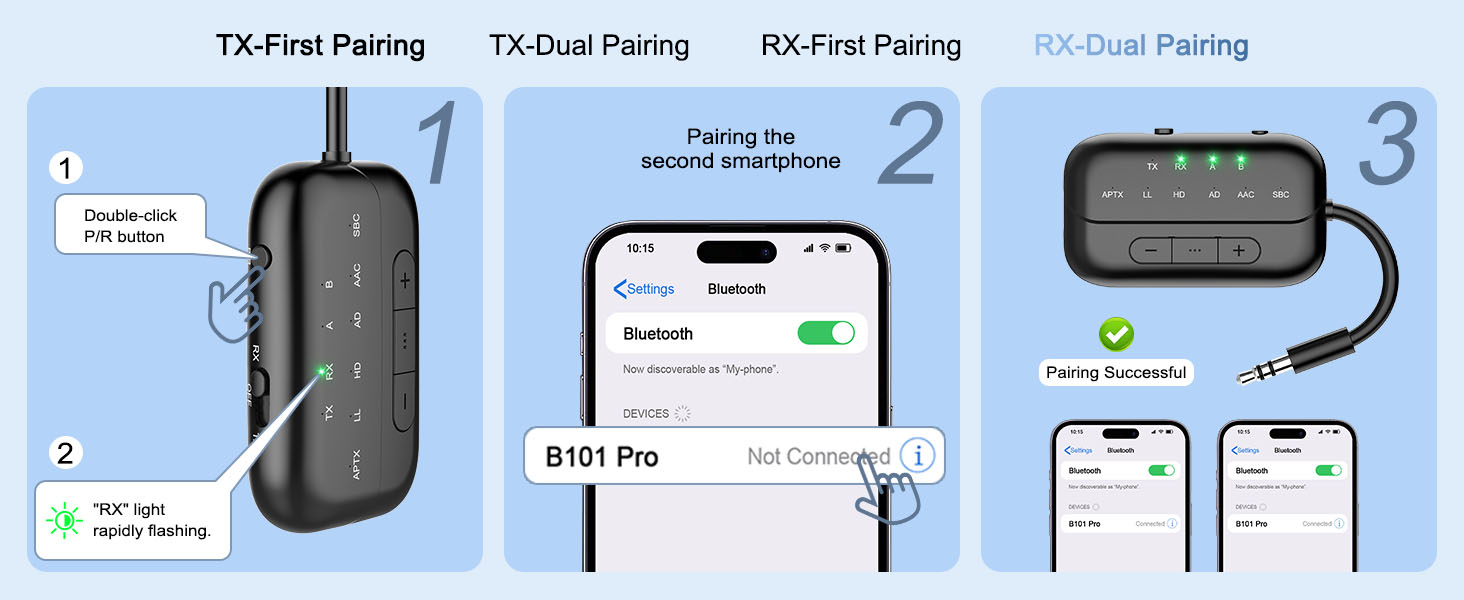
    Dual Link Mode Audio Format In Dual Link mode (connecting with 2 headphones simultaneously), the audio format will be limited to SBC only, and you cannot change it to other formats.
    How to reset the B101? When the device is powered on, press and hold the "P/R" key for 8 seconds. All LED lights will illuminate simultaneously, indicating a successful reset.
    How to connet to you TV? 1.Open your Bluetooth headphones or speaker and set it to Bluetooth pairing mode 2.Set the B101 to "TX" mode, double-click the "P/R" button to enter pairing mode; the "TX" indicator light will flash rapidly. When the "TX" and "A" indicator lights are on simultaneously, pairing is successful. 3.Insert the 3.5mm audio cable from the device into the TV's audio output jack. If your TV lacks an audio output jack, use the RCA audio cable from the packaging, inserting it into the TV's audio output jack
    No sound from TV? Please ensure that the aux cable is securely plugged into the "AUDIO OUT" or headphone jack on your TV, and confirm that both devices are successfully paired. Then, adjust the TV's sound settings from "TV speaker" to "Audio out."
    Does it fit AirPods 3 &Pro 2? Certainly! You can use these, as well as all other versions of AirPods, with Bluetooth transmitters. Ensure your AirPods are updated to the latest firmware version. If you encounter difficulties connecting one or both earpieces, try resetting both the AirPods and the B101 transmitter, then pair them again. To reset the B101, power on and press the "P/R" button for 8 seconds until all lights illuminate, indicating a successful reset.
    How to pair AirPods with B101? 1, Place the AirPods in the charging case. Open the lid. Press and hold the button on the back of the charging case until the case's light flashes white. 2,Set the B101 to "TX" mode,Double-click the "P/R" button to enter pairing mode, the TX indicator light will flash rapidly. When both the "TX"and "A" indicator lights are on simultaneously, pairing is successful.
    aptX low latency in TX mode? The airplane Bluetooth adapter features support for aptX-LL low-latency decoding technology (<40ms) in TX mode,if you encounter significant delays, please first check the audio source and ensure that your device also supports aptX-LL.
    Haven't been able to connect? If there are a lot of Bluetooth signals around you, please clear the pairing and then reconnect your own device.
    Suddenly stopped working? Please check if there are any other Bluetooth devices nearby, such as your phone's Bluetooth? Sometimes, the headphones might be occupied by the phone's Bluetooth, causing it to turn off unexpectedly. Please try turning off the Bluetooth on your phone. We've encountered this issue ourselves while using Bluetooth devices; it's a common occurrence with Bluetooth devices.
    Only one ear works? Please turn off the transmitter and then turn it back on. This may be because the earbuds are not paired correctly. I suggest placing both earbuds back into the charging case to ensure they are fully charged. Then, wait for them to pair with each other. You should see a confirmation light or hear a sound indicating successful pairing. Once the left and right earbuds are successfully paired, you can proceed to pair them with the wireless audio receiver/transmitter.
    What's in the box? 1 x Bluetooth Transmitter Receiver; 1 x Audio connector for aircraft;1 x USB charging cable (21.5 inches); 1 x 3.5mm Audio Female Plug; 1 x RCA Audio Cable (9 inches); 1 x User Manual; 1 x Lanyard.

    Beeitzie Bluetooth Adapter
    https://m.media-amazon.com/images/S/aplus-media-library-service-media/89335922-d6ff-4fc5-834b-e52abb27a923.__CR0,0,800,900_PT0_SX200_V1___.png

    Transmitter/Receiver

    https://m.media-amazon.com/images/S/aplus-media-library-service-media/f7fa61f9-6cb2-4c4f-86e9-f3df82b03421.__CR0,0,800,900_PT0_SX200_V1___.png

    Transmitter/Receiver

    https://m.media-amazon.com/images/S/aplus-media-library-service-media/93a56d72-dddc-43a4-89b1-27bad2b00d2b.__CR0,0,800,900_PT0_SX200_V1___.png

    Transmitter/Receiver

    https://m.media-amazon.com/images/S/aplus-media-library-service-media/a5222d2b-1fc5-44d6-a59b-dc78711e7ab6.__CR0,0,800,900_PT0_SX200_V1___.png

    Transmitter/Receiver

    https://m.media-amazon.com/images/S/aplus-media-library-service-media/12c4957f-6f84-499c-97f6-fa67cfcde6ee.__CR89,0,1422,1600_PT0_SX200_V1___.jpg

    Transmitter

    https://m.media-amazon.com/images/S/aplus-media-library-service-media/aef7b0f7-a771-47cf-8a93-38ba578f9d09.__CR89,0,1422,1600_PT0_SX200_V1___.jpg

    Transmitter

    https://m.media-amazon.com/images/S/aplus-media-library-service-media/69caa558-b85f-406e-845b-dbd22a9a3a50.__CR89,0,1422,1600_PT0_SX200_V1___.jpg

    Receiver

    Customer Reviews
    Price
    Playtime
    24 Hours(RX), 20 hours(TX) 24 Hours(RX), 20 hours(TX) 24 Hours(RX), 20 hours(TX) 24 Hours(RX), 20 hours(TX) 26 Hours(TX) 26 Hours(TX) 20 hours(RX)
    Dual Pairing
    YES YES YES YES YES YES YES
    Transmission Range
    10M 10M 10M 10M 10M 10M 10M
    Decoding Mode
    AAC, SBC, APTX LL, APTX HD AAC, SBC, APTX LL, APTX HD AAC, SBC, APTX LL, APTX HD AAC, SBC, APTX LL, APTX HD SBC, APTX LL SBC, APTX LL
    Recommended For
    Airplane, TV, Car/Home Stereo Airplane, TV, Car/Home Stereo Airplane, Car, TV, Home Stereo Airplane, Car, TV, Home Stereo Airplane, TV, Gaming Airplane, TV, Gaming Car/Home Stereo
    Button
    MFB, Volume Up/Down,P/R MFB, Volume Up/Down,P/R MFB, Volume Up/Down,P/R MFB, Volume Up/Down,P/R MFB MFB MFB, Volume Up/Down

    Product information

    Special Feature Bluetooth 5.4 & Qualcomm Core,RCA Cable for TVs,Lower Latency & Hifi Stereo,Flexible Audio Plug,Simple Setup And Quick Pairing,Cords-Free Airplane Travel,Volume Control, Rca For Tv,Enhanced Mic, Hands-Free Calling
    Brand Beeitzie
    Connectivity Technology Auxiliary, Bluetooth, RCA
    Power Source Battery Powered
    Material Plastic
    Package Dimensions 5.39 x 4.57 x 0.75 inches
    Item Weight 3.2 ounces
    Item model number B101
    Batteries 1 Lithium Ion batteries required. (included)
    Connectivity technologies Auxiliary, Bluetooth, RCA
    Special features Bluetooth 5.4 & Qualcomm Core,RCA Cable for TVs,Lower Latency & Hifi Stereo,Flexible Audio Plug,Simple Setup And Quick Pairing,Cords-Free Airplane Travel,Volume Control, Rca For Tv,Enhanced Mic, Hands-Free Calling
    Other display features Wireless
    Human Interface Input Buttons
    Color Black
    Manufacturer Beeitzie
    Date First Available May 6, 2024

    Additional Features

    • Safety First and Long Battery Life:The Bluetooth audio transmitter meets global quality standards, certified by FCC, CE, RoHS, BQB, and more. It ensures safety with features like voltage endurance, overcurrent, short circuit, and NTC overheat protection. With a full charge, it runs for over 24 hours and charges in just 2 hours using the provided Type-C cable.
    • Simple Setup and Quick Pairing: The airplane Bluetooth transmitter-receiver provides a user-friendly setup process. It includes a "RESET" button, addressing 99% of reconnection and compatibility issues effectively. Simply long-pressing "P/R" for 8 seconds resets the pairing and clears all historical data. Moreover, double-click on "P/R" activates the pairing mode, ensuring swift and hassle-free connections.
    • [Notes]To enter pairing mode, ensure your AirPods are inside their case. Additionally, consider turning off any nearby Bluetooth devices, like your phone, when pairing on airplanes. If you experience low-quality audio, verify the audio source first. To mitigate latency problems, ensure your device is compatible with Bluetooth 5.4.

    Warranty & Returns

    Warranty, Returns, And Additional Information

    Warranty

    • Please contact the Seller directly for warranty information. Warranty information may also be found on the Manufacturer's website.
    • CONTACT

    Return Policies

    Manufacturer Contact Info

    LOADING...