


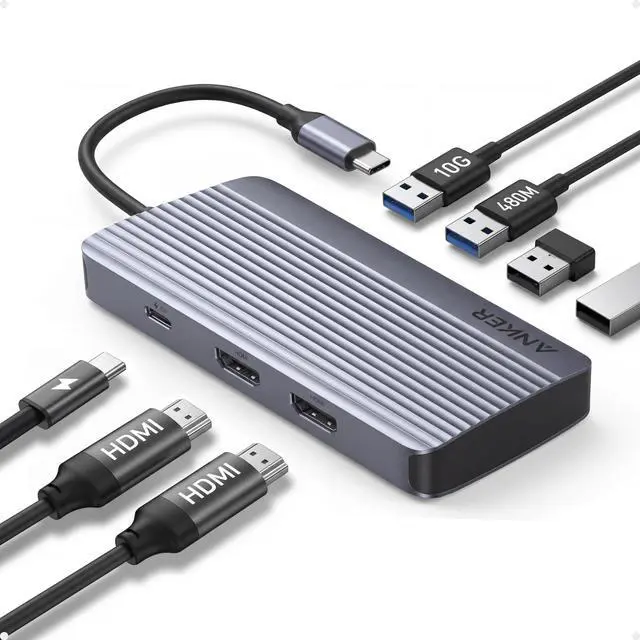


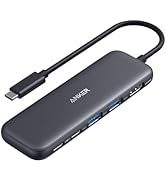
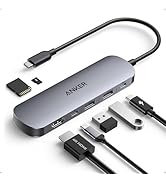
Anker USB-C Hub (7-in-1, Dual Display)
Q: Why is there a big difference in resolution between two monitors when Windows is dual-projected?
A: The discrepancy in resolution can occur if one monitor uses too much bandwidth, leaving insufficient bandwidth for the other. To balance the resolutions, you can adjust settings for each monitor:
Step 1: Reduce High-Resolution Displays
1. Go to System Settings > Display > Advanced Display. 2. Under "Select a display to view or change its settings," choose the high-resolution display (e.g., Display 2). 3. Click "Display adapter properties for [display]." 4. Select "List All Modes," choose a lower resolution like 1920x1080 at 60Hz, and apply the changes.
Step 2: Improve Low-Resolution Displays
5. Repeat the steps for the low-resolution display. 6. Under "Select a display," choose the display with lower resolution. 7. Follow the same adjustment process to increase the resolution to your desired level.









Anker USB-C Hub (7-in-1, Dual Display)
| Model Number: A8374 | Seamless Dual Monitors and Multiple Connections |
|---|---|
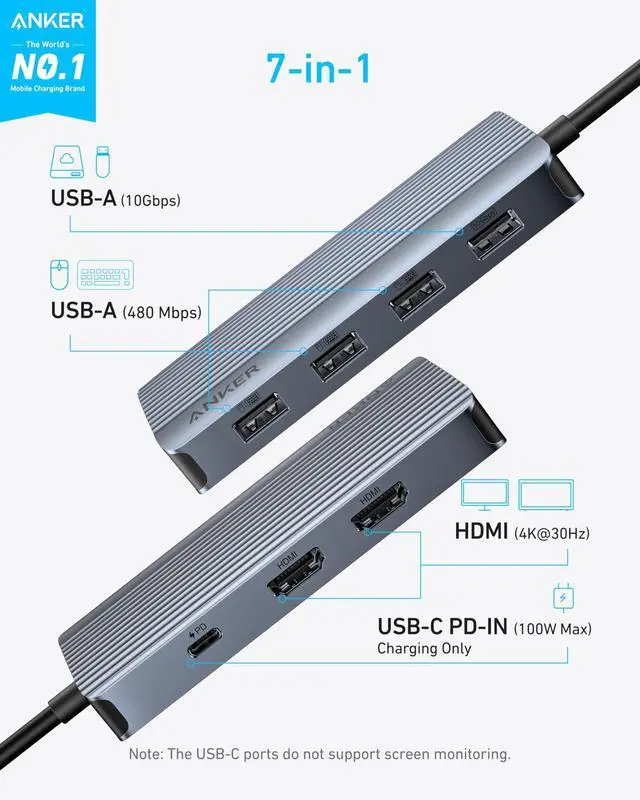
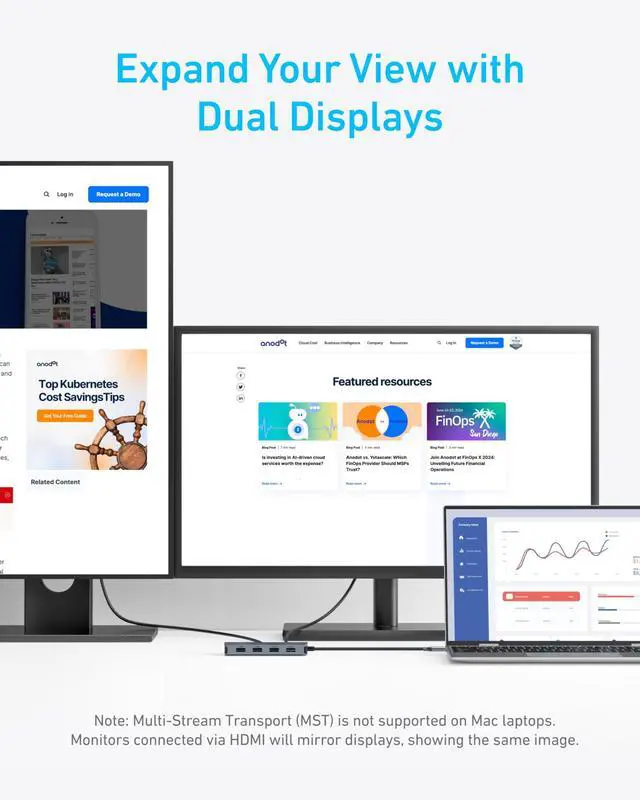
| Dual Screens&Multiple Ports : | Take control of your desk with dual monitor support and seven connectivity ports, all from one compact device. |
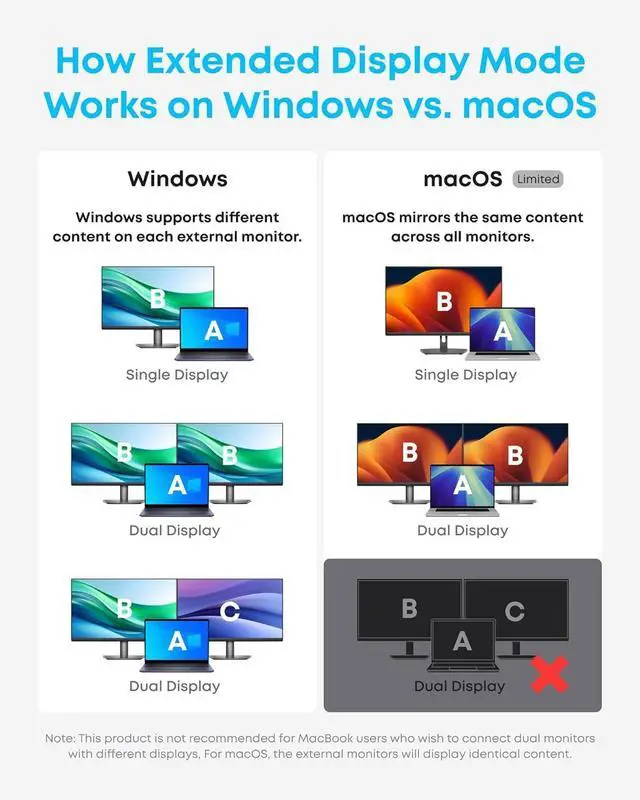
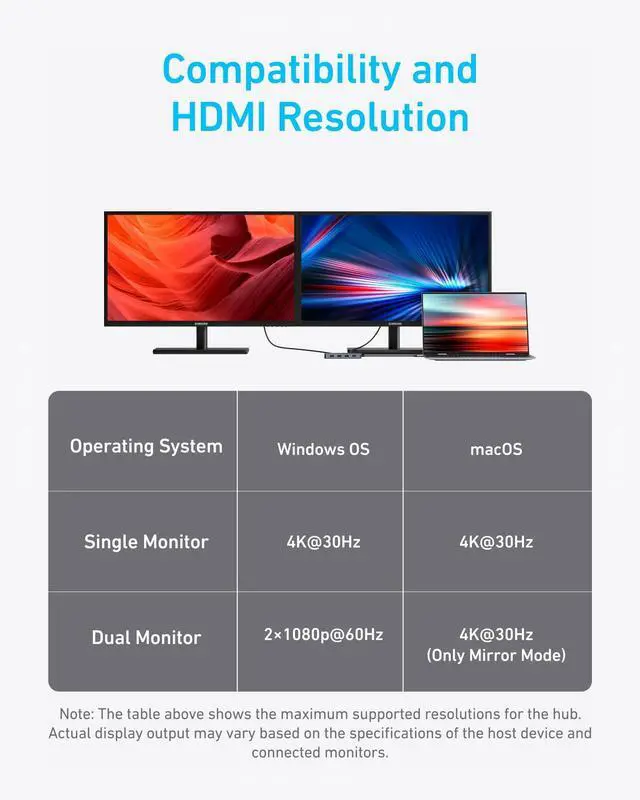
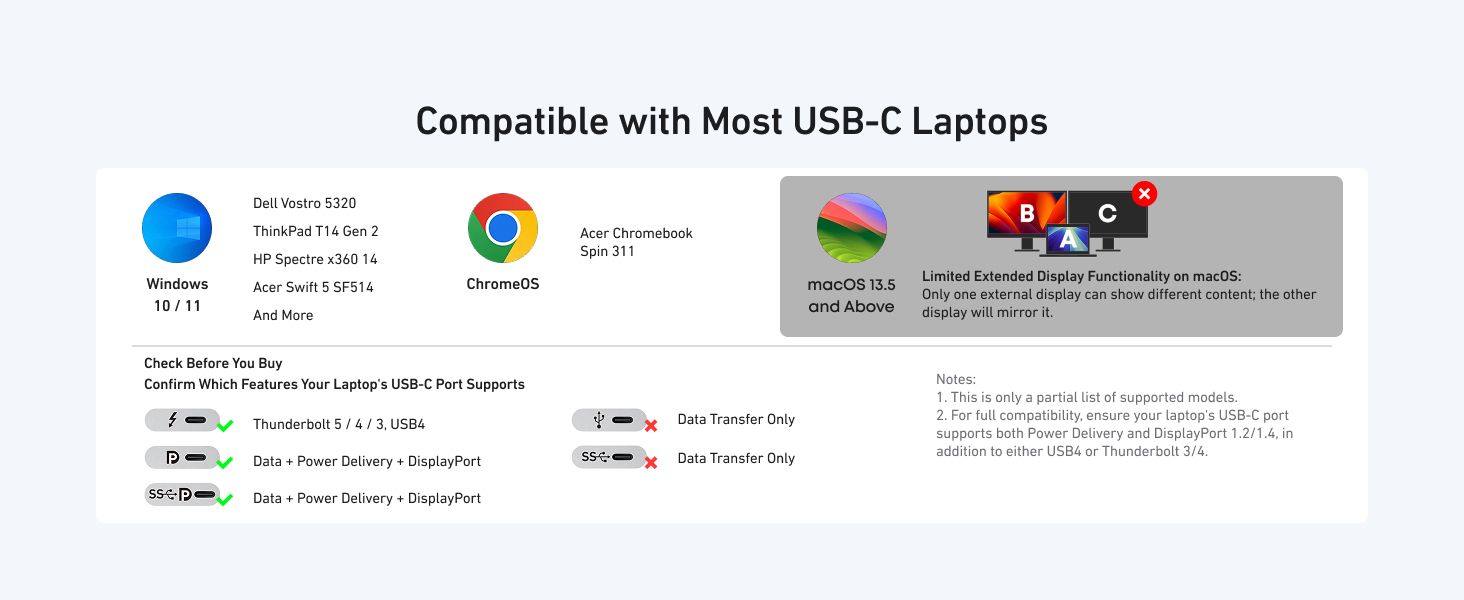
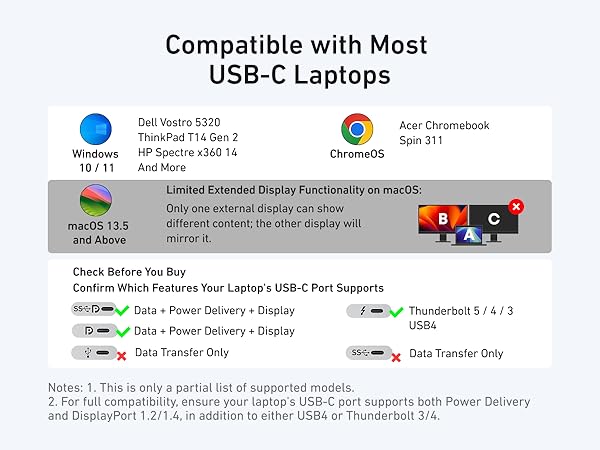
| Mirror or Extend Your Screens: | Choose between mirror and extended display modes to optimize your viewing area and improve productivity. (Note: macOS supports only mirror mode.) |
| Durable Metallic-Like Finish: | Experience a touch of elegance and refined craftsmanship thanks to the metallic-like finish, meticulously crafted from high-quality aluminum. |
| Safe and Compatible: | Equipped with safety features such as short circuit and overvoltage protection, the hub also ensures compatibility with major operating systems and devices. |
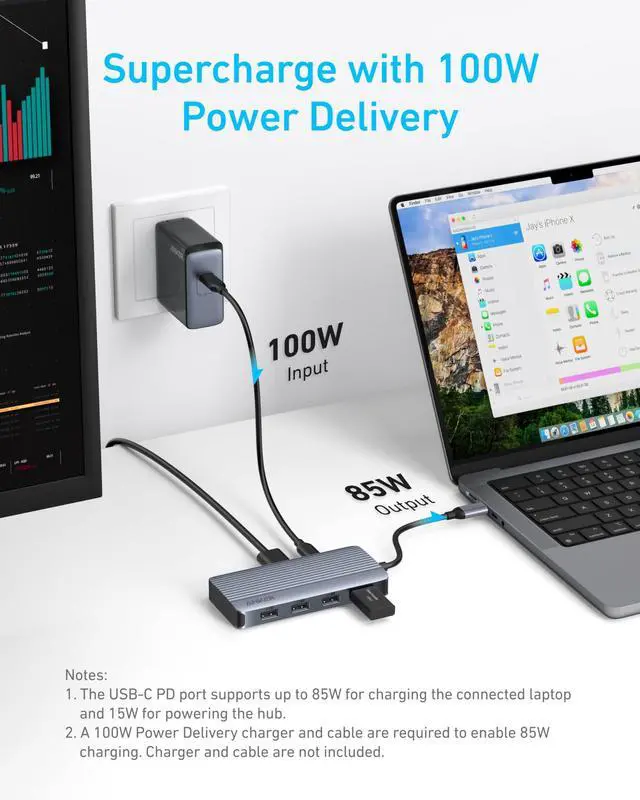
| Notes 1: | The USB-C and USB-A ports do not support charging peripheral devices. |
| Notes 2: | This hub is not compatible with Switch or SuperDrive. |
| Notes 3: | The maximum resolution for extended displays on Windows laptops is determined by the capabilities of their graphics card. |
| Notes 4: | Multi-Stream Transport (MST) is not supported on Mac laptops. Monitors connected via HDMI will mirror displays, showing the same image. |
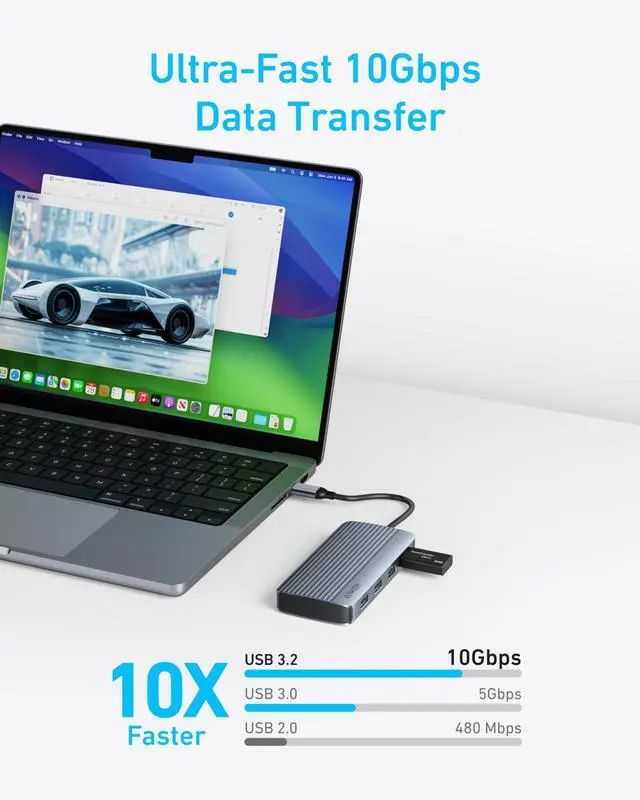
| Notes 5: | To fully utilize the display capabilities of the iPad Pro (M1), please connect a USB 3.0 drive to the 10Gbps USB-A port. |
Q: Why is there a big difference in resolution between two monitors when Windows is dual-projected?
A: The discrepancy in resolution can occur if one monitor uses too much bandwidth, leaving insufficient bandwidth for the other. To balance the resolutions, you can adjust settings for each monitor:
Step 1: Reduce High-Resolution Displays
1. Go to System Settings > Display > Advanced Display. 2. Under "Select a display to view or change its settings," choose the high-resolution display (e.g., Display 2). 3. Click "Display adapter properties for [display]." 4. Select "List All Modes," choose a lower resolution like 1920x1080 at 60Hz, and apply the changes.
Step 2: Improve Low-Resolution Displays
5. Repeat the steps for the low-resolution display. 6. Under "Select a display," choose the display with lower resolution. 7. Follow the same adjustment process to increase the resolution to your desired level.
Anker Smart Display Charger
Power to Drive Your Prime
Pro Fast Charging in a Nano
Get Powered Up Now
Best Sellers
Highly Rated
