












Model Number: A83C3
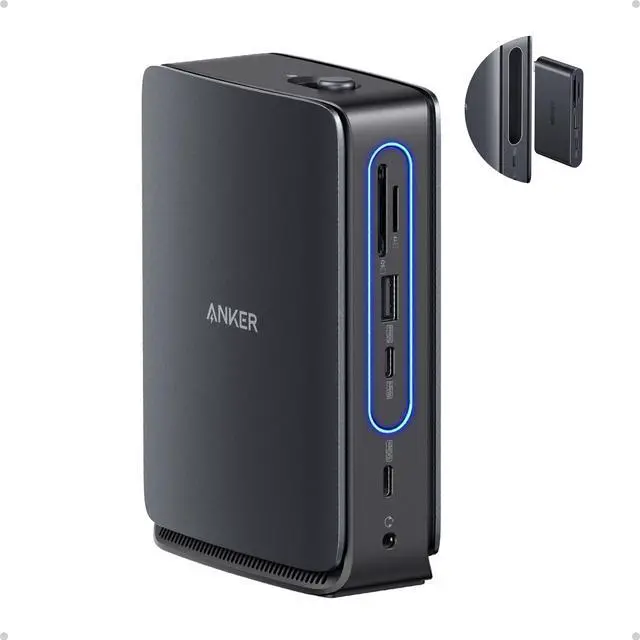
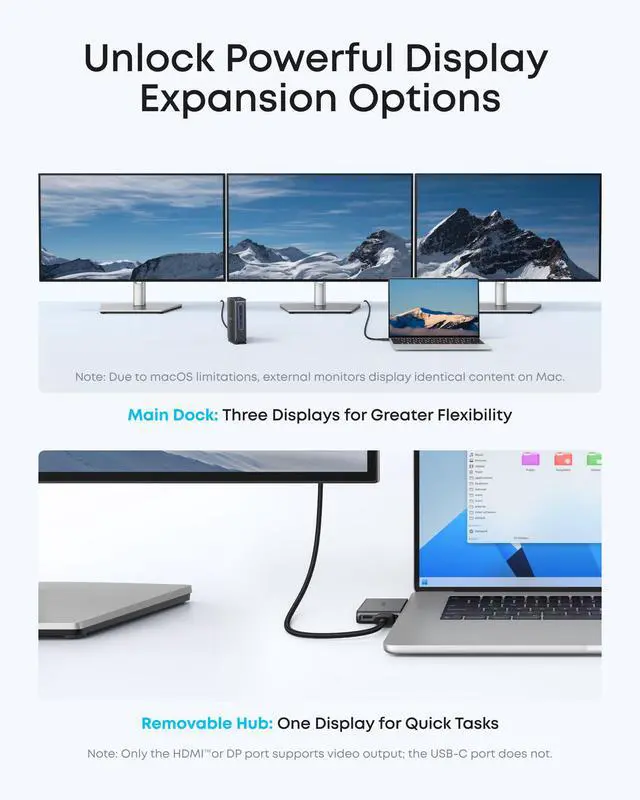
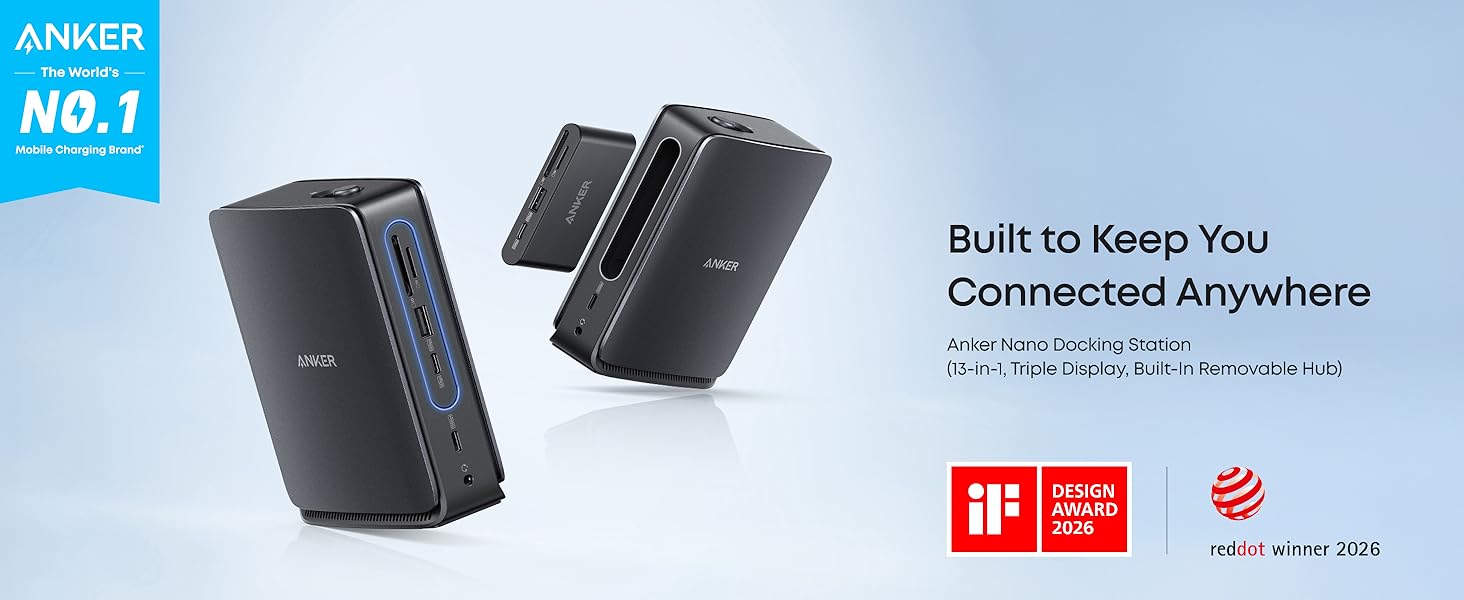
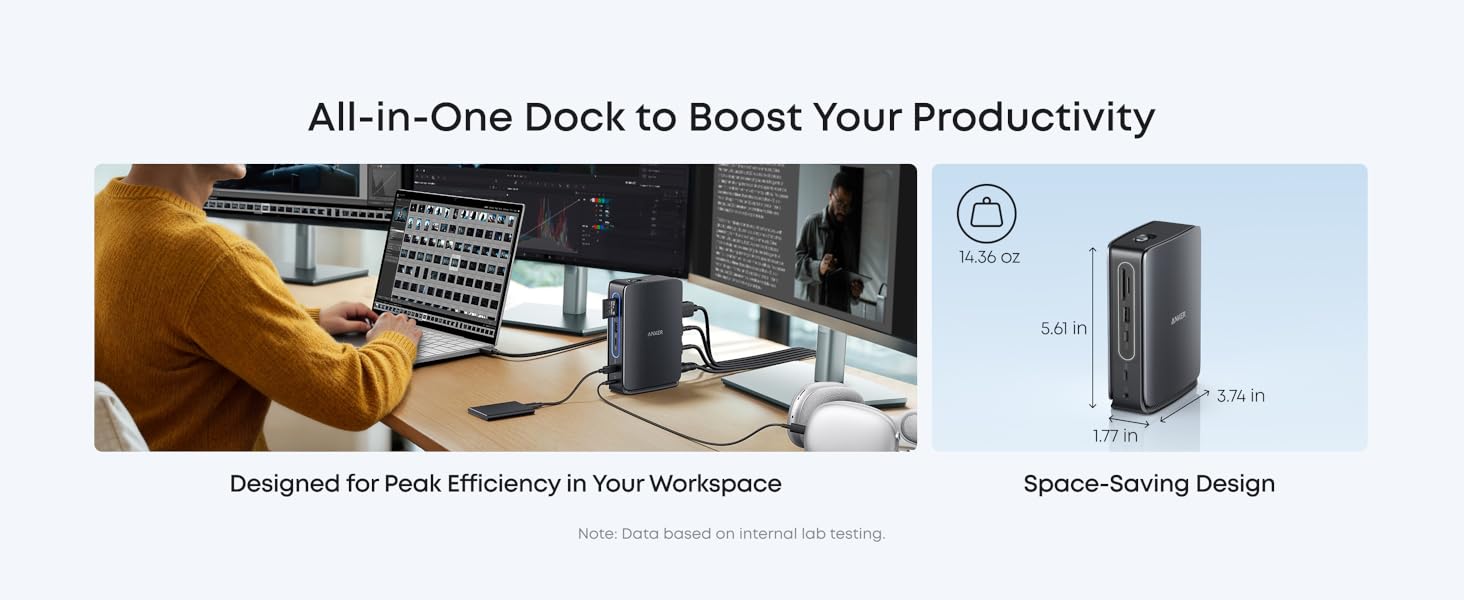
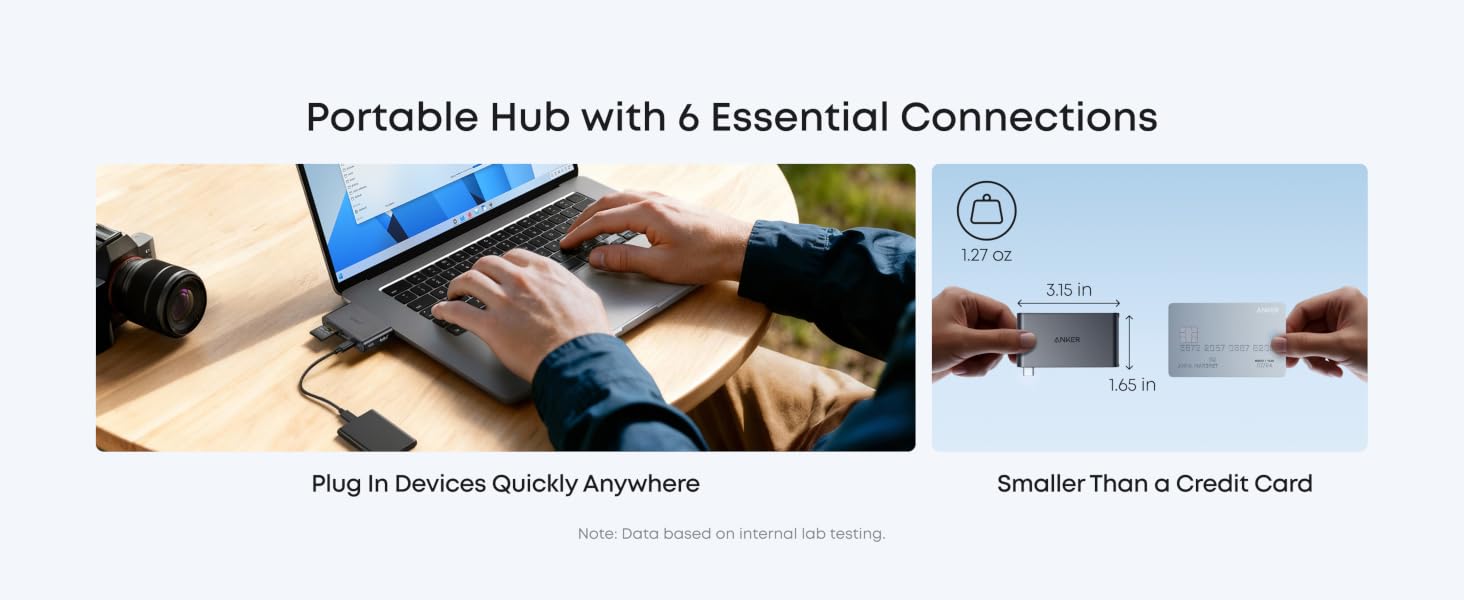
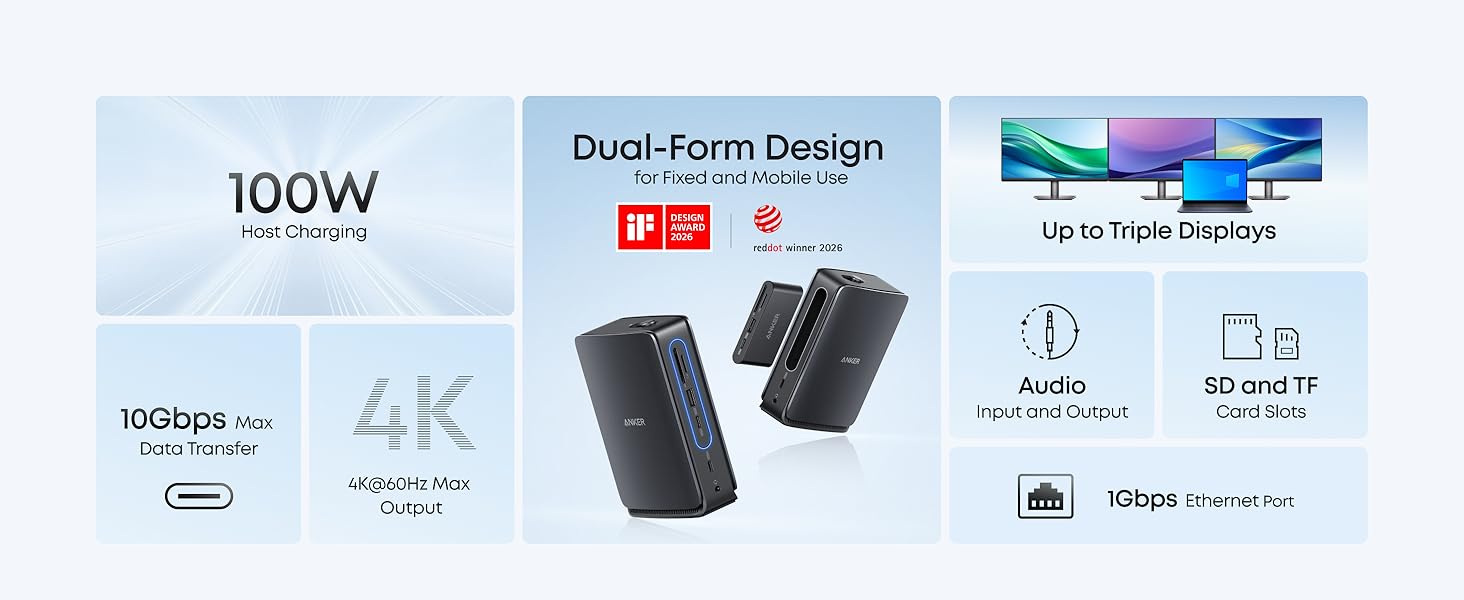
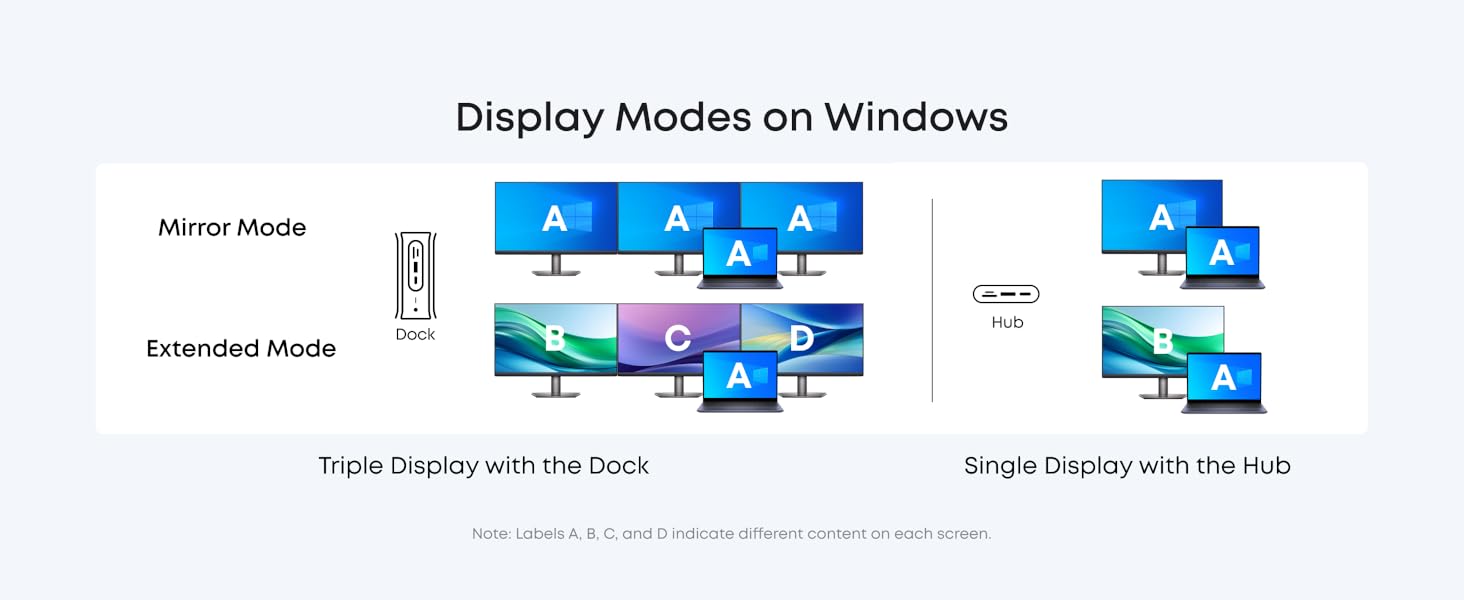
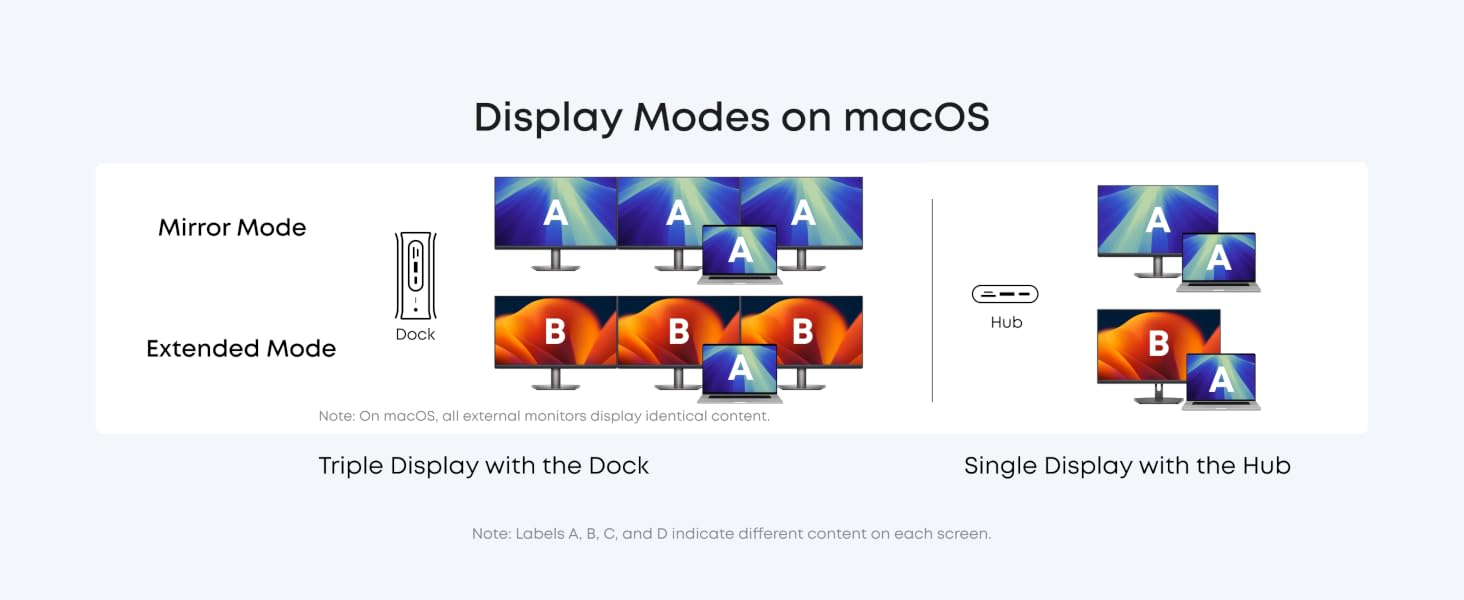
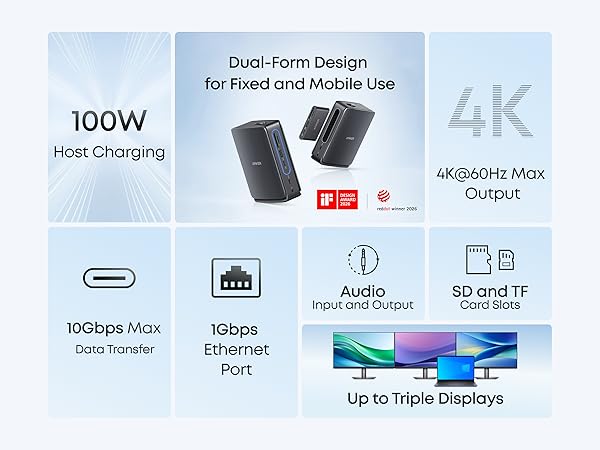
Anker Nano Docking Station (13-in-1, Triple Display, Built-In Removable Hub), Dual-Form Design for Fixed and Mobile Use
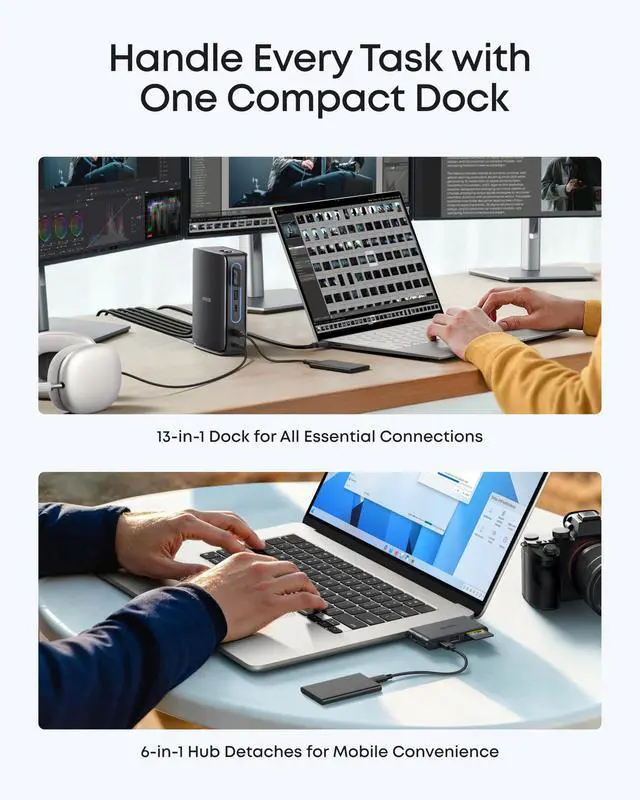
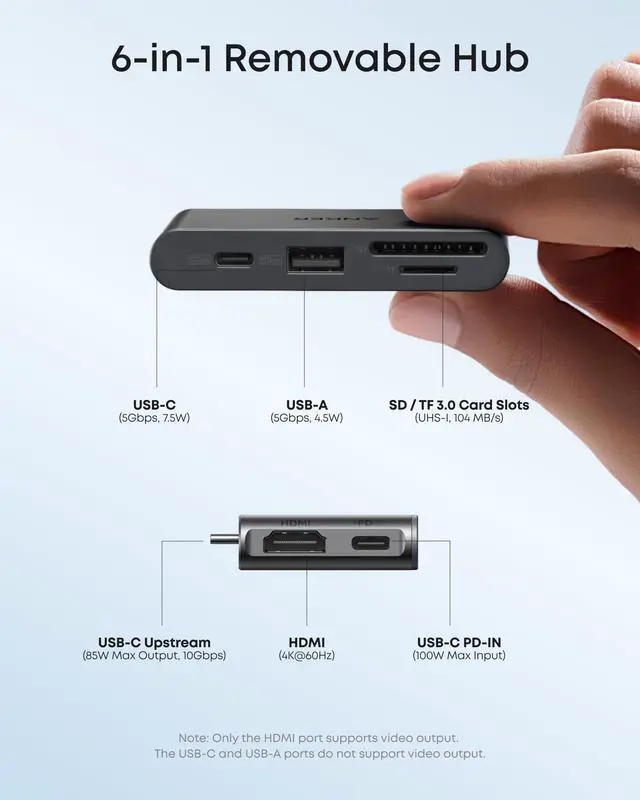
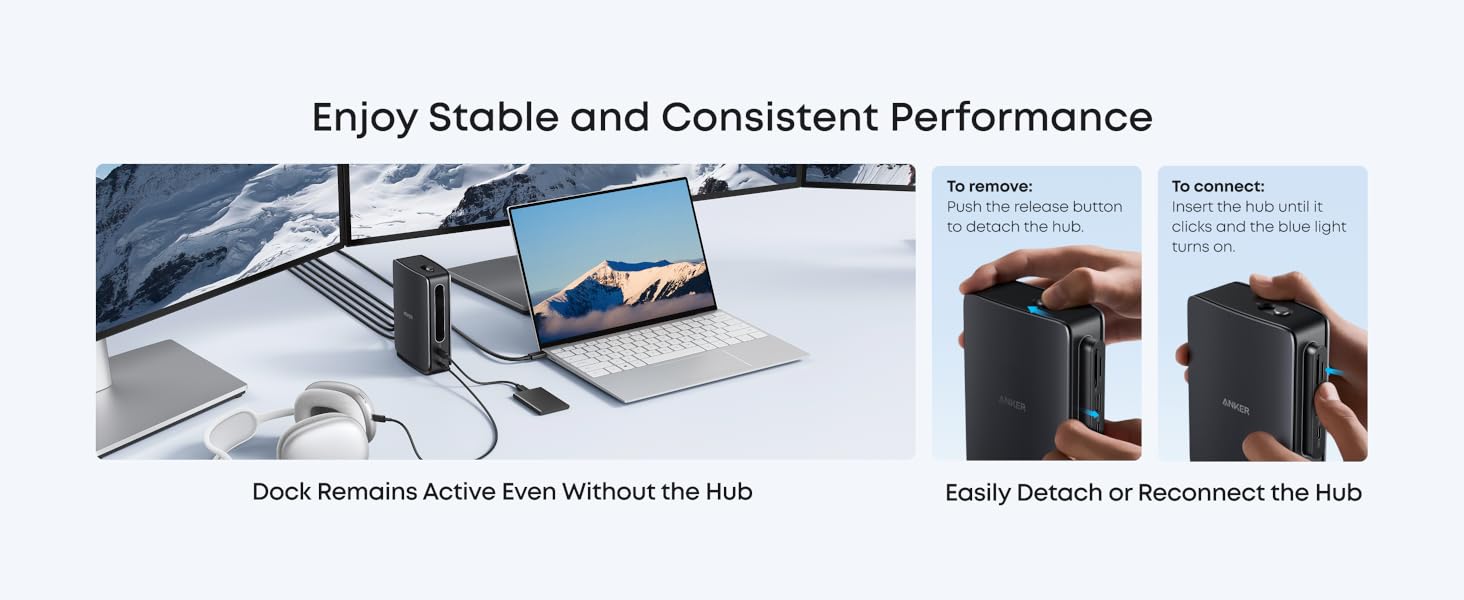
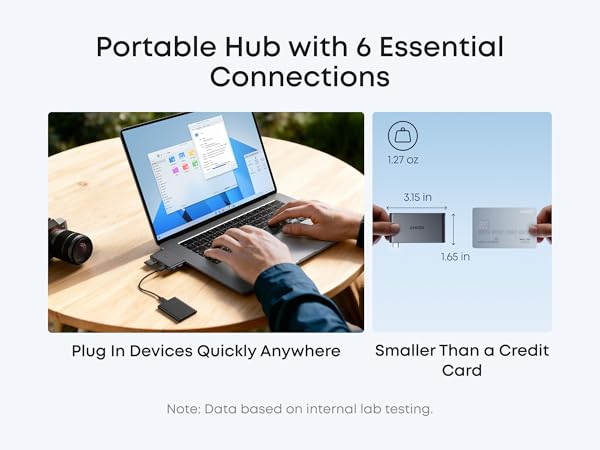
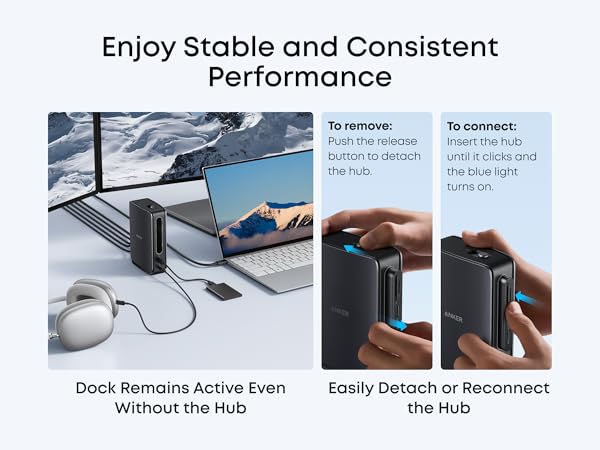
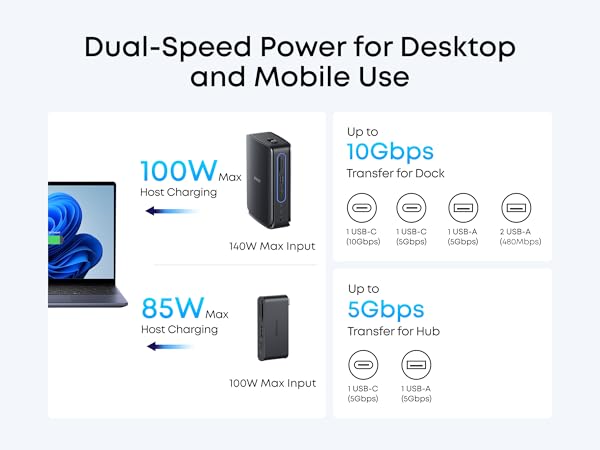
Work On with Hub Removed: Keep all dock functions active even when the hub is removed, so you can work without replugging cables. Push the button to detach and reinsert until it clicks.
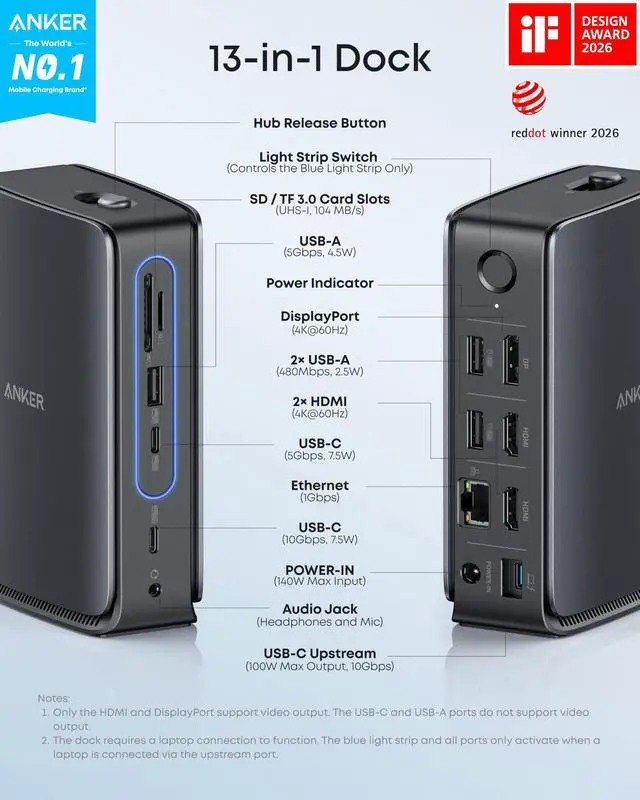
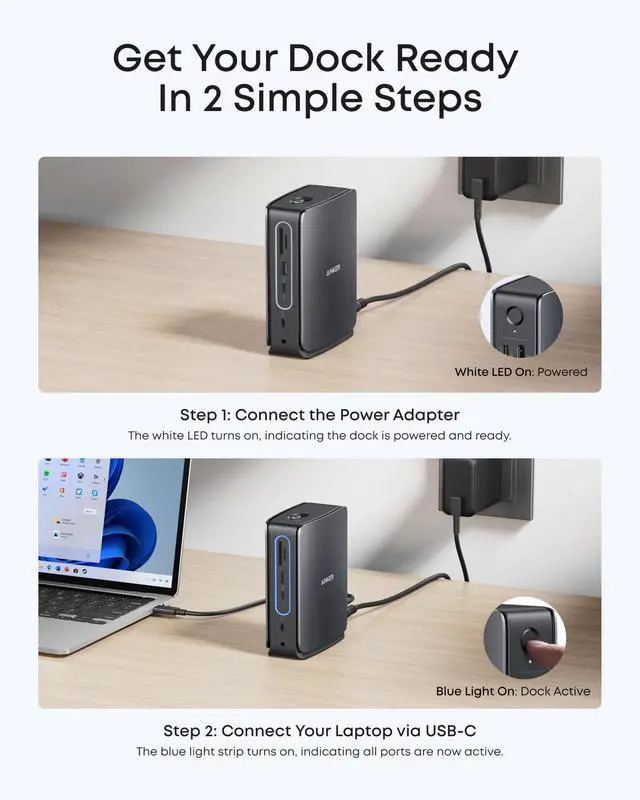
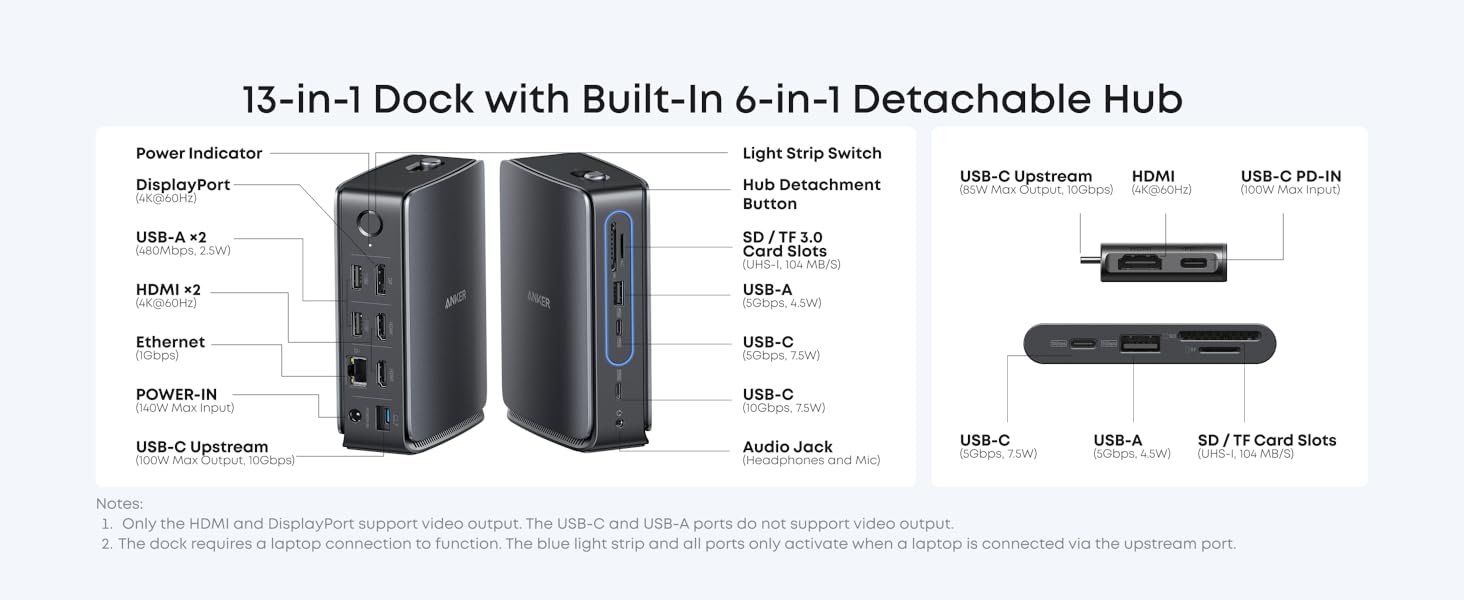
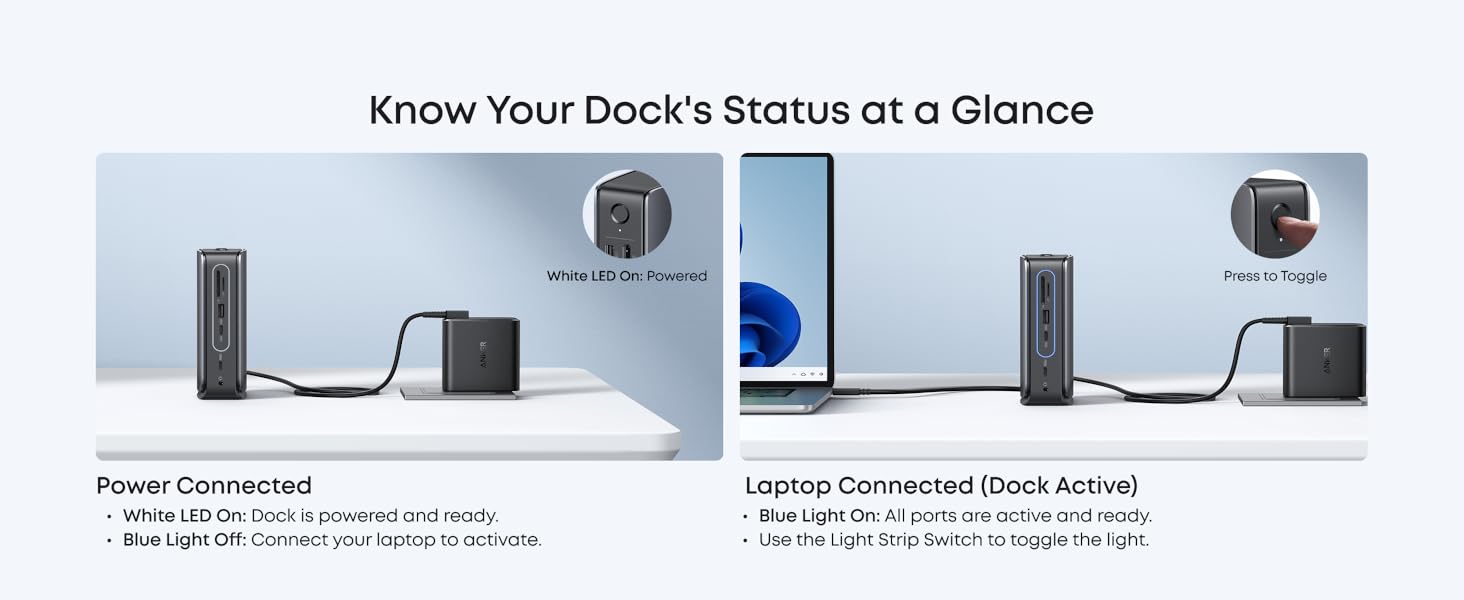
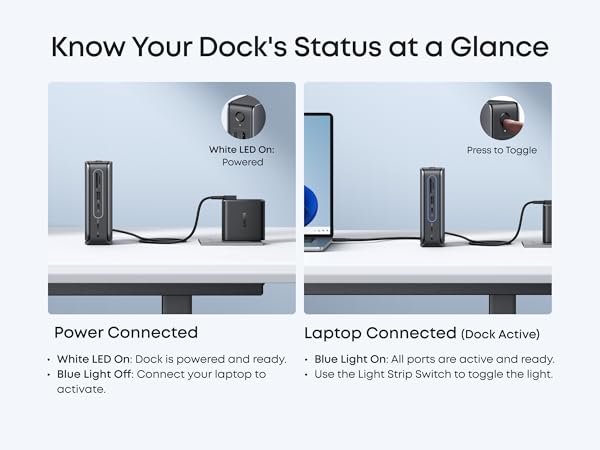
Sleek Light Strip: The light strip glows blue when docked, powered, and connected to the host. It adds a modern touch while showing connection status.
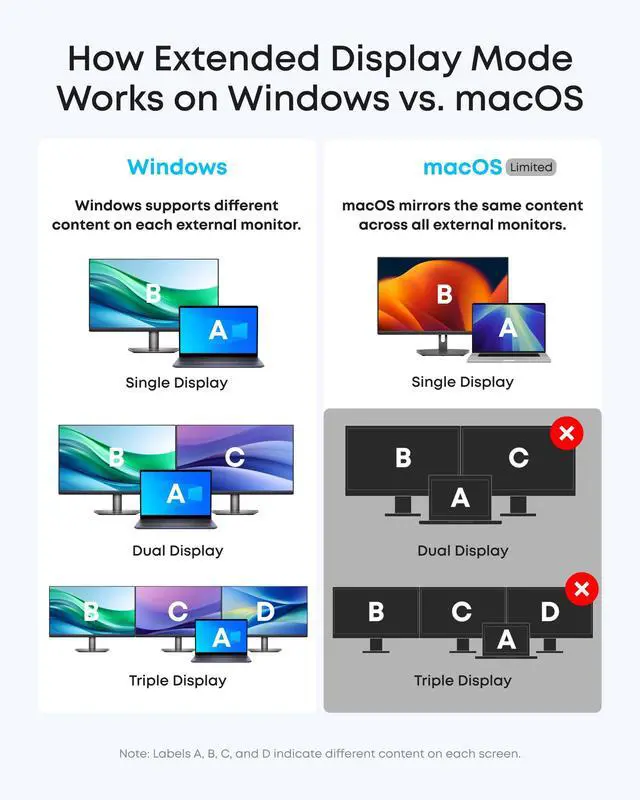
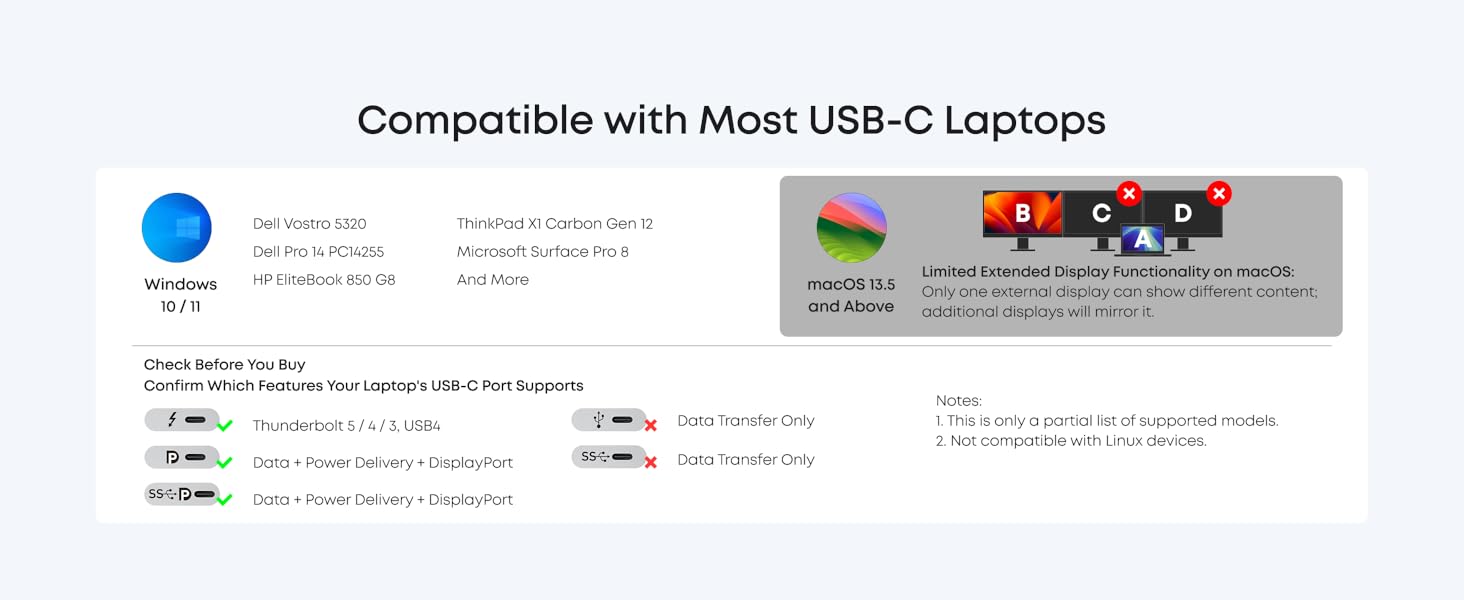
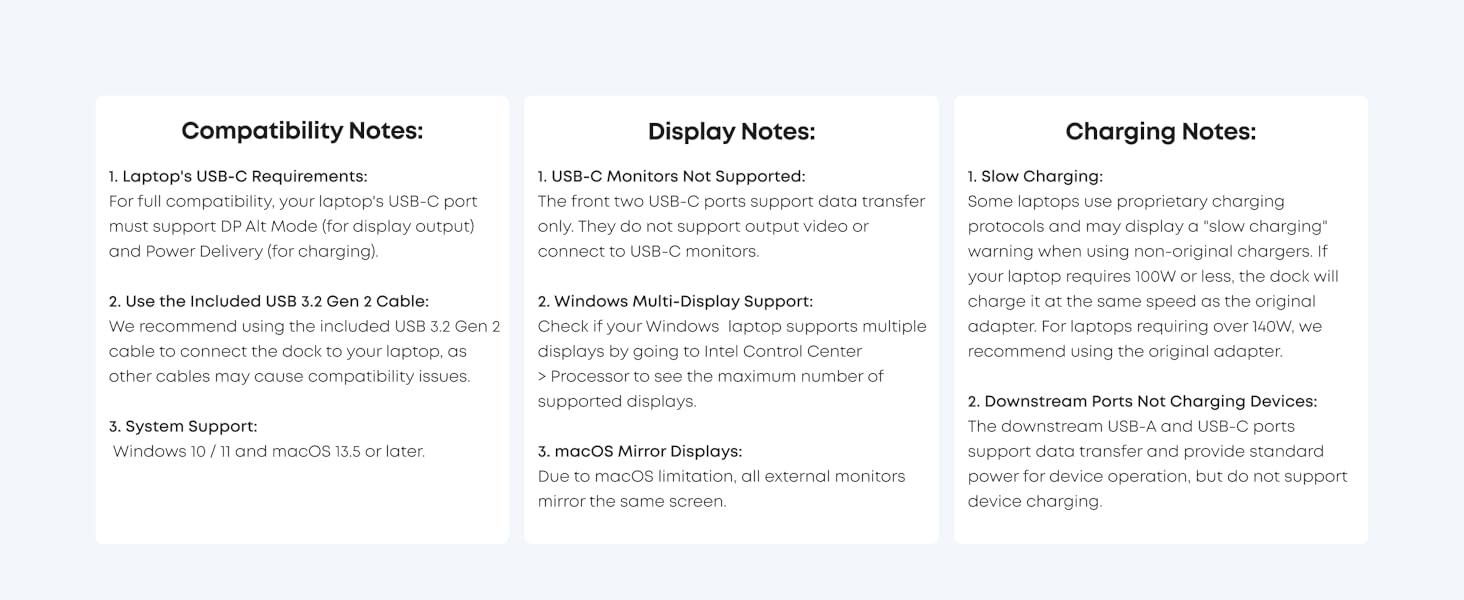
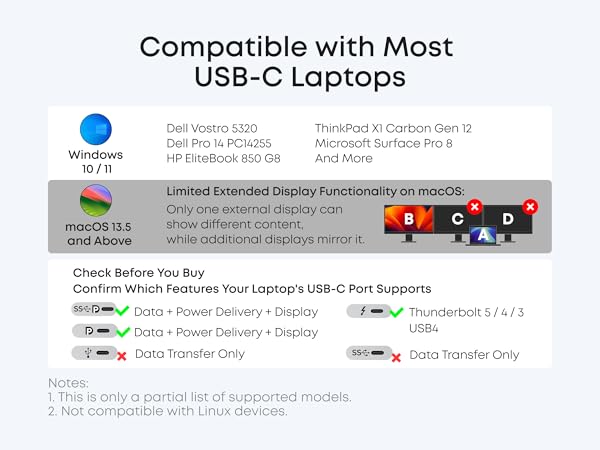
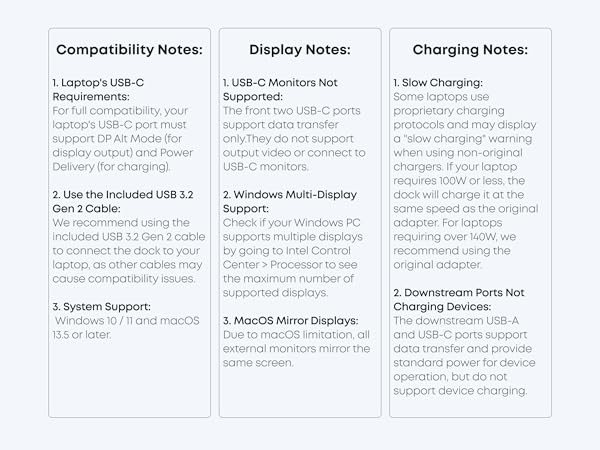
Works with USB-C Laptops: Designed for a wide range of USB-C laptops with OS support for Windows and macOS. Check compatibility before purchase.
Compatibility: Windows 10 / 11 & macOS 13.5 or Above
Note:
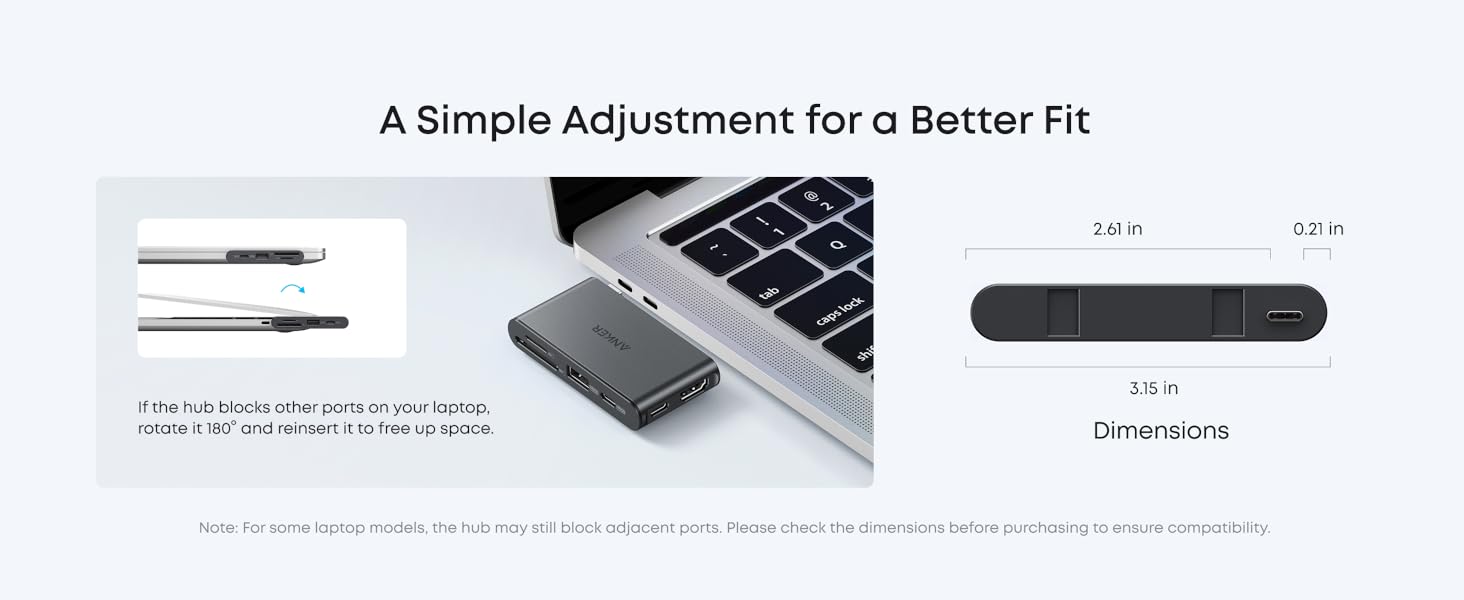
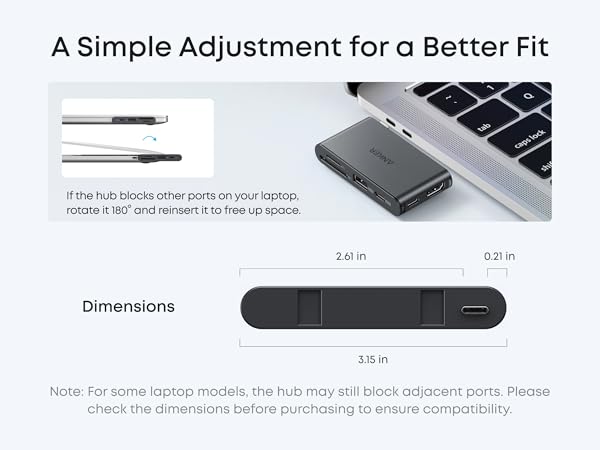
- For some laptop models, the hub may still block adjacent ports. Please check the dimensions before purchasing to ensure compatibility.
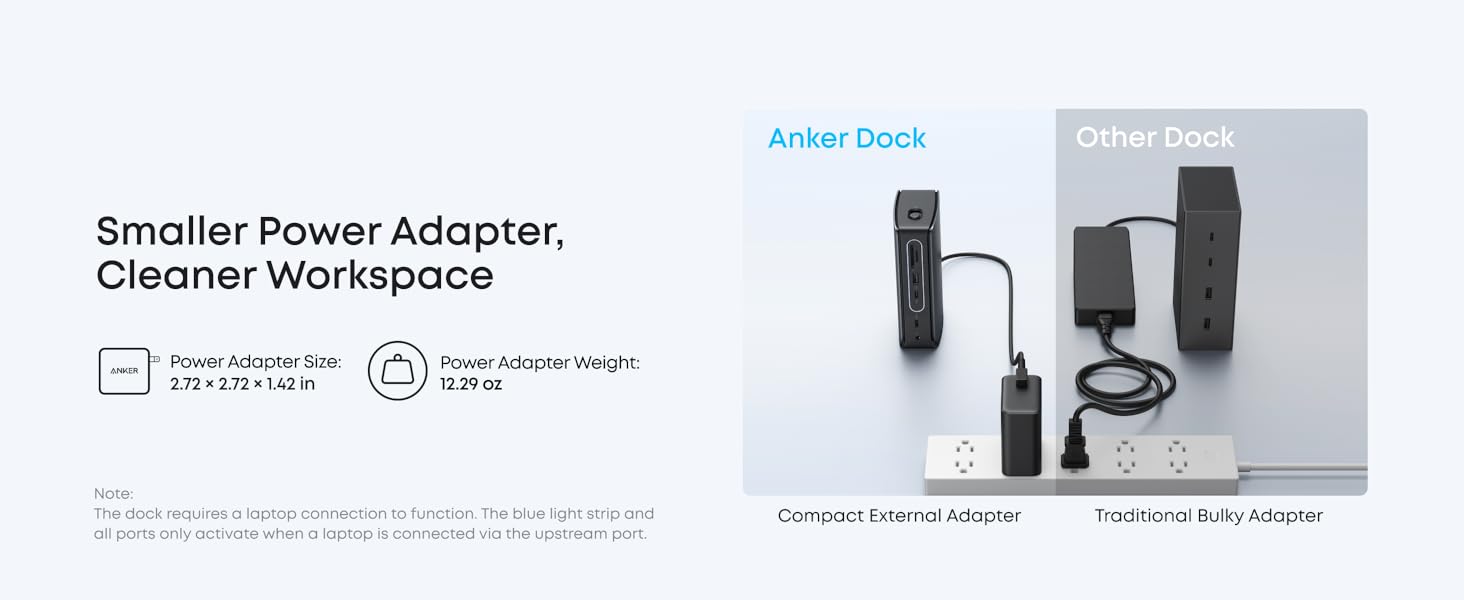
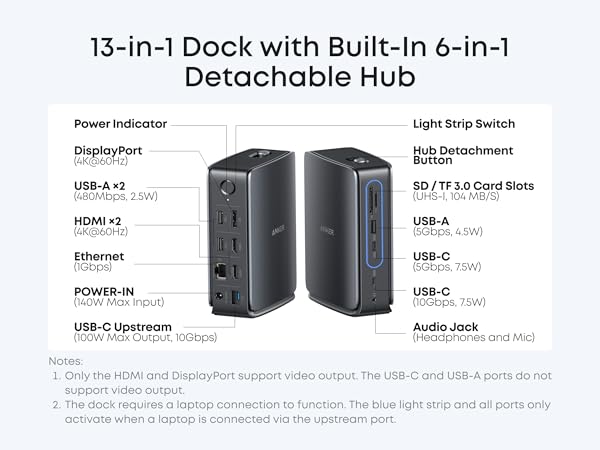
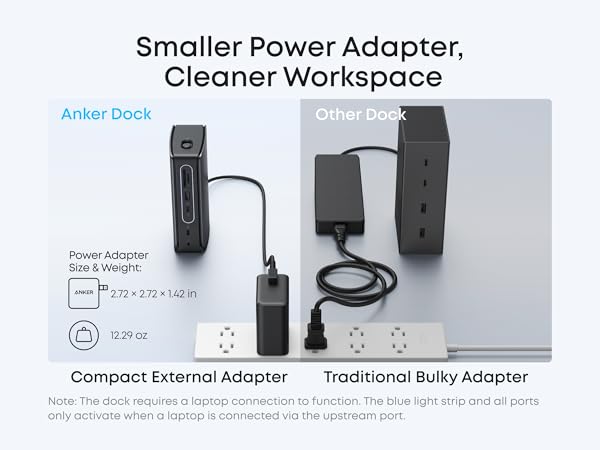
- The dock requires a laptop connection to function. The blue light strip and all ports only activate when a laptop is connected via the upstream port.
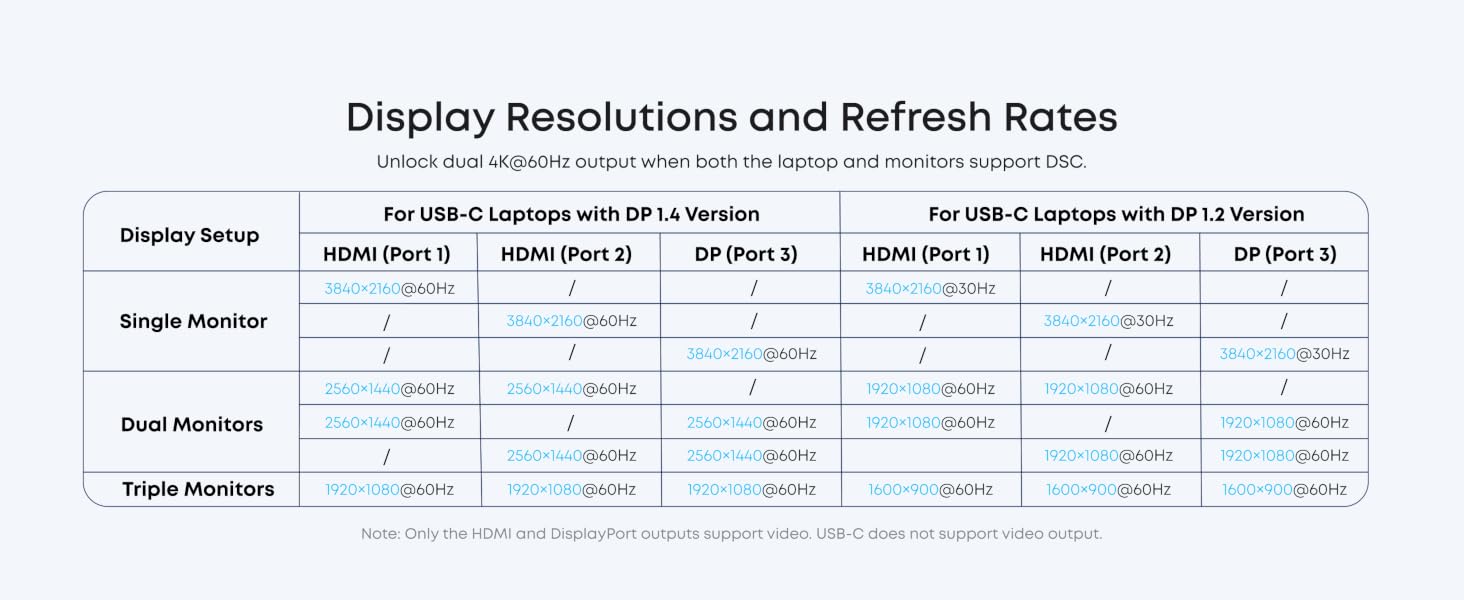
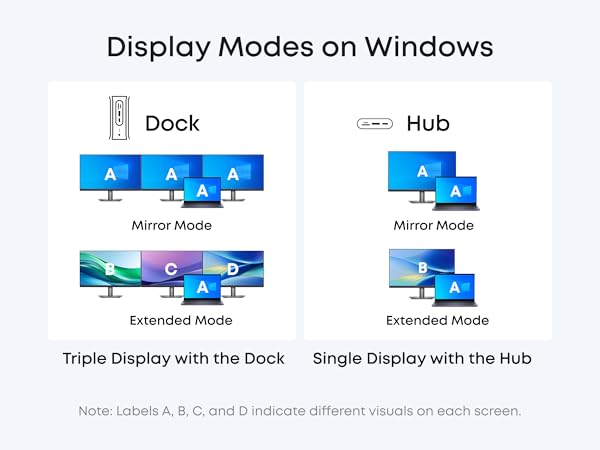
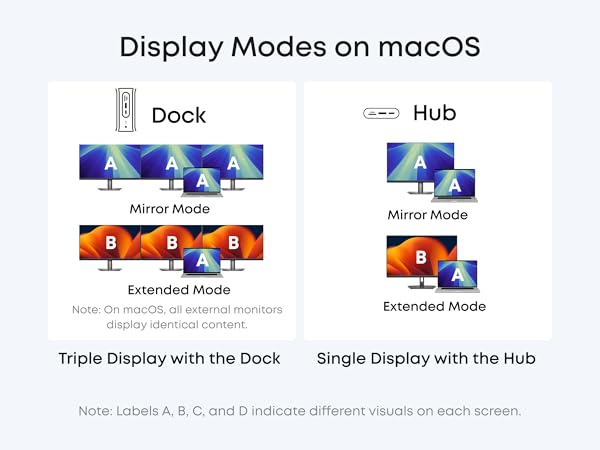
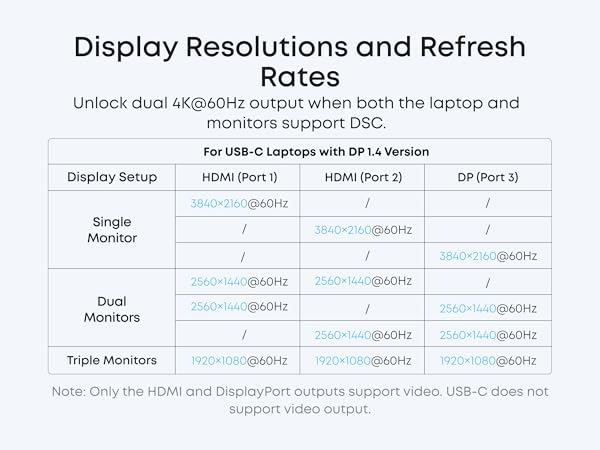
- To resolve display issues, please update your dock to the latest firmware to ensure full compatibility with your connected devices.
- To make the Ethernet work on your Windows laptop, please download the latest Realtek driver for the dock.

Model Number: A83C3
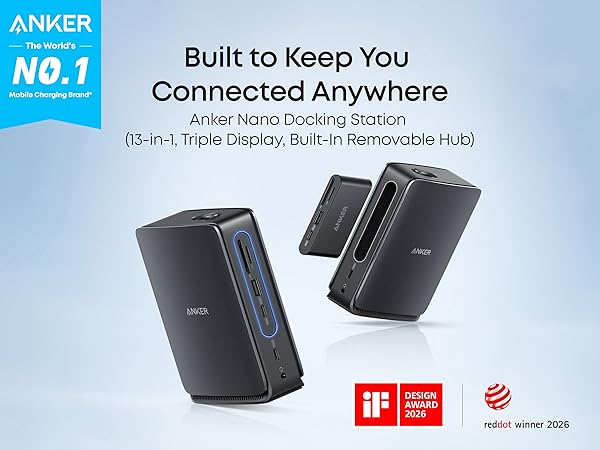
Anker Nano Docking Station (13-in-1, Triple Display, Built-In Removable Hub), Dual-Form Design for Fixed and Mobile Use
Work On with Hub Removed: Keep all dock functions active even when the hub is removed, so you can work without replugging cables. Push the button to detach and reinsert until it clicks.
Sleek Light Strip: The light strip glows blue when docked, powered, and connected to the host. It adds a modern touch while showing connection status.
Works with USB-C Laptops: Designed for a wide range of USB-C laptops with OS support for Windows and macOS. Check compatibility before purchase.
Compatibility: Windows 10 / 11 & macOS 13.5 or Above
Note:
- For some laptop models, the hub may still block adjacent ports. Please check the dimensions before purchasing to ensure compatibility.
- The dock requires a laptop connection to function. The blue light strip and all ports only activate when a laptop is connected via the upstream port.
- To resolve display issues, please update your dock to the latest firmware to ensure full compatibility with your connected devices.
- To make the Ethernet work on your Windows laptop, please download the latest Realtek driver for the dock.
TOP Finds for Every Moment
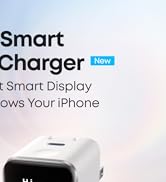
Anker Smart Display Charger

Power to Drive Your Prime
Pro Fast Charging in a Nano
Best Sellers
Highly Rated
Get Powered Up Now
