




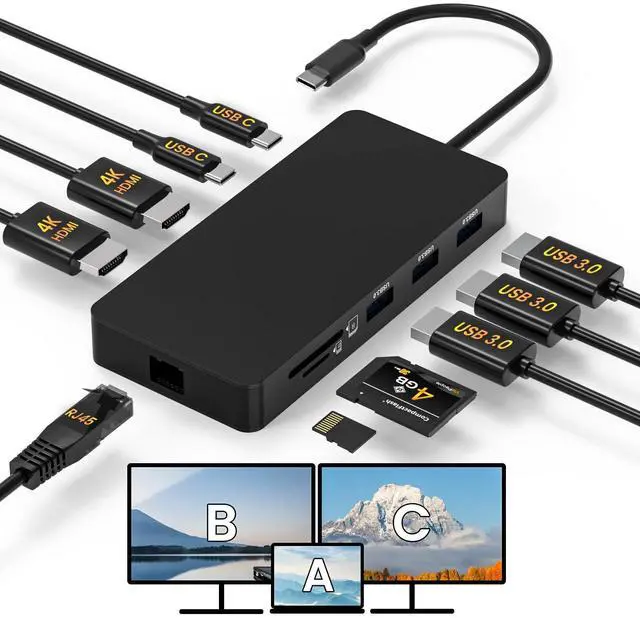
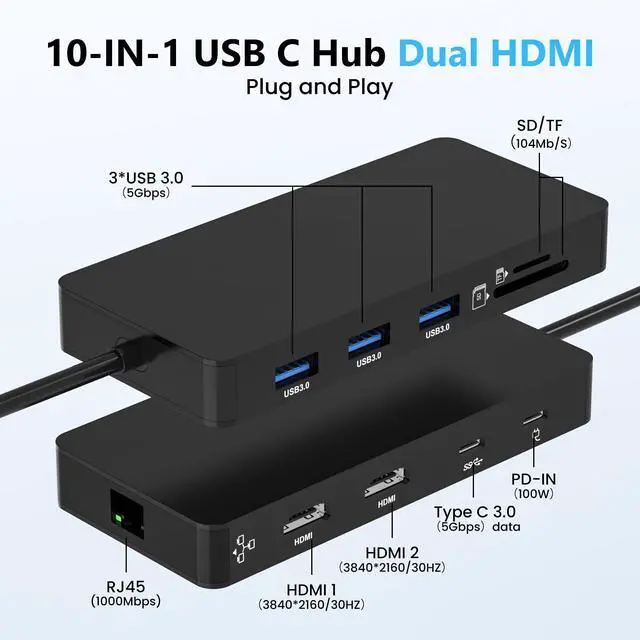


10 in 1 Dual HDTV Laptop Docking Station


Pre-Use Setup Guide for Mac: System Settings > Privacy & Security > Accessories, then set it to Always Allow.

Pre-Use Setup Guide forWindows: Plug-and-play ready, enable external devices in Settings > Devices.

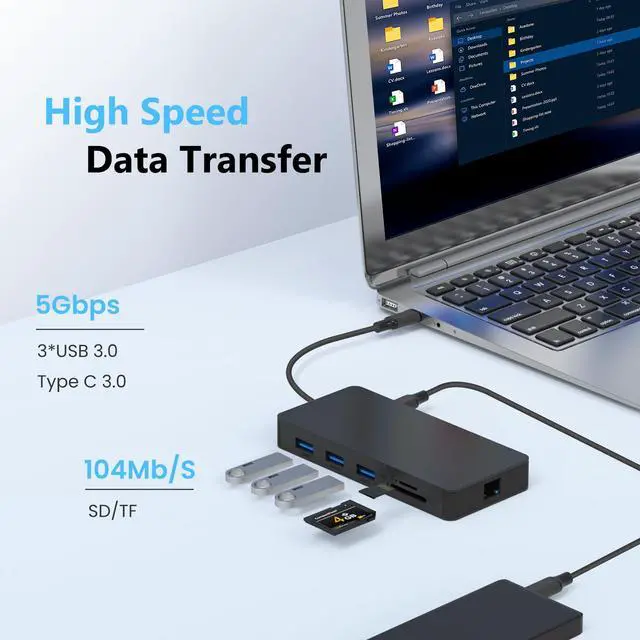
Universal SD Card Compatibility
USB C to SD/TF card reader(speed up to 104Mbs) allows you to easily browse and copy photos and videos from your cameras, and quickly share your beautiful moments.

5Gbps USB Data Transfer
Transfer files and from your laptop at speeds up to 5 Gbps with USB 3.0 port. USB 3.0 port ports are perfectly for your keyboards and mouse. Compatible with flash/hard/external drive.

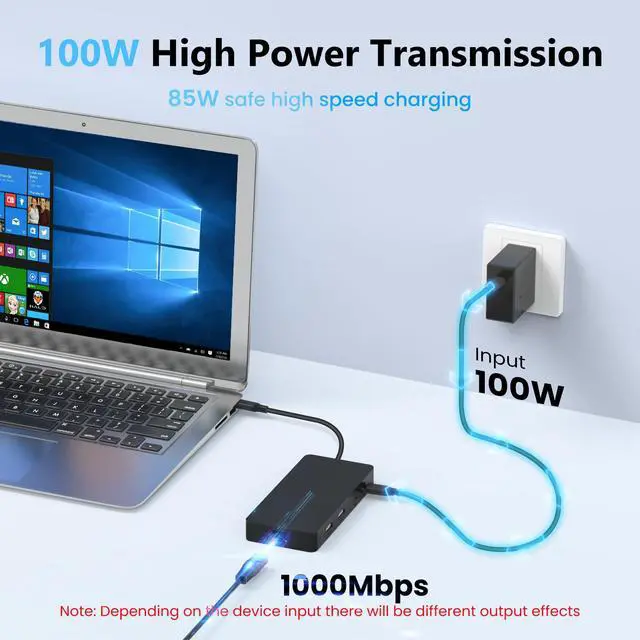
Powerful Pass-Through Charging
Supports up to 85W pass-through charging so you can power up your laptop while you use the hub. Note: Pass-through charging requires a charger (not included).

Stable 1000Mbps Ethernet
The USB to Ethernet adapter provides faster data transfer and better security than most Wi-Fi connections, so you can enjoy a super-fast surfing experience.
What happens when there is no HDTV image output after the product is connected?
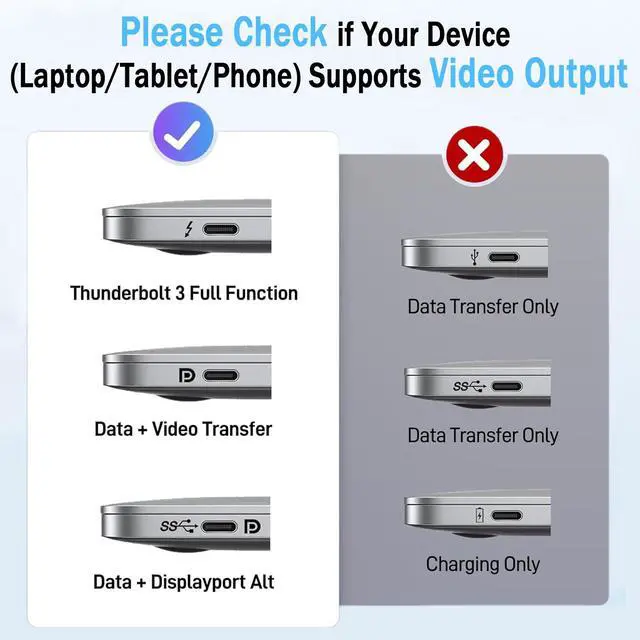
1) Please make sure that the USB-C interface of the laptop supports the video function
2) Please confirm whether the length and specifications of the connected cable meet the requirements, and whether the interface is firmly plugged
3) Please adjust the resolution setting of the laptop, the resolution supported by your monitor may be lower than the highest supported resolution of the product
4) Please select the correct input signal source (some monitors need to manually select the signal source)
5) You can try to restart the laptop, or re-plug the upstream end
6) If possible, try a different monitor and laptop
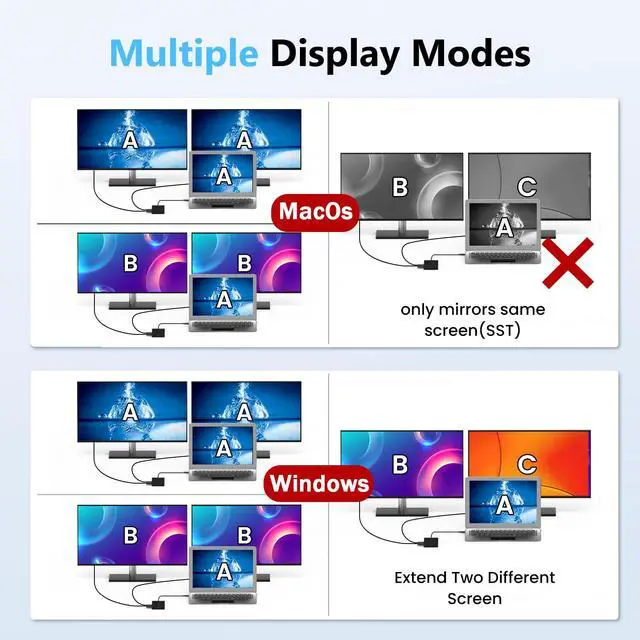
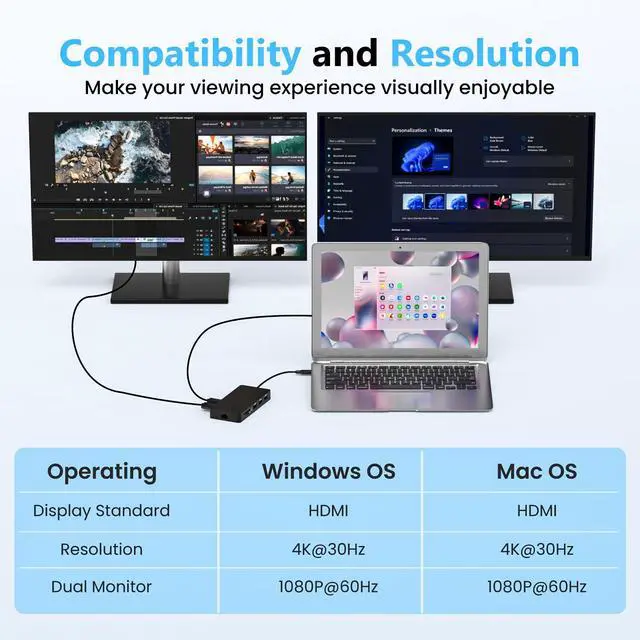
7) For macOS, the display on both external monitors will be identical


Please Note Before Purchasing:
·Mac systems can only extend the same screen ·Cables and power adapter are not included
·Specific resolution depends on your computer's resolution · Do not fold the connected cable
10 in 1 Dual HDTV Laptop Docking Station


Pre-Use Setup Guide for Mac: System Settings > Privacy & Security > Accessories, then set it to Always Allow.

Pre-Use Setup Guide forWindows: Plug-and-play ready, enable external devices in Settings > Devices.
Universal SD Card Compatibility
USB C to SD/TF card reader(speed up to 104Mbs) allows you to easily browse and copy photos and videos from your cameras, and quickly share your beautiful moments.
5Gbps USB Data Transfer
Transfer files and from your laptop at speeds up to 5 Gbps with USB 3.0 port. USB 3.0 port ports are perfectly for your keyboards and mouse. Compatible with flash/hard/external drive.
Powerful Pass-Through Charging
Supports up to 85W pass-through charging so you can power up your laptop while you use the hub. Note: Pass-through charging requires a charger (not included).
Stable 1000Mbps Ethernet
The USB to Ethernet adapter provides faster data transfer and better security than most Wi-Fi connections, so you can enjoy a super-fast surfing experience.
What happens when there is no HDTV image output after the product is connected?
1) Please make sure that the USB-C interface of the laptop supports the video function
2) Please confirm whether the length and specifications of the connected cable meet the requirements, and whether the interface is firmly plugged
3) Please adjust the resolution setting of the laptop, the resolution supported by your monitor may be lower than the highest supported resolution of the product
4) Please select the correct input signal source (some monitors need to manually select the signal source)
5) You can try to restart the laptop, or re-plug the upstream end
6) If possible, try a different monitor and laptop
7) For macOS, the display on both external monitors will be identical