




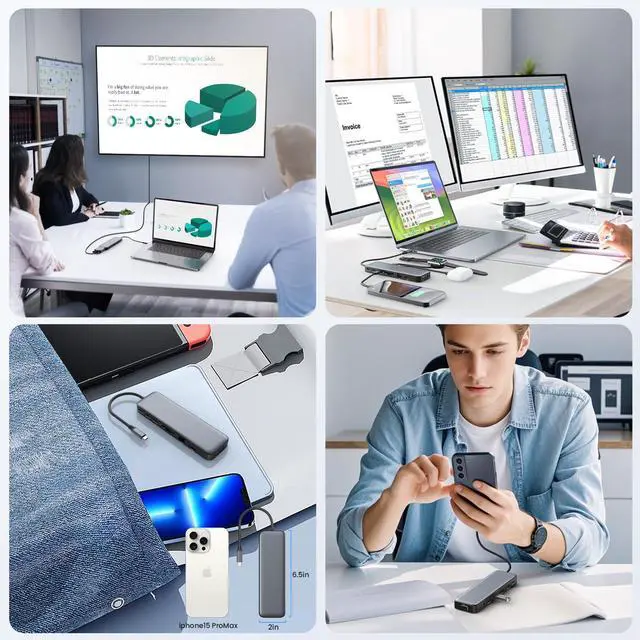



Founded with a vision to simplify and enhance the way we power our devices, Pxwaxpy set out on a journey to redefine the laptop docking station experience.
As we look towards the future, our commitment to excellence remains unwavering. We strive to anticipate the evolving needs of our customers and adapt our products accordingly, ensuring that Pxwaxpy continues to be at the forefront of usb c hub innovation for years to come.


Dual Displayports Hub Docking Station Dual Monitor HDMI USB C Hub Multi Adapter
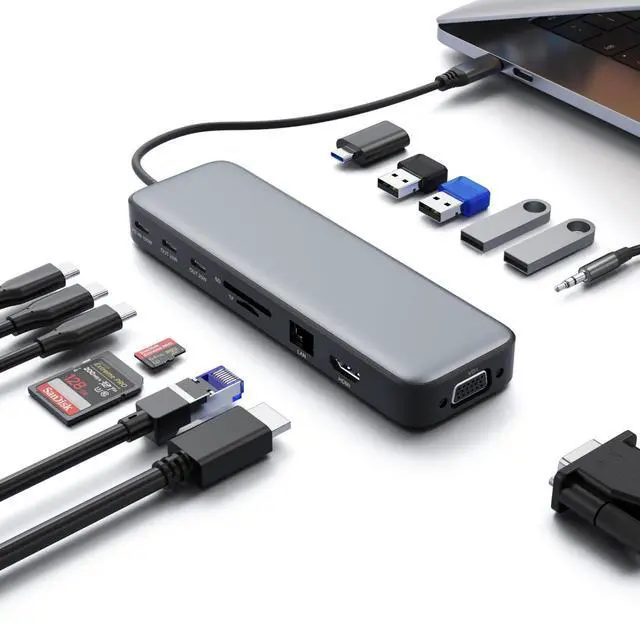
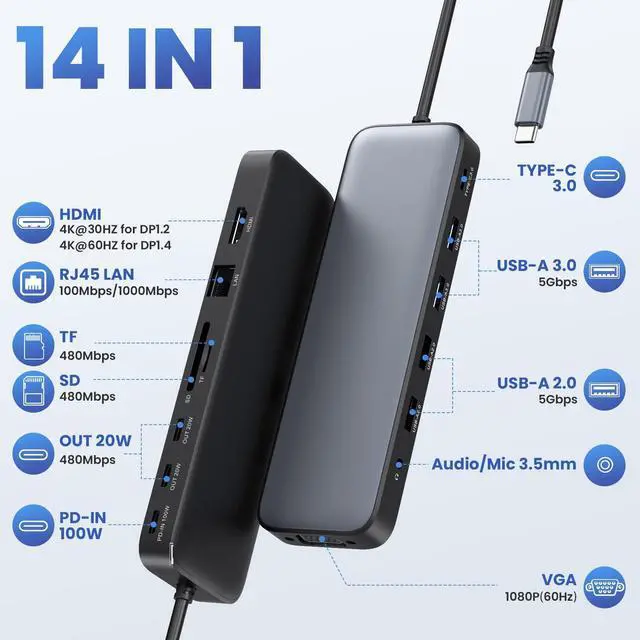
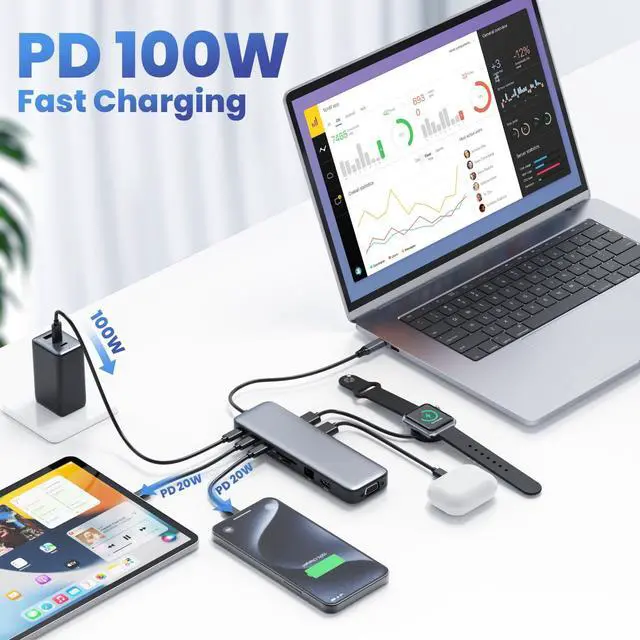
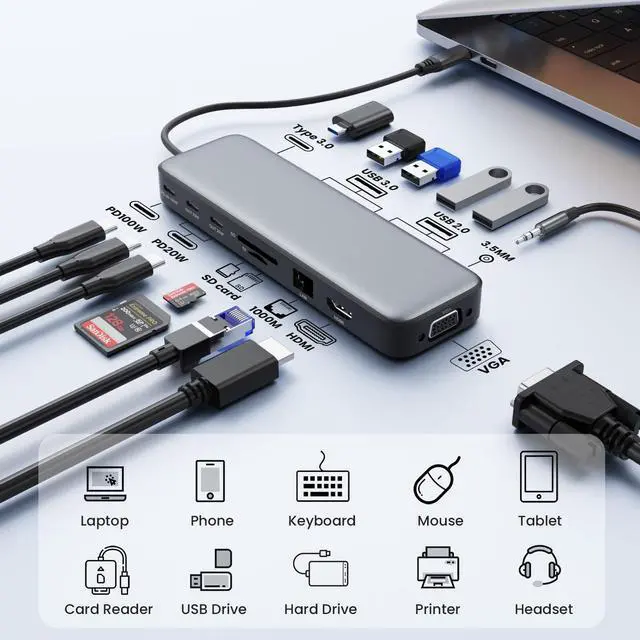
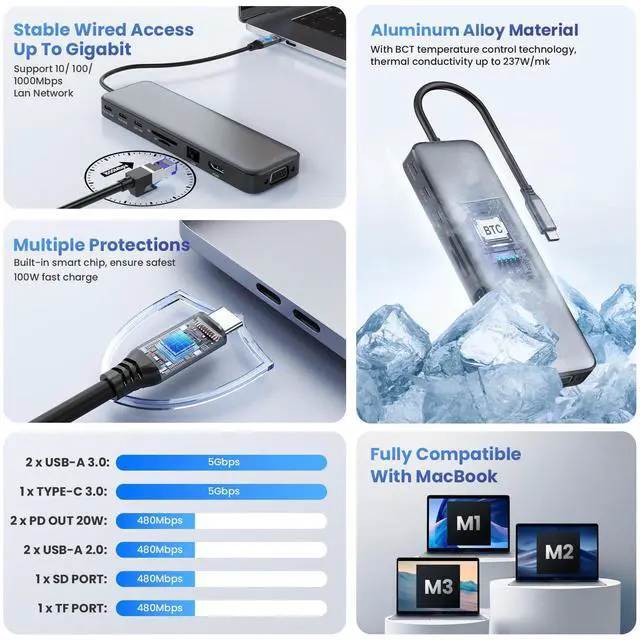
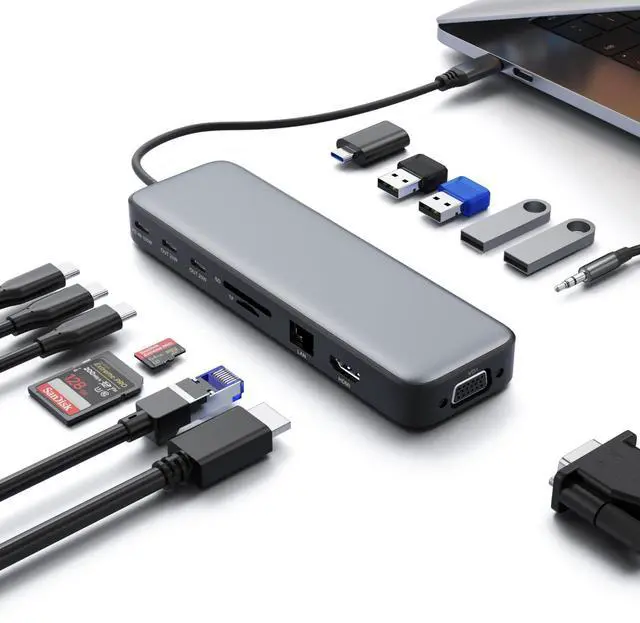
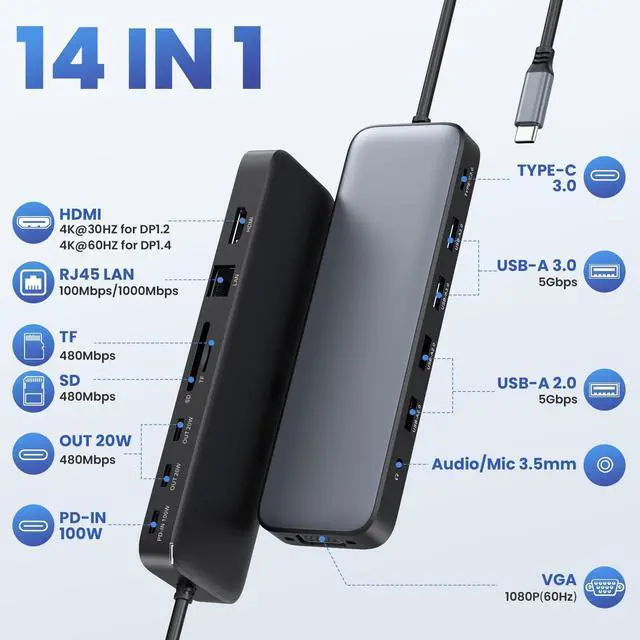
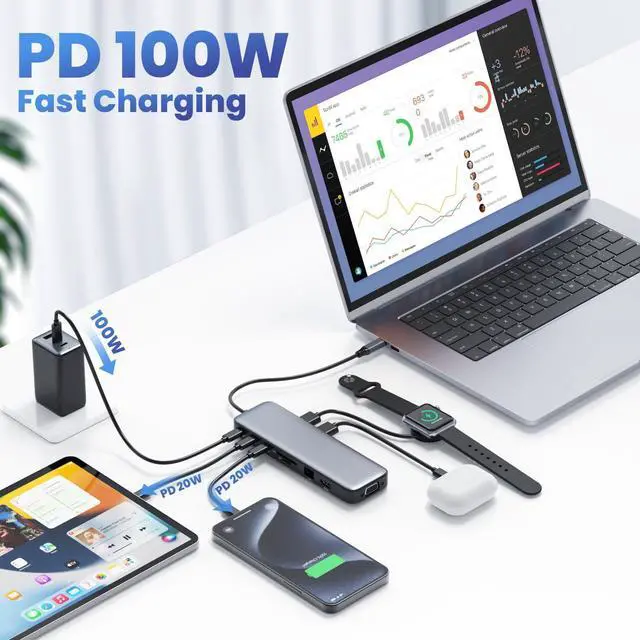
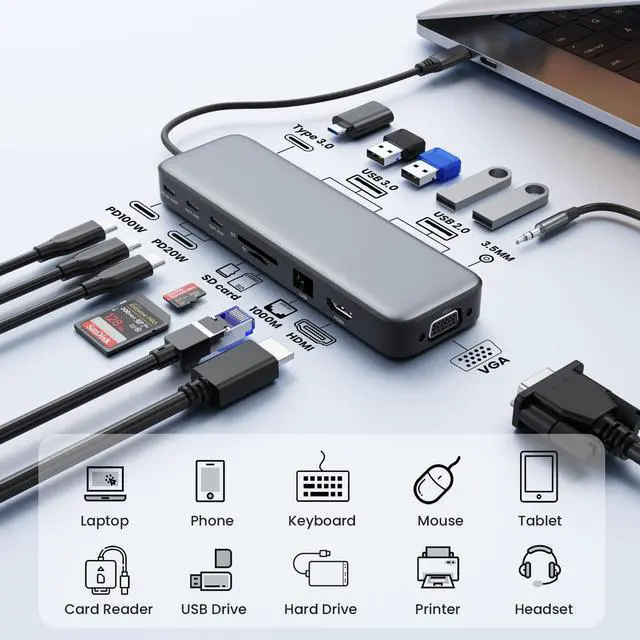
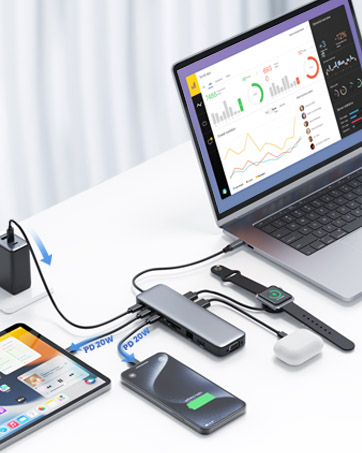
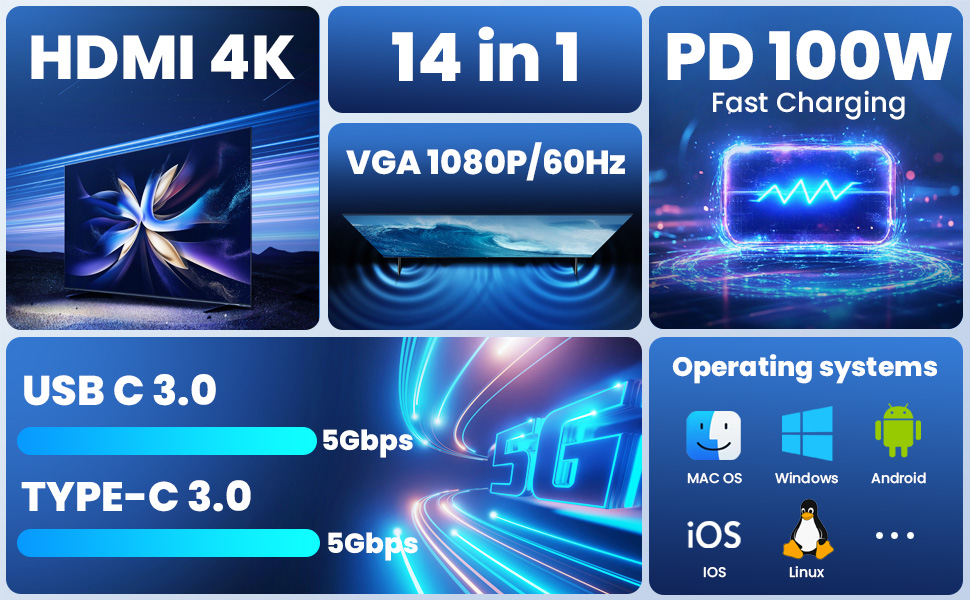
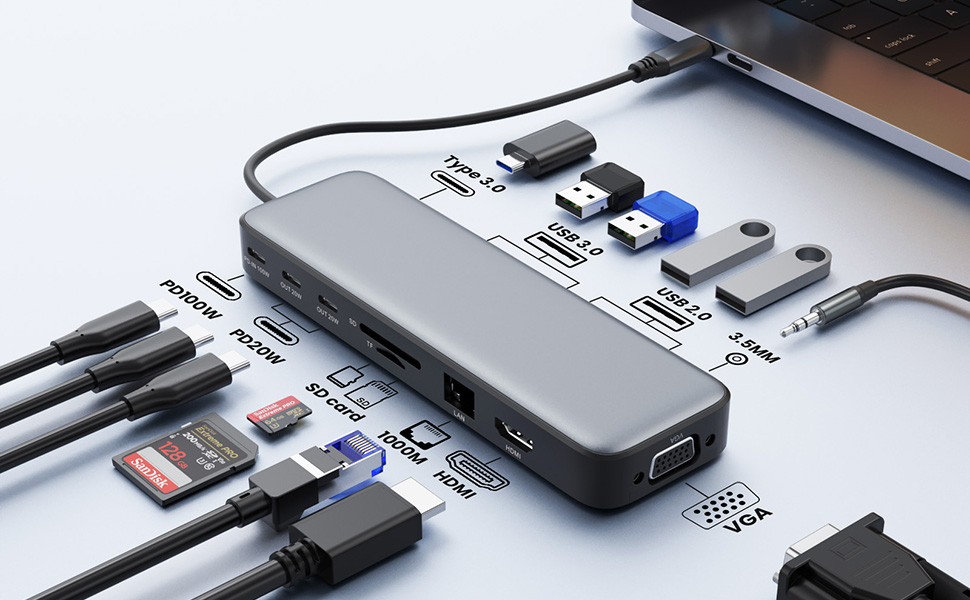
This 14 in 1 usb c laptop dock hub is a great compliment for your type c laptop. With this usb c dongle, you can stream/extend video to your monitor/projector/TV with 1 HDMI ports and VGA port from your laptop, you can use 8 fast speed data transfer ports(2*USB A 3.1 ports,1*usb c 3.0 port,2*usb A 2.0 port,SD/Micro SD card reader) to connect your smartphones, tablet, hard drives and access files from SD/TF card reader. 2 USB A 2.0 prots allows you to connect keyboard or mouse without any lags. 100W usb c power delivery charging port supports charging your laptop at power up to 87W while connecting multiple peripherals. Also USB C to Gigabit Ethernet adapter supports 10/100/1000BASE-T Lan networks,provide you with a stable and reliable wired Ethernet.
Important Note Before Purchase
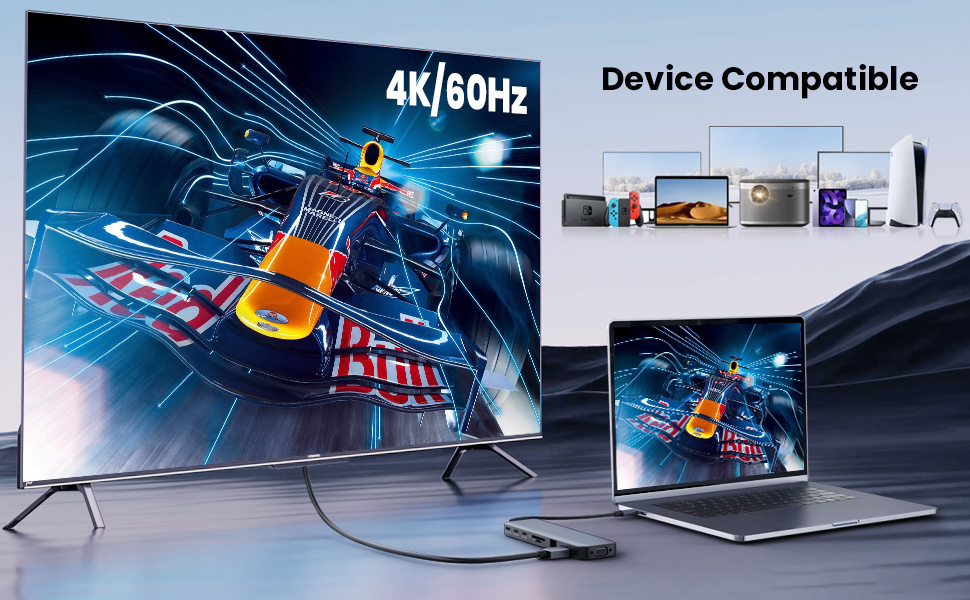
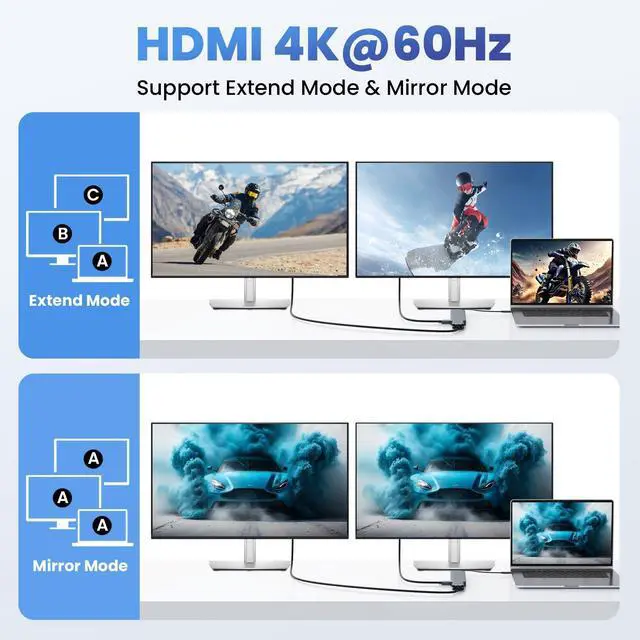
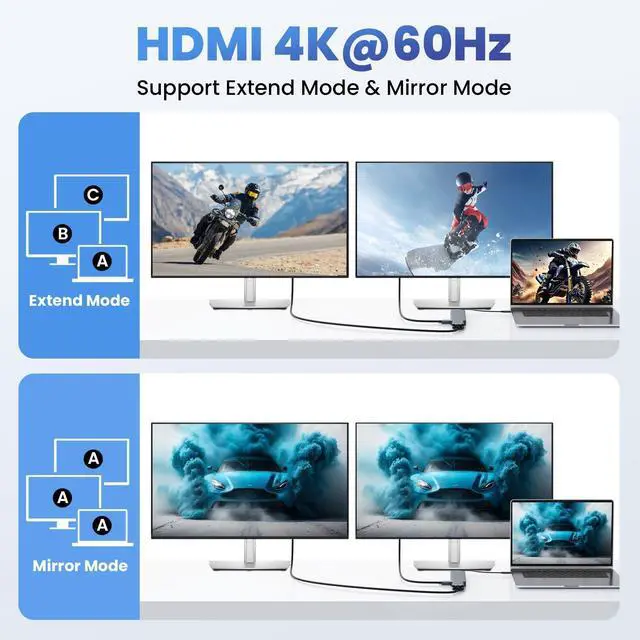
How To Setting Mirror/Extend Mode:
- Windows: Click the Graphic Settings or Win+P to choose mirror or extend mode;
- Mac: Apple logo-System Preferences-Displays-Mirror Display(Yes or Not)
1. Windows system
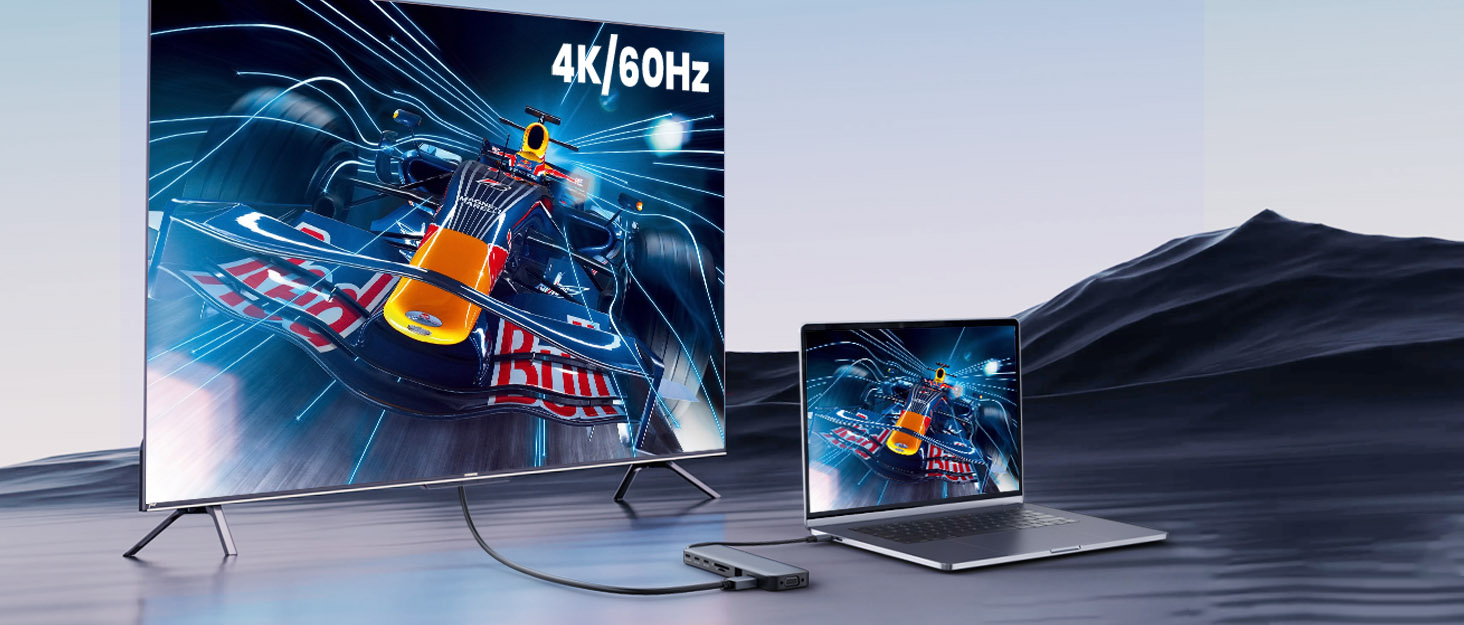
HDMI port support up to 4K@60Hz (DP1.4 Source); VGA port support up to 1080P@60Hz.
2. MAC OS system
Note: For Extend mode, MAC OS can Only Extend One Monitor (4K@60Hz).
Your Safety Companion -- For a Safer & Reliable Laptop Docking Station Experience
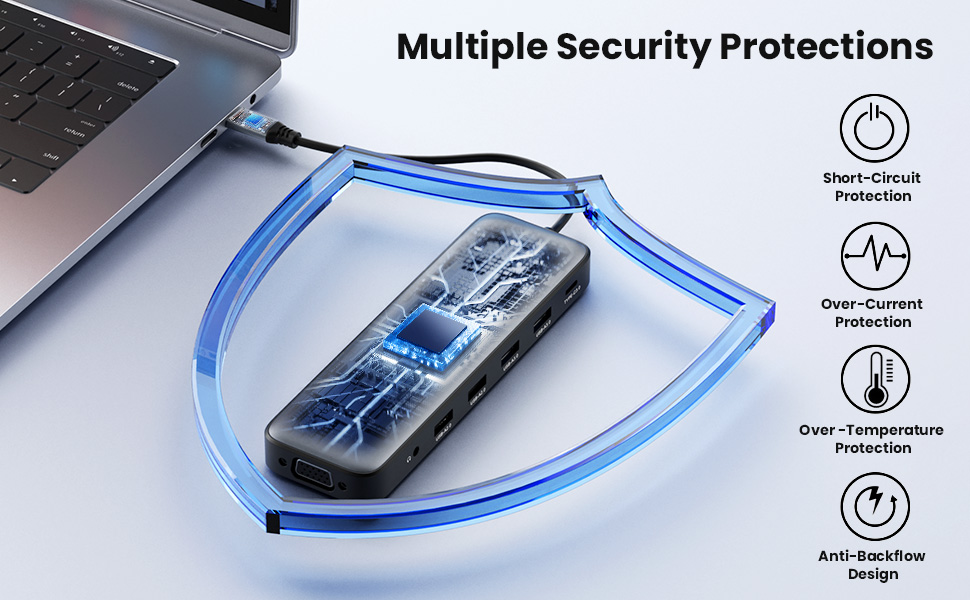
- Our USB C Hub Multiport Adapter have passed various certifications with professional circuit design and intelligent protection technology. It has overcurrent, overvoltage, and temperature control, no need to install any driver or software.Just connect to your laptop and monitors,enjoying to the multiport needed solution. This USB C Docking Station is not only the best Laptop accessory at the meeting, but the perfect gift for your friends and family!
Please Read Carefully Before Purchasing:
- Please make sure your device has thunderbolt 3/4 /USB C 3.1 GEN2 or above ports that support "Power Delwerys, DisplayPort , Alt Mode", full-featured USB C ports that support display, charging and data transfer protocols. If after your purchase you find that you are unable to use the screen extension feature, please check if your laptop's USB C port supports the features described above.
- ONLY when your devices support 4K resolution, the video output will be 4K, please make sure to use HDMI 2.0 or higher cable.
- When it works with single display, If you want to output 4K@60Hz resolution, your laptop needs to support DP1.4 output).
- Please use at least 65W power adapter to charge your laptop via this hub,using lower power charger may cause a low charging warning and slower charge for your laptop than it should, and make sure your device support power delivery protocol,otherwise it won’t charge for your laptop.
- Please plug in the laptop's power adapter to the USB-C Power Delivery port before connecting an external hard drive or multiple display purpose, to ensure enough power to work.
- The hub temperature will heat up when it works. 0? - 50 ? is the normal and reasonable range. It's a normal situation for all hubs, not a quality problem.
If you are not sure, you can check with "Pxwaxpy"
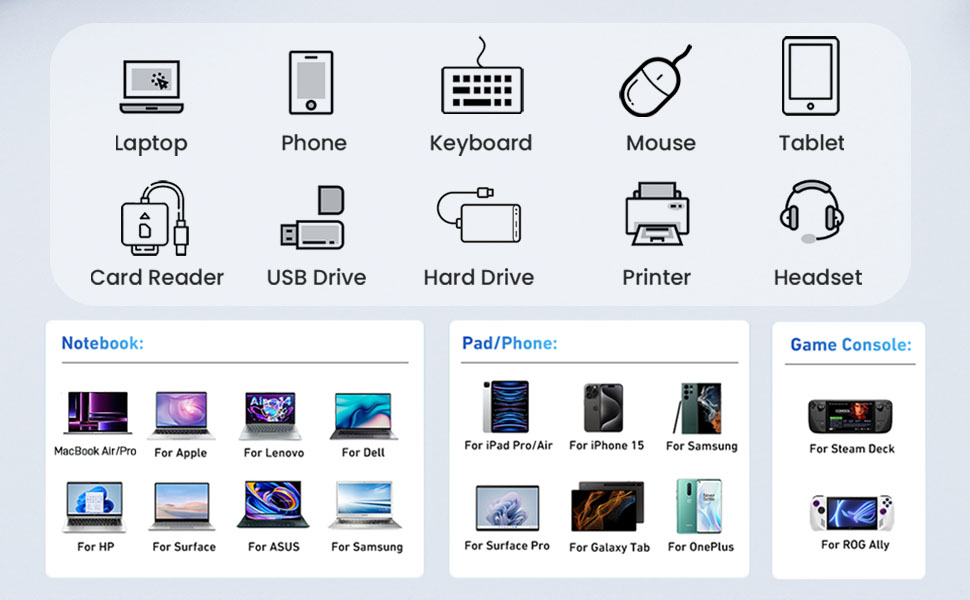
Pxwaxpy 14 IN 1 USB C Docking Station Compatible list (Not a full list)
Dual Displayports Hub Docking Station Dual Monitor HDMI USB C Hub Multi Adapter
This 14 in 1 usb c laptop dock hub is a great compliment for your type c laptop. With this usb c dongle, you can stream/extend video to your monitor/projector/TV with 1 HDMI ports and VGA port from your laptop, you can use 8 fast speed data transfer ports(2*USB A 3.1 ports,1*usb c 3.0 port,2*usb A 2.0 port,SD/Micro SD card reader) to connect your smartphones, tablet, hard drives and access files from SD/TF card reader. 2 USB A 2.0 prots allows you to connect keyboard or mouse without any lags. 100W usb c power delivery charging port supports charging your laptop at power up to 87W while connecting multiple peripherals. Also USB C to Gigabit Ethernet adapter supports 10/100/1000BASE-T Lan networks,provide you with a stable and reliable wired Ethernet.
Important Note Before Purchase
How To Setting Mirror/Extend Mode:
- Windows: Click the Graphic Settings or Win+P to choose mirror or extend mode;
- Mac: Apple logo-System Preferences-Displays-Mirror Display(Yes or Not)
1. Windows system
HDMI port support up to 4K@60Hz (DP1.4 Source); VGA port support up to 1080P@60Hz.
2. MAC OS system
Note: For Extend mode, MAC OS can Only Extend One Monitor (4K@60Hz).
Your Safety Companion -- For a Safer & Reliable Laptop Docking Station Experience
- Our USB C Hub Multiport Adapter have passed various certifications with professional circuit design and intelligent protection technology. It has overcurrent, overvoltage, and temperature control, no need to install any driver or software.Just connect to your laptop and monitors,enjoying to the multiport needed solution. This USB C Docking Station is not only the best Laptop accessory at the meeting, but the perfect gift for your friends and family!
Please Read Carefully Before Purchasing:
- Please make sure your device has thunderbolt 3/4 /USB C 3.1 GEN2 or above ports that support "Power Delwerys, DisplayPort , Alt Mode", full-featured USB C ports that support display, charging and data transfer protocols. If after your purchase you find that you are unable to use the screen extension feature, please check if your laptop's USB C port supports the features described above.
- ONLY when your devices support 4K resolution, the video output will be 4K, please make sure to use HDMI 2.0 or higher cable.
- When it works with single display, If you want to output 4K@60Hz resolution, your laptop needs to support DP1.4 output).
- Please use at least 65W power adapter to charge your laptop via this hub,using lower power charger may cause a low charging warning and slower charge for your laptop than it should, and make sure your device support power delivery protocol,otherwise it won’t charge for your laptop.
- Please plug in the laptop's power adapter to the USB-C Power Delivery port before connecting an external hard drive or multiple display purpose, to ensure enough power to work.
- The hub temperature will heat up when it works. 0? - 50 ? is the normal and reasonable range. It's a normal situation for all hubs, not a quality problem.
If you are not sure, you can check with "Pxwaxpy"
Pxwaxpy 14 IN 1 USB C Docking Station Compatible list (Not a full list)
| for Dell Laptops : | XPS 9380, 13 9365, 15 2018, 9350, 13 9300, New XPS 15; Latitude 7490, 7480, 7280, 7390, 7389, 7300, 5500, 5490, 3500, 5310, 5290, 7400, 5480, 5400, 5410, 3400/ Precision 5530, 5540, 5550, 7520, 7730, 7750; Laptop 5590, Inspiron 7573, 7300, G7 7790 |
| for Lenovo : | Yoga 370, 720-13IKB, 730, 900-13ISK, 910, 920, 930, 940-14IIL, 3rd generation Thinkpad Yoga, 15 Ultrabook Pro,C930, c940, C740-15IML, 7i, Thinkpad E590, P72, T470, T470s, T490, T490s, X1 Carbon (2019 model) , Thinkpad Carbon X1 Gen6, X1 Extreme, x1 Carbon Gen 8 - 20U9002NUS, P52/ ThinkPad E14 |
| for HP : | Spectre Laptop 13-af001TU, x360 13t, x360 15, x360 15t, Folio (13t-ak000cto), 360 laptop, x369, x360 Convertible 15-eb0xxx; Elitebook 840 G5 series, X2, x360 1030 G3, 745 g6, 830 g6, 2018 Elite 800 G4, 850 g5 |
| for Apple Laptops : | (Please note,it won't support mst for apple: if you use 2/3/4 display port(hdmi/vga/dp),all monitore will be same image. Support 12" MacBook 2015/2016/ 13"/15"/16" MacBook Pro intel m1 m2 m3 2016 2017 2018 2019 2020 2021 2022 2023 or Newer Version/13" MacBook Air intel m1 m2 m3 2018 2019 2022 2023 or Newer Version/Mac mini 2018/2019 2020 2021 2022 2023/iMac 2018 2019 2020 2021 2022 2023 or Newer Version. |
Founded with a vision to simplify and enhance the way we power our devices, Pxwaxpy set out on a journey to redefine the laptop docking station experience.
As we look towards the future, our commitment to excellence remains unwavering. We strive to anticipate the evolving needs of our customers and adapt our products accordingly, ensuring that Pxwaxpy continues to be at the forefront of usb c hub innovation for years to come.