





Multi-tasking Made Easy
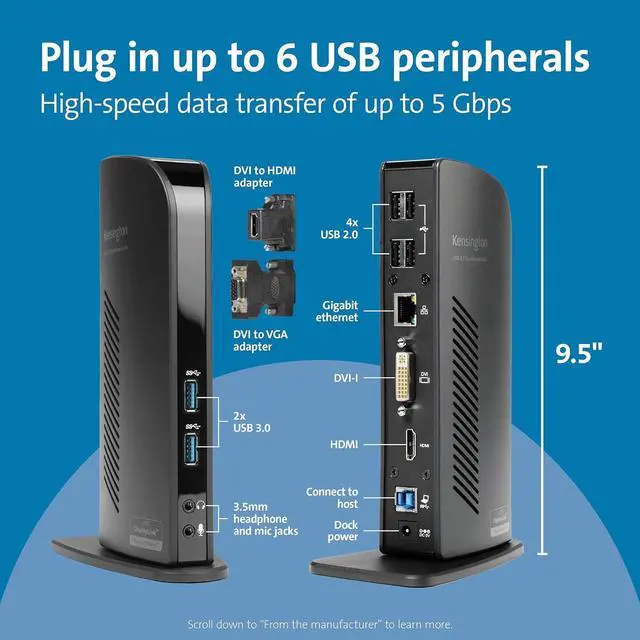
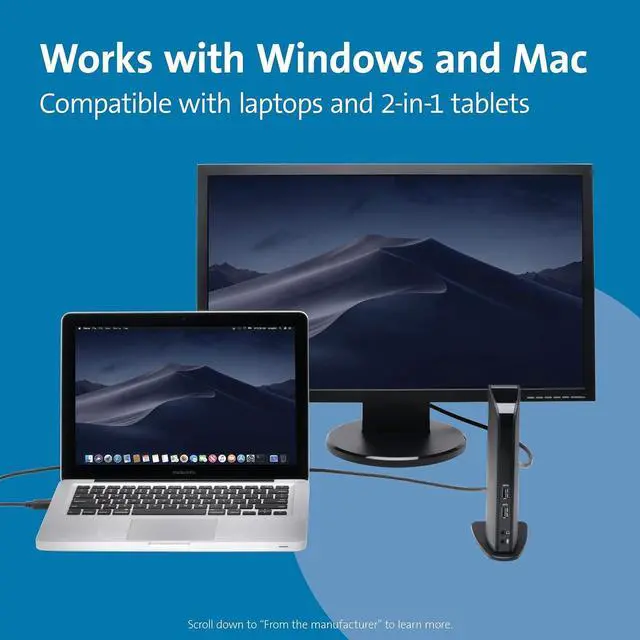
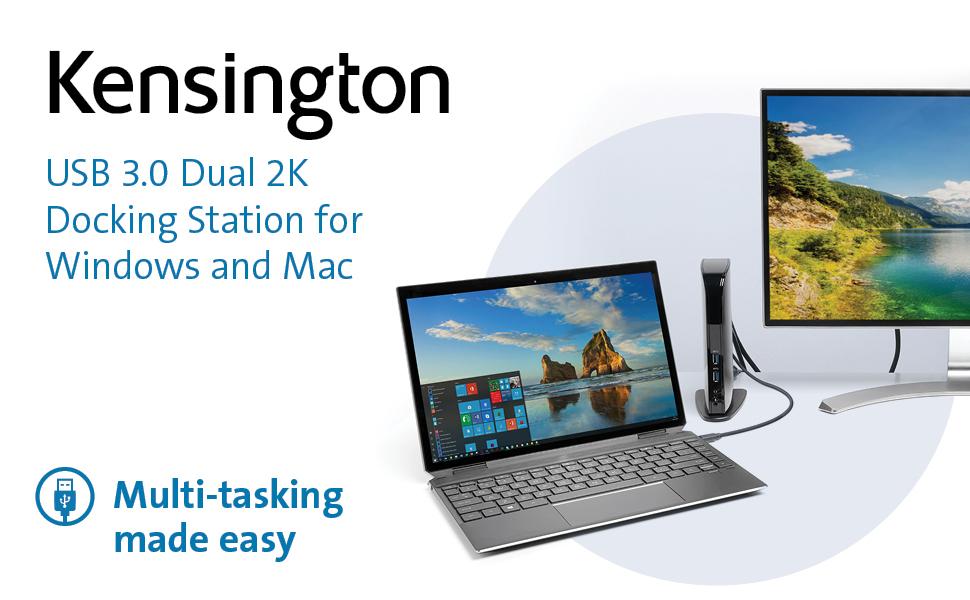
Ultra-thin laptops and 2-in-1 convertibles like the Surface Pro offer great mobile productivity and a sleek design — but they also come up short on ports. As a result, you’re constantly plugging and unplugging peripherals. The Kensington USB 3.0 Dual 2K Docking Station turns one USB port into six so you can access all of your peripherals, including keyboard, mouse, printer, external hard drive, and more. And with dual HD video output, you can add two external monitors to boost productivity. The dock’s two USB 3.0 ports support super-speed data transfer of up to 5 Gbps.
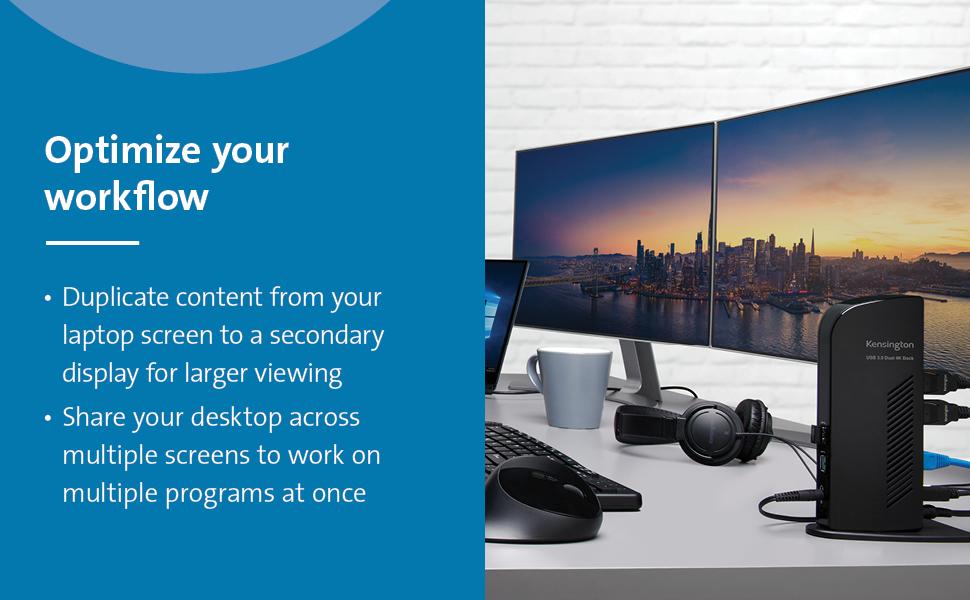
- Extend mode: Share your desktop across multiple screens so you can view and work on multiple applications at once. Clone mode: Replicate the same content from your laptop to your secondary display.
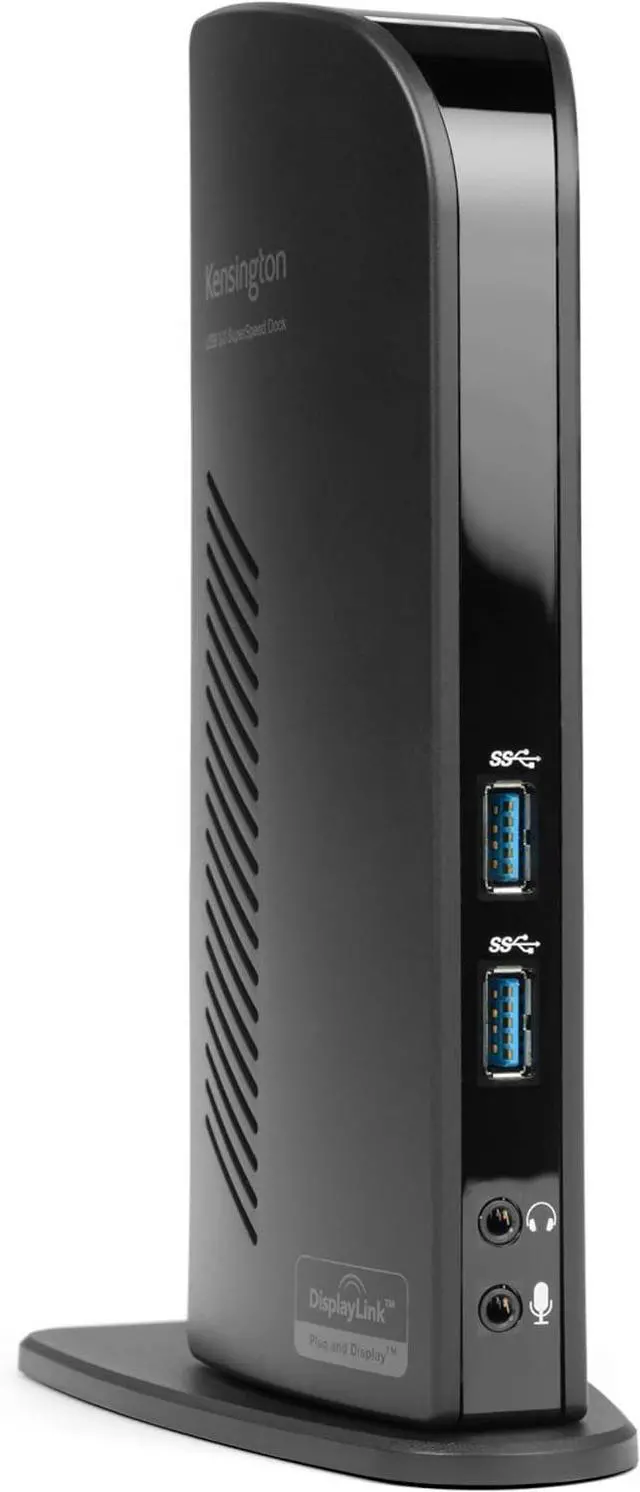
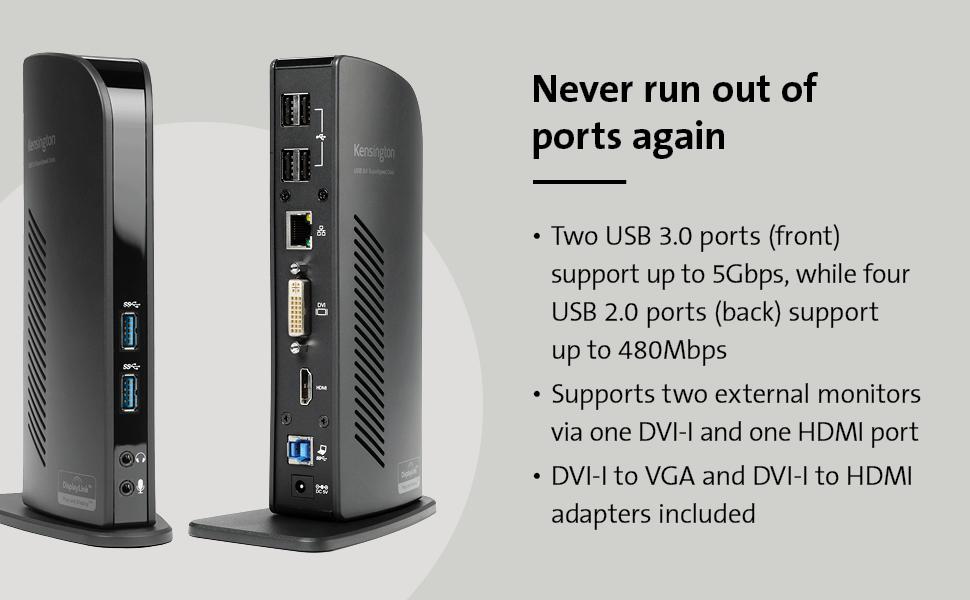
- Two super-speed USB 3.0 ports are ideal when you want to transfer data from another device. Headphone and microphone jacks are also conveniently placed on the front of the dock. Connect your peripherals with four USB 2.0 ports strategically located on the back of the dock to keep your printer, keyboard, mice cables or wireless receivers hidden from view.
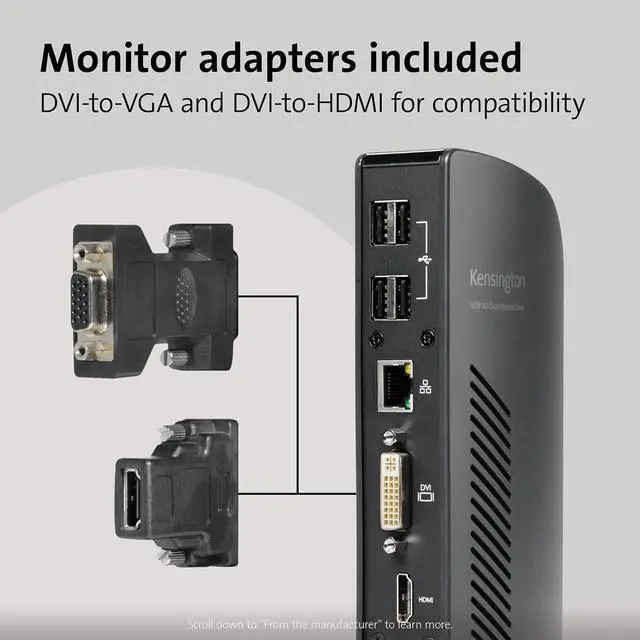
- Expand your workspace by adding additional monitors. Connect a DVI monitor to the DVI port or use the included DVI-VGA adapter to connect a VGA monitor. If you have an HDMI monitor, connect directly into the HDMI port. You can also connect a second HDMI monitor to the DVI port using the included DVI-HDMI adapter. You can run both ports simultaneously.
- Intuitive display management console sits on your applications bar and allows you to easily switch between display modes, change the master monitor or adjust alignment and position of your screens.
Specifications:
- Best For: USB 3.0 Laptops, Ultrabooks & Windows Tablets, and Monitors that support up to 2K
- Connection Technology: USB 3.0 (DisplayLink)
- Compatibility: Windows 7 or above, macOS 10.14
- Number of Monitors Supported: 2 (additional monitors supported with multi-display adapter, sold separately)
- Video Ports: 1 x HDMI v1.2 and 1 x DVI-I (DVI-to-VGA and DVI-to-HDMI supported with included adapters)
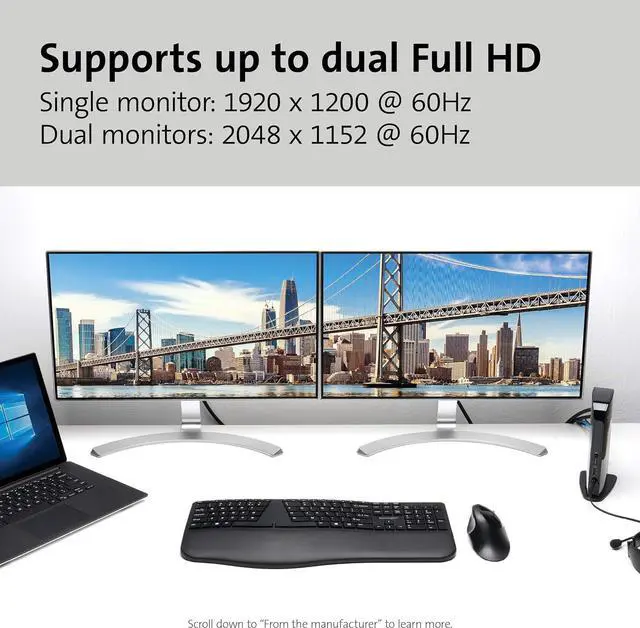
- Maximum Resolution Supported: Single Monitor: 1920 x 1200 @ 60Hz and Dual Monitors: 2048 x 1152 @ 60Hz
- Audio 2.0 for enhanced sound
- DisplayLink driver installation required. Download software from kensington.com or via Windows update. *Please always update your laptop to the latest DisplayLink driver.
- Free Kensington DockWorks Software enables the best connection, performance, and security from your Kensington dock.
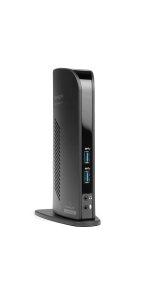 USB 3.0 | 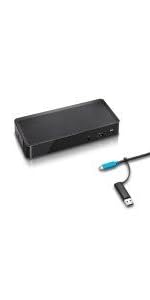 USB-C & USB 3.0 (DisplayLink) | 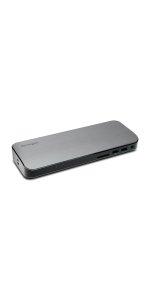 Thunderbolt 3 | |
|---|---|---|---|
| Customer Reviews | — | — | — |
| Price | — | — | — no data |
| Operating System | Windows 7 or above, macOS 10.14 | Windows 7 or above, macOS 10.14 | Windows 10, macOS 10.14 |
| Best For | USB 3.0 Laptops, Ultrabooks & Windows Tablets and Monitors that support up to 2K | USB-C or USB 3.0 Laptops & Ultrabooks and Monitors that support up to 2K | Thunderbolt 3 Laptops & Ultrabooks and Monitors that support up to 4K |
| Video Output | 1 x HDMI v1.2 & 1 x DVI-I + DVI-to-VGA & DVI-to-HDMI adapters included | 1 x HDMI v1.3 & 1 x DisplayPort v1.1 ++ (use passive cables/adapters for HDMI or DVI conversion) | 1 x Thunderbolt 3 & 1 x HDMI v2.0 + USB-C to HDMI video adapter included |
| Video Quality | Single Monitor: 1920 x 1200 @ 60Hz and Dual Monitors: 2048 x 1152 @ 60Hz | Single Monitor: 2560 x 1600 @ 60Hz and Dual Monitors: 2048 x 1152 @ 60Hz | Single Monitor: 5120 x 2880 @ 60Hz and Dual Monitors: 4096 x 2160 @ 60Hz |
| SD Card Reader | No | No | Yes |
| USB 3.0 Ports | Front: 2 x USB 3.0 ports supporting 5V/0.9A & Back: 4 x USB 2.0 ports up to 480Mbps (does not support fast charging) | Front: 1 x USB 3.0 port with 5V/2.1A fast-charging & Back: 4 x USB 3.0 ports supporting 5V/0.9A | Front: 2 x USB 3.1 Gen1 port with one supporting 5V/2.1A fast charging & Back: 3 USB 3.1 Gen1 ports supporting 5V/0.9A |
| USB-C Ports | None | Front: 1 x USB 3.1 Gen2 port with 5V/3A charging | Back: 1 x TB3 port supporting up to 15W & 1x TB3 port supporting up to 60W to connect to laptop |
| Mounting Option | No | Yes | Yes |
| GB Ethernet & Audio In/Out | Yes | Yes | Yes |
| Security Slot Compatibility | Yes | Yes | Yes |
Multi-tasking Made Easy
Ultra-thin laptops and 2-in-1 convertibles like the Surface Pro offer great mobile productivity and a sleek design — but they also come up short on ports. As a result, you’re constantly plugging and unplugging peripherals. The Kensington USB 3.0 Dual 2K Docking Station turns one USB port into six so you can access all of your peripherals, including keyboard, mouse, printer, external hard drive, and more. And with dual HD video output, you can add two external monitors to boost productivity. The dock’s two USB 3.0 ports support super-speed data transfer of up to 5 Gbps.
- Extend mode: Share your desktop across multiple screens so you can view and work on multiple applications at once. Clone mode: Replicate the same content from your laptop to your secondary display.
- Two super-speed USB 3.0 ports are ideal when you want to transfer data from another device. Headphone and microphone jacks are also conveniently placed on the front of the dock. Connect your peripherals with four USB 2.0 ports strategically located on the back of the dock to keep your printer, keyboard, mice cables or wireless receivers hidden from view.
- Expand your workspace by adding additional monitors. Connect a DVI monitor to the DVI port or use the included DVI-VGA adapter to connect a VGA monitor. If you have an HDMI monitor, connect directly into the HDMI port. You can also connect a second HDMI monitor to the DVI port using the included DVI-HDMI adapter. You can run both ports simultaneously.
- Intuitive display management console sits on your applications bar and allows you to easily switch between display modes, change the master monitor or adjust alignment and position of your screens.
Specifications:
- Best For: USB 3.0 Laptops, Ultrabooks & Windows Tablets, and Monitors that support up to 2K
- Connection Technology: USB 3.0 (DisplayLink)
- Compatibility: Windows 7 or above, macOS 10.14
- Number of Monitors Supported: 2 (additional monitors supported with multi-display adapter, sold separately)
- Video Ports: 1 x HDMI v1.2 and 1 x DVI-I (DVI-to-VGA and DVI-to-HDMI supported with included adapters)
- Maximum Resolution Supported: Single Monitor: 1920 x 1200 @ 60Hz and Dual Monitors: 2048 x 1152 @ 60Hz
- Audio 2.0 for enhanced sound
- DisplayLink driver installation required. Download software from kensington.com or via Windows update. *Please always update your laptop to the latest DisplayLink driver.
- Free Kensington DockWorks Software enables the best connection, performance, and security from your Kensington dock.
USB 3.0 | USB-C & USB 3.0 (DisplayLink) | Thunderbolt 3 | |
|---|---|---|---|
| Customer Reviews | — | — | — |
| Price | — | — | — no data |
| Operating System | Windows 7 or above, macOS 10.14 | Windows 7 or above, macOS 10.14 | Windows 10, macOS 10.14 |
| Best For | USB 3.0 Laptops, Ultrabooks & Windows Tablets and Monitors that support up to 2K | USB-C or USB 3.0 Laptops & Ultrabooks and Monitors that support up to 2K | Thunderbolt 3 Laptops & Ultrabooks and Monitors that support up to 4K |
| Video Output | 1 x HDMI v1.2 & 1 x DVI-I + DVI-to-VGA & DVI-to-HDMI adapters included | 1 x HDMI v1.3 & 1 x DisplayPort v1.1 ++ (use passive cables/adapters for HDMI or DVI conversion) | 1 x Thunderbolt 3 & 1 x HDMI v2.0 + USB-C to HDMI video adapter included |
| Video Quality | Single Monitor: 1920 x 1200 @ 60Hz and Dual Monitors: 2048 x 1152 @ 60Hz | Single Monitor: 2560 x 1600 @ 60Hz and Dual Monitors: 2048 x 1152 @ 60Hz | Single Monitor: 5120 x 2880 @ 60Hz and Dual Monitors: 4096 x 2160 @ 60Hz |
| SD Card Reader | No | No | Yes |
| USB 3.0 Ports | Front: 2 x USB 3.0 ports supporting 5V/0.9A & Back: 4 x USB 2.0 ports up to 480Mbps (does not support fast charging) | Front: 1 x USB 3.0 port with 5V/2.1A fast-charging & Back: 4 x USB 3.0 ports supporting 5V/0.9A | Front: 2 x USB 3.1 Gen1 port with one supporting 5V/2.1A fast charging & Back: 3 USB 3.1 Gen1 ports supporting 5V/0.9A |
| USB-C Ports | None | Front: 1 x USB 3.1 Gen2 port with 5V/3A charging | Back: 1 x TB3 port supporting up to 15W & 1x TB3 port supporting up to 60W to connect to laptop |
| Mounting Option | No | Yes | Yes |
| GB Ethernet & Audio In/Out | Yes | Yes | Yes |
| Security Slot Compatibility | Yes | Yes | Yes |