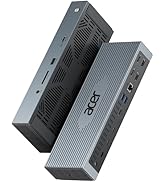
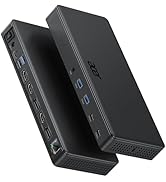
Laptop Docking Station 3 Monitors, 11-in-1 USB C Docking Station with 8K DP, HDMI 4K@60Hz, 10Gbps Data, 1 Gbps Ethernet Hub, 100W Power Delivery, SD/TF, USB C Hub Multiport Adapter for Laptop
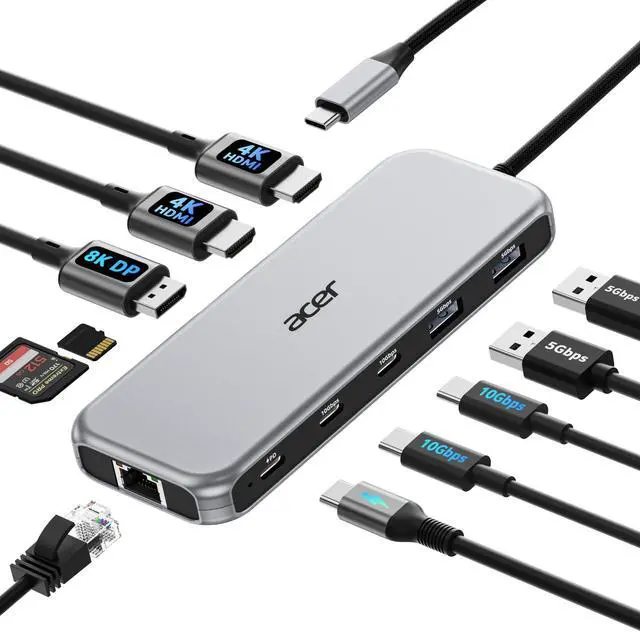
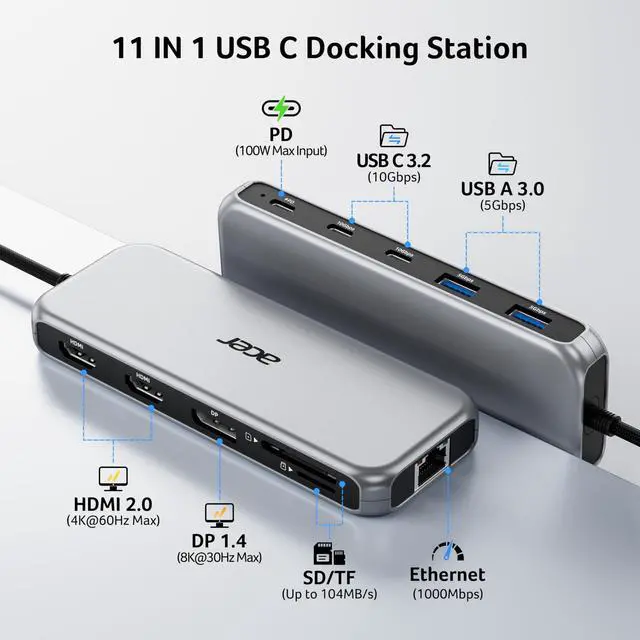
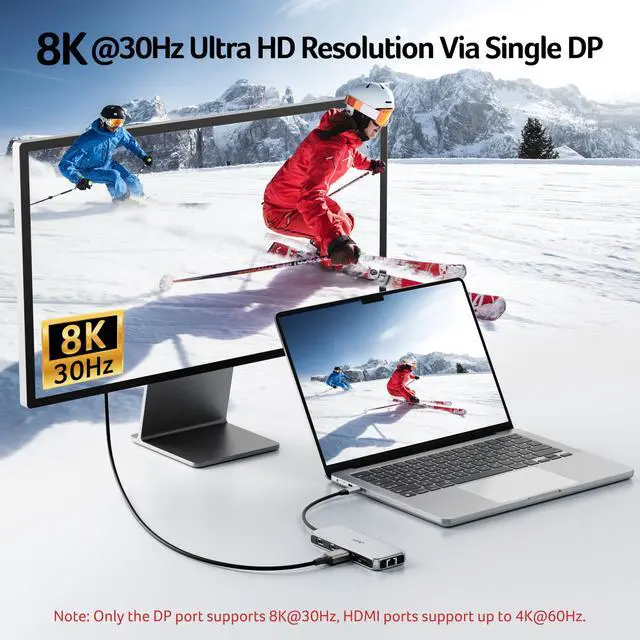
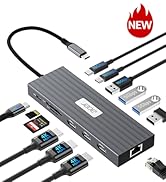
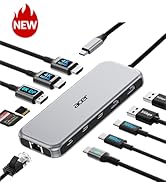
All in one Docking StationThis Acer laptop docking station includes 2 HDMI(4K@60Hz), 1 DP(8K@30Hz), 2 USB-C (10Gbps), 2 USB-A (5Gbps), Ethernet(1 Gbps), PD charging(100W) , and SD/MicroSD slots (104Mbps)-enabling seamless multi-display setup and efficient device connectivity for work and entertainment.. Note: - ( ) .
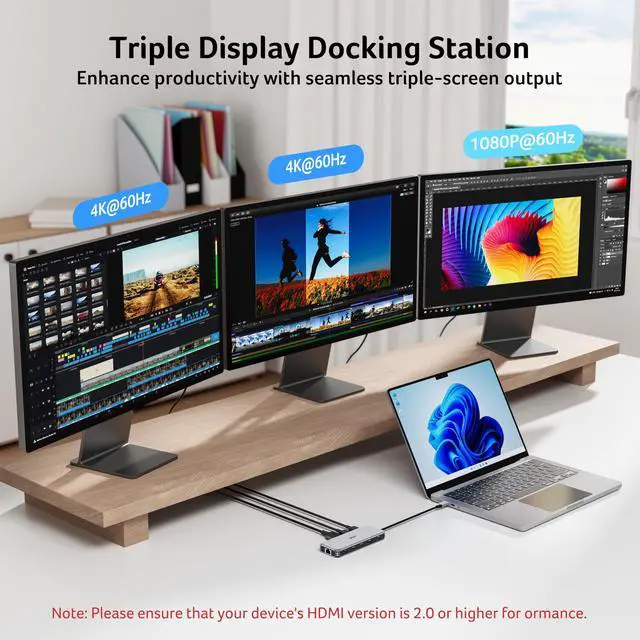
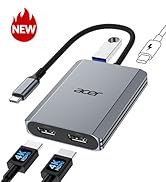
Brilliant Triple Display ExpansionThis docking station 3 monitors supports single display up to 8K@30Hz on DP or 4K@60Hz on HDMI. Dual displays run at 4K@60Hz, ideal for docking station dual monitors. Triple displays automatically allocate resolutions based on each monitors capabilities (EDID) and total bandwidth, typically 4K@60Hz + 4K@60Hz + 1080P@60Hz, perfect for triple monitors docking station.Note: For optimal performance, please ensure your devices HDMI version is 2.0 or higher.
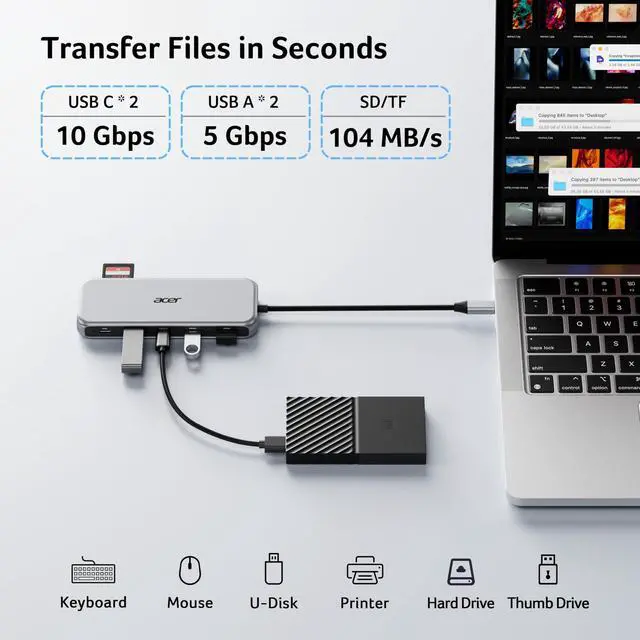
Super-Fast 10Gbps Data TransferThis usb c hub multiport adapter includes 2 USB-C for 10Gbps, 2 USB-A for 5Gbps, and SD/MicroSD slots for 104Mbps high-speed file transfers.
+
+
Overview
Specs
Reviews
Any questions? Our AI mode will help you find out quickly.
???????????? ???????? ???????? ???????? ????????????’?? ??????-?? ???????? ???????????????? ?????????????? ???????????????? (?????????????????????? ?????????????????? ????????). This means your USB-C port should support video output, data transfer, and Power Delivery (PD). So please check your device specs before purchasing.
??Triple Display Support
This USB-C docking station supports up to 3 monitors with 2HDMI+DP, typically 4K@60Hz + 4K@60Hz + 1080P@60Hz. The final resolution depends on your laptop’s bandwidth and the specifications of your monitors. If any device supports a lower resolution, the actual output may be reduced accordingly.
??HDMI/DP Display Behavior
HDMI/DP display recognition may take a few seconds on first connection. If your monitor has multiple input sources, please manually select the correct HDMI input.
??Full Charging Performance
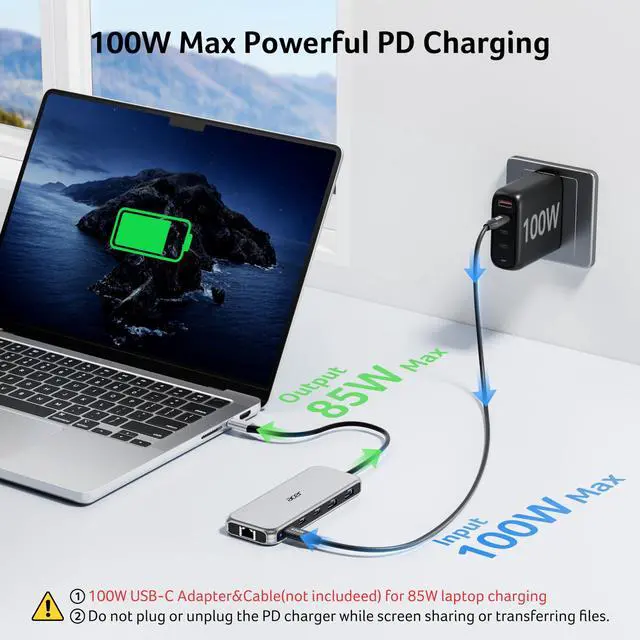
Supports up to 100W PD Input (Up to 90W Charging for Your Device) Requires a USB-C charger and cable with Power Delivery support. Charger and cable not included.
??About Audio Output
Audio may not switch automatically when using an external display. If needed, select your TV or monitor as the audio output in system settings.
??Not Compatible Devices
Not compatible with Lightning devices or gaming consoles, including iPhone/iPad (Lightning), Xbox, PS5/PS4, or similar devices.
Note for PD Port
For the most stable HDMI/DP connection, we recommend connecting the PD power adapter before plugging in HDMI/DP cables or other peripherals.Reconnecting or unplugging the PD adapter during use may briefly interrupt the display.
Note for PD Port
Some devices may display a “Slow Charging” message when charging through a dock, but the actual charging performance remains normal. This message can be safely ignored.
Note for Stable Connection
Plugging or unplugging the PD, HDMI, or DP ports during operation may trigger the docking station and host device to re-establish the connection handshake, which can result in temporary display or device disconnection.
Note for Cable Length
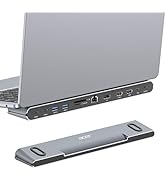
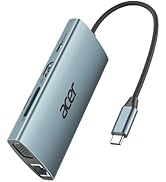
The built-in cable is 0.65FT(20cm) long. It is best suited for setups where the hub is used close to your laptop, such as on a desk or workstation. Please ensure the connection distance meets your usage needs before purchase.
Note for Mac User
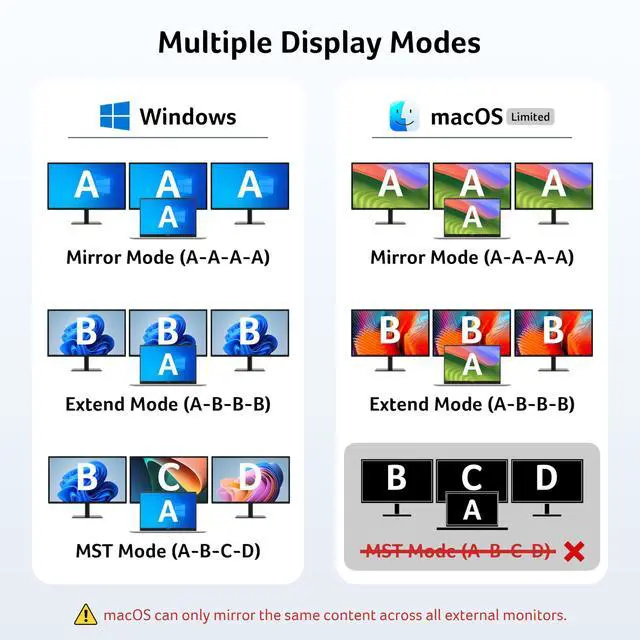
For Mac Users: Triple display support is limited to A-AAA or A-BBB configurations and does not support A-BCD.
Note for Surface Temperature
Surface temperature may reach up to 122°F under full load. This is normal and safe.
???????????? ???????? ???????? ???????? ????????????’?? ??????-?? ???????? ???????????????? ?????????????? ???????????????? (?????????????????????? ?????????????????? ????????). This means your USB-C port should support video output, data transfer, and Power Delivery (PD). So please check your device specs before purchasing.
??Triple Display Support
This USB-C docking station supports up to 3 monitors with 2HDMI+DP, typically 4K@60Hz + 4K@60Hz + 1080P@60Hz. The final resolution depends on your laptop’s bandwidth and the specifications of your monitors. If any device supports a lower resolution, the actual output may be reduced accordingly.
??HDMI/DP Display Behavior
HDMI/DP display recognition may take a few seconds on first connection. If your monitor has multiple input sources, please manually select the correct HDMI input.
??Full Charging Performance
Supports up to 100W PD Input (Up to 90W Charging for Your Device) Requires a USB-C charger and cable with Power Delivery support. Charger and cable not included.
??About Audio Output
Audio may not switch automatically when using an external display. If needed, select your TV or monitor as the audio output in system settings.
??Not Compatible Devices
Not compatible with Lightning devices or gaming consoles, including iPhone/iPad (Lightning), Xbox, PS5/PS4, or similar devices.
Note for PD Port
For the most stable HDMI/DP connection, we recommend connecting the PD power adapter before plugging in HDMI/DP cables or other peripherals.Reconnecting or unplugging the PD adapter during use may briefly interrupt the display.
Note for PD Port
Some devices may display a “Slow Charging” message when charging through a dock, but the actual charging performance remains normal. This message can be safely ignored.
Note for Stable Connection
Plugging or unplugging the PD, HDMI, or DP ports during operation may trigger the docking station and host device to re-establish the connection handshake, which can result in temporary display or device disconnection.
Note for Cable Length
The built-in cable is 0.65FT(20cm) long. It is best suited for setups where the hub is used close to your laptop, such as on a desk or workstation. Please ensure the connection distance meets your usage needs before purchase.
Note for Mac User
For Mac Users: Triple display support is limited to A-AAA or A-BBB configurations and does not support A-BCD.
Note for Surface Temperature
Surface temperature may reach up to 122°F under full load. This is normal and safe.
Laptop Docking Station 3 Monitors, 11-in-1 USB C Docking Station with 8K DP, HDMI 4K@60Hz, 10Gbps Data, 1 Gbps Ethernet Hub, 100W Power Delivery, SD/TF, USB C Hub Multiport Adapter for Laptop
Learn more about the Generic Brand ODK5A0
Model
Brand
Belkin
Series
Acer
Model
ODK5A0
Details
Color
Black
Compatibility
?????????????? ?????? ?????????? ?????????????? ???????? ?????????????????????? ?????????????????? ???????? (???? ?????? ????????)—???????????????????? ??????????????, ????????????????, ?????? ???????? ????????????????. Including Acer, Dell, Lenovo, Surface, HP, ASUS, MacBook, Samsung laptops and smartphones, as well as accessories like mice and keyboards.
Ports Spec
1 x USB 2.0
Additional Information
First Listed on Newegg
June 16, 2026
Customer Reviews of the Generic Brand ODK5A0
There are no reviews yet.
Do you own this product?
Warranty & Returns
Warranty, Returns, And Additional Information
Warranty
Please contact the Seller directly for warranty information. Warranty information may also be found on the Manufacturer's website.