• $119.99
  • Free 30-day Returns
  • Price alert
    Shop it at NeweggBusiness.

    Meet Your Seller

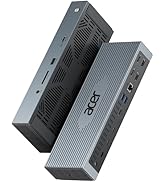
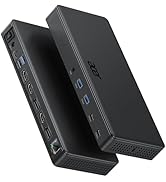
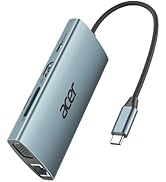
    Docking Station 3 Monitors with 3 HDMI, 13-in-1 USB C Hub for Laptop with 4K@60Hz HDMI, 1 Gbps Ethernet, 10Gbps Data, 100W PD, SD/TF, Laptop Dock for Acer, XPS, Spectre, Surface, Mac

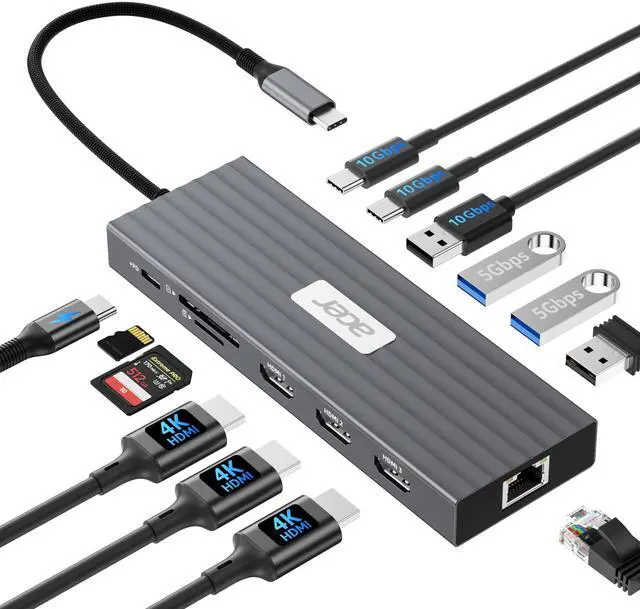
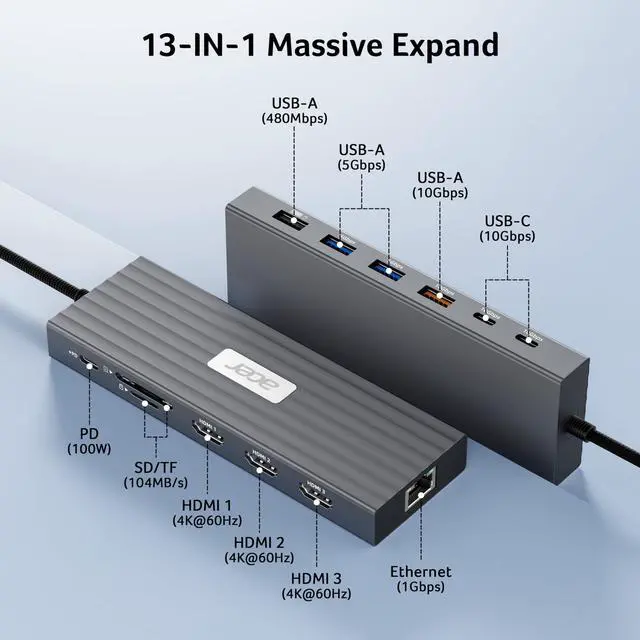
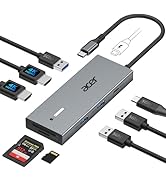
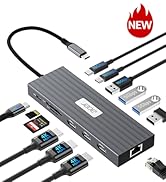
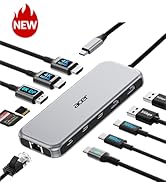
    • [Versatile Docking Station]This Acer USB C docking station features 3 HDMI (4K@60Hz), 2 USB-C (10Gbps), 1 USB-A (10Gbps), 2 USB-A (5Gbps), 1 USB-A (480Mbps), 1Gbps Ethernet, PD 100W , and SD/MicroSD (104Mbps)giving you a powerful all-in-one connection hub for work, creativity, and entertainment.Note: - ( ) .
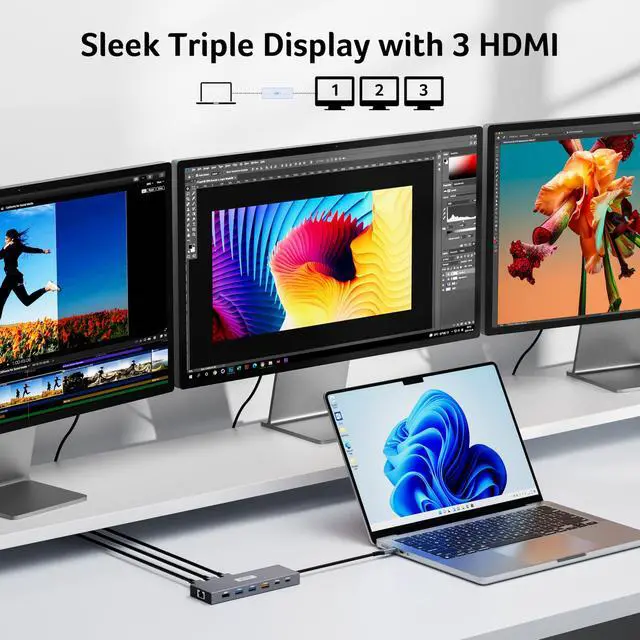
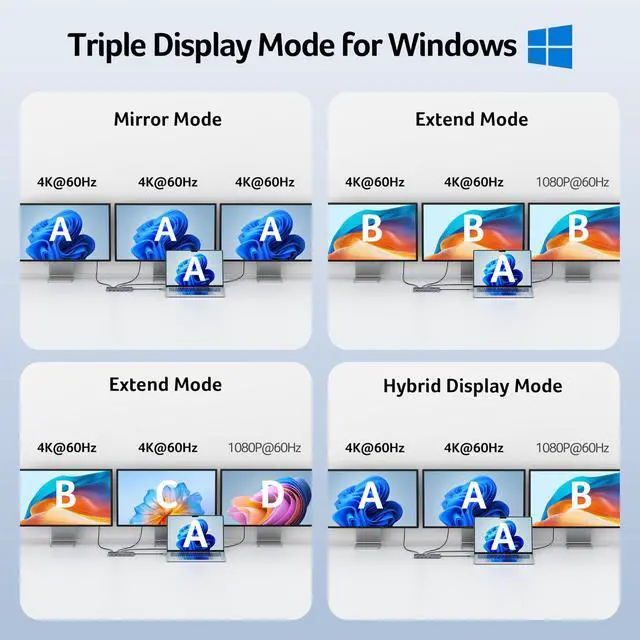
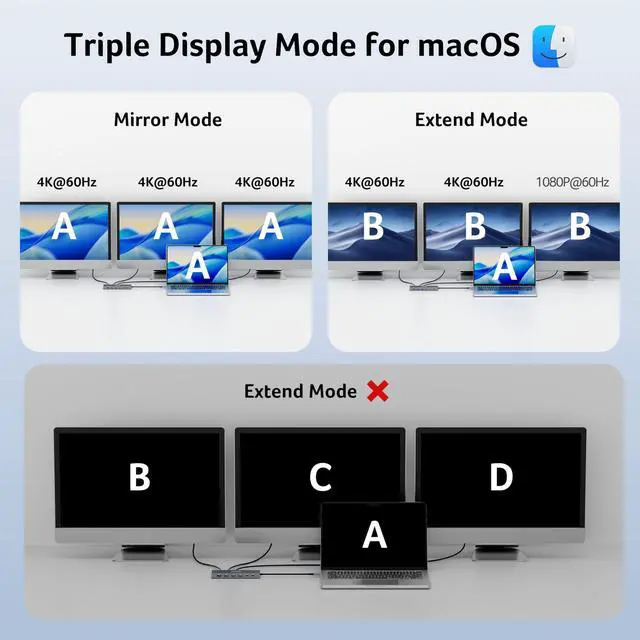
    • [Flexible Display Modes]This docking station 3 monitors supports single display up to 4K@60Hz on HDMI and dual displays at 4K@60Hz each, ideal for docking station dual monitor. Triple displays automatically allocate resolutions based on each monitors capabilities (EDID) and total bandwidth, typically 4K@60Hz + 4K@60Hz + 1080P@60Hz, providing smooth and high-quality visuals for multi-tasking. Note: For optimal performance, please ensure your devices HDMI version is 2.0 or higher.
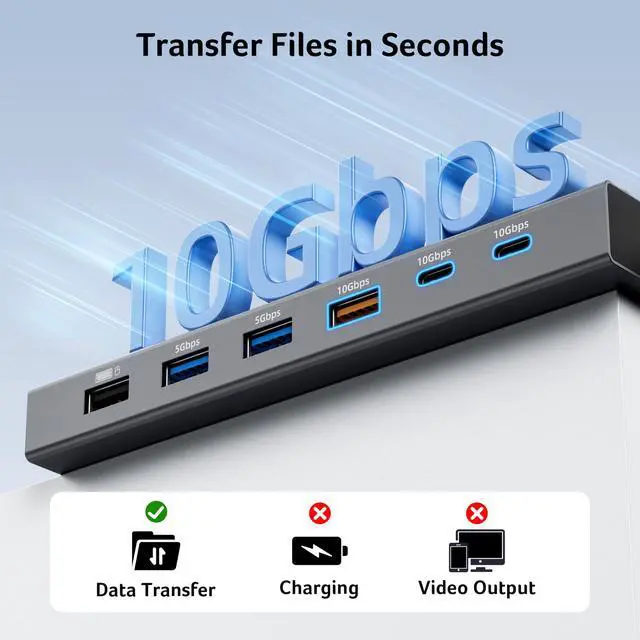
    • [10Gbps Fast Data Transfer]This USB-C Hub multiport includes 2× USB-C ports (10Gbps), 1× USB-A port (10Gbps), 2× USB-A ports (5Gbps), 1× USB-A port (480Mbps), and SD/MicroSD slot (104Mbps) for fast access to media, documents, and project files. Note: All USB ports are data-only and do not support charging external devices.
    +
    +
    Overview
    Specs
    Reviews
    avatar

    Any questions? Our AI beta will help you find out quickly.

    3 HDMI Docking Station

    Usage Tips & FAQ

    ??Check before buy ???????????? ???????? ???????? ???????? ????????????’?? ??????-?? ???????? ???????????????? ?????????????? ???????????????? (?????????????????????? ?????????????????? ????????). This means your USB-C port should support video output, data transfer, and Power Delivery (PD). So please check your device specs before purchasing.
    ??Triple Display Support This USB-C docking station supports up to 3 monitors with 3HDMI, typically 4K@60Hz + 4K@60Hz + 1080P@60Hz. The final resolution depends on your laptop’s bandwidth and the specifications of your monitors.
    ??Note for HDMI Version Please ensure that your device’s HDMI version(including computers, cables, and monitors) is 2.0 or higher for optimal performance. If any connected device supports a lower resolution, the actual output may be limited accordingly. This is determined by the host device and display setup, not by the docking station itself.
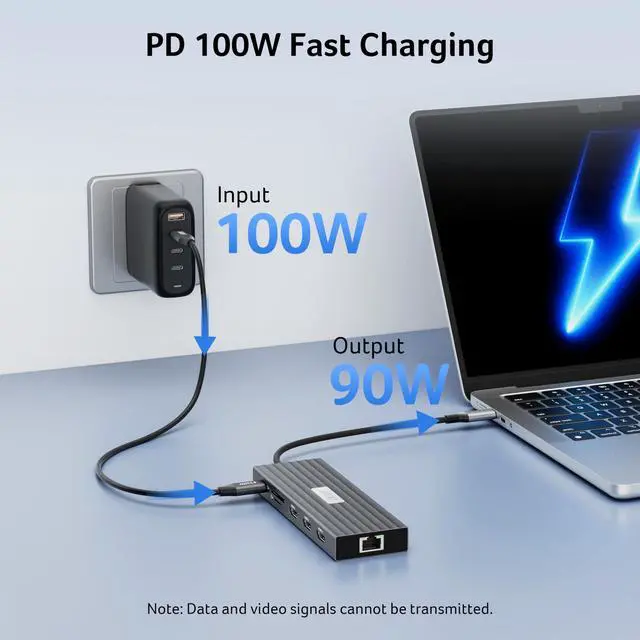
    Note for PD Port Please use a 100W or higher power adapter and cable (not included). Only the connected Host device receives up to 90W charging.
    Note for PD Port The PD port on this adapter is exclusively designed to charge USB-C connected host devices. It cannot be used to charge other peripheral devices, such as portable monitors.
    Note for PD Port "Slow charging" may appear on some laptops when connected to the PD port due to higher power requirements or charger limits. This does not affect normal use or the docking station’s basic charging function.
    Note for Mac User For Mac Users: Triple display support is limited to A-AAA or A-BBB configurations and does not support A-BCD.
    Note forChromebook User For Chromebook Users: Dual display support is limited to devices with MST capability; most Chromebooks do not support MST and therefore only allow mirror mode or single display.
    Note for Cable Length The built-in cable is 5.9inches(15cm) long. It is best suited for setups where the hub is used close to your laptop, such as on a desk or workstation. Please ensure the connection distance meets your usage needs before purchase.
    Note for Sound Setup If the sound is not transmitted to the TV, please try selecting your TV as the audio output device. For Mac: Go to System Settings ? Sound ? Output ? select your TV.
    !!! Note for After Buy **????????: ???? ?????? ?????? ?????? ????????, ???????????? ???????? ???????? ???? ?????? ???? ????????, ???? ?????? ???????? ???????? ???? ??????????.
    3 HDMI Docking Station

    Usage Tips & FAQ

    ??Check before buy ???????????? ???????? ???????? ???????? ????????????’?? ??????-?? ???????? ???????????????? ?????????????? ???????????????? (?????????????????????? ?????????????????? ????????). This means your USB-C port should support video output, data transfer, and Power Delivery (PD). So please check your device specs before purchasing.
    ??Triple Display Support This USB-C docking station supports up to 3 monitors with 3HDMI, typically 4K@60Hz + 4K@60Hz + 1080P@60Hz. The final resolution depends on your laptop’s bandwidth and the specifications of your monitors.
    ??Note for HDMI Version Please ensure that your device’s HDMI version(including computers, cables, and monitors) is 2.0 or higher for optimal performance. If any connected device supports a lower resolution, the actual output may be limited accordingly. This is determined by the host device and display setup, not by the docking station itself.
    Note for PD Port Please use a 100W or higher power adapter and cable (not included). Only the connected Host device receives up to 90W charging.
    Note for PD Port The PD port on this adapter is exclusively designed to charge USB-C connected host devices. It cannot be used to charge other peripheral devices, such as portable monitors.
    Note for PD Port "Slow charging" may appear on some laptops when connected to the PD port due to higher power requirements or charger limits. This does not affect normal use or the docking station’s basic charging function.
    Note for Mac User For Mac Users: Triple display support is limited to A-AAA or A-BBB configurations and does not support A-BCD.
    Note forChromebook User For Chromebook Users: Dual display support is limited to devices with MST capability; most Chromebooks do not support MST and therefore only allow mirror mode or single display.
    Note for Cable Length The built-in cable is 5.9inches(15cm) long. It is best suited for setups where the hub is used close to your laptop, such as on a desk or workstation. Please ensure the connection distance meets your usage needs before purchase.
    Note for Sound Setup If the sound is not transmitted to the TV, please try selecting your TV as the audio output device. For Mac: Go to System Settings ? Sound ? Output ? select your TV.
    !!! Note for After Buy **????????: ???? ?????? ?????? ?????? ????????, ???????????? ???????? ???????? ???? ?????? ???? ????????, ???? ?????? ???????? ???????? ???? ??????????.

    This Acer USB C docking station features 3 HDMI (4K@60Hz), 2 USB-C (10Gbps), 1 USB-A (10Gbps), 2 USB-A (5Gbps), 1 USB-A (480Mbps), 1Gbps Ethernet, PD 100W , and SD/MicroSD (104Mbps)giving you a powerful all-in-one connection hub for work, creativity, and entertainment.


    Product information

    Brand Acer
    Color Grey
    Hardware Interface Ethernet, HDMI, MicroSD, USB 3.2 Gen 2, USB Type C
    Special Feature Plug and Play, Portable
    Compatible Devices ( ) , , . Including Acer, Dell, Lenovo, Surface, HP, ASUS, MacBook, Samsung laptops and smartphones, as well as accessories like mice and keyboards.
    Additional Features Plug and Play, Portable
    Total Usb Ports 4
    Data Transfer Rate 10 Gigabits Per Second
    Number of Ports 13
    Smart Home Compatibility Not Smart Home Compatible
    Manufacturer acer
    UPC 195133347822
    Model Number ODK5B0
    Warranty Description 1 Year Manufacturer
    Unit Count 1.0 Count

    Additional Features

    • [Continuous Power with 100W PD]With support for 100W input and 85W laptop output, this 3 HDMI docking station keeps your device charged even under heavy loadideal for long work sessions. Note: Requires a 100W+ USB-C charger and cable (not included). Laptop USB-C port must support PD charging.
    • [Reliable Gigabit Ethernet Connection]Featuring a 1000Mbps RJ45 Ethernet port, this laptop docking station provides a fast, stable, and low-latency wired network connection, ensuring smooth online work, streaming, and video calls without Wi-Fi interruptions.
    • [Fully Compatible with DisplayPort Alt Mode]This triple monitor docking station supports Windows and macOS devices with DisplayPort Alternate Mode (DP Alt Mode), enabling high-quality display output, fast data transfer, and device charging. Note for Mac Users: Triple display support is limited to A-AAA or A-BBB configurations and does not support A-BCD setups.


    Warranty & Returns

    Warranty, Returns, And Additional Information

    Warranty

    • Please contact the Seller directly for warranty information. Warranty information may also be found on the Manufacturer's website.
    • CONTACT

    Return Policies

    Manufacturer Contact Info

    LOADING...