


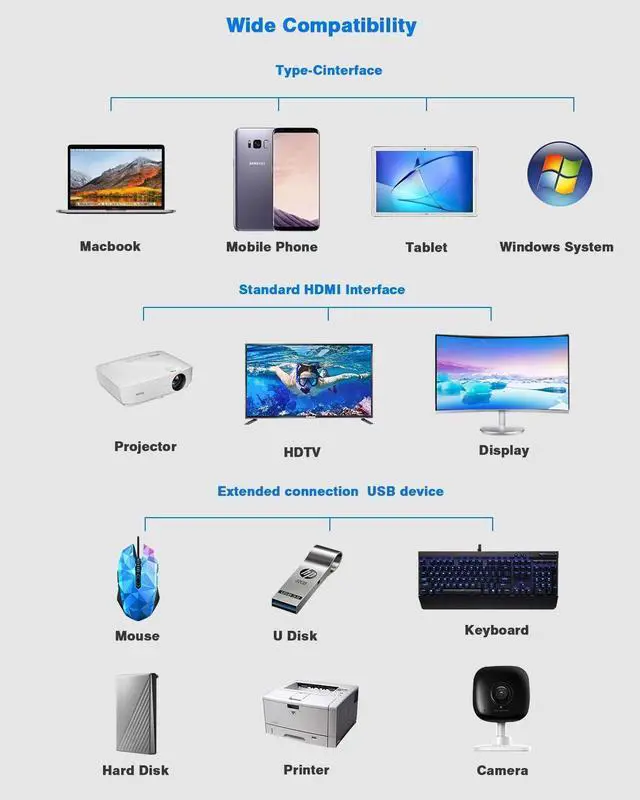


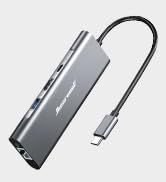
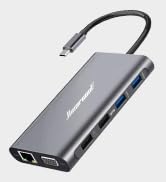
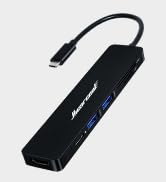


Hiearcool Laptop Docking station is compatible for specific Thunderbolt 3, Type C Gen2 or USB-C Windows systems.
The USB C ports on the Laptop are looking the same, but it has several critical differences between Thunderbolt 3, USB-C 3.1 Gen 2, and USB-C 3.1 Gen 1.
The difference between the three technologies is bandwidth.
Support Dual or Triple Display:
v Thunderbolt 3: 40Gb/s
v USB-C 3.1 Gen 2: 10Gb/s
v USB-C 3.1 Gen 1: (Support Power Delivery)
DOES NOT SUPPORT USB C DISPLAY OUTPUT:
× USB-C 3.1 Gen 1: 5Gb/s (data transfer only)
Please ensure the Laptop has thunderbolt 3 / USB-C 3.1 Gen 2 /USB-C 3.1 Gen 1 (Support Power Delivery) to support various display before purchase.
Hiearcool USB C Docking Station Compatibility List(Partial):
Such as the Microsoft Surface Book 2, Surface Go, Dell XPS 9350 / 9360 / 9370 / 9380 /9550 / 9560, Lenovo Yoga 720 13" & Carbon X1 5th/6th Gen, most 13" HP Spectre x360 models, MSI GS65 /GS75 etc.,(Type C Wall adapter required for the Power Delivery)
Incompatible for Acer all series, iPad Pro 2018, Apple USB SuperDrive, Surface Book 3, and Nintendo Switch.
REMINDER:
1. For Apple computer users (MAC OS), displays are Mirror mode only.
2. Please plug in the Laptop's power adapter to the USB-C Power Delivery port before connecting an external hard drive or various display purpose.
3. The type C PD charging port is for power passing-thru only.
4. SD and the TF card cannot use at the same time.
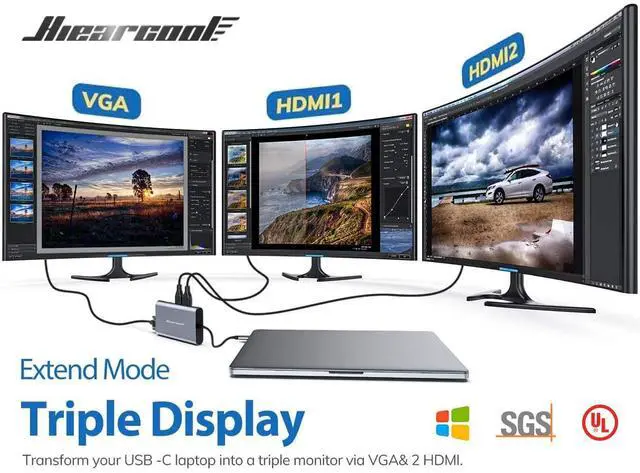
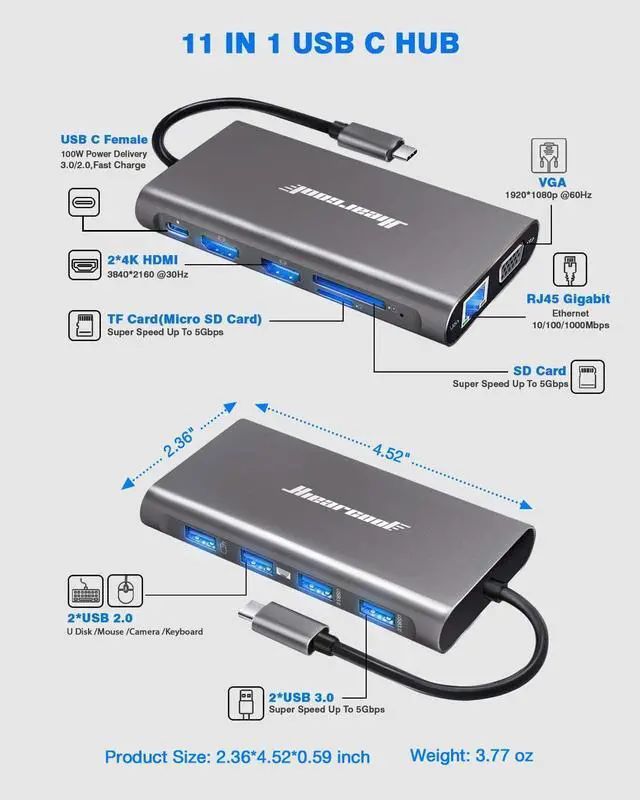
5. Each monitor will be limited to a maximum resolution of 1920 x 1080@60Hz when connecting a dual or triple monitor.
6. Power will be a community between all dock-connected USB C devices. For a fast charge result, please choose Adapter that is over 72W to charge.
7.EDID(Extended Display Identification Data) may blackout for a few seconds(1 minute at max, depends on Laptop and monitor) when data transfer; Please be patient wait for the data completed.
Triple Display USB C DOCKING STATION
Supports a Dual HDMI display up to 3840 x 2160@30Hz, or triple 1920 x 1080 displays @60Hz with VGA. (For Apple computer user (MAC OSmac os), displays are mirror mode only.)
DP Alt mode required: Display Port Alt Mode (DP Alt Mode) allows a USB-C equipped computer to connect directly to a display or monitor.
Ensure your Laptop has a type C Power delivery port (USB 3.1 Type-C (Gen2)) or Thunderbolt 3 port (supports PD charging) before purchase.
Reliable Connection & Speedy Data Transfer
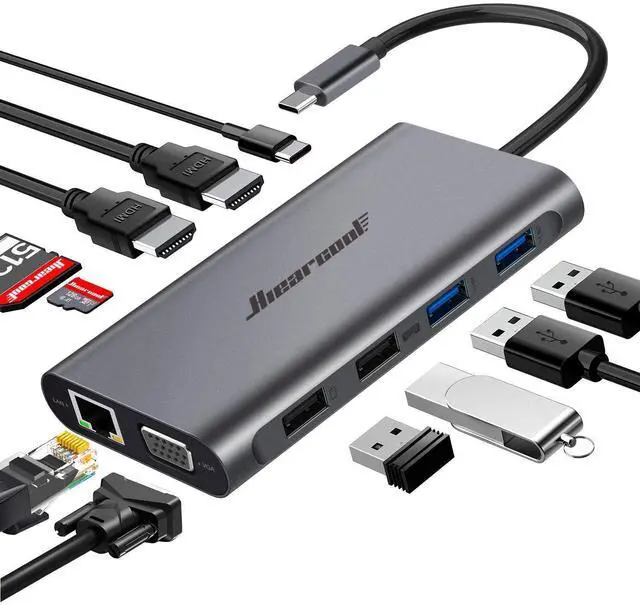
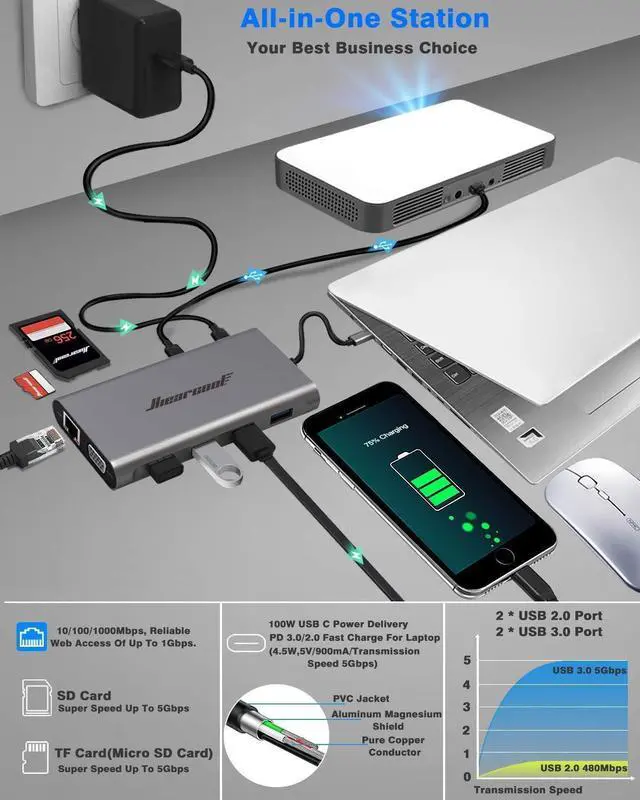
2 x USB 3.0 ports for accessories (an external hard drive or USB peripherals etc.,)
2 x USB 2.0 ports (great for wireless devices: keyboard and printers etc.,)
A laptop's wall adapter to the USB-C Power Delivery port is needed before connecting to any external hard drive or various devices' purpose.
The Type C PD Charging port for power passing-thru only. SD and the TF card cannot use at the same time.
High-Speed Gigabit Ethernet
An RJ-45 Gigabit Ethernet network port (supports 10/100/1000 Ethernet)
Set up for Macbook:
System Preferences ?Network ? Click Add(+) to set up a service ? selecting USB 10 / 100 / 1000 LAN to create an application ? Click the application to connect.
Safety System Control
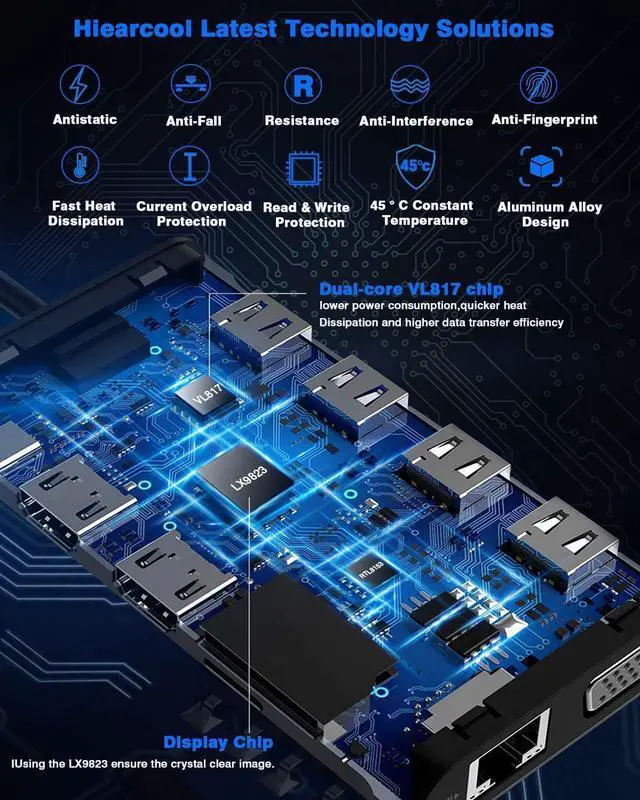
Equipped with VL817 Chip preventing overload, over-voltage, over-current, short circuit, overcharge, voltage regulation, and temperature control under 45?.
Power will be shared between all dock-connected USB C devices. For a fast charge result, please choose over 72W Adapter to charge it.
Hiearcool Laptop Docking station is compatible for specific Thunderbolt 3, Type C Gen2 or USB-C Windows systems.
The USB C ports on the Laptop are looking the same, but it has several critical differences between Thunderbolt 3, USB-C 3.1 Gen 2, and USB-C 3.1 Gen 1.
The difference between the three technologies is bandwidth.
Support Dual or Triple Display:
v Thunderbolt 3: 40Gb/s
v USB-C 3.1 Gen 2: 10Gb/s
v USB-C 3.1 Gen 1: (Support Power Delivery)
DOES NOT SUPPORT USB C DISPLAY OUTPUT:
× USB-C 3.1 Gen 1: 5Gb/s (data transfer only)
Please ensure the Laptop has thunderbolt 3 / USB-C 3.1 Gen 2 /USB-C 3.1 Gen 1 (Support Power Delivery) to support various display before purchase.
Hiearcool USB C Docking Station Compatibility List(Partial):
Such as the Microsoft Surface Book 2, Surface Go, Dell XPS 9350 / 9360 / 9370 / 9380 /9550 / 9560, Lenovo Yoga 720 13" & Carbon X1 5th/6th Gen, most 13" HP Spectre x360 models, MSI GS65 /GS75 etc.,(Type C Wall adapter required for the Power Delivery)
Incompatible for Acer all series, iPad Pro 2018, Apple USB SuperDrive, Surface Book 3, and Nintendo Switch.
REMINDER:
1. For Apple computer users (MAC OS), displays are Mirror mode only.
2. Please plug in the Laptop's power adapter to the USB-C Power Delivery port before connecting an external hard drive or various display purpose.
3. The type C PD charging port is for power passing-thru only.
4. SD and the TF card cannot use at the same time.
5. Each monitor will be limited to a maximum resolution of 1920 x 1080@60Hz when connecting a dual or triple monitor.
6. Power will be a community between all dock-connected USB C devices. For a fast charge result, please choose Adapter that is over 72W to charge.
7.EDID(Extended Display Identification Data) may blackout for a few seconds(1 minute at max, depends on Laptop and monitor) when data transfer; Please be patient wait for the data completed.
USB C Dongle