• $43.99
  • Free 30-day Returns
  • Sold by SGfgg
    4 (1 seller ratings)

    Shipped by SGfgg

    Price alert
    Shop it at NeweggBusiness.

    Meet Your Seller

    Video Capture Card, USB 3.0 High-Speed Interface, 1080P 60FPS/2K 30FPS/4K 18FPS Game Capture Recording, Compatible for PS5/Switch/Xbox/Camera/PC/OBS, with 4K 60FPS HDMI Loop-Out & Micro Input

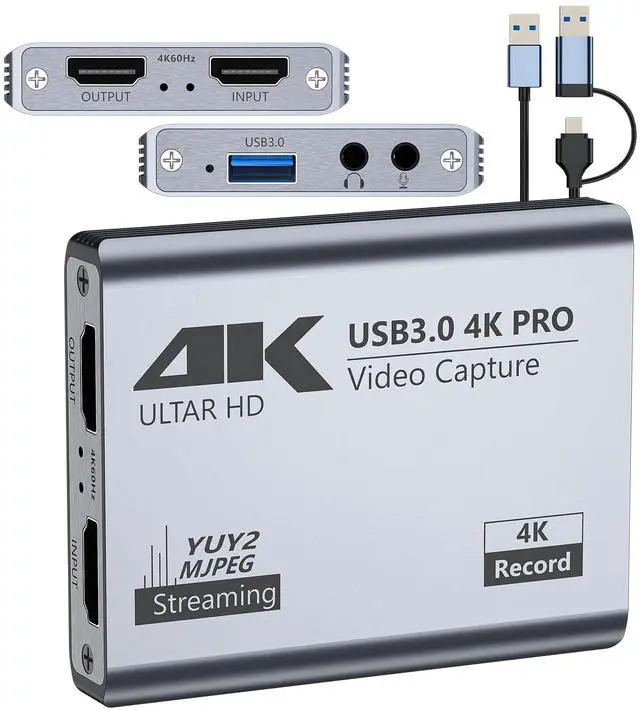
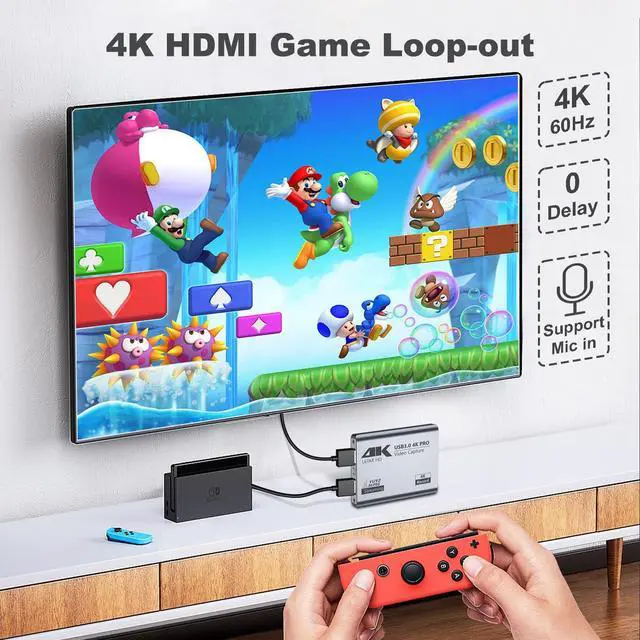
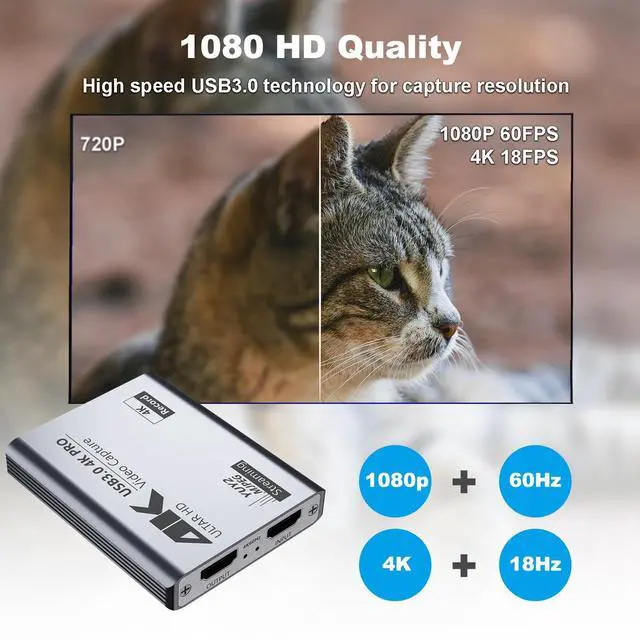
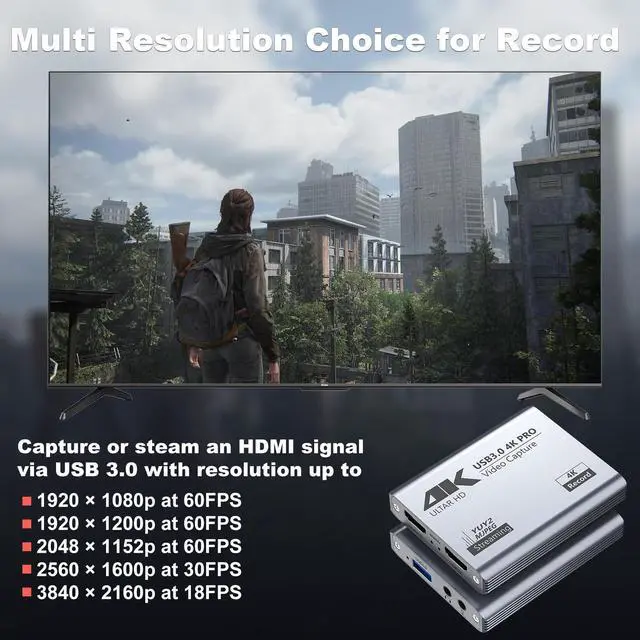
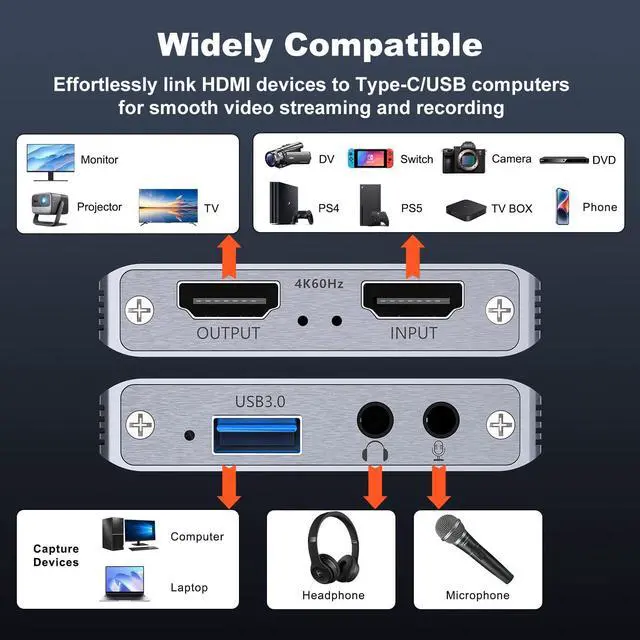
    • 4K Loop-out with Muliti Capture: This HDMI game capture card features 5 ports, supporting 4K 60HZ HDMI input/loop-out and USB3.0 1080P 60fps/2K30fps/4K18fps output. It meets high frame rate capture needs, compatible with YUY2 format, suitable for online capture, recording, meetings, and live games
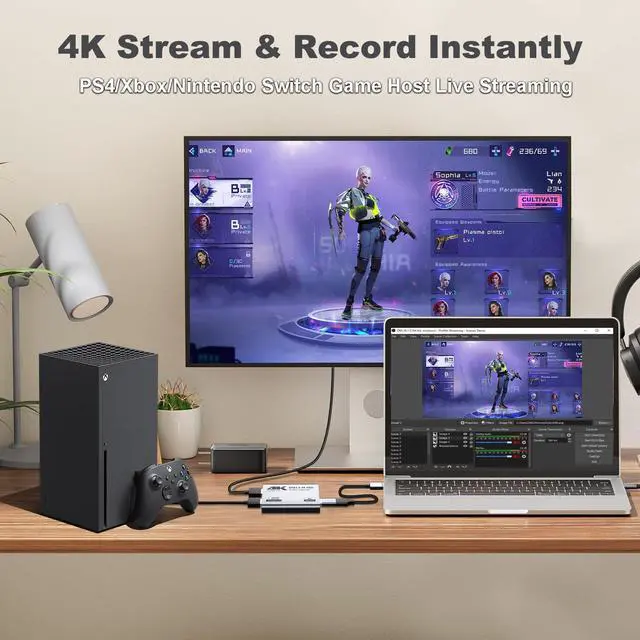
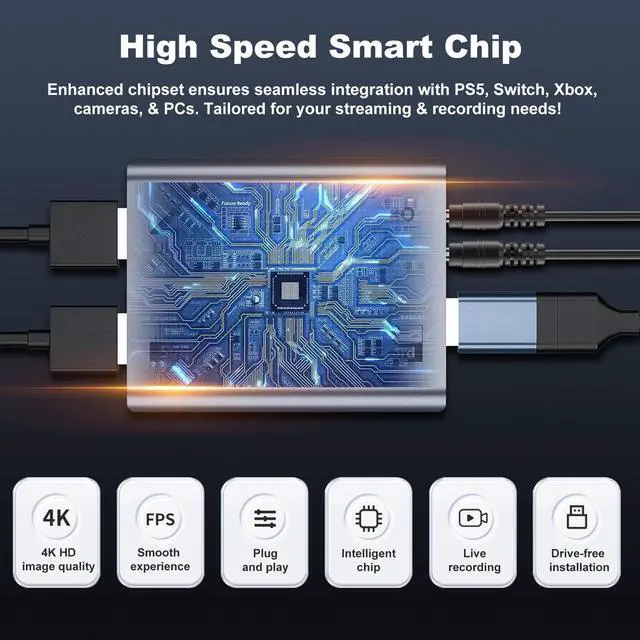
    • Wide Compatibility: Compatible with Facebook, YouTube, Twitch, and various OS/software like Windows, Mac, Linux, Android, and works with devices such as PS5, Xbox, Switch, DSLR, and more. It captures video/audio simultaneously, transferring signals to computers for preview/storage
    • Stable and Low Latency: Made of high-quality aluminum alloy, this capture card ensures strong heat dissipation and stability. It avoids blue screens and lag, supporting easy high-quality audio/ideo recording and transfer to computers or streaming platforms
    • 3.5mm Audio I/O: With 3.5mm audio input/output, it allows for connecting a streaming microphone and headphones, enabling real-time commentary and game sound enjoyment, and helps capture and separate the HD video and audio signal
    • Package and Notes: Includes 1 HDMI video capture card, 1 user manual, and 1 USB 3.0 to USB A/C cable. Please restart OBS Studio after audio setup. Exclusive Unconditional 18-month Warranty ensures long-time satisfaction of your purchase
    +
    +
    Overview
    Specs
    Reviews
    avatar

    Any questions? Our AI beta will help you find out quickly.

    capture card
    capture card 4K capture card
    ps5 capture card capture card for streaming

    Technical Parameter

    Power Supply No Extra Power Supply Needed
    HDTV Input Resolutions 720×480(60p), 720×576(50p), 1280×720p(50p) 1280×720p(60p), 1920×1080(50i), 1920×1080 (60i), 1920×1080(24p), 1920×1080(25p), 1920×1080(30p), 1920×1080(50p), 1920x1080(60p), 3840x2160(30p), 3840x2160(60p)
    HDTV Output Resolution 720×480 (60p), 720x576(50p), 1280×720p(50p) 1280×720p(60p), 1920×1080(50i), 1920×1080(60i), 1920×1080 (24p), 1920×1080 (25p), 1920×1080 (30p), 1920×1080 (50p), 1920×1080(60p), 3840x2160(30p), 3840x2160(60p)
    USB3.0 Output Resolutions 720×480 (60p), 720×576(50p), 1280×720p (50p) 1280×720p(60p), 1920×1080 (50i), 1920xx 1080(60i), 1920×1080 (24p), 1920×1080(25p), 1920×1080(30p), 1920×1080(50p), 1920×1080(60p), 1920×1200(60p), 2048×1152(60p), 2560×1600(30P), 3840×2160(18p)
    Support Console Device PlayStation 3/4, Xbox One, Switch, Wii U or pretty much any other console
    Computer Software Supply OBS Studio(windows,OSX); Windows Media Encoder(Windows); Adobe FlashMedia Live-Encoder(Windows,OS X); RealProducer Plus(Windows); VLC(Windows,OSX,Linux); QuickTime Broadcaster(OSX); QuickTime Player(OSX); Wirecast(Windows,OS X); vMix(Windows); Potplayer(Windows) and etc
    About Connection Avoid using USB hubs or extenders; they might not work. Plug directly into your PC, Mac, or laptop; If you have multiple devices connected, select the correct audio input; For DSLR or camera connections, complete camera settings and restart to ensure input
    About Performance A low-end PC configuration can lead to recording lag and decreased performance
    capture card
    capture card 4K capture card
    ps5 capture card capture card for streaming

    Technical Parameter

    Power Supply No Extra Power Supply Needed
    HDTV Input Resolutions 720×480(60p), 720×576(50p), 1280×720p(50p) 1280×720p(60p), 1920×1080(50i), 1920×1080 (60i), 1920×1080(24p), 1920×1080(25p), 1920×1080(30p), 1920×1080(50p), 1920x1080(60p), 3840x2160(30p), 3840x2160(60p)
    HDTV Output Resolution 720×480 (60p), 720x576(50p), 1280×720p(50p) 1280×720p(60p), 1920×1080(50i), 1920×1080(60i), 1920×1080 (24p), 1920×1080 (25p), 1920×1080 (30p), 1920×1080 (50p), 1920×1080(60p), 3840x2160(30p), 3840x2160(60p)
    USB3.0 Output Resolutions 720×480 (60p), 720×576(50p), 1280×720p (50p) 1280×720p(60p), 1920×1080 (50i), 1920xx 1080(60i), 1920×1080 (24p), 1920×1080(25p), 1920×1080(30p), 1920×1080(50p), 1920×1080(60p), 1920×1200(60p), 2048×1152(60p), 2560×1600(30P), 3840×2160(18p)
    Support Console Device PlayStation 3/4, Xbox One, Switch, Wii U or pretty much any other console
    Computer Software Supply OBS Studio(windows,OSX); Windows Media Encoder(Windows); Adobe FlashMedia Live-Encoder(Windows,OS X); RealProducer Plus(Windows); VLC(Windows,OSX,Linux); QuickTime Broadcaster(OSX); QuickTime Player(OSX); Wirecast(Windows,OS X); vMix(Windows); Potplayer(Windows) and etc
    About Connection Avoid using USB hubs or extenders; they might not work. Plug directly into your PC, Mac, or laptop; If you have multiple devices connected, select the correct audio input; For DSLR or camera connections, complete camera settings and restart to ensure input
    About Performance A low-end PC configuration can lead to recording lag and decreased performance
    Video Capture Card, USB 3.0 High-Speed Interface, 1080P 60FPS/2K 30FPS/4K 18FPS Game Capture Recording, Compatible for PS5/Switch/Xbox/Camera/PC/OBS, with 4K 60FPS HDMI Loop-Out & Micro Input

    Warranty & Returns

    Warranty, Returns, And Additional Information

    Warranty

    • Please contact the Seller directly for warranty information. Warranty information may also be found on the Manufacturer's website.
    • CONTACT

    Return Policies

    • Return for refund within: 30 days
    • Return for replacement within: 30 days
    • This item is covered by SGfgg Return Policy

    Manufacturer Contact Info

    LOADING...