




 here!
here!
I’m your shopping assistant for PC builds, upgrades, and everything tech.
Got questions? Ask away!
Start a conversation
here!
I’m your shopping assistant for PC builds, upgrades, and everything tech.
Got questions? Ask away!
Start a conversation



Any questions? Ask CelesteSM will help you find out quickly.
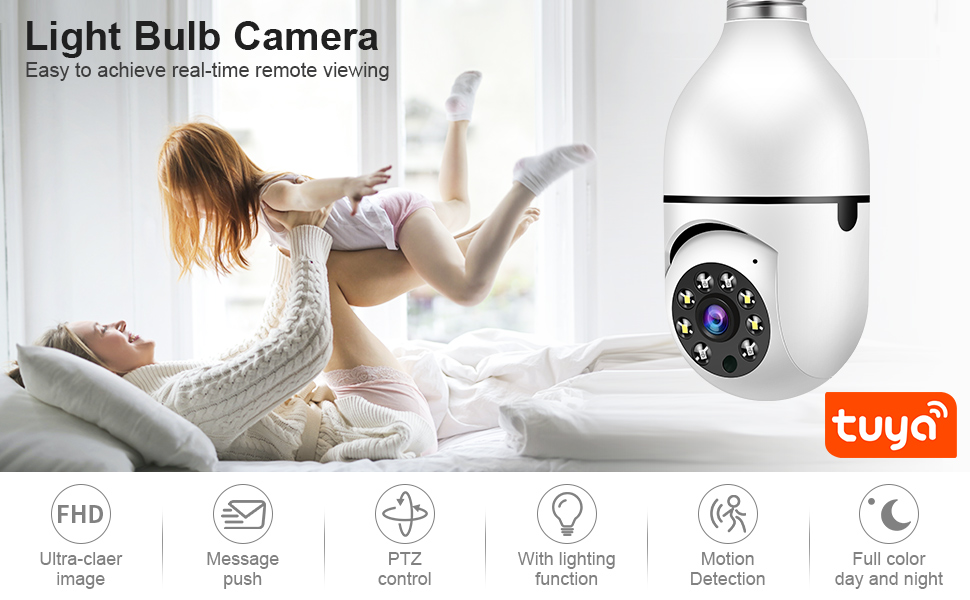
Main Features:
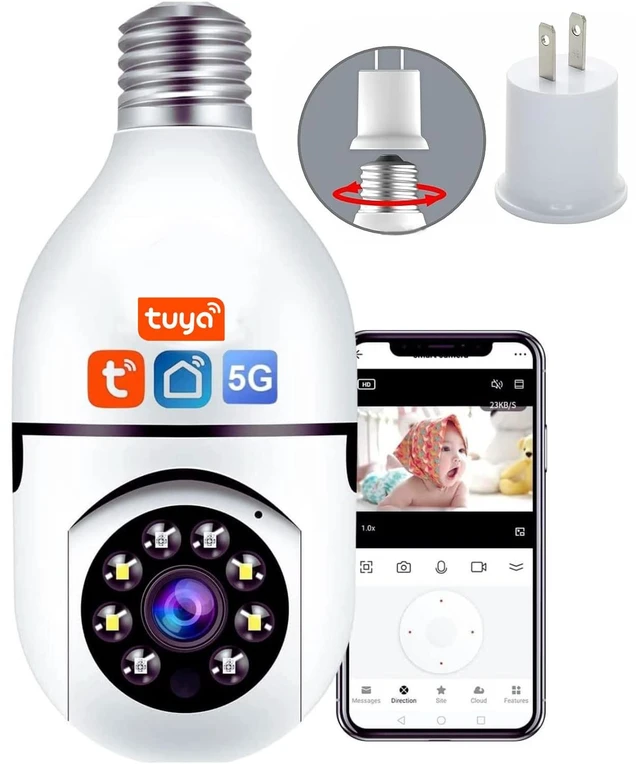
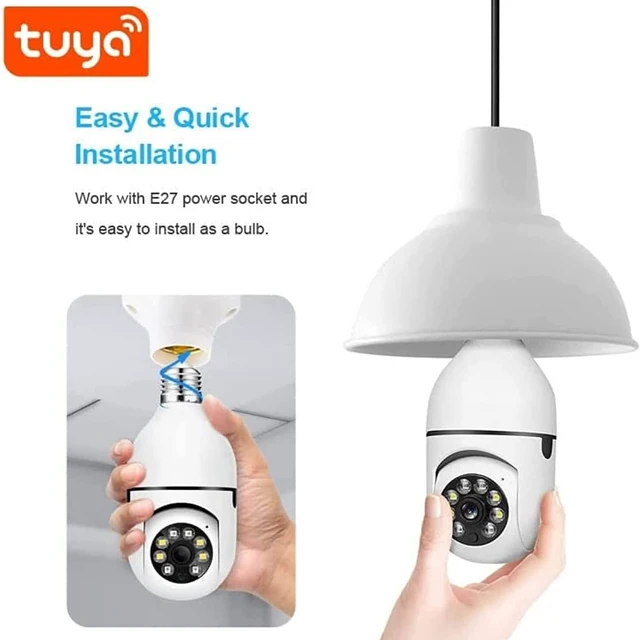
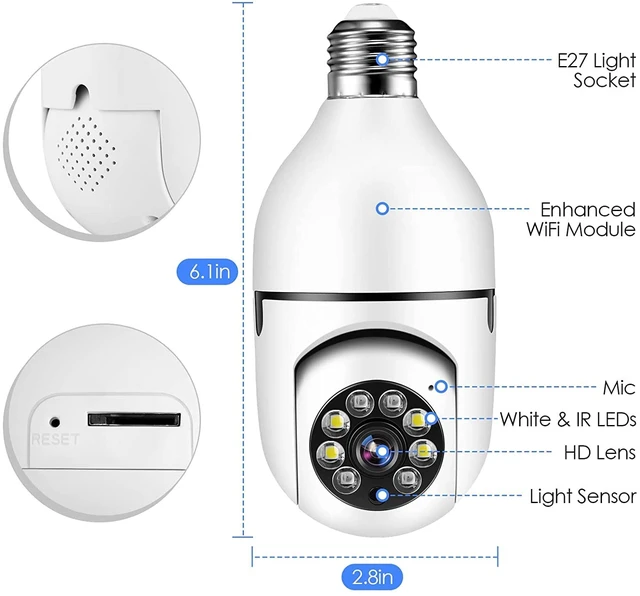
1.Easy to install, comes with an E27 jack.
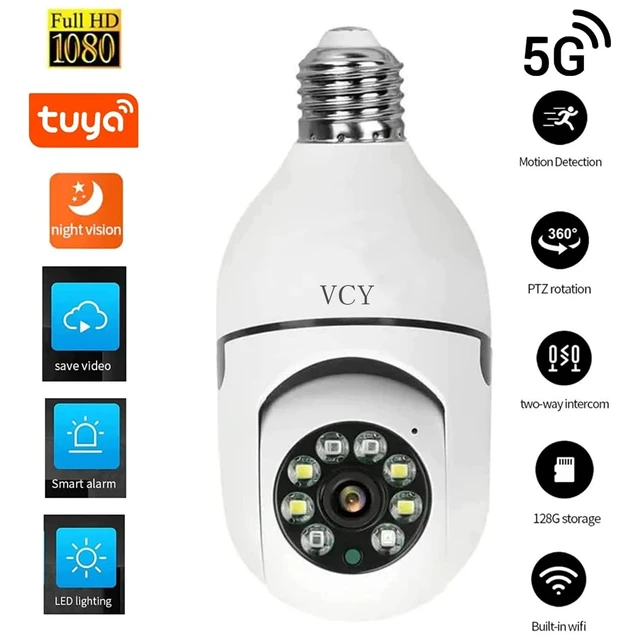
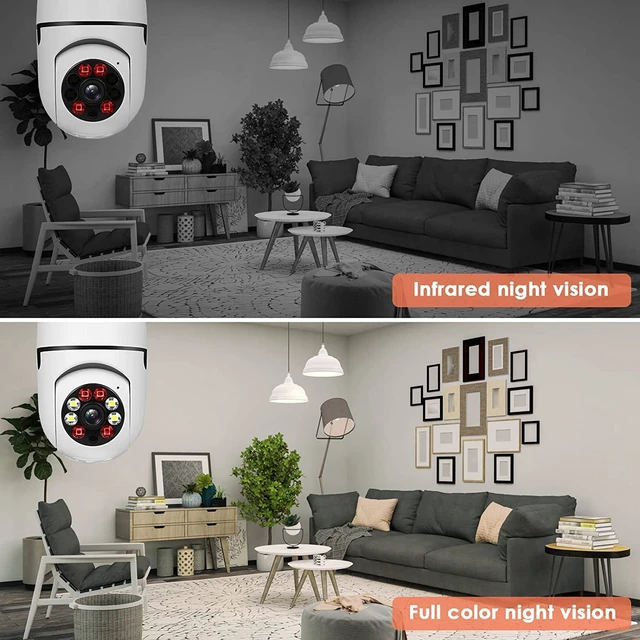
2.With infrared and white light, You can switch between black and white and color night vision at will,even at night, you can see as clearly as day.
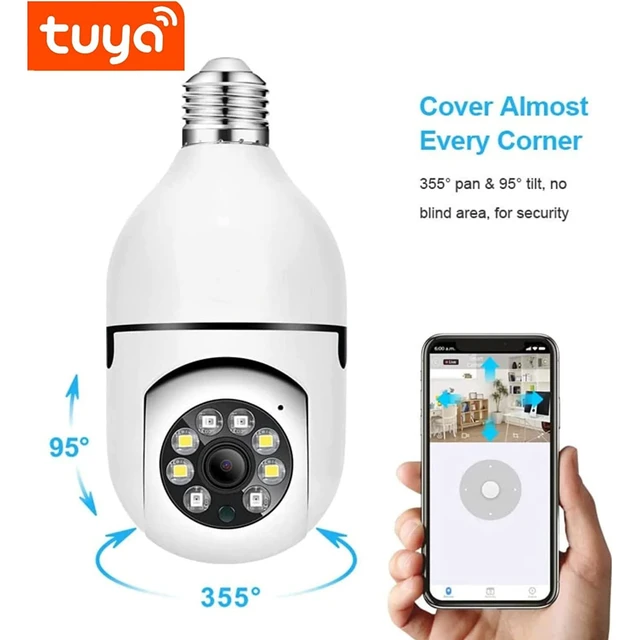
3.You can control the camera to rotate 360 degrees at any time through the mobile APP, no visual blind spots.
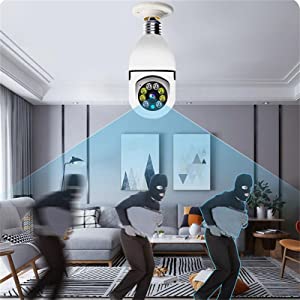
4.Sensitive motion detection, when an object is detected to move, you can push notifications to your mobile phone as soon as possible.
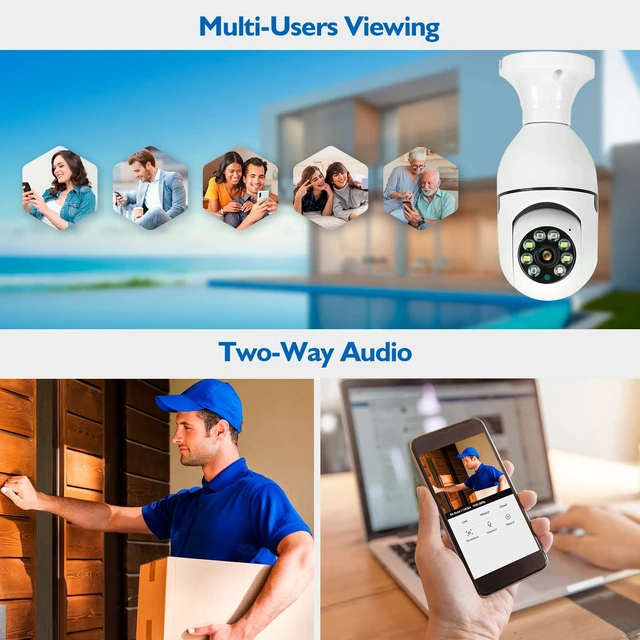
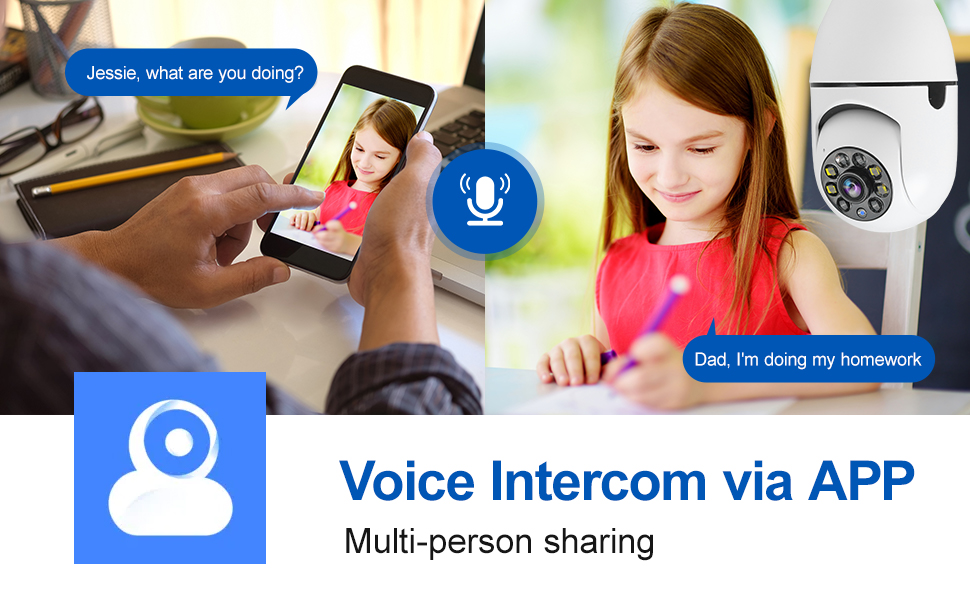
5.Two-way Audio allows you to communicate clearly with the person opposite the camera at any time.
Tips:
1.Please make sure the device is connected to the power and your phone is connected with Wifi.
2.The product does not have a memory card, please prepare by yourself if you need it, or choose the link with a memory card when purchasing.
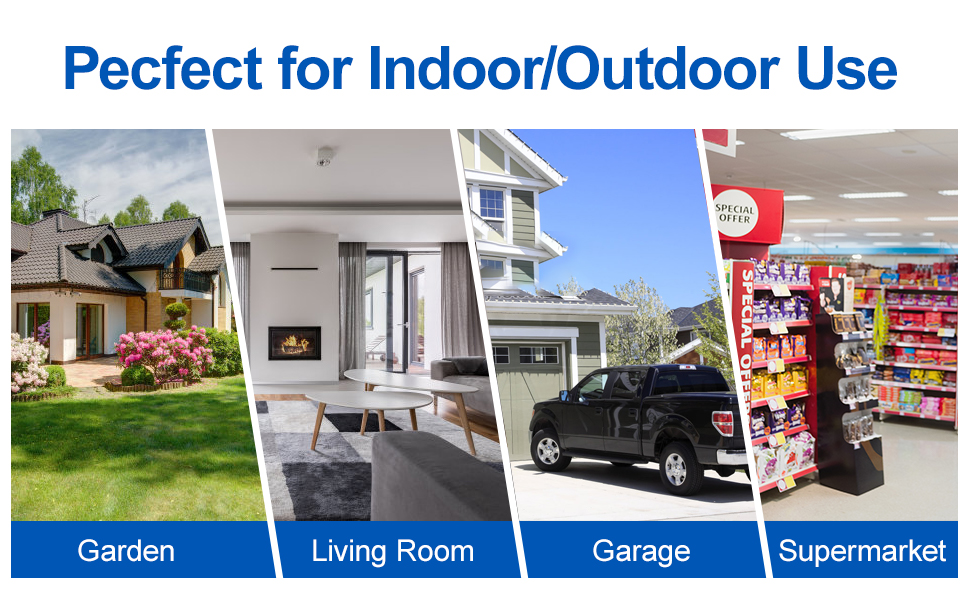
1. Security and decoration monitoring: light bulb cameras are similar to ordinary light bulbs and are highly decorative, so they can be installed in living rooms, offices and other places for security monitoring.
2. Behavioural analysis: light bulb cameras can be installed in public places to improve efficiency or provide services by analysing the activities of pedestrians.
3. Rehabilitation: Used in rehabilitation processes that require prolonged monitoring, for example in patient rooms. The patient's meals, activities and medication administration can be observed.
4. Pet monitoring: for monitoring pets at home. The light bulb camera can be used to observe the pet's movement, feeding and activity range at any time.
5. Environmental monitoring: Through the light bulb camera to observe changes in the work environment or home environment, monitoring temperature, humidity, light intensity and other physical parameters, early warning of abnormalities.
6. Security alarm: In addition to providing real-time video, the light bulb camera can also be installed with sensors to monitor changes in the environment, once the intrusion, over the limit situation, active alarm.
7.Lost and Found: By playing back the video recorded by the light bulb camera, you can search for lost items at home or in public places.
8. Remote assistance: the elderly or people with limited mobility can communicate with friends, relatives and medical personnel through the light bulb camera to get real-time help.
In summary, the light bulb camera has the characteristics of decorative monitoring, multi-functional monitoring, can be used for security monitoring, behavioural analysis, rehabilitation monitoring, pet management, environmental monitoring, alarm response and remote assistance, etc., has a broad application prospects.
10-15M (IR& White LED) Day and Night Vision Support Auto Tracking and Alarm Tone Function
Support wireless WIFI connection
Support Two-Way Audio Talk Speak Real Time
Support Pan 355 degree/ Tilt 95 degree
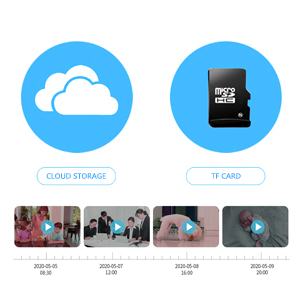
Support TF Card Max 128 GB memory card
Support humanoid intelligent alert double light
Support to Preset Position/Alert Voice and Alarm Bell/Cruise function
Supported Mobile Systems : Android/ios Power
APP:TUYA.
Type : IP camera
High Definition : 1080P(Full-HD)
Lens (mm) : 3.6mm
Sensor : CMOS
Megapixels : 2MP
Power Supply : E27
Alarm Action : telefon Alarm
Video Compression Format : H.264
Connectivity : IP/Network Wireless
TF Card : 128G TF Card(Not included)
Network cable protocol : Wi-Fi/802.11a/n/ac
Night mode: infrared night vision + LED full color
Supply(V): AC110V-240V, Output DC12V.
Output power: 5W.Energy saving
1 X IP camera
1 X E27 Socket
1 X installation kit
1 X Manual
1?Download for App
Search for "Tuya" app in App Store/App Market, or scan the QR below to download.
Scan QR to download
2? Register / Log in with existing account
2.1. Register
If you do not have an App account yet, you can register an account or log in via SMS verification code. Please read the current page and the next page for the description of registration process.
Click "Sign up", enter Privacy Policy page on Tuya App, click to Agree and enter to the registration page for Mobile number or address.
2.2. Log in with existing account
If you have already registered an account, you can skip the creating a new account,click "Log in", enter the log in page.
(1) The system automatically select the current Country/Region, or you can
manually select the Country/Region.
(2) Enter your registered mobile number or mail address, enter your password
to log in the system.Log in with social media account.
4? Add Device
A. QR net-pairing (Recommended)
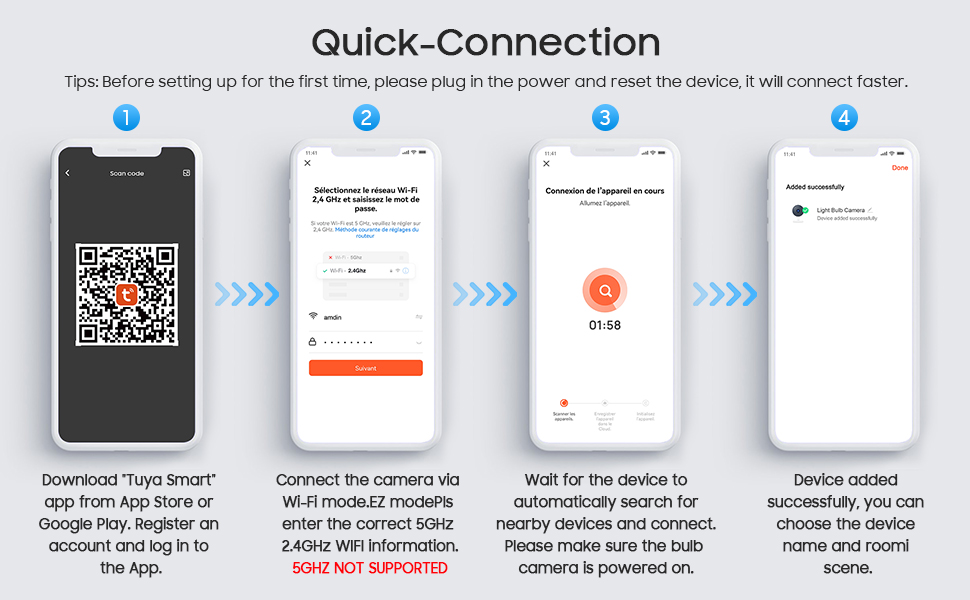
The product only support 2.4GHz Wi-Fi network. It does not support 5GHz Wi-Fi network. Before configuring Wi-Fi, please set the router parameters. The Wi-Fi password should not contain special characters of .When configuring Wi-Fi, make sure your router, mobile and device are as close as possible for a quick configuration of the device.
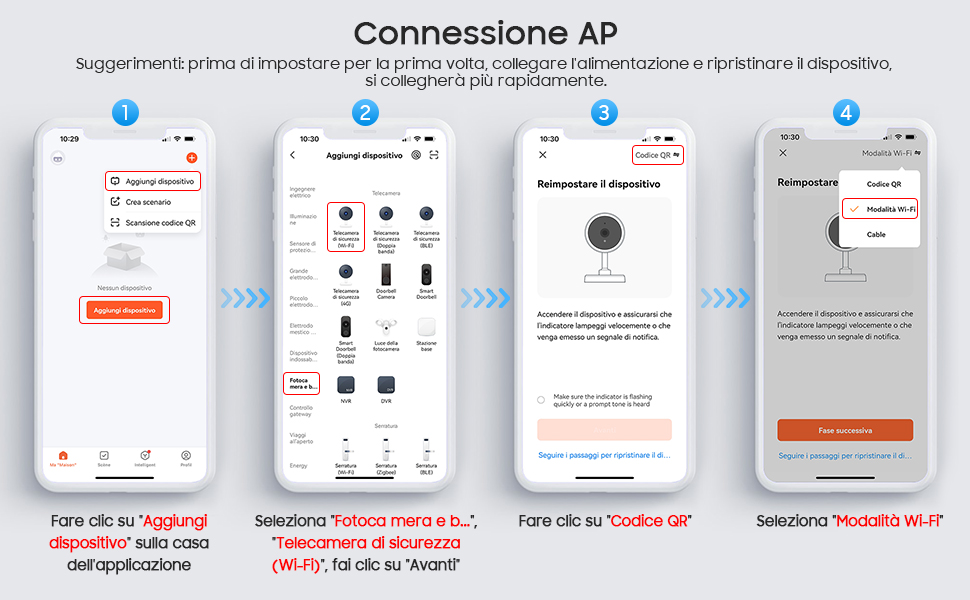
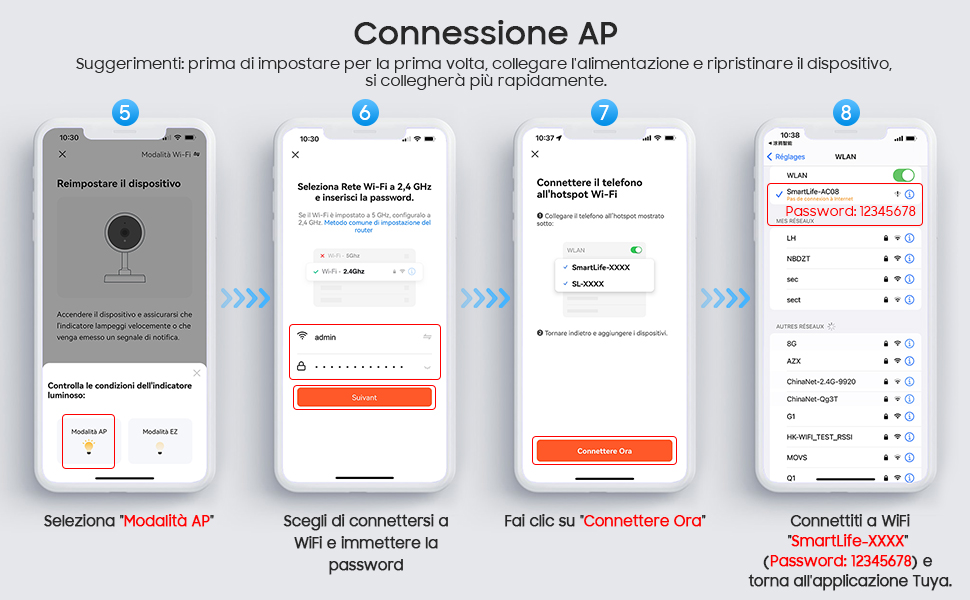
1.App supports QR net-pairing and Wi-Fi connetion. You can choose to add
device by other options.(Figure 0)
2.Power the camera, and you can hear the voice to remind you configure the network.
3.When the mobile phone connecting to Wi-Fi, click "Add Device" (figure 1)on the Home of the App, select "Security & Video Surveillance"(figure 2)? "Smart Camera", click "next step" (figure 3).
4.Enter Wi-Fi account and password, click "Confirm" (figure 4).
5.Hold the mobile phone screen in the front of the camera (figure 5), the distance
between the two should be 15 to 20 cm. (figure 5) Try not to shake the mobile
phone during the scanning.
6.when you hear a prompt,click "I hear a Prompt", and wait for connecting
(figure 6-7).
7.Device added successfully (figure 8), you can choose the device name and room
5.Function description
Real-time preview interface
1.Setting & Management 2. Wi-Fi signal strength 3. Sound switch
4.SD/HD 5. Full screen 6. Screenshot
7. Voice chat 8. Record live view 9. Playback of video
10. PTZ control (The camera can be arbitrarily rotated to give you a different
perspective. You can move it up and down, capture any corner you want to view) .
11. Motion detection alarm (abnormal report notification through intelligent detection of anomaly in home. You can go out to work and play confidently. To set the alarm level according to the camera's filed of view can make the alarm more accurate).
6.FAQ
Q:Fail to add device during net-pairing?
A:Please make sure the mobile phone and device are connected to 2.4GHz router.
Make sure the correct Wi-Fi password is entered.
Main Features:
1.Easy to install, comes with an E27 jack.
2.With infrared and white light, You can switch between black and white and color night vision at will,even at night, you can see as clearly as day.
3.You can control the camera to rotate 360 degrees at any time through the mobile APP, no visual blind spots.
4.Sensitive motion detection, when an object is detected to move, you can push notifications to your mobile phone as soon as possible.
5.Two-way Audio allows you to communicate clearly with the person opposite the camera at any time.
Tips:
1.Please make sure the device is connected to the power and your phone is connected with Wifi.
2.The product does not have a memory card, please prepare by yourself if you need it, or choose the link with a memory card when purchasing.
1. Security and decoration monitoring: light bulb cameras are similar to ordinary light bulbs and are highly decorative, so they can be installed in living rooms, offices and other places for security monitoring.
2. Behavioural analysis: light bulb cameras can be installed in public places to improve efficiency or provide services by analysing the activities of pedestrians.
3. Rehabilitation: Used in rehabilitation processes that require prolonged monitoring, for example in patient rooms. The patient's meals, activities and medication administration can be observed.
4. Pet monitoring: for monitoring pets at home. The light bulb camera can be used to observe the pet's movement, feeding and activity range at any time.
5. Environmental monitoring: Through the light bulb camera to observe changes in the work environment or home environment, monitoring temperature, humidity, light intensity and other physical parameters, early warning of abnormalities.
6. Security alarm: In addition to providing real-time video, the light bulb camera can also be installed with sensors to monitor changes in the environment, once the intrusion, over the limit situation, active alarm.
7.Lost and Found: By playing back the video recorded by the light bulb camera, you can search for lost items at home or in public places.
8. Remote assistance: the elderly or people with limited mobility can communicate with friends, relatives and medical personnel through the light bulb camera to get real-time help.
In summary, the light bulb camera has the characteristics of decorative monitoring, multi-functional monitoring, can be used for security monitoring, behavioural analysis, rehabilitation monitoring, pet management, environmental monitoring, alarm response and remote assistance, etc., has a broad application prospects.
10-15M (IR& White LED) Day and Night Vision Support Auto Tracking and Alarm Tone Function
Support wireless WIFI connection
Support Two-Way Audio Talk Speak Real Time
Support Pan 355 degree/ Tilt 95 degree
Support TF Card Max 128 GB memory card
Support humanoid intelligent alert double light
Support to Preset Position/Alert Voice and Alarm Bell/Cruise function
Supported Mobile Systems : Android/ios Power
APP:TUYA.
Type : IP camera
High Definition : 1080P(Full-HD)
Lens (mm) : 3.6mm
Sensor : CMOS
Megapixels : 2MP
Power Supply : E27
Alarm Action : telefon Alarm
Video Compression Format : H.264
Connectivity : IP/Network Wireless
TF Card : 128G TF Card(Not included)
Network cable protocol : Wi-Fi/802.11a/n/ac
Night mode: infrared night vision + LED full color
Supply(V): AC110V-240V, Output DC12V.
Output power: 5W.Energy saving
1 X IP camera
1 X E27 Socket
1 X installation kit
1 X Manual
1?Download for App
Search for "Tuya" app in App Store/App Market, or scan the QR below to download.
Scan QR to download
2? Register / Log in with existing account
2.1. Register
If you do not have an App account yet, you can register an account or log in via SMS verification code. Please read the current page and the next page for the description of registration process.
Click "Sign up", enter Privacy Policy page on Tuya App, click to Agree and enter to the registration page for Mobile number or address.
2.2. Log in with existing account
If you have already registered an account, you can skip the creating a new account,click "Log in", enter the log in page.
(1) The system automatically select the current Country/Region, or you can
manually select the Country/Region.
(2) Enter your registered mobile number or mail address, enter your password
to log in the system.Log in with social media account.
4? Add Device
A. QR net-pairing (Recommended)
The product only support 2.4GHz Wi-Fi network. It does not support 5GHz Wi-Fi network. Before configuring Wi-Fi, please set the router parameters. The Wi-Fi password should not contain special characters of .When configuring Wi-Fi, make sure your router, mobile and device are as close as possible for a quick configuration of the device.
1.App supports QR net-pairing and Wi-Fi connetion. You can choose to add
device by other options.(Figure 0)
2.Power the camera, and you can hear the voice to remind you configure the network.
3.When the mobile phone connecting to Wi-Fi, click "Add Device" (figure 1)on the Home of the App, select "Security & Video Surveillance"(figure 2)? "Smart Camera", click "next step" (figure 3).
4.Enter Wi-Fi account and password, click "Confirm" (figure 4).
5.Hold the mobile phone screen in the front of the camera (figure 5), the distance
between the two should be 15 to 20 cm. (figure 5) Try not to shake the mobile
phone during the scanning.
6.when you hear a prompt,click "I hear a Prompt", and wait for connecting
(figure 6-7).
7.Device added successfully (figure 8), you can choose the device name and room
5.Function description
Real-time preview interface
1.Setting & Management 2. Wi-Fi signal strength 3. Sound switch
4.SD/HD 5. Full screen 6. Screenshot
7. Voice chat 8. Record live view 9. Playback of video
10. PTZ control (The camera can be arbitrarily rotated to give you a different
perspective. You can move it up and down, capture any corner you want to view) .
11. Motion detection alarm (abnormal report notification through intelligent detection of anomaly in home. You can go out to work and play confidently. To set the alarm level according to the camera's filed of view can make the alarm more accurate).
6.FAQ
Q:Fail to add device during net-pairing?
A:Please make sure the mobile phone and device are connected to 2.4GHz router.
Make sure the correct Wi-Fi password is entered.


